


Slido is a popular Q&A and polling platform that helps presenters engage audiences at events. But its hefty price tag, limits on free polls, and somewhat impersonal interface can be deal breakers for some users. The good news is that there are several Slido alternatives that shine in different scenarios.
Whether you’re a virtual trainer looking to engage learners or a teacher gamifying a quiz, one of these five tools might fit better:
1. StreamAlive
If you’re a virtual instructor-led trainer, corporate facilitator, or educator, StreamAlive was built just for you. This platform focuses on turning passive online meetings into lively two-way conversations.
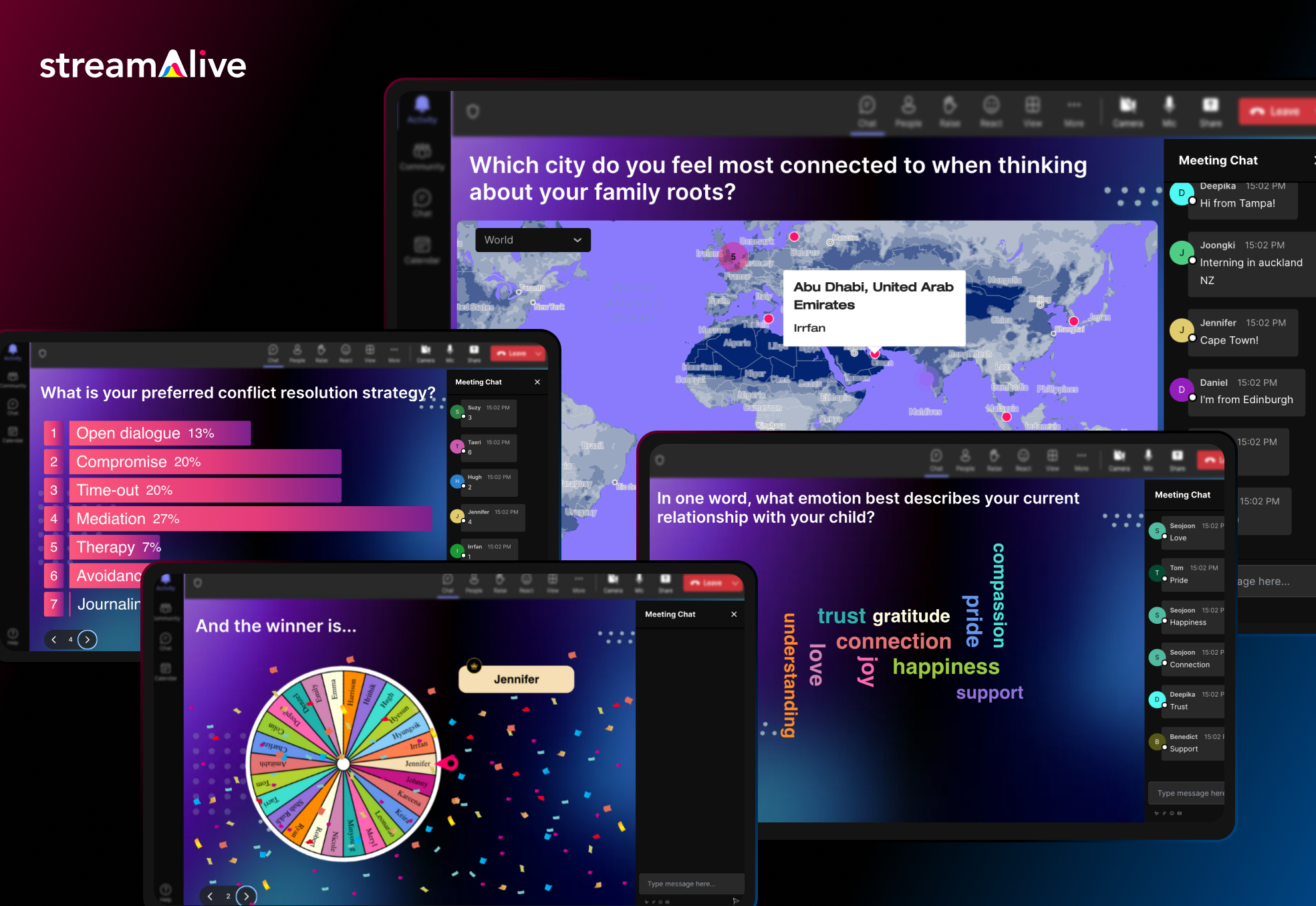
How? StreamAlive taps into the chat of your live session to power interactions. Participants don’t need to fumble with separate apps or QR codes, they simply type in the Zoom/Teams/Meet chat, and StreamAlive magically transforms those messages into live polls, word clouds, maps, or even a fun spinner wheel on your screen.
Participants don’t need a separate app or to scan a code, they just type responses in the chat, and StreamAlive instantly visualizes the input on screen as polls, word clouds, maps, or even fun spinner wheels.
In fact, StreamAlive works inside all major meeting platforms (Zoom, Microsoft Teams, Google Meet, YouTube Live, Twitch, even hybrid or in-person events) without extra links or QR codes, attendees just use the existing chat window.
Now you can also embed Streamalive interactions in presentation software like PowerPoint, Gamma, Google Slides, Miro, etc.
Here’s a sneak peek.
StreamAlive’s features are tailored to keep an online crowd awake and participating. You can run quizzes and polls, ask open-ended questions, visualize where people are from on a map, or spin a wheel to randomly pick a participant – awesome for keeping everyone on their toes. The platform even leverages AI to help presenters: it can summarize a flood of chat messages into key takeaways or highlight popular opinions in real-time. This is a lifesaver in long training sessions where the chat can explode with comments and you need to make sense of it all. The AI can also generate quirky visuals from the chat content, which adds a fun surprise element for your audience.
Pricing: StreamAlive offers a free plan for small sessions and simple try-outs (free for up to 10 learners/commenters per session). This is great if you want to test it in a small class or team meeting. As your audience grows, paid plans start at around $30 per month (or $150/year) which covers up to 100 active participants in a session. Higher tiers are available if you need to accommodate bigger groups or want enterprise features.
One nice thing is that pricing is based on how much you use its AI. Most sessions have fewer than 100 people which is covered in its Starter Plan. It’s how much you use the AI to generate new interactions (you can come up with your own interactions manually, so you don’t need to use the AI), how much you use the AI to summarize the chat (which is optional, so you could do dozens of sessions and not use the AI), and other interactions that use AI like the word clouds and Q&A feature.
StreamAlive is built to slot into your existing workflow. It has dedicated apps for PowerPoint so you can embed interactive slides like polls, word clouds, interactive maps, and spinner wheels directly in your existing PowerPoint deck.
It also has dedicated apps for Zoom and Teams that you can install to embed interactive activities directly into those platforms. But even without the app, you can just open StreamAlive in a browser alongside your presentation.
Because it reads the meeting chat, it’s compatible with virtually any virtual meeting software. Whether you’re screen-sharing a PowerPoint on Teams, teaching via Google Meet on a Chromebook, or live streaming on a Mac, StreamAlive has you covered.
The bottom line: for live online training sessions where you want maximum audience participation without disrupting the flow, StreamAlive is a powerful (and pretty neat) alternative to Mentimeter. It puts engagement on autopilot for the host, which is perfect if you love interactive sessions but don’t want the tech to get in the way of teaching.
2. Kahoot!
Kahoot quizzes turn presentations into fast-paced games, players join via phone or browser and compete for points. Kahoot! changes audience engagement into gamified learning. It’s a game-based platform where you can create live quizzes and trivia contests with multiple-choice questions, and participants answer on their phones or laptops.
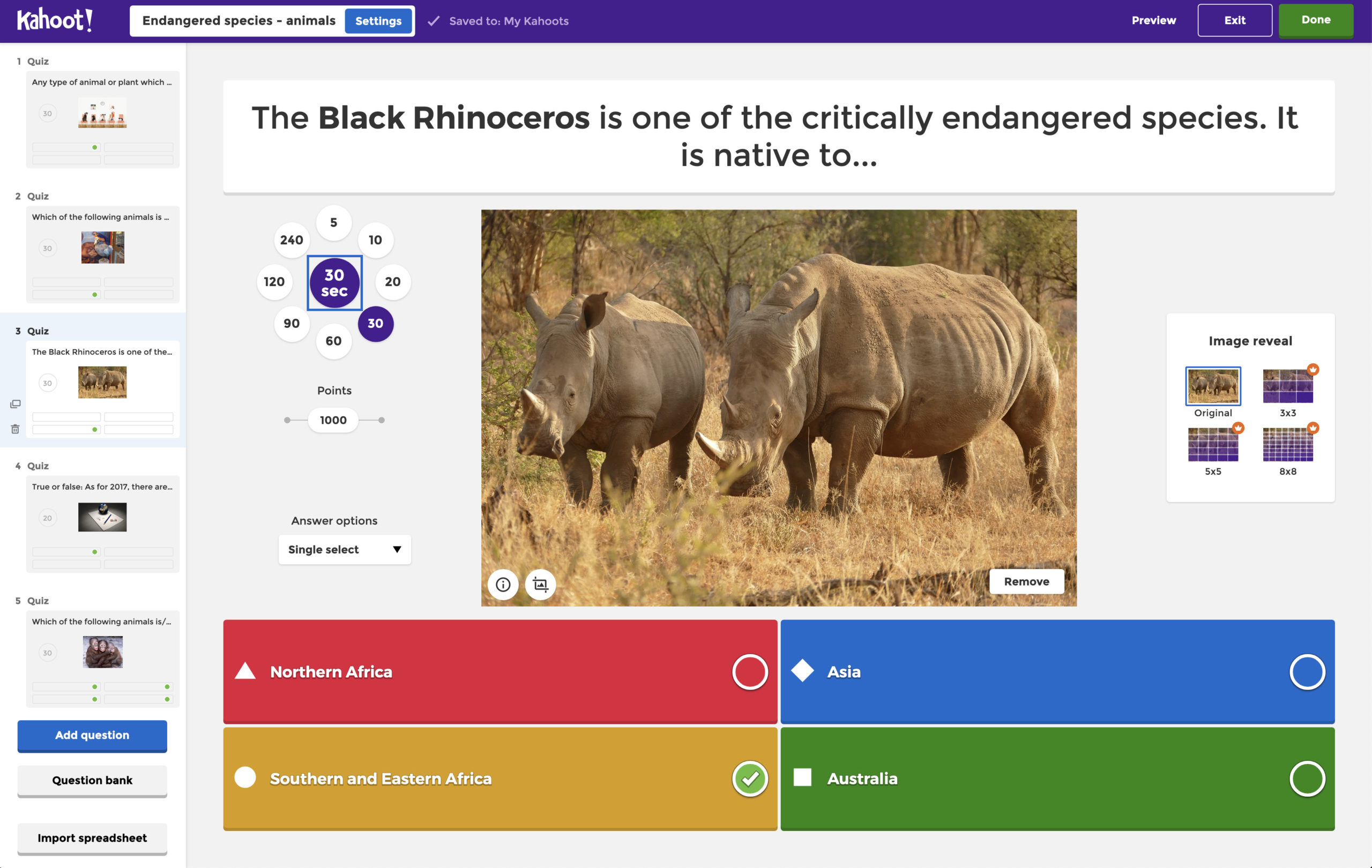
Kahoot is famous in classrooms and work meetings for its energetic, competitive vibe, upbeat music, colorful screens, and leaderboards that make every quiz feel like a game show.
This tool works great over Zoom or in person; the host displays questions on a shared screen and players input answers on their devices.
- Engagement features: Kahoot focuses on quizzes and polls in a playful format. You can add images or videos to questions, adjust timers, and enable points for fast answers. It’s especially good for energizing groups with friendly competition, whether in a class, an all-hands meeting, or a conference break. Players see a leaderboard after each question, which adds excitement and motivation.
- Best for: Educational sessions, or any group that would enjoy a competitive quiz-style interaction. Teachers often use Kahoot for test reviews, and businesses use it for icebreakers or knowledge checks. The interface is very accessible, participants just go to a game PIN link or use the Kahoot app, no account required for players.
- Pricing: Kahoot has a basic free version, but it limits the number of participants in a game (around 10 players in a standard free account in some cases). For larger groups or more features, paid plans are available. For example, Kahoot’s one-time Event “Bronze” plan costs $250 and supports up to 100 participants with unlimited quizzes. They also offer subscription plans for businesses and educators (with options like Kahoot! 360 for businesses or Kahoot!+ for schools) that start at roughly $19 per month and up, depending on audience size and features.
3. Mentimeter
Mentimeter is an interactive presentation tool that feels like a more presentation-focused cousin of Slido. It lets you create live polls, word clouds, quizzes, scales, and Q&A slides and embed them directly into your slide deck.
Participants join via a voting link or QR code (often menti.com with a code) and can respond in real time from their phones or computers.
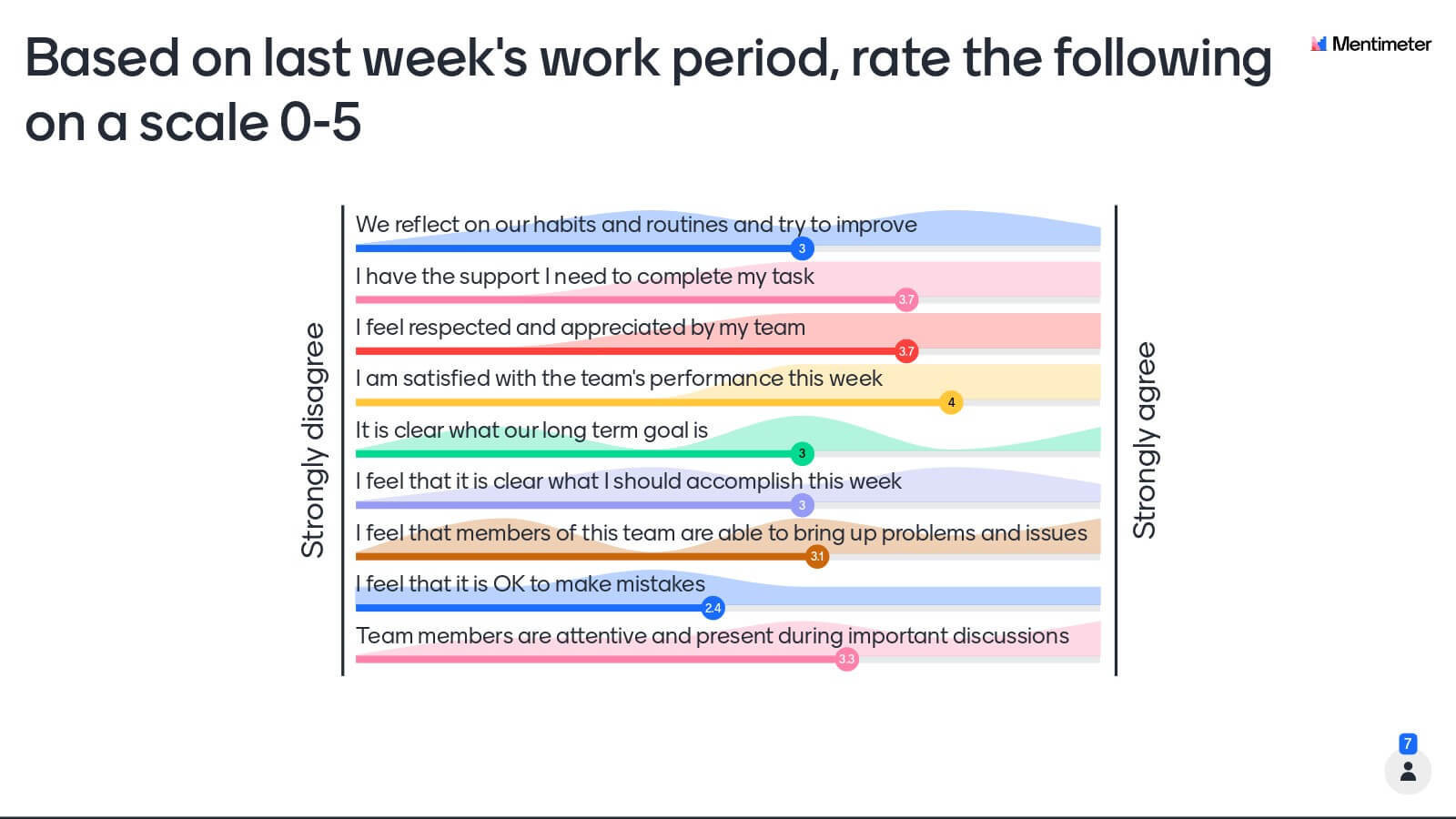
Mentimeter is popular for its clean, professional look and versatile question types; it’s a go-to for many corporate meetings, classes, and conference talks where you want to gather input or opinions seamlessly during a presentation.
- Engagement features: Offers a wide variety of question formats – from multiple-choice and ranking polls to open-ended responses and word clouds. Results display instantly in beautiful visualizations (bar charts, word clouds, etc.) on your slides. There’s also a Q&A feature where the audience can submit and upvote questions. Recently, Mentimeter even introduced some AI tools (like an AI slide generator and sentiment analysis to gauge audience mood) to speed up presentation prep.
- Best for: Education, and conferences. Mentimeter positions itself as a professional alternative ideal for higher education lectures, all-hands meetings, or conference sessions where you want polished interactivity without a game show feel. It’s great for hybrid settings too, whether your audience is in-person or remote, they can all participate through the web. Presenters who value a seamless slide integration and a broad range of polling options often prefer Mentimeter.
- Pricing: Mentimeter has a free plan that you can start with, but it’s limited in content – you can ask up to two questions per presentation (plus some quizzes) on the free tier. Audience size on the free plan is capped (currently about 50 voters per month on free). To unlock unlimited questions and larger audiences, you’d need a paid plan. Paid plans start at about $13 per month (billed annually) for an individual Basic plan, which allows unlimited audience and more slides, and go up to ~$25–$27 per month for Pro with advanced features like branding, moderation, and collaboration. There are also educational discounts for teachers/students at slightly lower prices.
4. Poll Everywhere
Poll Everywhere is one of the original audience response systems, widely used in conferences, classrooms, and live events. It transforms Q&A and polling into a simple, accessible experience: you create questions (polls, multiple-choice, word clouds, etc.), and the audience can respond in real time via a web link or even via SMS text message on their phones.
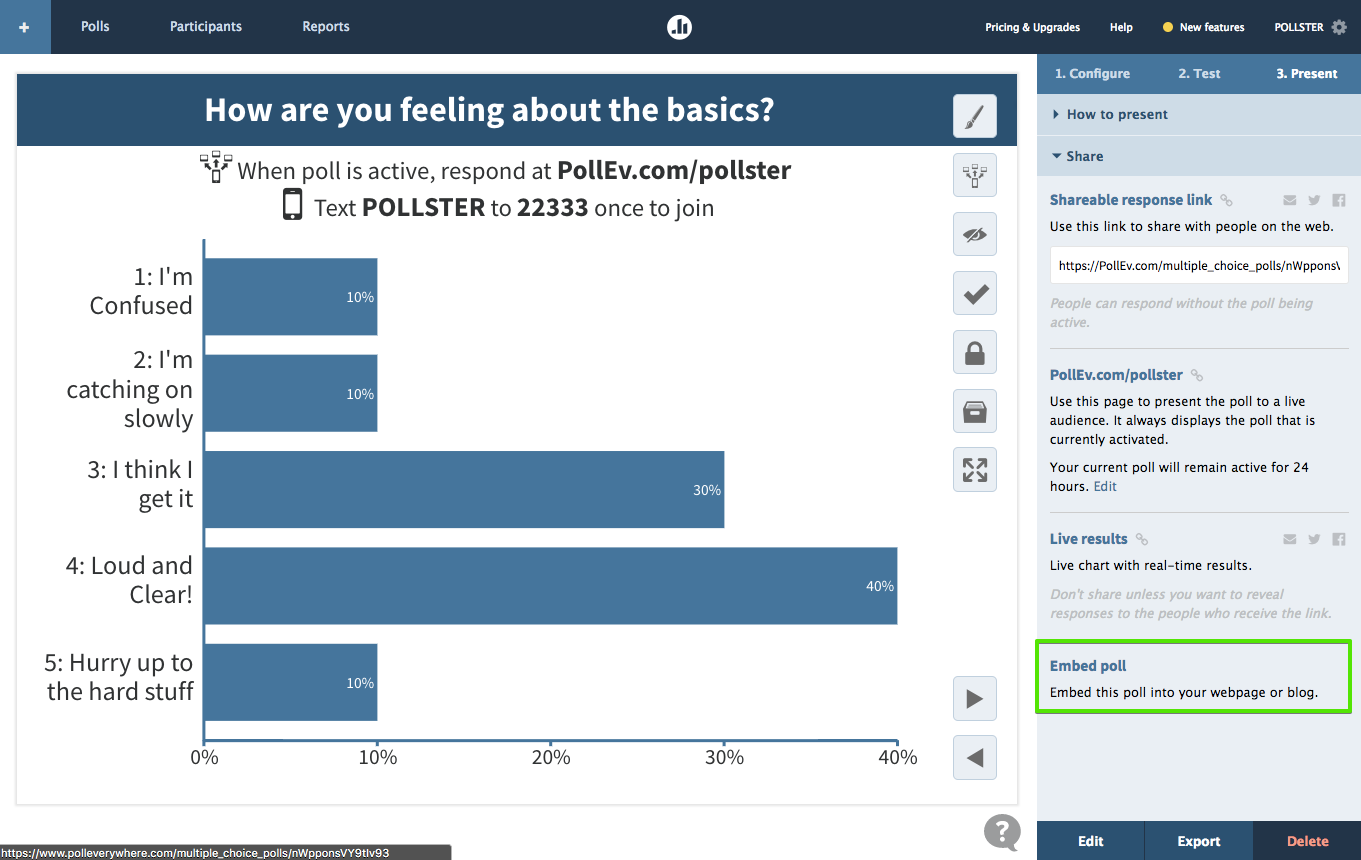
Poll Everywhere integrates nicely with tools like PowerPoint and Keynote, so presenters can embed live polls into slides. It’s a no-frills, reliable solution that has stood the test of time for both in-person and virtual settings.
- Engagement features: Poll Everywhere supports multiple question types (live polls, word clouds, open-ended questions, rankings, clickable image polls, etc.) and displays results instantly on-screen. It also has a Q&A/voting feature, where attendees can submit questions and upvote them, which is great for panel discussions or town halls. One unique advantage is the option for participants to respond via SMS texting (in addition to using the web). This is useful in large conference rooms or lecture halls where asking people to pull out a phone browser might be a hurdle – with Poll Everywhere, they can simply text their response to a number, and it shows up in the poll.
- Best for: Live events, classes, and meetings where simplicity and broad accessibility matter. It’s often used in higher education and corporate meetings. If you run presentations in PowerPoint, Poll Everywhere’s add-in lets you seamlessly include polls without switching apps. Also, if you anticipate some attendees won’t have smartphones or reliable internet, the SMS option is a helpful fallback (for regions where that’s supported).
- Pricing: Poll Everywhere offers a free plan to get started, but it’s limited to a small audience size. The free version allows about 25–40 participants per poll (exact limit can depend on use-case; for educators it’s 40 students, for general use it’s 25). You can create unlimited questions even on free, but only that many people can respond. For larger groups, their paid plans start at around $120 per year for up to ~700 participants in a session. They have higher tiers (with reporting, moderation, and team collaboration features) at ~$42 per month and up. There are also enterprise plans for big organizations and special pricing for events (e.g. one-time large events). For many educators, the free tier suffices in class; businesses often opt for a paid plan to accommodate bigger meetings or multiple presenters.
5. AhaSlides
AhaSlides is an all-in-one interactive presentation software that, like Mentimeter, allows you to mix content and engagement on every slide.

With AhaSlides you can create live quizzes, polls, word clouds, Q&As, and even game-like elements (there’s a spinner wheel and leaderboard feature) inside your slide deck. It’s quite versatile: great for team meetings, classrooms, workshops, or even casual events where you want some audience interaction.
- Engagement features: Offers a wide range of slide types – multiple-choice polls, open text questions, word clouds, ratings, quizzes with scoring, etc. It stands out for some gamified elements: for example, you can run competitive quizzes with a live leaderboard, use a spin-the-wheel activity to randomly pick a winner or topic, and more. AhaSlides provides lots of pre-made templates (for trivia nights, meetings, lessons, etc.), so you can plug in your content and have an interactive session ready to go quickly. Participants join via link or QR code (no login needed), and you can even enable an asynchronous mode where people can answer at their own pace via a link.
- Best for: Multi-purpose use – meetings or event hosts who want an affordable yet feature-rich tool. It’s especially useful if you want a bit of everything (polls, games, Q&A) in one package. Because of its gamification options, many teachers and team builders use AhaSlides to make sessions more fun. It’s also a good choice for those on a budget, as it has one of the most generous free plans out there.
- Pricing: AhaSlides’ free plan is indeed quite generous – you can host sessions with up to 50 live participants for free, with unlimited questions (though each presentation is limited to 5 quiz slides and 3 poll/Q&A slides on the free tier). This is plenty for small classes or meetings. When you need to go beyond 50 people, the paid plans kick in. Paid plans start from about $7.95 per month for the Essential tier (allows 100 participants and unlimited slides). The Pro plan (around $15–16/month) expands the limit to 1,000+ participants and adds features like custom branding, priority support, and advanced Q&A moderation. Notably, AhaSlides’ pricing is more affordable than many competitors, and you can pay monthly or annually. For education users, there are discounted plans as well. Overall, if you’re looking for a low-cost Slido alternative with a bit of game flavor, AhaSlides is a strong contender.


.svg.png)


