


Kahoot! is a fantastic game-based platform for quizzes, famous for energizing classrooms and events with its fast-paced trivia. However, it isn’t a one-size-fits-all solution.
You may need more flexibility, advanced polling, or a professional tone that Kahoot lacks. Not every audience thrives in Kahoot’s race-against-the-clock format, and some educators or presenters find its features and customizations limiting (not to mention the cost of premium plans).
If you’re searching for a Kahoot alternative that better fits corporate meetings, virtual trainings, or just offers a different engagement style, you’re in luck. Below are five great alternatives to Kahoot, each with its own strengths for different scenarios.
1. StreamAlive
If you’re a virtual instructor-led trainer, corporate facilitator, or educator, StreamAlive was built just for you. This platform focuses on turning passive online meetings into lively two-way conversations.
How? StreamAlive taps into the chat of your live session to power interactions. Participants don’t need to fumble with separate apps or QR codes, they simply type in the Zoom/Teams/Meet chat, and StreamAlive magically transforms those messages into live polls, word clouds, maps, or even a fun spinner wheel on your screen.
Participants don’t need a separate app or to scan a code, they just type responses in the chat, and StreamAlive instantly visualizes the input on screen as polls, word clouds, maps, or even fun spinner wheels.
In fact, StreamAlive works inside all major meeting platforms (Zoom, Microsoft Teams, Google Meet, YouTube Live, Twitch, even hybrid or in-person events) without extra links or QR codes, attendees just use the existing chat window.
Now you can also embed Streamalive interactions in presentation software like PowerPoint, Gamma, Google Slides, Miro, etc.
Here’s a sneak peek.
StreamAlive’s features are tailored to keep an online crowd awake and participating. You can run quizzes and polls, ask open-ended questions, visualize where people are from on a map, or spin a wheel to randomly pick a participant – awesome for keeping everyone on their toes. The platform even leverages AI to help presenters: it can summarize a flood of chat messages into key takeaways or highlight popular opinions in real-time. This is a lifesaver in long training sessions where the chat can explode with comments and you need to make sense of it all. The AI can also generate quirky visuals from the chat content, which adds a fun surprise element for your audience.
Pricing: StreamAlive offers a free plan for small sessions and simple try-outs (free for up to 10 learners/commenters per session). This is great if you want to test it in a small class or team meeting. As your audience grows, paid plans start at around $30 per month (or $150/year) which covers up to 100 active participants in a session. Higher tiers are available if you need to accommodate bigger groups or want enterprise features.
One nice thing is that pricing is based on how much you use its AI. Most sessions have fewer than 100 people which is covered in its Starter Plan. It’s how much you use the AI to generate new interactions (you can come up with your own interactions manually, so you don’t need to use the AI), how much you use the AI to summarize the chat (which is optional, so you could do dozens of sessions and not use the AI), and other interactions that use AI like the word clouds and Q&A feature.
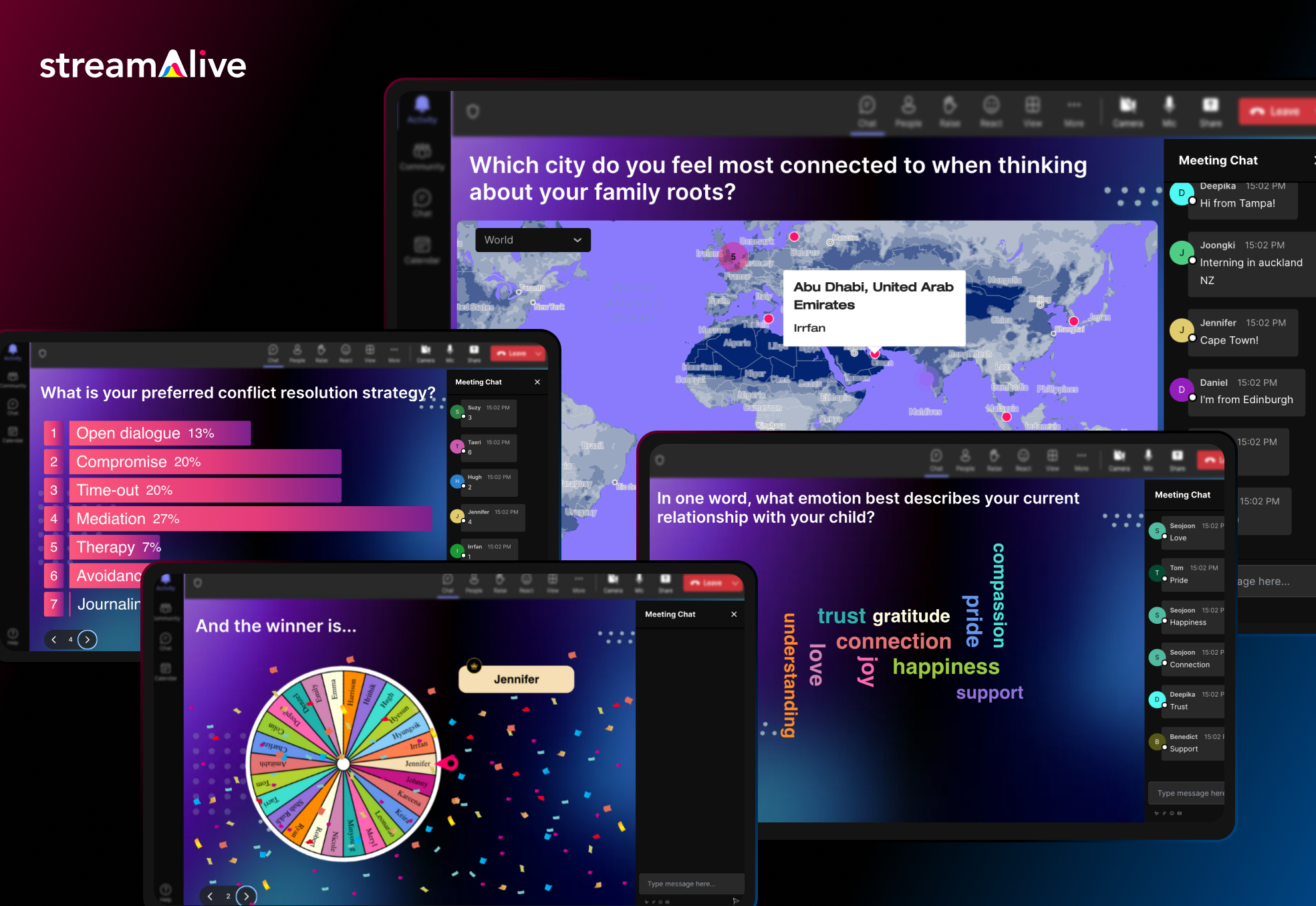
StreamAlive is built to slot into your existing workflow. It has dedicated apps for PowerPoint so you can embed interactive slides like polls, word clouds, interactive maps, and spinner wheels directly in your existing PowerPoint deck.
It also has dedicated apps for Zoom and Teams that you can install to embed interactive activities directly into those platforms. But even without the app, you can just open StreamAlive in a browser alongside your presentation.
Because it reads the meeting chat, it’s compatible with virtually any virtual meeting software. Whether you’re screen-sharing a PowerPoint on Teams, teaching via Google Meet on a Chromebook, or live streaming on a Mac, StreamAlive has you covered.
The bottom line: for live online training sessions where you want maximum audience participation without disrupting the flow, StreamAlive is a powerful (and pretty neat) alternative to Mentimeter. It puts engagement on autopilot for the host, which is perfect if you love interactive sessions but don’t want the tech to get in the way of teaching.
2. Slido
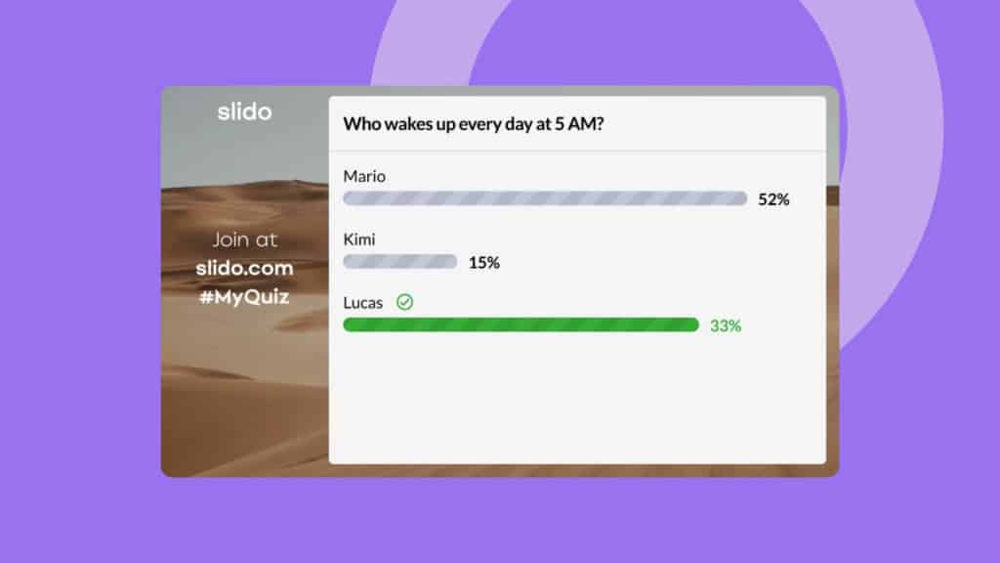
Slido is a well-known platform for live polls and Q&A, often seen in conferences and large corporate events. Like Kahoot, Slido lets presenters ask questions and get real-time responses, but its focus is a bit different. Slido isn’t as gameified, instead, it leans into professional, no-frills interaction ideal for team meetings, all-hands gatherings, and panel discussions. You create an interactive session, your audience joins (via a code or link on their phone or laptop), and you can run live polls, quizzes, or crowdsource questions seamlessly.
What sets Slido apart is its emphasis on Q&A and feedback for business settings: participants can submit questions (which others can upvote), making it great for town halls or conferences. The interface is clean and minimalistic; you won’t see the colorful avatars or goofy graphics of Kahoot, and that’s by design.
In short, Slido is perfect for live events where you need audience interaction without the cartoonish vibe, think industry conferences, webinars, or internal meetings. It provides live polls, word clouds, and moderated Q&As with a polished, corporate feel. If Kahoot feels too much like a classroom game for your purposes, Slido offers a more grown-up approach to engaging a crowd.
3. Mentimeter
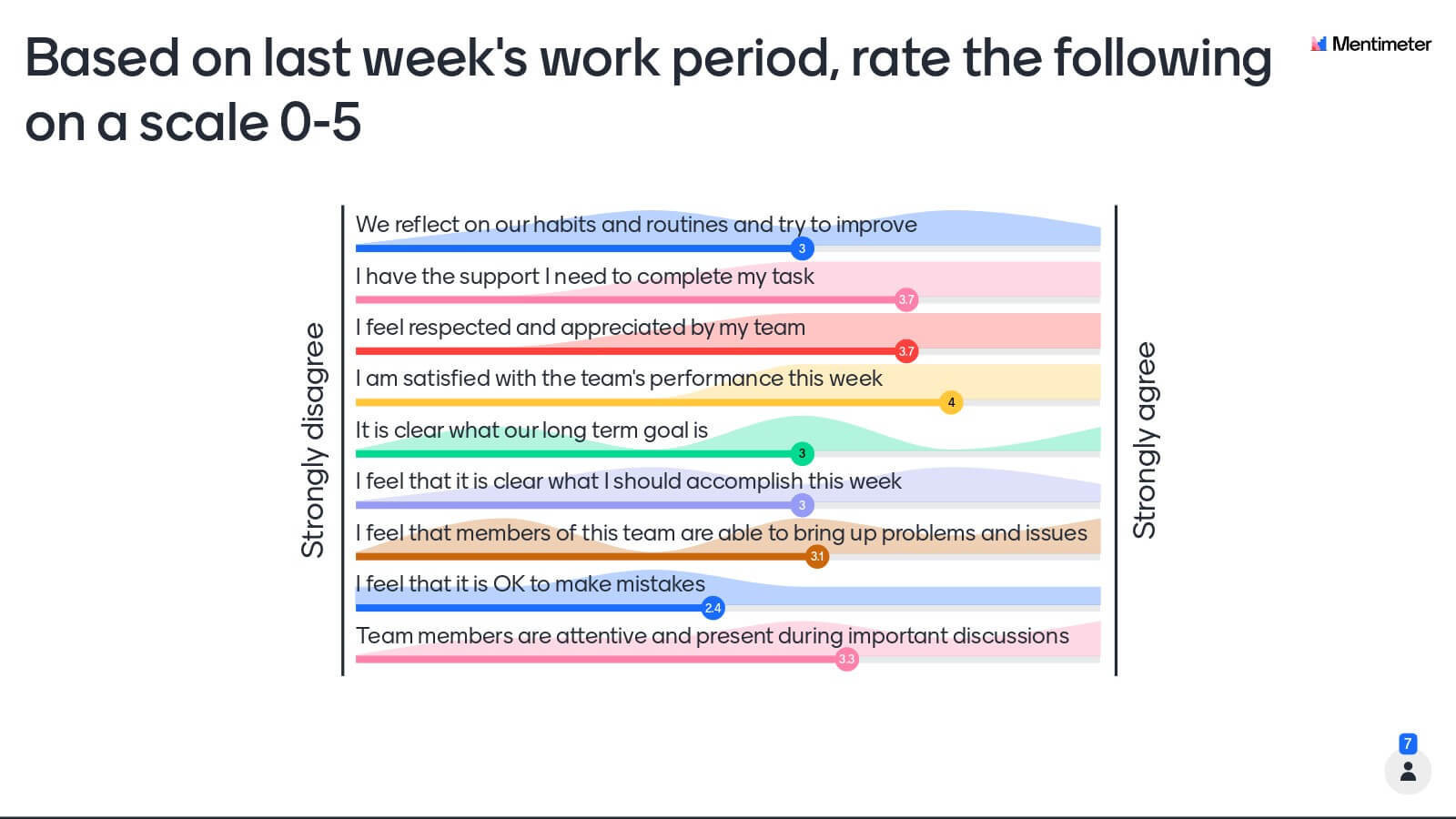
Mentimeter is another popular Kahoot alternative, especially in business and educational presentations. It offers the same idea of live questions and instant feedback, but with a broader range of interactive content.
With Mentimeter, you can create entire presentations loaded with polls, quizzes, word clouds, scales, and Q&A sessions, making your slide deck interactive from start to finish. Audiences join via a code on their device and can vote or submit responses in real time.
Mentimeter is loved for its polished visuals and variety of question types. For example, you can ask participants to rank options, rate on a scale, or respond to open-ended questions, and all results display in engaging charts or word clouds.
This flexibility is great for corporate training or workshops where you want more than a fast quiz, you might gather opinions, do a quick survey, then test knowledge, all in one session. The platform provides many pre-designed templates and themes, so your interactive slides look professional and on-brand.
Compared to Kahoot, Mentimeter tends to be less game-like and competitive. There’s no emphasis on speed or leaderboards by default; instead, it’s about participation and insight. This makes it ideal for serious settings or diverse groups, no frantic music or streak bonuses, which some learners actually prefer.
Do note that Mentimeter’s free plan has some limitations (e.g. a cap on questions per presentation), but it’s enough to try out in a small meeting. Overall, if you want to engage an audience with interactive slides while maintaining a businesslike tone, Mentimeter is a powerful choice.
4. Poll Everywhere
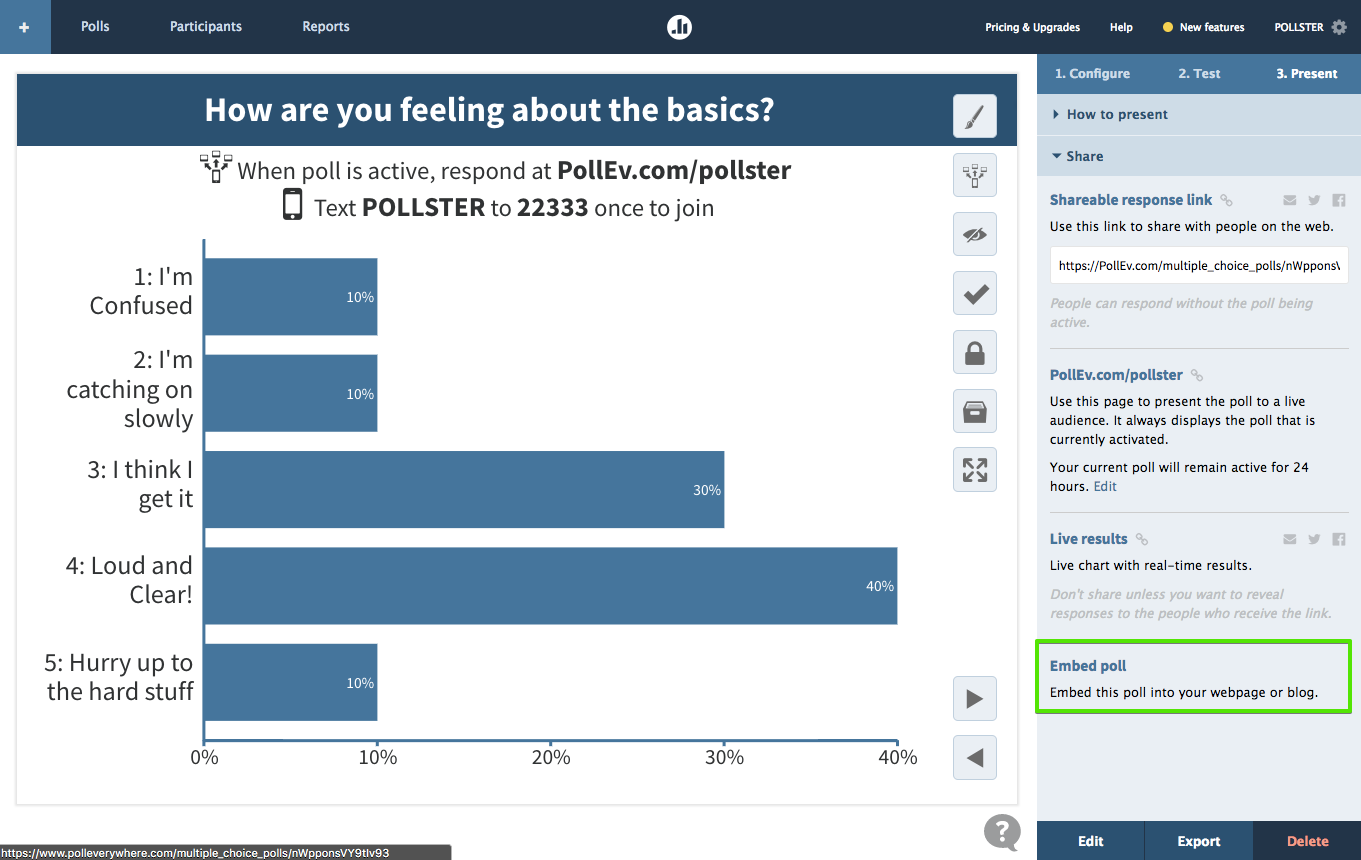
Poll Everywhere has been around for years as a straightforward solution for live polling and audience feedback. It’s often used in classes, webinars, and conference sessions where the presenter wants quick input without any flashy game elements.
With Poll Everywhere, you can create questions ranging from multiple-choice and open-ended polls to clickable image polls or surveys. Participants can respond using a web link or even by texting a code, and you’ll see the results aggregate in real time.
One big appeal of Poll Everywhere is its simplicity and versatility. It supports a wide range of question types (votes, word clouds, Q&A, etc.) and integrates into PowerPoint, Google Slides, and Keynote, so you can embed live polls into your slide deck.
Unlike Kahoot, Poll Everywhere isn’t about competition or speed, there are no leaderboards, timers, or points. This can actually be a plus in settings like company meetings or academic lectures where the goal is open feedback, not a game.
The interface is clean (some might say a bit plain), with basic charts and no loud visuals. Poll Everywhere shines for remote teams and hybrid audiences: for example, during a Zoom call you can ask everyone to vote on a proposal, and both in-room and remote participants can easily submit answers.
It also allows anonymous responses, which is useful for candid feedback or sensitive questions. The free plan is fairly generous with the number of respondents it supports per question, making it a handy free alternative for those who find Kahoot’s free tier too limiting.
If you value quick setup and professional-looking polls over colorful gamification, Poll Everywhere is a reliable choice.
5. AhaSlides

AhaSlides is an interactive presentation platform that combines the fun of Kahoot-style quizzes with the versatility of slideshow tools. It’s like having Kahoot, Mentimeter, and more all in one place.
With AhaSlides, you can create and present slides that include live quizzes, polls, word clouds, Q&As, brainstorming activities, and even a spinning wheel game for icebreakers. This makes it great for both classrooms and business meetings, anywhere you want your audience actively participating. Users join your session via a link (just like Kahoot), and they can respond on their phones or laptops in real time.
One of AhaSlides’ strengths is its focus on meaningful interaction without sacrificing customization. You can mix informational slides with questions easily, allowing you to, say, teach a concept then immediately poll the audience or quiz them, all within one seamless deck. It supports a range of question formats and beautiful visual results (the charts and word clouds are colorful and engaging).
AhaSlides also doesn’t impose a strict “fastest answer wins” dynamic; while you can run competitive scored quizzes, you have control to run slower-paced Q&As or opinion polls as needed. This flexibility means it works in a classroom trivia game or a boardroom poll equally well.
Another big plus: AhaSlides tends to be more budget-friendly. Its free plan allows up to 50 live participants with all core features, which already beats Kahoot’s free plan limit of 3 participants for personal use. Educators and speakers on a tight budget appreciate that they can engage a full room without paying, and paid plans (if needed) are usually cheaper than Kahoot’s.
If you’re looking for an all-in-one interactive presentation tool, AhaSlides is a robust alternative, it lets you quiz your audience, get their opinions, and wow them with interactive visuals all at once. No more dull slideshows or one-way lectures; with tools like AhaSlides, your audience becomes part of the presentation.


.svg.png)


