Install StreamAlive for your PowerPoint slides
Learn more

Career Portfolios Training for L&D Leaders
StreamAlive helps 9x the audience engagement in your Virtual Instructor-led Trainings (VILT) directly inside your powerpoint presentation.
Make your instructor-led Career Portfolios training more fun with polls, word clouds, spinner wheels and more
Works inside your existing PowerPoint presentation
Install the StreamAlive app for PowerPoint and see your slides come to life as people participate in your interactions
AI generates audience interactions for you
Let our AI scan your presentation and automatically come up with relevant questions based on the content. Or spend two hours coming up with your own questions, your choice!
Built to work with MS Teams and Zoom
Native apps for Teams and Zoom so you never have to leave your existing workflows
No QR Codes
Chat-powered interactions means your audience doesn’t need to scan QR codes or look at another screen to participate. They just type in the chat!

Quickly approved by your IT team
StreamAlive’s apps for Teams and Zoom means that they have been through rigorous quality assurance and client safety reviews. You’ll find everything an IT team needs to approve the app within the organization within your StreamAlive account.

Youve been asked to run an instructor-led training on Career Portfolios for L&D Leaders-and you want it to be useful, not a snooze-fest. The trick is getting people talking early and keeping them involved the whole way through. Here are practical activity ideas you can run live (and how StreamAlive helps you keep engagement up to 9x).
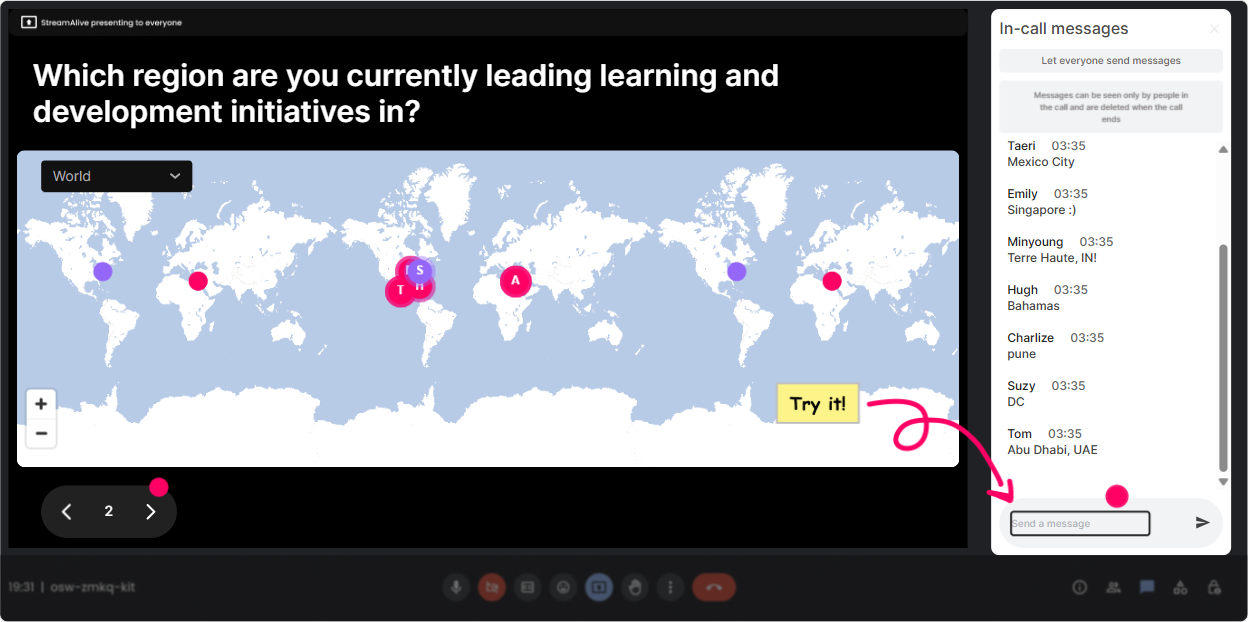
1) Magic Maps: Kick off with career portfolio geography (and break the awkward silence fast)
This is your easiest warm-up win. Instead of the usual Where are you joining from?, make it relevant to Career Portfolios-so the map becomes part of the lesson, not just small talk. How to use it in Career Portfolios training: - Icebreaker: Where are you joining from today? (classic, quick, gets everyone typing) - Make it portfolio-relevant: Which city shaped your career the most? - Talent mobility angle: If you could do a 6-month rotation anywhere on earth, where would you choose? - Future-focused: Drop a dream company hub city youd love to build a portfolio project in. Why it works for L&D Leaders: - You instantly see how global/regional the group is (useful when you talk about consistent portfolio standards across locations). - It gets quiet participants to type once-then theyre way more likely to keep chatting later. StreamAlive tip: Turn on the one location per attendee setting when you want clean data (like the rotation question). Reset the map before a new module if you want a fresh visual.
2) Rating Polls: Do a quick confidence check before you teach (so you dont guess wrong)
Rating Polls are perfect when you want a fast pulse check without putting anyone on the spot. L&D Leaders have varied experience-some are building frameworks, others are just hearing the term career portfolio seriously for the first time. Ways to use it: - Opener: On a scale of 110, how confident are you that your org could explain what a career portfolio is? - Mid-session check: Rate how clear the difference is between a resume and a career portfolio (1 = still fuzzy, 10 = crystal clear). - Readiness check: How ready is your organization to evaluate portfolios fairly? (110) Trainer move that keeps it conversational: - If the average is low: Cool, were in the right room-lets build this from the ground up. - If its high: Nice-then Im going to push you into implementation mode faster. StreamAlive tip: Use the live bar display as your pivot point-literally say, Im adjusting the next section based on this. That alone makes people feel seen and keeps them participating.

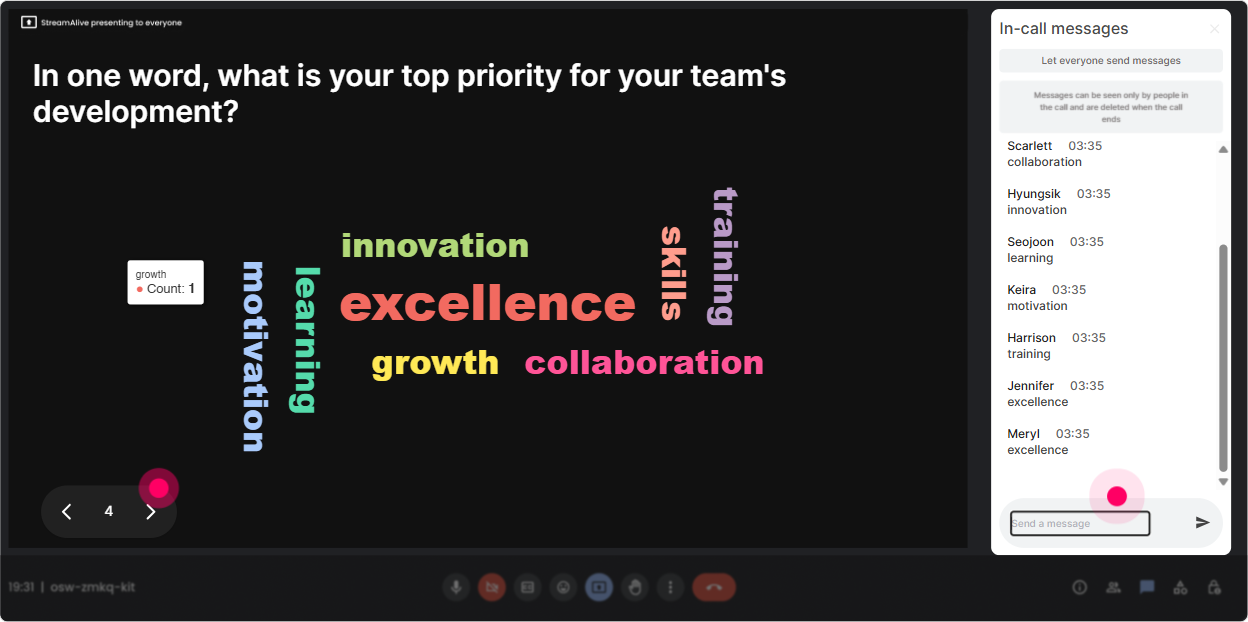
3) Wonder Words (Word Cloud): Get the real feelings in the room-fast
Career Portfolios can trigger very real reactions: excitement, skepticism, confusion, even we tried this and it flopped. A word cloud lets you surface that vibe in 30 seconds and use it to steer your facilitation. Prompts that work great (12 words answers): - When you hear career portfolio, whats the first word that pops into your mind? - Whats the biggest barrier in your org? (One word) - What should a strong portfolio prove? (12 words) How to use the result: - Call out the biggest words: Im seeing time and buy-in really big-lets tackle those first. - Spot resistance: If you see extra work or subjective, youve got a perfect segue into governance and evaluation rubrics. StreamAlive tip: Use Combine Similar Answers so you dont end up with buy-in, buyin, leadership buy in as three separate things. Then reset the cloud later for a new module like portfolio artifacts or assessment criteria.
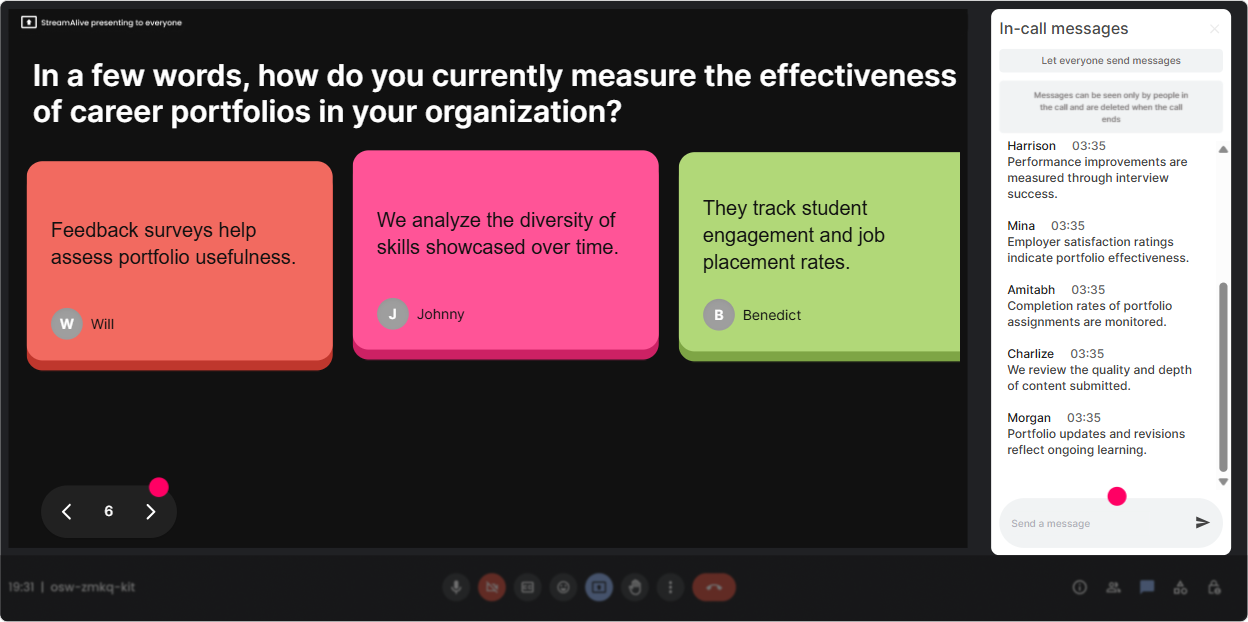
4) Talking Tiles: Turn portfolio examples into a gallery wall (without awkward breakout rooms)
Talking Tiles are awesome when you want longer, more thoughtful responses-but still want them to feel fun and visual. Think of it like building a live portfolio gallery together. Use it for practical portfolio-building moments: - Whats one portfolio artifact youd actually trust when reviewing internal candidates? - Share one example of a proof of skill artifact youve seen work well. - If youre designing a career portfolio program, whats one non-negotiable section it must include? - Scenario prompt: Your org says: We want portfolios-but no extra workload. What would you change to make it realistic? How to facilitate it like a pro: - Read 35 tiles out loud and group them: These ones are about evidence, these are about storytelling, these are about manager enablement. - Use tiles to transition into frameworks: You basically just built the outline for our portfolio rubric-lets formalize it. StreamAlive tip: This is where quieter people shine because typing feels safer than speaking. And since the tiles are visual, youll feel the energy lift immediately.
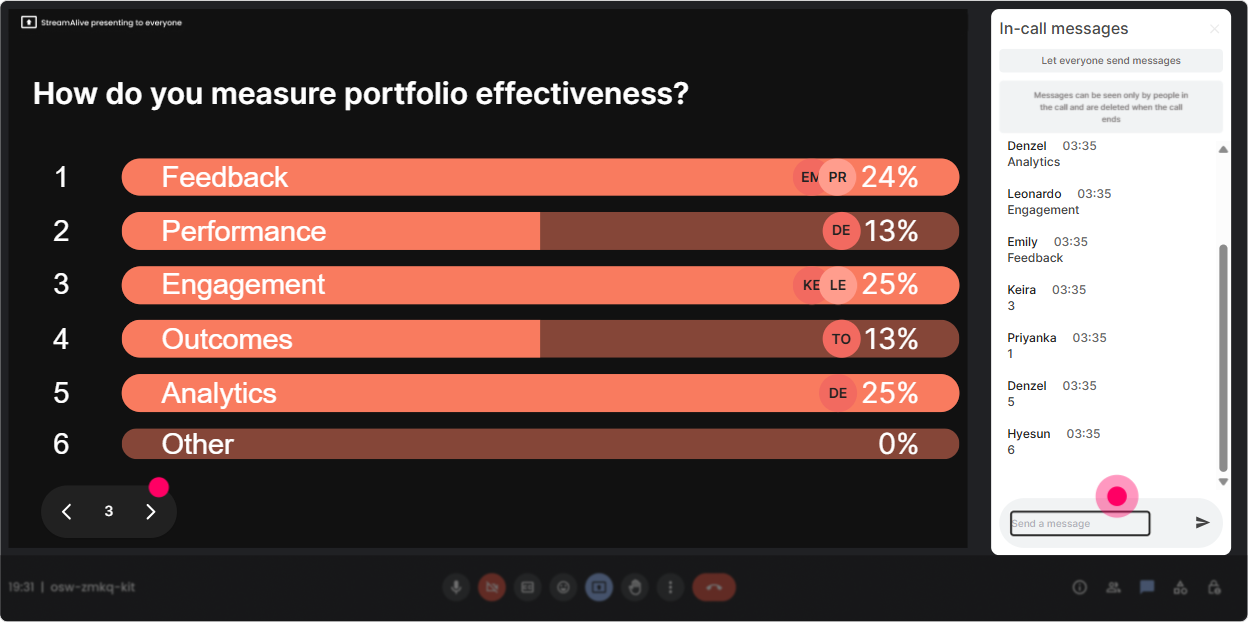
5) Power Polls: Let them choose the agenda (and watch engagement jump)
If you want L&D Leaders to stay engaged, give them control. Use a poll to decide what you go deeper on. People pay attention when the next section is literally chosen by them. Poll ideas for Career Portfolios ILT: - Where should we spend the most time today? 1) Portfolio structure (what goes in) 2) Governance + fairness (how we assess) 3) Tech + tooling (where it lives) 4) Manager enablement (how leaders use it) - Whats your primary use case for portfolios? 1) Internal mobility 2) Development planning 3) Promotion decisions 4) Succession planning - Which stakeholder is hardest to win over? 1) Employees 2) Managers 3) HRBP/L&D 4) Exec sponsors StreamAlive tip: Run one poll early (to co-create the agenda) and one later (to pick a case study to work through). Reset between them so results dont get mixed.
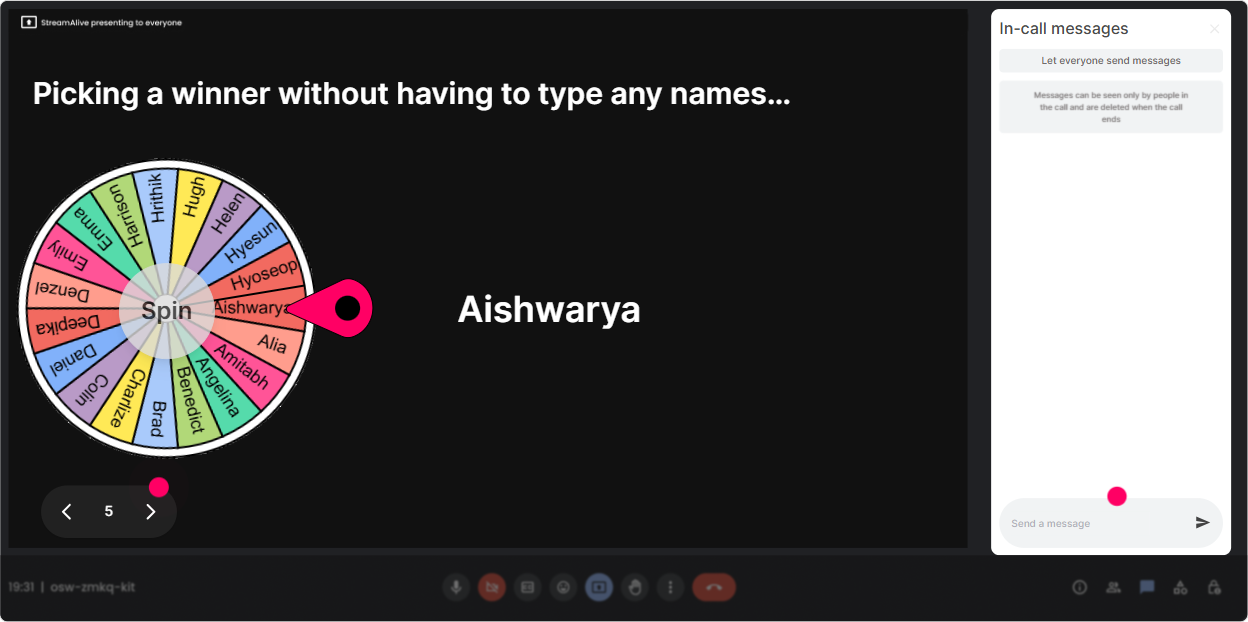
6) Winner Wheel: Get volunteers without the anyone want to share? cringe
Weve all done it: Anyone want to unmute? and then you hear the sound of nobody. Winner Wheel fixes that while keeping it light and fair. Ways to use it in a Career Portfolios session: - Pick a speaker: Drop ONE challenge you face with portfolios in chat. Im going to spin the wheel and ask one person to elaborate for 30 seconds. - Pick a case-study team rep: Type ready if you want to be the voice for your groups idea. Lets spin. - Reward participation: Well spin for a small prize at the end from everyone who answered the rubric question. Why it works: - People participate more because they know theres a chance to be picked. - It keeps it playful without derailing the session. StreamAlive tip: Choose winners from those who commented during a specific interaction so its tied to meaningful participation, not random chat noise.
7) Quiz: Do quick knowledge checks that dont feel like school
Quizzes are your best friend for keeping attention during conceptual parts-definitions, frameworks, governance, evaluation. Make it quick, slightly competitive, and then use the results to teach. Career Portfolio quiz question examples: - Which is the BEST example of a portfolio artifact? A) Job title history B) A project case study with outcomes and reflections (Correct) C) A list of soft skills D) A personality test result - Whats the biggest risk of portfolios if you dont design governance? A) Too much creativity B) Bias and inconsistency in evaluation (Correct) C) Not enough templates D) Too many promotions - A strong portfolio story should focus MOST on A) Responsibilities B) Impact and evidence (Correct) C) Length D) Buzzwords Trainer trick: - If the room misses it, you dont say wrong. You say: Perfect-this is exactly why were covering rubrics next. StreamAlive tip: Reveal the correct answer using Show Correct Answer and immediately ask a follow-up: What would you look for as proof? That keeps the chat going.

2) Rating Polls: Do a quick confidence check before you teach (so you dont guess wrong)
Rating Polls are perfect when you want a fast pulse check without putting anyone on the spot. L&D Leaders have varied experience-some are building frameworks, others are just hearing the term career portfolio seriously for the first time. Ways to use it: - Opener: On a scale of 110, how confident are you that your org could explain what a career portfolio is? - Mid-session check: Rate how clear the difference is between a resume and a career portfolio (1 = still fuzzy, 10 = crystal clear). - Readiness check: How ready is your organization to evaluate portfolios fairly? (110) Trainer move that keeps it conversational: - If the average is low: Cool, were in the right room-lets build this from the ground up. - If its high: Nice-then Im going to push you into implementation mode faster. StreamAlive tip: Use the live bar display as your pivot point-literally say, Im adjusting the next section based on this. That alone makes people feel seen and keeps them participating.
8) Q&A: Capture questions cleanly (without losing them in the chat chaos)
In Career Portfolio training, questions pop up constantly-especially around fairness, workload, and how to roll this out without blowing up managers calendars. StreamAlives Q&A pulls questions from chat and organizes them so you dont miss the good ones. How to use it: - Start with: Ask questions anytime-just drop them in chat. Ill pull them into our Q&A queue. - Park-and-answer: During a deep teaching moment, say: Im going to park questions for 5 minutes, then well do a rapid-fire Q&A. - Use it for objections: Whats your biggest concern about using portfolios in talent decisions? (then address the top themes) Examples of questions youll likely get (and can invite): - How do we prevent portfolios from favoring loud/self-promotional employees? - How do we standardize evaluation across departments? - Whats the minimum viable portfolio for busy teams? StreamAlive tip: The big win is not scanning chat manually. You stay present, keep eye contact, and still dont lose questions.

9) Analytics: Prove engagement, improve the session, and show L&D impact
This is the behind-the-scenes gold for trainers and L&D teams. After your session, StreamAlive analytics shows you what actually landed-minute-by-minute-and which interactions got people participating. How to use Analytics for Career Portfolio ILT: - Improve your design: See exactly when engagement dipped (maybe your governance section needs a story or an interaction). - Validate what worked: If Talking Tiles spiked chat activity, you know to keep that portfolio gallery moment next time. - Identify champions: Find your most engaged participants (your likely early adopters for a pilot program). - Share outcomes: Export/email reports to your team and say, Heres what the cohort cared about most: fairness, workload, and manager capability. StreamAlive tip: Use the interaction reports as your iteration loop. Each cohort teaches you how to make the next cohort even more engaged-and thats how you get that compounding up to 9x lift over time.

Use StreamAlive in all your training sessions
StreamAlive isn’t just for
Career Portfolios
training,
it can also be used for any instructor-led training session directly inside your PowerPoint presentation.
Explore similar traingin ideas: unlocking the potential of StreamAlive
See how StreamAlive transforms live training with engaging events and interactive sessions across industries, directly inside your PowerPoint presentation.

Interactions in action
(it's free)

.svg.png)


