Install StreamAlive for your PowerPoint slides
Learn more

Data Privacy Training for L&D Leaders
StreamAlive helps 9x the audience engagement in your Virtual Instructor-led Trainings (VILT) directly inside your powerpoint presentation.
Make your instructor-led Data Privacy training more fun with polls, word clouds, spinner wheels and more
Works inside your existing PowerPoint presentation
Install the StreamAlive app for PowerPoint and see your slides come to life as people participate in your interactions
AI generates audience interactions for you
Let our AI scan your presentation and automatically come up with relevant questions based on the content. Or spend two hours coming up with your own questions, your choice!
Built to work with MS Teams and Zoom
Native apps for Teams and Zoom so you never have to leave your existing workflows
No QR Codes
Chat-powered interactions means your audience doesn’t need to scan QR codes or look at another screen to participate. They just type in the chat!

Quickly approved by your IT team
StreamAlive’s apps for Teams and Zoom means that they have been through rigorous quality assurance and client safety reviews. You’ll find everything an IT team needs to approve the app within the organization within your StreamAlive account.

Youve been asked to run Data Privacy instructor-led training for L&D Leaders-and you want it to land (not lull). The topic matters, but it can feel policy-heavy fast. Here are practical, trainer-friendly ideas to keep it interactive and genuinely fun using StreamAlive-without changing your content.
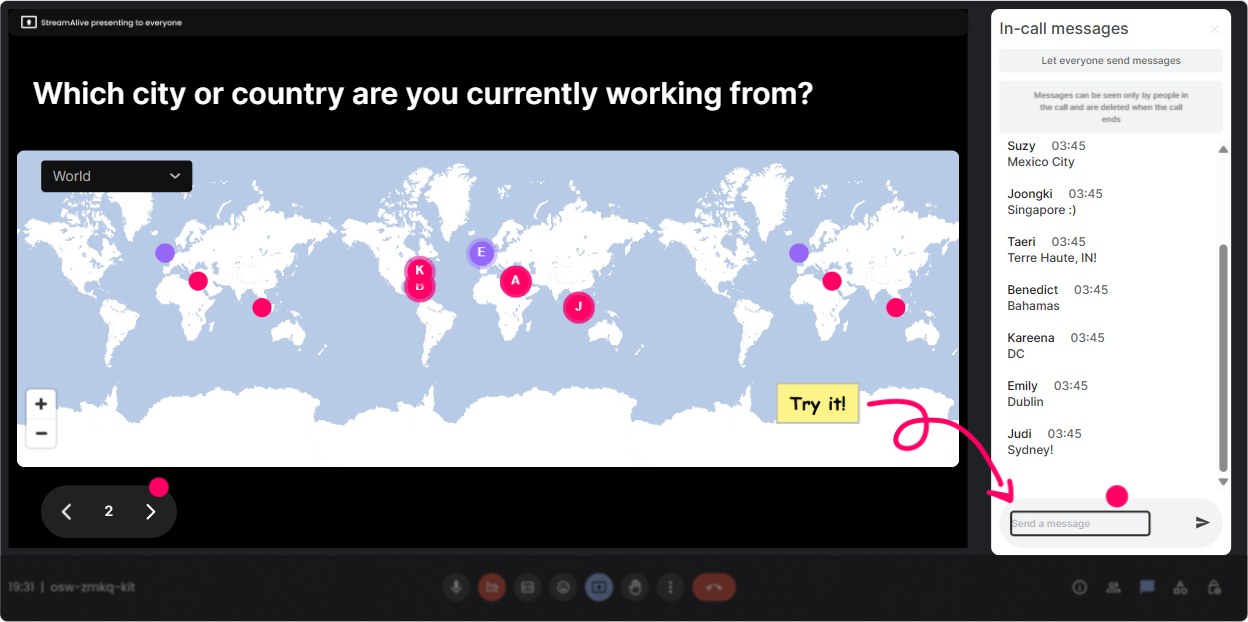
1) Magic Maps: Put your privacy world on the map (and make it relevant)
Data Privacy is global-so start by making that real in the first 60 seconds. Magic Maps is perfect for the classic Where are you joining from? opener, but you can quickly pivot it into privacy context so its not just small talk. Try prompts like: - Where are you joining from today? (City + country) Then ask: Whats one privacy regulation you hear about most in your region-GDPR, CCPA, something else? - If you could teleport to any city for a privacy learning lab visit, where would you go? (Great way to surface locations like Brussels, Washington, London, Singapore-hello compliance hotspots.) - Which country do you think has the strictest data privacy expectations? Trainer tip: If youre running this for an internal L&D group across regions, the clustered map instantly shows how one size fits all privacy training wont work. That becomes your bridge into localization, policy nuance, and role-based learning.
2) Rating Polls: Get an instant read on confidence (and adjust on the fly)
Before you jump into definitions and frameworks, do a quick confidence check. Rating Polls give you a clean, visual pulse-no awkward Any questions? silence. Use it at key moments: - Start-of-session: On a scale of 110, how confident are you in explaining personal data vs sensitive data? - After a scenario: How confident are you that your team would report this incident correctly? - Midway checkpoint: Rate how clear the difference is between data privacy and data security (1 = blurry, 10 = crystal). Trainer move: If the average is low, you know to slow down and add examples. If its high, you can skip the basics and go deeper into real-world L&D decisions (like tracking completion data, learner analytics, or using AI tools safely).

3) Wonder Words (Word Cloud): Make emotions and assumptions visible-fast
Privacy training comes with baggage. Some people are nervous, some are annoyed, some think its just legal stuff. A word cloud lets you surface that vibe without putting anyone on the spot. Ask one of these and let the cloud do the storytelling: - When you hear Data Privacy training, whats the first word that comes to mind? - Whats the biggest privacy risk in learning programs? (Youll get things like: tracking, recording, vendors, consent, transcripts, analytics, screenshots.) - One word: what do you want from todays session? (Practical, templates, clarity, scenarios, shortcuts.) Trainer tip: When you see big words like confusing or overwhelming, say it out loud: Cool-then were going to simplify this today. That single moment builds trust and keeps people with you.

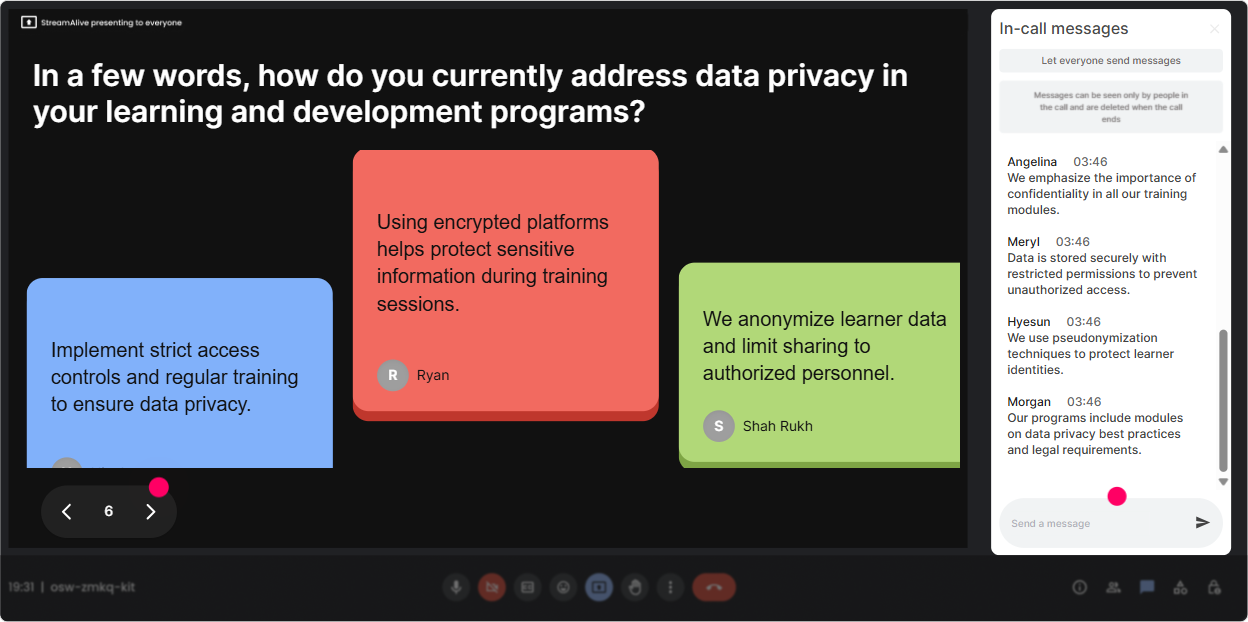
4) Talking Tiles: Turn role-based privacy into real talk (not theory)
Talking Tiles is great when you want more than one-word answers-especially for L&D Leaders who have real systems, vendors, and reporting requirements. Their examples are gold. Let them share. Prompts that work really well: - In one or two sentences: where does your learning team touch personal data? - What data do you collect today that you *wish* you didnt have to? - Describe one vendor/tool you use (LMS, LXP, webinar platform, coaching tool). What privacy question do you always wonder about? Why its powerful: Suddenly your session isnt generic. Youre training using their reality-registrations, attendance logs, recordings, assessments, learner analytics, manager dashboards, and third-party integrations. And since responses show up visually, people pay attention (and feel seen).
5) Power Polls: Let the group pick the agenda (and youll get way less resistance)
L&D Leaders like control-so give them some. Power Polls lets you ask a multiple-choice question and instantly see what the room cares about most. Then you teach *that* first. Poll ideas for this topic: - Which area do you want to spend the most time on today? 1) Data minimization in learning programs 2) Consent + transparency for learners 3) Handling recordings, transcripts, and chat logs 4) Vendor risk (LMS/LXP/coaching tools) 5) Breach/incident response and reporting - Whats your biggest privacy headache right now? 1) Global audiences 2) Too many tools 3) AI and learner data 4) Reporting to leadership Trainer tip: Show results live and say: Alright, the room voted-were starting with recordings + transcripts. People stay engaged because they feel like co-creators, not passengers.

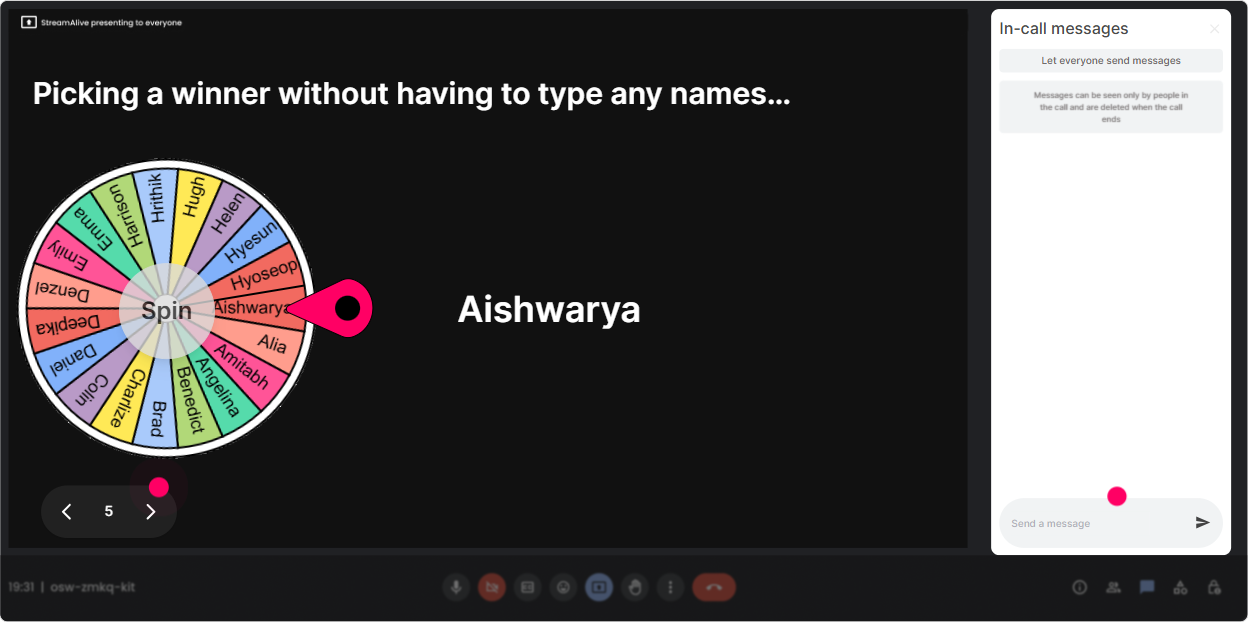
6) Winner Wheel: Make participation feel safe (and weirdly fun)
Sometimes you need someone to speak up, but you dont want to do the painful Can I get a volunteer? routine. Winner Wheel solves that-fate picks. Use it in low-pressure ways: - Im going to spin the wheel and whoever it lands on gets to choose the next scenario we break down. - Well spin for someone to read the policy snippet out loud-just two lines. - Spin to pick who answers: Is this personal data: employee ID + training score? Why/why not? Pro tip: Tie it to something small (bragging rights, a shoutout, first pick on a template). The real win isnt the prize-its that participation spikes because people know being active in chat matters.
7) Quiz: Quick knowledge checks that actually feel like a game
Privacy concepts stick when people can test them instantly. StreamAlive Quiz makes it super easy: ask a multiple-choice question, let them vote in chat, then reveal the correct answer. Questions you can use straight away: - Which is the BEST example of data minimization in L&D? A) Collecting job title, birthdate, home address for a webinar B) Collecting only whats needed for access and reporting (Correct) C) Recording every session automatically just in case D) Sharing attendance data with all managers by default - True or False (choose A/B): If its internal employee data, consent is always required. (Great discussion starter-depends on context and lawful basis.) - Whats most risky to share in a training recap email? A) Slide deck B) Attendance count C) Screenshots with participant names + chat comments (Correct) D) Link to policy Trainer move: After revealing the answer, ask: If you picked something else, what made it feel right? Thats where the learning happens.

2) Rating Polls: Get an instant read on confidence (and adjust on the fly)
Before you jump into definitions and frameworks, do a quick confidence check. Rating Polls give you a clean, visual pulse-no awkward Any questions? silence. Use it at key moments: - Start-of-session: On a scale of 110, how confident are you in explaining personal data vs sensitive data? - After a scenario: How confident are you that your team would report this incident correctly? - Midway checkpoint: Rate how clear the difference is between data privacy and data security (1 = blurry, 10 = crystal). Trainer move: If the average is low, you know to slow down and add examples. If its high, you can skip the basics and go deeper into real-world L&D decisions (like tracking completion data, learner analytics, or using AI tools safely).
8) Q&A: Catch every question without losing the flow
Data Privacy sessions generate lots of Wait what about *this* situation? questions-especially from L&D Leaders dealing with vendors, reporting, and recordings. StreamAlive Q&A pulls questions from chat and organizes them, so youre not scrolling like crazy. Ways to run it smoothly: - Park questions during content: Drop your questions anytime-Im collecting them and well hit a Q&A pit stop every 10 minutes. - Do a myth-busting segment: Ask me your most awkward privacy question about training data-nothing is too small. - Use it for scenarios: Describe your situation in one line and Ill tell you what Id check first. What youll notice: When people trust that their question wont get missed, they participate more-and your session feels calmer and more professional.

9) Analytics: Prove engagement, improve the next session, and spot your champions
After the session, StreamAlive Analytics is where you get the what worked? truth-without guessing. For L&D Leaders (and trainers reporting impact), this is huge. Heres how to use it for Data Privacy ILT: - See minute-by-minute engagement: Find the moments attention spiked (usually scenarios, quizzes, controversial policy points) and the moments it dipped (usually long explanations). Then tighten your next run. - Replay interaction results: Great for reflecting on what the group struggled with (like lawful basis vs consent, or what counts as personal data in learning analytics). - Identify your top engagers: Youll see who participated most-these are your potential privacy champions, pilot-group members, or co-facilitators for future rollouts. - Share results internally: Email the reports or recap insights to your team in Teams/Email-perfect for showing that this wasnt checkbox training, it was active learning. Bottom line: Youre not just delivering training-youre building a repeatable, improvable experience that keeps people engaged (often up to 9x more) because the session feels alive, not lecture-y.

Use StreamAlive in all your training sessions
StreamAlive isn’t just for
Data Privacy
training,
it can also be used for any instructor-led training session directly inside your PowerPoint presentation.
Explore similar traingin ideas: unlocking the potential of StreamAlive
See how StreamAlive transforms live training with engaging events and interactive sessions across industries, directly inside your PowerPoint presentation.

Interactions in action
(it's free)

.svg.png)


