Install StreamAlive for your PowerPoint slides
Learn more

Flexible Work Arrangements Training for Corporate Trainers
StreamAlive helps 9x the audience engagement in your Virtual Instructor-led Trainings (VILT) directly inside your powerpoint presentation.
Make your instructor-led Flexible Work Arrangements training more fun with polls, word clouds, spinner wheels and more
Works inside your existing PowerPoint presentation
Install the StreamAlive app for PowerPoint and see your slides come to life as people participate in your interactions
AI generates audience interactions for you
Let our AI scan your presentation and automatically come up with relevant questions based on the content. Or spend two hours coming up with your own questions, your choice!
Built to work with MS Teams and Zoom
Native apps for Teams and Zoom so you never have to leave your existing workflows
No QR Codes
Chat-powered interactions means your audience doesn’t need to scan QR codes or look at another screen to participate. They just type in the chat!

Quickly approved by your IT team
StreamAlive’s apps for Teams and Zoom means that they have been through rigorous quality assurance and client safety reviews. You’ll find everything an IT team needs to approve the app within the organization within your StreamAlive account.

Youve been asked to run an instructor-led session on Flexible Work Arrangements, and you already know the risk: it can turn into a policy read-out real fast. The good news? With the right activities (and StreamAlive doing the heavy lifting), you can keep people talking, thinking, and participating the whole way through.
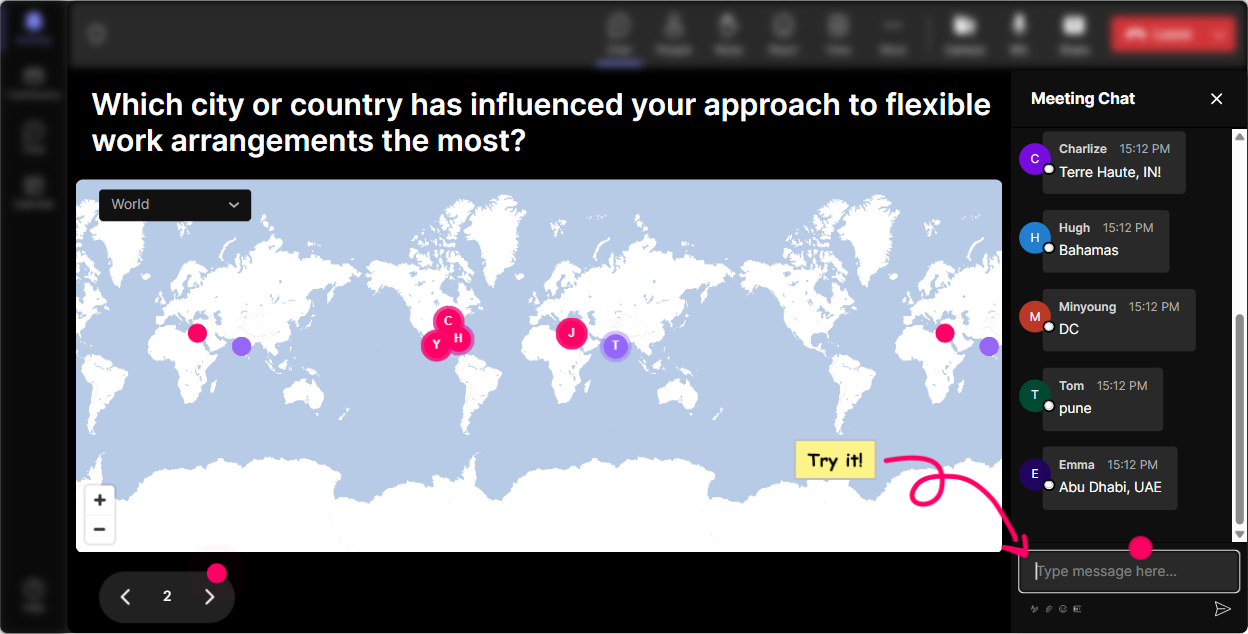
Magic Maps: start with where are you working from these days? (and make it matter)
Flexible work looks totally different depending on where people live, commute, and collaborate-so use Magic Maps as your opener and instantly make the session feel personal. Try prompts like: - Where are you joining from today-home, office, client site, or somewhere else? Type your city. - If your company allowed full flexibility, what city would you work from most often? - Which location makes you most productive-type the city you associate with deep work. As the locations pop onto the live map, youve got an easy transition into discussion: time zones, commute realities, home setup constraints, and why one policy doesnt fit everyone. And if youre training multiple regions? Clusters on the map make it obvious where your biggest groups are-great for calling out patterns like Looks like weve got a big Toronto cluster-how does hybrid work there compared to smaller towns?
Rating Polls: get a quick pulse check (and adjust your pace on the spot)
Before you dive into models like hybrid, compressed weeks, or flextime, grab a fast confidence check. Rating Polls are perfect because people can answer in seconds, and you see the mood of the room immediately. Use Rating Polls like: - On a scale of 110, how confident are you explaining our flexible work options to your team? - How fair do you feel flexible work is across roles in your organization? (1 = not fair, 10 = very fair) - How clear are the boundaries in your team right now (availability, response times, meeting norms)? 110 Then respond like a real facilitator: if the average is low, slow down and use examples. If its high, skip the basics and go straight into edge cases and manager coaching scenarios. This one move alone makes your session feel tailored-not canned.

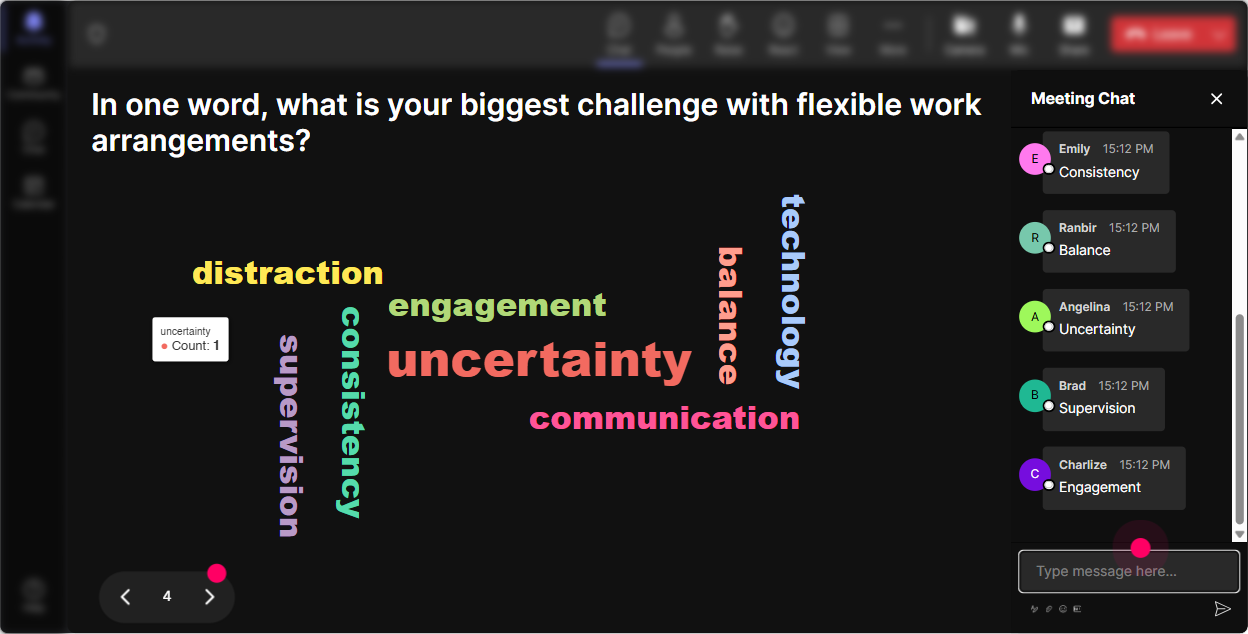
Wonder Words (Word Cloud): surface the real feelings people have about flexibility
Flexible work isnt just logistics-its emotion. Some people love it, some dont trust it, and some are exhausted by it. Word Clouds let you get that truth out quickly without putting anyone on the spot. Ask for 12 word answers like: - When you hear flexible work arrangements, whats the first word that pops up? - Whats the biggest challenge with flexible work on your team? (12 words) - What do you want more of in a flexible workplace? (12 words) Youll usually see themes like trust, boundaries, fairness, meetings, visibility, focus, burnout. And now youve got a session roadmap based on what they actually care about. Bonus: you can Combine Similar Answers to clean up duplicates like communication/comms or boundary/boundaries.
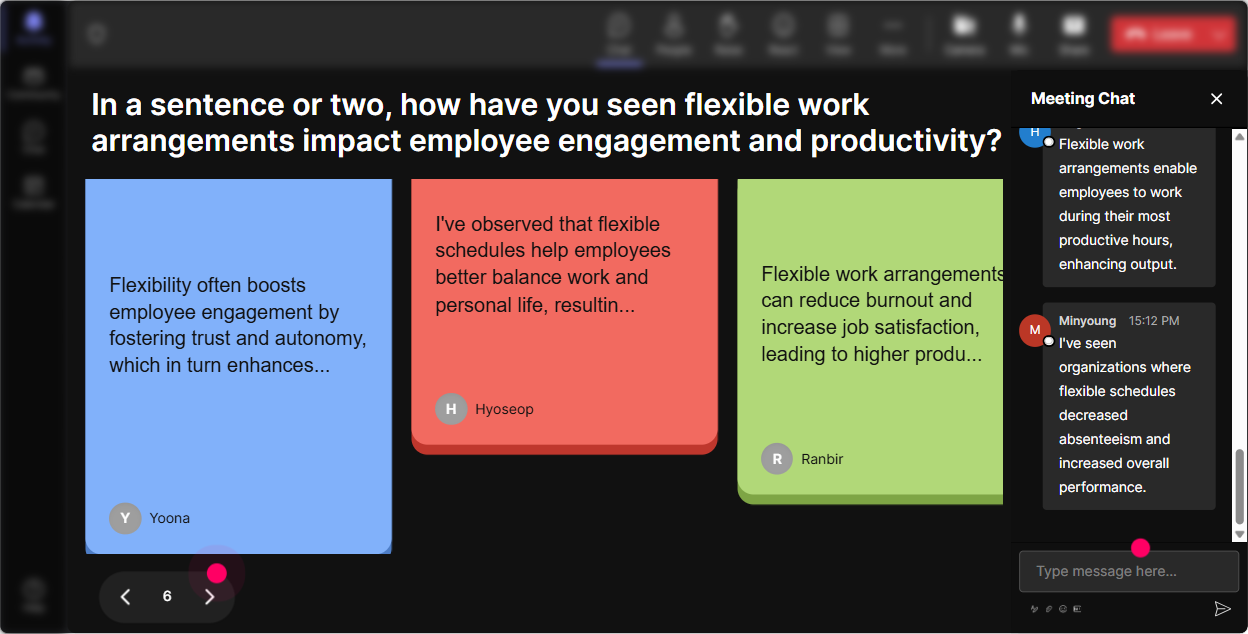
Talking Tiles: let people share real scenarios without the awkward silence
This is where you move from theory to reality. Talking Tiles is great when you want longer, messier, more human answers-because flexible work is full of nuance. Try prompts like: - Whats one flexible-work situation youre currently trying to manage (as a trainer/leader/partner)? - Whats one agreement your team needs to make to make flexibility actually work? - Describe a moment where flexible work worked really well-or totally fell apart. As the tiles drop in, you can scan and pull themes: meeting overload, unequal flexibility between roles, unclear expectations, people feeling always on, or resentment when some roles cant go remote. It turns your training into a live case study library-made by the audience.
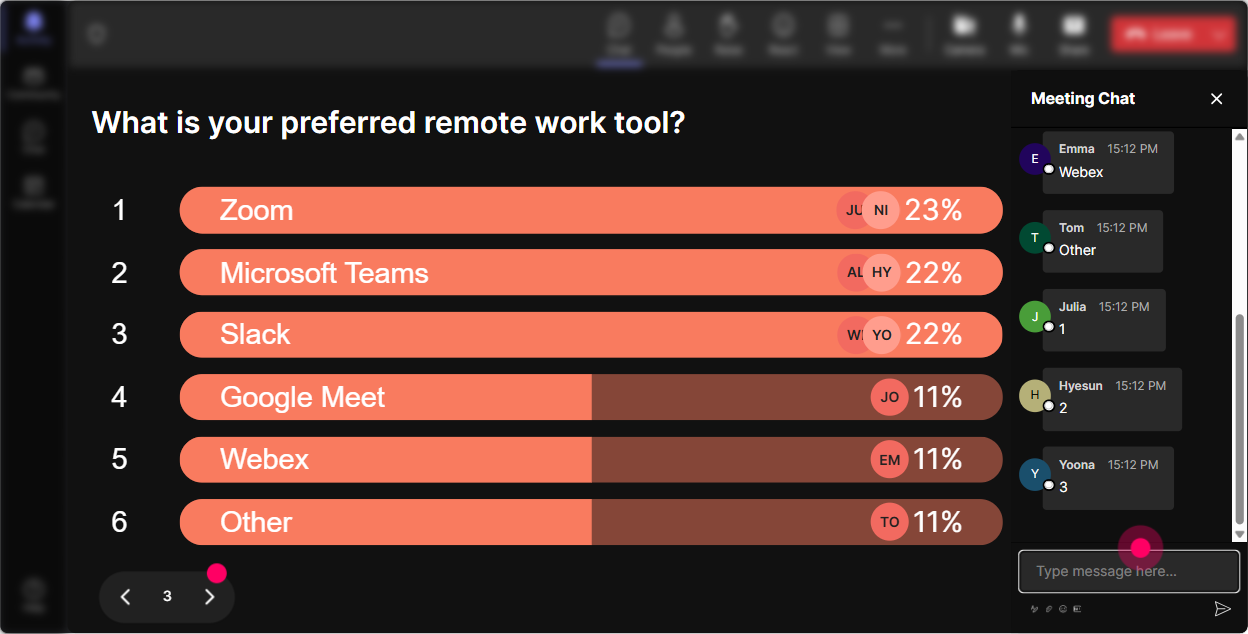
Power Polls: find out what they want help with (so youre not guessing)
When youre teaching Flexible Work Arrangements, the fastest way to lose people is spending 20 minutes on what they already know-or avoiding the part they actually need. Run a Power Poll like: - What do you want most from today? 1) Policy clarity 2) Manager conversations & scripting 3) Handling fairness across roles 4) Setting team norms (meetings, response times) 5) Measuring performance in flexible setups - Which flexible arrangement is most common in your org? 1) Hybrid set days 2) Hybrid flexible days 3) Fully remote 4) Flextime 5) Compressed workweek Then say, Cool-looks like fairness across roles is winning. Lets spend extra time there and Ill share a couple facilitation activities you can run with managers. People feel heard, and engagement jumps because the content matches the room.
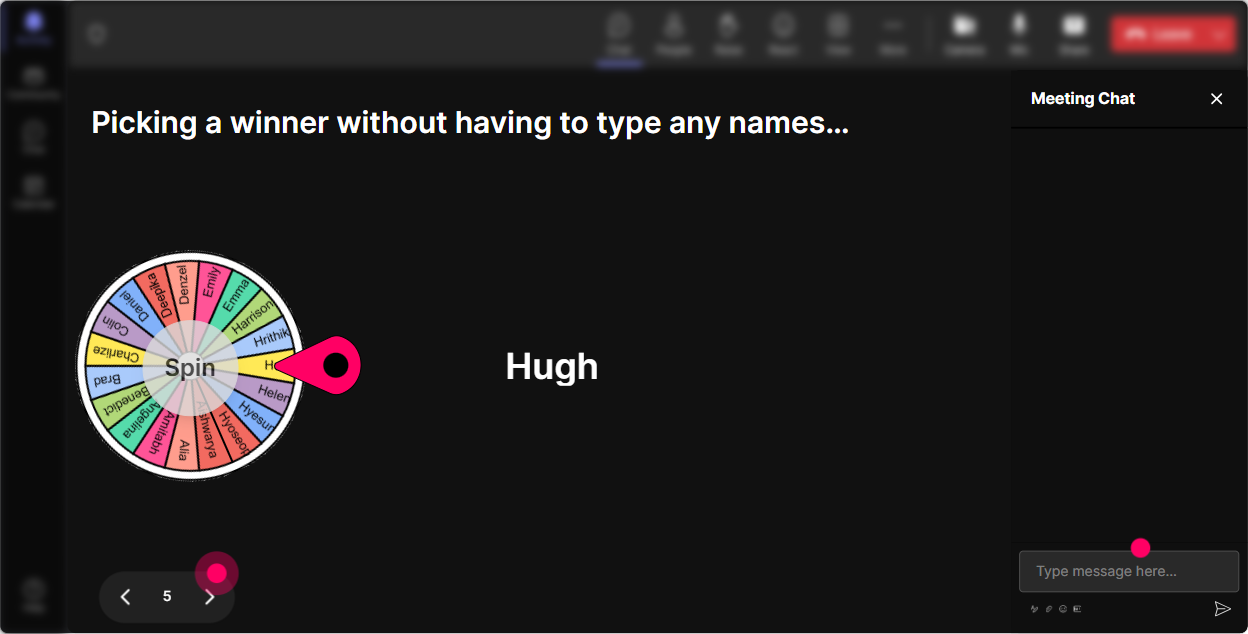
Winner Wheel: call on people fairly (and make participation feel fun, not scary)
Sometimes you need voices, not just chat. But you also dont want the same three confident folks dominating. Winner Wheel makes it random and light-so it feels fair. Ways to use it in this training: - Drop in chat: One flexible work rule youd keep-then Ill spin the wheel and ask one person to explain why. - Type volunteer if youre willing to role-play a manager conversation-lets let the wheel pick our brave soul. - Everyone share one boundary youve set (or want to set). Wheel decides who shares their example live. This works especially well after a Poll or Word Cloud, because people already contributed-so youre not calling on silent participants out of nowhere. And if you want to drive chat participation all session, you can even pick winners based on who commented the most.
Quiz: quick knowledge checks that dont feel like school (but still lock in learning)
Flexible work training has a lot of sounds right myths. A Quiz interaction is perfect for clearing those up fast-and the live results make it easy to teach. Example quiz questions: - Which is the BEST example of a flexible work team norm? A) Work whenever you want B) No meetings before 10am, and responses expected within 4 business hours C) Managers decide case by case with no criteria D) Be online all day just in case - Whats the most common reason flexible work fails? A) People get lazy B) Tools dont exist C) Expectations arent clear D) Everyone works too little Run 24 quizzes spread throughout the session: one early to debunk myths, one mid-session to check understanding of policy/models, one near the end to reinforce best practices.

Rating Polls: get a quick pulse check (and adjust your pace on the spot)
Before you dive into models like hybrid, compressed weeks, or flextime, grab a fast confidence check. Rating Polls are perfect because people can answer in seconds, and you see the mood of the room immediately. Use Rating Polls like: - On a scale of 110, how confident are you explaining our flexible work options to your team? - How fair do you feel flexible work is across roles in your organization? (1 = not fair, 10 = very fair) - How clear are the boundaries in your team right now (availability, response times, meeting norms)? 110 Then respond like a real facilitator: if the average is low, slow down and use examples. If its high, skip the basics and go straight into edge cases and manager coaching scenarios. This one move alone makes your session feel tailored-not canned.
Q&A (Quick Questions): stop missing great questions buried in chat
In flexibility sessions, questions come fast-and theyre often sensitive: Is this fair? What about frontline roles? How do we handle exceptions? Quick Questions pulls those right out of chat and organizes them so youre not scrolling like crazy. How to use it smoothly: - Tell people: If you have a question, just type it in chat like normal-StreamAlive will collect it for me. - Pause at planned moments: Lets do a 3-minute Q&A sprint before we move into manager conversations. - Use it for parking lot themes: Im seeing a lot of questions about fairness and eligibility-lets tackle those together. It makes you look more in control, and it reassures the audience their questions wont get ignored.

Analytics: prove engagement worked (and improve the next session without guessing)
After your training, StreamAlive Analytics tells you what actually happened-not what you *think* happened. What to look for: - Minute-by-minute engagement: see exactly where energy spiked or dropped (maybe the policy slide deck dipped, but the Talking Tiles activity brought everyone back). - Interaction reports: review which polls/questions got the best participation so you can reuse them. - Top engaged attendees (Fantastic Fans): handy if you want to follow up with champions, future facilitators, or people to pilot new flexible-work norms. - Chat replay: great for pulling real quotes and concerns you can feed into your next manager toolkit. And if you need to show impact to HR or L&D? Those email reports make it easy to share results with your team and justify why youre designing sessions to be interactive (because its clearly working).

Use StreamAlive in all your training sessions
StreamAlive isn’t just for
Flexible Work Arrangements
training,
it can also be used for any instructor-led training session directly inside your PowerPoint presentation.
Explore similar traingin ideas: unlocking the potential of StreamAlive
See how StreamAlive transforms live training with engaging events and interactive sessions across industries, directly inside your PowerPoint presentation.

Interactions in action
(it's free)

.svg.png)


