Install StreamAlive for your PowerPoint slides
Learn more

AI Fluency Training for L&D Leaders
StreamAlive helps 9x the audience engagement in your Virtual Instructor-led Trainings (VILT) directly inside your powerpoint presentation.
Make your instructor-led AI Fluency training more fun with polls, word clouds, spinner wheels and more
Works inside your existing PowerPoint presentation
Install the StreamAlive app for PowerPoint and see your slides come to life as people participate in your interactions
AI generates audience interactions for you
Let our AI scan your presentation and automatically come up with relevant questions based on the content. Or spend two hours coming up with your own questions, your choice!
Built to work with MS Teams and Zoom
Native apps for Teams and Zoom so you never have to leave your existing workflows
No QR Codes
Chat-powered interactions means your audience doesn’t need to scan QR codes or look at another screen to participate. They just type in the chat!

Quickly approved by your IT team
StreamAlive’s apps for Teams and Zoom means that they have been through rigorous quality assurance and client safety reviews. You’ll find everything an IT team needs to approve the app within the organization within your StreamAlive account.

So youve been asked to run an AI Fluency instructor-led training for L&D Leadersand you want it to feel like a live, high-energy session (not a lecture). Good news: with a few smart interactions, you can keep people chatting, thinking, and participating the whole time. Here are some easy, trainer-friendly ways to do it using StreamAlive.
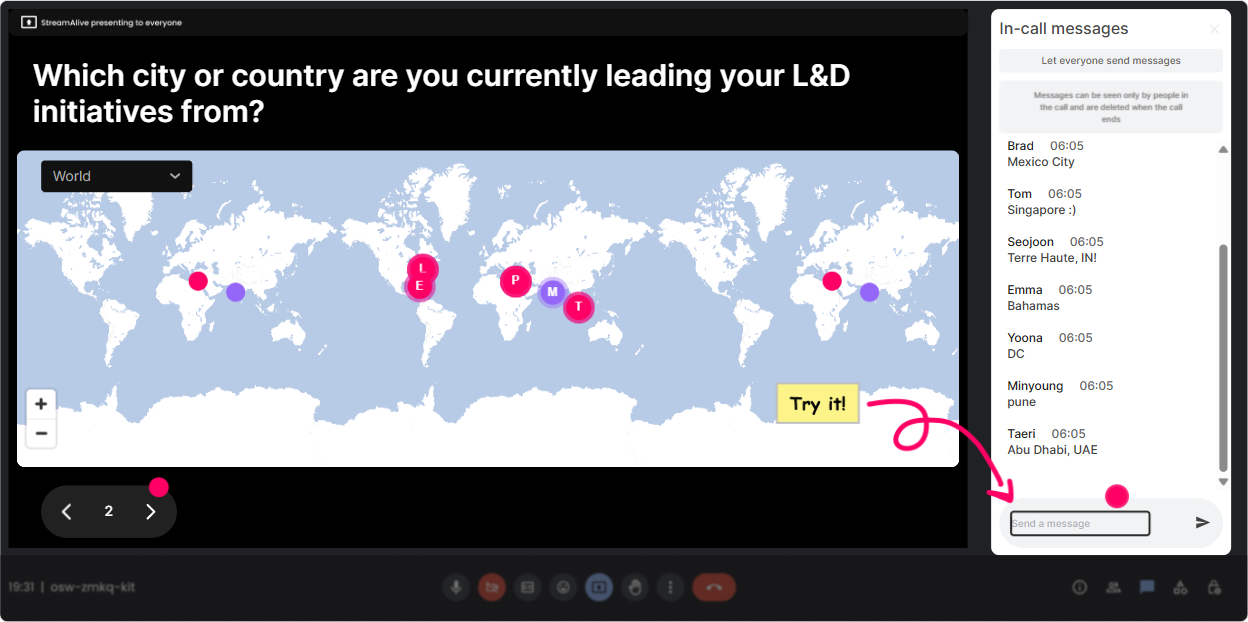
1) Magic Maps: Put your AI Fluency cohort on the map (literally)
This is your easiest everybody participate opener-and it instantly makes the room feel alive. **How to use it in AI Fluency training:** - Kick off with: **Where are you joining from today?** and let StreamAlive plot everyone on a real-time world map. - Then tie it back to the topic with: **Pick a city where you think AI adoption is happening fastest right now.** (Great segue into AI in the workplace.) - Or do a values-based warm-up: **If AI gave you back 5 hours a week, where on earth would you travel first?** **Trainer tip:** If youre running a global L&D group, those map clusters become an instant talking point: Wow, big cluster in Singapore-what are you seeing there with AI in learning?
2) Rating Polls: Quick confidence check (and instant honesty)
Rating Polls are the fastest way to get a pulse check without awkward silence. People just drop a number in chat, and you instantly see the spread. **Use it at the start (baseline):** - **On a scale of 110, how confident are you explaining AI to a non-technical leader?** - **Rate your current AI Fluency: 1 = I avoid the topic, 10 = Im guiding others.** **Use it mid-session (momentum check):** - After a concept like hallucinations or prompting: **How clear was that? 110.** **Use it at the end (proof of value):** - **Same question again-whats your AI Fluency rating now?** This is one of the simplest ways to show impact in real time, especially for L&D Leaders who care about measurable outcomes.

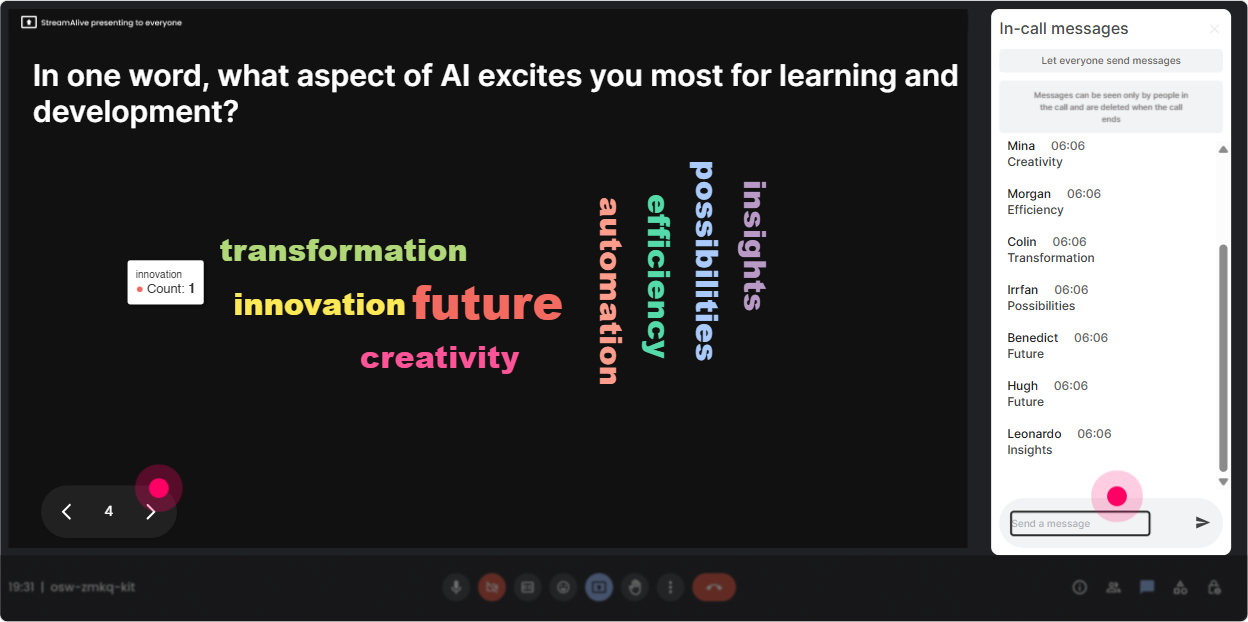
3) Wonder Words (Word Cloud): Capture feelings about AI in one glance
AI Fluency sessions can get stuck in tools and terms. A word cloud brings it back to real humans-what they feel, worry about, and want. **Great prompts for this audience (12 words answers):** - **AI at work feels?** (Youll see things like *excited, overwhelmed, curious, skeptical*.) - **Whats the biggest AI skill L&D needs next?** (*prompting, evaluation, ethics, design, data*.) - **One word: what do you want from today?** (*clarity, confidence, roadmap, examples*.) **Trainer move:** When one word gets huge (like ethics or fear), pause and say: Okay-this is our headline. Lets unpack that. It makes your session feel tailored, not canned.
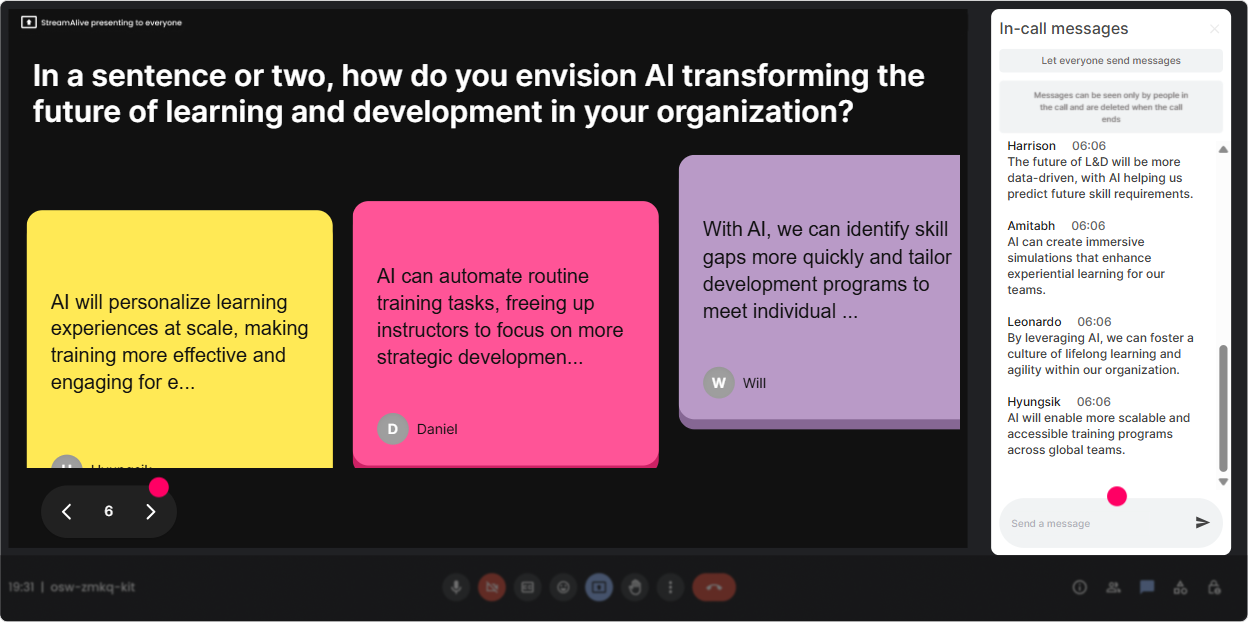
4) Talking Tiles: Turn their real challenges into your best content
Talking Tiles are perfect when you want longer responses-real scenarios, real worries, real use cases. And because responses show up visually, people actually read each others thoughts. **Prompts that work great in AI Fluency training for L&D Leaders:** - **Where could AI save you time in your L&D workflow-this month?** - **Whats one learning experience youd redesign if you had an AI assistant?** - **Whats your biggest concern about AI in learning (quality, bias, privacy, job impact, something else)?** **How to facilitate it live:** - Let tiles build for 3060 seconds. - Then spotlight 23 themes you see and transition into your next module (policy, governance, use-case design, etc.). Its basically crowdsourced agenda-setting-without you needing to guess what matters to them.
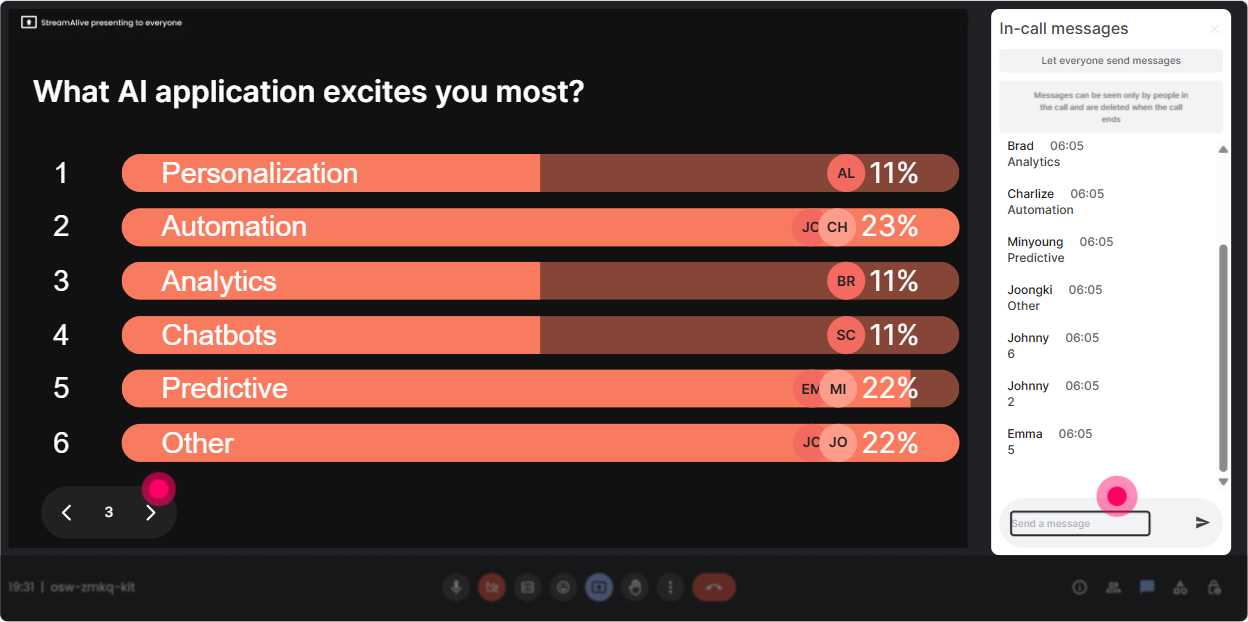
5) Power Polls: Let them choose what you go deeper on
L&D Leaders love choice. Power Polls let you stop doing the Heres everything I planned routine and instead say: Tell me where to zoom in. **Use it for direction-setting:** - **Which AI Fluency topic should we spend more time on today?** 1) Prompting basics for business users 2) Evaluating AI outputs (accuracy + bias) 3) AI policy + governance for L&D 4) Building AI into learning design **Use it for practical application:** - **Where would AI help your team first?** 1) Content creation 2) SME interview summaries 3) Coaching managers 4) Learning analytics and insights **Trainer tip:** Show results live and say: Alright, the room voted-lets go there. People lean in because they helped decide.
6) Winner Wheel: Get volunteers without begging for volunteers
You know that moment: you ask a question and everybody suddenly becomes very interested in their mute button. Winner Wheel fixes that in a fun, fair way-because participation becomes the ticket into the draw. **How to use it in AI Fluency training:** - Say: **Drop your answer in chat. Im going to spin the wheel and ask one person to unmute and share their example.** - Or: **Share one AI use case youre considering. Wheel decides who gets to be our case study for 2 minutes.** **Even better:** Use it as a reward: Well spin for a free template / prompt pack / follow-up resource. That gets chat moving fast and keeps engagement high all session.

7) Quiz: Quick knowledge checks that dont feel like school
A Quiz interaction is perfect for those Wait-do they get it? moments. It also keeps attention up because people love checking if theyre right. **AI Fluency quiz questions that work well (single correct answer):** - **Whats the best definition of AI hallucination?** A) When AI refuses to answer B) When AI generates confident but incorrect info C) When AI is slow D) When AI uses too much data - **Which prompt is most likely to give a usable result?** A) Make this better. B) Write training. C) Rewrite this 150-word email for a skeptical HR leader, keep it friendly, include 3 bullet points and a clear next step. D) Do your best. **Trainer flow:** Ask let votes roll in via chat reveal correct answer ask one person why they chose what they chose. Now youve got learning + conversation.

2) Rating Polls: Quick confidence check (and instant honesty)
Rating Polls are the fastest way to get a pulse check without awkward silence. People just drop a number in chat, and you instantly see the spread. **Use it at the start (baseline):** - **On a scale of 110, how confident are you explaining AI to a non-technical leader?** - **Rate your current AI Fluency: 1 = I avoid the topic, 10 = Im guiding others.** **Use it mid-session (momentum check):** - After a concept like hallucinations or prompting: **How clear was that? 110.** **Use it at the end (proof of value):** - **Same question again-whats your AI Fluency rating now?** This is one of the simplest ways to show impact in real time, especially for L&D Leaders who care about measurable outcomes.
8) Q&A: Catch every question without losing your place
In AI sessions, questions come fast-and chat can get messy. StreamAlives Q&A (Quick Questions) pulls questions from chat and keeps them organized so you dont miss the important ones. **How it helps during AI Fluency training:** - You can say: **If youve got a question, drop it in chat anytime-StreamAlive will capture it.** - Then do a clean Q&A block: **Lets hit the top 5 questions before we move into governance.** **Typical L&D Leader questions youll see (and can plan for):** - How do we set boundaries for employees using GenAI? - Whats safe to input vs not safe? - How do we measure AI Fluency without over-testing people? It keeps you looking calm and in control-even when the chat is flying.

9) Analytics: Prove engagement and improve your next session
After your training, Analytics is where you get the heres what actually happened story-not vibes, not guesses. **What to look for after an AI Fluency session:** - **Minute-by-minute engagement:** Find the exact moments people lit up (maybe the prompting demo) and where attention dropped (maybe the policy slide wall). - **Interaction reports:** See which questions got the most responses-those are your best discussion triggers for future cohorts. - **Top engaged participants (Fantastic Fans):** These are your champions. For L&D Leaders, thats gold-those are the people you can invite into pilots, communities of practice, or internal AI learning councils. - **Shareable results:** Email the report to yourself or your team, or recap outcomes in Teams: Heres what the group voted for, struggled with, and improved on. If your goal is to boost engagement up to 9x, this is how you iterate like a pro: run it, measure it, tweak it, repeat.

Use StreamAlive in all your training sessions
StreamAlive isn’t just for
AI Fluency
training,
it can also be used for any instructor-led training session directly inside your PowerPoint presentation.
Explore similar traingin ideas: unlocking the potential of StreamAlive
See how StreamAlive transforms live training with engaging events and interactive sessions across industries, directly inside your PowerPoint presentation.

Interactions in action
(it's free)

.svg.png)


