Install StreamAlive for your PowerPoint slides
Learn more

Localization Training for Training Agencies
StreamAlive helps 9x the audience engagement in your Virtual Instructor-led Trainings (VILT) directly inside your powerpoint presentation.
Make your instructor-led Localization training more fun with polls, word clouds, spinner wheels and more
Works inside your existing PowerPoint presentation
Install the StreamAlive app for PowerPoint and see your slides come to life as people participate in your interactions
AI generates audience interactions for you
Let our AI scan your presentation and automatically come up with relevant questions based on the content. Or spend two hours coming up with your own questions, your choice!
Built to work with MS Teams and Zoom
Native apps for Teams and Zoom so you never have to leave your existing workflows
No QR Codes
Chat-powered interactions means your audience doesn’t need to scan QR codes or look at another screen to participate. They just type in the chat!

Quickly approved by your IT team
StreamAlive’s apps for Teams and Zoom means that they have been through rigorous quality assurance and client safety reviews. You’ll find everything an IT team needs to approve the app within the organization within your StreamAlive account.

Youve been asked to run a Localization instructor-led training for a training agency, and you want it to feel alive-not like a slide marathon. The good news: with a few simple StreamAlive interactions, you can get people talking, thinking, and participating from minute one. Here are practical ideas you can plug right into your run-of-show.
1) Magic Maps: Put your Localization audience on the map (literally)
Localization is all about where your learners are-countries, cultures, regions, time zones, and context. So start with the easiest engagement win: ask a location question and watch StreamAlive plot everyone in real time. How to use it in Localization training: - Kickoff icebreaker: Where are you joining from today? (Classic, fast, and everyone can answer.) - Localization tie-in: Which market do you localize for the most? Type the city/country. - Culture + audience insight: If your product had to launch in ONE new country next quarter, where should it be? - Real-world learning moment: When you see clusters (say, lots of people from India, Canada, UAE), you can instantly pivot: Perfect-lets talk about language variants and what English means in different regions. Trainer tip: If you want clean data, set it to one location per attendee so the map doesnt turn into a travel bucket list (unless thats what you want!).

2) Rating Polls: Quick confidence check before you teach anything
Before you go deep into workflows, terminology, and tools, figure out where people are at. Rating Polls are perfect because nobody has to overthink-just drop a number in chat and you instantly see the groups comfort level. Ways to use Rating Polls in Localization ILT: - Opening pulse check: On a scale of 110, how confident are you with localization basics? - After a key module (like i18n vs l10n): Rate how clear that difference is now (110). - Process readiness: How ready is your team to handle a multilingual launch? (110) Trainer tip: If you see lots of 3s and 4s, dont panic. Say it out loud: Amazing-this means were exactly in the right room. It builds psychological safety and keeps people participating.

3) Wonder Words: Get the rooms honest feelings about Localization in seconds
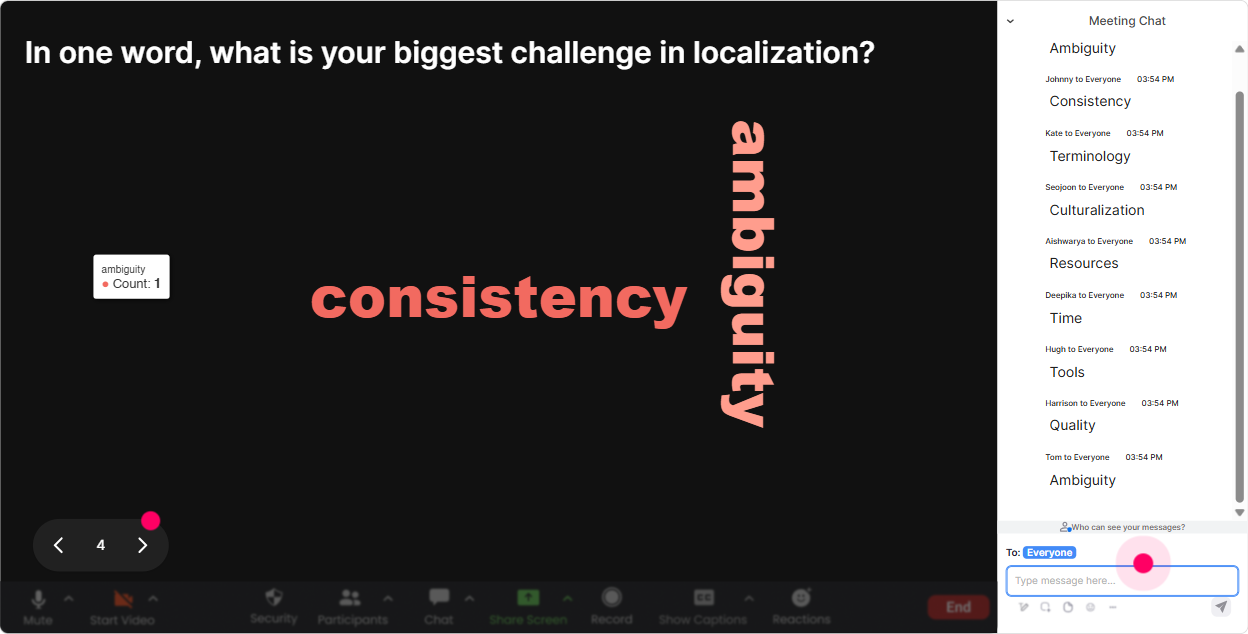
Localization can trigger all kinds of emotions-excitement, confusion, ugh not again, or this is mission critical. Wonder Words turns that vibe into something you can actually see and talk about. Great Wonder Words prompts for Localization training: - When you hear localization, whats the FIRST word that comes to mind? - Whats the biggest risk of getting localization wrong? One or two words. (Examples youll see: brand, legal, trust, cost, churn) - Whats one thing that breaks in localization projects? (Youll get gold: dates, UI, context, tone, approvals) - Which part is hardest for you? One word. (strings, review, glossary, QA, stakeholders) Trainer tip: Use Combine Similar Answers so QA and testing dont split the room. Then pick the biggest word and say: Cool-lets tackle THAT first.
4) Talking Tiles: Turn messy real-world localization stories into a visual brainstorm
Localization is full of stories-stakeholders, last-minute changes, translation hiccups, formatting issues, and launch-day surprises. Talking Tiles is perfect when you want longer, more detailed answers and you want the whole group to learn from them. Use Talking Tiles for: - Role impact question: How does localization show up in your day-to-day work? One or two sentences. - Pain-point harvesting: Whats the most frustrating part of your localization workflow right now? - Scenario share: Describe a localization fail youve seen (no names, keep it kind). What happened? - Stakeholder alignment: Who do you need to collaborate with most for localization to go smoothly? Trainer tip: When tiles start falling fast, pause and read a few out loud. People LOVE hearing their exact words on screen-and it motivates others to add theirs too.

5) Power Polls: Let the group choose what to focus on next
In localization training, different teams care about different things. PMs want process. Marketers want tone. Engineers want i18n. QA wants test plans. With Power Polls, you can stop guessing and let the room vote. Poll ideas you can run live: - What do you want more of today? 1) Localization basics (l10n/i18n) 2) Workflow + roles 3) Content + transcreation 4) QA/testing and sign-off - Where do localization projects slow down most? 1) Getting source content ready 2) Glossary/terminology alignment 3) Reviews/approvals 4) Engineering handoffs - Which metric matters most to you? 1) Speed to launch 2) Cost per word/project 3) Quality/accuracy 4) Market adoption Trainer tip: Run a poll, show results in real time, and say: Alright, the room has spoken-lets go there. That simple moment makes the session feel co-owned, not trainer-owned.

6) Winner Wheel: Get volunteers without the awkward silence
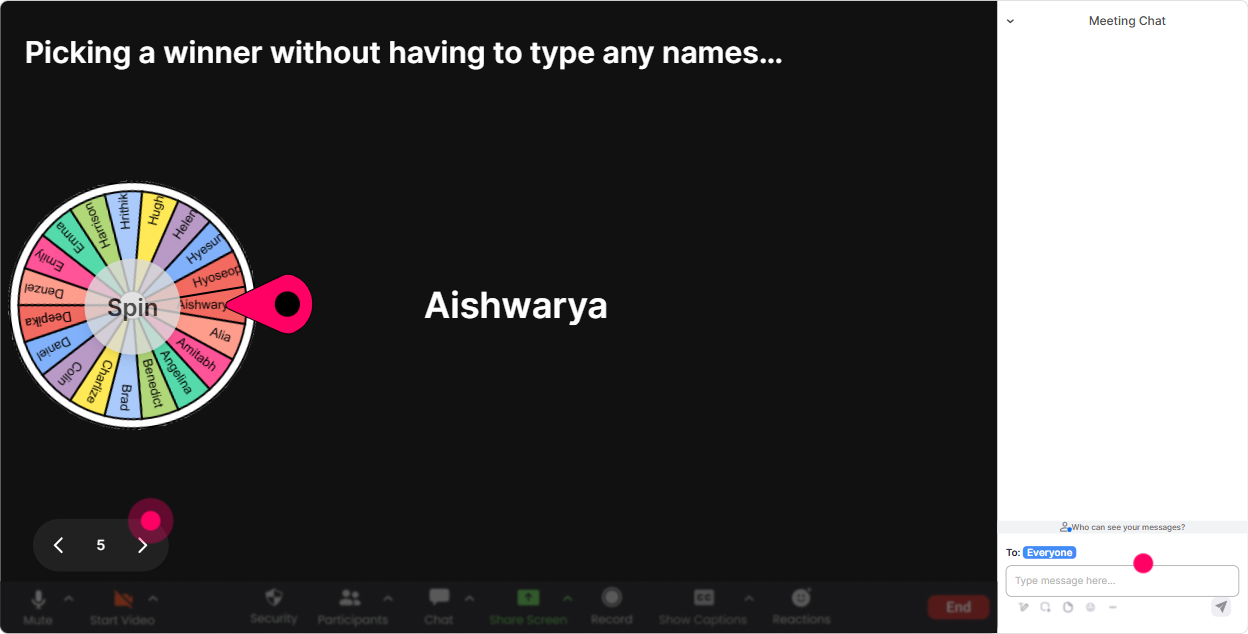
You know that moment when you ask, Who wants to share? and suddenly everybody becomes a statue? Winner Wheel fixes that. It pulls from people who participated in chat, so it feels fair-and it rewards engagement. Fun ways to use it in Localization ILT: - Lets spin for someone to unmute and tell us: whats one localization challenge youre facing? - Who wants to read this example string and tell us what might break in another language? (Spin to pick.) - We need a quality judge for this translation option-lets spin. Trainer tip: Set expectations kindly: If you get picked and youd rather pass, just say pass-no stress. That keeps it playful, not scary, and people still stay engaged.
7) Quiz: Make localization knowledge checks feel like a game, not a test
Localization has lots of terms that sound similar (and people nod along even when theyre unsure). A quick Quiz interaction is a friendly way to confirm learning-and it wakes the room up. Quiz questions you can use: - What does i18n primarily refer to? A) Translating words B) Designing/software prep so a product can support multiple languages C) Changing brand voice for a region D) Running spellcheck - Which is the BEST example of localization (not just translation)? A) Translating Add to cart B) Changing currency, date formats, and references to match the region C) Copy-pasting the same English everywhere D) Shortening text for UI - Whats the biggest reason context matters in translation? A) It makes strings longer B) It helps translators choose the correct meaning and tone C) It increases word count D) It removes the need for QA Trainer tip: Dont rush the reveal. Let people vote, show the distribution, then ask: Anyone want to share why they picked option C? Thats where the learning really sticks.

2) Rating Polls: Quick confidence check before you teach anything
Before you go deep into workflows, terminology, and tools, figure out where people are at. Rating Polls are perfect because nobody has to overthink-just drop a number in chat and you instantly see the groups comfort level. Ways to use Rating Polls in Localization ILT: - Opening pulse check: On a scale of 110, how confident are you with localization basics? - After a key module (like i18n vs l10n): Rate how clear that difference is now (110). - Process readiness: How ready is your team to handle a multilingual launch? (110) Trainer tip: If you see lots of 3s and 4s, dont panic. Say it out loud: Amazing-this means were exactly in the right room. It builds psychological safety and keeps people participating.
8) Q&A: Catch every question without losing your flow
Localization sessions generate a lot of questions-especially from quiet folks whod never interrupt verbally. StreamAlives Q&A (Quick Questions) pulls questions straight from chat and displays them neatly, so youre not hunting through a scroll-fest. How to use it during Localization training: - Set a rule early: Drop questions anytime in chat-StreamAlive will capture them for us. - Mid-session parking lot: Lets do a 3-minute Q&A sweep before we move to the next module. - End-of-session triage: Well answer the top 5 now, and Ill follow up on the rest. Trainer tip: When someone asks a great question, say their name and thank them. People notice that questions get seen-and suddenly you have a much more interactive room.

9) Analytics: Prove what worked, improve what didnt, and show engagement wins
After your localization training, you dont just want to feel like it went well-you want to KNOW what landed. StreamAlive Analytics shows you minute-by-minute engagement, chat replay, top participants, and interaction results, so you can improve the next delivery (and show your agency/client the value). How trainers and training agencies can use Analytics for Localization ILT: - Spot engagement peaks: People lit up during the localization fails segment-lets expand that next time. - Find drop-off moments: If engagement dips during a dense framework slide, youll know where to insert an interaction next run. - Identify your Fantastic Fans: These are your super-engaged learners-great candidates for follow-up, champions, or internal advocates. - Share outcomes: Export/share interaction results and email reports to your team or stakeholders-super useful for training ops and client reporting. Trainer tip: Use analytics to build a repeatable playbook: same content, better timing, smarter interactions. Thats how you scale engagement across cohorts and trainers-and get closer to that up to 9x engagement feel in live sessions.

Use StreamAlive in all your training sessions
StreamAlive isn’t just for
Localization
training,
it can also be used for any instructor-led training session directly inside your PowerPoint presentation.
Explore similar traingin ideas: unlocking the potential of StreamAlive
See how StreamAlive transforms live training with engaging events and interactive sessions across industries, directly inside your PowerPoint presentation.

Interactions in action
(it's free)

.svg.png)


