Install StreamAlive for your PowerPoint slides
Learn more

Human-Centered Organizations Training for L&D Leaders
StreamAlive helps 9x the audience engagement in your Virtual Instructor-led Trainings (VILT) directly inside your powerpoint presentation.
Make your instructor-led Human-Centered Organizations training more fun with polls, word clouds, spinner wheels and more
Works inside your existing PowerPoint presentation
Install the StreamAlive app for PowerPoint and see your slides come to life as people participate in your interactions
AI generates audience interactions for you
Let our AI scan your presentation and automatically come up with relevant questions based on the content. Or spend two hours coming up with your own questions, your choice!
Built to work with MS Teams and Zoom
Native apps for Teams and Zoom so you never have to leave your existing workflows
No QR Codes
Chat-powered interactions means your audience doesn’t need to scan QR codes or look at another screen to participate. They just type in the chat!

Quickly approved by your IT team
StreamAlive’s apps for Teams and Zoom means that they have been through rigorous quality assurance and client safety reviews. You’ll find everything an IT team needs to approve the app within the organization within your StreamAlive account.

Youve been asked to run a session on Human-Centered Organizations for L&D Leaders-and you already know the content matters, but the energy in the room matters more. If people stay quiet, youll end up teaching at them instead of with them. Here are easy, trainer-friendly ways to use StreamAlive to keep everyone participating (without forcing it).
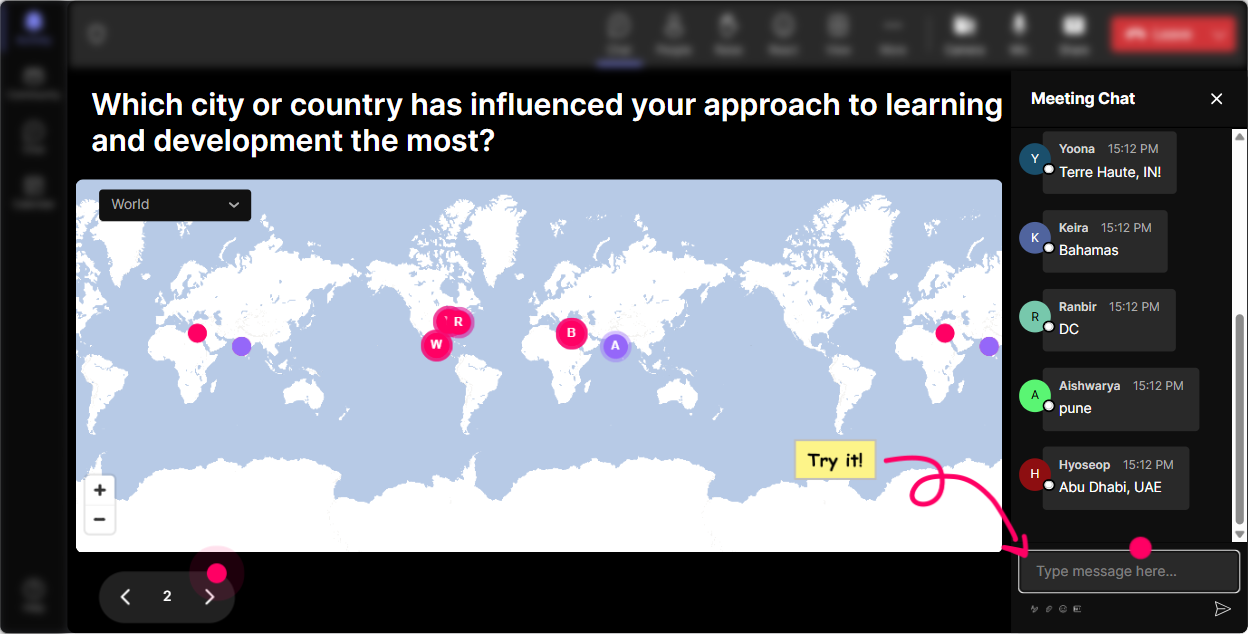
Magic Maps: Start human by putting humans on the map
This is the fastest way to break the ice without doing awkward intros. In Human-Centered Organizations training, it also subtly reinforces your theme: people are different, contexts are different, and we need to design for that. How to use it in your session: - Kickoff question: Where are you joining from today? (classic, quick win) - Make it topic-related: Pick a city that taught you the most about people and culture-where is it? - Future-focused: If you could visit any place to study a great people-first workplace culture, where would you go? Trainer tip: If youve got a global group, use the clusters as a talking point: Notice how many of us are in the same region-yet our employee experiences can still be wildly different. Thats a Human-Centered Organizations moment right there.
Rating Polls: Get a quick pulse before you go too deep
Rating Polls are your room thermometer. Instead of guessing how confident (or skeptical) people are, youll see it instantly-and participants love how easy it is (just type a number). Smart moments to use Rating Polls in this training: - Start-of-session baseline: On a scale of 110, how confident are you that your organization is truly human-centered today? - After a concept: Rate this idea: Employee experience is a business strategy. (1 = not sold, 10 = completely agree) - After an activity: How usable is this framework for your org next week? (110) Trainer tip: If you see a split (some 23s and some 910s), dont rush past it-use it. That gap is discussion fuel.

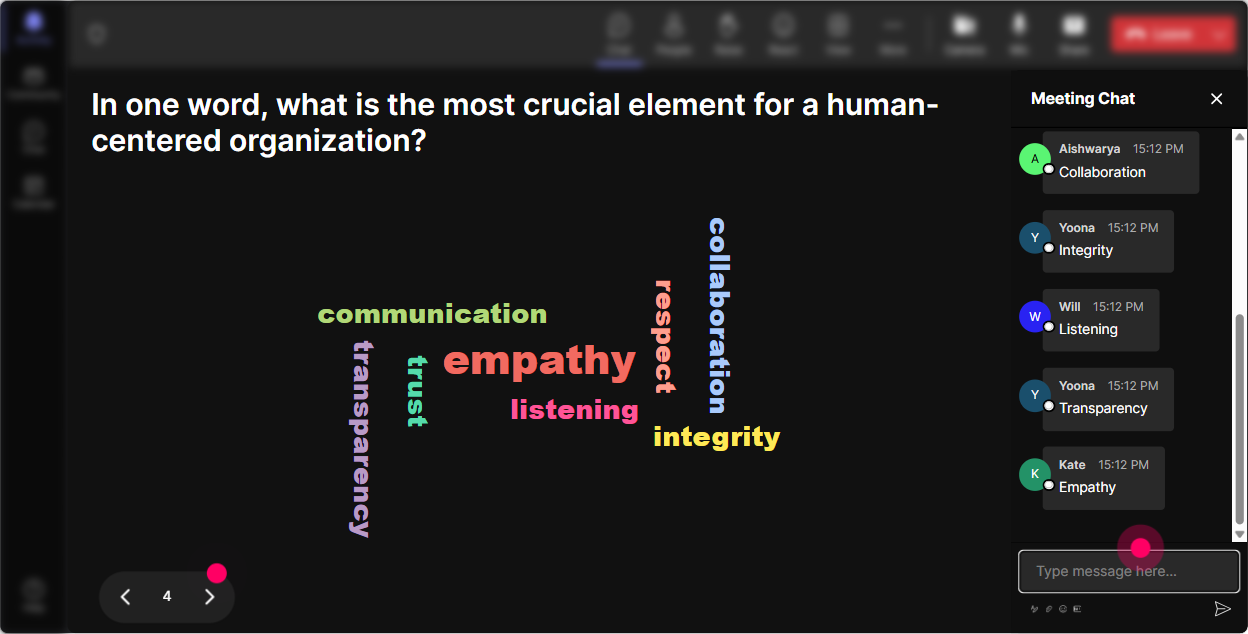
Wonder Words: Turn feelings into a visual you can coach with
Human-Centered Organizations can bring up emotions-hope, cynicism, curiosity, even frustration. A word cloud lets people say what they feel without putting them on the spot. And when the big words appear on screen? Youve instantly got a shared reality to talk about. Great word cloud prompts: - In 12 words, what comes to mind when you hear human-centered organization? - Whats the biggest barrier to being people-first at work? (12 words) - What do employees want more of right now? (12 words) Trainer tip: Use Combine Similar Answers so trust and Trust dont split. Then read the biggest 3 words out loud and ask: Who wants to share a quick story behind that word?
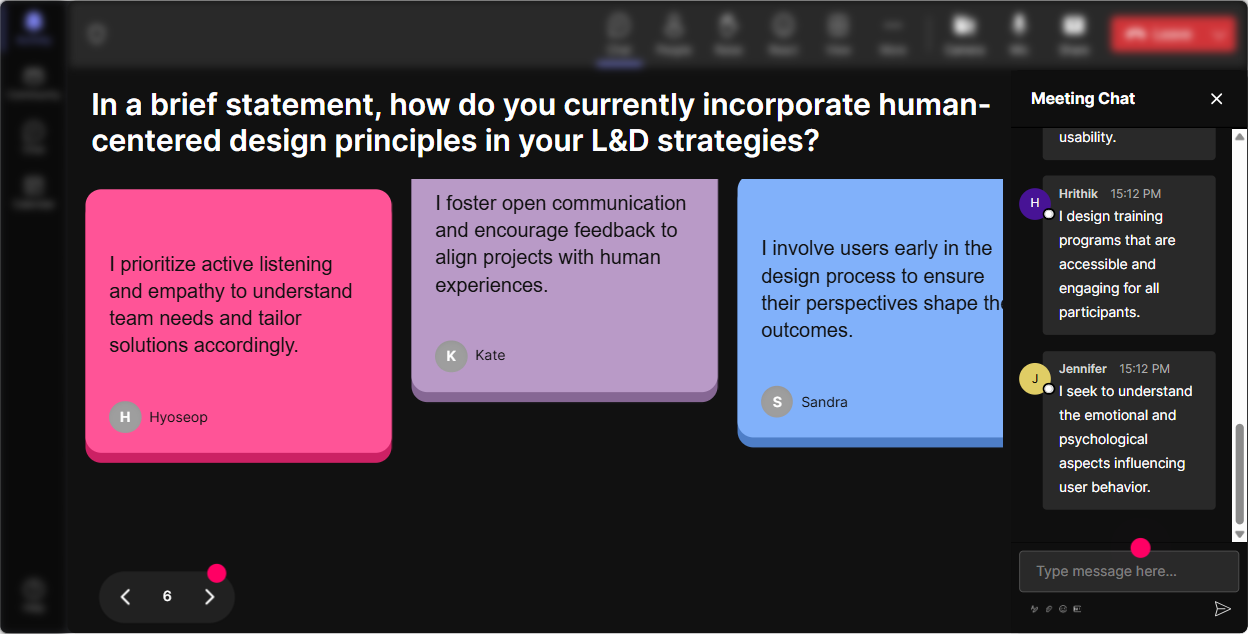
Talking Tiles: Get real stories, not just theory
Talking Tiles are perfect when you want more than one-word answers-like examples, mini stories, or heres whats happening in my org. Responses show up as falling tiles, so it feels alive (and people actually want to contribute because theyll see their message on screen). Use it for practical, people-first reflection: - Whats one moment at work that made you feel genuinely valued? What happened? - Where do leaders unintentionally make work less human? Give one example. - If you could redesign ONE employee experience touchpoint (onboarding, performance reviews, meetings), what would you change? Trainer tip: When a strong tile drops, pause and read it verbatim. That simple move makes people feel heard-and it models the whole human-centered principle in real time.
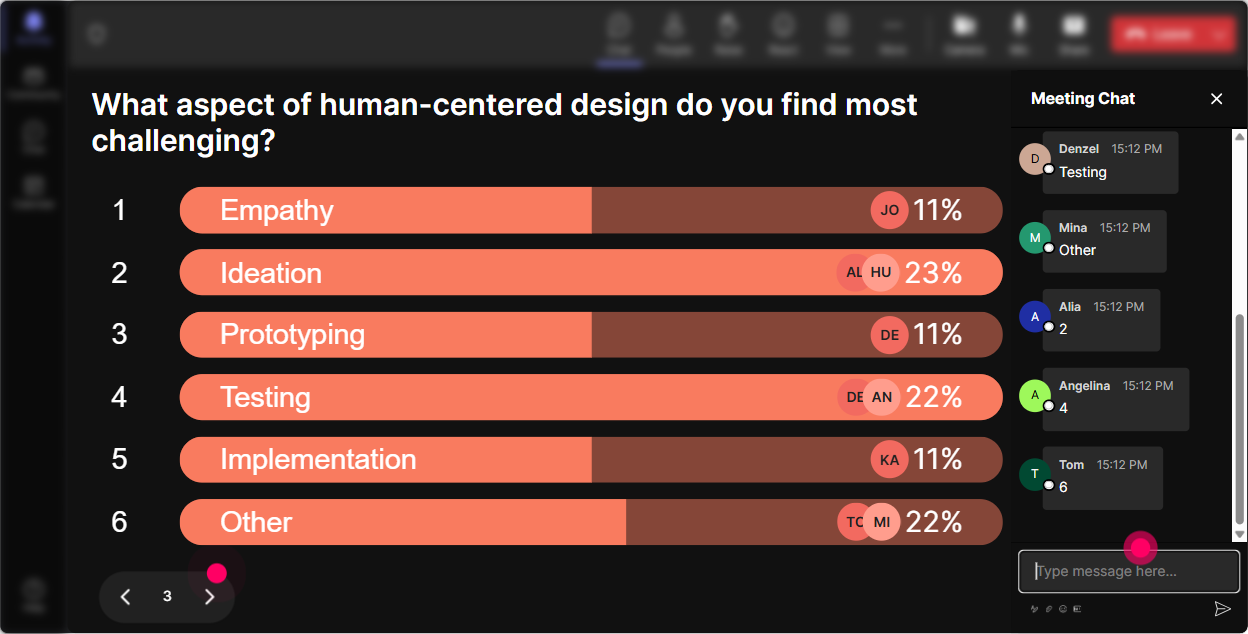
Power Polls: Let the group choose the agenda (and boost buy-in fast)
Power Polls are awesome for choose where we go next. L&D Leaders want relevance, not a canned lecture-so let them steer a bit. And because results show live, it creates instant momentum. Poll ideas that fit this topic: - Whats your biggest focus right now? 1) Culture & belonging 2) Manager capability 3) Employee listening & feedback loops 4) Burnout & workload design - Where does your org struggle most to be human-centered? 1) Policies 2) Leadership behaviors 3) Systems/tools 4) Communication - Which case example should we unpack? 1) Onboarding redesign 2) Performance review overhaul 3) Meeting culture reset 4) Frontline enablement Trainer tip: If option 2 wins, say: Cool-then Ill spend more time on manager moments and less on the theory slides. People immediately feel like, Okay, this is for me.
Winner Wheel: Nudge participation without making it weird
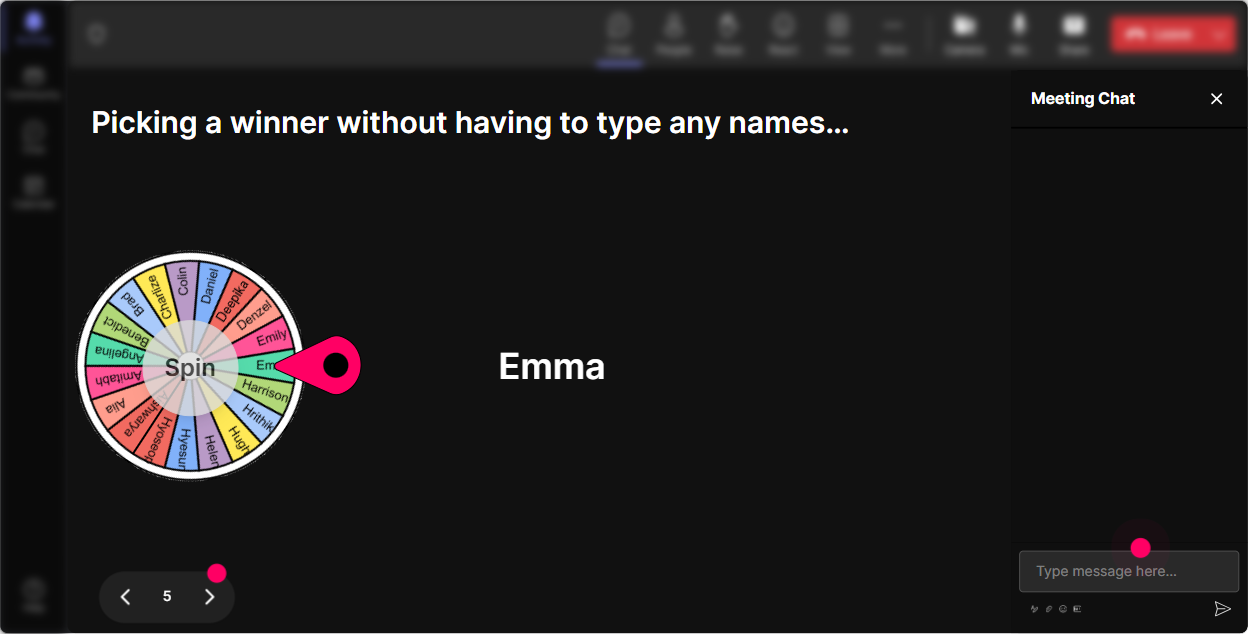
Sometimes you need voices, not just chat. But calling on people can feel awkward in a corporate setting. Winner Wheel keeps it playful and fair-especially if you pull names from people who commented so participation gets rewarded. Trainer-friendly ways to use it: - Drop one leadership behavior that supports human-centered culture. Ill spin the wheel and ask one person to unpack theirs for 30 seconds. - Share a policy youd redesign. Wheel picks someone to give the before/after version. - Who wants to role-play a manager/employee conversation? Comment Im in and well spin. Trainer tip: Keep the ask small. Youre not picking someone to deliver a TED Talk-just a quick share. That lowers the fear and increases the yeses.
Quiz: Quick knowledge checks that dont feel like school
Use the Quiz when you want a clean multiple-choice knowledge check-especially for common myths about culture, engagement, and employee experience. It wakes people up, and it gives you proof of understanding (or confusion) instantly. Quiz questions that work well: - Which is the best example of a human-centered metric? A) Hours worked B) Time-to-productivity + employee confidence score (Correct) C) Number of meetings D) Email response time - Human-centered design in organizations starts with A) Leadership slogans B) Empathy + real employee data (Correct) C) More training modules D) A new HR tool - Whats the biggest risk of engagement surveys only? A) Theyre too frequent B) They measure feelings but dont fix systems (Correct) C) Theyre anonymous D) Theyre digital Trainer tip: After revealing the correct answer, ask: What made you pick what you picked? Thats where the learning really happens.

Rating Polls: Get a quick pulse before you go too deep
Rating Polls are your room thermometer. Instead of guessing how confident (or skeptical) people are, youll see it instantly-and participants love how easy it is (just type a number). Smart moments to use Rating Polls in this training: - Start-of-session baseline: On a scale of 110, how confident are you that your organization is truly human-centered today? - After a concept: Rate this idea: Employee experience is a business strategy. (1 = not sold, 10 = completely agree) - After an activity: How usable is this framework for your org next week? (110) Trainer tip: If you see a split (some 23s and some 910s), dont rush past it-use it. That gap is discussion fuel.
Q&A: Capture questions without losing them in chat chaos
In a busy live session, great questions get buried fast. StreamAlives Q&A pulls audience questions into one clean view so youre not scrolling like mad while trying to teach. Easy ways to run Q&A in this session: - Midway: Whats one challenge youre facing trying to make your org more human-centered? - After a framework: What would stop this from working in your culture? - End-of-session: What do you want a practical example of-onboarding, performance, change management, or leadership habits? Trainer tip: If you see repeat themes, say it out loud: Im noticing a lot of questions about manager capability-lets tackle that cluster. People feel seen, and you look incredibly in control.

Analytics: Find the moments that actually landed (so you can 9x the right stuff next time)
After the session, dont rely on vibes. StreamAlive Analytics shows you minute-by-minute engagement so you can see exactly when energy spiked-and when it dipped. Thats gold for L&D Leaders who want continuous improvement. How to use Analytics for Human-Centered Organizations training: - Spot your high-engagement moments: Was it the word cloud on barriers? The poll on priorities? The story tiles? Do more of that next time. - Identify your most engaged participants (Fantastic Fans): These are your champions-great people to follow up with for pilot programs, internal cohorts, or culture initiatives. - Review interaction reports + chat replay: Pull real participant language (anonymized if needed) to improve your examples and make the next session feel even more built for them. - Share results with your team: Email reports make it simple to show stakeholders: Heres what the room cared about, and heres what were changing. Trainer tip: Use the data to tweak your run-of-show: put your strongest interaction earlier, add a pulse-check rating before heavy content, and plan a discussion right after any segment that typically dips.

Use StreamAlive in all your training sessions
StreamAlive isn’t just for
Human-Centered Organizations
training,
it can also be used for any instructor-led training session directly inside your PowerPoint presentation.
Explore similar traingin ideas: unlocking the potential of StreamAlive
See how StreamAlive transforms live training with engaging events and interactive sessions across industries, directly inside your PowerPoint presentation.

Interactions in action
(it's free)

.svg.png)


