Install StreamAlive for your PowerPoint slides
Learn more

Micro-Credentials Training for Corporate Trainers
StreamAlive helps 9x the audience engagement in your Virtual Instructor-led Trainings (VILT) directly inside your powerpoint presentation.
Make your instructor-led Micro-Credentials training more fun with polls, word clouds, spinner wheels and more
Works inside your existing PowerPoint presentation
Install the StreamAlive app for PowerPoint and see your slides come to life as people participate in your interactions
AI generates audience interactions for you
Let our AI scan your presentation and automatically come up with relevant questions based on the content. Or spend two hours coming up with your own questions, your choice!
Built to work with MS Teams and Zoom
Native apps for Teams and Zoom so you never have to leave your existing workflows
No QR Codes
Chat-powered interactions means your audience doesn’t need to scan QR codes or look at another screen to participate. They just type in the chat!

Quickly approved by your IT team
StreamAlive’s apps for Teams and Zoom means that they have been through rigorous quality assurance and client safety reviews. You’ll find everything an IT team needs to approve the app within the organization within your StreamAlive account.

Youve been asked to run a Micro-Credentials instructor-led training for corporate trainers-and you want it to feel lively, not like another sit and listen webinar. The good news? With the right activities (and a few StreamAlive interactions), you can keep people participating all the way through. Here are practical, trainer-friendly ideas you can use immediately.
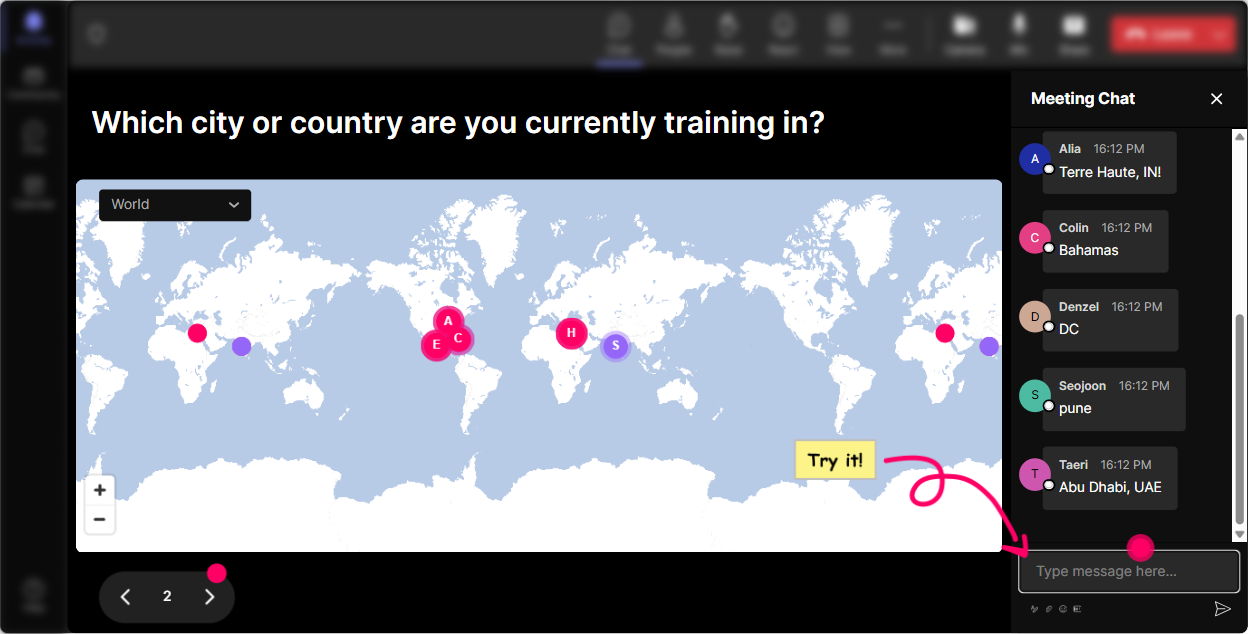
1) Magic Maps: Put your trainers on the map (and start the session with instant energy)
This is the easiest, most natural way to break the ice-because you were going to ask Where are you joining from? anyway. With StreamAlives Magic Maps, people drop their location in chat and boom-youve got a live world map filling up in real time. How to use it in Micro-Credentials training (ideas you can steal): - Where are you joining from today? (classic warm-up, works every time) - Where is your training audience mostly based-city/country? (great segue into global vs local credential recognition) - If you could get certified anywhere in the world, where would you go? (fun + gets them thinking about learning journeys) Trainer tip: If youre working with a big group, allow one location per person so the map stays clean. And when you see clusters (like 15 people from one region), call it out-people love that little moment of recognition.
2) Rating Polls: Get a quick baseline-without putting anyone on the spot
Micro-Credentials can mean different things to different trainers. Some are already building credential pathways, others are hearing the term for the first time. Rating Polls let you do a fast temperature check right from the chat, and you can show the live results instantly. Great moments to run a Rating Poll in your session: - At the start: On a scale of 110, how confident are you in explaining Micro-Credentials to a business stakeholder? - After definitions: How clear is the difference between a certificate, certification, and micro-credential now? (110) - After a case study: How likely are you to pilot a micro-credential in the next 60 days? (110) Why it boosts engagement: People dont have to write paragraphs. They just type a number, feel included, and you instantly know how fast (or slow) to go next.

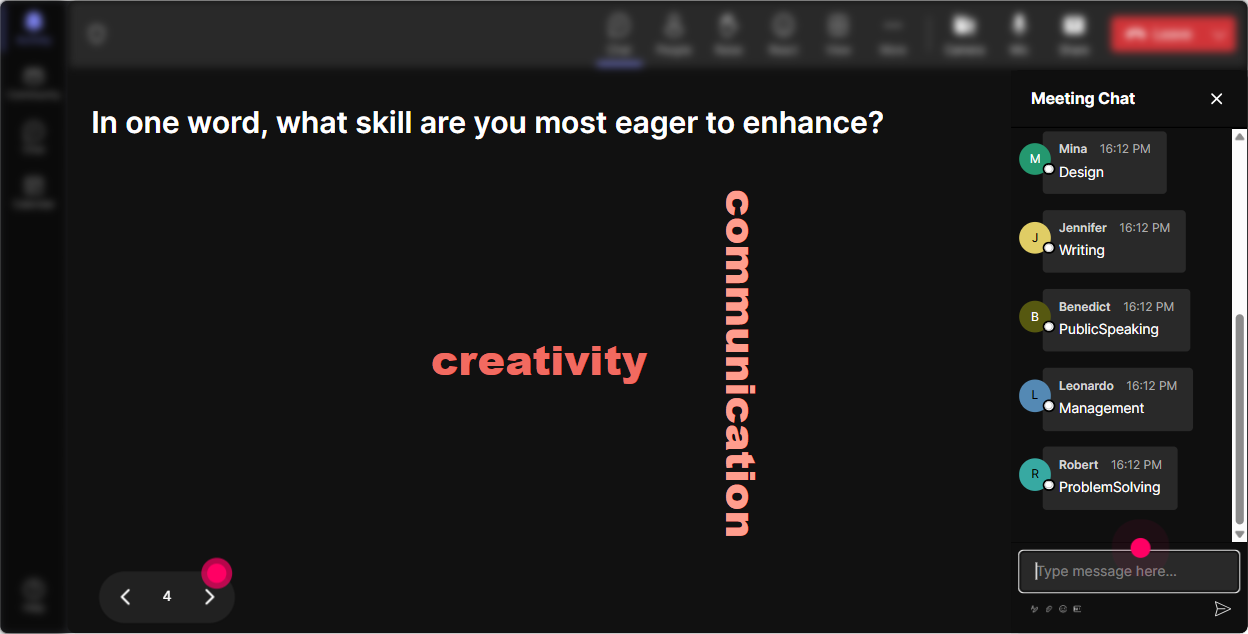
3) Wonder Words (Word Cloud): Surface feelings, assumptions, and resistance-fast
Micro-Credentials can trigger all kinds of reactions: excitement, skepticism, confusion, curiosity. Instead of guessing what people think, ask them-and let StreamAlive turn it into a live word cloud. Word cloud prompts that work really well with trainers: - In 12 words: what comes to mind when you hear Micro-Credentials? - Whats the biggest blocker in your organization? (answers like budget, time, buy-in, tech, SMEs) - What would make Micro-Credentials worth it for your learners? (recognition, promotion, skills, portability) Trainer tip: Use Combine Similar Answers so buy in, buy-in, and stakeholder buy-in dont split into separate tiny words. Then react to the biggest words on screen-this is where the conversation becomes real.
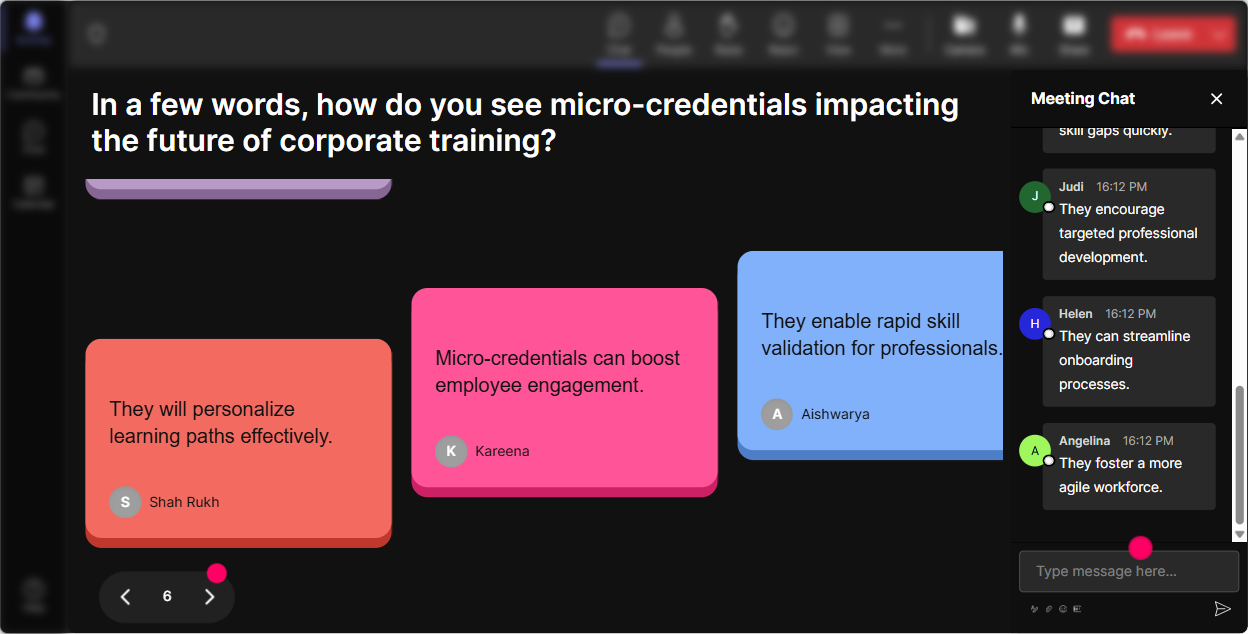
4) Talking Tiles: Turn experiences into a visual brainstorm (without awkward silence)
When you want richer answers than one word-but you still want it to feel fun and fast-Talking Tiles is your best friend. People type their thoughts in chat, and their messages show up as dynamic tiles on screen. It feels like the room is talking together. Use Talking Tiles for prompts like: - Where would a micro-credential make the biggest impact in your training portfolio? - What job role in your company would benefit most from a stackable credential path-and why? - Describe a skill your learners struggle to prove (even when they actually have it). How this helps your training: You get real examples from real trainers. Then you can group responses live (leadership, sales, compliance, onboarding, software adoption) and build your teaching around what theyre actually dealing with.
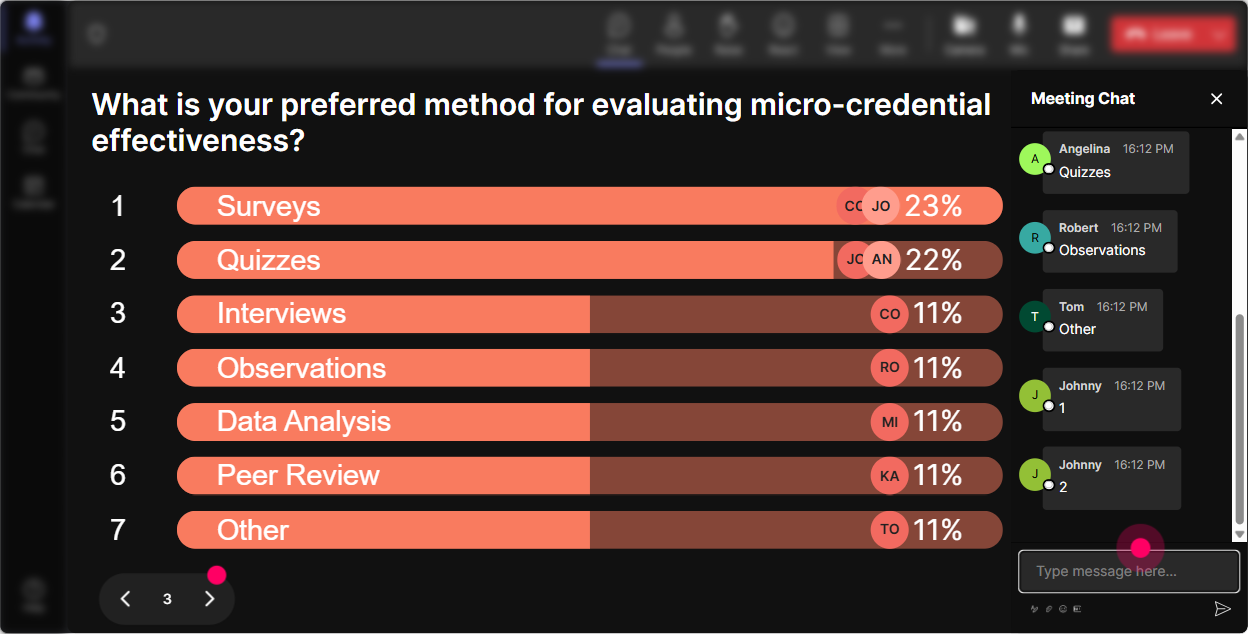
5) Power Polls: Let the audience choose the agenda (and youll get way more buy-in)
A huge engagement unlock is letting people feel like theyre shaping the session. Power Polls make that super easy: you give options, they vote via chat, and results show live. Poll ideas for Micro-Credentials instructor-led training: - What do you want to focus on today? 1) Designing a micro-credential 2) Assessment + evidence 3) Platforms/LMS + issuing badges 4) Getting stakeholder buy-in - Which model fits your org best? 1) Compliance-based micro-credentials 2) Role-based skill pathways 3) Leadership development stack 4) Customer/partner academies - Whats your biggest concern? 1) Quality/rigor 2) Adoption 3) Cost 4) Measuring ROI Trainer tip: Run one poll early, then explicitly say: Cool-since most of you picked assessment and evidence, Im going to spend extra time there. That one sentence makes people feel heard.
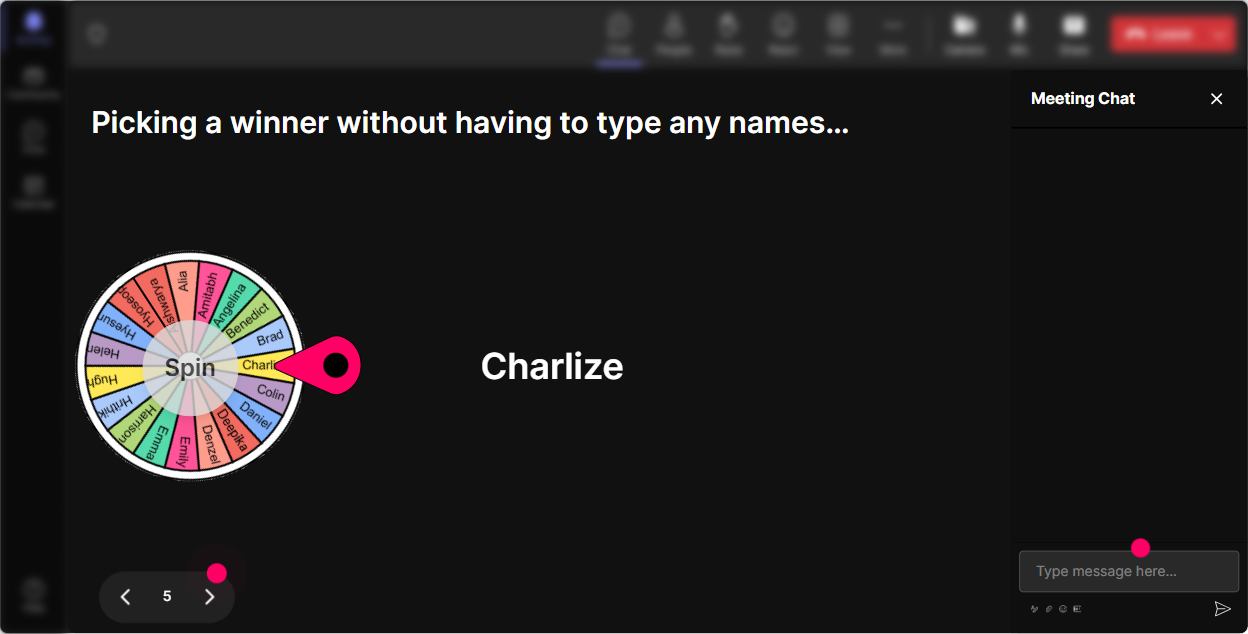
6) Winner Wheel: Get participation from the quiet crowd (without calling them out)
Every session has the same pattern: a handful of people chat a lot, and everyone else stays invisible. StreamAlives Winner Wheel fixes that in a way that feels playful, not pushy. You can spin a winner from people who participated-so engagement gets rewarded. Ways to use it in Micro-Credentials training: - Drop one micro-credential topic youd build for your learners. Im spinning the wheel to pick someone to share for 30 seconds. - Were doing a quick scenario: Ill spin the wheel and the winner gets to choose which stakeholder objection we tackle first. - Everyone who answered the poll is entered-winner gets a resource pack / template / shoutout. Why trainers love this: Youre not awkwardly saying, John, youve been quiet. Youre saying, Let fate decide, and suddenly people are way more willing to jump in.
7) Quiz: Quick knowledge checks that dont feel like a test
Micro-Credentials has lots of terms that sound similar (badges, certificates, certifications, pathways, credit hours, assessment types). A StreamAlive Quiz makes a fast knowledge check feel like a game-people vote in chat and you reveal the correct answer. Quiz questions you can use: - Which is the BEST definition of a micro-credential? (give 34 choices, one correct) - Whats the key difference between a certificate of completion and a micro-credential? - Which element is most important for credibility? A) Length of course B) Assessment evidence C) Fancy design D) Number of slides Trainer tip: After you reveal the correct answer, ask: What made you choose your option? That one follow-up turns a quiz into discussion-and discussion is where the learning sticks.

2) Rating Polls: Get a quick baseline-without putting anyone on the spot
Micro-Credentials can mean different things to different trainers. Some are already building credential pathways, others are hearing the term for the first time. Rating Polls let you do a fast temperature check right from the chat, and you can show the live results instantly. Great moments to run a Rating Poll in your session: - At the start: On a scale of 110, how confident are you in explaining Micro-Credentials to a business stakeholder? - After definitions: How clear is the difference between a certificate, certification, and micro-credential now? (110) - After a case study: How likely are you to pilot a micro-credential in the next 60 days? (110) Why it boosts engagement: People dont have to write paragraphs. They just type a number, feel included, and you instantly know how fast (or slow) to go next.
8) Q&A (Quick Questions): Capture every question without losing your flow
In Micro-Credentials training, questions come from everywhere: the term itself, the policy side, how to assess, what tools to use, how to sell it internally. StreamAlives Q&A pulls questions directly from the chat and organizes them so youre not scrolling and missing great ones. Ways to run Q&A smoothly: - Do a parking lot Q&A: Drop your questions anytime-StreamAlive will collect them, and well hit them at the 30-minute mark. - Do a rapid-fire round: Lets do 5 minutes of questions-upvote the ones you want answered first. (even without upvotes, you can pick the most relevant) - Use it for stakeholder objections: Type the hardest question you expect from your leadership team. Why it boosts engagement: People ask more questions when they trust theyll be seen-and when youre not fumbling through chat.

9) Analytics: Prove what worked, improve what didnt, and spot your future champions
After your session, StreamAlive Analytics tells you what trainers actually engaged with-minute by minute. This is gold if you run training internally, report to leadership, or want to improve your next cohort. How to use analytics for Micro-Credentials ILT: - Identify your high-engagement moments: Engagement spiked during the assessment example-lets expand that section next time. - Use chat replay to pull real quotes: Great for wrap-up emails and stakeholder summaries. - Find your Fantastic Fans (most engaged participants): These are your potential pilot partners, champions, or co-creators for a credential pathway. - Share interaction results by email/Teams: Perfect for showing outcomes like Top concerns were buy-in and measurement or Most requested focus area was stackable pathways. Bottom line: Analytics helps you keep improving and also gives you proof that your training wasnt just attended-it was actively participated in.

Use StreamAlive in all your training sessions
StreamAlive isn’t just for
Micro-Credentials
training,
it can also be used for any instructor-led training session directly inside your PowerPoint presentation.
Explore similar traingin ideas: unlocking the potential of StreamAlive
See how StreamAlive transforms live training with engaging events and interactive sessions across industries, directly inside your PowerPoint presentation.

Interactions in action
(it's free)

.svg.png)


