Install StreamAlive for your PowerPoint slides
Learn more

Performance Consulting Training for Training Agencies
StreamAlive helps 9x the audience engagement in your Virtual Instructor-led Trainings (VILT) directly inside your powerpoint presentation.
Make your instructor-led Performance Consulting training more fun with polls, word clouds, spinner wheels and more
Works inside your existing PowerPoint presentation
Install the StreamAlive app for PowerPoint and see your slides come to life as people participate in your interactions
AI generates audience interactions for you
Let our AI scan your presentation and automatically come up with relevant questions based on the content. Or spend two hours coming up with your own questions, your choice!
Built to work with MS Teams and Zoom
Native apps for Teams and Zoom so you never have to leave your existing workflows
No QR Codes
Chat-powered interactions means your audience doesn’t need to scan QR codes or look at another screen to participate. They just type in the chat!

Quickly approved by your IT team
StreamAlive’s apps for Teams and Zoom means that they have been through rigorous quality assurance and client safety reviews. You’ll find everything an IT team needs to approve the app within the organization within your StreamAlive account.

Youve been asked to run a Performance Consulting instructor-led training for a Training Agency-and you want it to feel alive, not like a slide marathon. The good news: a few simple StreamAlive interactions can turn quiet Zoom room into a room full of voices. Here are practical ideas you can use right away.
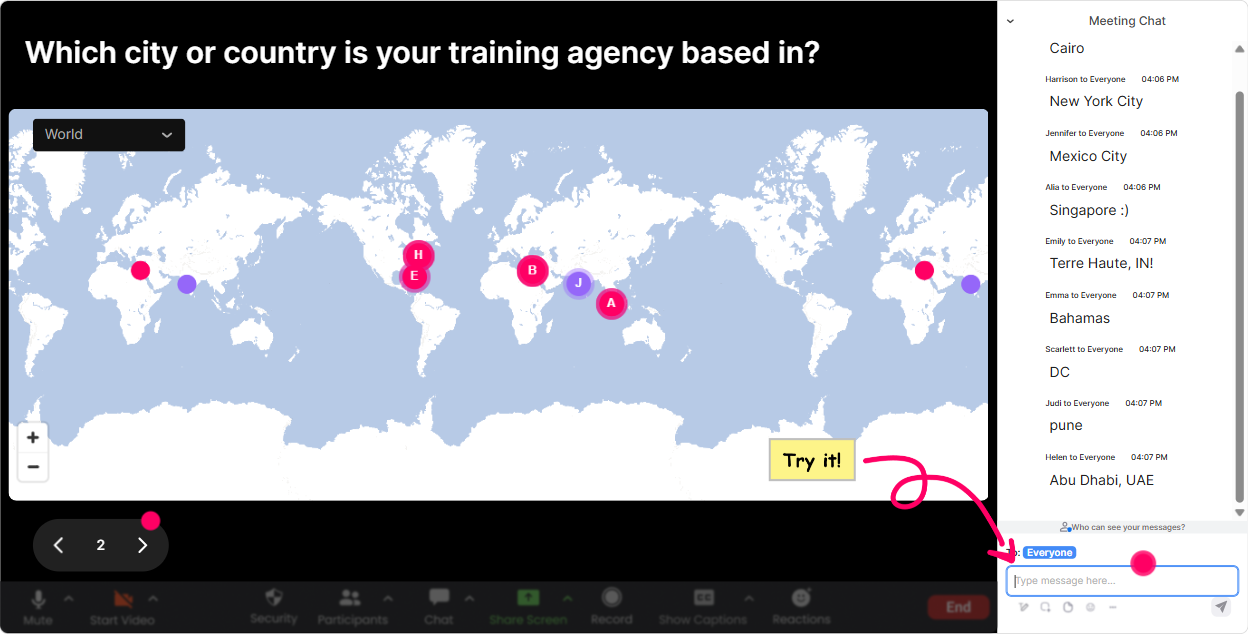
1) Magic Maps: Put your Training Agency cohort on the map (and instantly warm up the room)
This is the easiest everyone participates moment youll get all session. Instead of asking Where are you joining from? and getting a messy chat, use Magic Maps and watch the locations pop up live on a world map. How to use it in Performance Consulting ILT: - Kickoff icebreaker: Where are you joining us from today (city + country)? Then tie it back: Awesome-Performance Consulting looks different depending on region, industry, and client maturity. Lets compare notes today. - Context-builder: Type the city where most of your clients are based. Great segue into discussing stakeholder environments and business constraints. - Needs-based angle: Drop a dream client location youd love to consult in. Fun, light, and it opens a conversation about market segments. Trainer tip: If your session has multiple groups (sales vs. delivery, new vs. experienced consultants), reset the map and run it again for each group so it stays relevant.
2) Rating Polls: Get a fast confidence check (and tailor your delivery on the fly)
Performance Consulting can be intimidating for some people-especially if theyve only ever delivered content and havent diagnosed performance problems before. Rating Polls let you get an instant pulse check without making anyone over-explain. How to use it in Performance Consulting ILT: - Start-of-session baseline: On a scale of 110, how confident are you in running a performance consulting conversation with a client? - Mid-session checkpoint: After you teach a model (like performance gap analysis), ask: Rate your clarity on how to separate training request vs business problem (110). - End-of-session readiness: How ready do you feel to use a discovery call question set this week? (110) Trainer tip: When you see a big spread (some 3s, some 9s), call it out. Cool-this tells me weve got a mixed room. Ill add a quick example before we move on. Thats how you keep people with you.

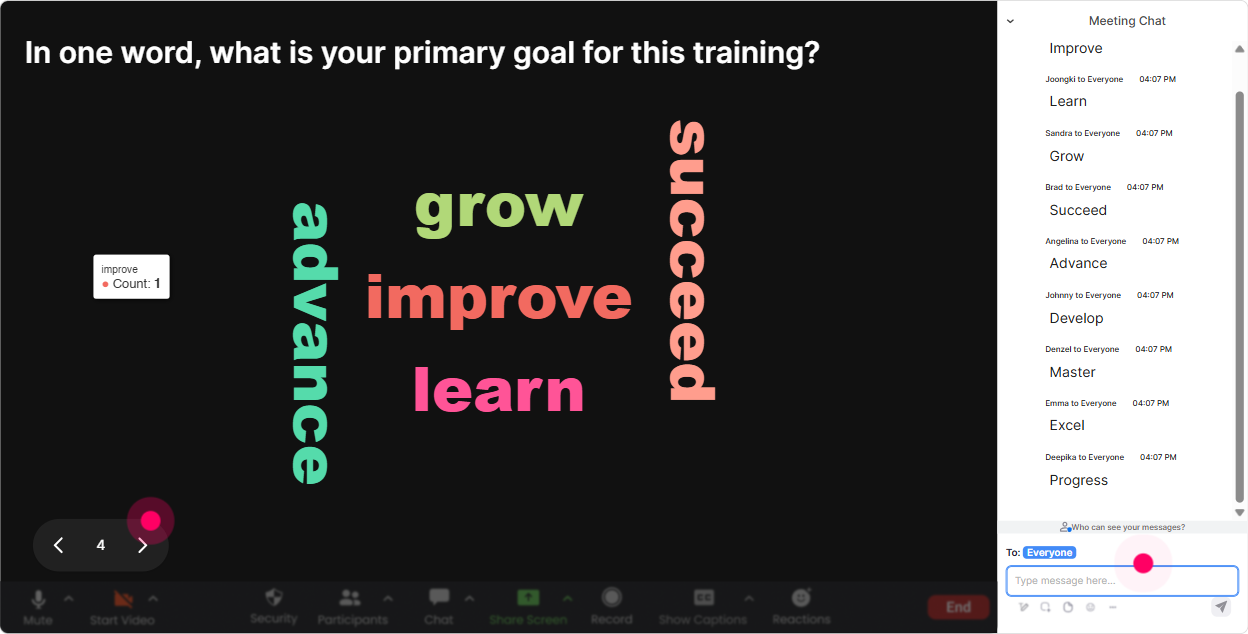
3) Wonder Words (Word Cloud): Make their mindset visible in 10 seconds
Word clouds are perfect when you want quick, low-effort participation. People type 12 words, and suddenly you can see the room. In Performance Consulting training, this helps you surface assumptions, resistance, and excitement fast. How to use it in Performance Consulting ILT: - Emotional temperature check: When you hear Performance Consulting, whats the first word that comes to mind? (Youll get: strategic, confusing, salesy, exciting, etc.) - Reality check on client behavior: In one word, what do clients usually ask for first? (Common ones: training, workshop, course, content. Great setup to explain the order-taker vs consultant shift.) - Common barriers: One word: what blocks your clients from performance? (Process, tools, time, buy-in, leadership now your content is anchored in their reality.) Trainer tip: Use Combine Similar Answers so stakeholder and stakeholders dont split into separate words and muddy the insight.
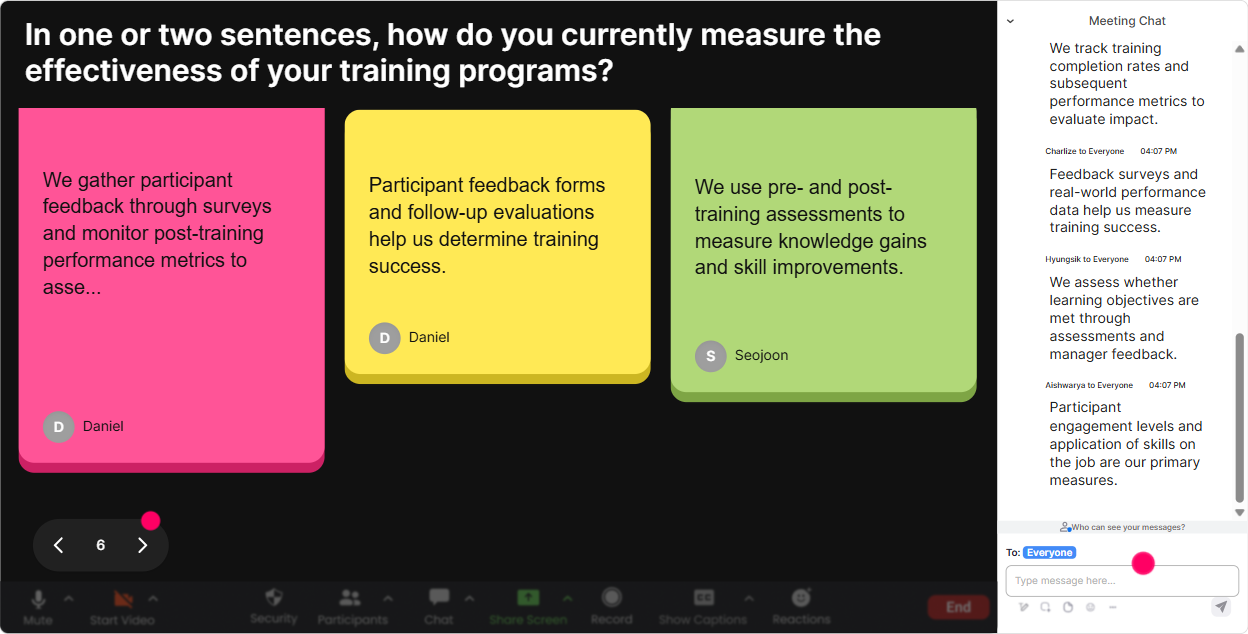
4) Talking Tiles: Turn their real challenges into your best teaching material
When you want longer answers-stories, examples, real opinions-Talking Tiles is gold. Instead of you guessing whats happening in their Training Agency world, you let them show you live, and it becomes your case study bank. How to use it in Performance Consulting ILT: - Job impact prompt: In 12 sentences: how would stronger performance consulting change your day-to-day work? - Client reality prompt: Whats a training request you got recently that felt like it wasnt really a training problem? - Stakeholder challenge prompt: Describe your toughest stakeholder in one sentence (no names!). Trainer tip: When a great tile drops, pause and say, This is a perfect example-lets diagnose this together using the framework. Your session instantly feels customized.
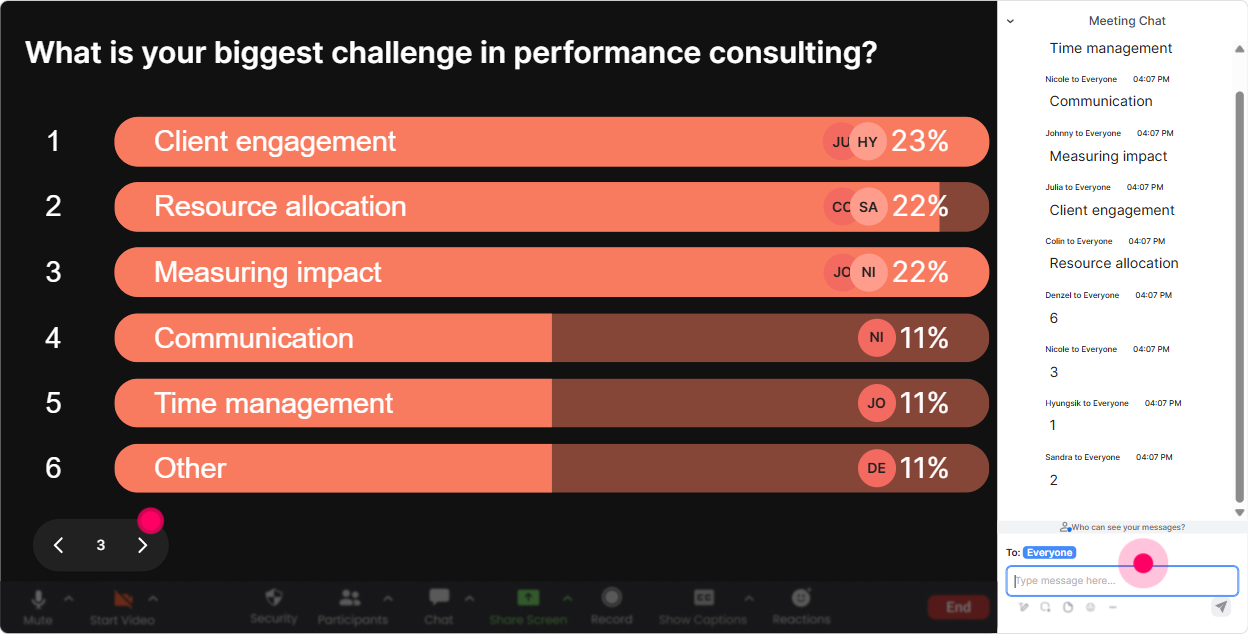
5) Power Polls: Let the room choose the direction (and boost buy-in)
Power Polls are how you stop guessing what they want and start co-creating the agenda. And when people feel like they helped shape the session, they pay more attention-because now its their session. How to use it in Performance Consulting ILT: - Priorities poll: Which part of Performance Consulting do you want to spend the MOST time on today? 1) Discovery questions 2) Root-cause analysis 3) Stakeholder alignment 4) Turning insights into solutions (not just training) 5) Handling We just need training pushback - Tools poll: What do you need most right now? 1) A discovery call script 2) A diagnostic checklist 3) A proposal structure 4) A performance analysis template Trainer tip: Run the poll, show results live, and say: Alright, the room has spoken-lets double-click on option #3. Engagement spikes because they see their vote matter.
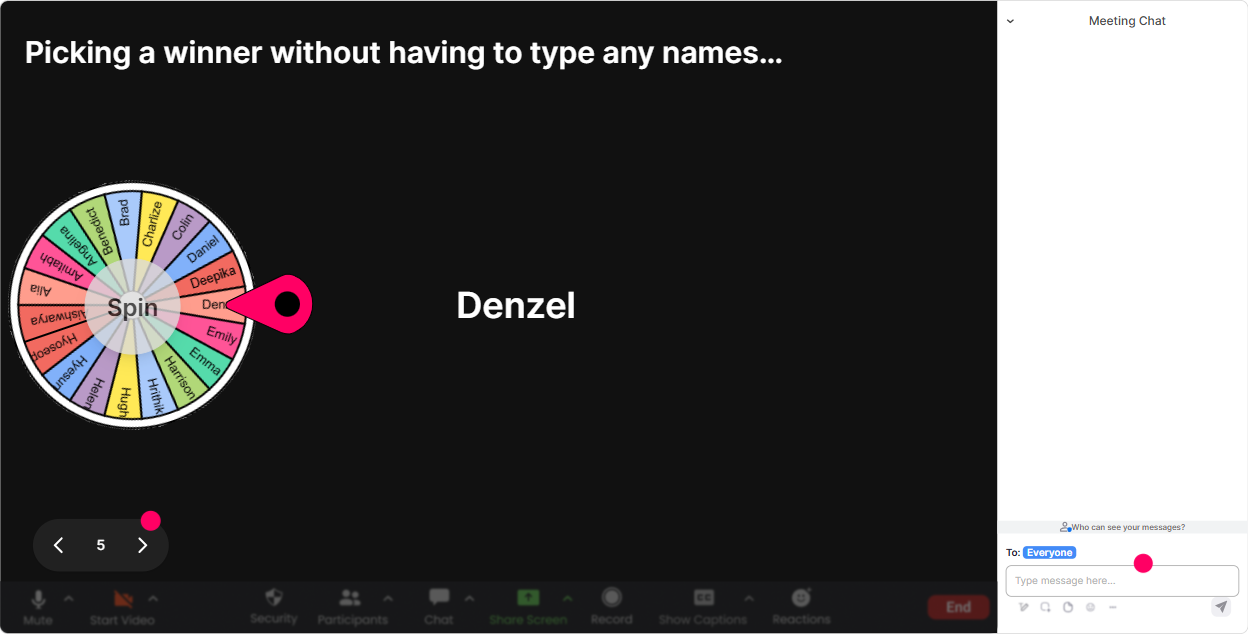
6) Winner Wheel (Spinner Wheel): Get volunteers without the awkward silence
You know that moment: you ask, Who wants to role-play? and the room goes quiet. The Spinner Wheel fixes that without you putting anyone on the spot unfairly-because its random, and its playful. How to use it in Performance Consulting ILT: - Role-play picker: Drop ME in the chat if youre open to being the client for a 2-minute discovery role-play. Spin the wheel and go. - Hot-seat coaching: Type CASE if youre willing to share a current client situation. Spin to choose whose scenario youll diagnose. - Knowledge share: Type TIP if youve done performance consulting before and can share one lesson. Spin and spotlight them. Trainer tip: Set the tone: You can always pass-no stress. This is a learning room, not a courtroom. People participate more when they feel safe.
7) Quiz: Make the key concepts stick (without feeling like a test)
A Quiz interaction is perfect for quick knowledge checks-especially in Performance Consulting where people confuse symptoms with root causes. This keeps the energy up and tells you instantly what you need to reteach. How to use it in Performance Consulting ILT (examples you can steal): - Question: A client says: We need training because performance is low. Whats your BEST next step? 1) Propose a training program immediately 2) Ask what success looks like and whats stopping it 3) Ask how many learners need the training 4) Send a brochure of your course catalog Correct answer: 2 - Question: Which is MOST likely a non-training solution? 1) Job aid 2) Coaching 3) Process change 4) Refresher workshop (This sparks a great conversation depending on context-your correct answer can be 3, then discuss why the others can be valid too.) Trainer tip: After revealing the correct answer, ask: If you picked a different option, what made it feel right? Thats where the real learning happens.

2) Rating Polls: Get a fast confidence check (and tailor your delivery on the fly)
Performance Consulting can be intimidating for some people-especially if theyve only ever delivered content and havent diagnosed performance problems before. Rating Polls let you get an instant pulse check without making anyone over-explain. How to use it in Performance Consulting ILT: - Start-of-session baseline: On a scale of 110, how confident are you in running a performance consulting conversation with a client? - Mid-session checkpoint: After you teach a model (like performance gap analysis), ask: Rate your clarity on how to separate training request vs business problem (110). - End-of-session readiness: How ready do you feel to use a discovery call question set this week? (110) Trainer tip: When you see a big spread (some 3s, some 9s), call it out. Cool-this tells me weve got a mixed room. Ill add a quick example before we move on. Thats how you keep people with you.
8) Q&A (Quick Questions): Capture every question without losing your flow
In a busy live chat, great questions get buried fast. StreamAlives Q&A pulls questions out and organizes them so you can actually manage them like a pro-especially helpful when youre teaching frameworks and people need clarification. How to use it in Performance Consulting ILT: - Park-and-address: Drop your questions anytime-StreamAlive will capture them. Ill pause every 15 minutes to clear the board. - Scenario-based Q&A: As we go through the model, post your toughest client objection as a question. (Example: How do I push back when procurement only wants a training quote?) - End-of-module sweep: Any questions before we move from diagnosis to solution design? Then answer the top 35. Trainer tip: If the same question keeps showing up, thats a signal your slide or explanation needs simplifying. Which brings us to analytics

9) Analytics: Improve every delivery (and prove engagement to clients/internal teams)
Analytics is the behind-the-scenes superpower-because it shows you what actually worked. Not what you *think* worked. How to use it in Performance Consulting ILT: - Spot energy peaks: Look at minute-by-minute engagement to see where the room lit up (often during role-plays, objection handling, or real case examples). Do more of that next time. - Fix the boring parts: If engagement drops during a specific section (say, definitions or theory), youll know exactly where to add an interaction next delivery (poll, word cloud, quick quiz). - Identify your most engaged attendees: Great for Training Agencies running certification cohorts-your Fantastic Fans are often your champions, future facilitators, or best peer coaches. - Share results internally: Export or email interaction reports to your team. Its super useful when youre improving a program or reporting back to stakeholders. Trainer tip: Use analytics as your continuous improvement loop: deliver review tweak the run of show deliver again. Thats how engagement compounds and you get closer to that up to 9x participation feel.

Use StreamAlive in all your training sessions
StreamAlive isn’t just for
Performance Consulting
training,
it can also be used for any instructor-led training session directly inside your PowerPoint presentation.
Explore similar traingin ideas: unlocking the potential of StreamAlive
See how StreamAlive transforms live training with engaging events and interactive sessions across industries, directly inside your PowerPoint presentation.

Interactions in action
(it's free)

.svg.png)


