Install StreamAlive for your PowerPoint slides
Learn more

Rapid Teaming Training for L&D Leaders
StreamAlive helps 9x the audience engagement in your Virtual Instructor-led Trainings (VILT) directly inside your powerpoint presentation.
Make your instructor-led Rapid Teaming training more fun with polls, word clouds, spinner wheels and more
Works inside your existing PowerPoint presentation
Install the StreamAlive app for PowerPoint and see your slides come to life as people participate in your interactions
AI generates audience interactions for you
Let our AI scan your presentation and automatically come up with relevant questions based on the content. Or spend two hours coming up with your own questions, your choice!
Built to work with MS Teams and Zoom
Native apps for Teams and Zoom so you never have to leave your existing workflows
No QR Codes
Chat-powered interactions means your audience doesn’t need to scan QR codes or look at another screen to participate. They just type in the chat!

Quickly approved by your IT team
StreamAlive’s apps for Teams and Zoom means that they have been through rigorous quality assurance and client safety reviews. You’ll find everything an IT team needs to approve the app within the organization within your StreamAlive account.

Youve been asked to run a Rapid Teaming instructor-led training for L&D Leaders-and you want it to feel less like a lecture and more like a room thats alive. Good news: a few smart, quick interactions can turn quiet webinar mode into real participation. Here are practical ideas (and exactly how StreamAlive helps you pull them off).
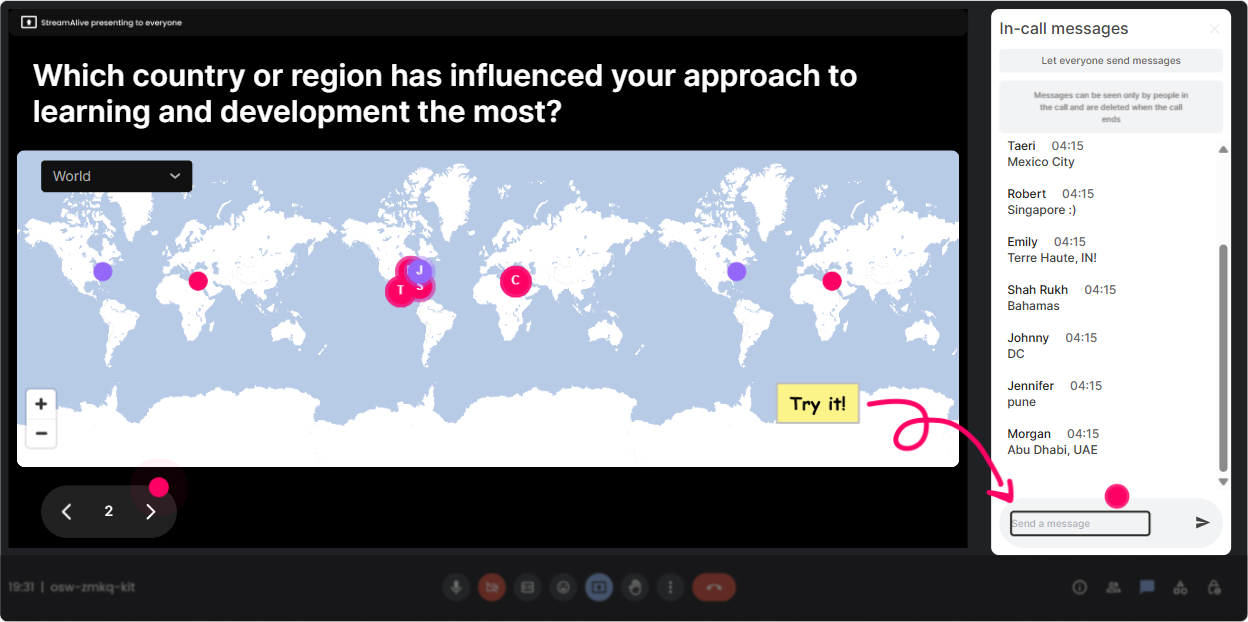
1) Magic Maps: kick off Rapid Teaming by showing the room youve got
Rapid Teaming is all about forming trust fast-so start by making people feel seen, right away. Magic Maps is perfect for the classic Where are you joining from? but with a purpose: it visually proves youve got a real community in the room. Try questions like: - Where are you joining from today (city + country)? - If you could rapid team with any site in our org, where would you teleport to? - Which location has the toughest cross-functional collaboration right now? Trainer tip: After the map populates, call out clusters: Looks like weve got a mini-hub in Toronto-whats happening there that makes teaming hard/easy? It instantly creates connection and gives you real examples to work with.
2) Rating Polls: get a fast pulse on Rapid Teaming confidence (and adjust on the fly)
Before you teach anything, find out where people are really at. Rating Polls make this super easy because everyone can answer in chat and youll see the bars live. Use a quick 110 scale like: - Rate your current confidence in launching a Rapid Teaming approach with stakeholders (1 = not confident, 10 = very confident). - How well does your organization form instant teams during change? (110) - How clear are your leaders on roles + decision rights when a new initiative kicks off? (110) Trainer tip: If the average is low, youve got permission to slow down and give more examples. If its high, skip the basics and move into scenarios and practice faster.

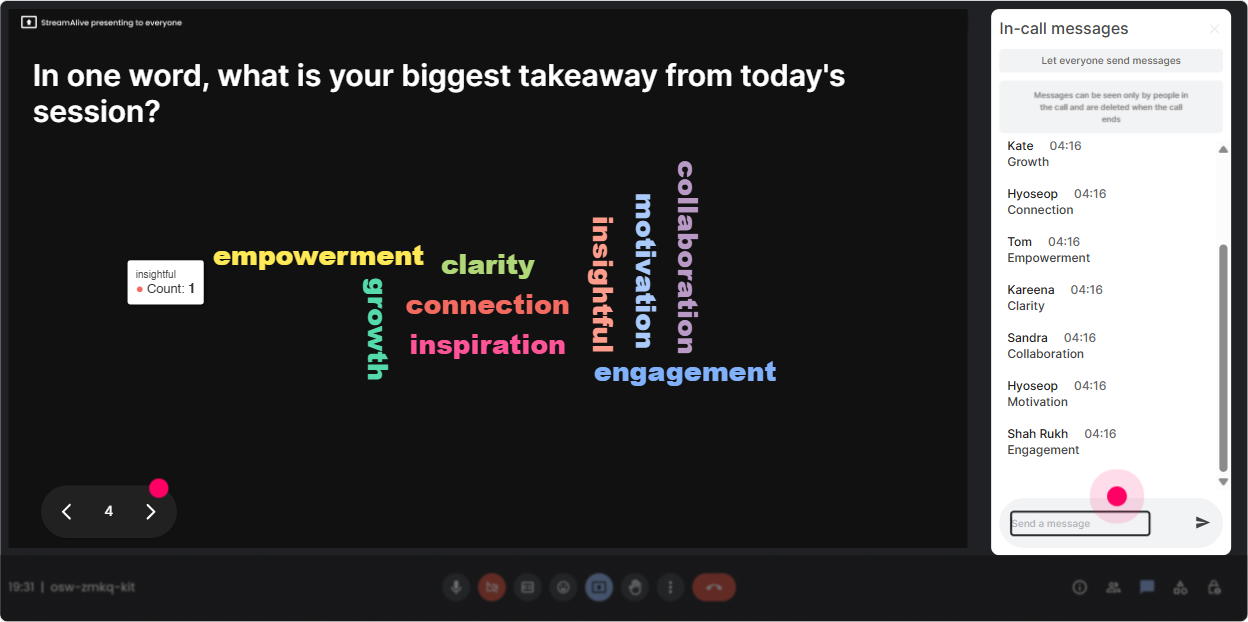
3) Wonder Words: turn feelings and assumptions into something you can work with
Rapid Teaming can trigger strong reactions-some people love it, others hear yet another framework. A Word Cloud lets you surface the vibe in seconds, without putting anyone on the spot. Ask 12 word prompts like: - Rapid Teaming feels _______. - When a new project team forms, the biggest risk is _______. - One word: what slows cross-functional teaming in your org? Trainer tip: When you see big words like confusion, politics, or speed, dont ignore them-use them. Okay, confusion is huge. Lets build our Rapid Teaming moves around reducing confusion in the first 30 minutes of a team forming.
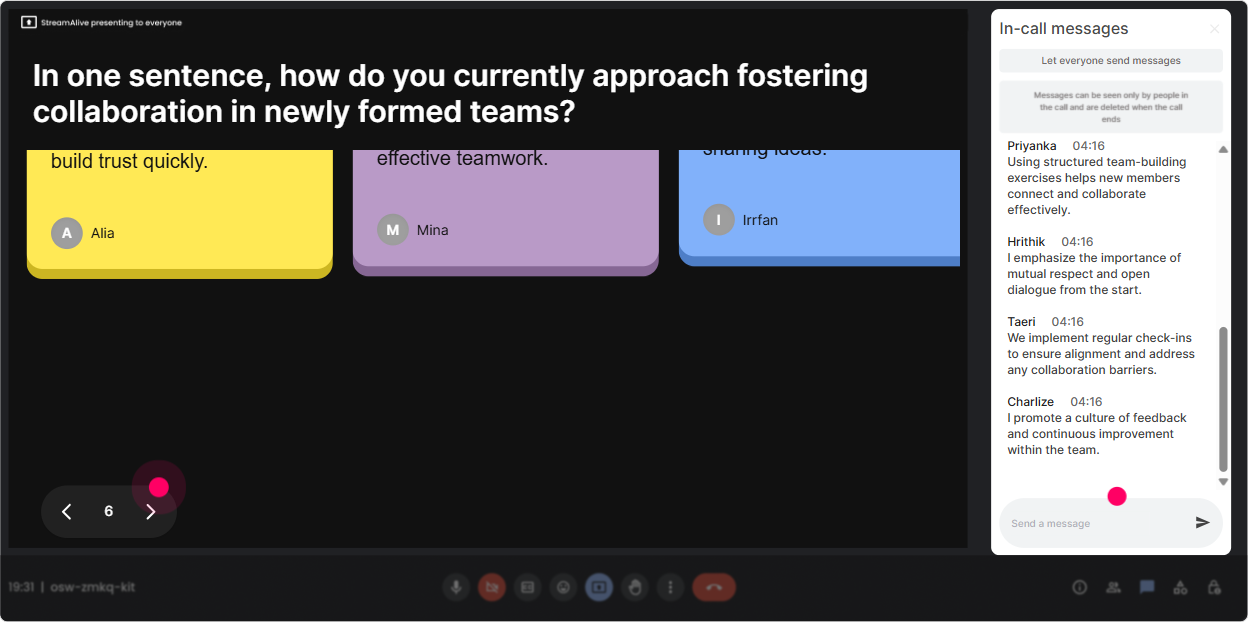
4) Talking Tiles: collect real stories (without the awkward silence)
Rapid Teaming sticks when people connect it to real work. Talking Tiles is great because it welcomes longer responses-and makes them visually fun to read out loud. Prompts that work really well: - Think of a recent instant team you were part of. What made it work-or fail? - Whats one moment where your role gets unclear when a new initiative starts? - What impact would better Rapid Teaming have on your day-to-day as an L&D leader? Trainer tip: Pick 35 tiles to spotlight and say, Lets group these into patterns. Youve just turned chat into a mini needs analysis (and people feel heard).
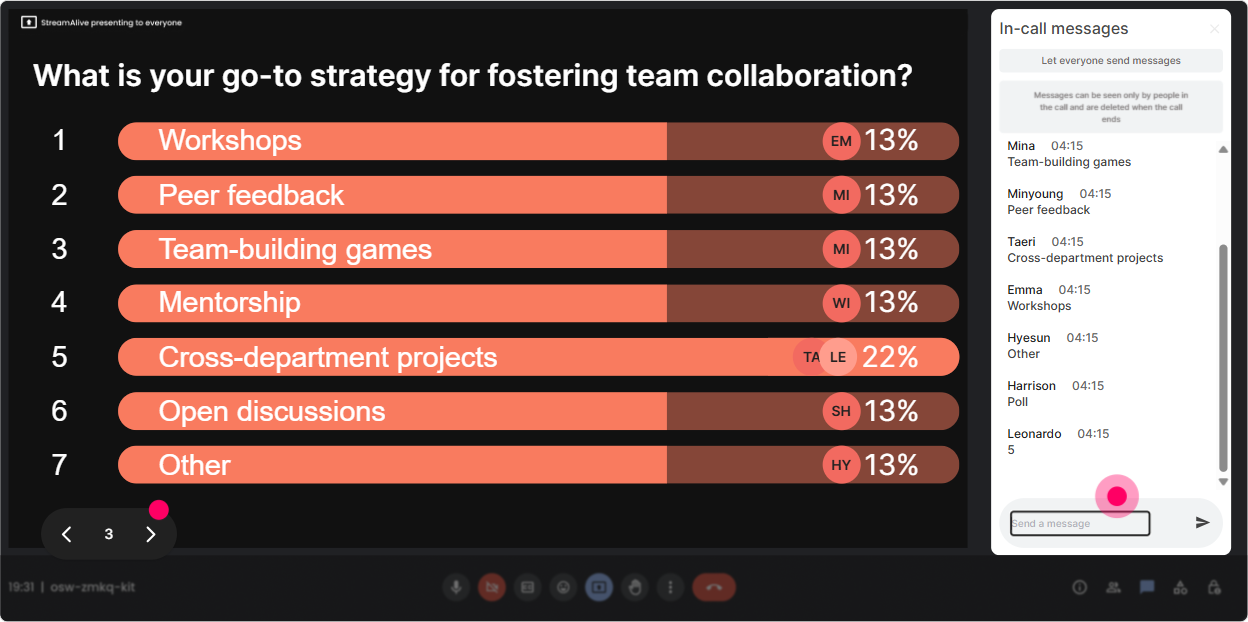
5) Power Polls: let the group choose the direction (so it doesnt feel done to them)
L&D Leaders love relevance. Power Polls help you co-create the agenda in real time: Tell me what you want most, and well go there. Poll ideas (with options): - What should we spend the most time on today? 1) Forming the team fast (purpose + roles) 2) Building trust quickly 3) Running tight team rituals (check-ins, working agreements) 4) Handling conflict and misalignment - Whats hardest in your org right now? 1) Speed of alignment 2) Clear ownership/decision rights 3) Stakeholder overload 4) Hand-offs between functions Trainer tip: Show results live and say, Cool-looks like decision rights is the winner. Ill shift our next activity to that. That one move earns you credibility fast.
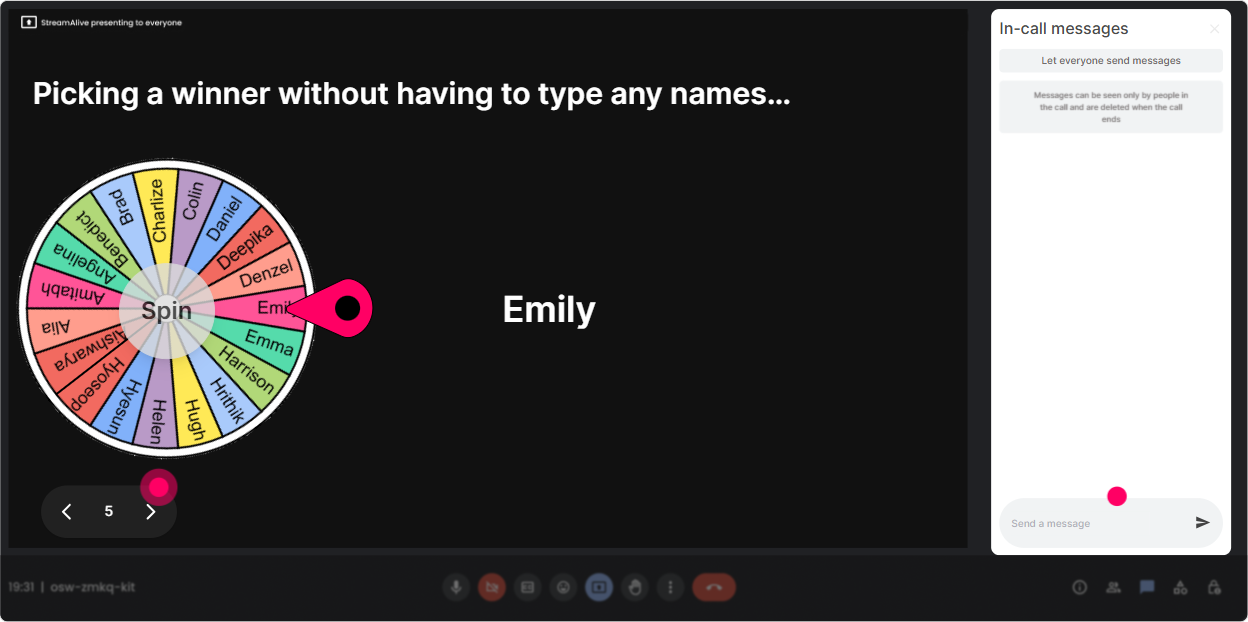
6) Winner Wheel: get voices in the room without singling people out
We all know the moment: you ask a question, and nothing. Winner Wheel turns Who wants to share? into something playful and fair. Ways to use it in Rapid Teaming ILT: - Drop a 1 in chat if youve ever joined a project with unclear roles. Im going to spin and ask one person to share what happened. - Type one word for your biggest Rapid Teaming challenge. Ill spin the wheel and that person gets to choose which example we unpack. - We need a volunteer for a quick role-play. Comment Im in and well let the wheel pick. Trainer tip: Keep it low-pressure: You can pass if you want, but Id love to hear your real-world version. People are way more willing when it feels safe.
7) Quiz: do quick knowledge checks that feel like a game (not a test)
Quizzes are perfect for Rapid Teaming because you can bust myths and lock in the key behaviors fast. You ask a multiple-choice question, people answer in chat, and you reveal the correct option. Quiz questions you can use: - Which is the best first step in Rapid Teaming? A) Start assigning tasks immediately B) Clarify purpose + outcomes first C) Wait until conflict shows up D) Add more stakeholders to be safe - Whats the biggest risk when teams form quickly? A) Too much structure B) Role confusion C) Too many meetings D) Too much trust Trainer tip: After you reveal the answer, ask one follow-up in chat: What do you do in your org today instead? Thats where the learning gets real.

2) Rating Polls: get a fast pulse on Rapid Teaming confidence (and adjust on the fly)
Before you teach anything, find out where people are really at. Rating Polls make this super easy because everyone can answer in chat and youll see the bars live. Use a quick 110 scale like: - Rate your current confidence in launching a Rapid Teaming approach with stakeholders (1 = not confident, 10 = very confident). - How well does your organization form instant teams during change? (110) - How clear are your leaders on roles + decision rights when a new initiative kicks off? (110) Trainer tip: If the average is low, youve got permission to slow down and give more examples. If its high, skip the basics and move into scenarios and practice faster.
8) Q&A: capture every question without losing the thread of your session
When youre teaching Rapid Teaming, questions pop up constantly-especially from L&D Leaders thinking, Yeah, but will this work in my culture? StreamAlives Q&A pulls questions from chat and organizes them so youre not hunting through a scrolling chat window. How to use it smoothly: - Set a rule early: If its a question, start your message with Q:. - Park questions for later: I see that one-lets hold it for our implementation section. - Do a mid-session Q&A reset: Lets do a 3-minute lightning round. Trainer tip: This keeps your flow strong while still making people feel listened to (which is half of engagement).

9) Analytics: prove engagement, spot drop-offs, and improve your next Rapid Teaming session
After the session, StreamAlive Analytics helps you see what actually worked-not just what you *think* worked. You can review engagement minute-by-minute, replay chats, and see which interactions got the most participation. Ways L&D Leaders can use this right away: - Identify where attention dropped (maybe your model explanation went too long) and tighten that section. - See which prompt sparked the most chat and reuse it as your signature opener. - Find your most engaged participants (your Fantastic Fans)-these are great people to invite into pilot groups or champions for scaling Rapid Teaming. - Share interaction results internally via email/Teams to show stakeholders: Heres what leaders said the real blockers are. Trainer tip: Engagement data is gold when youre trying to justify more live practice time, a follow-up session, or a broader rollout.

Use StreamAlive in all your training sessions
StreamAlive isn’t just for
Rapid Teaming
training,
it can also be used for any instructor-led training session directly inside your PowerPoint presentation.
Explore similar traingin ideas: unlocking the potential of StreamAlive
See how StreamAlive transforms live training with engaging events and interactive sessions across industries, directly inside your PowerPoint presentation.

Interactions in action
(it's free)

.svg.png)


