Install StreamAlive for your PowerPoint slides
Learn more

Skill Instability Training for Corporate Trainers
StreamAlive helps 9x the audience engagement in your Virtual Instructor-led Trainings (VILT) directly inside your powerpoint presentation.
Make your instructor-led Skill Instability training more fun with polls, word clouds, spinner wheels and more
Works inside your existing PowerPoint presentation
Install the StreamAlive app for PowerPoint and see your slides come to life as people participate in your interactions
AI generates audience interactions for you
Let our AI scan your presentation and automatically come up with relevant questions based on the content. Or spend two hours coming up with your own questions, your choice!
Built to work with MS Teams and Zoom
Native apps for Teams and Zoom so you never have to leave your existing workflows
No QR Codes
Chat-powered interactions means your audience doesn’t need to scan QR codes or look at another screen to participate. They just type in the chat!

Quickly approved by your IT team
StreamAlive’s apps for Teams and Zoom means that they have been through rigorous quality assurance and client safety reviews. You’ll find everything an IT team needs to approve the app within the organization within your StreamAlive account.

Youve been asked to run a session on Skill Instability for corporate trainers-and you already know the risk: people nod politely then quietly multitask. Lets make this one of those sessions where everyone stays present, talks back, and actually remembers the takeaways. Here are practical engagement ideas using StreamAlive to keep energy high (and participation flowing) from minute one.
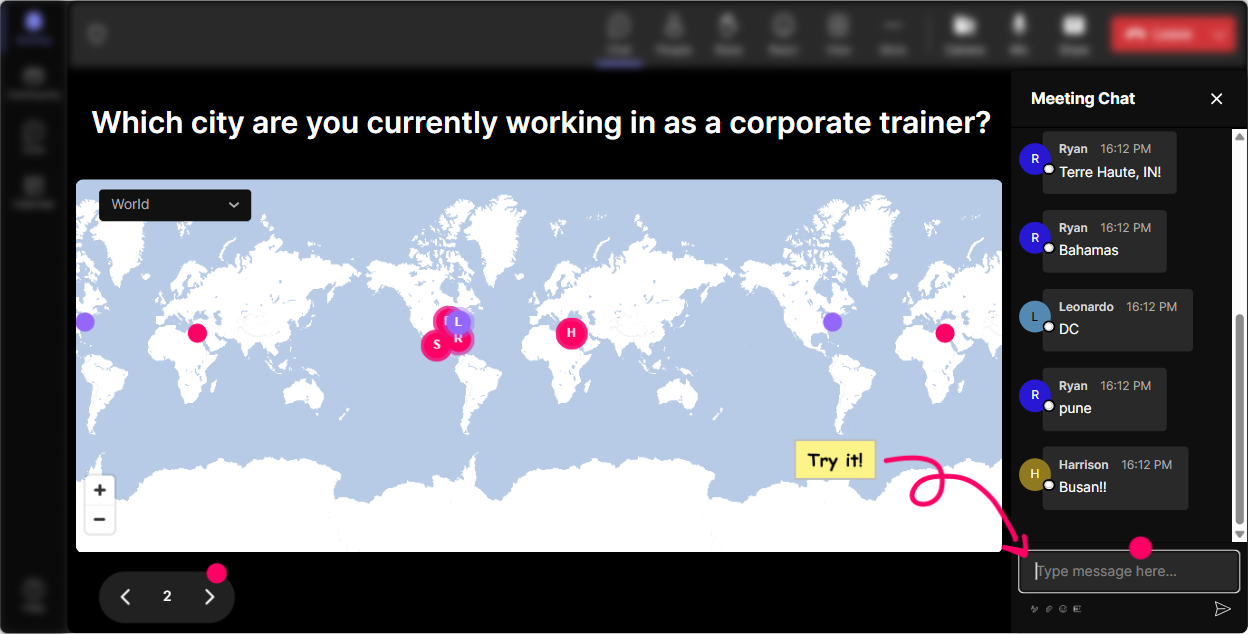
1) Magic Maps: Put your trainers on the map (literally)
Skill Instability can feel like a big concept. Magic Maps makes it personal fast. How to use it in your Skill Instability ILT: - **Warm-up:** Where are you joining from today? (Classic, easy win. People love seeing themselves show up on the map.) - **Skill Instability tie-in:** Drop a city where youve seen job skills change the fastest in the last 2 years. - **Reality check opener:** If your role disappeared tomorrow, where on earth would you move to restart your career? Trainer tip: If your group is global, call out clusters (Okay wow-Toronto and Bangalore are showing up strong!). That little moment builds belonging instantly, and people are way more likely to participate in the next activity. Bonus: If youre doing breakouts by region/time zone, the map is a super quick way to group people without a spreadsheet headache.
2) Rating Polls: Get an instant pulse on how confident people feel
Before you teach anything, figure out where everyones starting from. Rating Polls do that in seconds-and you can adjust on the fly. How to use it in your Skill Instability training: - **Confidence check:** On a scale of 110, how confident are you that your current skill set will still be valuable 2 years from now? - **Training readiness:** Rate your ability to *teach* fast-changing skills to others (1 = not yet, 10 = Ive got a system). - **After a framework:** Rate how useful that model was for identifying unstable skills in your org. What this unlocks for you as the trainer: - If the average is low, you slow down and give examples. - If its high, you can stop explaining basics and move into application. - And either way, people feel seen because youre responding to what theyre saying in real time.

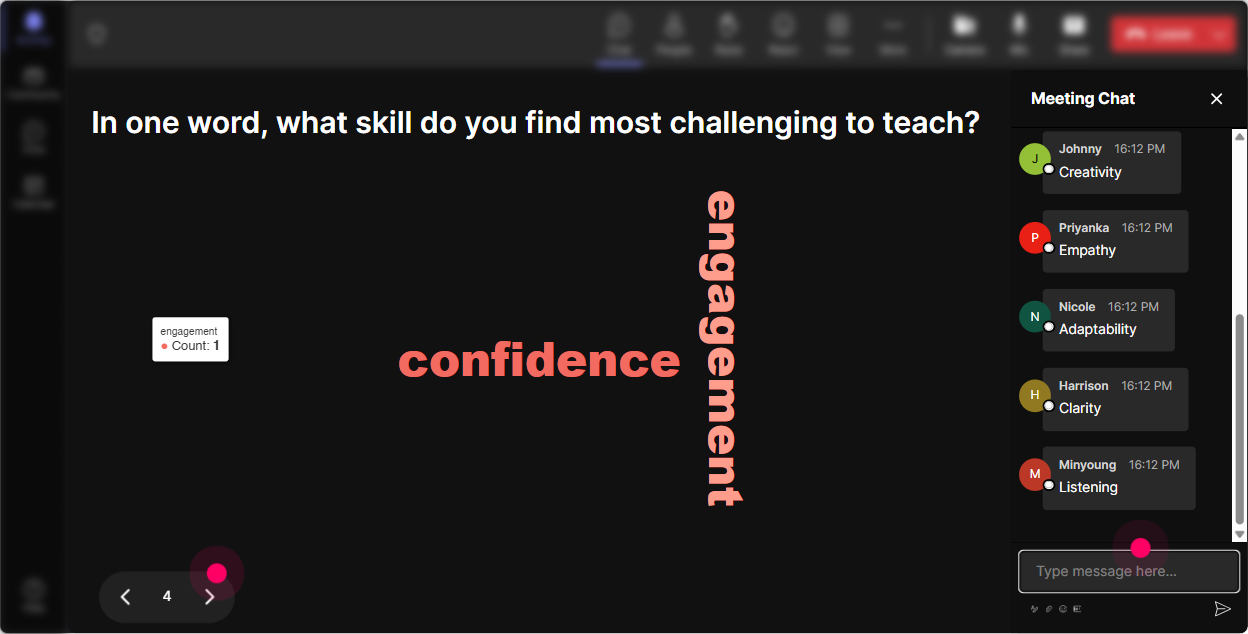
3) Wonder Words (Word Cloud): Make the rooms feelings visible
Skill Instability can trigger a lot-curiosity, stress, excitement, even resistance. A word cloud lets people say it without having to make a speech. How to use Wonder Words: - **Emotional temperature check:** Skill Instability in one word: how does it make you feel? - Youll usually see stuff like *anxious, motivated, overwhelmed, excited, uncertain* pop up. - **Belief check:** One word: whats the biggest driver of skill instability in your industry? - Expect: *AI, automation, customer demands, regulation, competition.* - **Trainer-focused:** One word: what makes it hardest to train skills that keep changing? - Great lead-in to your solutions. Trainer tip: Use the big words as your agenda. If overwhelmed is huge, say: Cool-lets make sure you leave with a simple way to prioritize what to learn and what to ignore. Thats how you get people leaning in.
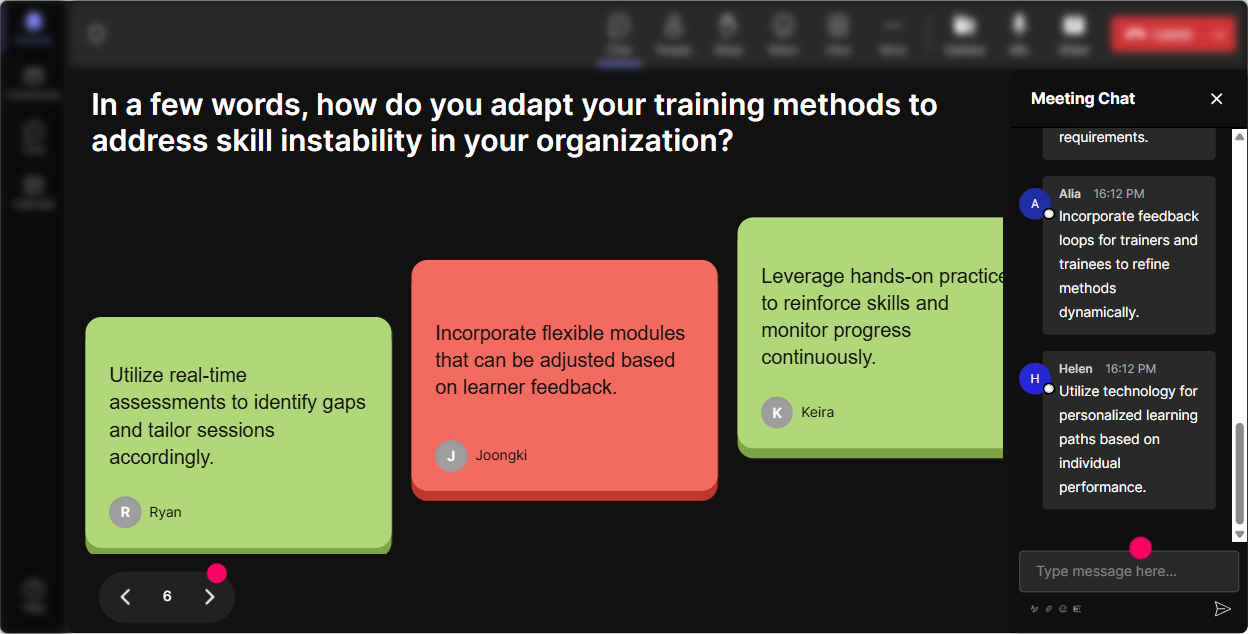
4) Talking Tiles: Turn real examples into a visual conversation
When you want more than 12 words-like real stories, examples, or situations-Talking Tiles is your best friend. It takes longer chat responses and makes them feel alive on screen. How to use it in your session: - **Impact question:** Whats one skill in your job that became less useful in the last 1224 months? What replaced it? - **Trainer challenge:** Whats one topic you trained last year that already needs an update? - **Application prompt:** Describe a moment you realized your learners were ahead of the content. How to facilitate it (without it getting messy): - Read 35 tiles out loud and group them: These are tech shifts these are process shifts these are mindset shifts. - Then youve basically created a live case-study library you can reference for the rest of the training. This is also where engagement jumps-because people love seeing their exact words on screen.
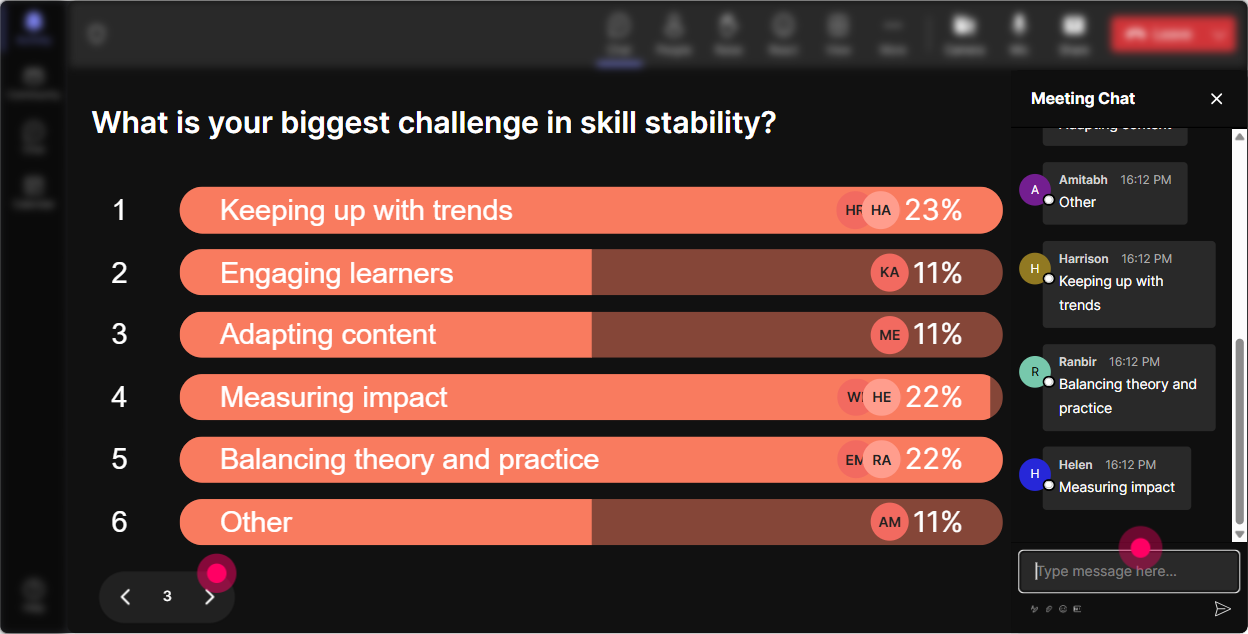
5) Power Polls: Let the group choose where you go next
Skill Instability is broad, and corporate trainers dont all need the same thing. Power Polls let your audience steer the session-so it feels customized, not canned. Poll ideas for this topic: - **What do you want most from today?** 1) Spot which skills are becoming unstable 2) Redesign training faster (without burning out) 3) Build a skills radar with SMEs/managers 4) Measure skill decay + refresh cycles - **Which instability pressure is hitting you hardest right now?** 1) AI/tool changes 2) New compliance/regulation 3) New customer expectations 4) Internal process changes Trainer tip: After the poll, say: Alright, well spend extra time on the top two. People pay attention because they feel like they just negotiated the agenda.
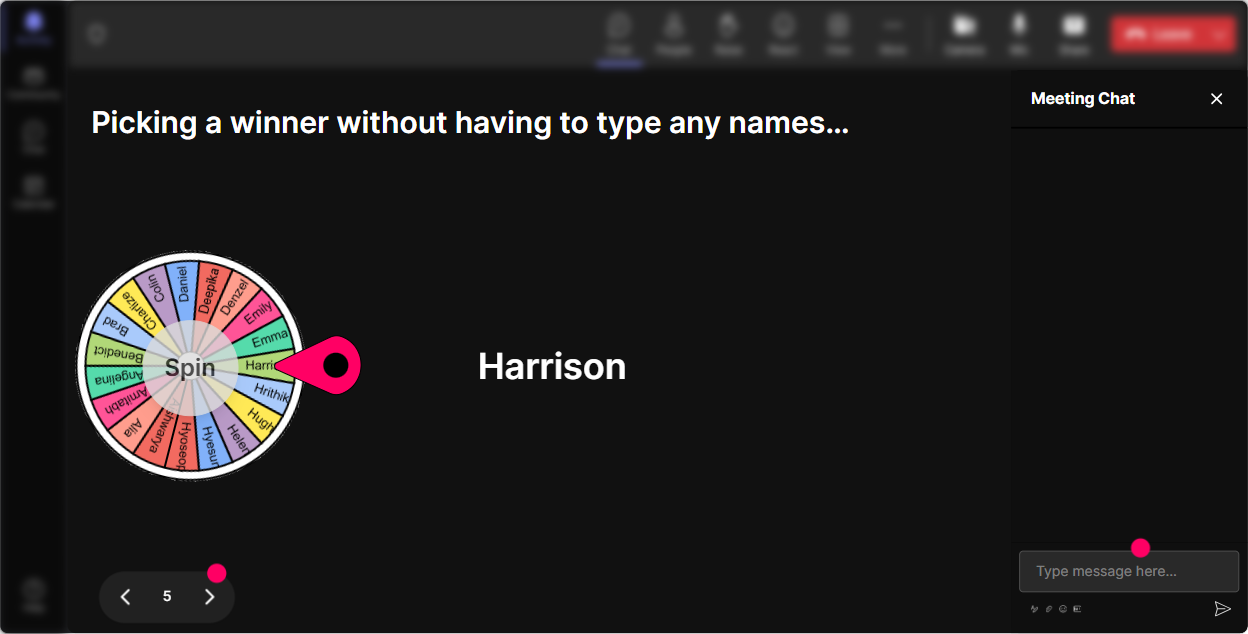
6) Winner Wheel (Spinner Wheel): Get volunteers without the awkward silence
You know that moment: Any volunteers to share? And suddenly everyone becomes very interested in their mute button. Winner Wheel fixes that-because participation becomes a game, not a chore. Ways to use it in Skill Instability training: - **Rapid share:** Type ONE unstable skill youre seeing. Im going to spin and have someone explain why its changing. - **Scenario coaching:** Drop ME in chat if you want to be coached on a real training challenge. Ill spin the wheel. - **Mini prizes:** Everyone who answered the last activity is eligible-winner gets a template / shout-out / first pick for Q&A. Trainer tip: Keep it friendly. You can always say, If you get picked and prefer to pass, just say pass-no pressure. The wheel still increases chat activity like crazy because people want to be in the game.
7) Quiz: Quick knowledge checks that dont feel like tests
A Quiz interaction is perfect for myth vs reality moments in Skill Instability training. Its fast, visual, and gets people thinking. Quiz ideas (with one correct answer): - **Question:** Whats the best definition of Skill Instability? 1) People are job hopping more 2) Skills lose value faster due to tech/process change 3) Employees arent motivated to learn 4) Training budgets are shrinking - **Question:** Whats a strong response to skill instability as a trainer? 1) Update slides once a year 2) Build modular content + frequent refresh cycles 3) Train longer workshops 4) Avoid new tools until they stabilize Trainer tip: Run a quiz *before* you teach the model (to surface assumptions), then run another after (to prove learning). The before vs after moment is super satisfying for the group.

2) Rating Polls: Get an instant pulse on how confident people feel
Before you teach anything, figure out where everyones starting from. Rating Polls do that in seconds-and you can adjust on the fly. How to use it in your Skill Instability training: - **Confidence check:** On a scale of 110, how confident are you that your current skill set will still be valuable 2 years from now? - **Training readiness:** Rate your ability to *teach* fast-changing skills to others (1 = not yet, 10 = Ive got a system). - **After a framework:** Rate how useful that model was for identifying unstable skills in your org. What this unlocks for you as the trainer: - If the average is low, you slow down and give examples. - If its high, you can stop explaining basics and move into application. - And either way, people feel seen because youre responding to what theyre saying in real time.
8) Q&A (Quick Questions): Catch every question without losing the room
In live sessions, good questions get buried in chat-especially when people are actively responding to activities. StreamAlives Q&A pulls questions out automatically so you dont miss them. How to use it for Skill Instability training: - **Set expectations:** Drop questions anytime-StreamAlive will capture them and Ill hit them in our Q&A breaks. - **Mid-session checkpoint:** Whats unclear so far about skill decay, skill half-life, or refresh cycles? - **End with relevance:** Whats one real situation at work where youre not sure what skill to train anymore? Trainer tip: You can batch questions: Lets do 3 quick ones now, then well keep moving. That keeps momentum while still making people feel heard.

9) Analytics: See what actually engaged people (so you can repeat it)
After the session, you dont want to guess what worked-you want receipts. StreamAlive Analytics shows you where engagement spiked, who participated most, and which interactions pulled the best responses. How to use analytics as a corporate trainer: - **Improve your design:** Check the minute-by-minute engagement and spot where attention dropped (thats your cue to tighten that section or add an interaction next time). - **Prove value:** Pull interaction results (polls, word clouds, quiz results) and share them in a follow-up email or Teams post-instant learning evidence. - **Identify champions:** See your most engaged participants (your likely advocates, future SMEs, or pilot group for new training). Practical move: After a Skill Instability session, send a recap email like: Top instability drivers you named + the groups confidence rating before/after + 3 most-asked questions. That follow-up alone boosts perceived value-and makes people more likely to show up engaged next time, too.

Use StreamAlive in all your training sessions
StreamAlive isn’t just for
Skill Instability
training,
it can also be used for any instructor-led training session directly inside your PowerPoint presentation.
Explore similar traingin ideas: unlocking the potential of StreamAlive
See how StreamAlive transforms live training with engaging events and interactive sessions across industries, directly inside your PowerPoint presentation.

Interactions in action
(it's free)

.svg.png)


