Install StreamAlive for your PowerPoint slides
Learn more

Workplace Community Training for Training Agencies
StreamAlive helps 9x the audience engagement in your Virtual Instructor-led Trainings (VILT) directly inside your powerpoint presentation.
Make your instructor-led Workplace Community training more fun with polls, word clouds, spinner wheels and more
Works inside your existing PowerPoint presentation
Install the StreamAlive app for PowerPoint and see your slides come to life as people participate in your interactions
AI generates audience interactions for you
Let our AI scan your presentation and automatically come up with relevant questions based on the content. Or spend two hours coming up with your own questions, your choice!
Built to work with MS Teams and Zoom
Native apps for Teams and Zoom so you never have to leave your existing workflows
No QR Codes
Chat-powered interactions means your audience doesn’t need to scan QR codes or look at another screen to participate. They just type in the chat!

Quickly approved by your IT team
StreamAlive’s apps for Teams and Zoom means that they have been through rigorous quality assurance and client safety reviews. You’ll find everything an IT team needs to approve the app within the organization within your StreamAlive account.

Youve been asked to run a Workplace Community instructor-led training for a training agency-and you want it to feel alive, not like another sit and listen session. The easiest win? Get people talking early and often. Here are simple ways to do that using StreamAlive so your engagement can jump massively (yes, even with quiet groups).
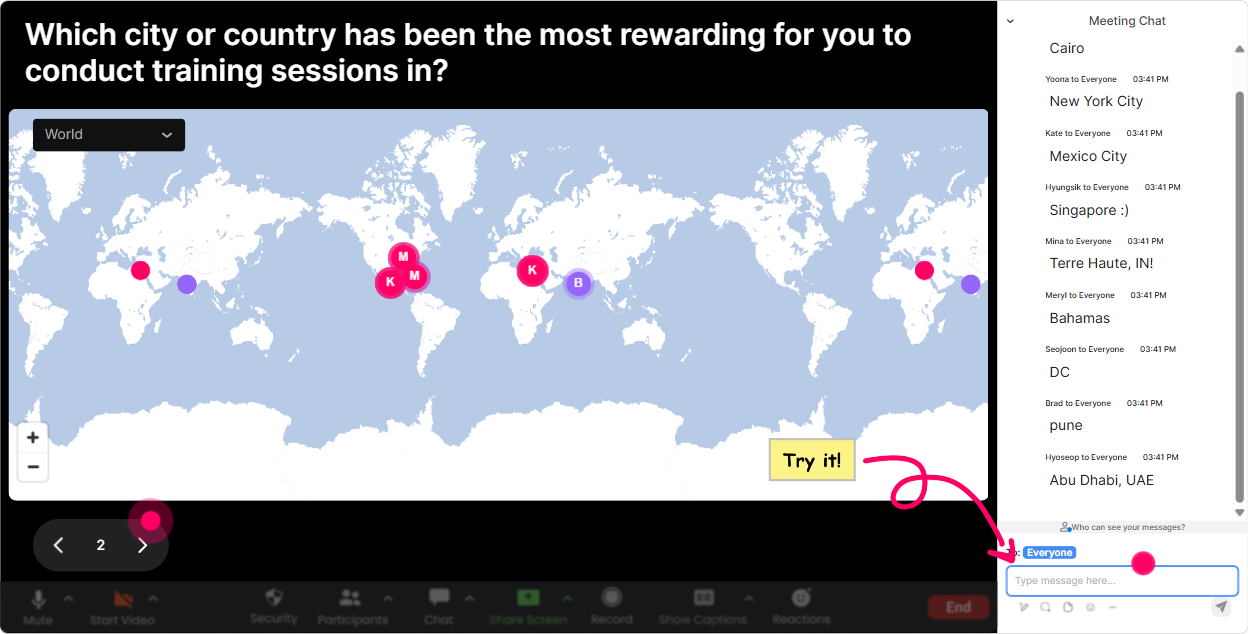
Magic Maps: Put your Workplace Community on the map (literally)
This is the easiest, no-pressure icebreaker that instantly makes the room feel like a community. Instead of asking Where are you joining from? and getting a dead chat, you turn it into something visual and fun-people see themselves show up on the map in real time. Try these Workplace Community-friendly prompts: - Where are you joining from today? (City + country) - Where is your main training audience based-HQ city or region? - If you could build the perfect workplace community anywhere on earth, where would it be? - Which city has the best community vibes in your opinion? Trainer tip: If youre running cohorts across regions, the clusters on the map become an instant talking point: Looks like weve got a strong group from Manila-whats driving community there? Thats an organic discussion starter without you forcing it.
Rating Polls: Quick pulse check-how confident is the room?
Workplace Community means different things to different people. So before you teach anything, get a quick read on where everyones at. Rating Polls are perfect because people can answer in seconds and you get a live visual you can react to. Use Rating Polls like this: - On a scale of 110, how confident are you in building workplace community in your programs? - Rate your current workplace community culture at your organization (1 = weak, 10 = strong). - How clear is your agencys strategy for community-led learning? (110) Then respond like a real facilitator: Im seeing lots of 5s and 6s-perfect. Well focus on practical steps you can use right away. And for the 9s and 10s, Ill pull you in to share whats working.

Wonder Words: How do people *feel* about Workplace Community?
Word clouds are gold for getting honest emotion on the screen without putting anyone on the spot. Ask for 12 word answers, and suddenly youre looking at the rooms real mindset-excited, skeptical, overwhelmed, curious, etc. Great prompts for this topic: - In 12 words, what comes to mind when you hear Workplace Community? - One word: whats the biggest barrier to building community in training? - Whats the outcome you want from a stronger workplace community? - How do your learners usually feel in your sessions-connected or isolated? (1 word) Trainer tip: Use what shows up big in the cloud to shape your delivery. If time or leadership becomes huge, you can say: Cool, were not ignoring that-lets build around that reality. People feel seen fast.

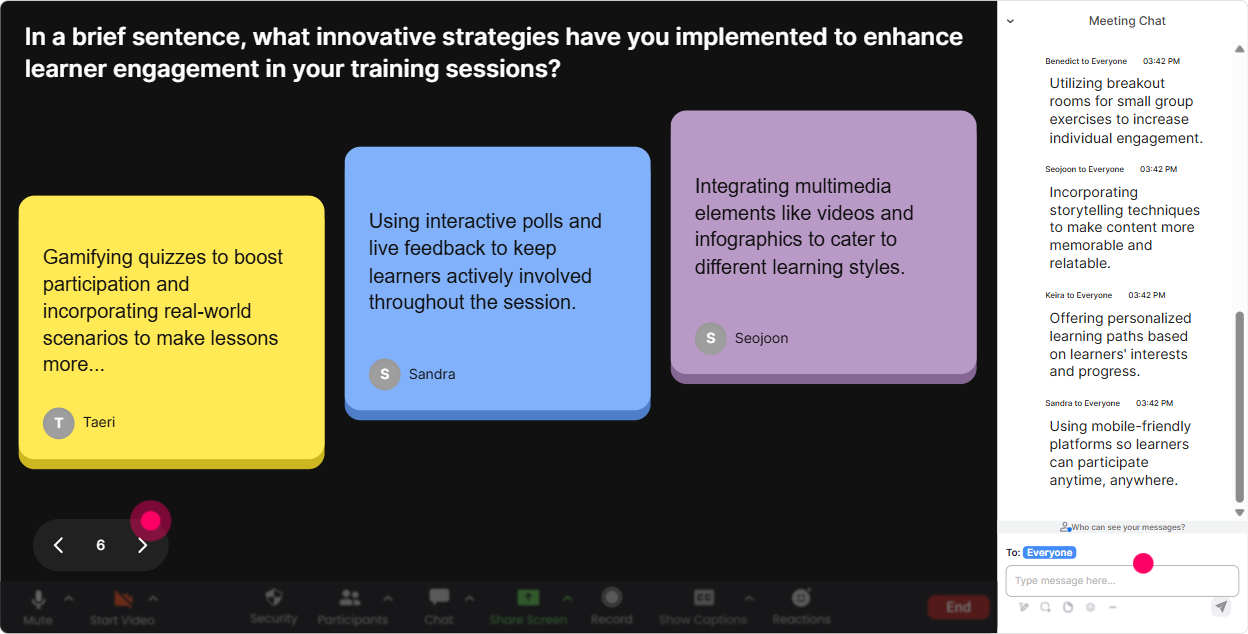
Talking Tiles: Turn the chat into a live brainstorm wall
When you want longer answers (not just one word), Talking Tiles makes it fun to share because responses become a live visual-like a moving idea board. Its especially great for Workplace Community because you can collect real examples from different workplaces and training contexts. Prompts that work really well: - Whats one moment where you felt real community at work? - Whats one thing your agency could do to help learners feel more connected during training? - Finish this sentence: Workplace community matters because - Whats one behavior that kills community fast in a workplace? Facilitator move: After the tiles fill up, pick 34 and react to them out loud. It feels like youre co-creating the session with them (because you are).
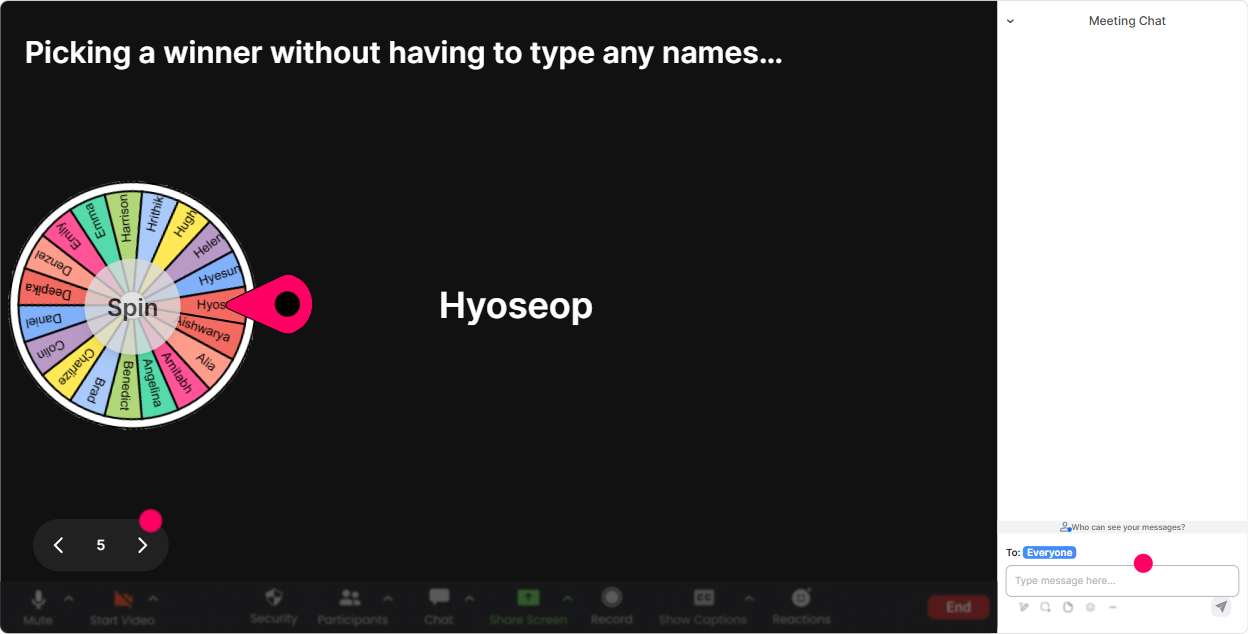
Power Polls: Let the audience choose what you focus on next
Power Polls help you stop guessing what people want and just ask them. It also gives you a clean transition: Alright, you voted for it-lets go there. Poll ideas for Workplace Community ILT: - What do you want more help with today? 1) Building trust quickly 2) Getting quieter people to participate 3) Creating connection in hybrid/remote teams 4) Keeping community alive after training ends - Where does community break down most for your learners? 1) Session start 2) Group discussions 3) Between sessions 4) During projects/assignments - Which community ritual would you actually try next week? 1) Buddy system 2) Learner shout-outs 3) Micro check-ins 4) Peer teaching moments Trainer tip: Show the results live and commit to it: Looks like hybrid connection is the pain point-lets spend the next 10 minutes on tactics for that. Instant buy-in.
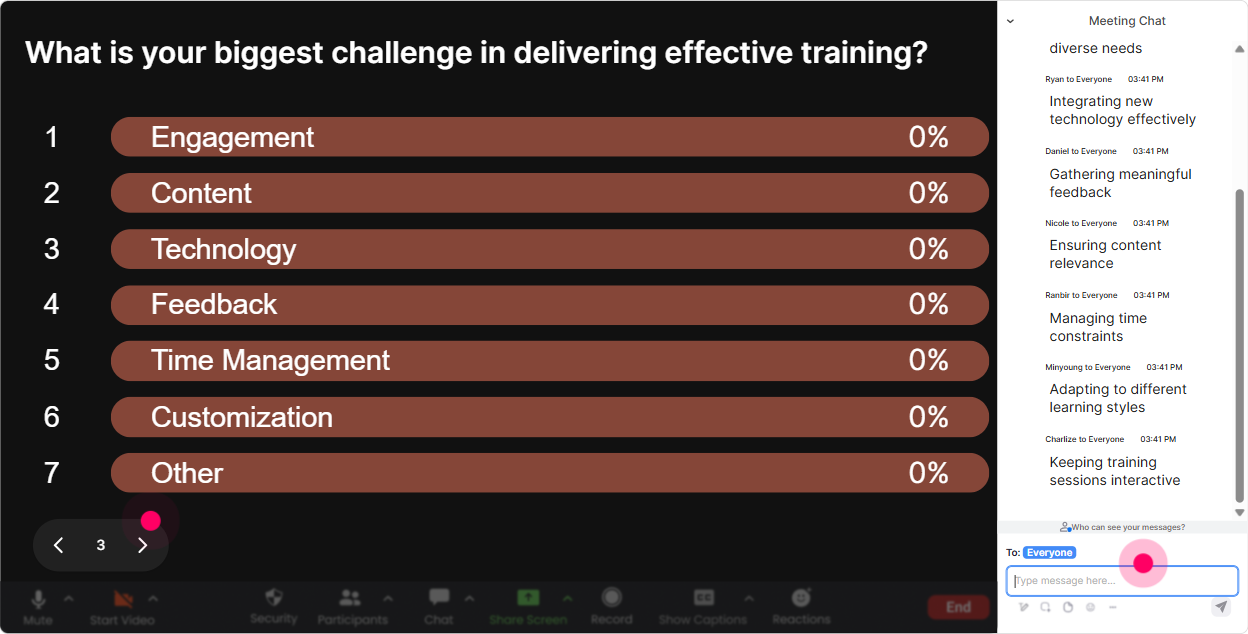
Winner Wheel: Get volunteers without the awkward silence
You know that moment when you ask, Who wants to share? and the room goes quiet? Winner Wheel fixes that-because it turns sharing into a light, fair, game-like moment. Ways to use it in Workplace Community training: - Spin to pick who shares a quick win: Tell us one thing that helps people feel included in your sessions. - Spin to pick a scenario responder: How would you handle a clique forming in a cohort? - Spin for a mini roleplay: Youre the facilitator-how do you bring a quiet participant in? - Spin for prizes (even small ones): Well spin from people who posted in chat during the last activity. Key detail: Youre not calling on random silent people-you can set it to choose from those who commented. That keeps it fun, not stressful.
Quiz: Quick knowledge checks that dont feel like school
A Quiz interaction is perfect when you want to teach Workplace Community concepts and make sure they landed. Its low effort for participants (they just type an option), and the live results give you a teachable moment. Sample quiz questions you can run: - Which action most directly builds psychological safety? A) Publicly ranking performance B) Encouraging questions and admitting mistakes C) Keeping feedback only for annual reviews D) Avoiding conflict at all costs (Correct: B) - In a learning cohort, whats the strongest early signal of community? A) People multitask less B) People challenge ideas respectfully C) People network outside sessions D) People ask peers for help (You choose the correct based on your model) - Which is a community killer in training? A) Clear group norms B) Peer recognition C) Inside jokes that exclude others D) Structured introductions (Correct: C) Trainer tip: After revealing the correct answer, ask: Drop in chat-what made you pick your option? That turns a quiz into discussion.

Rating Polls: Quick pulse check-how confident is the room?
Workplace Community means different things to different people. So before you teach anything, get a quick read on where everyones at. Rating Polls are perfect because people can answer in seconds and you get a live visual you can react to. Use Rating Polls like this: - On a scale of 110, how confident are you in building workplace community in your programs? - Rate your current workplace community culture at your organization (1 = weak, 10 = strong). - How clear is your agencys strategy for community-led learning? (110) Then respond like a real facilitator: Im seeing lots of 5s and 6s-perfect. Well focus on practical steps you can use right away. And for the 9s and 10s, Ill pull you in to share whats working.
Q&A: Capture real questions without losing them in the chat scroll
When youre teaching live, questions get buried fast. StreamAlives Q&A pulls questions from the chat and organizes them so you can actually address them-without awkwardly saying, Sorry, I missed that. Use it strategically during Workplace Community training: - Run a dedicated Community Challenges Q&A segment: Ask your toughest community-building question-no fluff. - Collect questions during an activity while you teach: As we go, drop questions anytime. Ill grab them in the Q&A list. - Do a final Ask Me Anything on workplace community: hybrid connection, inclusion, difficult participants, sustaining engagement-everything. Trainer tip: If youre short on time, you can say: I see 12 questions captured. Ill answer the top 3 live and follow up with the rest. People feel acknowledged either way.

Analytics: After the session, know what actually worked (and who was truly engaged)
This is the part trainers love after the fact-because it helps you improve your next delivery and also prove value to your client or internal stakeholders. How to use StreamAlive Analytics for Workplace Community training: - Spot engagement spikes: See which moments got the most chat/action (often your best activities). - Find drop-off moments: If engagement dips during a section, thats your cue to tighten it or add an interaction next time. - Identify your top participants (Fantastic Fans): These are your community champions-great people to invite to share, mentor others, or support future cohorts. - Review interaction reports: Replay poll/word cloud/quiz results to refine your content and timing. - Share results easily: Send email reports to yourself or your team, or use the data as a quick debrief with the client. Trainer tip: If your training agency sells outcomes, analytics becomes part of your story: Heres where participation jumped, heres what learners struggled with, and heres what well reinforce next session. Thats how you level up fast.

Use StreamAlive in all your training sessions
StreamAlive isn’t just for
Workplace Community
training,
it can also be used for any instructor-led training session directly inside your PowerPoint presentation.
Explore similar traingin ideas: unlocking the potential of StreamAlive
See how StreamAlive transforms live training with engaging events and interactive sessions across industries, directly inside your PowerPoint presentation.

Interactions in action
(it's free)

.svg.png)


