Install StreamAlive for your PowerPoint slides
Learn more

Hyper-Personalized Learning Training for L&D Leaders
StreamAlive helps 9x the audience engagement in your Virtual Instructor-led Trainings (VILT) directly inside your powerpoint presentation.
Make your instructor-led Hyper-Personalized Learning training more fun with polls, word clouds, spinner wheels and more
Works inside your existing PowerPoint presentation
Install the StreamAlive app for PowerPoint and see your slides come to life as people participate in your interactions
AI generates audience interactions for you
Let our AI scan your presentation and automatically come up with relevant questions based on the content. Or spend two hours coming up with your own questions, your choice!
Built to work with MS Teams and Zoom
Native apps for Teams and Zoom so you never have to leave your existing workflows
No QR Codes
Chat-powered interactions means your audience doesn’t need to scan QR codes or look at another screen to participate. They just type in the chat!

Quickly approved by your IT team
StreamAlive’s apps for Teams and Zoom means that they have been through rigorous quality assurance and client safety reviews. You’ll find everything an IT team needs to approve the app within the organization within your StreamAlive account.

Youve been asked to run a session on Hyper-Personalized Learning for L&D Leaders-and you want it to feel less like a lecture and more like an experience. The good news: you dont need fancy production to do it. You just need smart moments of interaction, and StreamAlive makes those moments ridiculously easy (and way more engaging).
1) Magic Maps: Put your L&D Leaders on the map (and instantly personalize the room)
This is the easiest way to kick things off and immediately make the session feel human. Instead of the usual awkward Where are you joining from? that disappears into the chat, Magic Maps turns it into a live visual. How to use it in a Hyper-Personalized Learning session: - Warm-up question: Where are you joining from today? (classic, always works) - Make it topic-relevant: Which region is your learner population mostly in? (great if they support global teams) - Make it fun but still useful: If you could shadow one best-in-class L&D team anywhere on earth, where would you go? Trainer tip: After the map populates, call out clusters: Looks like weve got a mini-L&D summit happening in Toronto! That tiny moment of recognition is personalization in action-right at the start.

2) Rating Polls: Get a fast skills baseline (so you dont over-teach or under-teach)
If you want hyper-personalization in ILT, you need a quick read on the room-without doing a 10-minute survey. Rating Polls are perfect for this because people can respond in seconds, and you see the results live. Ways to use Rating Polls in this training: - On a scale of 110, how confident are you designing learning paths for different learner personas? - Rate your current orgs ability to personalize learning at scale (1 = not happening, 10 = were basically Netflix). - Mid-session pulse check: How clear is the difference between personalization and adaptation so far? (110) Trainer tip: Use the results to choose your path. If the average is a 34, slow down and add an example. If its an 8, skip ahead and go deeper. Thats real-time personalization, not just a buzzword.

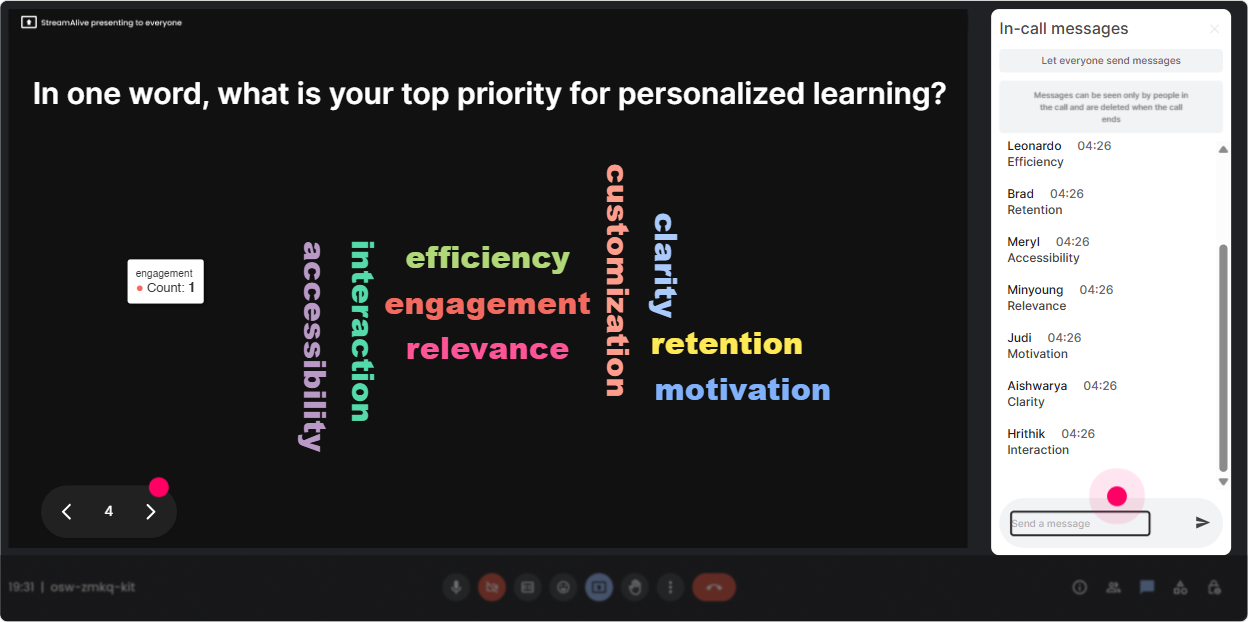
3) Wonder Words (Word Cloud): Get their honest feelings in one glance
Hyper-Personalized Learning can trigger all kinds of reactions-excitement, skepticism, we dont have the data, sounds expensive, you name it. Wonder Words lets you surface those feelings fast, and it makes your session feel like its built around them. Word Cloud prompts that work really well: - When you hear hyper-personalized learning, whats the first word that comes to mind? - Whats the biggest blocker in your org? One or two words. (examples youll see: data, time, buy-in, tech, SMEs) - Whats the #1 outcome you want from personalization? One word. (retention, performance, speed, relevance) Trainer tip: Dont rush past the cloud. Read out a few of the big words and react like a real human: Okay overwhelming is showing up big-lets tackle that head-on. People feel seen, and participation jumps.
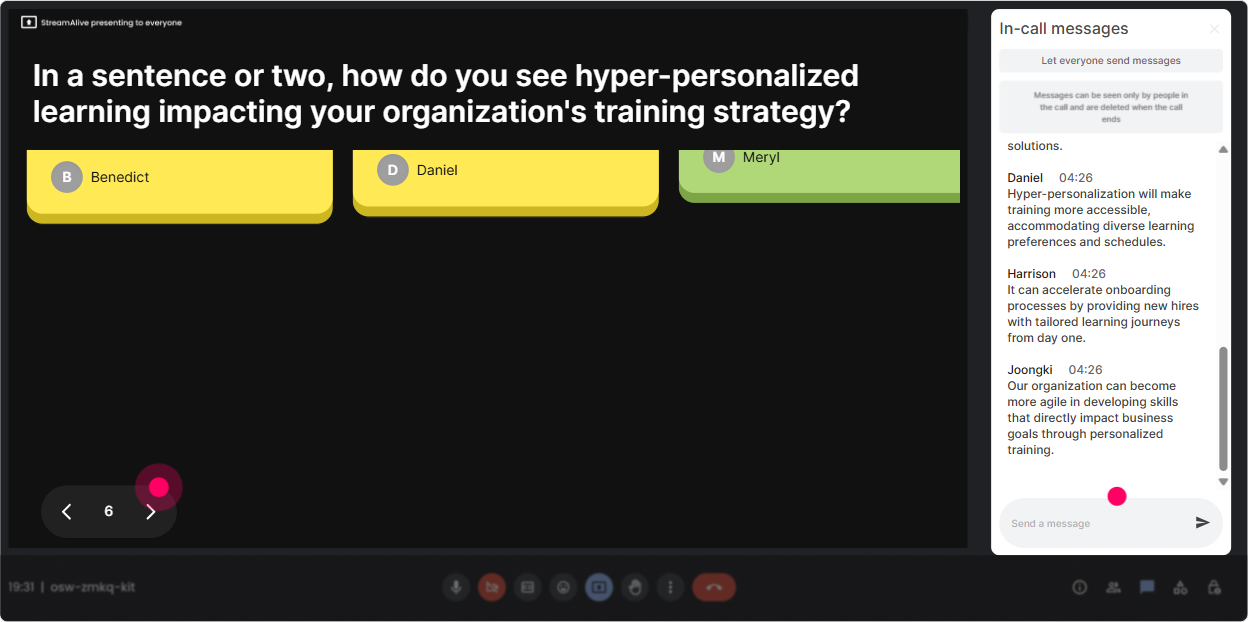
4) Talking Tiles: Turn real challenges into your content (instead of guessing)
Talking Tiles are great when you want more than one-word answers-like quick stories, situations, or mini-rants (the useful kind). Responses show up visually as tiles, so the chat doesnt feel like a messy scrolling wall. Use it to pull in real-world Hyper-Personalized Learning needs: - Whats one learner group you struggle to support today? Tell me the role + what they need. - Where does one-size-fits-all training break down in your org? Give me a real example. - If you could personalize ONE thing in your learning experience this quarter, what would it be? Trainer tip: Grab 23 tiles and build your examples around them. Sam mentioned frontline managers-perfect, lets use that persona for our next activity. Now your session is literally personalized to the audience in front of you.
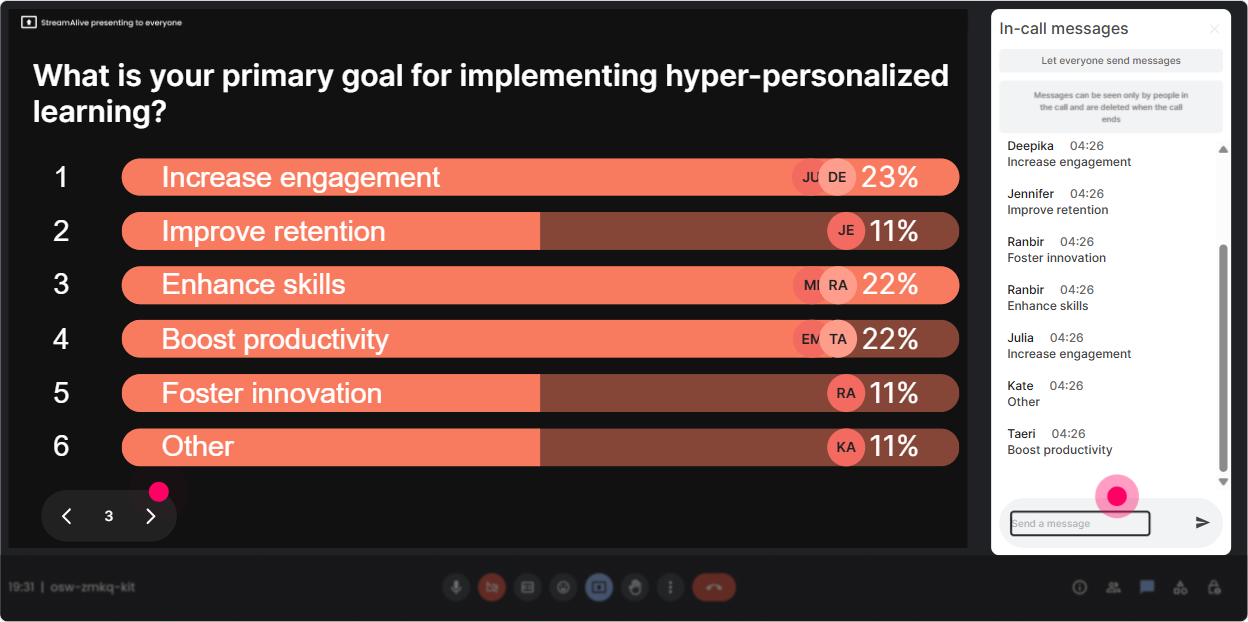
5) Power Polls: Let them choose the agenda (without derailing your run-of-show)
Heres a simple truth: L&D Leaders love choice. And Power Polls let you offer choice in a structured way-so your session still stays on track. Poll ideas that feel super relevant: - What do you want most from today? 1) Learner personas & segmentation 2) Personalized learning pathways 3) AI + data needed (and whats realistic) 4) Measurement + proving ROI - Where are you starting from? 1) Exploring the concept 2) Piloting 3) Scaling 4) We already do this-need to optimize - Which delivery style is most realistic for your org right now? 1) ILT cohorts with personalization layers 2) Self-paced with branching 3) Blended pathways 4) On-the-job performance support Trainer tip: Promise youll cover the top 2 choices live and drop the rest as a follow-up resource. People feel heard, and you keep control of time.
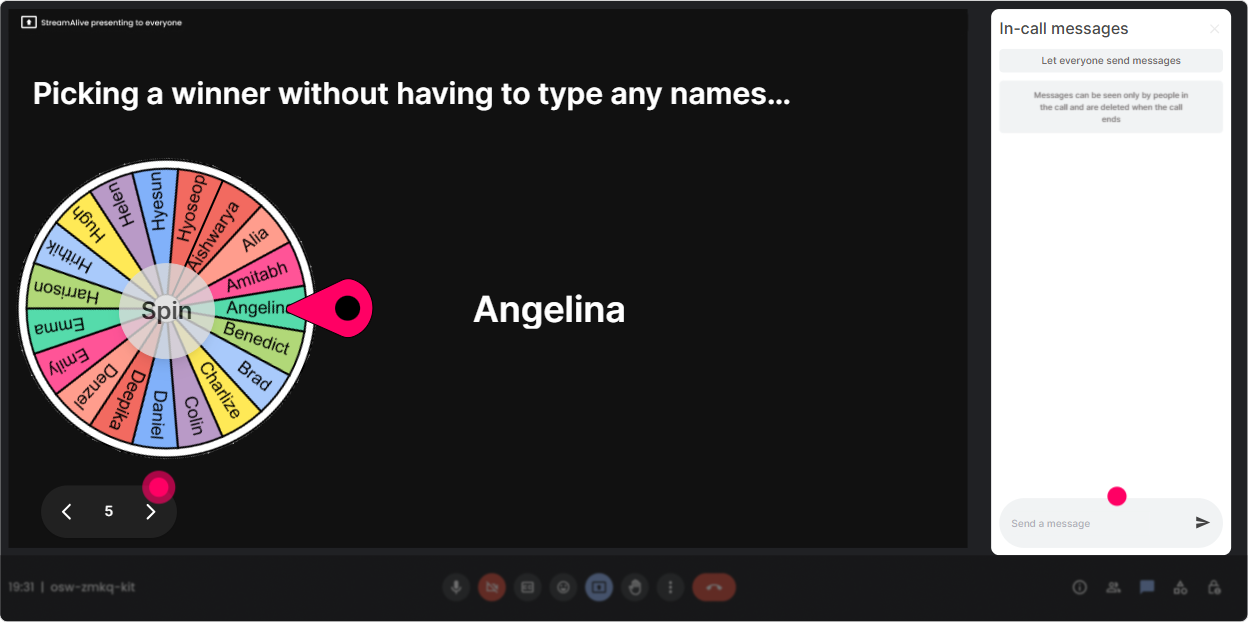
6) Winner Wheel: Get volunteers without the awkward silence
You know that moment when you ask, Anyone want to share? and suddenly everyone becomes very interested in their mute button? Winner Wheel fixes that. How to use it (without making people feel trapped): - First, ask for opt-in: Type IN if youre open to being called on for a 30-second share. - Then spin: pick one person randomly from the commenters. Great prompts to pair with Winner Wheel: - Share one personalization win youve had-big or small. - Whats one stakeholder objection you keep hearing? - Whats one metric your execs actually care about? Trainer tip: Make it playful, not punitive. Were letting fate decide-short answers only, and you can pass anytime. Participation goes up because it feels fair and light.
7) Quiz: Do quick knowledge checks that dont feel like school
A Quiz interaction is perfect for breaking up content and making sure key ideas landed. Youll get instant feedback, and your audience gets a mini aha moment when you reveal the correct answer. Hyper-Personalized Learning quiz questions you can use: - Which is the best example of hyper-personalization? A) Same course, different facilitators B) Role-based pathway + adaptive practice + personalized nudges (Correct) C) Monthly newsletter with tips D) Optional bonus module at the end - Whats the FIRST step before building personalized pathways? A) Buy a platform B) Build 50 microlearning modules C) Define learner segments/personas and job outcomes (Correct) D) Ask SMEs for content Trainer tip: After revealing the correct answer, ask one follow-up in chat: What made you choose your option? That one question turns a quiz into a discussion.

2) Rating Polls: Get a fast skills baseline (so you dont over-teach or under-teach)
If you want hyper-personalization in ILT, you need a quick read on the room-without doing a 10-minute survey. Rating Polls are perfect for this because people can respond in seconds, and you see the results live. Ways to use Rating Polls in this training: - On a scale of 110, how confident are you designing learning paths for different learner personas? - Rate your current orgs ability to personalize learning at scale (1 = not happening, 10 = were basically Netflix). - Mid-session pulse check: How clear is the difference between personalization and adaptation so far? (110) Trainer tip: Use the results to choose your path. If the average is a 34, slow down and add an example. If its an 8, skip ahead and go deeper. Thats real-time personalization, not just a buzzword.
8) Q&A (Quick Questions): Catch every question without losing your flow
When youre teaching something strategic like hyper-personalization, questions come in fast-and they get buried in chat. StreamAlives Q&A automatically detects and collects questions so you can actually manage them like a pro. How to use it in your session: - Tell them the rule: Drop questions anytime-StreamAlive will capture them, and Ill pause every 10 minutes to answer. - Use it for topic parking: If we cant get to it live, Ill address it at the end or in a follow-up. Typical questions youll see (and should welcome): - How do we personalize when our LMS data is messy? - Whats realistic without AI? - How do you avoid creating 100 versions of everything? Trainer tip: When you answer a question, say the persons name. Tiny move, huge engagement boost.

9) Analytics: Prove engagement (and improve your next session fast)
If youre an L&D leader or trainer, you know the pressure: Was it effective? StreamAlive Analytics gives you a clean view of what actually happened-minute by minute. What to look for after your Hyper-Personalized Learning session: - Engagement spikes: Which segment made chat activity jump? (Keep that, reuse that.) - Drop-off moments: Where did it go quiet? (Thats your cue to tighten that section or add interaction.) - Top fans / most engaged participants: These are your champions-great people to involve in pilots or follow-up discussions. - Interaction reports: See which polls, word clouds, and activities worked best. Trainer tip: Screenshot or export the highlights and share them with stakeholders. Its an easy way to show your session wasnt just delivered-it was actually experienced. And the more you refine based on analytics, the closer you get to that up to 9x engagement feel in every session.

Use StreamAlive in all your training sessions
StreamAlive isn’t just for
Hyper-Personalized Learning
training,
it can also be used for any instructor-led training session directly inside your PowerPoint presentation.
Explore similar traingin ideas: unlocking the potential of StreamAlive
See how StreamAlive transforms live training with engaging events and interactive sessions across industries, directly inside your PowerPoint presentation.

Interactions in action
(it's free)

.svg.png)


