Install StreamAlive for your PowerPoint slides
Learn more

AI-Copilots Training for Training Agencies
StreamAlive helps 9x the audience engagement in your Virtual Instructor-led Trainings (VILT) directly inside your powerpoint presentation.
Make your instructor-led AI-Copilots training more fun with polls, word clouds, spinner wheels and more
Works inside your existing PowerPoint presentation
Install the StreamAlive app for PowerPoint and see your slides come to life as people participate in your interactions
AI generates audience interactions for you
Let our AI scan your presentation and automatically come up with relevant questions based on the content. Or spend two hours coming up with your own questions, your choice!
Built to work with MS Teams and Zoom
Native apps for Teams and Zoom so you never have to leave your existing workflows
No QR Codes
Chat-powered interactions means your audience doesn’t need to scan QR codes or look at another screen to participate. They just type in the chat!

Quickly approved by your IT team
StreamAlive’s apps for Teams and Zoom means that they have been through rigorous quality assurance and client safety reviews. You’ll find everything an IT team needs to approve the app within the organization within your StreamAlive account.

Youve been asked to run an instructor-led session on AI-Copilots for a training agency-and you already know the risk: people get curious then quietly drift. The easiest fix? Build tiny moments of interaction every few minutes so everyone stays in the room. Here are practical ways to use StreamAlive to keep energy high and engagement up to 9x.
Magic Maps: put your AI-Copilot audience on the map (literally)
This is your easiest hello everyone icebreaker-and it instantly makes the group feel real, not like a bunch of black boxes. How to use it in AI-Copilots training for training agencies: - Kickoff question: Where are you joining from today? (classic, always works) - Make it relevant: If AI could instantly plan your next training tour which city would you want to deliver a workshop in? - Another fun one: Whats one place on earth where youve delivered your toughest training session? Why its great for engagement: - Youre not just asking for intros-youre getting participation in the first 60 seconds. - You can call out clusters (Wow, weve got a whole mini hub in Toronto!) and create instant connection. Trainer tip: If you want clean data, set it to one location per person. Then reset the map later for a second question like dream destinations.

Rating Polls: get a quick AI-Copilot confidence check without awkwardness
Before you go deep into prompts, workflows, and policy you need to know where people are starting from. Rating Polls let people answer fast, right in chat, and you see the mood instantly. Use it like this: - On a scale of 110, how confident are you using AI-Copilots in your day-to-day work? - Rate your agencys readiness for AI-Copilots adoption (1 = not ready, 10 = fully rolling). - Mid-session pulse check: How clear is this so far? 1 = lost, 10 = crystal. Why it works: - People who wont speak up will still vote. - You can adjust your pace in real time (Looks like were at a 46 average. Lets do one more example together.).

Wonder Words (Word Cloud): capture the vibe around AI-Copilots in one question
AI-Copilots can trigger mixed feelings-excitement, skepticism, fear, curiosity. A Word Cloud lets you SEE that instantly, and it makes people feel heard. Great prompts for your AI-Copilots training: - In ONE word: how do you feel about AI-Copilots in training work? (excited, nervous, curious, etc.) - Whats the #1 thing you want AI to help you with? (design, outlines, quizzes, marketing, facilitation) - One word you associate with prompting. Why its a win: - You get instant buy-in because the session starts with their reality. - You can address resistance without calling anyone out (Im seeing concerned popping up-lets talk about whats behind that.). Trainer tip: Use Combine Similar Answers so you dont end up with excited vs exciting vs so excited as separate entries.
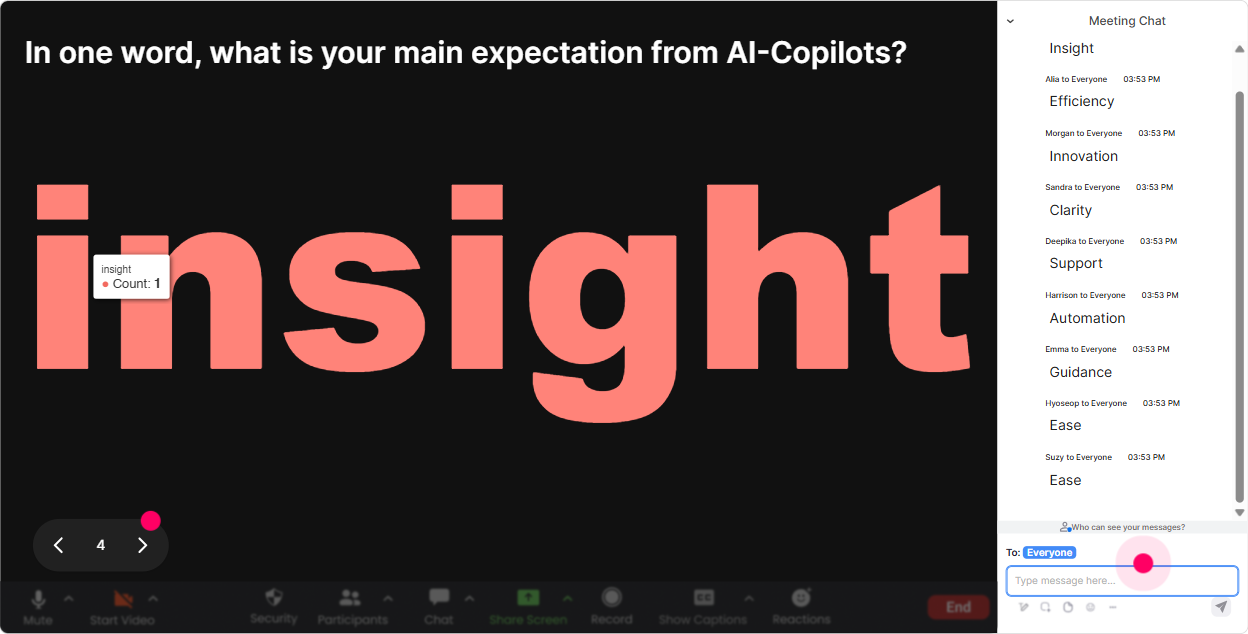
Talking Tiles: turn longer AI-Copilot thoughts into a fun, visual moment
When you want more than a one-word answer-but you still want it to feel playful-Talking Tiles is perfect. People type in chat, and their responses become moving tiles on-screen. Use it during AI-Copilots training like: - Whats one training task youd LOVE to hand off to an AI-Copilot? - Whats your biggest worry about using AI in your training agency? - Share a real training scenario you want to build an AI prompt for (one sentence). Why it boosts engagement: - You get richer input without turning it into a slow round-robin. - Its visually attention-grabbing, so even quiet attendees look up. Trainer move: Pick 23 tiles live and say, Lets build a prompt for THIS one together. Now your audience is co-creating the session.
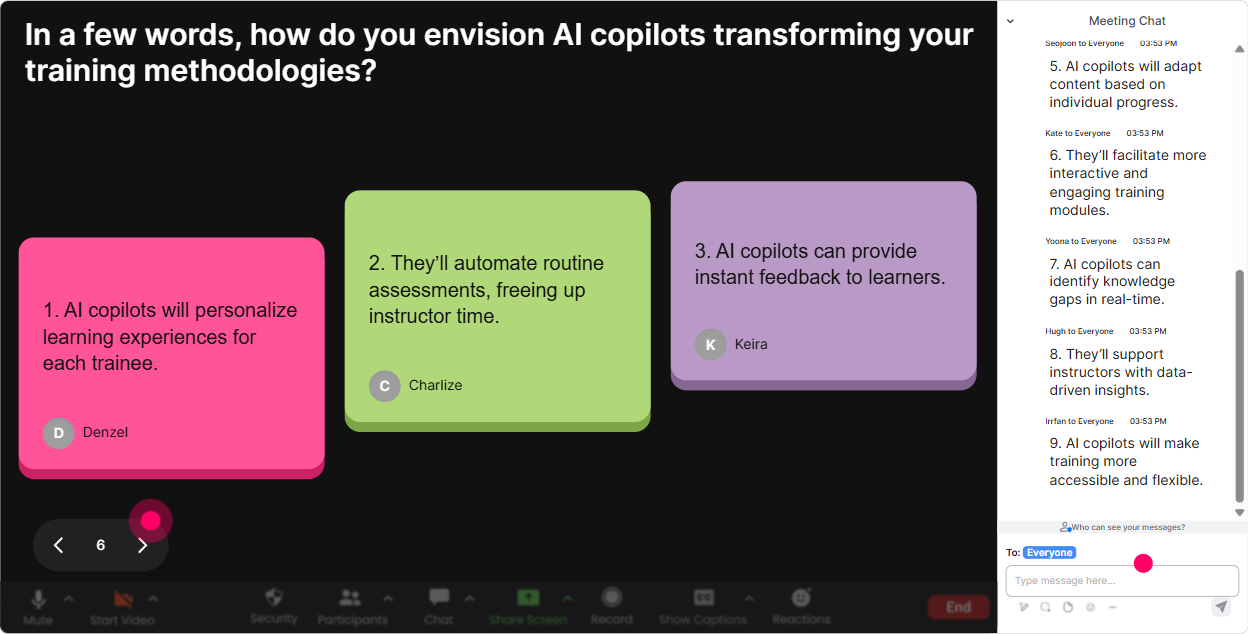
Power Polls: find out what people actually want from AI-Copilots (so you teach the right stuff)
When youre training training agencies, roles vary-IDs, facilitators, sales enablement, L&D leads, operations. Polls help you stop guessing and start focusing. Poll ideas for AI-Copilots instructor-led training: - What do you want AI-Copilots to help you with MOST? 1) Course design + outlines 2) Creating activities + engagement prompts 3) Assessments + quizzes 4) Marketing + proposals 5) Ops (emails, SOPs, summaries) - Where are you using AI today? 1) Not using yet 2) Personal use only 3) Experimenting at work 4) Regular part of workflow - Which module should we spend extra time on? (let them vote and feel ownership) Why it works: - People feel like the session is tailored. - You get a clean way to prioritize in real time without debate. Bonus: Use open-ended polls if you want them to type tools they use (Copilot, ChatGPT, Gemini, Claude, etc.) and let StreamAlive collect it neatly.
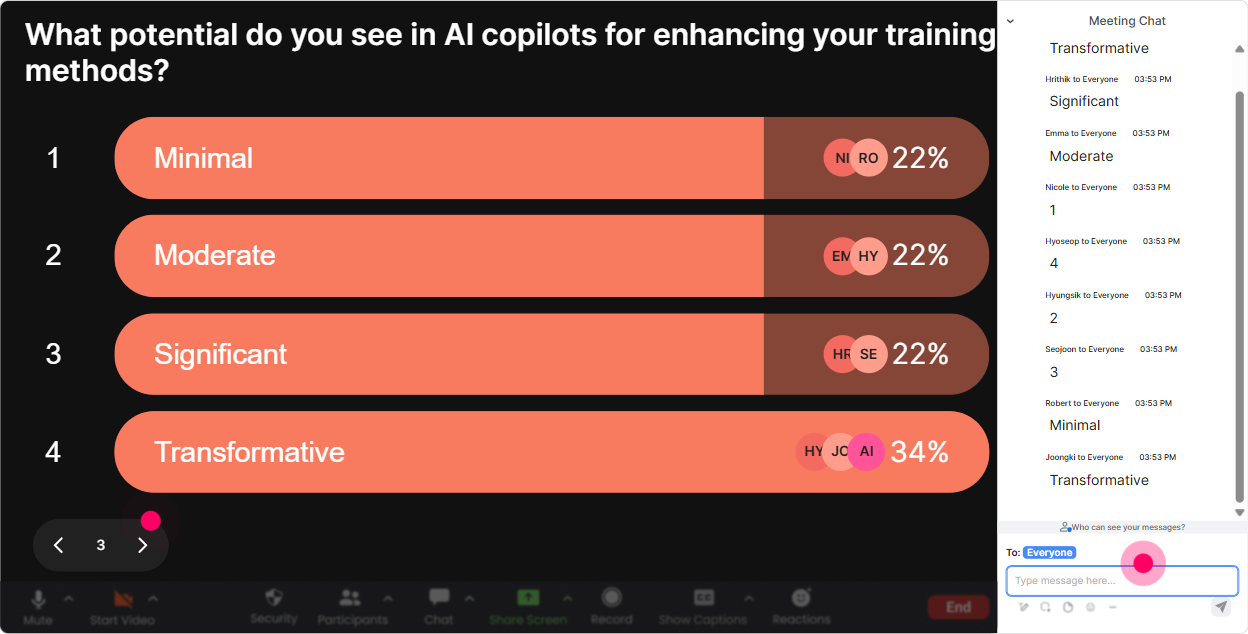
Winner Wheel: get volunteers without the awkward silence
You know that moment: you ask, Who wants to share? and suddenly everyone becomes extremely interested in their mute button. Winner Wheel fixes that-friendly, random, and fun. Ways to use it in AI-Copilots training: - Drop ME in chat if youre willing to share your current AI use case-then well spin. - Type the number of your chosen poll option, and Ill spin the wheel for someone to explain why they chose it. - Everyone who contributed a prompt idea goes on the wheel-winner gets a quick prompt makeover from me live. Why trainers love it: - It rewards participation (people comment more because it might pick them). - It removes pressure from you choosing someone. Trainer tip: Use it as a lightweight incentive-prize can be simple: a template, prompt pack, or a shoutout.
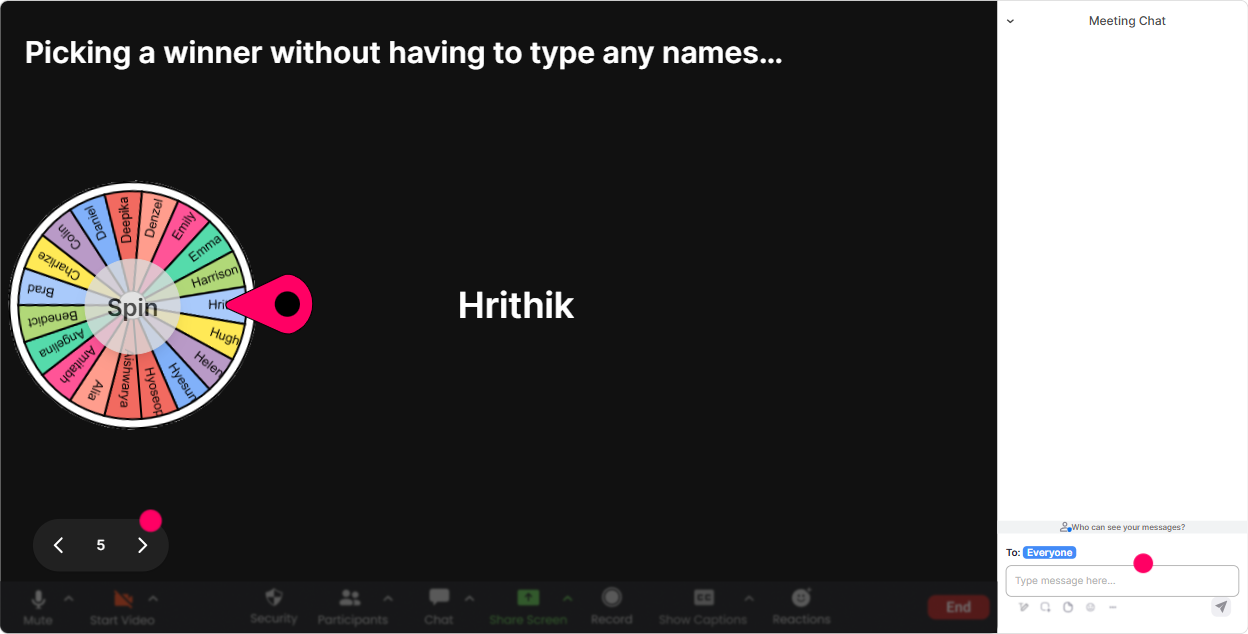
Quiz: run quick AI-Copilot knowledge checks that dont feel like school
When youre teaching AI-Copilots, you want people practicing good judgment-not just nodding along. A Quiz interaction gives you instant feedback and keeps brains switched on. Quiz ideas for training agencies: - Which prompt is BEST for generating a training session outline? 1) Make me a training. 2) Create a 60-minute session outline on X for Y audience, include activities, timing, and outcomes. (correct) 3) Write something about training. - What should you avoid putting into an AI prompt in a client environment? 1) Public info 2) Confidential client data (correct) 3) Learning objectives - What improves output quality the MOST? 1) Longer prompts only 2) Clear role + context + constraints + example (correct) 3) Using all caps Why its effective: - You instantly see misconceptions. - Revealing the correct answer creates a natural teaching moment. Trainer move: After revealing, ask: Tell me what made option 2 stronger? and let the chat teach itself.

Rating Polls: get a quick AI-Copilot confidence check without awkwardness
Before you go deep into prompts, workflows, and policy you need to know where people are starting from. Rating Polls let people answer fast, right in chat, and you see the mood instantly. Use it like this: - On a scale of 110, how confident are you using AI-Copilots in your day-to-day work? - Rate your agencys readiness for AI-Copilots adoption (1 = not ready, 10 = fully rolling). - Mid-session pulse check: How clear is this so far? 1 = lost, 10 = crystal. Why it works: - People who wont speak up will still vote. - You can adjust your pace in real time (Looks like were at a 46 average. Lets do one more example together.).
Q&A (Quick Questions): stop losing great questions in the chat scroll
In AI sessions, people ask a LOT of questions-and the best ones always appear while youre mid-demo. StreamAlive pulls questions from chat and displays them neatly so you dont miss them. How to use it in AI-Copilots training: - Tell the group: Ask questions anytime in chat-StreamAlive will catch them. - Do a dedicated policy + risk Q&A: Whats your biggest concern about AI use in your agency? - Use it during demos: As I build this prompt, drop questions. Ill pause every 5 minutes and clear the board. Why it helps engagement: - People ask more when they trust theyll be seen. - You can answer in a clean flow instead of hunting through messages. Trainer tip: When you answer a question, say the persons name and read it out loud. It creates that yep, were live together vibe.

Analytics: prove your session landed (and make the next one even better)
After the session, you dont want to rely on I think it went well. StreamAlive analytics show what actually happened-minute by minute-and which interactions sparked the most participation. How training agencies can use this after AI-Copilots ILT: - Spot engagement peaks: The prompt makeover activity got the most chat-lets expand that next time. - Find drop-off moments: We dipped during the policy slide-next time well turn it into a poll + scenario. - Identify top contributors (Fantastic Fans): great for follow-ups, champions, or even potential co-facilitators. - Share interaction results: send reports to your email or share insights with your internal team on Teams. Why it matters: - You can continuously improve your AI-Copilots training delivery. - And you can actually show stakeholders that your live session wasnt passive-people participated.

Use StreamAlive in all your training sessions
StreamAlive isn’t just for
AI-Copilots
training,
it can also be used for any instructor-led training session directly inside your PowerPoint presentation.
Explore similar traingin ideas: unlocking the potential of StreamAlive
See how StreamAlive transforms live training with engaging events and interactive sessions across industries, directly inside your PowerPoint presentation.

Interactions in action
(it's free)

.svg.png)


