Install StreamAlive for your PowerPoint slides
Learn more

Human-AI Synergy Training for Corporate Trainers
StreamAlive helps 9x the audience engagement in your Virtual Instructor-led Trainings (VILT) directly inside your powerpoint presentation.
Make your instructor-led Human-AI Synergy training more fun with polls, word clouds, spinner wheels and more
Works inside your existing PowerPoint presentation
Install the StreamAlive app for PowerPoint and see your slides come to life as people participate in your interactions
AI generates audience interactions for you
Let our AI scan your presentation and automatically come up with relevant questions based on the content. Or spend two hours coming up with your own questions, your choice!
Built to work with MS Teams and Zoom
Native apps for Teams and Zoom so you never have to leave your existing workflows
No QR Codes
Chat-powered interactions means your audience doesn’t need to scan QR codes or look at another screen to participate. They just type in the chat!

Quickly approved by your IT team
StreamAlive’s apps for Teams and Zoom means that they have been through rigorous quality assurance and client safety reviews. You’ll find everything an IT team needs to approve the app within the organization within your StreamAlive account.

Youve been asked to run a HumanAI Synergy instructor-led session for corporate trainers-and you want it to feel alive, not like a slide marathon. The good news: this topic is perfect for hands-on moments. Here are practical ways to blend Human + AI learning with StreamAlive so your room stays active the whole time.
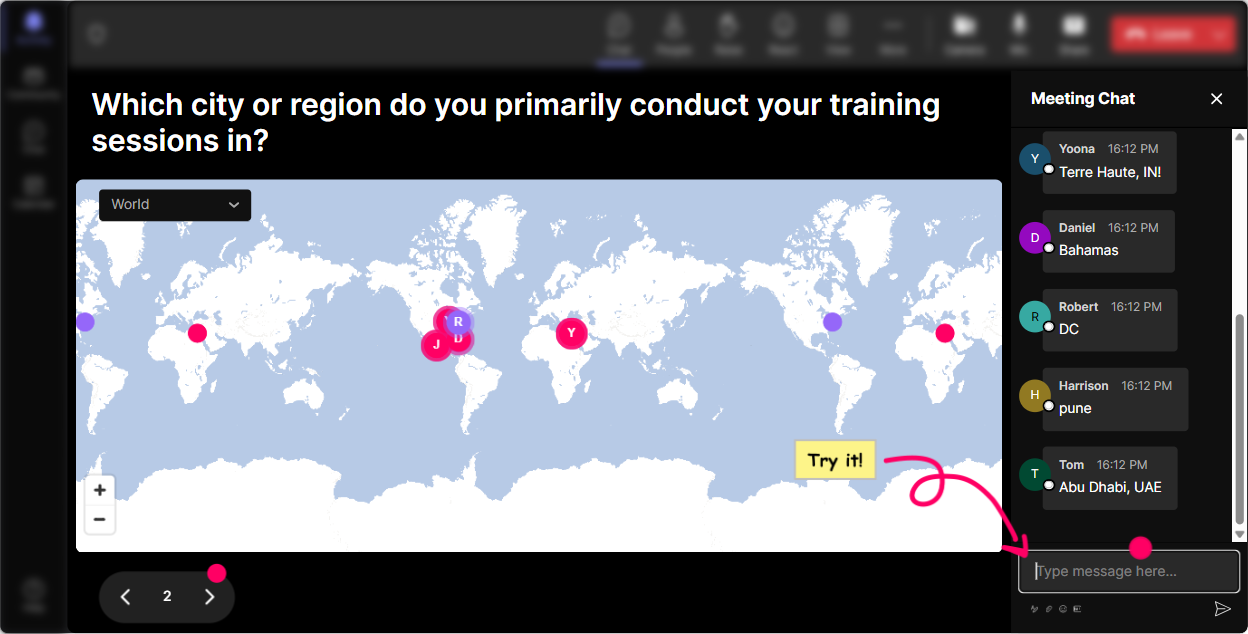
Magic Maps: Put your trainers on the map (literally)
Start warm, start human. Before you even say AI, get everyone to type a location in the chat and let StreamAlive plot it live. How to use it in HumanAI Synergy ILT: - Kickoff icebreaker: Where are you joining from today? (simple, classic, works every time) - Tie it to the topic: If you could teleport anywhere on earth to learn AI from the best team, where would you go? - Training context: Which city are you training in most often these days? Why it helps: You instantly create momentum, people see themselves on screen, and it feels like a shared experience-not a one-way lecture. Bonus: if youve got clusters (like a bunch from one region), call it out and build community: Looks like weve got a whole squad from Toronto-love it.
Rating Polls: Quick pulse-checks that actually guide your pacing
HumanAI Synergy training works best when you know where people are starting from. Rating Polls let you get that read in seconds-right in the chat. Use it at key moments: - Confidence check (start of session): On a scale of 110, how confident are you using AI tools in your training workflow? - Reality check (after a demo): Rate this: How useful would an AI co-facilitator be in your next live session? - Risk/comfort check: 110: How comfortable are you with AI helping you design activities or assessments? Trainer move: If the average is low, slow down and do a guided walkthrough. If its high, skip the basics and jump to advanced use cases like prompt patterns, evaluation rubrics, or AI-assisted scenario design.

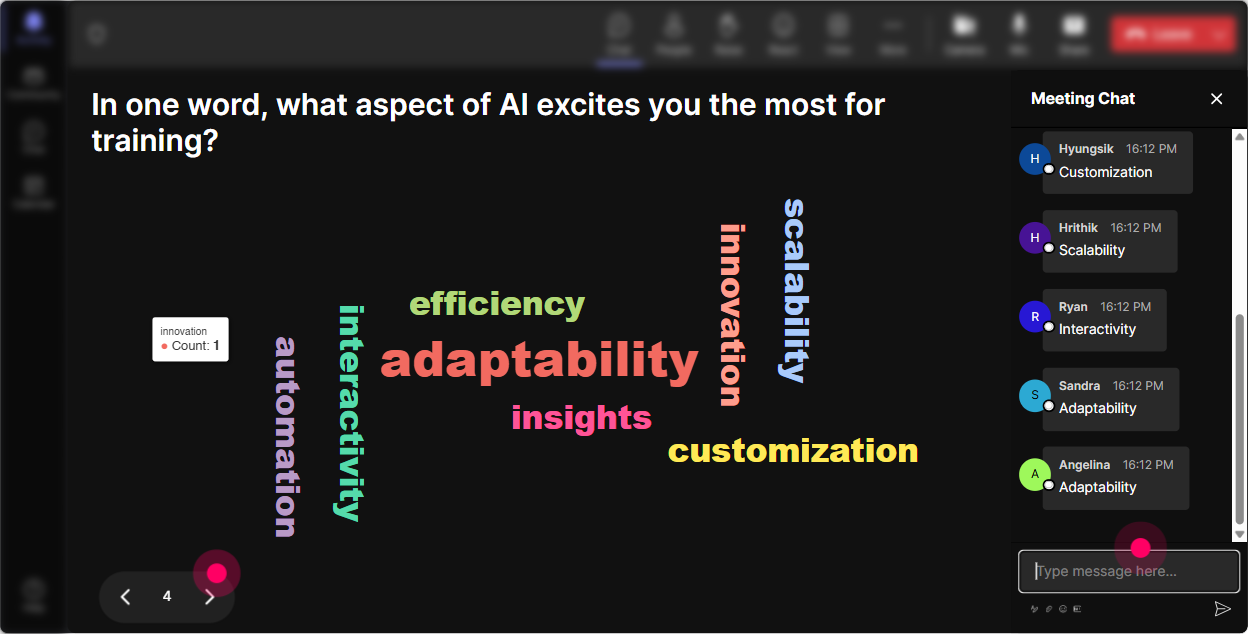
Wonder Words (Word Cloud): Capture the rooms vibe about AI in one glance
This is one of the easiest ways to surface the emotional side of HumanAI Synergy-because lets be honest, people show up with opinions. Ask for 12 word answers like: - Whats one word that describes how you feel about AI in training? - When you hear AI copilots, what pops into your head? - Whats the biggest benefit you hope AI brings to your trainer life? (answers like: speed, ideas, personalization, admin relief) - Whats your biggest concern? (answers like: accuracy, cheating, job loss, bias, privacy) How to use it well: Read the biggest words out loud and respond like a real person. Okay, Im seeing overwhelmed and curious-thats a super normal combo. Lets make this practical and not scary. Now youve built trust and relevance in under 60 seconds.
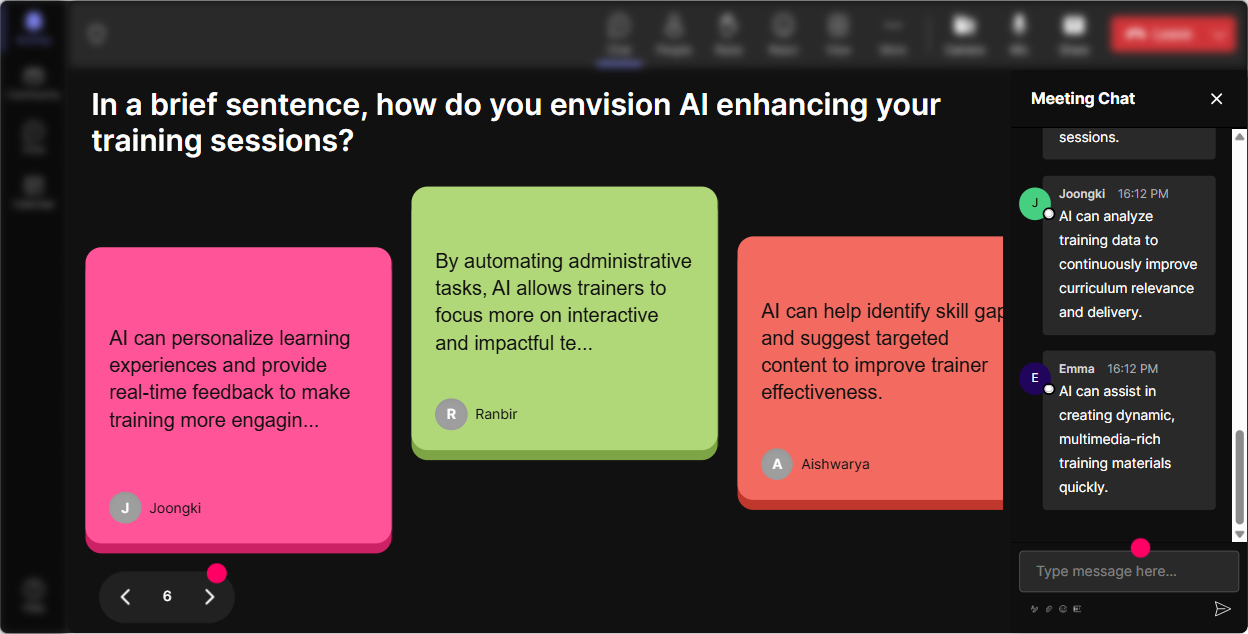
Talking Tiles: Turn longer answers into a fun, visual everyones talking moment
When you want more than a one-word response-but you still want energy-Talking Tiles is your friend. People type in the chat, and their messages show up as tiles on screen like a living wall of ideas. Great prompts for HumanAI Synergy training: - Whats one training task you wish AI could take off your plate? - Where could AI help you personalize learning without adding more work? - Describe a moment when a learner asked something and you wished you had instant support. - Whats one part of your role that must stay human, no matter what? Facilitation tip: Use the tiles as your discussion agenda. Pick 34 themes you notice (ex: content creation, assessment, role plays, handling objections) and say, Cool-lets tackle these in that order. The group feels heard, and you didnt have to guess what matters.
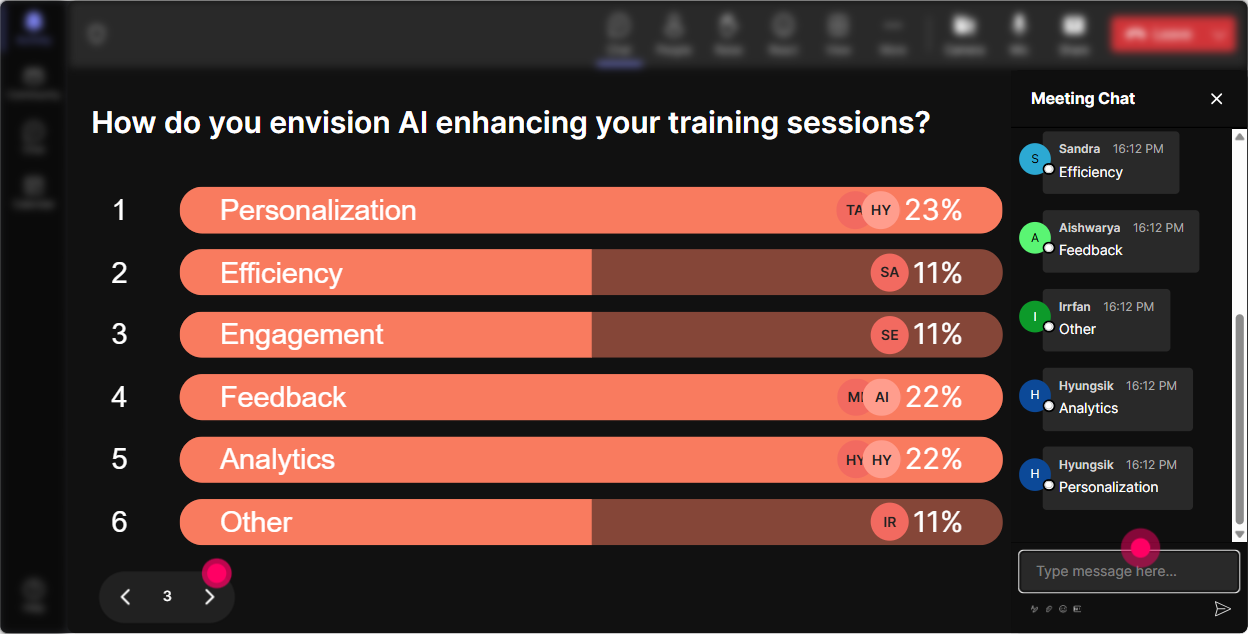
Power Polls: Let the audience choose the agenda (and feel ownership)
HumanAI Synergy is a big topic-so dont pretend you can go deep on everything in one session. Use a Power Poll to let participants vote on where to spend time. Poll ideas (with options): - Where do you want AI to help you most? 1) Designing activities 2) Writing better questions 3) Assessments 4) Coaching feedback 5) Admin/follow-ups - Which scenario should we practice? 1) AI to create a role-play 2) AI to rewrite a boring slide into an activity 3) AI to create a rubric 4) AI to draft a difficult email to stakeholders - Biggest blocker to adopting AI in your training? 1) Privacy/compliance 2) Not sure what to ask (prompting) 3) Fear of wrong answers 4) Lack of time 5) Company policy Why this boosts engagement: People pay attention when they helped pick the path. And youll look like a mind reader because youre literally teaching what they asked for.
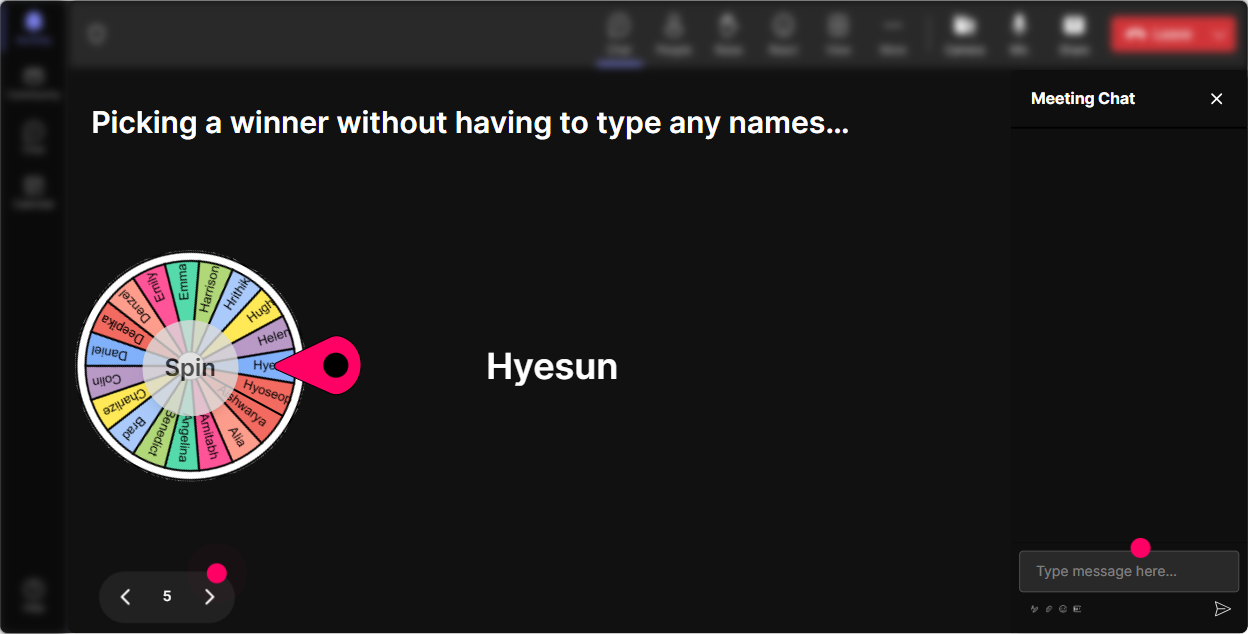
Winner Wheel (Spinner Wheel): Get participation without the awkward silence
You know that moment: you ask, Who wants to share? and suddenly everyone becomes a statue. Use the Spinner Wheel to make it playful and fair. How to use it in this training: - After a chat prompt: Drop your best AI use case for trainer prep. Then spin the wheel from commenters. - For live practice: Were going to do a 2-minute prompt makeover. Ill spin the wheel and that person gets to volunteer their messy prompt-no judgment. - For micro-rewards: Anyone who shares a prompt today gets on the wheel for a coffee card / shoutout / bonus resource. The vibe youre going for: light, friendly pressure. People participate more because it feels like a game, not a test.
Quiz: Fast knowledge checks that dont kill the momentum
AI topics can get fuzzy fast (Is that true? Is that a myth?). A quick Quiz keeps the room sharp and gives you a clean teachable moment when people miss it. Quiz question ideas for HumanAI Synergy: - Which is the BEST first step before using AI on internal company content? A) Paste everything in and see what happens B) Remove sensitive info + follow policy C) Ask AI if its allowed D) Use any free tool (Correct: B) - Whats the most reliable way to improve AI output? A) Longer prompts only B) Better context + examples + constraints C) Asking it to be smarter D) Using more emojis (Correct: B) - Which task should remain primarily human-led? A) Brainstorming titles B) Sensitive coaching conversations C) Summarizing notes D) Drafting quiz questions (Correct: B - great discussion starter) Pro tip: After revealing the correct answer, ask one follow-up in chat: What made you pick your option? Thats where the learning sticks.

Rating Polls: Quick pulse-checks that actually guide your pacing
HumanAI Synergy training works best when you know where people are starting from. Rating Polls let you get that read in seconds-right in the chat. Use it at key moments: - Confidence check (start of session): On a scale of 110, how confident are you using AI tools in your training workflow? - Reality check (after a demo): Rate this: How useful would an AI co-facilitator be in your next live session? - Risk/comfort check: 110: How comfortable are you with AI helping you design activities or assessments? Trainer move: If the average is low, slow down and do a guided walkthrough. If its high, skip the basics and jump to advanced use cases like prompt patterns, evaluation rubrics, or AI-assisted scenario design.
Q&A (Quick Questions): Catch every question without losing your flow
In AI trainings, questions fly in fast-and chat can get messy. StreamAlives Q&A pulls questions out of the chat and organizes them so you dont miss the good ones. Ways to use it: - Park-and-answer: Drop questions anytime-StreamAlive will collect them. Ill do a Q&A break every 15 minutes. - The myth-buster lane: If youre unsure whether something is safe/ethical/allowed, ask it as a question and well sort it out. - End-of-session lightning round: Weve got 8 questions captured-lets rip through them. Why trainers love it: You stay present with the group instead of squinting at the chat and accidentally ignoring someones best question.

Analytics: Turn engagement into a repeatable training recipe
After the session, you shouldnt have to guess what worked. StreamAlive Analytics shows you where engagement spiked, which interactions landed, and who your most engaged participants were. How it helps your HumanAI Synergy program improve over time: - Minute-by-minute engagement: Find the exact moment people leaned in (maybe the live prompt demo) and the moment they dropped (maybe the policy slide). Fix the slow parts. - Interaction reports: See which polls/questions got the most responses, then reuse those in future cohorts. - Top fans / most engaged: Identify your AI champions in the room-great people to invite into a pilot group or follow-up workshop. - Shareable results: Email the report to yourself or your team, or use it to prove impact to stakeholders: Heres what the cohort cared about, and heres how engaged they were. The real win: Youre not just delivering a session-youre building a data-backed training experience that gets better every time.

Use StreamAlive in all your training sessions
StreamAlive isn’t just for
Human-AI Synergy
training,
it can also be used for any instructor-led training session directly inside your PowerPoint presentation.
Explore similar traingin ideas: unlocking the potential of StreamAlive
See how StreamAlive transforms live training with engaging events and interactive sessions across industries, directly inside your PowerPoint presentation.

Interactions in action
(it's free)

.svg.png)


