Install StreamAlive for your PowerPoint slides
Learn more

Digital & Global Organizations Training for Training Agencies
StreamAlive helps 9x the audience engagement in your Virtual Instructor-led Trainings (VILT) directly inside your powerpoint presentation.
Make your instructor-led Digital & Global Organizations training more fun with polls, word clouds, spinner wheels and more
Works inside your existing PowerPoint presentation
Install the StreamAlive app for PowerPoint and see your slides come to life as people participate in your interactions
AI generates audience interactions for you
Let our AI scan your presentation and automatically come up with relevant questions based on the content. Or spend two hours coming up with your own questions, your choice!
Built to work with MS Teams and Zoom
Native apps for Teams and Zoom so you never have to leave your existing workflows
No QR Codes
Chat-powered interactions means your audience doesn’t need to scan QR codes or look at another screen to participate. They just type in the chat!

Quickly approved by your IT team
StreamAlive’s apps for Teams and Zoom means that they have been through rigorous quality assurance and client safety reviews. You’ll find everything an IT team needs to approve the app within the organization within your StreamAlive account.

Youve been asked to run a Digital & Global Organizations session for a training agency-and you already know the big challenge: keeping people present when theyre spread across time zones, cultures, and screens. The good news? With the right activities (and StreamAlive), you can turn quiet webinar energy into a room that actually talks back.
1) Magic Maps: Put Your Global Room on the Map (Literally)
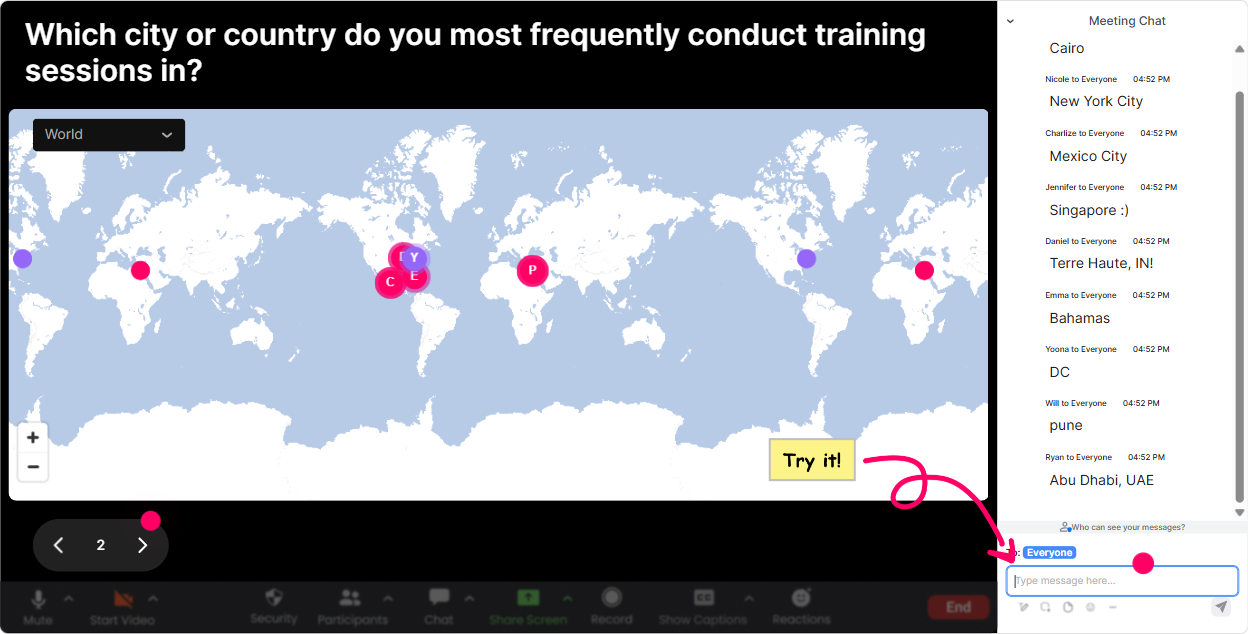
Digital & Global Organizations training is the perfect excuse to start global. With **Magic Maps**, you ask one location-based question in chat and StreamAlive plots everyone on a live world map in real time. It instantly makes the room feel like a shared experience-not a bunch of isolated webcams. Try it like this: - **Kickoff icebreaker:** Where in the world are you joining from today? - **Context builder:** Which country do you work with most often? - **Culture + collaboration:** If you could teleport to one office location (or client city) right now, where would you go? - **Operations angle:** Which region creates the most scheduling challenges for you-Americas, EMEA, or APAC? Type a city. Trainer move: when you see clusters (say 12 people in London, 8 in Singapore), call it out. It creates instant micro-communities: London crew-whats your biggest challenge working cross-region?
2) Rating Polls: Quick Pulse Checks That Actually Tell You Something
When youre training global teams, people hesitate to speak up-especially early. A **Rating Poll** is a low-pressure way to get honest signals fast. Use it at key moments: - **At the start:** On a scale of 110, how confident are you working with global stakeholders? - **After a concept:** Rate this idea: Async-first communication reduces cross-border friction. (1 = disagree, 10 = strongly agree) - **After an activity:** How practical was that framework for your day-to-day? (110) Trainer move: if the average rating is low, dont power through. Say, Okay, were at a 5. Lets unpack whats missing. Thats how you keep trust-and attention.

3) Wonder Words: Get the Room Talking in 10 Seconds
If you want instant participation (without asking for paragraphs), **Wonder Words** is your best friend. You ask a question that needs a 12 word answer, and StreamAlive builds a live word cloud. Great prompts for Digital & Global Organizations: - When you hear global collaboration, whats the first word that comes to mind? - One word: whats the hardest part of working across time zones? - Whats the #1 skill global teams need right now? - One word for your companys culture-today. Trainer move: use the biggest word in the cloud as your segue. If miscommunication dominates, youve just earned the next 15 minutes of attention without begging for it.

4) Talking Tiles: Turn Chat into a Live Brainstorm Wall
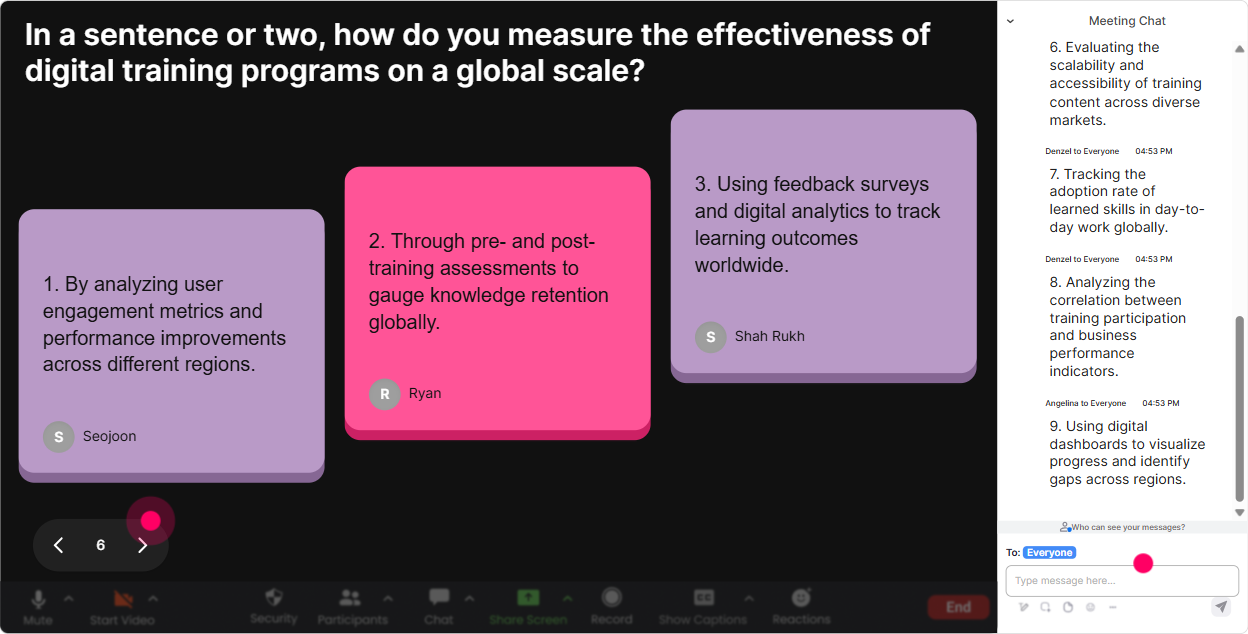
When you need richer answers (not just one word), **Talking Tiles** makes it fun to share. People type responses in chat, and StreamAlive drops them onto the screen as dynamic tiles. Perfect moments to use it: - Whats one way Digital & Global Organizations impacts your role day to day? - Describe a real challenge youve faced working with a global team (one sentence). - Whats one team habit you want to build to work better across regions? - What does good communication look like in a global org-give an example. Trainer move: grab 23 tiles and react live: This one about delayed decisions due to handoffs-who else sees that? Now youre facilitating, not presenting.
5) Power Polls: Let the Group Choose What to Dive Into Next
Youll always have mixed audiences-some people are managing global teams, others are new to it, some are dealing with vendors, some with internal stakeholders. **Power Polls** help you stop guessing what they need. Use polls to steer your session: - What do you want more of today? 1) Time zone collaboration 2) Cross-cultural communication 3) Global process standardization 4) Distributed leadership & trust - Which channel causes the most confusion in your org? 1) Email 2) Chat 3) Meetings 4) Docs/knowledge base - Which is harder for you? 1) Getting alignment 2) Decision-making speed 3) Ownership/accountability 4) Handovers across regions Trainer move: when the poll result is clear, say, Cool, the room has spoken-lets go deeper there. People pay attention when they feel they shaped the agenda.

6) Winner Wheel: Get Participation Without Awkward Volunteer Silence
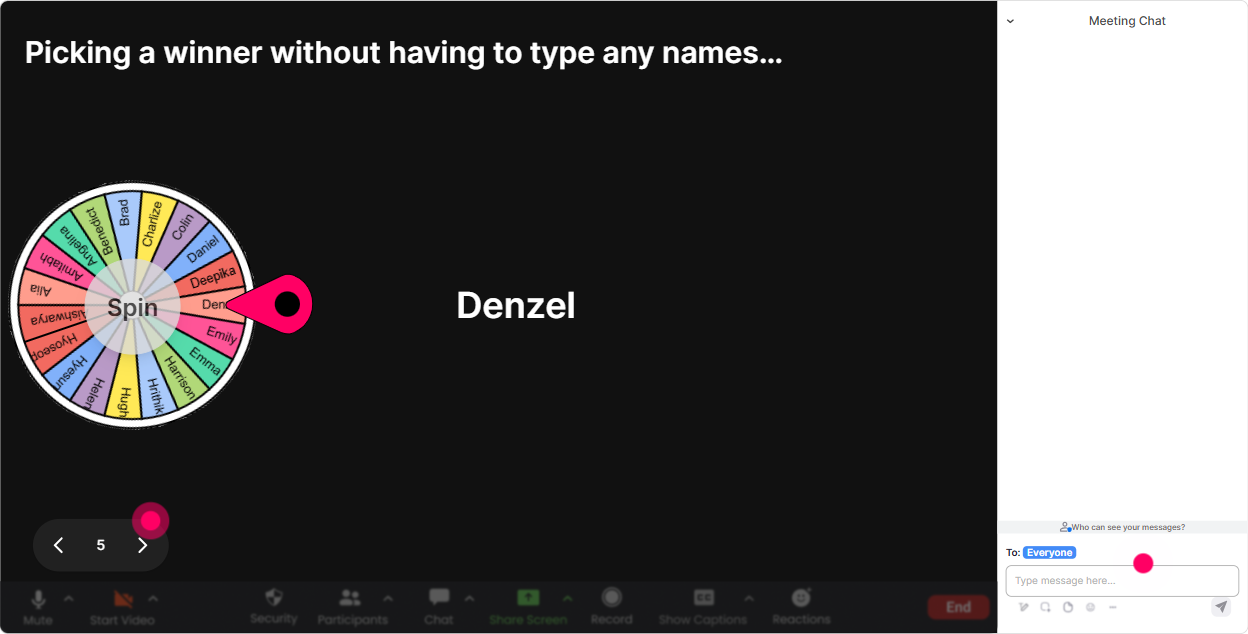
You know that moment: Who wants to unmute and share? And the room goes silent. The **Winner Wheel** fixes that vibe. You tell people: Drop your answer in chat-then Ill spin the wheel to choose someone to expand on it. Now theyre motivated to type, because theres a game element. Ways to use it in this training: - After a Talking Tiles brainstorm: Spin to pick one person to share their example out loud. - After a poll: Im spinning to pick someone from the winning option-tell us why thats the biggest challenge. - For energy boosts: Everyone who answers this question is eligible for a quick shout-out (or small prize). Trainer move: the wheel helps you stay fair. No bias, no always-picking-the-most-confident-person. It spreads the airtime naturally.
7) Quiz: Make Knowledge Checks Feel Like a Game (Not a Test)
In Digital & Global Organizations training, youll probably teach frameworks, best practices, maybe a few definitions. A **Quiz** interaction lets you check understanding live-and keep it playful. Example quiz questions: - Which is the best default for global teams? 1) More meetings 2) Async updates + fewer, sharper meetings 3) Longer emails 4) Same-timezone scheduling only - Whats a common risk of HQ-first decision-making? 1) Faster delivery 2) Higher engagement globally 3) Regional teams feel disempowered 4) Clearer ownership - When working across cultures, the safest approach is: 1) Assume everyone communicates the same way 2) Clarify expectations and norms explicitly 3) Avoid feedback 4) Only use chat Trainer move: after revealing the correct answer, ask: If you picked a different option, what made it feel right? Thats where the real learning happens.

2) Rating Polls: Quick Pulse Checks That Actually Tell You Something
When youre training global teams, people hesitate to speak up-especially early. A **Rating Poll** is a low-pressure way to get honest signals fast. Use it at key moments: - **At the start:** On a scale of 110, how confident are you working with global stakeholders? - **After a concept:** Rate this idea: Async-first communication reduces cross-border friction. (1 = disagree, 10 = strongly agree) - **After an activity:** How practical was that framework for your day-to-day? (110) Trainer move: if the average rating is low, dont power through. Say, Okay, were at a 5. Lets unpack whats missing. Thats how you keep trust-and attention.
8) Q&A: Capture Questions Without Losing the Thread
Global sessions have one big issue: the chat moves fast, and good questions get buried. StreamAlives **Q&A** feature automatically detects and collects questions from chat and displays them neatly so you can handle them without scrolling like crazy. How to use it in this topic: - Set a rule: If its a question, start your message with Q:. - Park questions while teaching: I see a few great Qs coming in-keep them coming, Ill hit a Q&A block in 10 minutes. - Run an end-of-module Q&A: Drop your toughest global-collaboration question now. Trainer move: when you answer a question, read the persons name and the question out loud. It makes people feel seen-especially the quieter folks.

9) Analytics: Find Out What Actually Worked (So You Can Repeat It)
After you deliver training for a digital/global audience, you want proof of what landed-not just felt good. StreamAlive **Analytics** shows you engagement minute-by-minute, what interactions performed best, and who your most engaged participants were. How trainers and agencies can use this: - **Improve your design:** Spot where engagement dipped (maybe a long theory section) and add an interaction next time. - **Prove impact to clients:** Share interaction results and participation metrics as a clean wrap-up. - **Identify champions:** See who participated most-those are your potential cohort leaders, internal advocates, or future facilitators. - **Debrief with your team:** Use chat replay + interaction reports to refine your run of show. Trainer move: treat analytics like your rehearsal footage. Youre not judging yourself-youre upgrading the next delivery so engagement keeps climbing.

Use StreamAlive in all your training sessions
StreamAlive isn’t just for
Digital & Global Organizations
training,
it can also be used for any instructor-led training session directly inside your PowerPoint presentation.
Explore similar traingin ideas: unlocking the potential of StreamAlive
See how StreamAlive transforms live training with engaging events and interactive sessions across industries, directly inside your PowerPoint presentation.

Interactions in action
(it's free)

.svg.png)


