Install StreamAlive for your PowerPoint slides
Learn more

GenAI Training for L&D Leaders
StreamAlive helps 9x the audience engagement in your Virtual Instructor-led Trainings (VILT) directly inside your powerpoint presentation.
Make your instructor-led GenAI training more fun with polls, word clouds, spinner wheels and more
Works inside your existing PowerPoint presentation
Install the StreamAlive app for PowerPoint and see your slides come to life as people participate in your interactions
AI generates audience interactions for you
Let our AI scan your presentation and automatically come up with relevant questions based on the content. Or spend two hours coming up with your own questions, your choice!
Built to work with MS Teams and Zoom
Native apps for Teams and Zoom so you never have to leave your existing workflows
No QR Codes
Chat-powered interactions means your audience doesn’t need to scan QR codes or look at another screen to participate. They just type in the chat!

Quickly approved by your IT team
StreamAlive’s apps for Teams and Zoom means that they have been through rigorous quality assurance and client safety reviews. You’ll find everything an IT team needs to approve the app within the organization within your StreamAlive account.

Youve been asked to run a GenAI instructor-led training for L&D Leaders, and you want it to feel lively-not like another slide marathon. The trick is simple: get people talking early, keep them participating often, and make their input visible. Heres how StreamAlive can help you do exactly that (and seriously boost engagement).
1) Magic Maps: Put your GenAI room on the map (literally)
This is the easiest everyone types in chat win at the start of your session. Instead of asking Where are you joining from? and getting a boring list in chat, Magic Maps plots every location live on a world map-so the room instantly feels real and connected. Try it for a GenAI ILT like this: - Where are you joining from today? (classic warm-up) - What city would you travel to if GenAI could instantly plan the perfect trip for you? (ties into GenAI fun) - Which country do you think is moving fastest in AI adoption? - If you could teleport anywhere on earth after this session, where would you go? Trainer tip: Use this as your first micro-engagement. People who type once early are way more likely to keep participating later. Also, if youve got a cluster (say 12 people from London), call it out-instant community moment.

2) Rating Polls: Get a fast pulse check on GenAI confidence
Before you teach anything, find out where everyones actually at. Rating Polls are perfect because theyre quick, visual, and low-effort for participants-just a number in chat. GenAI training rating questions you can run in under 30 seconds: - On a scale of 110, how confident are you using GenAI tools at work? - Rate your understanding of prompt engineering right now (1 = what is that, 10 = I teach it). - How ready is your org for GenAI-enabled learning design? (110) - How worried are you about GenAI risks (privacy, bias, IP)? (110) How you use the results live: - If the average is low, you say: Perfect-today is going to feel super practical. - If the average is high, you say: Great, well move faster and get into real L&D workflows. This makes the session feel tailored-even if its your standard deck.

3) Wonder Words (Word Cloud): Capture the rooms feelings about GenAI in one glance
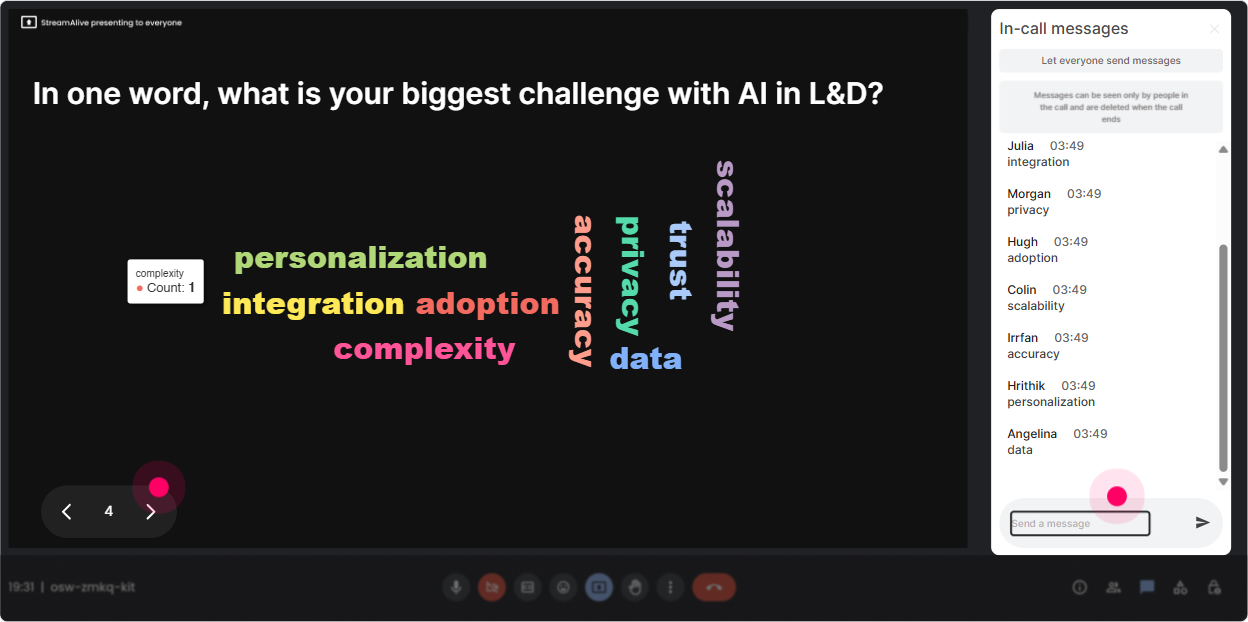
If you want instant honest sentiment, word clouds are gold. Ask a one-to-two-word question, and Wonder Words turns the chat into a live visual of what people are thinking. Its like reading the room, but better. Great word cloud prompts for GenAI training with L&D Leaders: - GenAI in L&D makes me feel (excited, overwhelmed, curious, cautious) - One word: biggest opportunity of GenAI for learning? (personalization, speed, scale) - One word: biggest risk? (bias, privacy, hallucinations, compliance) - What do you want from todays session? (use-cases, policy, prompts, strategy) Trainer move that works every time: pick the top 23 biggest words and riff on them. - Im seeing overwhelmed-totally fair. Well simplify this. - Im also seeing speed-lets talk about what you can automate safely.
4) Talking Tiles: Turn L&D use-cases into a live brainstorm wall
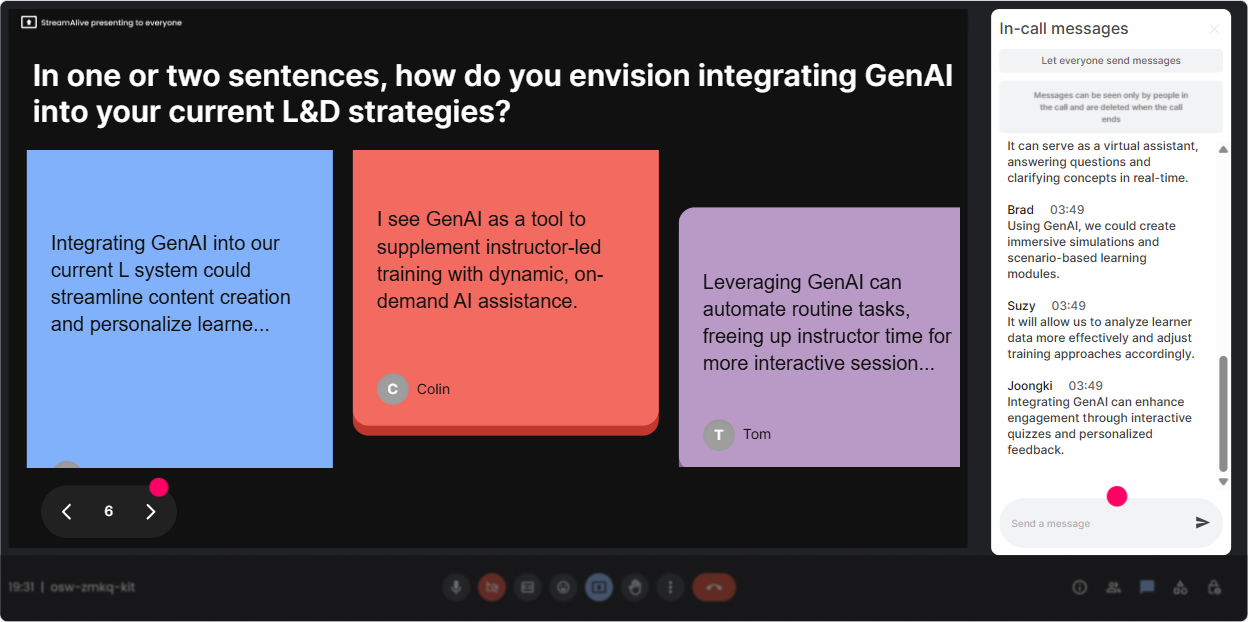
When you want more than a one-word answer, use Talking Tiles. People type a sentence (or two), and their responses drop onto the screen like a dynamic idea board. Its ridiculously good for brainstorming, sharing examples, and getting quieter folks to contribute without speaking. Prompts that work brilliantly in GenAI ILT: - In one sentence: where could GenAI save you the most time in your L&D workflow? - Whats one training task youd love to automate (without losing quality)? - Whats a real GenAI use-case you want to try in the next 30 days? - Whats one concern your stakeholders have about GenAI? How to facilitate it: - Let tiles build for 2030 seconds. - Then group them out loud: Im seeing design help, assessment creation, coaching bots, and policy questions - Pick 2 tiles and go deeper: Okay, lets take assessment creation-heres a safe workflow. It feels interactive, and you get content directly from the room.
5) Power Polls: Let the group choose the GenAI agenda (and feel ownership)
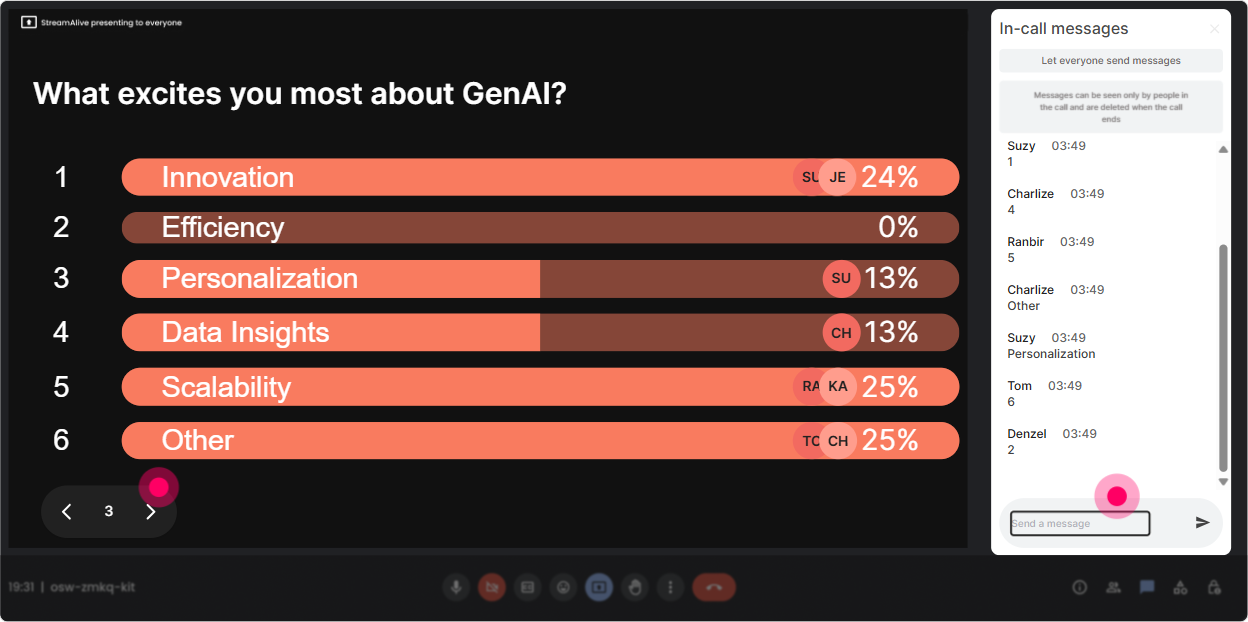
L&D Leaders hate one-size-fits-all sessions. Power Polls let you hand them the steering wheel. You ask a multiple-choice question, they vote in chat, and you show the live results instantly. Poll ideas for a GenAI instructor-led session: - What do you want most today? 1) Prompting fundamentals 2) L&D use-cases 3) Risk & governance 4) Measuring impact - Which tool are you most curious about? 1) ChatGPT/Claude 2) Microsoft Copilot 3) Custom GPTs/agents 4) GenAI for content creation - Where will GenAI land first in your org? 1) On-the-job support 2) Content development 3) Leadership training 4) Compliance Trainer tip: Run this early, then say: Cool-based on this, Ill spend extra time on option #2 and #3. People instantly feel like this is *their* session.
6) Winner Wheel: Get volunteers without the awkward silence
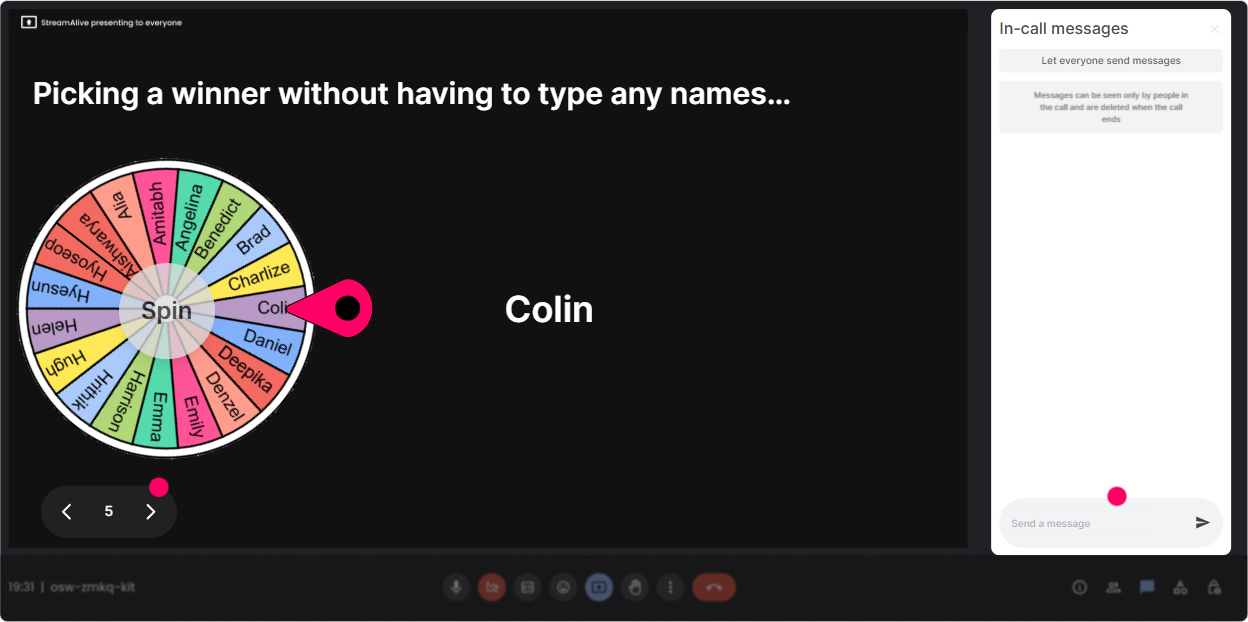
You know that moment when you ask, Who wants to share? and everyone suddenly becomes a statue? Winner Wheel fixes that in a fun way. You can spin from people who commented, or from those who participated in a specific interaction. Ways to use it in GenAI training (without putting people on the spot too hard): - Lets spin the wheel-winner shares ONE use-case they typed in. - Wheel pick: tell us your orgs biggest GenAI question in 10 seconds. - Who gets to choose the next demo scenario? Wheel decides. Make it feel safe: - Say: If youre not comfortable unmuting, just type pass and well spin again-no pressure. This keeps energy high and rewards participation naturally.
7) Quiz: Quick GenAI knowledge checks that dont feel like school
A Quiz interaction is perfect for busting myths and reinforcing key concepts-especially in GenAI where people have half-true assumptions. You can set the correct answer and reveal it live. Quiz questions for L&D Leaders (multiple-choice, one correct): - Whats the best description of hallucination in GenAI? A) The model refuses to answer B) The model confidently makes something up (Correct) C) The model gets faster over time D) The model encrypts your data - Which prompt is most likely to get a usable training outline? A) Make training. B) Create a 60-min ILT outline for new managers with 3 activities, timings, and facilitator notes. (Correct) C) Tell me everything about leadership. D) Write it better. - What should you do first before rolling GenAI into L&D at scale? A) Buy more tools B) Create a safe-use guideline and governance basics (Correct) C) Replace SMEs D) Stop all classroom training Trainer tip: Use quizzes as a momentum tool-every 1015 minutes, drop one question to reset attention.

2) Rating Polls: Get a fast pulse check on GenAI confidence
Before you teach anything, find out where everyones actually at. Rating Polls are perfect because theyre quick, visual, and low-effort for participants-just a number in chat. GenAI training rating questions you can run in under 30 seconds: - On a scale of 110, how confident are you using GenAI tools at work? - Rate your understanding of prompt engineering right now (1 = what is that, 10 = I teach it). - How ready is your org for GenAI-enabled learning design? (110) - How worried are you about GenAI risks (privacy, bias, IP)? (110) How you use the results live: - If the average is low, you say: Perfect-today is going to feel super practical. - If the average is high, you say: Great, well move faster and get into real L&D workflows. This makes the session feel tailored-even if its your standard deck.
8) Q&A: Catch every GenAI question without losing your place
GenAI sessions trigger tons of questions, and chat gets messy fast. StreamAlive Q&A automatically detects and collects questions from the chat, then shows them neatly so you can actually manage them. How to use it like a pro in this topic: - Say: If you have a question, just type it normally in chat-StreamAlive will grab it. - Run parking lot moments: Lets do a 3-minute Q&A sweep before we move into the next demo. - Use it for sensitive topics (policy, privacy, layoffs): people often prefer typing. This keeps you from missing great questions-and your participants feel heard.

9) Analytics: Prove engagement and improve the next cohort
After your GenAI ILT, StreamAlive analytics helps you see what actually worked-minute by minute. This is super useful for L&D Leaders because you can treat your session like a product: measure, tweak, improve. What you can look at after the session: - Minute-by-minute engagement: Did people drop during the policy slide? Did they spike during the prompt demo? - Chat replay + interaction reports: see which questions and activities got the most participation - Fantastic Fans (top engaged folks): great for follow-ups, champions, or pilot groups - Shareable email reports: easy to send to stakeholders or your L&D team Practical example: If you notice engagement peaks during hands-on prompting and dips during definitions, youll know to flip next session-teach concepts through activities instead of slides. Bottom line: youre not guessing anymore. Youre improving your GenAI training with real data.

Use StreamAlive in all your training sessions
StreamAlive isn’t just for
GenAI
training,
it can also be used for any instructor-led training session directly inside your PowerPoint presentation.
Explore similar traingin ideas: unlocking the potential of StreamAlive
See how StreamAlive transforms live training with engaging events and interactive sessions across industries, directly inside your PowerPoint presentation.

Interactions in action
(it's free)

.svg.png)


