Install StreamAlive for your PowerPoint slides
Learn more

Skill Instability Training for L&D Leaders
StreamAlive helps 9x the audience engagement in your Virtual Instructor-led Trainings (VILT) directly inside your powerpoint presentation.
Make your instructor-led Skill Instability training more fun with polls, word clouds, spinner wheels and more
Works inside your existing PowerPoint presentation
Install the StreamAlive app for PowerPoint and see your slides come to life as people participate in your interactions
AI generates audience interactions for you
Let our AI scan your presentation and automatically come up with relevant questions based on the content. Or spend two hours coming up with your own questions, your choice!
Built to work with MS Teams and Zoom
Native apps for Teams and Zoom so you never have to leave your existing workflows
No QR Codes
Chat-powered interactions means your audience doesn’t need to scan QR codes or look at another screen to participate. They just type in the chat!

Quickly approved by your IT team
StreamAlive’s apps for Teams and Zoom means that they have been through rigorous quality assurance and client safety reviews. You’ll find everything an IT team needs to approve the app within the organization within your StreamAlive account.

Youve been asked to run a session on Skill Instability for L&D Leaders-and you already know the topic can feel a bit big and abstract. The trick is to make it real, visual, and interactive fast. Here are simple ways to do that with StreamAlive so people stay with you (and actually talk).
Magic Maps: Put your L&D leaders on the map (literally)
Start warm and human. Skill Instability is global, and your room usually is too-so show it. How to use it in your session: - Icebreaker that connects to the topic: Where are you joining from-and whats one skill youve seen change fastest in your region/industry? (They type the location, then add the skill in a follow-up chat.) - Make it future-focused: Drop a city where you think the next big talent hub is emerging. - Make it personal: Which city/company site is feeling the most disruption right now? Trainer tip: If your group is large, set it to one location per person so your map stays clean. Then call out clusters: Looks like weve got a Boston cluster-what skills are shifting most in your org?

Rating Polls: Quick pulse check-how confident is the room?
Before you teach anything, find out where people actually are. Rating Polls are perfect for that give me the vibe moment. Try these in Skill Instability training: - On a scale of 110, how confident are you that your org can keep skills current? - Rate how clear your leaders are on what skills will matter in the next 1218 months. - How effective is your current skills taxonomy or framework? (1 = what framework, 10 = rock solid) Trainer tip: When the average pops up, react to it out loud: Okay, were sitting around a 6. Thats actually a great place to start-means weve got experience, but also real gaps to fix today.

Wonder Words: Turn fuzzy feelings into a clear moment
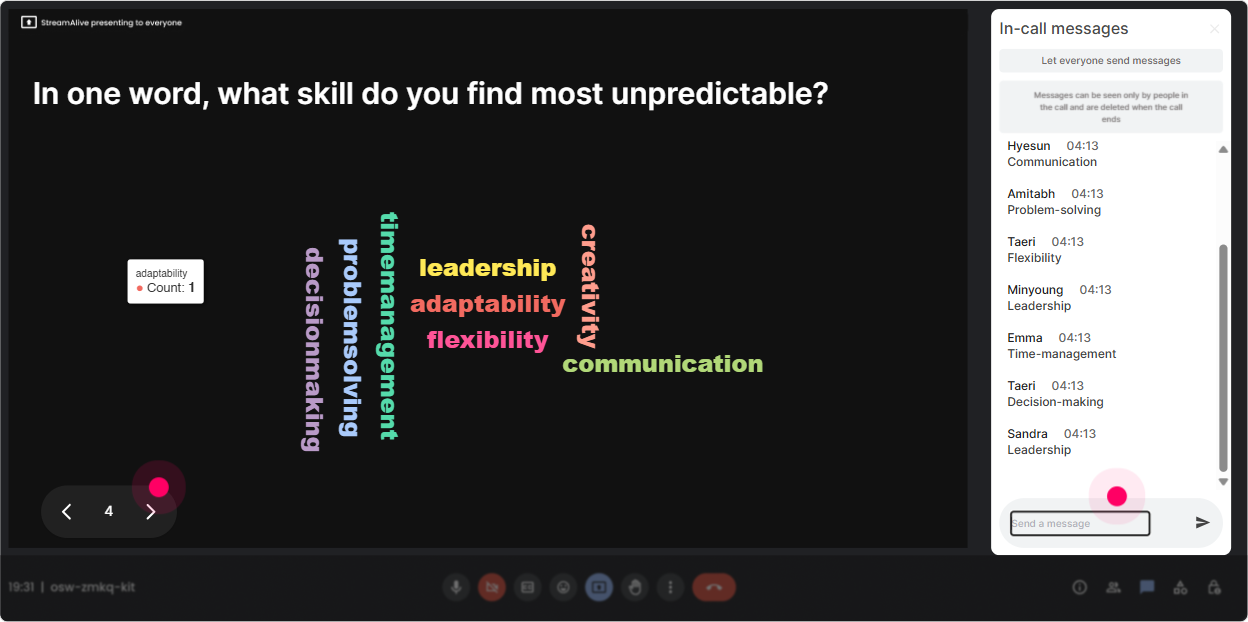
Skill Instability can trigger a lot of reactions-pressure, urgency, curiosity, even denial. A Word Cloud makes that visible instantly, and people feel seen. Prompts that work really well: - When you hear Skill Instability, whats the first word that comes to mind? - One word: whats the biggest barrier to keeping skills updated in your org? - Whats the emotion leaders feel when skills shift fast? Trainer tip: Use it to transition. Example: when overwhelmed shows up big, you can say, Cool, then were going to simplify this into a repeatable approach you can take back to the business.
Talking Tiles: Let them describe the real impact (and make it fun to watch)
This is where you get the good stuff-real stories, real problems, real context. Talking Tiles works great when answers are longer than one word. Prompts to pull out meaningful responses: - Whats one role in your org thats changing faster than your training can keep up? - Tell me about a skills surprise youve had in the last year (a skill that suddenly became critical). - Where does Skill Instability hit you hardest: hiring, internal mobility, performance, or learning strategy? Why? Trainer tip: Read a few tiles out loud and group them: Im seeing a theme-data skills, AI tools, and customer-facing roles evolving fast. Lets use that as our working example for the next activity.

Power Polls: Find out what they actually want from this session
You dont want to guess what matters most-especially with L&D leaders who came for practical answers. Use a Poll to let them steer the focus. Poll ideas (with options): - What do you want most from today? 1) How to identify emerging skills 2) How to measure skill gaps 3) How to prioritize training spend 4) How to build a skills-based learning strategy - Where is Skill Instability creating the most pain? 1) Hiring delays 2) Low internal mobility 3) Training feels outdated 4) Leaders dont buy in Trainer tip: If you run it open-ended (no options), StreamAlive will pick up answers from chat and build the poll for you. Great when you want honest, unprompted priorities.

Winner Wheel: Get participation without awkward volunteering
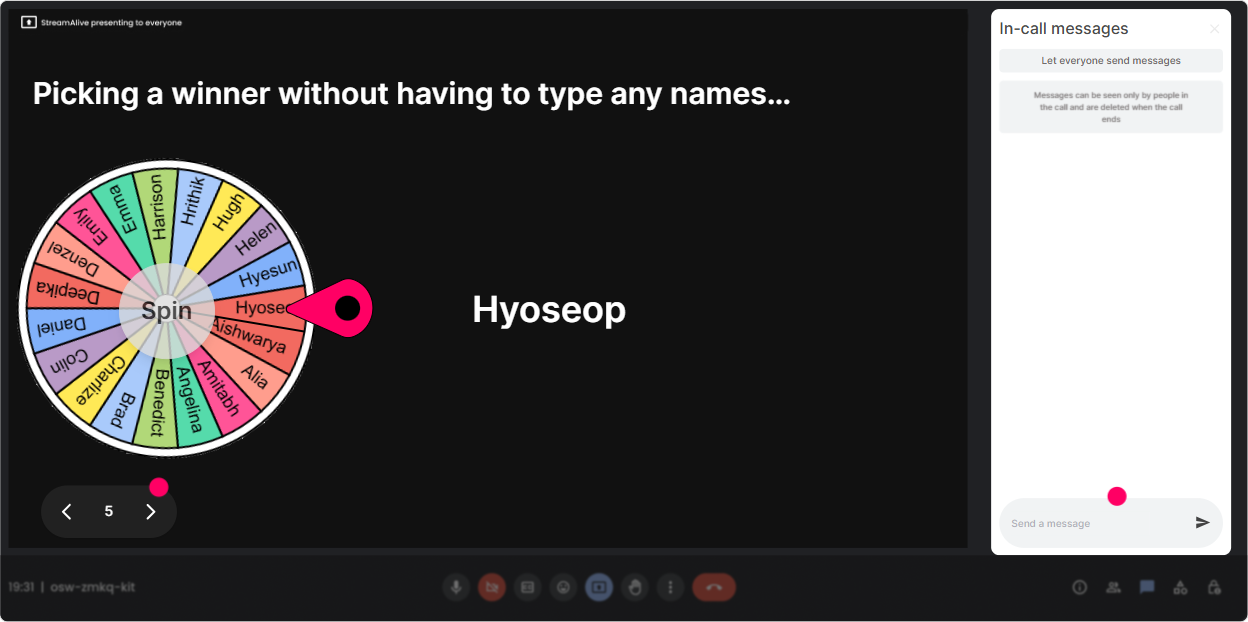
You know that moment when you ask, Any volunteers? and the room suddenly forgets how to speak? The Spinner Wheel fixes that. Ways to use it in a Skill Instability session: - Drop a quick example of a skill thats becoming more important in your org. Then spin the wheel to choose someone to unmute and share context. - After a brainstorm: Okay, Im going to spin and whoever it lands on gets to pick which idea we tackle first. - Use it for energy: Well do a quick spin-winner gets bragging rights as todays Skills Spotter. Trainer tip: Set the criteria to people who commented during this interaction. It rewards participation and nudges the quiet folks to jump in next time.
Quiz: Do a fast knowledge check that doesnt feel like an exam
Quizzes are perfect for busting myths and checking understanding-without making it heavy. Keep it quick, one question at a time. Skill Instability quiz questions you can use: - Which statement best describes Skill Instability? A) Skills change slowly and predictably B) Skills become outdated faster than orgs can adapt C) Skills are only a concern for tech roles D) Skills dont impact performance if culture is strong (Correct: B) - Whats the BEST first step to respond to Skill Instability? A) Buy more courses B) Map critical roles and the skills that drive outcomes C) Roll out mandatory training for everyone D) Wait for next years strategy refresh (Correct: B) Trainer tip: Use Show Correct Answer as your teaching moment. The real value isnt who got it right-its the discussion you create right after.

Rating Polls: Quick pulse check-how confident is the room?
Before you teach anything, find out where people actually are. Rating Polls are perfect for that give me the vibe moment. Try these in Skill Instability training: - On a scale of 110, how confident are you that your org can keep skills current? - Rate how clear your leaders are on what skills will matter in the next 1218 months. - How effective is your current skills taxonomy or framework? (1 = what framework, 10 = rock solid) Trainer tip: When the average pops up, react to it out loud: Okay, were sitting around a 6. Thats actually a great place to start-means weve got experience, but also real gaps to fix today.
Q&A: Capture every question without losing the chat
When the topic gets real (and it will), questions come fast. StreamAlives Q&A pulls questions from chat and organizes them so youre not scrolling like a maniac. How to use it smoothly: - Tell them: If you have a question, just type it in chat like normal-StreamAlive will grab it for me. - Seed good questions early: Whats the toughest part of getting leaders to act on skills data? - Park-and-return style: Im collecting questions as we go-then well do a focused Q&A block at the end. Trainer tip: Use Q&A mid-session too, not just at the end. A quick 3-minute Q&A reset can bring attention right back.

Analytics: Prove what worked (and make your next session even better)
If youre an L&D leader or trainer, you dont just want a fun session-you want evidence it landed. StreamAlive Analytics shows you where engagement spiked, what interactions got people talking, and who your most engaged participants were. How it helps after Skill Instability training: - Spot your high-engagement moments (maybe the myth-busting quiz or the role-impact Talking Tiles) and keep those in your standard run-of-show. - Use chat replay to see what topics triggered the most discussion-those are your real business pain points. - Identify your top engaged participants (your likely champions) and follow up: Want to pilot a skills initiative with us? - Share interaction results easily with your team over email or in Teams-super handy for post-session recaps. Trainer tip: If engagement dips at a certain point every time, thats not a failure-its a design clue. Swap in a poll or wheel right before that dip next session and watch the energy jump.

Use StreamAlive in all your training sessions
StreamAlive isn’t just for
Skill Instability
training,
it can also be used for any instructor-led training session directly inside your PowerPoint presentation.
Explore similar traingin ideas: unlocking the potential of StreamAlive
See how StreamAlive transforms live training with engaging events and interactive sessions across industries, directly inside your PowerPoint presentation.

Interactions in action
(it's free)

.svg.png)


