Install StreamAlive for your PowerPoint slides
Learn more

Extended Reality Training for Training Agencies
StreamAlive helps 9x the audience engagement in your Virtual Instructor-led Trainings (VILT) directly inside your powerpoint presentation.
Make your instructor-led Extended Reality training more fun with polls, word clouds, spinner wheels and more
Works inside your existing PowerPoint presentation
Install the StreamAlive app for PowerPoint and see your slides come to life as people participate in your interactions
AI generates audience interactions for you
Let our AI scan your presentation and automatically come up with relevant questions based on the content. Or spend two hours coming up with your own questions, your choice!
Built to work with MS Teams and Zoom
Native apps for Teams and Zoom so you never have to leave your existing workflows
No QR Codes
Chat-powered interactions means your audience doesn’t need to scan QR codes or look at another screen to participate. They just type in the chat!

Quickly approved by your IT team
StreamAlive’s apps for Teams and Zoom means that they have been through rigorous quality assurance and client safety reviews. You’ll find everything an IT team needs to approve the app within the organization within your StreamAlive account.

Youve been asked to deliver an Extended Reality (XR) instructor-led training for a Training Agency, and you want it to feel hands-on-not like another sit and listen webinar. The good news: XR is naturally interactive. Pair it with StreamAlive, and youll keep people participating all session long.
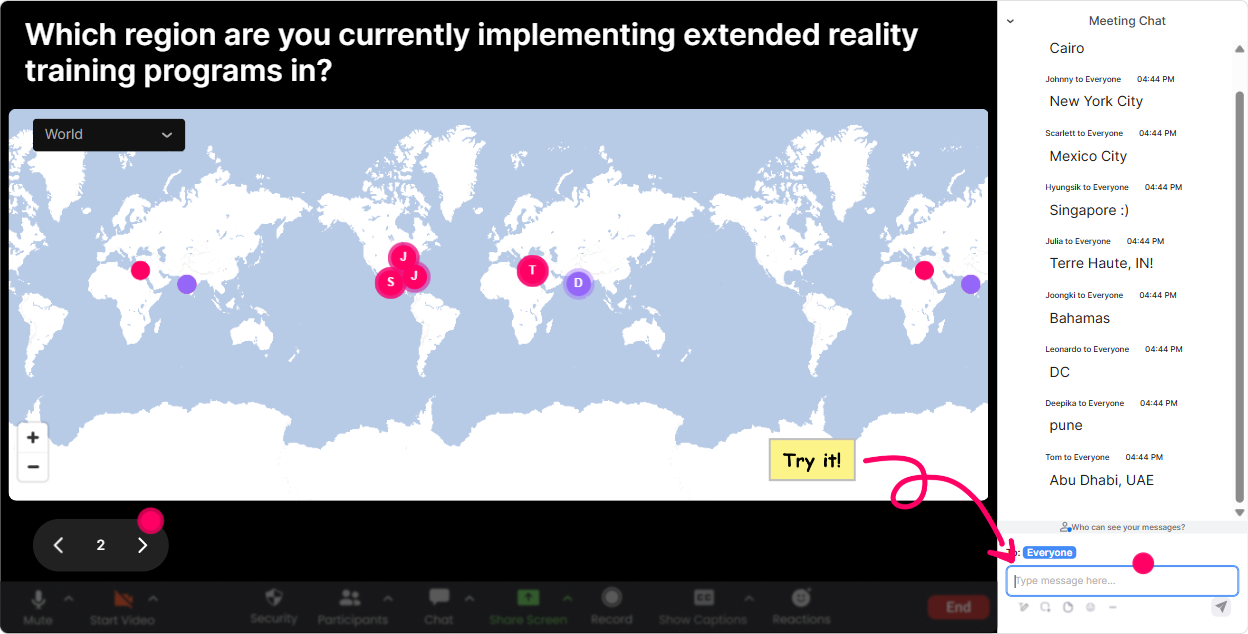
1) Magic Maps: Start your XR session by putting everyone in the room (literally)
XR training often brings in people from different client sites, regions, and even countries-so use Magic Maps as your instant icebreaker. Try this right at the top: - Where in the world are you joining from today? (classic, always works) - If you could drop your learners into ANY city for a VR safety scenario, where would you choose? - Which location has the toughest training challenges right now-HQ, plant, warehouse, retail, field? Why it boosts engagement: people LOVE seeing themselves on the map, and it creates a fast sense of community. You can even call out clusters like, Okay wow-big group from Singapore today. Tell me, what kind of training are you supporting there? Trainer tip: If your program has breakouts by region/time zone, use the map results to group people quickly without awkward back-and-forth.
2) Rating Polls: Get a quick read on XR readiness (and adjust on the fly)
Before you go deep into headsets, AR workflows, or immersive design, you need to know where people are at. Rating Polls are perfect for that quick pulse check. Use prompts like: - On a scale of 110, how confident are you explaining the difference between AR, VR, and MR? - Rate your comfort level with running a VR demo in front of a class. - How ready is your agency to sell XR programs this year? (1 = not ready, 10 = were already doing it) Why it boosts engagement: its low effort for participants, but super high value for you. If the average comes in at like a 3, youll know to slow down and define terms. If its an 8, you can skip the basics and jump into use cases. Trainer move: Re-run the same rating at the end as a confidence delta. People love seeing the improvement in real time.

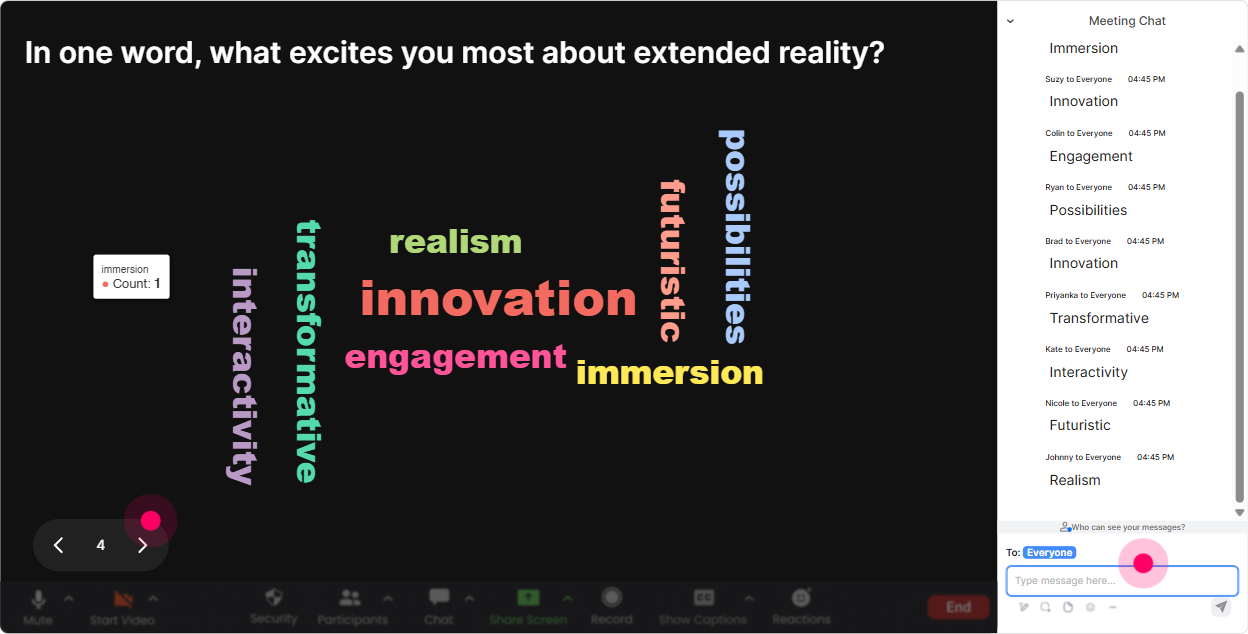
3) Wonder Words (Word Cloud): Let the room tell you how they feel about XR
XR can trigger very different reactions-some people are pumped, others are quietly worried about cost, tech issues, or adoption. A Word Cloud gets those feelings out in the open without putting anyone on the spot. Ask one quick question that invites a 12 word answer: - Whats one word that comes to mind when you hear Extended Reality training? - Whats the biggest barrier to XR adoption in your projects? (one or two words) - What do your learners say after trying VR for the first time? Why it boosts engagement: it creates a shared truth on screen. If expensive, motion-sickness, or wow shows up big-youve got your agenda basically written for you. Trainer tip: Use Combine Similar Answers so you dont end up with cost and Cost and costs all split up.
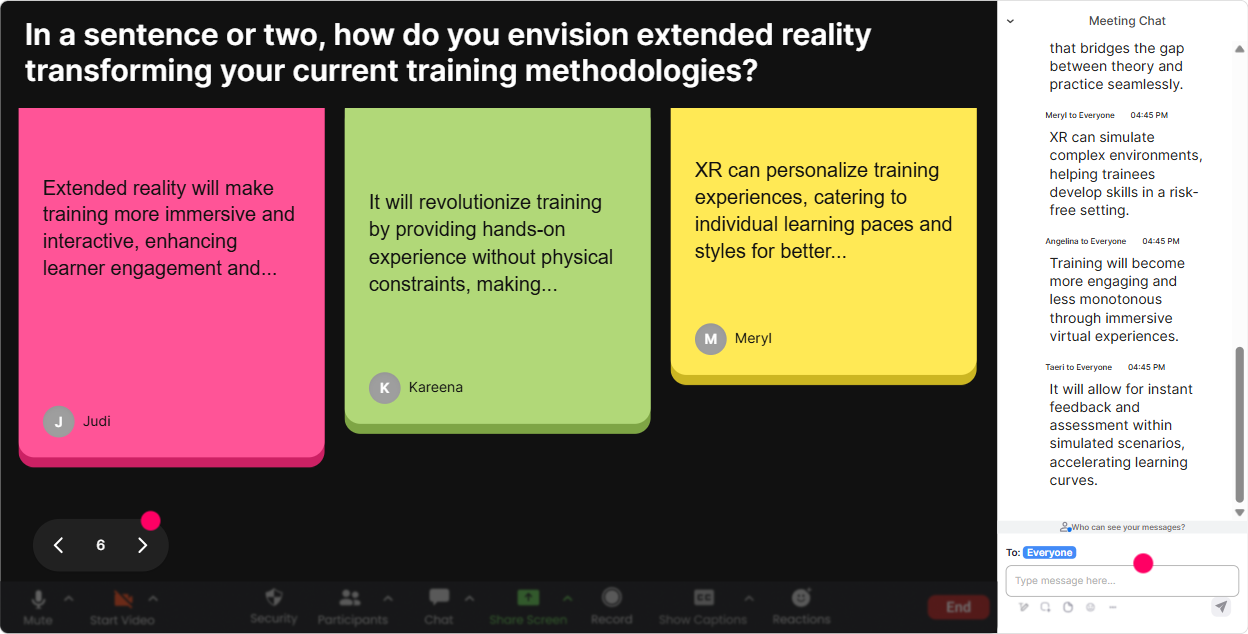
4) Talking Tiles: Turn XR brainstorming into a live, visual wall of ideas
When you want more than one-word answers-use Talking Tiles. Its awesome for XR because youre often collecting scenarios, job tasks, and what would you simulate? ideas. Try questions like: - Whats one job task in your industry that would be safer/cheaper to train in VR? - Where do learners struggle today that XR could help with? - If you could build ONE immersive module for your client, what would it be? Why it boosts engagement: everyones ideas show up as tiles on screen, so the chat stops feeling like a hidden side conversation. It becomes the session content. Facilitation trick: Pick 23 tiles and say, Im going to build on these. Tell me more-what would the learner do step-by-step? Thats how you move from ideas to practical design thinking.
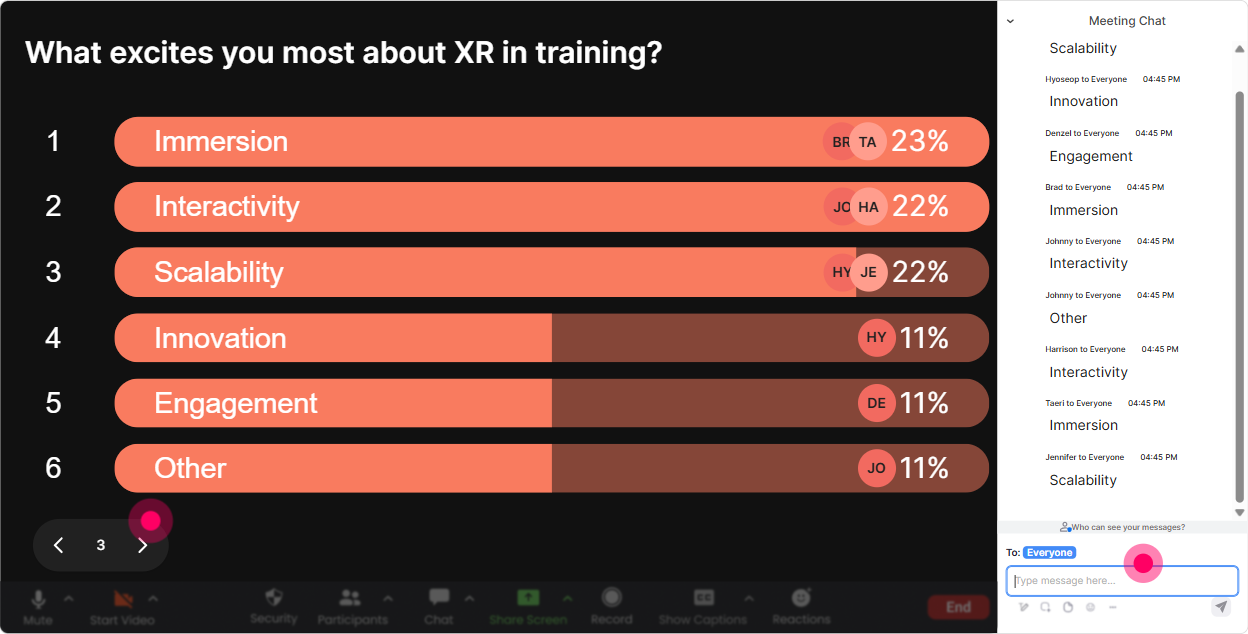
5) Power Polls: Let your audience choose the XR direction (so they stay invested)
Instead of guessing what your Training Agency audience cares about most, ask them-and let them see the results live. Good XR-focused polls: - What do you want more of today? 1) VR use cases 2) AR job aids 3) Instructional design for XR 4) Budgeting & rollout - Which learner group would benefit most from XR in your client base? 1) New hires 2) Frontline ops 3) Sales 4) Leadership - Biggest XR challenge right now? 1) Hardware 2) Content creation 3) Stakeholder buy-in 4) Measurement/ROI Why it boosts engagement: people pay attention when they helped choose the path. It also makes your training feel customized-even if youre teaching a standard outline. Trainer tip: Run a poll before a break, then come back with, Alright, you voted-lets go all-in on stakeholder buy-in and ROI.
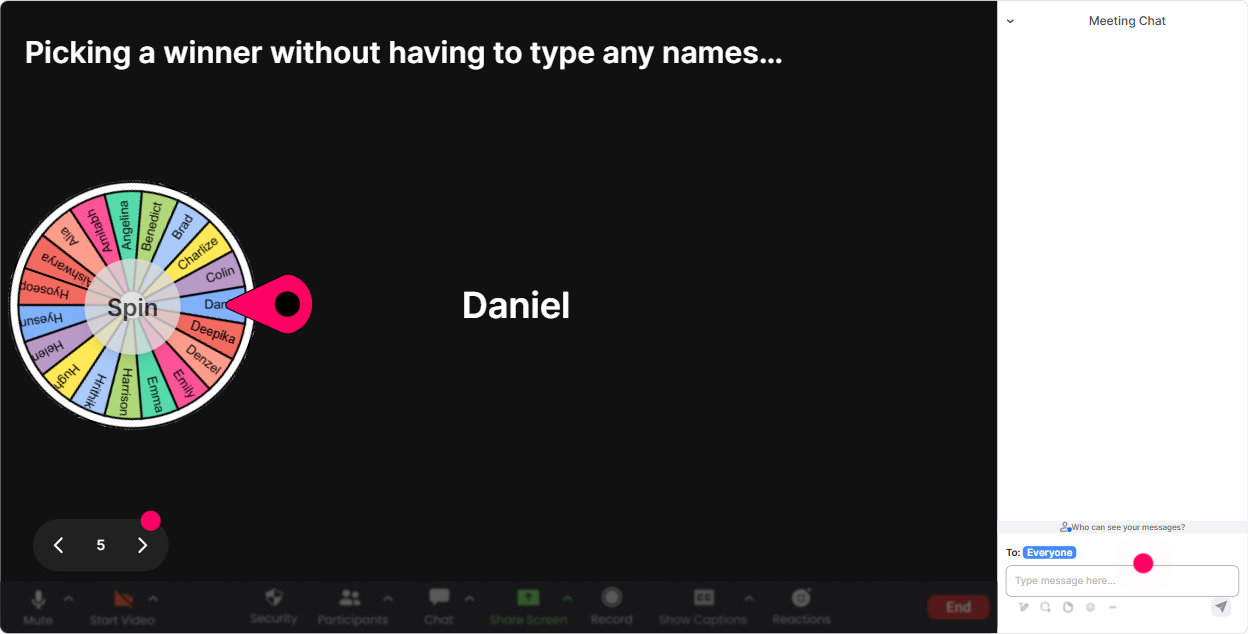
6) Winner Wheel (Spinner Wheel): Get volunteers without the awkward silence
You know that moment when you ask, Who wants to share? and nothing. Winner Wheel fixes that in a fun way. How to use it in XR training: - Drop AR in chat if youve ever used an AR tool with learners. (spin from those commenters) - Type YES if youve deployed any XR pilot. (spin to pick a quick case study share) - Share one XR use case idea in chat-then well spin and Ill ask the winner to unmute for 30 seconds. Why it boosts engagement: people comment more because they know participation might get picked. And its playful-so it doesnt feel like youre calling someone out. Trainer tip: Set expectations kindly: If you get picked and youre not in a place to speak, just type pass-no stress. That keeps it safe.
7) Quiz: Do fast XR knowledge checks that feel like a game
XR has a lot of terminology and misconceptions. A quick Quiz interaction helps you lock in the basics and catch confusion early. Example multiple-choice questions (one correct answer): - Which one is typically the best fit for overlaying instructions onto the real world? 1) VR 2) AR 3) 360 video 4) Gamification (Correct: AR) - Whats the main difference between VR and 360 video? 1) Cost 2) User can interact in VR 3) VR is always mobile 4) 360 is always live (Correct: 2) - Whats a smart first pilot for most training agencies? 1) Full metaverse campus 2) One high-impact scenario module 3) Replace all ILT instantly 4) Only buy hardware first (Correct: 2) Why it boosts engagement: it creates that wait what do I think? moment, and people love seeing the live vote distribution. Trainer move: After revealing the correct answer, ask: If you picked a different option, tell me what made it tempting. Thats where the real learning happens.

2) Rating Polls: Get a quick read on XR readiness (and adjust on the fly)
Before you go deep into headsets, AR workflows, or immersive design, you need to know where people are at. Rating Polls are perfect for that quick pulse check. Use prompts like: - On a scale of 110, how confident are you explaining the difference between AR, VR, and MR? - Rate your comfort level with running a VR demo in front of a class. - How ready is your agency to sell XR programs this year? (1 = not ready, 10 = were already doing it) Why it boosts engagement: its low effort for participants, but super high value for you. If the average comes in at like a 3, youll know to slow down and define terms. If its an 8, you can skip the basics and jump into use cases. Trainer move: Re-run the same rating at the end as a confidence delta. People love seeing the improvement in real time.
8) Q&A: Catch every XR question without missing it in the chat chaos
XR sessions spark tons of questions-hardware, content tools, learner safety, IT, budget, ROI and those questions can easily get buried in a busy chat. With StreamAlive Q&A, questions get detected and organized right from the chat (so participants dont have to hunt for a separate Q&A box). How to make it work smoothly: - Tell people: If you have a question, start your message with Q: so it gets picked up clearly. - Park questions while you demo something: Keep dropping questions-at 25 past, well do a rapid-fire Q&A. - Use it for objection-handling too: Q: What if learners get motion sickness? Q: How do we measure XR effectiveness? Why it boosts engagement: people ask more when they trust you wont miss them. And you look way more in control as the facilitator.

9) Analytics: After the session, see what actually worked (and prove engagement)
If youre running XR instructor-led training for agencies, youll often need to show outcomes-either to your internal team or to clients. StreamAlive Analytics helps you do that without guessing. What you can learn fast: - Minute-by-minute engagement: spot where attention dipped (maybe your hardware section got too long) and where it spiked (maybe your VR use cases lit people up). - Interaction performance: see which polls/questions got the most participation so you can reuse the winners next time. - Top engaged participants: identify your champions (the ones who might become internal XR sponsors or future buyers). Practical use case for training agencies: - Use analytics to refine your Run of Show: keep the parts that drive chat + participation, tighten the parts that drag. - Share email reports with your delivery team or stakeholders to show: Heres the proof-people didnt just attend, they participated. If your goal is up to 9x engagement, this is the piece that helps you repeat what works-session after session.

Use StreamAlive in all your training sessions
StreamAlive isn’t just for
Extended Reality
training,
it can also be used for any instructor-led training session directly inside your PowerPoint presentation.
Explore similar traingin ideas: unlocking the potential of StreamAlive
See how StreamAlive transforms live training with engaging events and interactive sessions across industries, directly inside your PowerPoint presentation.

Interactions in action
(it's free)

.svg.png)


