Install StreamAlive for your PowerPoint slides
Learn more

Career Portfolios Training for Corporate Trainers
StreamAlive helps 9x the audience engagement in your Virtual Instructor-led Trainings (VILT) directly inside your powerpoint presentation.
Make your instructor-led Career Portfolios training more fun with polls, word clouds, spinner wheels and more
Works inside your existing PowerPoint presentation
Install the StreamAlive app for PowerPoint and see your slides come to life as people participate in your interactions
AI generates audience interactions for you
Let our AI scan your presentation and automatically come up with relevant questions based on the content. Or spend two hours coming up with your own questions, your choice!
Built to work with MS Teams and Zoom
Native apps for Teams and Zoom so you never have to leave your existing workflows
No QR Codes
Chat-powered interactions means your audience doesn’t need to scan QR codes or look at another screen to participate. They just type in the chat!

Quickly approved by your IT team
StreamAlive’s apps for Teams and Zoom means that they have been through rigorous quality assurance and client safety reviews. You’ll find everything an IT team needs to approve the app within the organization within your StreamAlive account.

Youve been asked to run an instructor-led session on Career Portfolios for corporate trainers-and you dont want it to turn into a slide-reading marathon. Good news: you can make it super interactive (and way more memorable) with StreamAlive. Here are practical, trainer-friendly ways to use each interaction to keep people participating the whole way through.
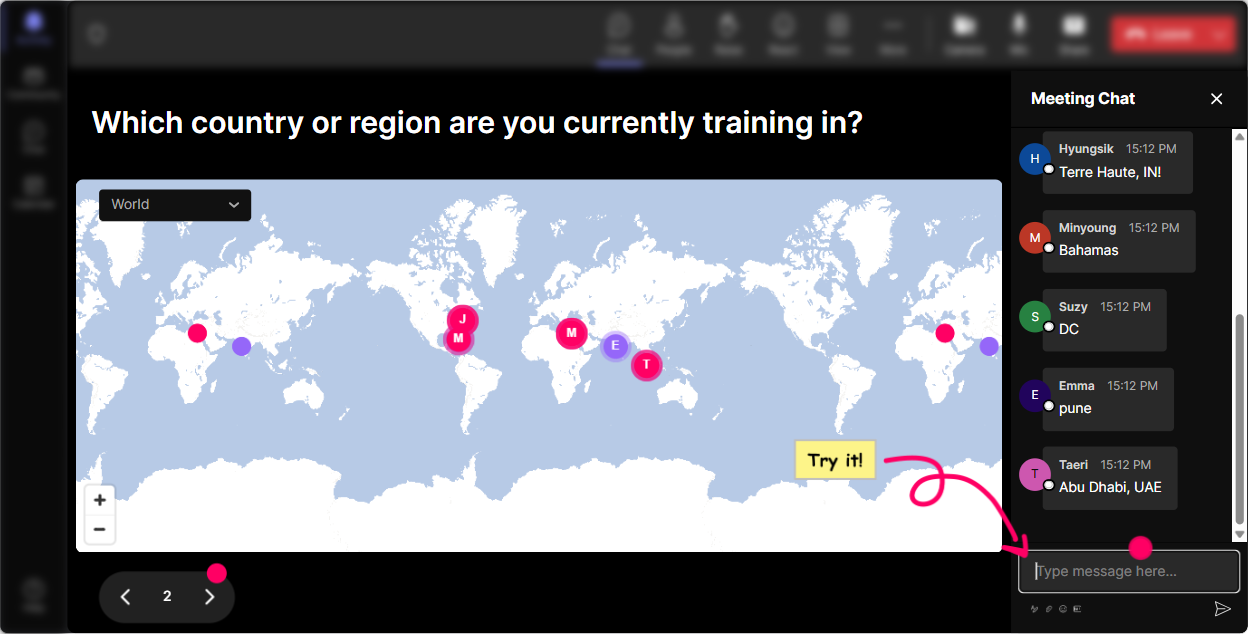
Magic Maps: Kick off with where are you joining from? (and make it relevant)
This is the easiest way to break the ice and get people typing right away-without forcing awkward intros. How to use it in a Career Portfolios session: - **Warm-up #1 (classic):** Where are you joining from today? (Everyone drops a city/country-StreamAlive plots it live.) - **Warm-up #2 (career twist):** Where did you land your first real training role? (People enter the city where they started their L&D journey.) - **Warm-up #3 (aspiration):** If your Career Portfolio opened doors anywhere on earth, where would you want to work? Trainer tip: If youre running cohorts across regions, call out clusters-Wow, weve got a whole mini-hub in Toronto! It instantly creates community and gets people paying attention from minute one.
Rating Polls: Get a quick confidence check (without putting anyone on the spot)
Before you go deep, find out where the room is at. A Rating Poll is perfect because its fast, low-pressure, and gives you a real-time read. Use it like this: - **Confidence baseline:** On a scale of 110, how confident are you that you could build a Career Portfolio this month? - **Experience check:** Rate your current Career Portfolio (or LinkedIn body of work) from 110. - **Clarity check mid-way:** How clear is the difference between a resume and a Career Portfolio? (1 = not clear, 10 = crystal clear) Trainer move: If you see lots of 35 ratings, you can slow down and add examples. If its 810, skip ahead and spend time on advanced tips (like storytelling + proof of impact).

Wonder Words (Word Cloud): Turn feelings and opinions into instant visuals
Career Portfolios can bring up strong reactions-excitement, overwhelm, do I really need this? A Word Cloud lets you surface those thoughts in seconds. Prompts that work really well: - **Emotion check:** In 12 words, how do you feel about building a Career Portfolio? (Youll see words like *excited*, *overwhelmed*, *curious*, *behind*, *motivated*.) - **Value discovery:** Whats the #1 benefit of a Career Portfolio? (Expect *credibility*, *proof*, *promotion*, *clients*, *visibility*.) - **Barrier check:** One word: whats stopping you from building yours? (*time*, *clarity*, *confidence*, *tech*, *examples*.) Trainer tip: When one word gets huge (like time), pause and say: Cool-lets design this so its realistic, not perfect. That moment alone boosts trust and engagement.

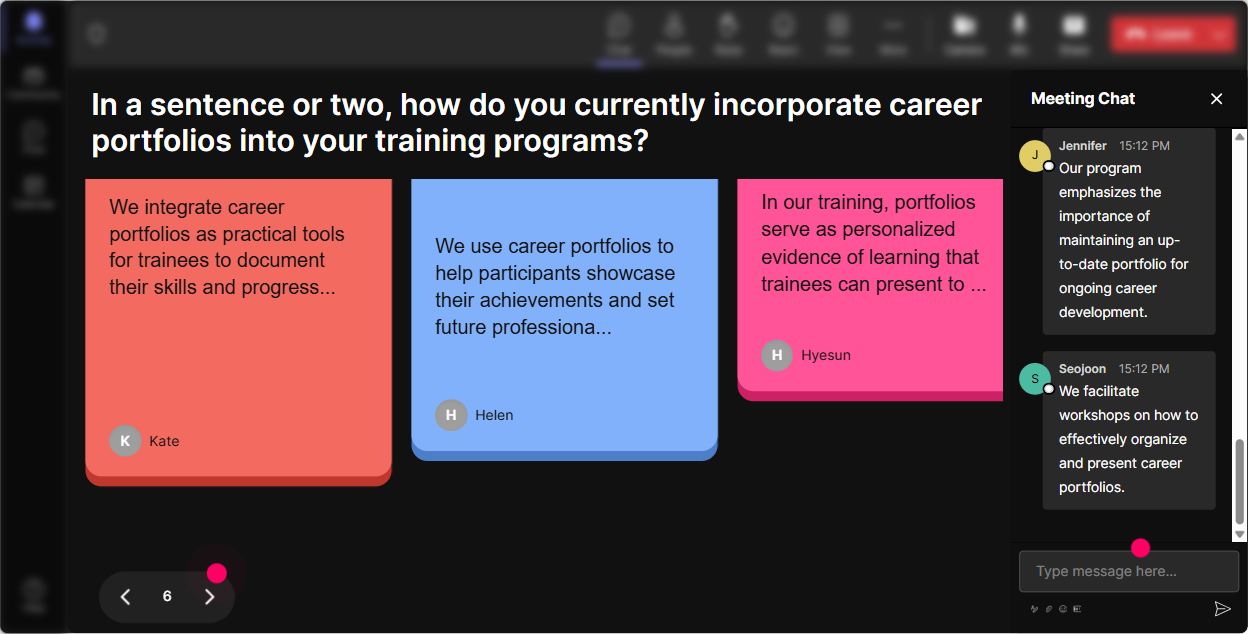
Talking Tiles: Make real examples fall onto the screen (and spark ideas fast)
Talking Tiles is awesome when you want more than a one-word answer-like mini stories, examples, or brainstorm lists. Seeing everyones responses stack up visually makes it feel like a group activity, not a lecture. Try these prompts: - **Impact prompt:** Whats one training win youre proud of that could go into your Career Portfolio? (Give us 12 lines.) - **Proof prompt:** What evidence could you include to prove impact? (metrics, screenshots, feedback, before/after, etc.) - **Portfolio sections brainstorm:** Finish this: My Career Portfolio should include (drop as many ideas as you can in 12 sentences) Trainer move: Read a few tiles out loud, then say: Borrow ideas from each other-this is exactly how portfolios get built faster. It turns the chat into a resource library.
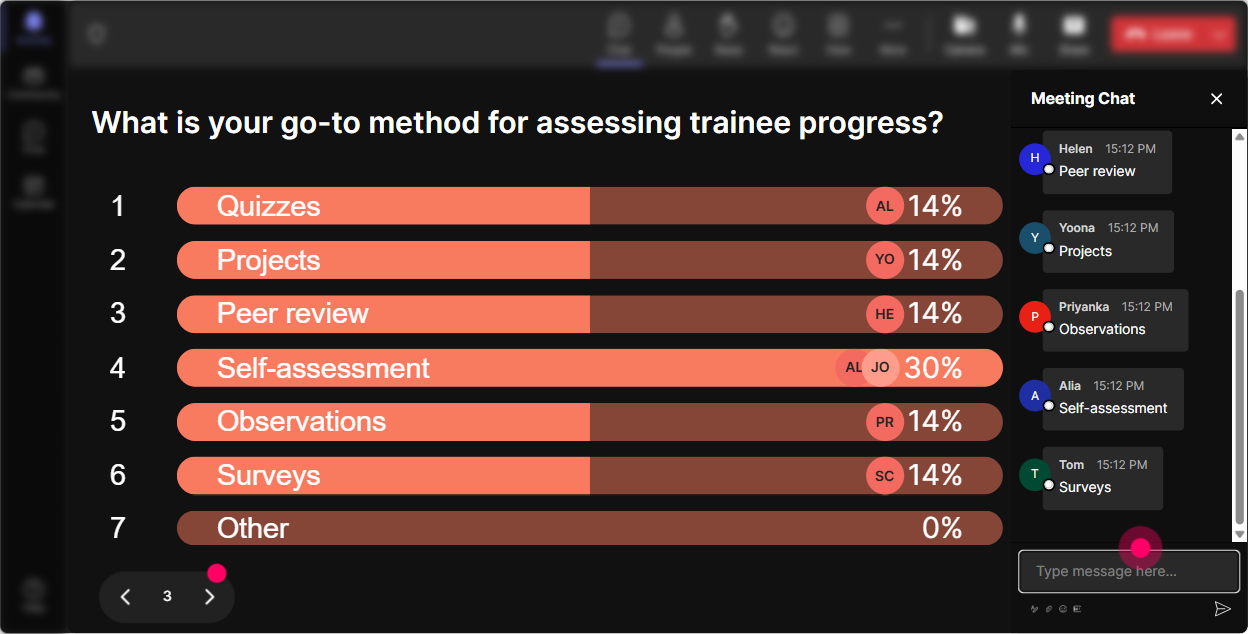
Power Polls: Let the audience choose what you cover next
Career Portfolios can go in multiple directions-personal brand, proof of impact, case studies, visuals, platforms, etc. Use a poll to let them steer, and youll instantly get more buy-in. Poll ideas for this training: - **What to focus on today:** 1) Portfolio structure (sections + flow) 2) Writing strong case studies 3) Choosing proof/metrics 4) Where to host it (Notion, PDF, website, LinkedIn) - **Whats your biggest priority right now?** 1) Internal promotion 2) New role/job search 3) Freelance/consulting 4) Credibility as a trainer - **Which format feels easiest to start with?** 1) One-page PDF 2) Slide deck portfolio 3) Notion/Google Site 4) LinkedIn Featured section Trainer tip: Run a poll right before a break, then come back saying: Alright, the room voted-lets build case studies first. People feel heard, so they participate more.
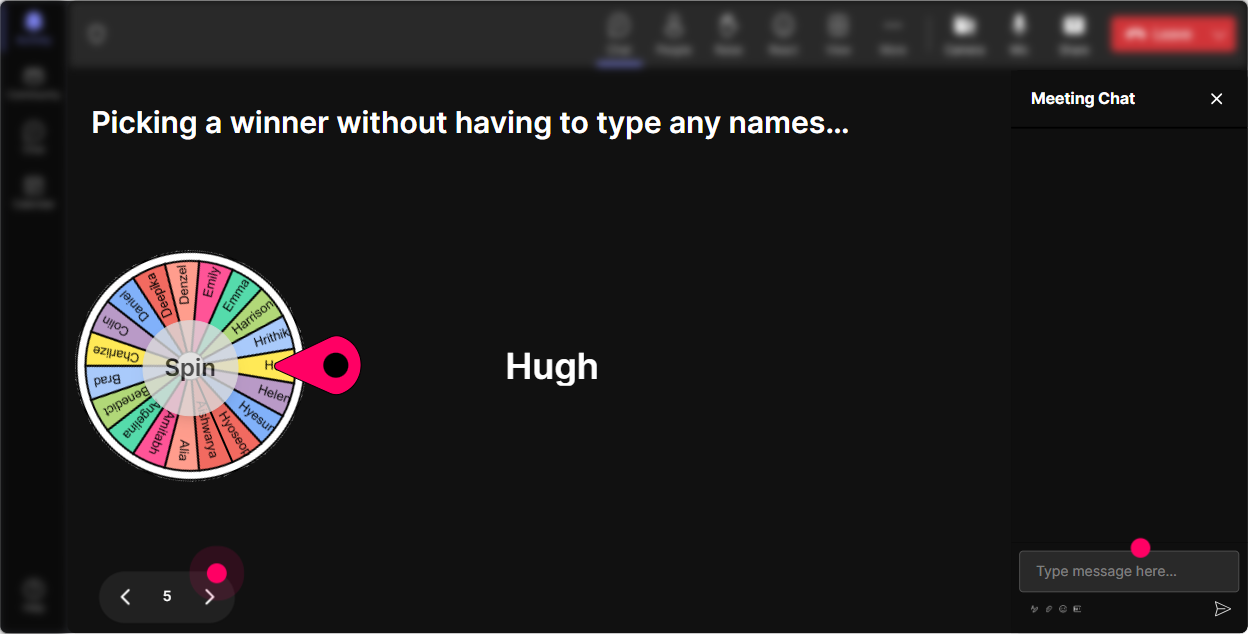
Winner Wheel: Get volunteers without the awkward silence
You know that moment when you ask, Who wants to share? and suddenly everyone becomes invisible? Winner Wheel fixes that in a fun way. How to use it in a Career Portfolio session: - **Case study hot seat:** Drop ME in chat if youre willing to share a training project. Ill spin the wheel. - **Portfolio review volunteers:** Type REVIEW if you want quick feedback on what to include in your portfolio. - **Challenge round:** Type GO if you want a 60-second challenge: explain your impact like youre in an interview. Trainer move: Keep it consent-based (type ME), then spin. It stays playful, fair, and it gets more people talking because they know it could be them.
Quiz: Quick knowledge checks that actually feel fun
Use Quiz when theres one correct answer and you want to reinforce a key concept (without sounding like a test). Its perfect for busting common misconceptions about portfolios. Example quiz questions for Career Portfolios: - **Question:** Whats the biggest difference between a resume and a Career Portfolio? 1) Resume is longer 2) Portfolio shows proof + examples of work (Correct) 3) Portfolio is only for designers 4) Resume is only for internal roles - **Question:** Which item is strongest evidence of training impact? 1) Attendees loved it (no proof) 2) A screenshot of your slides 3) Behavior change or performance metric tied to the training (Correct) 4) A long bio - **Question:** A good case study in a portfolio should include 1) Only the final deliverable 2) Context, your role, what you did, and results (Correct) 3) A list of tools only 4) Just testimonials Trainer tip: After you reveal the correct answer, ask: If you picked a different option, what made you choose it? Thats where the real learning happens.

Rating Polls: Get a quick confidence check (without putting anyone on the spot)
Before you go deep, find out where the room is at. A Rating Poll is perfect because its fast, low-pressure, and gives you a real-time read. Use it like this: - **Confidence baseline:** On a scale of 110, how confident are you that you could build a Career Portfolio this month? - **Experience check:** Rate your current Career Portfolio (or LinkedIn body of work) from 110. - **Clarity check mid-way:** How clear is the difference between a resume and a Career Portfolio? (1 = not clear, 10 = crystal clear) Trainer move: If you see lots of 35 ratings, you can slow down and add examples. If its 810, skip ahead and spend time on advanced tips (like storytelling + proof of impact).
Q&A: Capture questions from chat without losing them in the scroll
In portfolio sessions, questions come nonstop-and chat moves fast. StreamAlives Q&A automatically collects the questions so youre not hunting through messages while trying to teach. Ways to use it smoothly: - **Parking lot style:** Drop your questions anytime-StreamAlive will grab them. Ill do a Q&A pit stop every 15 minutes. - **Section-based Q&A:** After Portfolio Structure, say: Cool, lets pull up the top questions StreamAlive captured. - **Anxiety reducer:** Tell them: Even if I dont answer in the moment, your question wont get lost. Trainer move: If you notice repeated questions (like Where should I host it?), call it out: This is showing up a lot-lets tackle it properly. People feel seen.

Analytics: After the session, see what actually engaged your audience (so you can improve fast)
This is the part most trainers skip-and its such a missed opportunity. StreamAlive Analytics shows you what parts of your Career Portfolios training kept people active and where attention dipped. How trainers can use it: - **Minute-by-minute engagement:** Spot where chat spikes happened (maybe during the case study examples) and where it went quiet (maybe a long framework slide). - **Interaction performance:** Compare what worked best-did Word Cloud get more participation than Polls? Did Quiz wake the room up? - **Identify your top fans:** Find the most engaged participants (great for follow-up, champions, or future cohort leads). - **Share results easily:** Send interaction reports to your email or team-use it to refine your next run of the workshop. Trainer tip: Treat it like a feedback loop. If you want up to 9x engagement, you dont guess-you look at what triggered participation and build more of that into your run of show next time.

Use StreamAlive in all your training sessions
StreamAlive isn’t just for
Career Portfolios
training,
it can also be used for any instructor-led training session directly inside your PowerPoint presentation.
Explore similar traingin ideas: unlocking the potential of StreamAlive
See how StreamAlive transforms live training with engaging events and interactive sessions across industries, directly inside your PowerPoint presentation.

Interactions in action
(it's free)

.svg.png)


