Install StreamAlive for your PowerPoint slides
Learn more

Co-Creation Training for Corporate Trainers
StreamAlive helps 9x the audience engagement in your Virtual Instructor-led Trainings (VILT) directly inside your powerpoint presentation.
Make your instructor-led Co-Creation training more fun with polls, word clouds, spinner wheels and more
Works inside your existing PowerPoint presentation
Install the StreamAlive app for PowerPoint and see your slides come to life as people participate in your interactions
AI generates audience interactions for you
Let our AI scan your presentation and automatically come up with relevant questions based on the content. Or spend two hours coming up with your own questions, your choice!
Built to work with MS Teams and Zoom
Native apps for Teams and Zoom so you never have to leave your existing workflows
No QR Codes
Chat-powered interactions means your audience doesn’t need to scan QR codes or look at another screen to participate. They just type in the chat!

Quickly approved by your IT team
StreamAlive’s apps for Teams and Zoom means that they have been through rigorous quality assurance and client safety reviews. You’ll find everything an IT team needs to approve the app within the organization within your StreamAlive account.

Youve been asked to run a Co-Creation instructor-led training for corporate trainers, and you want it to feel alive-not like another sit and listen session. The easiest way? Let participants build the session with you in real time. Here are simple Co-Creation ideas you can run with StreamAlive so people actually show up, speak up, and stay engaged.
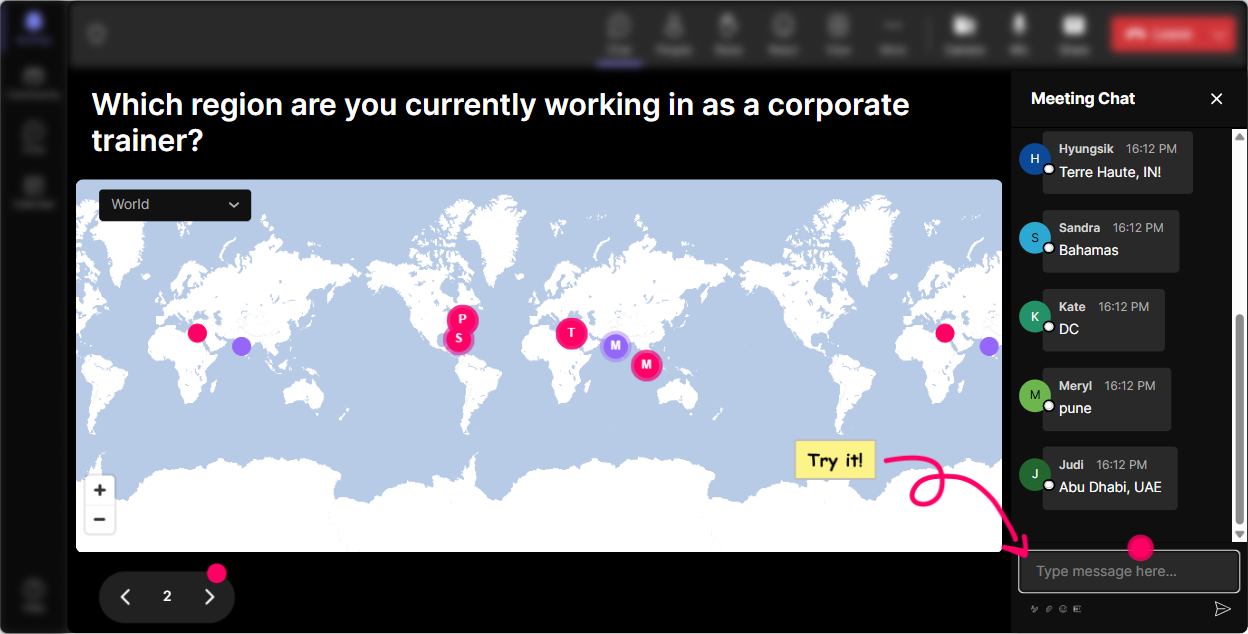
1) Magic Maps: Start Co-Creation by showing the room (literally)
Co-creation works better when people feel like, Yep, Im part of this. Magic Maps is a super easy opener because it gets everyone typing right away-and gives you instant context about your audience. How to use it in your Co-Creation ILT: - Kick-off question: Where are you joining from today? (classic, always works) - Make it co-creation themed: What city has taught you the most about collaboration? - Set up the session together: If this workshop could teleport your training skills anywhere, where should we aim-better facilitation, better activities, better buy-in? Type a city that represents it for you. Trainer move: Once the map populates, call out clusters: Looks like weve got a mini cohort from Toronto-Toronto folks, what kind of training do you run? Thats instant social proof and instant community. Bonus: If youre doing global cohorts, you can ask: What time is it where you are? and use that to co-create break timing and energy levels.
2) Rating Polls: Get a quick pulse before you build anything
Before you teach Co-Creation, co-create the starting point. Rating Polls let you ask one question and immediately see where the room is-without awkward silence or long explanations. Great Rating Poll prompts for this training: - On a scale of 110, how confident are you in facilitating co-creation with a group? - How often do you already use co-creation in your training? (1 = never, 10 = constantly) - How comfortable is your organization with letting learners shape the agenda? What you do with the result (this is where engagement jumps): - If scores are low: Cool, well build from the basics and do more practice. - If scores are high: Awesome-then well go advanced and youll help me pressure-test scenarios. That one moment tells participants, This session is being built with you, not just delivered at you.

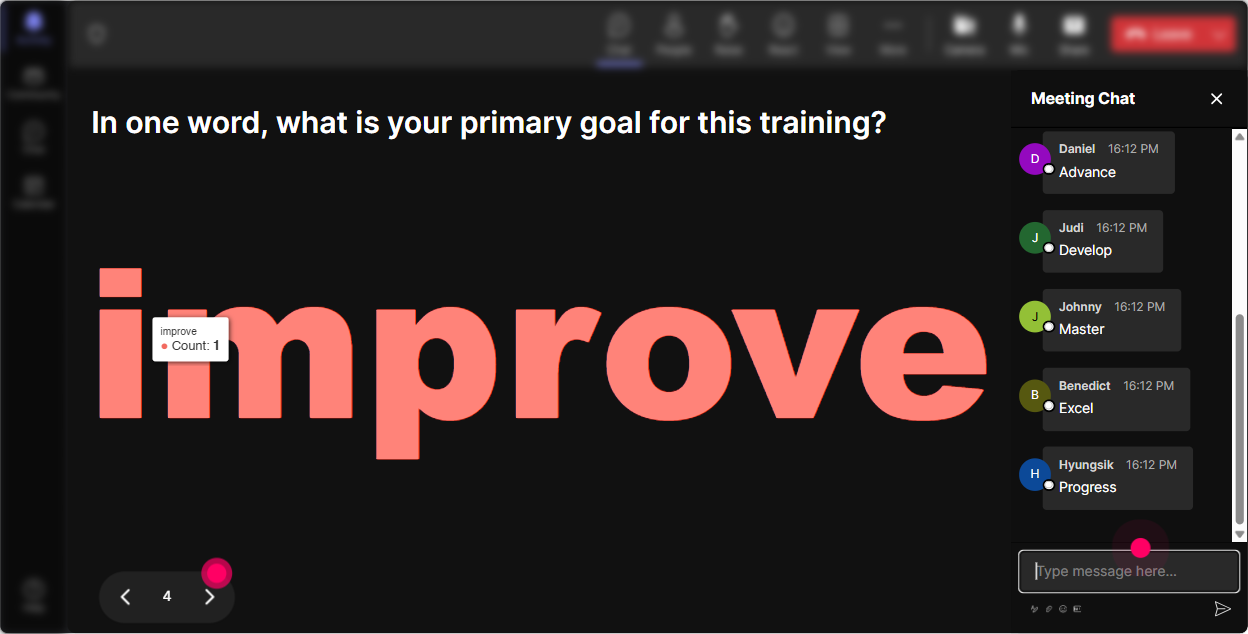
3) Wonder Words (Word Cloud): Let them define Co-Creation in their own language
Co-creation is one of those words that sounds obvious until you ask 30 trainers what it means and you get 30 different answers. Wonder Words makes that visible-and its a perfect way to start a shared definition. Word Cloud questions that work really well: - When you hear Co-Creation in training, whats the FIRST word that pops into your mind? - How do you feel about co-creating with participants? One word. (excited, nervous, skeptical, curious, etc.) - Whats the biggest blocker to co-creation in your workplace? One or two words. (time, culture, leaders, control, buy-in) How to facilitate it: - Read the big words out loud (those are the dominant realities in the room). - Pick one big word and ask: Who typed control-tell me whats behind that? Trainer tip: Use Combine Similar Answers so you dont end up with buy in / buy-in / buyin split into three different ideas.
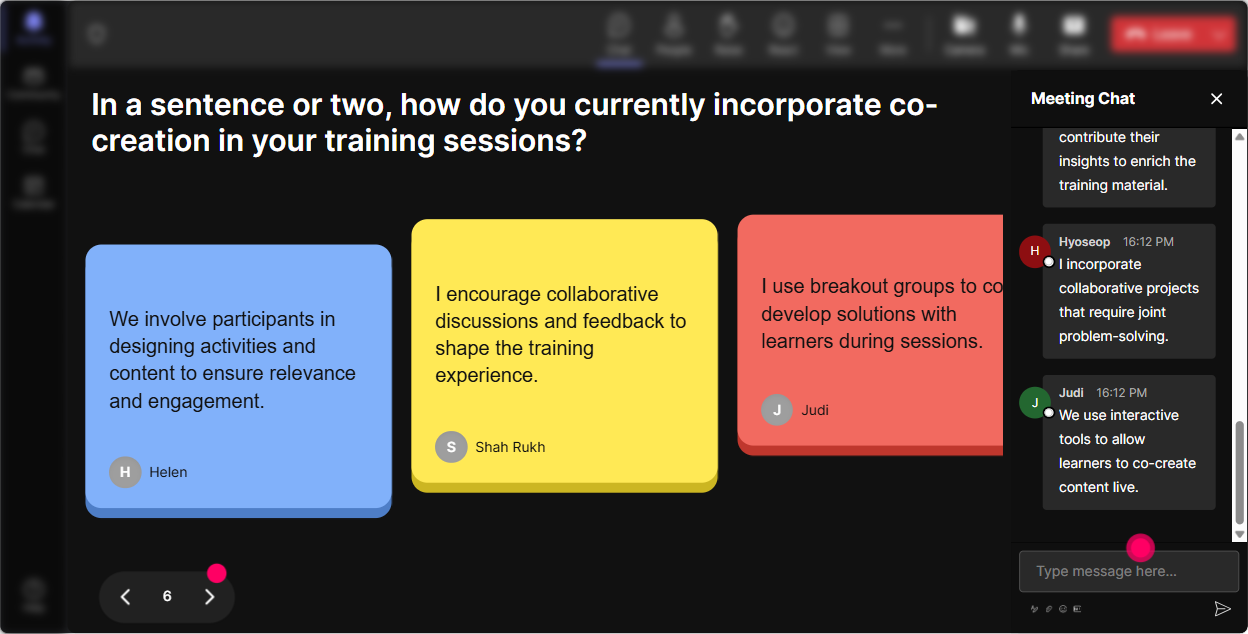
4) Talking Tiles: Turn their real stories into your content (live)
If you want true co-creation, you need more than one-word answers. Talking Tiles is great for pulling richer responses from chat and making them feel like the material youre teaching from. Use it for prompts like: - Where in your job would co-creation make the biggest difference-designing sessions, handling tough groups, getting stakeholder buy-in, or something else? Tell me what you do. - Describe a moment where a session came alive because participants contributed. - Whats one co-creation risk you worry about? Be honest. How to make it feel co-created: - Group the tiles into themes live: Im seeing a pattern: time pressure, leadership expectations, and fear of losing control. - Then say: Great-these are our three design constraints. Lets build our co-creation plan around them. This is the magic: youre not guessing their reality-youre teaching directly from it.
5) Power Polls: Let the group choose the agenda (and the practice)
Power Polls are your choose what happens next button. Instead of you deciding the flow, you let the room vote-and now everyone is invested in the path you take. Agenda-building poll ideas: - What do you want more of today? 1) Activities you can steal 2) Handling resistance 3) Designing co-creation prompts 4) Measuring engagement - Which co-creation moment do you want to practice? 1) Opening 2) Mid-session regroup 3) Debrief 4) Closing commitment Scenario-based poll ideas: - You ask for ideas and nobody answers-what do you do first? 1) Pair chat 2) Give examples 3) Use anonymous chat prompts 4) Switch to voting Pro move: Run a poll, teach the winning topic, then run a second poll: Do we want another example, a template, or a role-play? That loop makes the session feel like its moving with them, not ahead of them.

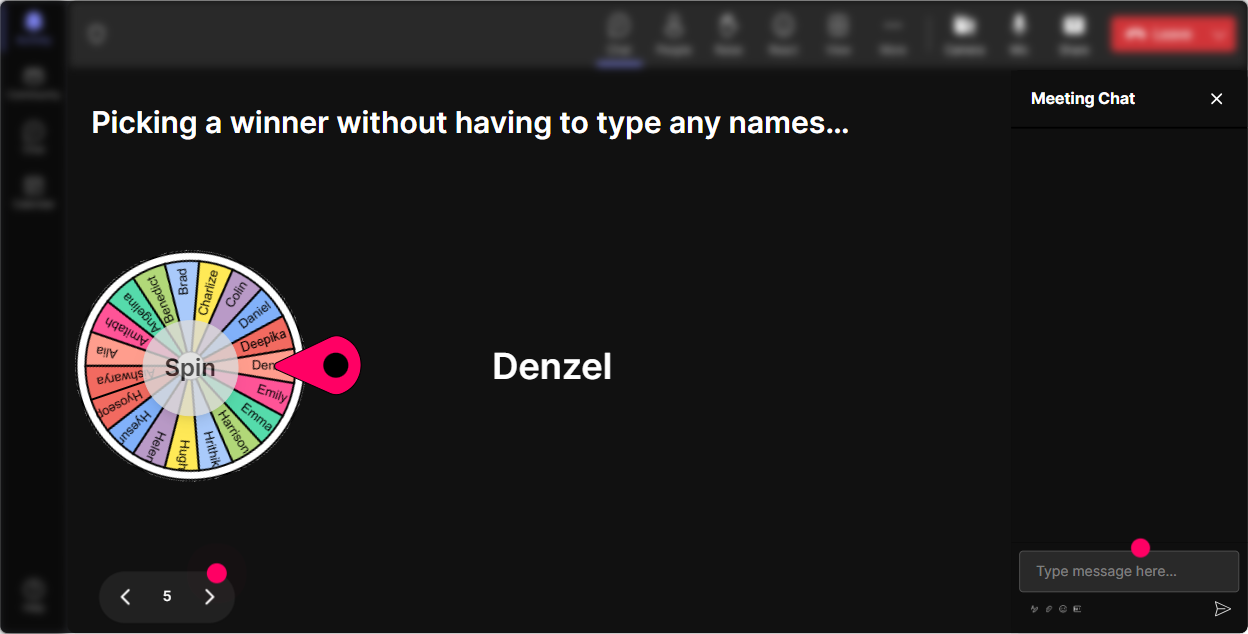
6) Winner Wheel: Get volunteers without the awkward anyone want to share?
Every trainer knows the moment: you ask for a volunteer and suddenly everyone becomes a statue. Winner Wheel fixes that in a fun, fair way-especially if you frame it playfully. Ways to use it in Co-Creation training: - Drop IN in the chat if youre willing to role-play a participant. Im spinning the wheel. - Type one co-creation challenge you face. Well spin and coach one challenge live. - Everyone who contributed an idea goes into the wheel-winner picks which activity we do next. Why it works: - It rewards participation (people comment more because they might get picked). - It keeps things light. - It spreads airtime beyond the usual 23 talkers. Tip: You can choose winners from people who commented during a specific interaction-so its tied directly to the co-creation moment youre running.
7) Quiz: Make knowledge checks feel like a game, not a test
Co-creation doesnt mean no structure. A quick Quiz keeps the learning tight-and its also a great way to correct misunderstandings before they become habits. Quiz questions you can use: - Which is the BEST example of co-creation? 1) Trainer picks all activities 2) Participants vote on which case study to use 3) Trainer asks any questions? at the end 4) Trainer shares a slide deck early (Correct: 2) - Whats the goal of co-creation in ILT? 1) Give up control 2) Increase ownership and relevance 3) Finish faster 4) Avoid planning (Correct: 2) How to run it well: - Ask the question, let them vote in chat. - Show results. - Then reveal the correct answer and ask: If you picked a different one-what were you thinking? Thats a learning moment and a co-creation moment at the same time.

2) Rating Polls: Get a quick pulse before you build anything
Before you teach Co-Creation, co-create the starting point. Rating Polls let you ask one question and immediately see where the room is-without awkward silence or long explanations. Great Rating Poll prompts for this training: - On a scale of 110, how confident are you in facilitating co-creation with a group? - How often do you already use co-creation in your training? (1 = never, 10 = constantly) - How comfortable is your organization with letting learners shape the agenda? What you do with the result (this is where engagement jumps): - If scores are low: Cool, well build from the basics and do more practice. - If scores are high: Awesome-then well go advanced and youll help me pressure-test scenarios. That one moment tells participants, This session is being built with you, not just delivered at you.
8) Q&A: Capture questions without losing your flow
In a live session, questions get buried in chat fast-especially when youre running activities. StreamAlive Q&A pulls questions out and displays them clearly, so you dont miss the good stuff. How to use it for Co-Creation ILT: - Start with: As we go, drop questions in chat anytime-StreamAlive will catch them. - Midway checkpoint: Lets pause and clear the top 3 questions before we build the next activity together. - Use questions as content: Im seeing three questions about resistance. Great-lets co-create a resistance playbook right now. Result: participants feel heard, and you stay in control of pacing without shutting down curiosity.

9) Analytics: After the session, steal your own best ideas (and prove engagement)
If youre doing co-creation, youll want to know what actually landed-not just what you *think* landed. StreamAlive Analytics shows you where chat spiked, which interactions pulled the most participation, and who your most engaged people were. How corporate trainers can use this right away: - Improve your design: Engagement jumped during Talking Tiles but dipped during my 12-minute explanation-next time Ill shorten that and add a prompt. - Prove value to stakeholders: Share interaction results and engagement moments via email reports. - Identify champions: Find your Fantastic Fans (your most engaged participants) and invite them to pilot future co-created sessions or help build internal facilitator communities. Best part: Youre not guessing whether you got engagement-youve got the receipts, minute by minute.

Use StreamAlive in all your training sessions
StreamAlive isn’t just for
Co-Creation
training,
it can also be used for any instructor-led training session directly inside your PowerPoint presentation.
Explore similar traingin ideas: unlocking the potential of StreamAlive
See how StreamAlive transforms live training with engaging events and interactive sessions across industries, directly inside your PowerPoint presentation.

Interactions in action
(it's free)

.svg.png)


