Install StreamAlive for your PowerPoint slides
Learn more

Psychological Safety Training for Training Agencies
StreamAlive helps 9x the audience engagement in your Virtual Instructor-led Trainings (VILT) directly inside your powerpoint presentation.
Make your instructor-led Psychological Safety training more fun with polls, word clouds, spinner wheels and more
Works inside your existing PowerPoint presentation
Install the StreamAlive app for PowerPoint and see your slides come to life as people participate in your interactions
AI generates audience interactions for you
Let our AI scan your presentation and automatically come up with relevant questions based on the content. Or spend two hours coming up with your own questions, your choice!
Built to work with MS Teams and Zoom
Native apps for Teams and Zoom so you never have to leave your existing workflows
No QR Codes
Chat-powered interactions means your audience doesn’t need to scan QR codes or look at another screen to participate. They just type in the chat!

Quickly approved by your IT team
StreamAlive’s apps for Teams and Zoom means that they have been through rigorous quality assurance and client safety reviews. You’ll find everything an IT team needs to approve the app within the organization within your StreamAlive account.

Youve been asked to run Psychological Safety instructor-led training for a Training Agency-and you want it to feel real, not like another sit and listen workshop. The good news: with a few smart interactions, you can get people talking, reflecting, and participating fast. Here are practical ways to use StreamAlive to keep energy high and engagement up (seriously, like 9x).
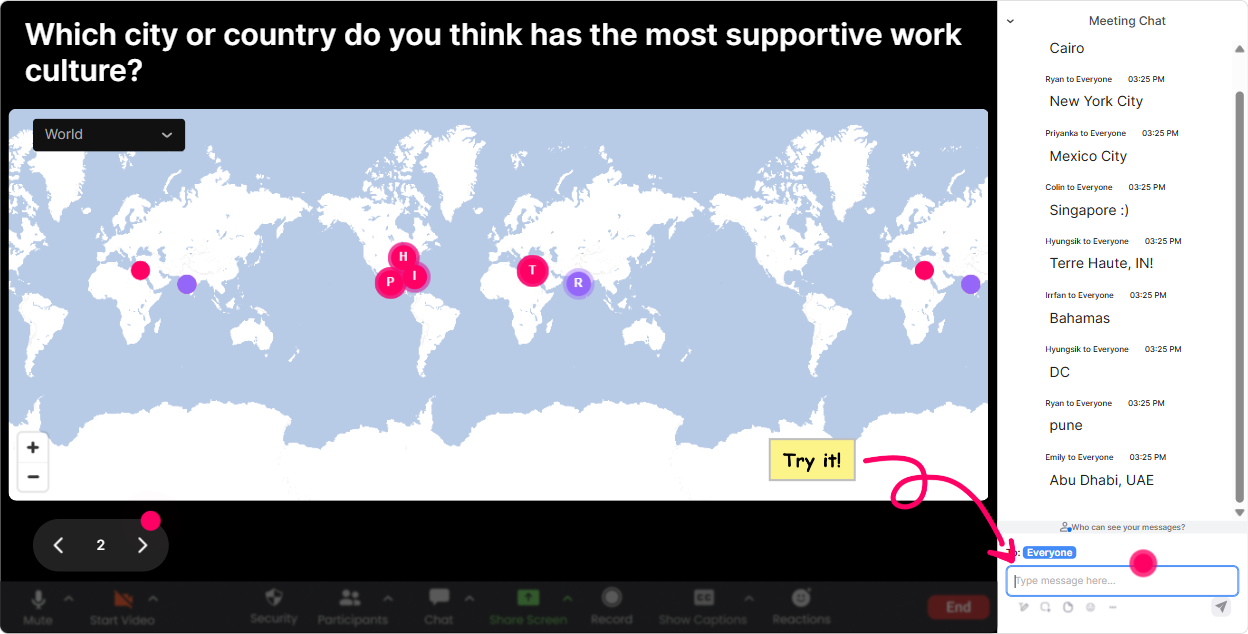
1) Magic Maps: start with were in this together energy
Psychological Safety starts the moment people enter the room-so make the first minute feel welcoming and human. Magic Maps is perfect for that classic opener (Where are you joining from?) but with a visual twist that instantly makes the group feel like a community. How to use it in Psychological Safety training (Training Agencies): - Kickoff question: Where are you joining us from today? (simple, safe, low-pressure) - Psychological Safety tie-in: Name a city where you felt like you really belonged on a team. (great bridge into the topic) - Values prompt: If you could teleport your team culture anywhere on earth, where would it be? (fun + meaningful) Trainer tip: If you have lots of people from the same region, those clusters on the map become an instant talking point-Looks like weve got a mini-community from Toronto today-love it. That tiny moment of recognition boosts comfort fast.
2) Rating Polls: get a quick pulse check (without putting anyone on the spot)
In Psychological Safety sessions, people often think theyre the only one struggling until they see the group data. Rating Polls let you get honest sentiment fast, without forcing anyone to speak up. Ideas you can run in the first 10 minutes: - On a scale of 110, how safe do you think people feel to speak up on your current team? - How confident are you in handling a tough conversation as a trainer/facilitator? (110) - How often do learners in your sessions take interpersonal risks (challenge, disagree, ask basic questions)? (110) How it helps engagement: you instantly get a visual room read and you can tailor your delivery in real time-if the average is low, you slow down and normalize; if its high, you go deeper with scenarios.

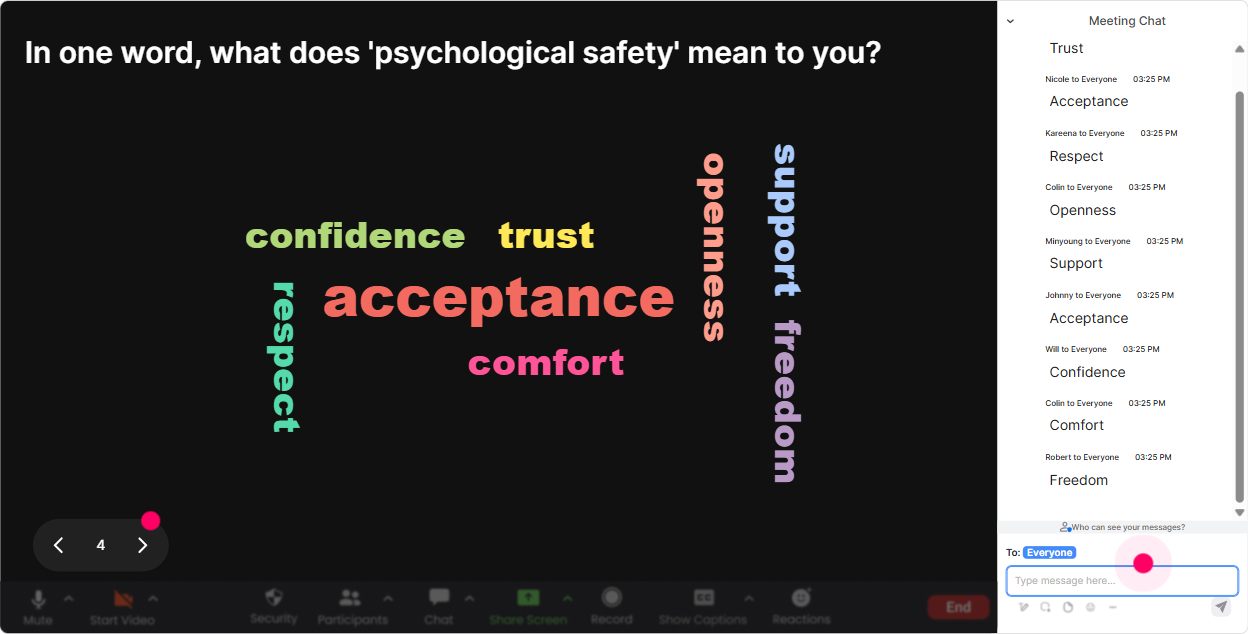
3) Wonder Words (Word Cloud): make feelings visible in seconds
Psychological Safety is emotional, but asking people to explain emotions out loud can feel risky. A Word Cloud is the sweet spot: quick, anonymous-feeling, and super revealing. Prompts that work really well: - One word: how do you feel when someone challenges your idea in a meeting? - When you hear Psychological Safety, whats the first word that comes to mind? - One word: what stops people from speaking up in training rooms? What you do with it as the trainer: - Call out patterns gently: Im seeing nervous, judged, and uncertain getting big-totally normal. - Use it to transition: Lets talk about what creates that feeling and what reduces it. Bonus: Use Combine Similar Answers so fear and fearful dont split the message.
4) Talking Tiles: turn real experiences into a safe, shared learning moment
Once the group warms up, you want richer responses-but still in a way that feels safe. Talking Tiles is awesome here because people can type a full thought, and you get a dynamic visual wall of perspectives (instead of awkward silence). Prompts for Training Agencies: - Describe a moment when a learner *didnt* ask a question, even though you knew they were confused. What do you think held them back? - Whats one trainer behavior that instantly makes a room feel safer? - Finish the sentence: In my sessions, people take more risks when I How to facilitate it without turning it into therapy hour: - Acknowledge themes, dont interrogate individuals. - Pick 23 tiles to read out and say: If this resonates for you, youre not alone. This is where the group starts learning from each other-not just from you.

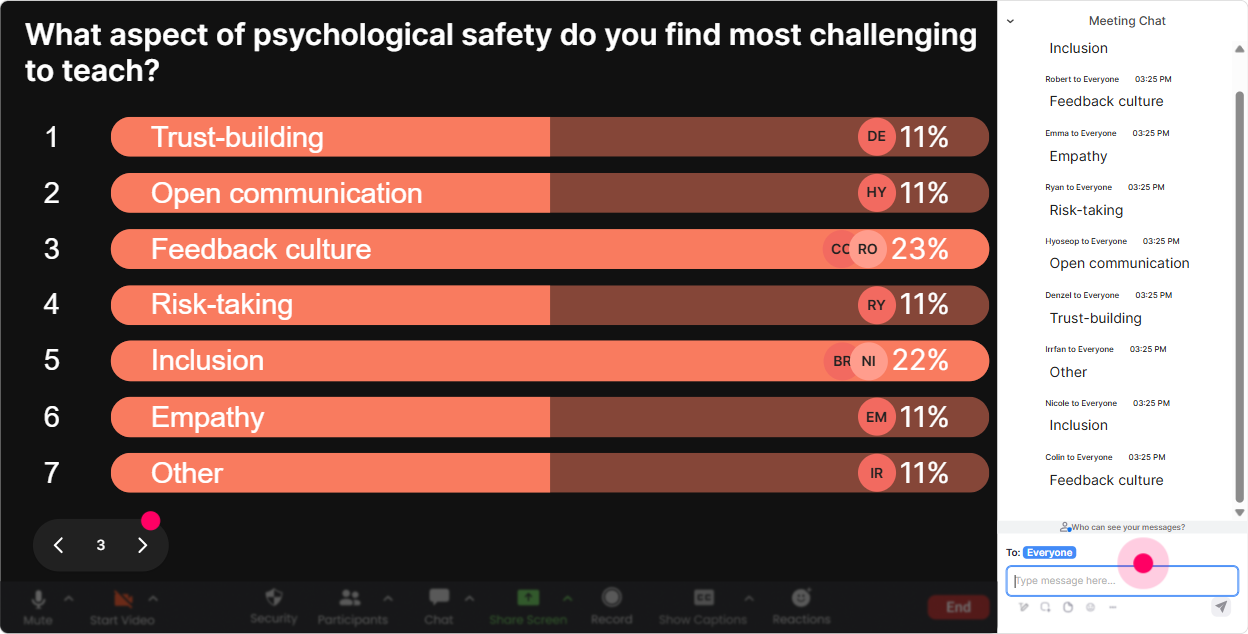
5) Power Polls: let the audience steer the session (and feel ownership)
If you want psychological safety training to land, it cant feel like a lecture. Power Polls let you say: You choose what we focus on next. That choice alone increases buy-in. Poll ideas (use options so its quick): - Where do you want more help today? 1) Speaking up without sounding aggressive 2) Responding when someone disagrees 3) Handling mistakes without blame 4) Creating safety in virtual training - Whats the hardest moment for you as a trainer? 1) Calling on quiet participants 2) Managing dominant voices 3) Handling sarcasm/eye-roll energy 4) Giving feedback live Trainer move that works: After the poll, say: Cool-looks like #3 is the winner. Ill adjust and spend extra time there. People instantly feel heard.
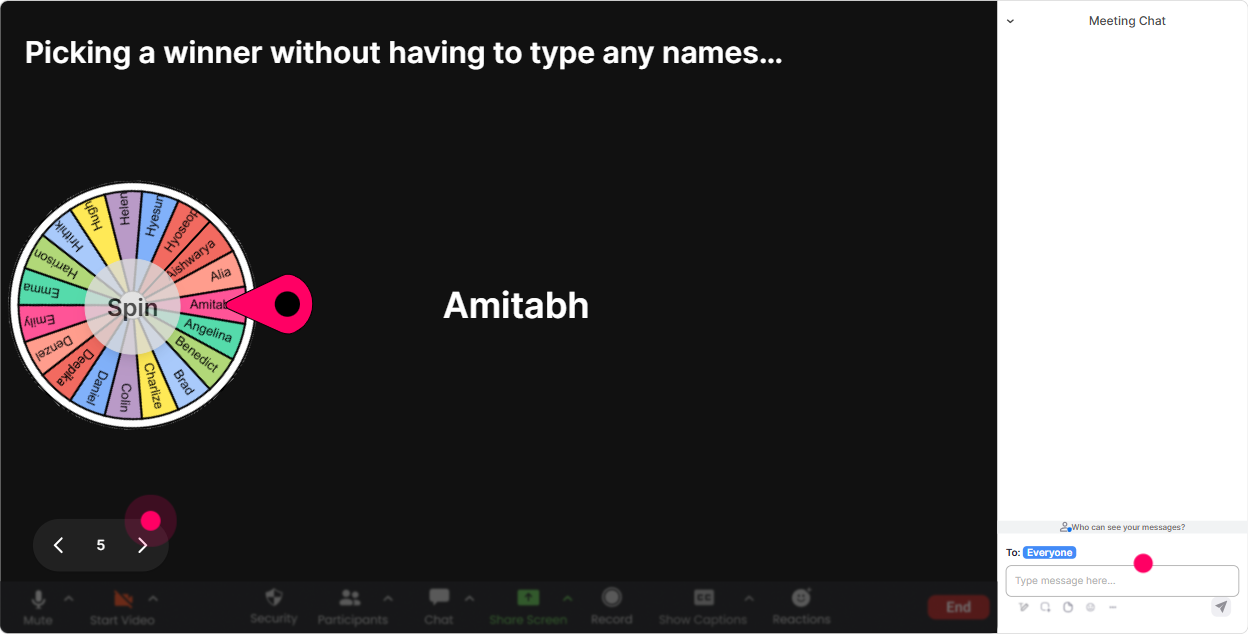
6) Winner Wheel: make participation fun (and fair) without pressure
Getting volunteers in Psychological Safety training is tricky-if you push too hard, you literally do the opposite of safety. Winner Wheel is a playful way to invite participation while keeping it fair and light. Ways to use it: - Drop in chat: one phrase you use to encourage questions. Then spin to pick someone to elaborate (optional unmute). - Type me if youre open to role-play a quick scenario. Spin from the me group only. - Everyone who shared an example goes into the wheel-winner gets bragging rights (or a small perk). Important: Always give an out. Something like: If youd rather pass, just say pass-no big deal. That line alone models Psychological Safety.
7) Quiz: quick knowledge checks that dont feel like school
A mini Quiz wakes people up fast-and its perfect for busting myths about Psychological Safety. Keep it light, fast, and discussion-based. Quiz questions you can run: - Psychological Safety means everyone is always nice. True or false? (Correct: False) - Which leader response builds Psychological Safety the most? A) Lets move on. B) Thats a silly question. C) Thanks for raising that-tell me more. (Correct) D) We dont have time for that. - Whats the best first move when someone admits a mistake in front of the group? A) Correct them immediately B) Ask what they learned + what support they need (Correct) C) Ignore it D) Joke about it Trainer tip: After revealing the correct answer, ask: What would be the impact of the wrong option? Thats where the learning sticks.

2) Rating Polls: get a quick pulse check (without putting anyone on the spot)
In Psychological Safety sessions, people often think theyre the only one struggling until they see the group data. Rating Polls let you get honest sentiment fast, without forcing anyone to speak up. Ideas you can run in the first 10 minutes: - On a scale of 110, how safe do you think people feel to speak up on your current team? - How confident are you in handling a tough conversation as a trainer/facilitator? (110) - How often do learners in your sessions take interpersonal risks (challenge, disagree, ask basic questions)? (110) How it helps engagement: you instantly get a visual room read and you can tailor your delivery in real time-if the average is low, you slow down and normalize; if its high, you go deeper with scenarios.
8) Q&A: capture the real questions (even the ones hidden in chat chaos)
In Psychological Safety training, the best questions are often the vulnerable ones-What if my manager shuts me down? or How do I handle a hostile participant? StreamAlives Q&A helps you catch those questions cleanly without you playing chat detective. How to use it well: - Tell them early: Drop questions anytime-StreamAlive will grab them, and well circle back. - Midway checkpoint: Lets pause and answer the top 3 questions that came in. - End-of-session: If youre not comfortable asking out loud, type it-same respect, same attention. This makes it easier for quieter folks to participate, which is kind of the whole point of Psychological Safety.

9) Analytics: prove engagement, improve your session, and spot your champions
If youre a Training Agency, youre not just delivering a session-youre constantly improving your product. StreamAlive Analytics helps you see exactly what worked. What to look for after your Psychological Safety ILT: - Minute-by-minute engagement: Where did chat spike? (Thats your strongest story, example, or activity.) Where did it dip? (Thats your cue to tighten that section.) - Interaction reports: Which poll questions got the most responses? Keep those for your next cohort. - Fantastic Fans: Who engaged the most? These are your future champions-great people to invite for testimonials, co-facilitation, or pilot programs. - Easy sharing: Email reports to your team or stakeholders so you can say, Heres how the cohort responded in real time, not just It went well. Bottom line: youre not guessing what increased Psychological Safety-youre tracking what actually got people participating.

Use StreamAlive in all your training sessions
StreamAlive isn’t just for
Psychological Safety
training,
it can also be used for any instructor-led training session directly inside your PowerPoint presentation.
Explore similar traingin ideas: unlocking the potential of StreamAlive
See how StreamAlive transforms live training with engaging events and interactive sessions across industries, directly inside your PowerPoint presentation.

Interactions in action
(it's free)

.svg.png)


