Install StreamAlive for your PowerPoint slides
Learn more

Digital & Global Organizations Training for Corporate Trainers
StreamAlive helps 9x the audience engagement in your Virtual Instructor-led Trainings (VILT) directly inside your powerpoint presentation.
Make your instructor-led Digital & Global Organizations training more fun with polls, word clouds, spinner wheels and more
Works inside your existing PowerPoint presentation
Install the StreamAlive app for PowerPoint and see your slides come to life as people participate in your interactions
AI generates audience interactions for you
Let our AI scan your presentation and automatically come up with relevant questions based on the content. Or spend two hours coming up with your own questions, your choice!
Built to work with MS Teams and Zoom
Native apps for Teams and Zoom so you never have to leave your existing workflows
No QR Codes
Chat-powered interactions means your audience doesn’t need to scan QR codes or look at another screen to participate. They just type in the chat!

Quickly approved by your IT team
StreamAlive’s apps for Teams and Zoom means that they have been through rigorous quality assurance and client safety reviews. You’ll find everything an IT team needs to approve the app within the organization within your StreamAlive account.

Youve been asked to run an instructor-led session on Digital & Global Organizations-and you want it to feel lively, not like a long global policy briefing. The good news: with the right activities (and the right interactions), you can keep people participating the whole way through. Here are practical ideas you can use with StreamAlive to get everyone involved-fast.
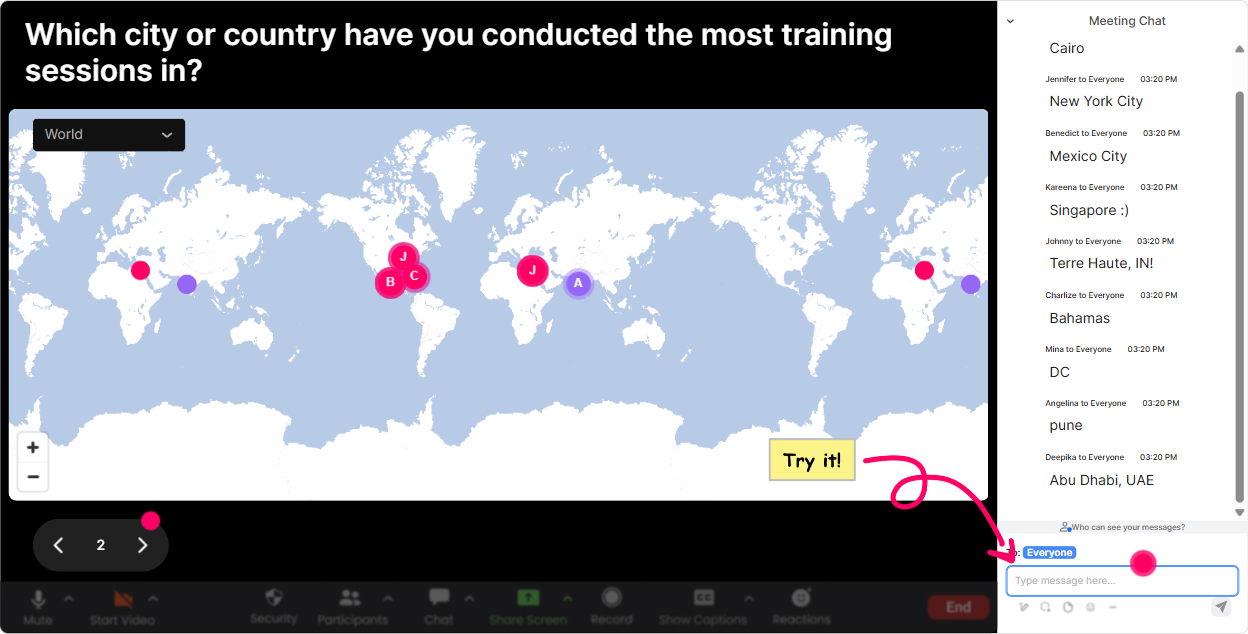
1) Magic Maps: Start global by literally putting them on the map
If your topic is digital + global, your audiences locations are instantly relevant-and its the easiest way to break the ice without forcing awkward intros. How to use it in your Digital & Global Organizations training: - Kickoff question: Where are you joining from today? (Classic, but it always works.) - Make it topic-connected: Which country/city do you work with most often? - Culture + collaboration opener: If you could spend 3 months working from anywhere, where would you go? - Digital operations angle: What region do your customers/users mostly come from? Trainer tip: When you see clusters (like 12 people in Manila or 8 in London), call it out: Okay London is showing up strong-tell me in chat: whats the best thing about collaborating across time zones from there? Suddenly your map becomes a discussion starter, not just a gimmick.
2) Rating Polls: Quick pulse-checks that tell you what to focus on
In global org training, people come in with wildly different experience levels. Rating Polls help you find that out in 10 seconds, so you dont over-explain basics-or skip what they actually need. Ways to use Rating Polls during the session: - Opener: On a scale of 110, how confident are you working across time zones and cultures? - After a concept: Rate how clear that framework was (1 = still fuzzy, 10 = crystal clear). - Before a tool/process segment: How mature is your teams digital collaboration today? (110) - Mid-session energy check: Hows your brain doing right now? 1 = fried, 10 = fully dialed in. Trainer tip: If you see low scores, you can say, Cool, were going to slow down and do an example together. That responsiveness alone boosts engagement because people feel seen.

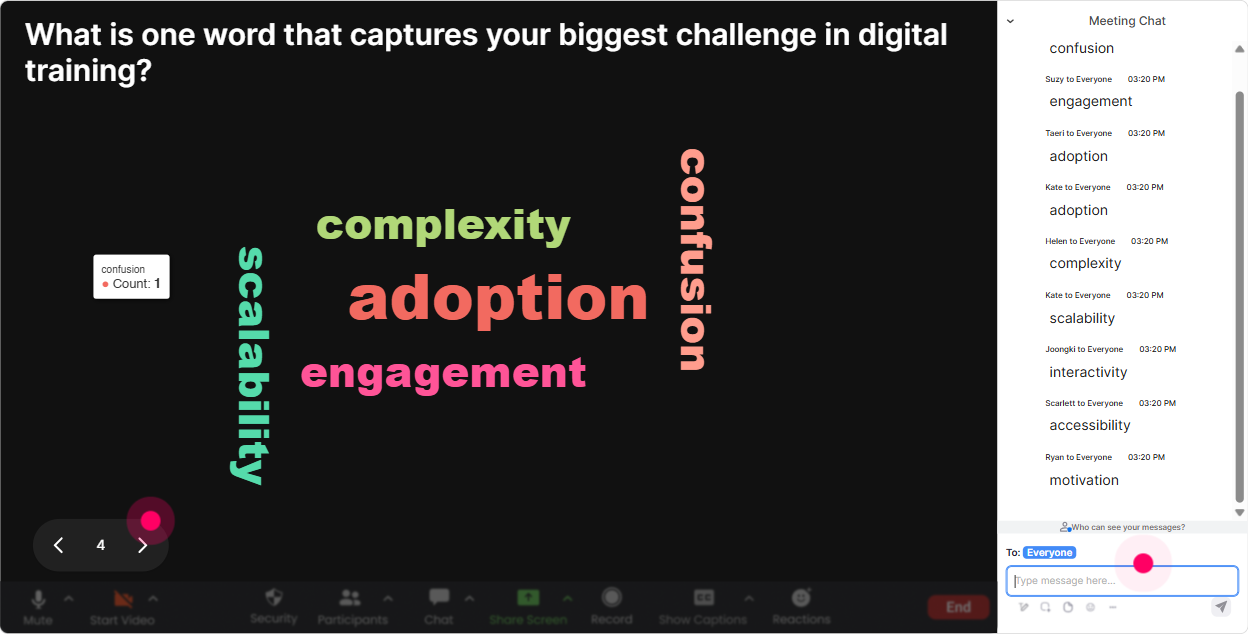
3) Wonder Words (Word Cloud): Get feelings, blockers, and buzzwords out instantly
Digital & Global Organizations comes with opinions. Some people love it. Some people are tired of meetings across five time zones. A word cloud is the fastest way to surface the rooms vibe. Great Word Cloud prompts for this training: - When you hear global collaboration, whats the first word that comes to mind? - Whats the biggest challenge in working globally? One or two words. - Name one digital tool your team cant live without. - Whats one thing that makes virtual work harder: culture, time zones, tools, or trust? (Pick one word.) Trainer tip: Use it to build your agenda live. If time zones and miscommunication show up huge, you can literally say, Alright, the cloud is speaking-lets hit those first.
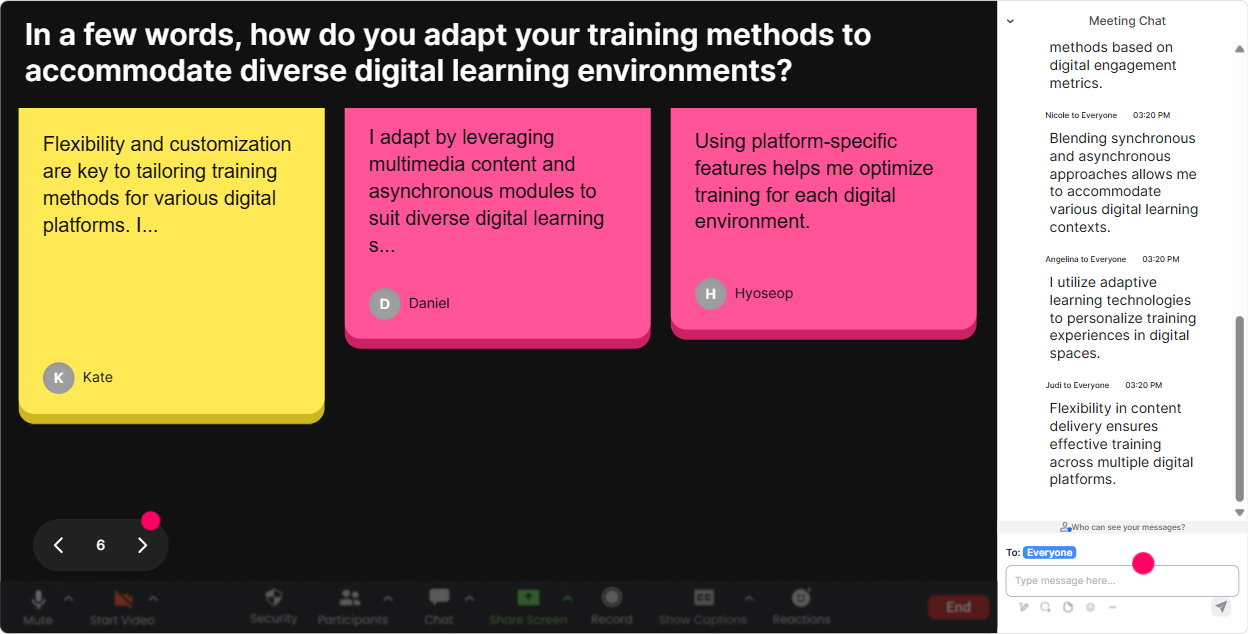
4) Talking Tiles: Turn longer responses into a visual group brainstorm
Sometimes you need more than one-word answers-especially when youre teaching trainers how global/digital work impacts roles, processes, and learning design. Talking Tiles makes those longer chat responses feel fun and visible (instead of buried in the chat scroll). Try prompts like: - In one or two sentences: how has digital/global work changed your job in the last year? - Whats one unwritten rule youve noticed when collaborating with another region? - Describe a global meeting that went well-what made it work? - Whats one thing you wish other regions understood about your team? Trainer tip: As the tiles fall in, pick out themes live: Im seeing a lot about clarity and hand-offs. Lets turn that into a best-practices checklist. Now your learners feel like they helped create the content.
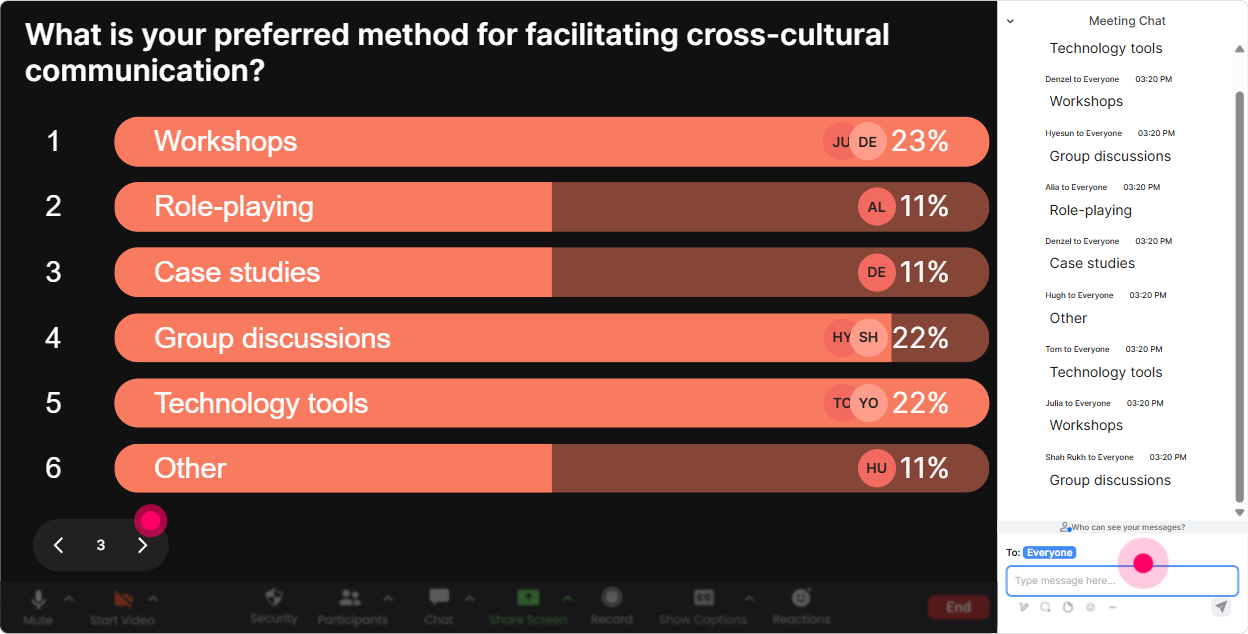
5) Power Polls: Let the group choose what you go deeper on
This is perfect when youve got limited time and a broad topic. Instead of guessing what matters most, run a poll and let your audience steer. Poll ideas for Digital & Global Organizations: - What do you want more of today? 1) Running global meetings 2) Asynchronous collaboration 3) Culture + communication 4) Digital tools + workflows - Whats your biggest pain point right now? 1) Time zones 2) Too many tools 3) Misalignment across regions 4) Low engagement in virtual sessions - How does your org mostly collaborate? 1) Mostly live meetings 2) Mostly async 3) A mix 4) Honestly chaos Trainer tip: Run a poll right before a break, then come back saying, Okay, you voted-heres what were doing next. People pay attention because they helped decide.
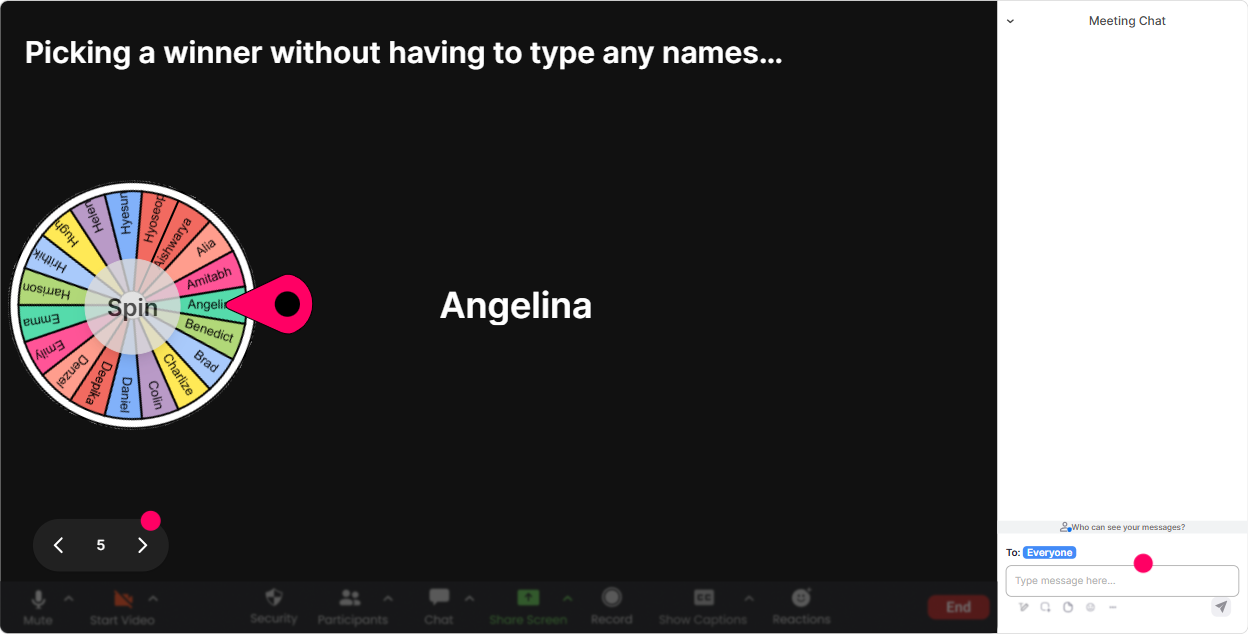
6) Winner Wheel (Spinner Wheel): Call on people without it feeling awkward
Every trainer knows the moment: you ask a question and silence. The Spinner Wheel fixes that in a playful way, especially if you frame it as were doing this as a game. How to use it in this topic: - Drop one tip for running global meetings in chat-then Ill spin the wheel and ask one person to expand on theirs. - Type ME if youre willing to share a tough global collaboration moment. Ill spin and pick one story. - Everyone type the name of a digital tool you use. Ill spin and ask the winner: whats one setting or workflow you recommend? Trainer tip: Pair it with small prizes (even tiny ones): shoutout, virtual badge, music choice during break, or skip the next icebreaker pass. The point is: commenting becomes rewarding.
7) Quiz: Fast knowledge checks that feel like a game, not a test
Digital & Global Organizations has a lot of concepts people think they know-until you test it with a real scenario. Quizzes are great for clearing up misconceptions and keeping attention high. Quiz questions you can use: - Which is the BEST example of asynchronous collaboration? A) A live Zoom brainstorming call B) A shared doc with comments + deadlines C) A phone call D) A meeting with cameras on - Whats the biggest risk of tool overload? A) Too much transparency B) Slower decision-making due to scattered info C) More innovation D) Better alignment - If your team spans 8 time zones, whats the smartest default? A) More meetings B) Async-first with clear handoffs C) Only email D) No documentation Trainer tip: After revealing the correct answer, ask: If you picked something else, what was your reasoning? Thats where the real learning shows up-without putting anyone on the spot.

2) Rating Polls: Quick pulse-checks that tell you what to focus on
In global org training, people come in with wildly different experience levels. Rating Polls help you find that out in 10 seconds, so you dont over-explain basics-or skip what they actually need. Ways to use Rating Polls during the session: - Opener: On a scale of 110, how confident are you working across time zones and cultures? - After a concept: Rate how clear that framework was (1 = still fuzzy, 10 = crystal clear). - Before a tool/process segment: How mature is your teams digital collaboration today? (110) - Mid-session energy check: Hows your brain doing right now? 1 = fried, 10 = fully dialed in. Trainer tip: If you see low scores, you can say, Cool, were going to slow down and do an example together. That responsiveness alone boosts engagement because people feel seen.
8) Q&A: Catch every question without losing your place
In global/digital sessions, questions come fast-and often in the middle of your explanation. StreamAlives Q&A helps you capture them cleanly from chat so youre not scrolling back trying to find what someone asked 5 minutes ago. How to make Q&A work smoothly: - Tell them: Drop questions anytime-Ill pause every 10 minutes and hit the Q&A list. - Use it for scenario help: Share your situation: what regions are involved, whats the challenge? - Do a lightning round: Weve got 6 questions queued-lets knock them out. Trainer tip: If youre teaching other trainers, ask them to post questions like a learner would. Then answer them as an example of good facilitation in a digital/global room.

9) Analytics: Improve every future session using real engagement data
This is the part most trainers miss: you dont have to guess what worked. StreamAlive analytics let you see, minute-by-minute, where engagement spiked and where it dropped. How corporate trainers can use Analytics after a Digital & Global Organizations session: - See which segment got the most chat: Was it culture? Tools? Time zones? Use that to redesign your next version. - Identify your Fantastic Fans (your most engaged participants): Great people to invite to share examples next time or become champions in the org. - Review interaction reports: Which polls/word clouds actually got participation-and which ones flopped? - Share results with stakeholders: Email reports make it easy to show, Heres what the group struggled with, and heres what they want next. Trainer tip: Use analytics like a coach watching game footage. Youll spot exactly where to tighten explanations, add an activity, or swap a slide for something more interactive.

Use StreamAlive in all your training sessions
StreamAlive isn’t just for
Digital & Global Organizations
training,
it can also be used for any instructor-led training session directly inside your PowerPoint presentation.
Explore similar traingin ideas: unlocking the potential of StreamAlive
See how StreamAlive transforms live training with engaging events and interactive sessions across industries, directly inside your PowerPoint presentation.

Interactions in action
(it's free)

.svg.png)


