Install StreamAlive for your PowerPoint slides
Learn more

Enablement Training for Training Agencies
StreamAlive helps 9x the audience engagement in your Virtual Instructor-led Trainings (VILT) directly inside your powerpoint presentation.
Make your instructor-led Enablement training more fun with polls, word clouds, spinner wheels and more
Works inside your existing PowerPoint presentation
Install the StreamAlive app for PowerPoint and see your slides come to life as people participate in your interactions
AI generates audience interactions for you
Let our AI scan your presentation and automatically come up with relevant questions based on the content. Or spend two hours coming up with your own questions, your choice!
Built to work with MS Teams and Zoom
Native apps for Teams and Zoom so you never have to leave your existing workflows
No QR Codes
Chat-powered interactions means your audience doesn’t need to scan QR codes or look at another screen to participate. They just type in the chat!

Quickly approved by your IT team
StreamAlive’s apps for Teams and Zoom means that they have been through rigorous quality assurance and client safety reviews. You’ll find everything an IT team needs to approve the app within the organization within your StreamAlive account.

Youve been asked to run an Enablement instructor-led training for a Training Agency-and you dont want it to feel like another slides + silence session. Good news: with StreamAlive, you can turn the chat into real participation and keep energy up the whole way through. Here are practical, trainer-friendly ideas you can use right away.
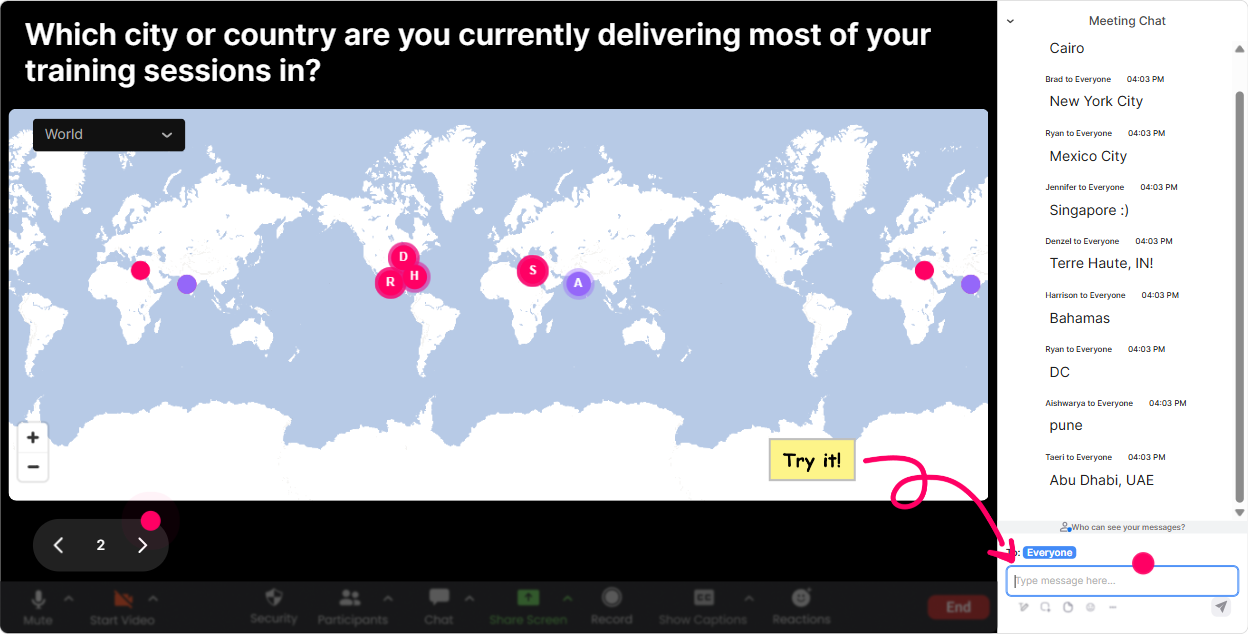
1) Magic Maps: start warm, build connection fast
You know that classic opener: Where are you joining from? Magic Maps makes it instantly visual-and it changes the vibe from Im alone on Zoom to Oh wow, were a real group. How to use it in Enablement training (Training Agencies): - Kickoff question: Where in the world are you delivering training from today? (great for distributed facilitator teams) - Context builder: Which city do you most often train clients in? (helps you tailor examples-corporate, public sector, regions, etc.) - Dream scenario: If you could run your next enablement program anywhere on earth, where would it be? (light + fun, but still relevant) Trainer tip: If youre training multiple cohorts, reset the map each time so every group gets their own moment. Also, those location clusters are a perfect segue into: Cool-looks like weve got a mix of regions. Lets talk about how enablement needs to flex by audience and culture.
2) Rating Polls: quick pulse checks that actually guide your session
Enablement sessions can fall apart when the groups knowledge is all over the place. Rating Polls fix that fast-because you get an instant temperature check without awkward cold-calling. How to use it in Enablement training: - Confidence check (start): On a scale of 110, how confident are you in designing an enablement ILT program? - Readiness check (before practice): How ready are you to facilitate enablement role-plays with a client team? (110) - End-of-module check: Rate how clear this was: Enablement = behavior change + performance support (110) Trainer tip: If the average is low, dont apologize-just adapt: Got it. Lets do one more example together, then well try it in pairs. Thats how sessions feel custom in real time.

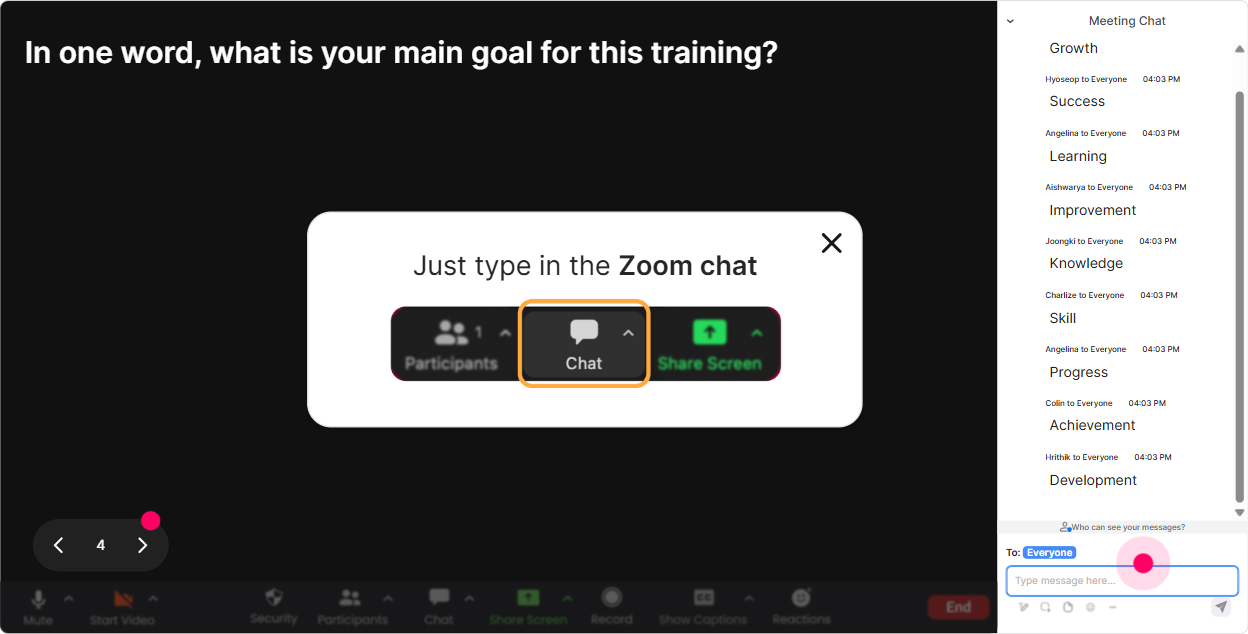
3) Wonder Words (Word Cloud): get feelings + beliefs on the table in 30 seconds
Enablement can mean different things to different people-sales enablement, trainer enablement, customer enablement, onboarding, you name it. A Word Cloud helps you see the room instantly and it makes people feel heard. How to use it in Enablement training: - Mindset opener: When you hear enablement training, whats the first word that comes to mind? - Emotional check-in: How are you feeling about delivering enablement to a client team-one word? (excited, nervous, curious, overwhelmed) - Value focus: Whats the #1 outcome enablement should create? (adoption, confidence, performance, consistency, speed) Trainer tip: Use Combine Similar Answers so you dont end up with confident and confidence as separate things. Then call out the top 23 words and link them to your agenda: Awesome-lets make sure we deliver on adoption and confidence today.
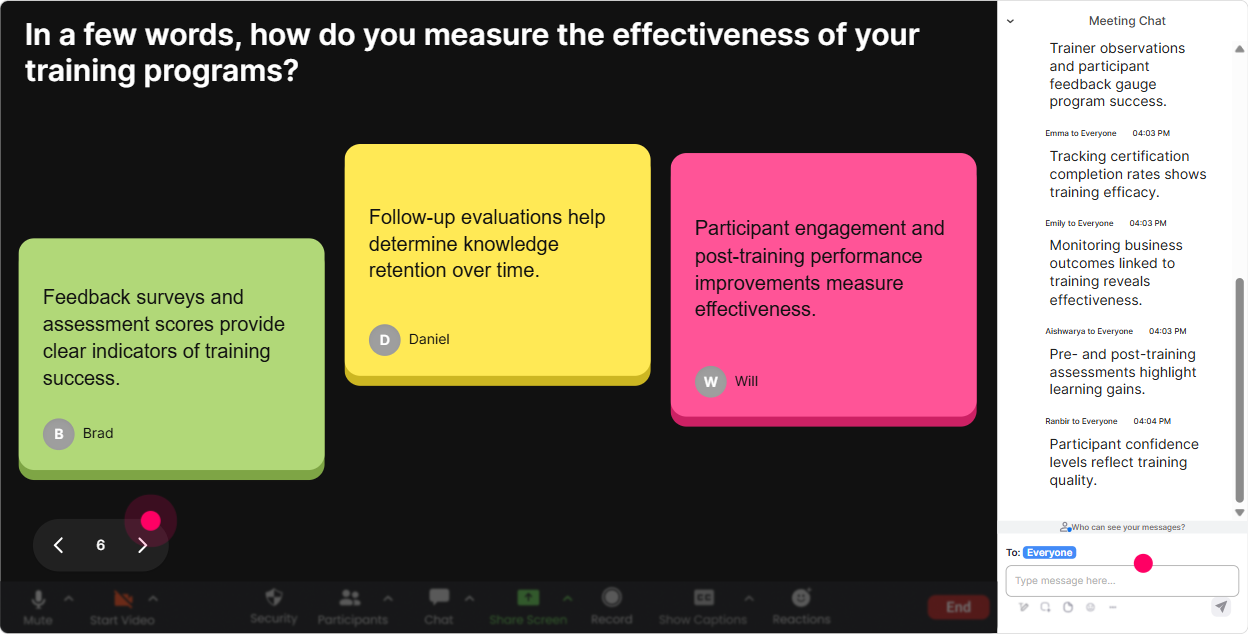
4) Talking Tiles: turn longer answers into a visual conversation (without the chaos)
Sometimes you want more than one-word answers, but you also dont want 40 people unmuting. Talking Tiles is that sweet spot-people type real thoughts, and you get this energetic, alive wall of responses. How to use it in Enablement training: - Impact question: Whats one way enablement (done well) would make your job easier as a trainer or program lead? - Reality check: Whats currently NOT working in your agencys enablement approach? (great for surfacing patterns) - Application prompt: Write a 12 sentence version of how youd explain enablement to a new client. Trainer tip: When the tiles come in, pick 3 to read out loud and say why theyre strong (or how to improve them). People LOVE seeing their answer featured, and it nudges everyone to participate more.
5) Power Polls: let the group choose the direction (and boost buy-in)
Power Polls are perfect when you want people to commit to a choice. Its also an easy way to prioritize content in an enablement ILT-especially when time is tight. How to use it in Enablement training: - Interest-based routing: What do you want to spend MORE time on today? 1) Enablement program design 2) Facilitator delivery skills 3) Measurement + analytics 4) Stakeholder alignment - Scenario selection: Which enablement client scenario should we role-play? 1) New product launch 2) Process change 3) New LMS rollout 4) New manager onboarding - Decision-making: For enablement ILT, whats most important to fix first? 1) Content 2) Practice time 3) Follow-up reinforcement 4) Manager support Trainer tip: Share results live and narrate your choice: Looks like reinforcement is winning-perfect, because thats where most enablement falls apart after the workshop.

6) Winner/Spinner Wheel: make participation fun (and stop the same 3 people problem)
Every session has that pattern: a few people carry the chat and others stay invisible. The Spinner Wheel is a playful way to spread the mic around-without you sounding pushy. How to use it in Enablement training: - Volunteer-but-random: Drop ME in chat if youre open to sharing your enablement challenge. Im going to spin the wheel. - Scenario debrief: Everyone who answered the last prompt is on the wheel-winner shares their approach in 20 seconds. - Micro-rewards: Well spin a winner from todays most active chat participants for a coffee card / shoutout / bonus template. Trainer tip: Set expectations to keep it safe: If you get picked and youd rather pass, totally fine-just type pass and well spin again. Participation stays high because it feels fair and fun.

7) Quiz: quick knowledge checks that dont feel like school
In enablement ILT, you want proof people are tracking-and you want to correct misunderstandings before they become how we always do it. Quiz interactions make knowledge checks fast, visual, and kinda addictive. How to use it in Enablement training: - Foundation check: Which is the BEST definition of enablement? A) Delivering training content B) Helping people perform better on the job (training + tools + support) C) Hosting webinars D) Sharing documents - Design check: What should come FIRST when building enablement? A) Slide deck B) Activities C) Performance outcome + success metrics D) Icebreaker - Facilitation check: What increases transfer the most after ILT? A) More slides B) Follow-up nudges + manager coaching C) Longer sessions D) Bigger groups Trainer tip: After revealing the correct answer, ask: If you chose a different option, what made it tempting? That little discussion is where the learning sticks.

2) Rating Polls: quick pulse checks that actually guide your session
Enablement sessions can fall apart when the groups knowledge is all over the place. Rating Polls fix that fast-because you get an instant temperature check without awkward cold-calling. How to use it in Enablement training: - Confidence check (start): On a scale of 110, how confident are you in designing an enablement ILT program? - Readiness check (before practice): How ready are you to facilitate enablement role-plays with a client team? (110) - End-of-module check: Rate how clear this was: Enablement = behavior change + performance support (110) Trainer tip: If the average is low, dont apologize-just adapt: Got it. Lets do one more example together, then well try it in pairs. Thats how sessions feel custom in real time.
8) Q&A (Quick Questions): stop losing great questions in the chat
Nothing kills flow like trying to hunt for questions in a fast-moving chat. StreamAlive automatically pulls questions into a clean view, so you can actually run a proper Q&A without missing the important stuff. How to use it in Enablement training: - Parking lot setup: As questions pop up, type them normally in chat-StreamAlive will catch them. Ill answer a few every 10 minutes. - Role-specific Q&A: Drop your question about enablement for (a) trainers, (b) program leads, or (c) client stakeholders. - Objection handling: Whats the toughest pushback you get from clients when you recommend reinforcement or measurement? Trainer tip: When you answer, say the persons name and read the question out loud. It feels personal and encourages more people to ask.

9) Analytics: prove engagement (and improve every cohort after this)
If youre a Training Agency, youre not just running a fun session-youre also trying to deliver outcomes and show value. StreamAlive Analytics helps you see what actually worked, not just what you felt worked. How to use it after Enablement training: - See minute-by-minute engagement: Find the exact moments participation spiked (activities, examples, certain topics) so you can replicate that. - Identify your most engaged participants: Great for follow-ups, champions, or inviting people into advanced cohorts. - Interaction reports: Review which polls/word clouds/questions landed best and reuse them as a proven run-of-show. - Shareable reporting: Send results to your email or share insights internally (or even with a client sponsor) to show the session wasnt passive. Trainer tip: Use analytics like a trainers highlight reel: Heres where the group lit up-this is the activity well keep in version 2.0 of the enablement workshop. Thats how you iterate fast and keep improving engagement every time.

Use StreamAlive in all your training sessions
StreamAlive isn’t just for
Enablement
training,
it can also be used for any instructor-led training session directly inside your PowerPoint presentation.
Explore similar traingin ideas: unlocking the potential of StreamAlive
See how StreamAlive transforms live training with engaging events and interactive sessions across industries, directly inside your PowerPoint presentation.

Interactions in action
(it's free)

.svg.png)


