Install StreamAlive for your PowerPoint slides
Learn more

Neural Interface Learning Training for Corporate Trainers
StreamAlive helps 9x the audience engagement in your Virtual Instructor-led Trainings (VILT) directly inside your powerpoint presentation.
Make your instructor-led Neural Interface Learning training more fun with polls, word clouds, spinner wheels and more
Works inside your existing PowerPoint presentation
Install the StreamAlive app for PowerPoint and see your slides come to life as people participate in your interactions
AI generates audience interactions for you
Let our AI scan your presentation and automatically come up with relevant questions based on the content. Or spend two hours coming up with your own questions, your choice!
Built to work with MS Teams and Zoom
Native apps for Teams and Zoom so you never have to leave your existing workflows
No QR Codes
Chat-powered interactions means your audience doesn’t need to scan QR codes or look at another screen to participate. They just type in the chat!

Quickly approved by your IT team
StreamAlive’s apps for Teams and Zoom means that they have been through rigorous quality assurance and client safety reviews. You’ll find everything an IT team needs to approve the app within the organization within your StreamAlive account.

Youve been asked to run an instructor-led session on Neural Interface Learning for corporate trainers, and you want it to feel alive-not like another slide marathon. The trick is simple: keep people doing something every few minutes. Here are easy, trainer-friendly ways to use StreamAlive to get there.
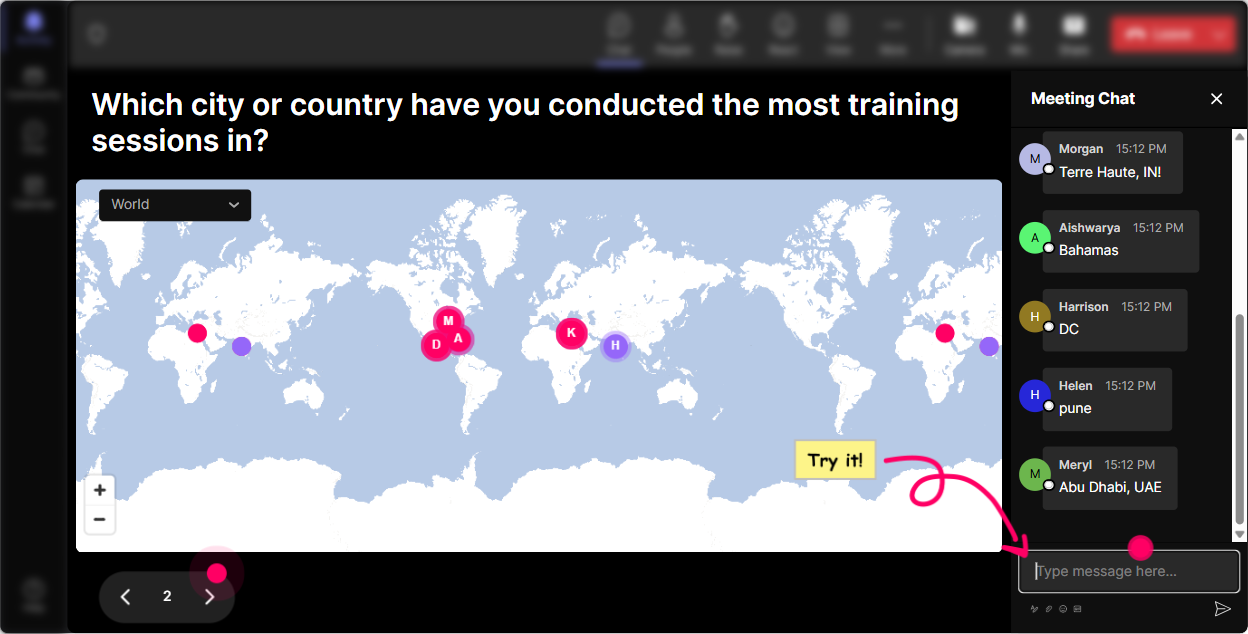
Magic Maps: Put your trainers on the map (and instantly break the ice)
Start with the easiest win in live training: get everyone typing in chat within the first 60 seconds. How to use it in Neural Interface Learning training: - Kickoff question: Where in the world are you joining from today? (Classic, works every time.) - Make it theme-based: If you could download a skill instantly and use it anywhere on earth, where would you go to teach it? - Or go future-forward: Where do you think neural interfaces will impact learning first-your city or somewhere else? Why it boosts engagement: - Youre not just welcoming people-youre creating a shared moment. - Clusters on the map give you instant talking points (Wow, big group in Bangalore-what kind of training do you all deliver?). Trainer tip: - If you want clean data, set it to one location per attendee. Then later, reset the map before the next activity so it feels fresh.
Rating Polls: Do a quick confidence check (without putting anyone on the spot)
Neural Interface Learning can feel sci-fi to some trainers. Rating Polls let you gauge the room fast-without awkward cold-calling. How to use it: - On a scale of 110, how confident are you explaining Neural Interface Learning to a client or stakeholder? - Rate your current comfort level with brain-computer interface concepts: 1 = what is this, 10 = I can teach it tomorrow. - Mid-session pulse check: After this section, how clear is the difference between neural decoding and adaptive learning? (110) How it helps you facilitate: - If the average is low, you slow down and simplify. - If its high, you move faster and add advanced examples. Trainer move that works: - Say: Im seeing a lot of 5s and 6s-perfect. That means were exactly in the right room. People feel seen, not judged.

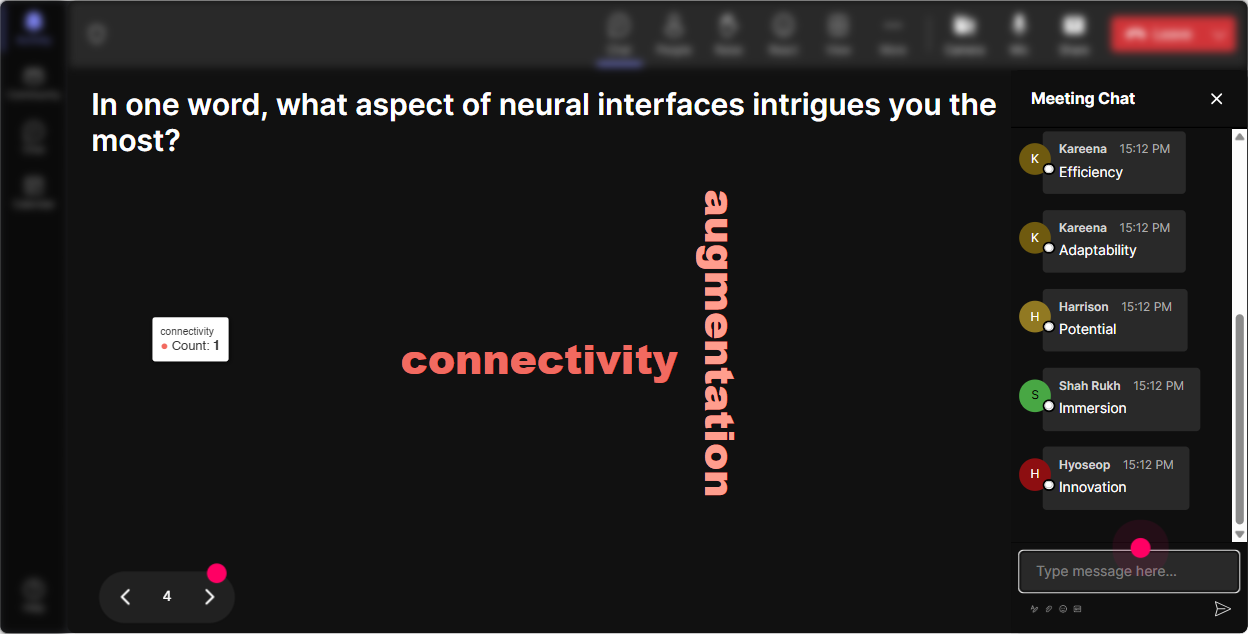
Wonder Words (Word Cloud): Find out what people *really* think about Neural Interface Learning
This is your read the room moment-but visual and fun. Ask for 12 word reactions and let Wonder Words display it live. Great prompts for this topic: - Neural Interface Learning in one word: what comes to mind? - Whats your biggest concern? (12 words) (Expect: privacy, ethics, bias, cost) - Whats the biggest opportunity? (12 words) (Expect: personalization, accessibility, speed) - What should this session NOT become? (12 words) (Great for surfacing hype, fearmongering, salesy) Why it works: - Even quiet folks will type one word. - The biggest words show you whats emotionally loud in the room-excitement, skepticism, anxiety-so you can address it early. Quick facilitation tip: - Use Combine Similar Answers so privacy and data privacy dont split your signal.
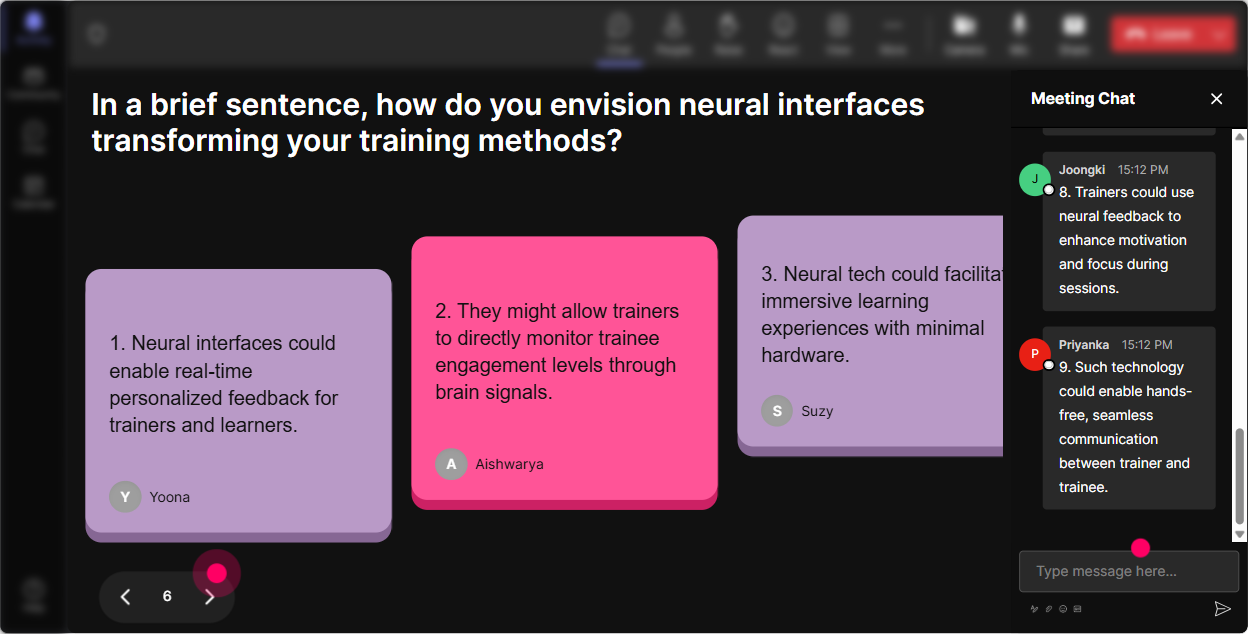
Talking Tiles: Turn trainer experiences into a live brainstorming wall
When you want more than a one-word answer-use Talking Tiles. It makes responses feel like a game and gives you instant discussion material. Use it for real-world training application: - Where could Neural Interface Learning improve training outcomes in your org? Be specific-sales, onboarding, safety, leadership, etc. - Whats one job task youd LOVE to make easier with adaptive/brain-informed learning? - Imagine your learners had a focus meter (ethically, with consent). How would you adjust your session in real time? - What would make this technology a hard no for your organization? Why its gold for corporate trainers: - You get examples across roles and industries instantly. - You can group tiles into themes live: compliance, coaching, performance support, accessibility. Easy way to keep momentum: - After 6090 seconds of tiles, pick 23 to read out loud and respond: This one is smart-lets unpack it. People feel recognized and stay active.
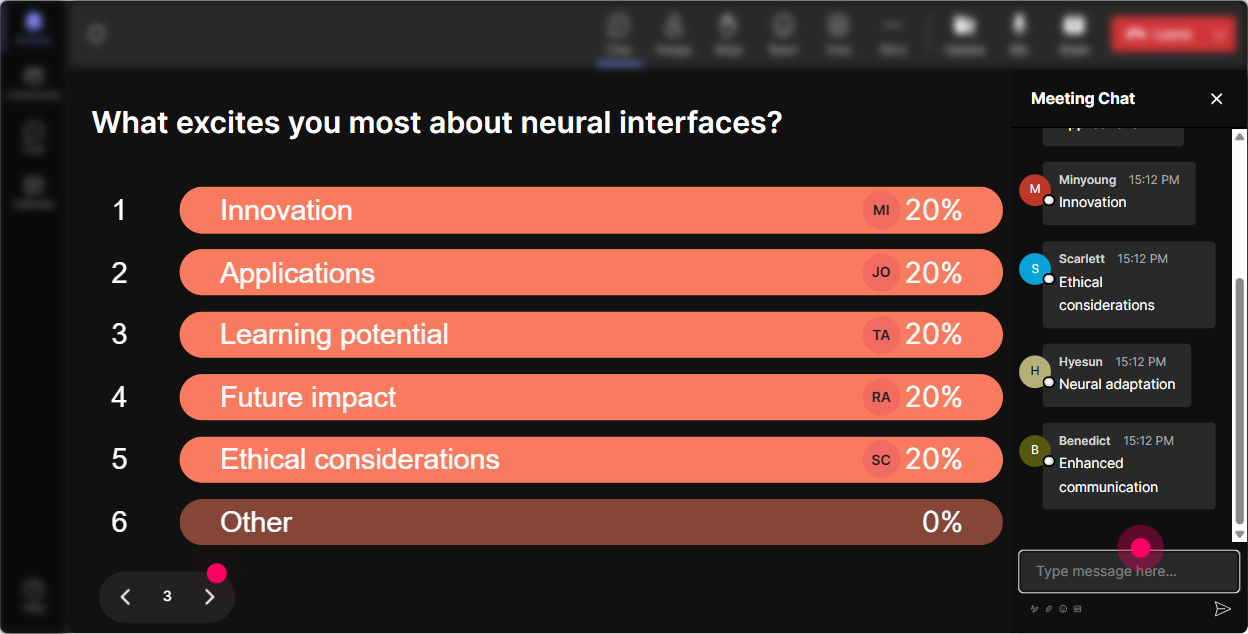
Power Polls: Let the audience choose what you teach next
This is how you avoid the classic problem: you planned the session for Topic A, but your trainers actually need Topic C. Power Polls lets them steer-while you stay in control. Poll ideas that fit Neural Interface Learning: - What do you want most from today? 1) Practical use cases for L&D 2) How it works (simple explanation) 3) Ethics + privacy 4) How to talk about it with leadership - Where would this impact your learners most? 1) Attention/focus support 2) Faster skill acquisition 3) Accessibility accommodations 4) Real-time coaching feedback - Which risk needs the most discussion? 1) Data privacy 2) Bias 3) Consent 4) Over-reliance on tech How to run it smoothly: - Add options so people only type 1/2/3/4. - Show results live and say: Cool-looks like Ethics is the winner. Lets go there first. Engagement bonus: - People pay more attention to the section they voted into existence.
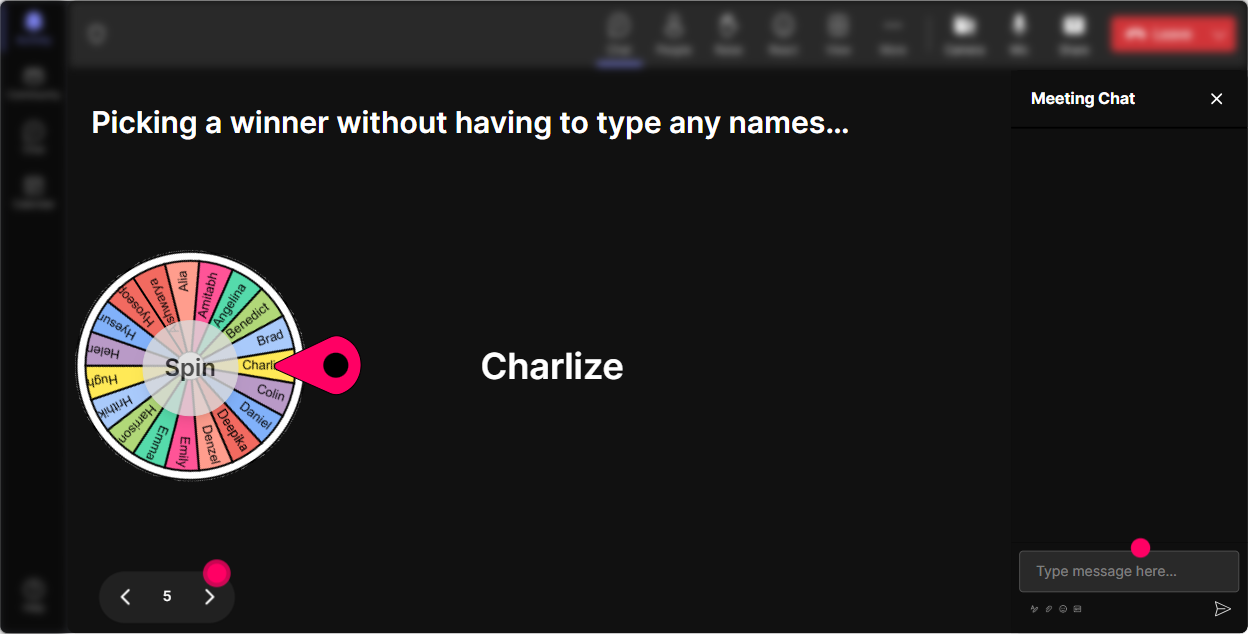
Winner Wheel: Get participation without the awkward volunteer silence
You know that moment: Any volunteers? and the room suddenly forgets how to speak. Winner Wheel fixes that by making participation playful and fair. Ways to use it in this session: - After a poll: Im going to spin and ask one person to share why they picked option 3. - After Talking Tiles: Lets spin the wheel-winner reads their tile out loud and adds one example. - For quick scenario practice: Spin to pick who gets the next learner scenario: distracted learner, skeptical manager, or compliance-heavy group. Why trainers respond well to it: - It feels like a game, not a spotlight. - It rewards chat participation (and quietly nudges the quiet folks to type). Simple incentive (optional): - Winner gets bragging rights and Ill share my Neural Interface Learning facilitation checklist after the session.
Quiz: Do fast knowledge checks that dont feel like school
Neural Interface Learning has a lot of new vocabulary. A quick quiz keeps attention high and helps you correct misconceptions immediately. Quiz questions you can use (multiple choice, one correct answer): - What does a brain-computer interface (BCI) do in the simplest terms? 1) Reads brain signals and translates them into commands 2) Replaces the brain with AI 3) Guarantees better learning for everyone 4) Eliminates the need for practice (Correct: 1) - Which is the most important requirement for ethical neural-data use in learning? 1) Consent 2) Faster algorithms 3) More sensors 4) Viral adoption (Correct: 1) - Whats a realistic near-term use case? 1) Focus/attention support signals 2) Instant fluency upload 3) Telepathy meetings 4) Perfect memory for all (Correct: 1) How to make it feel fun: - Dont overdo it-13 questions per module is enough. - Reveal the correct answer and give a 20-second explanation: quick win, quick learning.

Rating Polls: Do a quick confidence check (without putting anyone on the spot)
Neural Interface Learning can feel sci-fi to some trainers. Rating Polls let you gauge the room fast-without awkward cold-calling. How to use it: - On a scale of 110, how confident are you explaining Neural Interface Learning to a client or stakeholder? - Rate your current comfort level with brain-computer interface concepts: 1 = what is this, 10 = I can teach it tomorrow. - Mid-session pulse check: After this section, how clear is the difference between neural decoding and adaptive learning? (110) How it helps you facilitate: - If the average is low, you slow down and simplify. - If its high, you move faster and add advanced examples. Trainer move that works: - Say: Im seeing a lot of 5s and 6s-perfect. That means were exactly in the right room. People feel seen, not judged.
Q&A (Quick Questions): Catch every question without scanning the chat like a maniac
When youre teaching something as new as Neural Interface Learning, questions come fast-and they get buried. StreamAlives Q&A automatically detects and collects questions from chat so you can actually teach instead of hunting messages. How to use it in this session: - Set the expectation: Drop your questions anytime-StreamAlive will capture them and Ill pause every 10 minutes to answer the top ones. - Use it for sensitive topics: If you have an ethics/privacy question, ask it as soon as it pops up. - Turn questions into teaching moments: Im seeing three questions about consent-lets handle that as a mini-module. Why it boosts engagement: - People ask more when they trust their question wont be ignored. - You get a clean list to manage, answer, and keep moving.

Analytics: Use the data to prove what worked (and make your next session even more engaging)
After the session, StreamAlive Analytics shows you exactly where engagement spiked or dipped-so youre not guessing what to fix. What to look for after Neural Interface Learning ILT: - Minute-by-minute engagement: Did attention drop during the technical explanation? Thats your cue to add a poll or a quick visual next time. - Chat replay + analysis: See which topics sparked discussion (ethics always does) and build more time around them. - Fantastic Fans (top engaged attendees): These are your champions-invite them to co-share use cases next session or pilot new activities. - Interaction reports: Compare which worked best-Word Cloud vs Talking Tiles vs Quiz-and refine your run of show. Practical follow-up move: - Email your interaction results to yourself (or your L&D team) and use them as: Heres what trainers cared about most: privacy, accessibility, and real-time coaching. Thats instant stakeholder-ready insight.

Use StreamAlive in all your training sessions
StreamAlive isn’t just for
Neural Interface Learning
training,
it can also be used for any instructor-led training session directly inside your PowerPoint presentation.
Explore similar traingin ideas: unlocking the potential of StreamAlive
See how StreamAlive transforms live training with engaging events and interactive sessions across industries, directly inside your PowerPoint presentation.

Interactions in action
(it's free)

.svg.png)


