Install StreamAlive for your PowerPoint slides
Learn more

Flexible Work Arrangements Training for Training Agencies
StreamAlive helps 9x the audience engagement in your Virtual Instructor-led Trainings (VILT) directly inside your powerpoint presentation.
Make your instructor-led Flexible Work Arrangements training more fun with polls, word clouds, spinner wheels and more
Works inside your existing PowerPoint presentation
Install the StreamAlive app for PowerPoint and see your slides come to life as people participate in your interactions
AI generates audience interactions for you
Let our AI scan your presentation and automatically come up with relevant questions based on the content. Or spend two hours coming up with your own questions, your choice!
Built to work with MS Teams and Zoom
Native apps for Teams and Zoom so you never have to leave your existing workflows
No QR Codes
Chat-powered interactions means your audience doesn’t need to scan QR codes or look at another screen to participate. They just type in the chat!

Quickly approved by your IT team
StreamAlive’s apps for Teams and Zoom means that they have been through rigorous quality assurance and client safety reviews. You’ll find everything an IT team needs to approve the app within the organization within your StreamAlive account.

Youve been asked to run a Flexible Work Arrangements instructor-led training for a Training Agency-and you already know the content is important, but it can get policy-heavy fast. The good news: with a few smart interactions (and StreamAlive), you can keep people talking, thinking, and actually participating. Here are practical ways to make it feel alive, not like a compliance lecture.
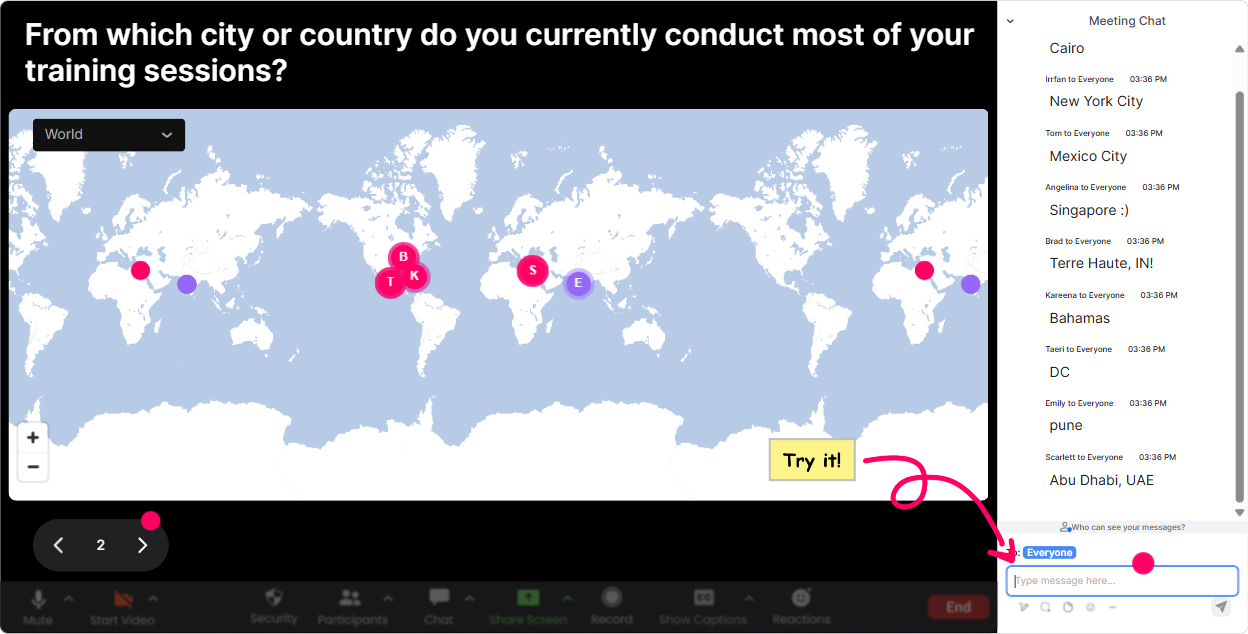
Magic Maps: Put your group on the map (and instantly make it feel like a real room)
Flexible work looks different depending on where people live-time zones, commuting realities, even cultural expectations. So start there. How to use it in your session: - Kick off with: Where are you joining from today? and let StreamAlive plot everyone live. - Then pivot right into the topic: Drop a city where flexible work is most needed (because of commute/time zone/cost of living). - Or make it fun: If you could work from anywhere for a month, where would you go? (Youll get instant energy-and you can tie it back to remote-work policy realities.) Trainer tip: If youre training multiple client orgs at once, Magic Maps helps you spot clusters (like a whole group from one region) and call out patterns: Interesting-lots of you are in major metro areas. Lets talk commute time and hybrid expectations.
Rating Polls: A quick pulse-check before you teach anything
Before you dive into frameworks, find out where people really are. Rating Polls are perfect for that because theyre fast, visual, and low-effort for participants. Ways to use Rating Polls in Flexible Work Arrangements training: - On a scale of 110, how confident are you explaining flexible work options to employees? - Rate how consistent your org is right now with flexible work approvals (1 = chaos, 10 = super consistent). - How fair do you think flexible work feels across roles today? (110) Trainer tip: Use the results to choose your lane. If confidence is low, slow down and do more scenarios. If confidence is high, move into edge cases and manager conversations.

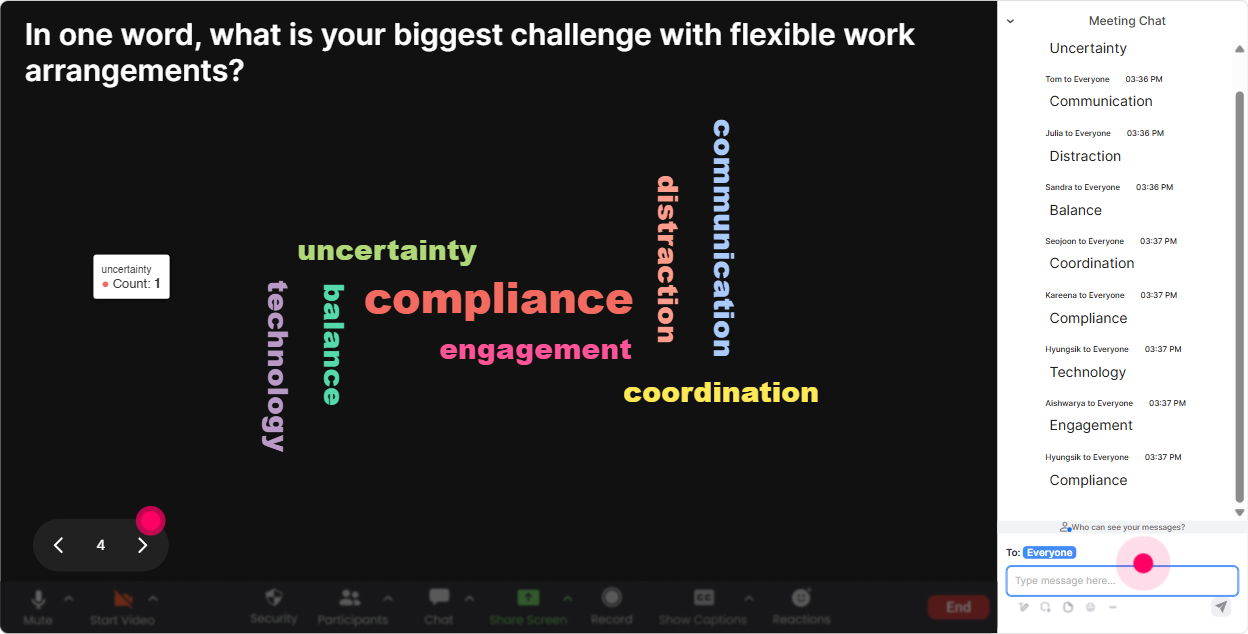
Wonder Words (Word Cloud): Get the real feelings in the room-fast
Flexible work can be a touchy topic. Some people love it, some dont trust it, and some are just tired of the debate. A word cloud pulls those emotions out without putting anyone on the spot. Prompts that work really well: - Whats one word you associate with flexible work arrangements? - Whats the biggest challenge with flexible work in your training programs? - What do employees ask for most? (12 words) Trainer tip: When you see big words like fairness, trust, coverage, or burnout, dont ignore them-use them as your agenda. Alright, fairness is huge in this group. Lets tackle fairness first.
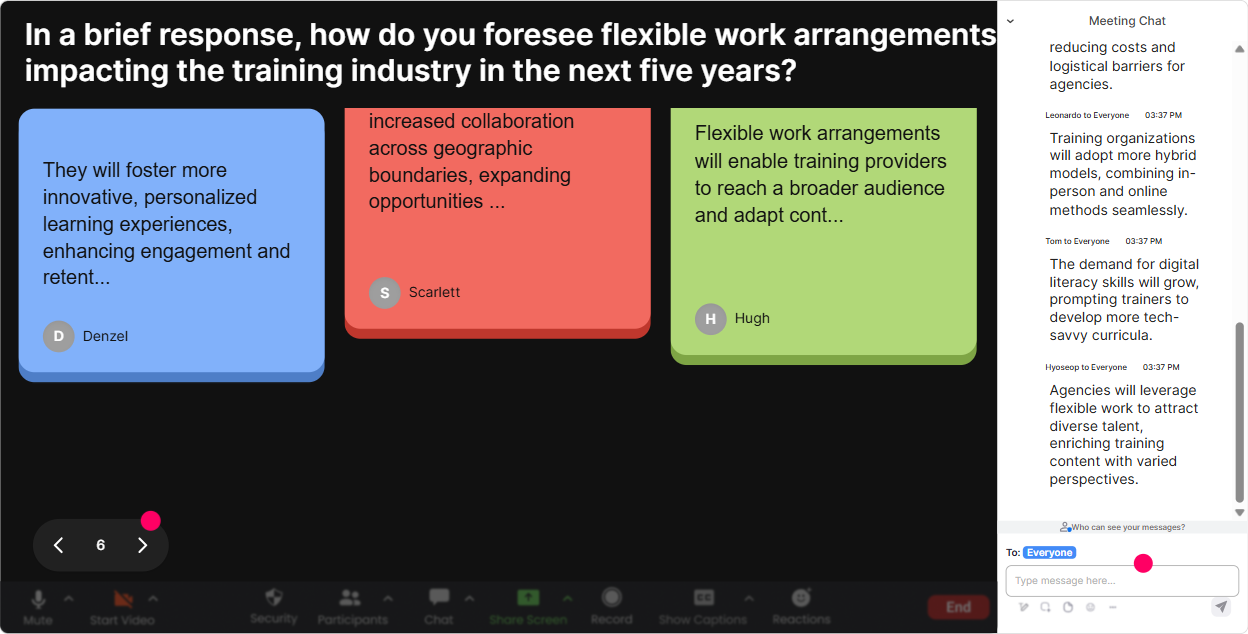
Talking Tiles: Turn policy into real-life stories (without awkward silence)
This is where your session stops being theoretical. Talking Tiles is awesome when you want longer, more detailed responses and you want people to build on each others ideas. Try questions like: - Describe a flexible work situation that went well-and why it worked. - Whats a flexible work request youve struggled to respond to? - What role in your org is hardest to offer flexibility to, and what could help? Trainer tip: Use the tiles as a live case library. Pick 23 responses and say, Lets workshop these. Its instant relevance-and people feel seen.
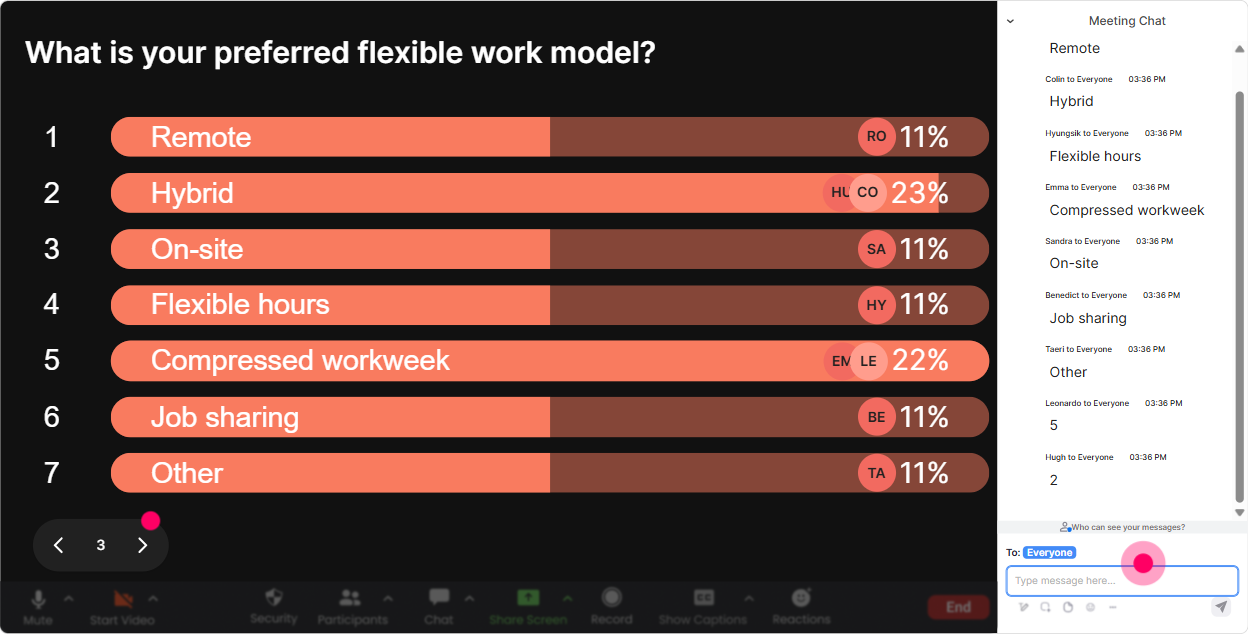
Power Polls: Let the audience choose what you spend time on
Instead of guessing what your group cares about, just ask-and show the results live. Power Polls help you tailor the session in the moment. Poll ideas for this topic: - Which flexible work arrangement is most common in your org? 1) Hybrid set days 2) Hybrid flexible days 3) Fully remote 4) Compressed workweek 5) Flex hours 6) Not formalized yet - What do you want more help with today? 1) Policy design 2) Manager enablement 3) Handling fairness across roles 4) Productivity/accountability 5) Legal/compliance basics 6) Measuring success Trainer tip: Tell them youll follow the results. Looks like fairness and manager enablement are the top two-perfect, well go deeper there and keep the rest tighter. That alone boosts engagement because they know its not a one-size-fits-all lecture.
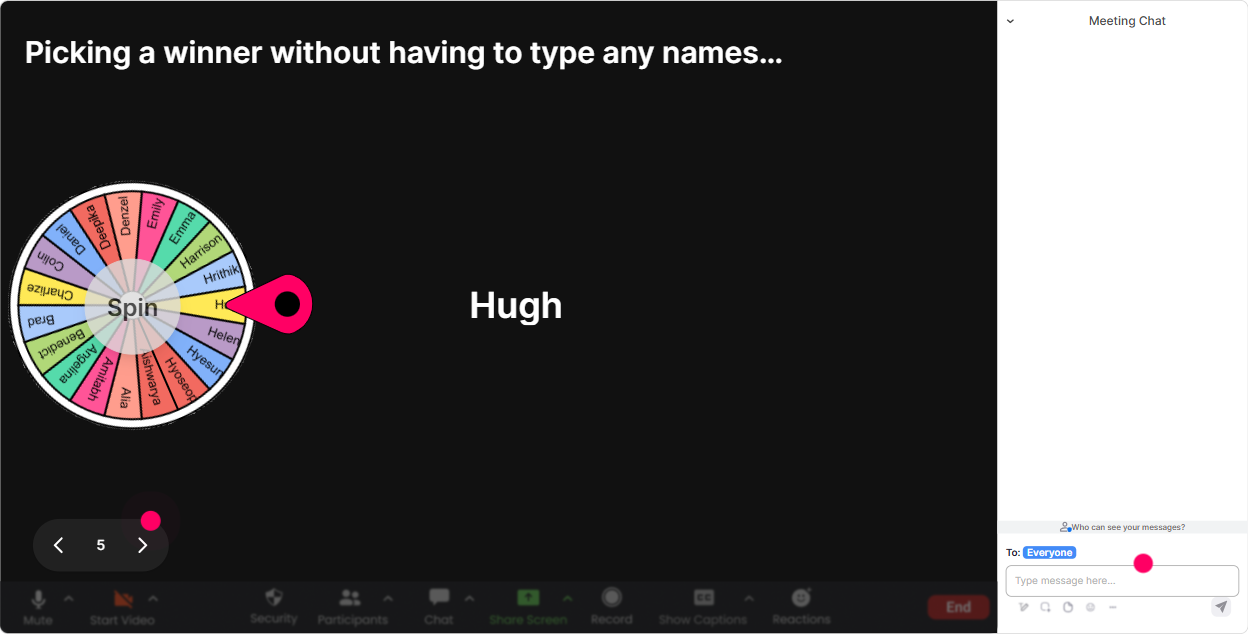
Winner Wheel: Get volunteers without begging (and make it playful)
You know that moment when you ask, Any volunteers? and the chat goes silent? Winner Wheel fixes that. People participate more when it feels light and randomized. Ways to use it in Flexible Work Arrangements ILT: - Drop in the chat: Agree or Disagree-flexible work improves productivity. Then spin from the commenters and ask the winner to share why. - After a scenario activity: Type ONE tip youd give managers handling flexible work requests. Spin the wheel and have the winner expand on their tip. - Use it for mini-prizes: best idea, most helpful comment, most creative workaround. Trainer tip: Make the ask small first (Type one word) and then spin. It feels fair, and it pulls quieter folks into the session naturally.
Quiz: Quick knowledge checks that dont feel like school
Flexible work training often includes definitions, eligibility rules, and manager responsibilities-perfect for quick quizzes. It keeps attention high and helps you correct misunderstandings immediately. Quiz question examples (single correct answer): - Which is the BEST first step when an employee requests a flexible arrangement? A) Approve immediately to build trust B) Check role requirements and team coverage needs C) Ask HR to decide D) Decline unless others already have it (Correct: B) - Compressed workweek usually means: A) Less total hours worked B) Same total hours across fewer days C) Only remote work D) Only for senior employees (Correct: B) Trainer tip: After revealing the correct answer, ask: What made the wrong options tempting? Thats where the real learning happens.

Rating Polls: A quick pulse-check before you teach anything
Before you dive into frameworks, find out where people really are. Rating Polls are perfect for that because theyre fast, visual, and low-effort for participants. Ways to use Rating Polls in Flexible Work Arrangements training: - On a scale of 110, how confident are you explaining flexible work options to employees? - Rate how consistent your org is right now with flexible work approvals (1 = chaos, 10 = super consistent). - How fair do you think flexible work feels across roles today? (110) Trainer tip: Use the results to choose your lane. If confidence is low, slow down and do more scenarios. If confidence is high, move into edge cases and manager conversations.
Q&A (Quick Questions): Catch every question without losing your flow
In flexible work sessions, questions pop up constantly-especially around fairness, exceptions, and what if scenarios. StreamAlives Q&A captures questions straight from the chat and organizes them, so youre not scrolling and missing things. How to use it smoothly: - Tell the group: If youve got a question, just drop it in chat normally-StreamAlive will collect it for me. - Do a mid-session question sweep after you cover policy basics. - Save the spiciest ones for the end: Lets do the tough scenarios now-exceptions, performance issues, and fairness. Trainer tip: When people see their question get captured and displayed, they trust the process more-and they ask more (which is a good thing in this topic).

Analytics: Prove engagement, improve your delivery, and show clients real outcomes
If youre a Training Agency, youre not just delivering a session-youre often reporting impact. StreamAlive Analytics helps you see what worked, what dragged, and who leaned in. How trainers use Analytics after Flexible Work Arrangements training: - Spot your engagement peaks: Interesting-chat spiked during fairness and manager decision-making. Next time well add more scenarios there. - Review interaction performance: Which polls got the most responses? Which questions fell flat? - Identify your Fantastic Fans (top engagers): Great for follow-up, champions, or even future co-facilitators. - Share results with stakeholders: Email reports make it easy to show a client, Heres what your managers were most concerned about, backed by real interaction data. Trainer tip: Use Analytics to tweak your run-of-show like a pro. Over a few sessions, youll know exactly where to add an interaction to keep attention high-and thats how you drive that up to 9x engagement effect in real life.

Use StreamAlive in all your training sessions
StreamAlive isn’t just for
Flexible Work Arrangements
training,
it can also be used for any instructor-led training session directly inside your PowerPoint presentation.
Explore similar traingin ideas: unlocking the potential of StreamAlive
See how StreamAlive transforms live training with engaging events and interactive sessions across industries, directly inside your PowerPoint presentation.

Interactions in action
(it's free)

.svg.png)


