Install StreamAlive for your PowerPoint slides
Learn more

Hyper-Personalized Learning Training for Corporate Trainers
StreamAlive helps 9x the audience engagement in your Virtual Instructor-led Trainings (VILT) directly inside your powerpoint presentation.
Make your instructor-led Hyper-Personalized Learning training more fun with polls, word clouds, spinner wheels and more
Works inside your existing PowerPoint presentation
Install the StreamAlive app for PowerPoint and see your slides come to life as people participate in your interactions
AI generates audience interactions for you
Let our AI scan your presentation and automatically come up with relevant questions based on the content. Or spend two hours coming up with your own questions, your choice!
Built to work with MS Teams and Zoom
Native apps for Teams and Zoom so you never have to leave your existing workflows
No QR Codes
Chat-powered interactions means your audience doesn’t need to scan QR codes or look at another screen to participate. They just type in the chat!

Quickly approved by your IT team
StreamAlive’s apps for Teams and Zoom means that they have been through rigorous quality assurance and client safety reviews. You’ll find everything an IT team needs to approve the app within the organization within your StreamAlive account.

Youve been asked to run a session on Hyper-Personalized Learning for corporate trainers-and you want it to feel like a live, interactive experience (not a lecture). The easiest way to do that is to personalize on the fly using what people share in chat. Here are practical, trainer-friendly ways to use StreamAlive to keep everyone engaged (and make your content land).
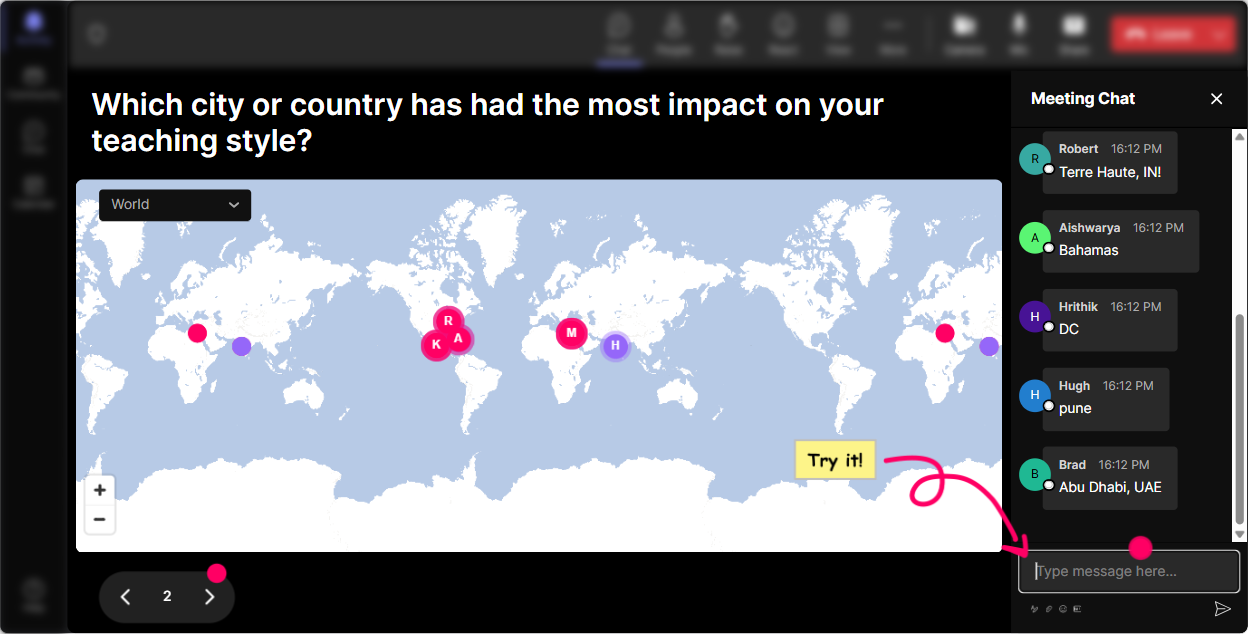
1) Magic Maps: start personal before you even start teaching
If you want hyper-personalization, the best move is to instantly prove: I see whos here. Magic Maps does that in seconds. How to use it in your Hyper-Personalized Learning session: - Icebreaker that gives you instant context: Where are you joining from today? Then actually react to it: Nice-APAC and EST in the same room. Ill build in more async-friendly tactics too. - Make it content-relevant: Drop a city where your learners are located. Now you can talk about personalization across regions/time zones/languages like its real-not theoretical. - Drive a quick discussion: If you could teleport to any city for a dream learning conference, where would you go? Then tie it back: Okay, your learners want options and autonomy-same principle in hyper-personalized learning. Trainer tip: If youre doing breakout groups later, use the map to cluster people by region/time zone and say, Cool, lets group you in a way that actually makes collaboration easier. Thats hyper-personalization in action.
2) Rating Polls: get a fast room read on skill level and confidence
Rating Polls are your quickest way to avoid pitching the session too high (or too basic). Youre basically asking, Where are we starting from? and StreamAlive visualizes it instantly. Ideas you can run right away: - On a scale of 110, how confident are you designing personalized learning paths? - Rate how personalized your current training is today (1 = one-size-fits-all, 10 = fully tailored). - How comfortable are you using data (LMS, surveys, performance metrics) to adapt training? 110. How this helps you personalize live: - If the average is low, you go more practical: templates, examples, copy/paste prompts. - If the average is high, you move into advanced stuff: segmentation strategies, adaptive pathways, coaching loops. It also gives you a super clean before measurement you can come back to at the end.

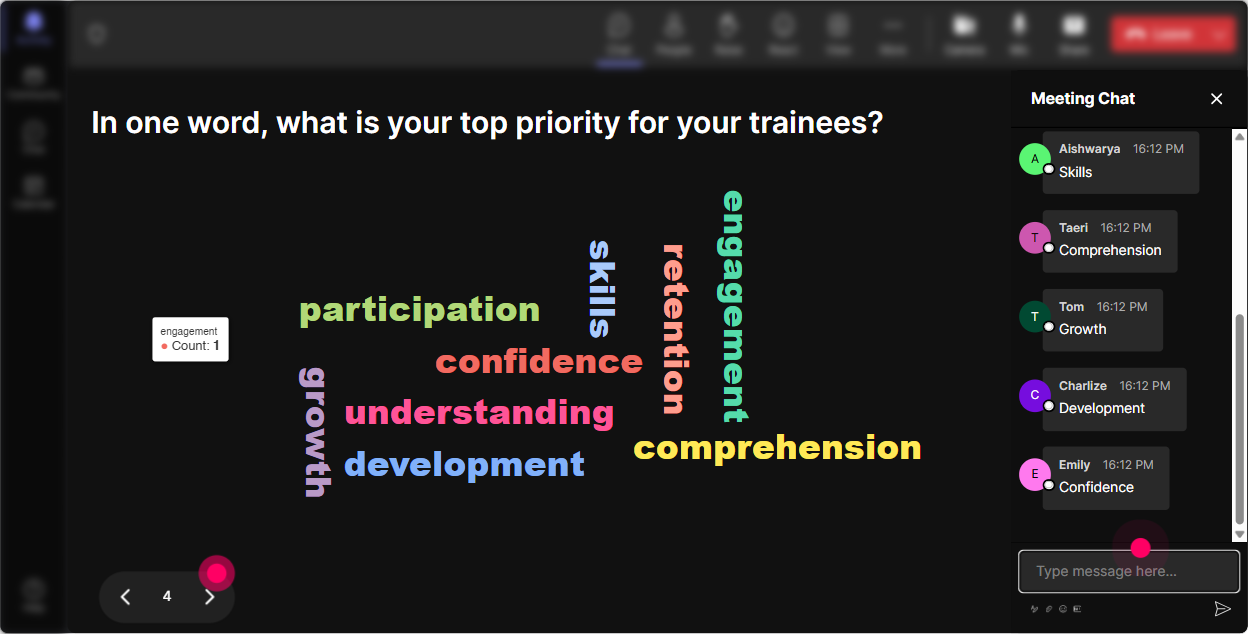
3) Wonder Words (Word Cloud): capture the rooms mindset in one question
Word clouds are perfect when you want quick emotional truth from the room-without making people type paragraphs. Use it to surface how people really feel about hyper-personalization: - When you hear Hyper-Personalized Learning, whats the first word that comes to mind? (Youll get stuff like: excited, overwhelming, time, AI, complex, finally.) - Whats the biggest barrier to personalization in your training? (Common hits: time, tools, data, stakeholders, scale.) - One word for what your learners want more of right now? (Often: relevance, practice, feedback, support.) Trainer move: Read back the biggest words and literally build your agenda around them: Looks like TIME is the biggest issue-cool, Im going to show you 3 ways to personalize without doubling prep. People feel heard immediately.
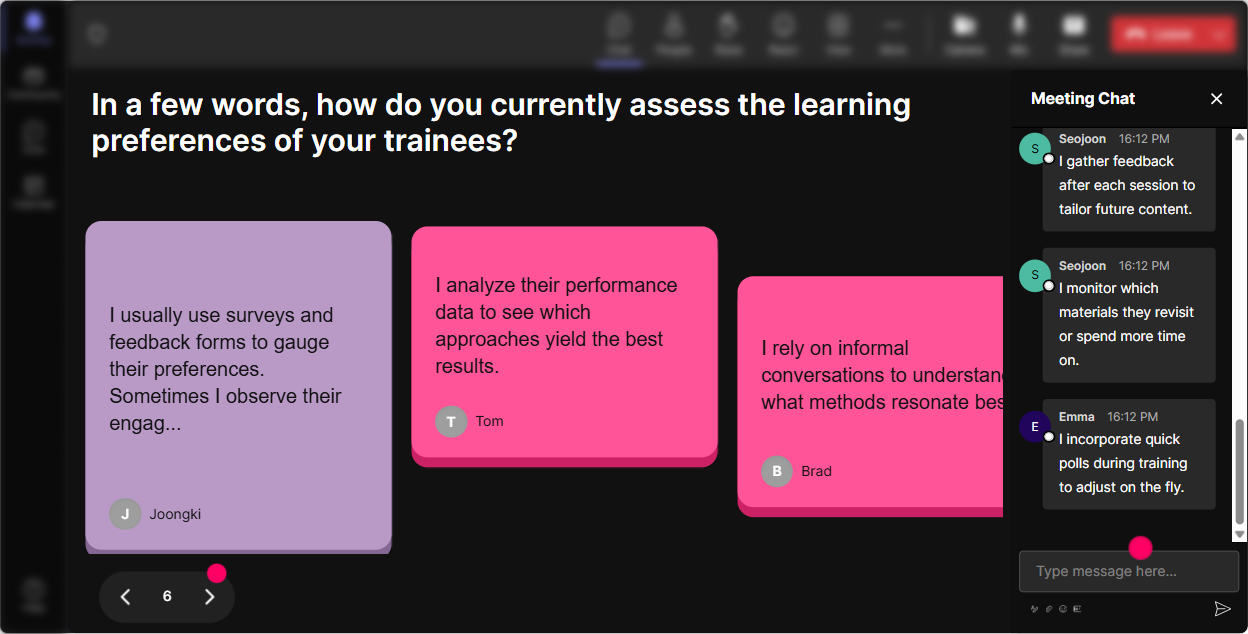
4) Talking Tiles: turn chat into a live brainstorm wall (without the awkward silence)
Talking Tiles are great when you want longer, real responses-and you want the group to see each others thinking in a fun, dynamic way. Prompts that work really well for this topic: - In one or two sentences: what would hyper-personalization change in your job as a corporate trainer? - Describe one learner persona you regularly train (role, skill level, motivation). - Whats one moment in your training where learners typically split-some are bored, others are lost? Then you can use the tiles as your teaching material: - Im seeing a lot of new managers + low confidence-lets build a personalized pathway example for that group. - Several of you said mixed skill levels-perfect, thats exactly where personalization pays off fastest. This is how you stop teaching concepts and start teaching their reality.
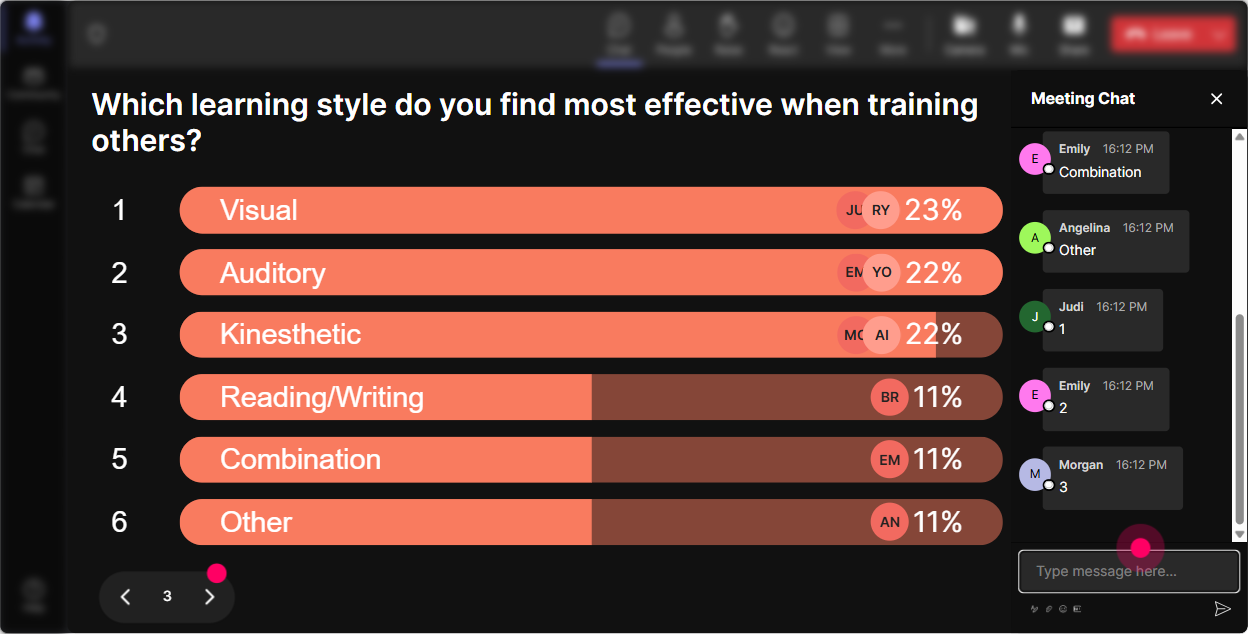
5) Power Polls: let the audience choose the path (and feel ownership)
Hyper-personalized learning is all about choice-so let them experience it during your session. Power Polls make it dead simple. Poll ideas to steer your session in real time: - What do you want to dig into today? 1) Personalization with limited time 2) AI + personalization (without the hype) 3) Segmenting learners (personas) 4) Assessments that adapt - Where do you struggle most? 1) Getting learner data 2) Designing different pathways 3) Engagement and participation 4) Proving ROI to stakeholders How to use the results: - Say: Alright, the room voted-lets go there. - Then promise: Ill still cover the other options, but Ill prioritize what you picked. That one move instantly makes the training feel customized, not canned.
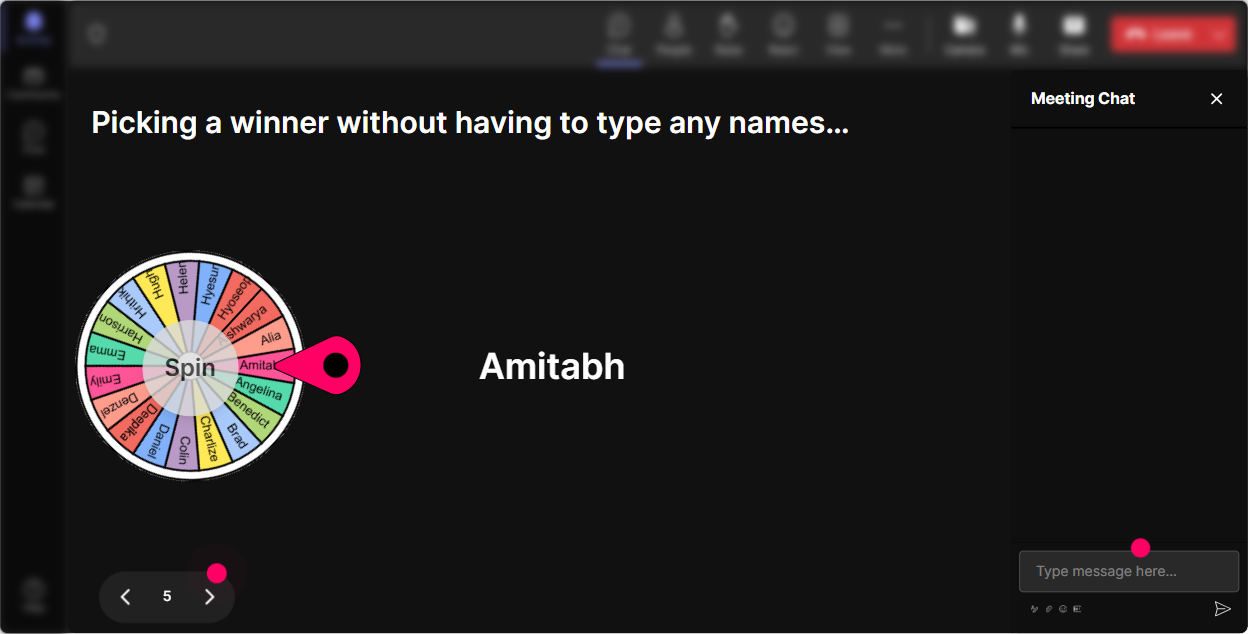
6) Winner Wheel (Spinner Wheel): encourage chat participation without putting people on the spot
Sometimes you want voices, but you dont want to do the classic Who wants to share? and get crickets. The spinner wheel turns it into a game-and keeps it fair. Ways to use it in this session: - Drop one personalization tactic youve tried (even if it failed). Im going to spin and ask one person to explain theirs for 20 seconds. - Type: A, B, or C for which learner group you train most. Ill spin and ask someone from the winning group to share a real example. - Reward engagement: Ill spin a quick winner from people who contributed to the last activity-winner gets a template/checklist Ill send after. This gets more people typing because theres a fun reason to participate-and it reduces the pressure of volunteering.
7) Quiz: quick knowledge checks that dont feel like an exam
Quizzes are perfect for breaking up content and making sure people arent just nodding along. Keep them fast, practical, and a little playful. Multiple-choice questions you can use: - Whats the BEST definition of hyper-personalized learning? A) Same content, nicer slides B) Different learning experiences based on learner needs/data (Correct) C) More videos D) Longer courses - Which is the strongest first step to personalization? A) Pick a new tool B) Create 10 versions of your deck C) Segment learners into 35 practical personas (Correct) D) Add more content - Which metric best proves personalization impact? A) Attendance only B) Smiley-sheet happiness only C) On-the-job behavior/performance change (Correct) D) Slide count Trainer tip: After you reveal the correct answer, ask: If you picked a different option, what made it feel right? That mini-discussion is where learning sticks.

2) Rating Polls: get a fast room read on skill level and confidence
Rating Polls are your quickest way to avoid pitching the session too high (or too basic). Youre basically asking, Where are we starting from? and StreamAlive visualizes it instantly. Ideas you can run right away: - On a scale of 110, how confident are you designing personalized learning paths? - Rate how personalized your current training is today (1 = one-size-fits-all, 10 = fully tailored). - How comfortable are you using data (LMS, surveys, performance metrics) to adapt training? 110. How this helps you personalize live: - If the average is low, you go more practical: templates, examples, copy/paste prompts. - If the average is high, you move into advanced stuff: segmentation strategies, adaptive pathways, coaching loops. It also gives you a super clean before measurement you can come back to at the end.
8) Q&A (Quick Questions): stop losing great questions in a busy chat
When chat is active, the best questions disappear fast. Quick Questions pulls them out automatically so you can actually manage Q&A like a pro. How to make it work for your Hyper-Personalized Learning training: - Tell them: Ask questions anytime in chat-StreamAlive will capture them so I dont miss you. - Do pulse Q&A breaks: after each section, answer the top 2 questions that popped up. - Use questions to personalize examples: A bunch of you are asking about scaling personalization with big groups-lets build a scalable example right now. Result: people ask more questions because they trust theyll be seen.

9) Analytics: prove what worked, improve what didnt, and spot your most engaged people
If youre serious about getting better (and showing value to stakeholders), StreamAlive analytics are gold. What you can do after your session: - See engagement minute-by-minute: Youll spot exactly when participation spiked (maybe during the persona activity) and when it dipped (maybe during a theory-heavy segment). - Replay chat + interactions: Great for refining your run-of-show for the next cohort. - Identify your top engaged participants (Fantastic Fans): These are your potential champions-invite them to pilot a more personalized program, or help you test new formats. - Share interaction results: Export/share the poll outcomes and key moments with your L&D team on Teams or via email-so the session impact doesnt end when the call ends. In a hyper-personalized learning world, analytics isnt extra. Its how you keep improving and tailoring the next session to what learners actually responded to.

Use StreamAlive in all your training sessions
StreamAlive isn’t just for
Hyper-Personalized Learning
training,
it can also be used for any instructor-led training session directly inside your PowerPoint presentation.
Explore similar traingin ideas: unlocking the potential of StreamAlive
See how StreamAlive transforms live training with engaging events and interactive sessions across industries, directly inside your PowerPoint presentation.

Interactions in action
(it's free)

.svg.png)


