Install StreamAlive for your PowerPoint slides
Learn more

Foresight Training for L&D Leaders
StreamAlive helps 9x the audience engagement in your Virtual Instructor-led Trainings (VILT) directly inside your powerpoint presentation.
Make your instructor-led Foresight training more fun with polls, word clouds, spinner wheels and more
Works inside your existing PowerPoint presentation
Install the StreamAlive app for PowerPoint and see your slides come to life as people participate in your interactions
AI generates audience interactions for you
Let our AI scan your presentation and automatically come up with relevant questions based on the content. Or spend two hours coming up with your own questions, your choice!
Built to work with MS Teams and Zoom
Native apps for Teams and Zoom so you never have to leave your existing workflows
No QR Codes
Chat-powered interactions means your audience doesn’t need to scan QR codes or look at another screen to participate. They just type in the chat!

Quickly approved by your IT team
StreamAlive’s apps for Teams and Zoom means that they have been through rigorous quality assurance and client safety reviews. You’ll find everything an IT team needs to approve the app within the organization within your StreamAlive account.

Youve been asked to run a Foresight instructor-led training for L&D Leaders-and you already know the content is powerful but it can also feel a bit big picture and abstract. So lets make it real, practical, and genuinely fun to participate in. Here are simple ways to teach foresight while using StreamAlive to keep your room engaged (and chatting) all session long.
Magic Maps: Put your L&D leaders on the (future) map
Foresight is all about context-industry, geography, culture, customer realities. So start by literally putting your audience on the map. How to use it in your session: - Kick-off icebreaker: Where are you joining from today? (Classic, fast, and it instantly wakes up the room.) - Foresight twist: If you could teleport your learning team to any city in the world to study the future of work up close, where would you go? - Trend exposure angle: Which city do you think is most likely to shape the next big workplace trend-where and why? Why it works for L&D Leaders: They immediately see the diversity in the room, and you can use that to fuel discussion: different regions often face different skills shortages, tech adoption speeds, and workforce expectations. Trainer tip: If your group is big, set one location per person so the map stays clean. And if youre running multiple cohorts, reset the map each time so it feels fresh.

Rating Polls: Get a quick pulse-how foresight-ready is this group?
Before you teach anything, find out where everyones starting from. Rating Polls are perfect for that quick pulse check without making it awkward. Easy prompts you can run live: - On a scale of 110, how confident are you that your org can spot workforce trends early? - Rate your current foresight maturity: 1 = reactive, 10 = we plan for multiple futures. - How useful is foresight *right now* in your L&D strategy? 1 = not at all, 10 = critical. What you do with the results: - If the average is low: you frame the session as confidence-building and practical. - If the average is high: you go deeper into scenario planning, early signals, and decision-making. Trainer tip: Run the same Rating Poll again near the end as your before and after. That visible shift is insanely motivating for participants-and it makes your session feel high-impact.

Wonder Words (Word Cloud): Make the rooms mindset visible in 30 seconds
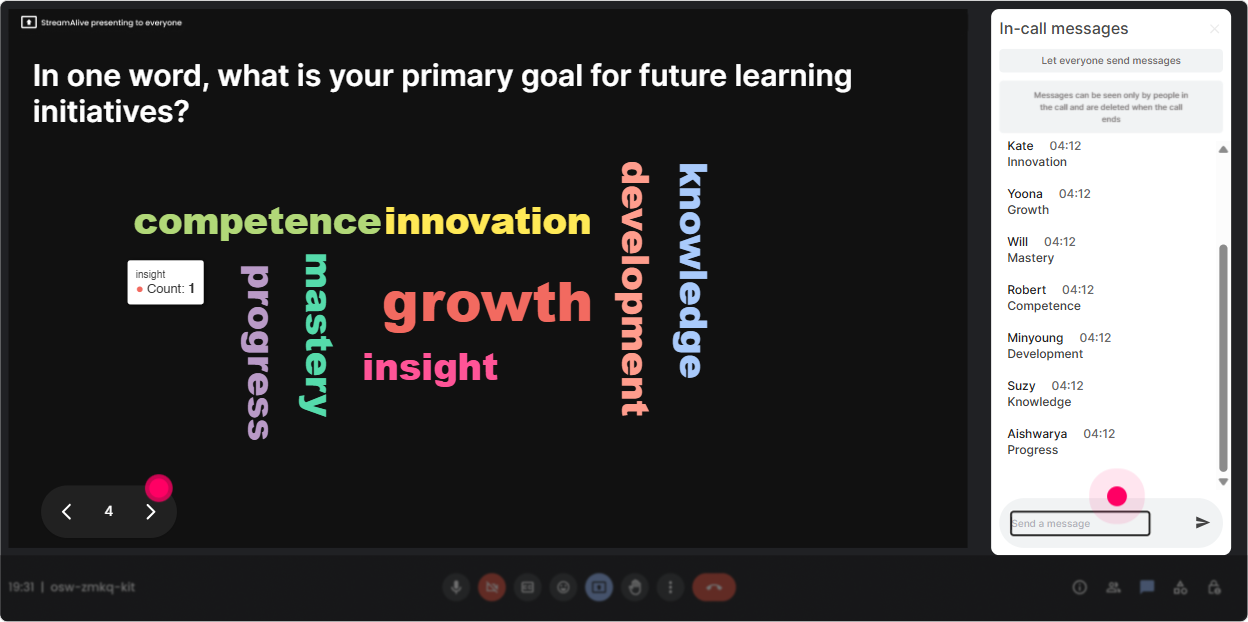
Foresight can trigger very different reactions-excitement for some, skepticism for others. A word cloud lets you surface that vibe instantly, without calling anyone out. Great word cloud questions for this topic: - When you hear foresight, whats the first word that comes to mind? - Whats one word describing how you feel about planning for an uncertain future? - In one word, whats the biggest barrier to future-focused L&D in your org? How this helps your facilitation: If time, budget, or buy-in shows up big-boom, youve found the real conversation. You can now tailor examples and activities to what they actually struggle with. Trainer tip: Encourage 12 word answers. If you want it cleaner, use Combine Similar Answers so you dont end up with future and futures fighting each other.
Talking Tiles: Turn quiet thinking into a visual brainstorm
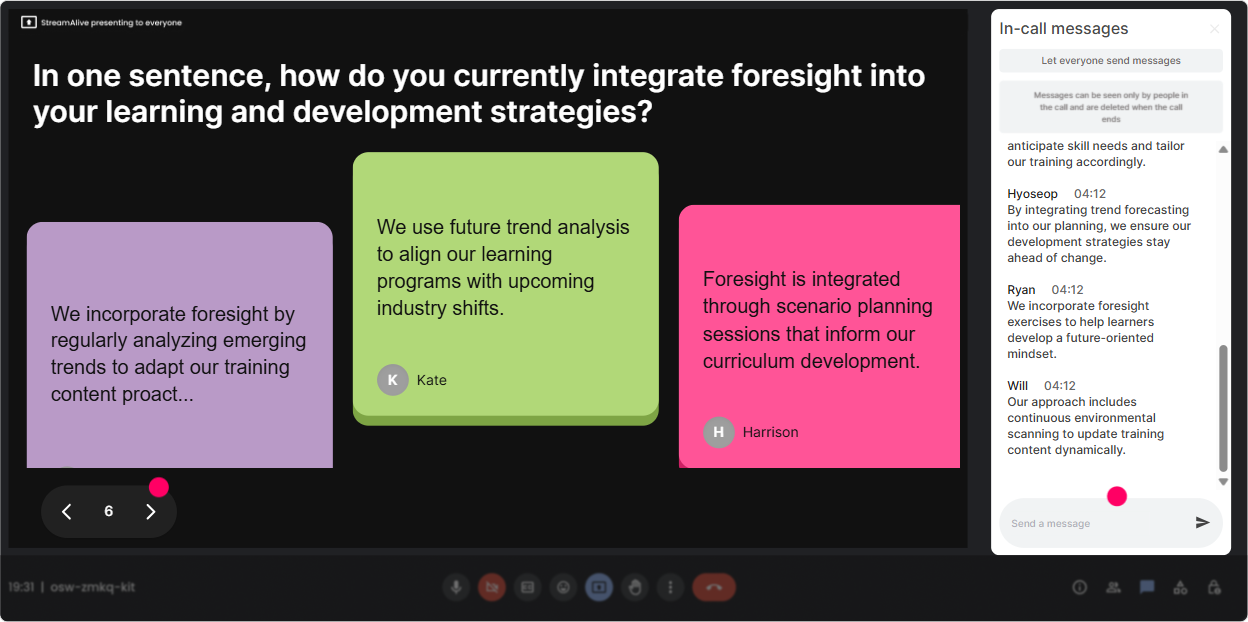
This is your go-to when you want longer, more thoughtful responses-without the awkward silence of asking people to unmute. Use Talking Tiles for prompts like: - Where does uncertainty show up most in your L&D role right now? - Whats one decision you wish you had better future signals for? - Describe a trend you think will reshape learning in the next 23 years (and why). Why it lands well with L&D Leaders: Theyre usually full of smart observations-but they dont always want to speak first. Talking Tiles gives them a low-pressure way to contribute, and you get a wall of ideas to work with. Trainer tip: Once the tiles drop in, pick 35 themes you see and reflect them back: Im seeing lots of AI adoption, leadership capability, and internal mobility here-lets dig into those. That moment feels like magic.
Power Polls: Let the audience choose where the session goes next
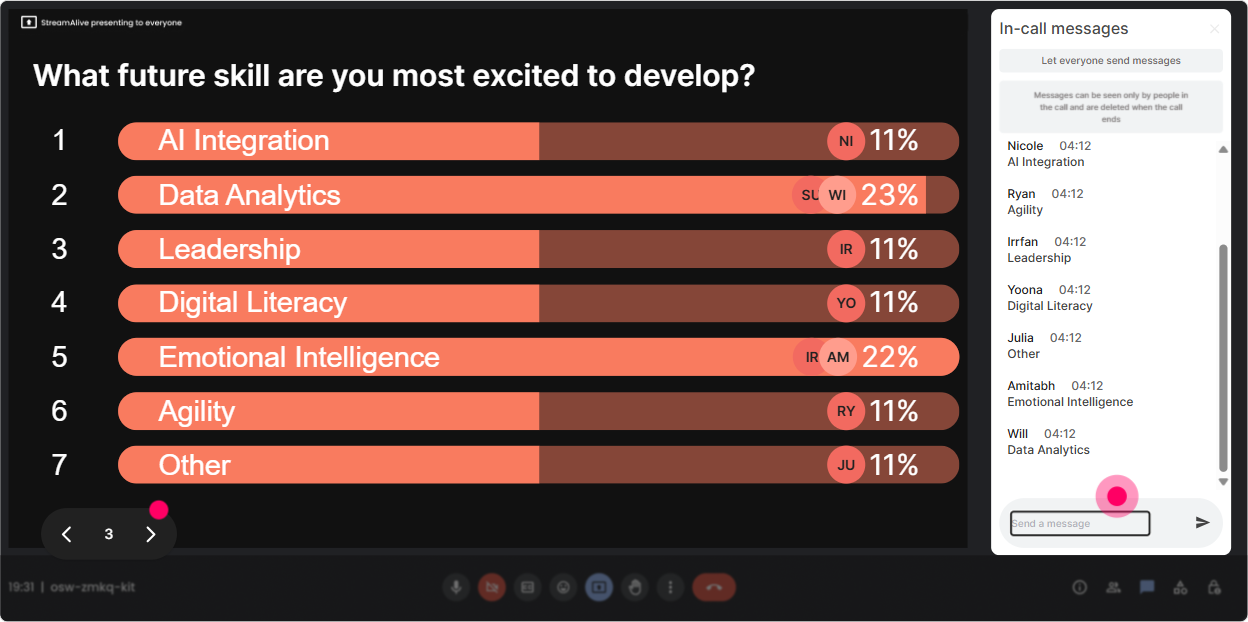
Foresight covers a lot: signals, trends, scenarios, strategic choices, capability building. Instead of guessing what your group wants, just ask-and show the results live. Poll ideas that work really well: - What do you want the most from today? 1) Spotting trends & signals 2) Scenario planning basics 3) Turning foresight into L&D strategy 4) Stakeholder buy-in for future skills - Which foresight application matters most to your role right now? 1) Workforce planning 2) Skills strategy 3) Leadership development 4) Learning tech roadmap How to use results: You can literally say: Alright, the room voted-lets spend extra time on scenario planning and buy-in. People feel heard, and engagement jumps because its now *their* agenda too. Trainer tip: If you want surprise answers (and richer discussion), run an Open-Ended Poll like: Name one trend youre watching closely. StreamAlive will collect and visualize the options for you.
Winner Wheel: Get participation without putting anyone on the spot
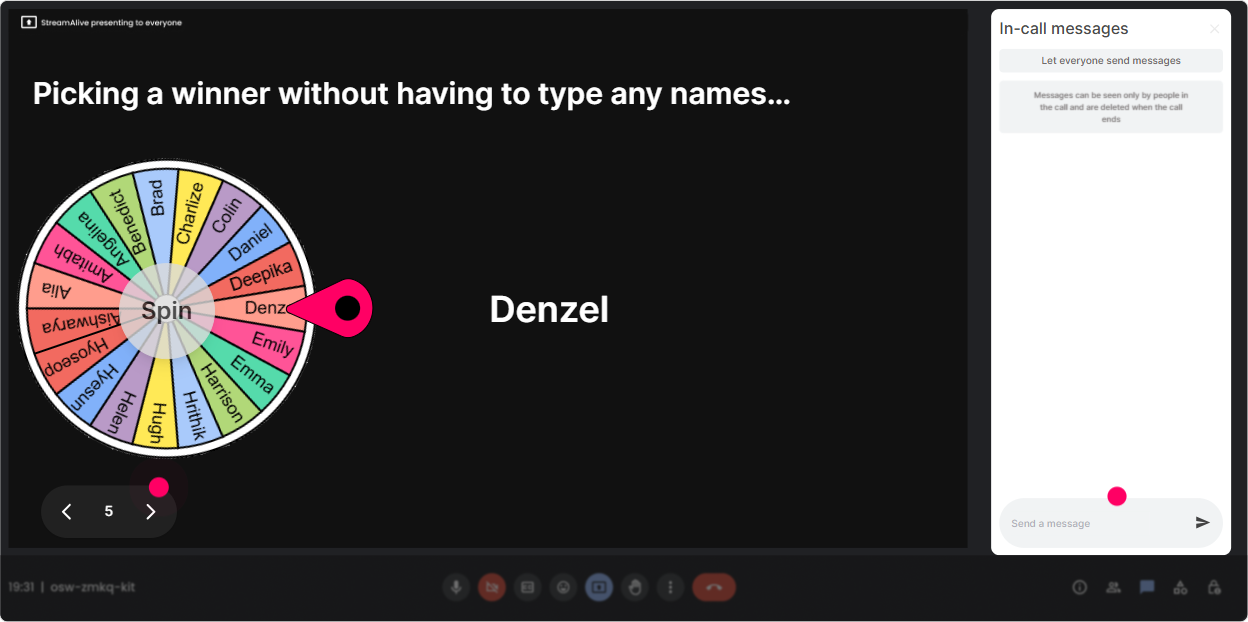
You know that moment: you ask a question and everyone suddenly becomes a statue. Winner Wheel fixes that-because it turns participation into a game. Fun, trainer-friendly ways to use it: - Type one trend that worries you in the chat. Im going to spin the wheel and ask the winner to say *why* in 20 seconds. - Drop your biggest unknown about the future of work. Well spin and do a quick hot-seat discussion. - Share one future skill your org is ignoring. Spin wheel picks who expands on it. Why it works: People comment more because they know it could be them-but it still feels fair, random, and playful. Trainer tip: Use it as a positive reinforcement tool too: spin from people who contributed during this activity and give a small shoutout or perk (like getting their scenario example reviewed first).
Quiz: Quick knowledge checks that dont feel like school
Foresight has a few concepts people mix up (signals vs trends, forecasting vs scenarios, etc.). A quick Quiz interaction keeps attention high and helps you correct misunderstandings immediately. Quiz questions you can run: - Which best describes strategic foresight? 1) Predicting the exact future 2) Planning for multiple plausible futures (Correct) 3) Only tracking competitor moves 4) Creating annual training calendars - Whats an early signal? 1) A confirmed market shift 2) A small hint that *could* grow into a trend (Correct) 3) A quarterly KPI 4) A leadership opinion How to make it feel engaging: - Let them answer in chat fast. - Reveal the correct answer. - Ask: If we got this wrong, what would we do differently in our L&D strategy? Trainer tip: Dont overdo quizzes-use them like spice. One at the start to set the baseline, one mid-session to reinforce, one near the end to lock it in.

Rating Polls: Get a quick pulse-how foresight-ready is this group?
Before you teach anything, find out where everyones starting from. Rating Polls are perfect for that quick pulse check without making it awkward. Easy prompts you can run live: - On a scale of 110, how confident are you that your org can spot workforce trends early? - Rate your current foresight maturity: 1 = reactive, 10 = we plan for multiple futures. - How useful is foresight *right now* in your L&D strategy? 1 = not at all, 10 = critical. What you do with the results: - If the average is low: you frame the session as confidence-building and practical. - If the average is high: you go deeper into scenario planning, early signals, and decision-making. Trainer tip: Run the same Rating Poll again near the end as your before and after. That visible shift is insanely motivating for participants-and it makes your session feel high-impact.
Q&A (Quick Questions): Capture every question without losing your flow
In foresight sessions, questions pop up constantly-especially when people try to connect the ideas to real constraints like budgets, stakeholders, and change fatigue. StreamAlives Q&A pulls questions straight from the chat and organizes them for you, so youre not hunting through a messy chat thread. How to use it smoothly: - Tell the group: Drop questions anytime-StreamAlive will catch them. - Do Q&A pit stops every 1520 minutes so you dont derail the flow. - Use questions as transitions: Great question-this actually leads us into scenario planning. Trainer tip: If youre co-facilitating, have your partner monitor the captured questions and tee up the best ones at your planned pit stops.

Analytics: Prove what worked, and improve the next cohort
After the session, you want more than I think it went well. Analytics gives you the receipts-what people engaged with, when energy spiked, and which activities drove the most participation. How L&D Leaders (and trainers) can use this: - See minute-by-minute engagement: Identify the exact moments attention dipped (so you can tighten that section next time). - Review chat replay + interaction reports: Spot which prompts created the best discussion. - Find your top engaged participants: Great for follow-ups, champions, or even peer facilitators in future cohorts. - Share reports via email/Teams: Perfect when you need to show stakeholders that the session wasnt passive-it was truly interactive. Trainer tip: Use the analytics to refine your Run of Show. If you notice engagement spikes during scenario activities, youll know to expand that segment and shorten the lecture-y parts next time.

Use StreamAlive in all your training sessions
StreamAlive isn’t just for
Foresight
training,
it can also be used for any instructor-led training session directly inside your PowerPoint presentation.
Explore similar traingin ideas: unlocking the potential of StreamAlive
See how StreamAlive transforms live training with engaging events and interactive sessions across industries, directly inside your PowerPoint presentation.

Interactions in action
(it's free)

.svg.png)


