Install StreamAlive for your PowerPoint slides
Learn more

Hyper-Personalized Learning Training for Training Agencies
StreamAlive helps 9x the audience engagement in your Virtual Instructor-led Trainings (VILT) directly inside your powerpoint presentation.
Make your instructor-led Hyper-Personalized Learning training more fun with polls, word clouds, spinner wheels and more
Works inside your existing PowerPoint presentation
Install the StreamAlive app for PowerPoint and see your slides come to life as people participate in your interactions
AI generates audience interactions for you
Let our AI scan your presentation and automatically come up with relevant questions based on the content. Or spend two hours coming up with your own questions, your choice!
Built to work with MS Teams and Zoom
Native apps for Teams and Zoom so you never have to leave your existing workflows
No QR Codes
Chat-powered interactions means your audience doesn’t need to scan QR codes or look at another screen to participate. They just type in the chat!

Quickly approved by your IT team
StreamAlive’s apps for Teams and Zoom means that they have been through rigorous quality assurance and client safety reviews. You’ll find everything an IT team needs to approve the app within the organization within your StreamAlive account.

Youve been asked to run an instructor-led session on Hyper-Personalized Learning for a training agency-and you want it to feel tailored, not templated. The fastest way to do that is to let your audience build the session with you, live. Here are practical ways to use StreamAlive interactions to keep everyone participating (not just watching).
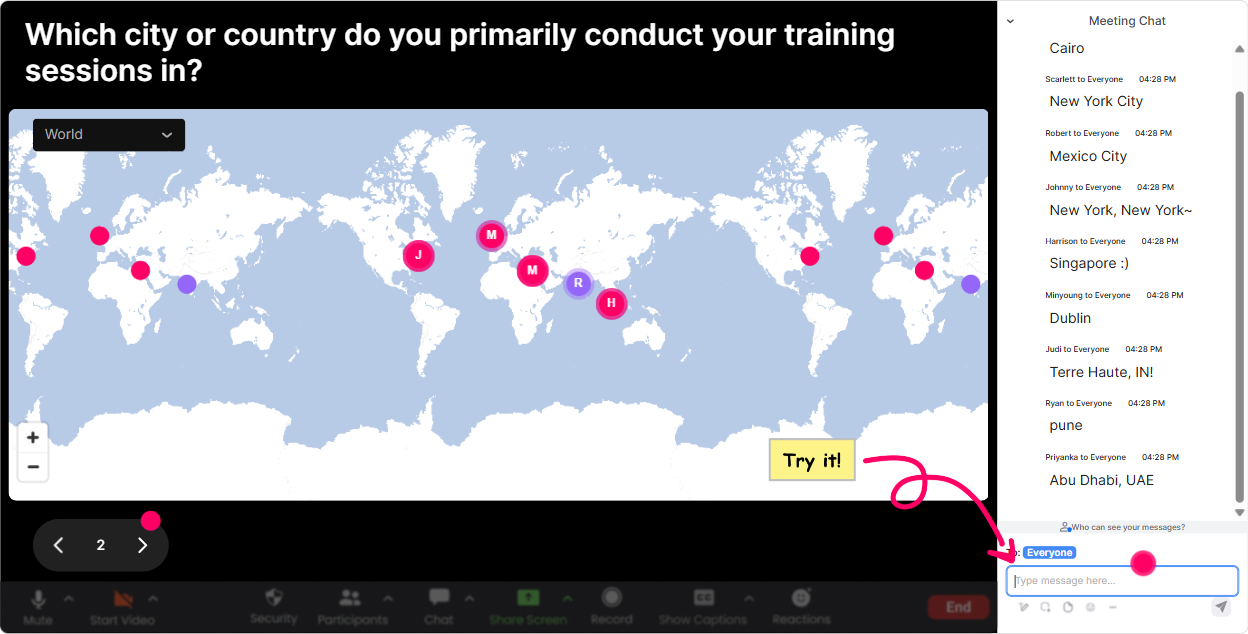
1) Magic Maps: Put your learners on the map (and instantly personalize your examples)
Start with the classic Where are you joining from?-but make it useful for Hyper-Personalized Learning. **How to use it in this training:** - **Warm-up (30 seconds):** Where in the world are you delivering training from today? As locations pop onto Magic Maps, you immediately see regions, clusters, time zones-aka real context. - **Make it hyper-personal:** Drop a city where your learners are toughest to engage. Now youve got a visual of where the challenge is happening, and you can tailor examples: onboarding in Bangalore vs. compliance in Boston. - **Segmentation moment:** Type the location of your *main learner population*. Then say: Cool-lets use *your* learner reality when we build our personalization plan. **Trainer tip:** If youre running multiple cohorts, reset the map between groups so each group gets their own moment on screen.
2) Rating Polls: Get an instant baseline (and stop guessing what they already know)
Hyper-Personalized Learning can mean anything from smart quizzes to AI-driven pathways. Before you teach, find out where theyre starting. **How to use it in this training:** - **Confidence check:** On a scale of 110, how confident are you designing hyper-personalized learning today? - **Reality check:** Rate your current training personalization level: 1 = one-size-fits-all, 10 = fully adaptive. - **Readiness check (mid-session):** How clear is the difference between *personalized* vs *hyper-personalized* right now? (110) **What this does for engagement:** people love seeing where they stand vs the group-and you get permission to slow down, speed up, or go deeper.

3) Wonder Words (Word Cloud): Capture the rooms mindset in one screen
If you want to personalize learning, you first need to know what people *think* it is-and how they feel about it. **How to use it in this training:** - **Emotion pulse check:** In 12 words, how do you feel about Hyper-Personalized Learning? (Youll see things like excited, overwhelmed, curious, skeptical.) - **Definition check:** Whats the first word that comes to mind when you hear hyper-personalized learning? - **Obstacle discovery:** One word: whats the biggest blocker to personalization in your agency? (Common hits: time, data, clients, tools, SMEs.) **Trainer move:** Pick the biggest word and say, Lets tackle *that* first. Now the audience feels like they helped write your agenda.
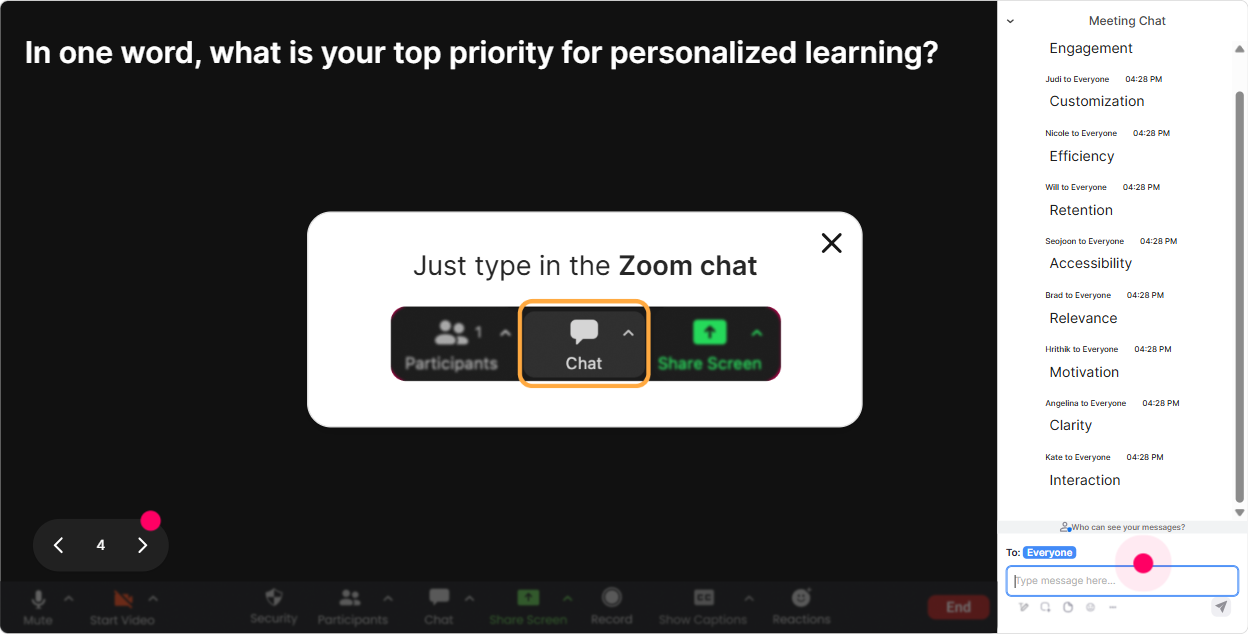
4) Talking Tiles: Turn their real-world scenarios into your best teaching material
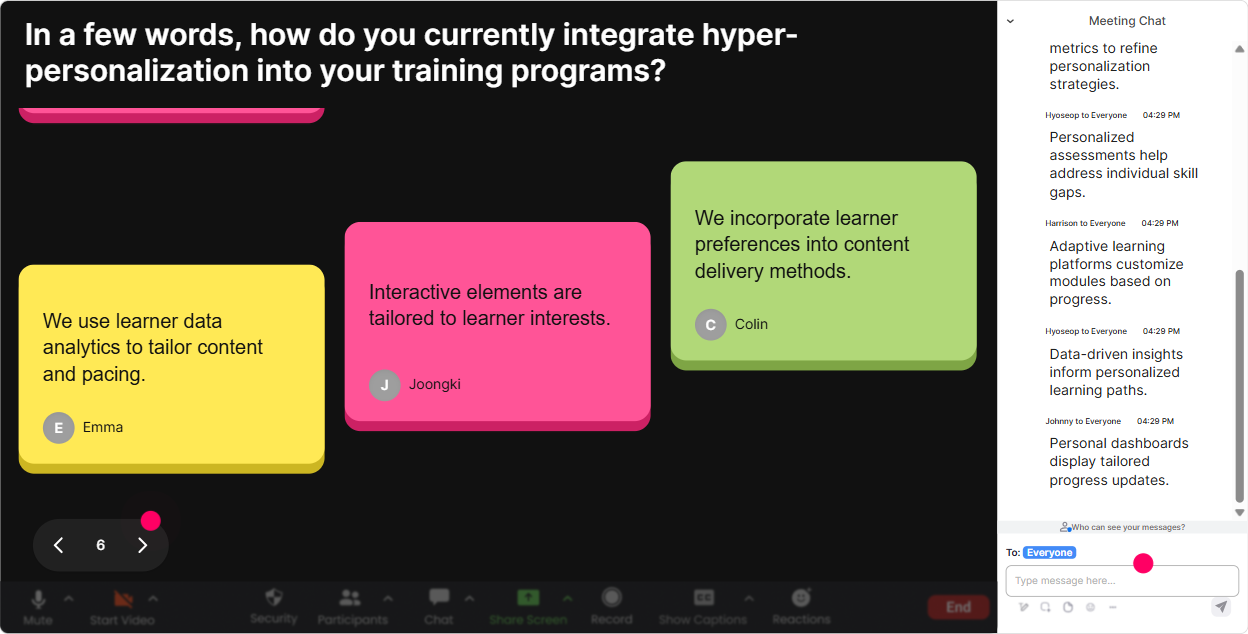
This is where your session stops being theoretical and starts feeling like oh wow, this is about my job. Talking Tiles is perfect for longer, messier answers. **How to use it in this training:** - **Role impact:** In 12 sentences, how would hyper-personalization change your day-to-day work as a trainer/ID/agency lead? - **Client reality:** Whats a client request youve gotten that screams we need personalization? - **Data you actually have:** What learner data do you already collect today? (LMS completion, quiz scores, manager feedback, job role, etc.) **Why it boosts engagement:** people see their own words on screen, and suddenly everyones leaning in to read what others wrote.
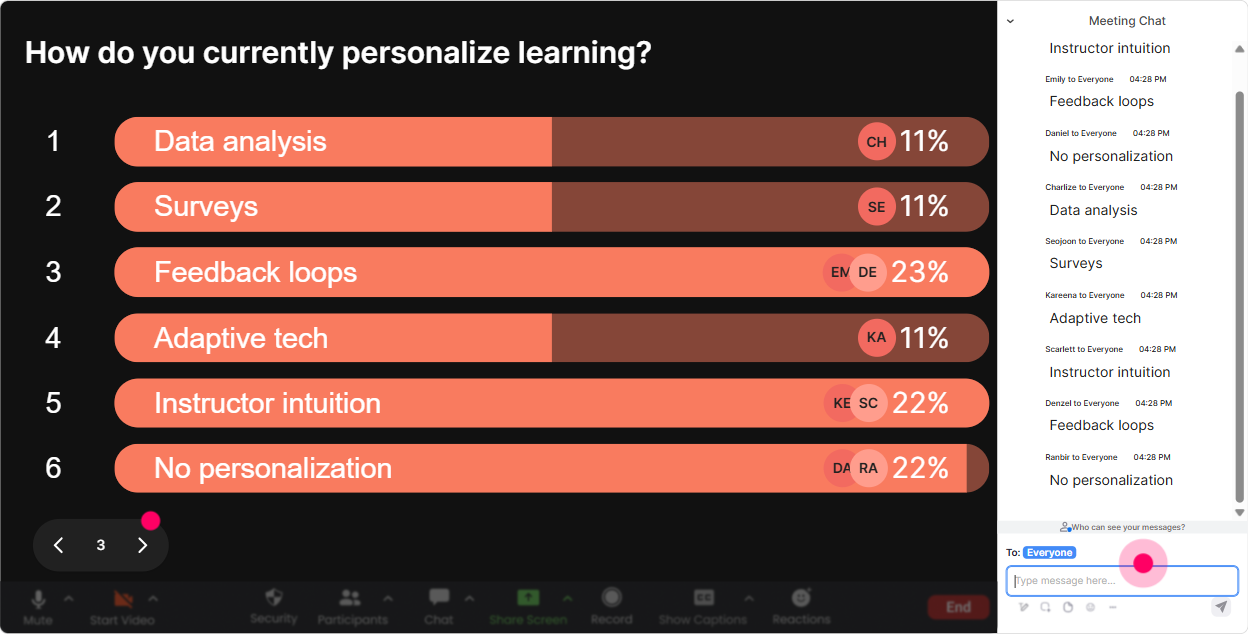
5) Power Polls: Let them choose the learning path (aka real hyper-personalization in the moment)
Polls are your choose your own adventure tool. Instead of you deciding what matters most, let the room vote-and then teach to the winner. **How to use it in this training:** - **What they want most:** What should we focus on first? 1) Building learner personas fast 2) Adaptive pathways 3) Personalized assessments 4) Personalization without fancy tech - **Agency-specific priorities:** Where would personalization improve results fastest for your clients? 1) Onboarding 2) Sales enablement 3) Compliance 4) Leadership - **Tooling maturity:** Which setup sounds most like you? 1) Mostly instructor-led, minimal LMS 2) LMS + basic reporting 3) LMS + xAPI/data 4) AI/coaching platforms in place **Trainer benefit:** once they vote, you can say, Alright, you picked it-lets build it together. That alone pulls quiet people into the session.
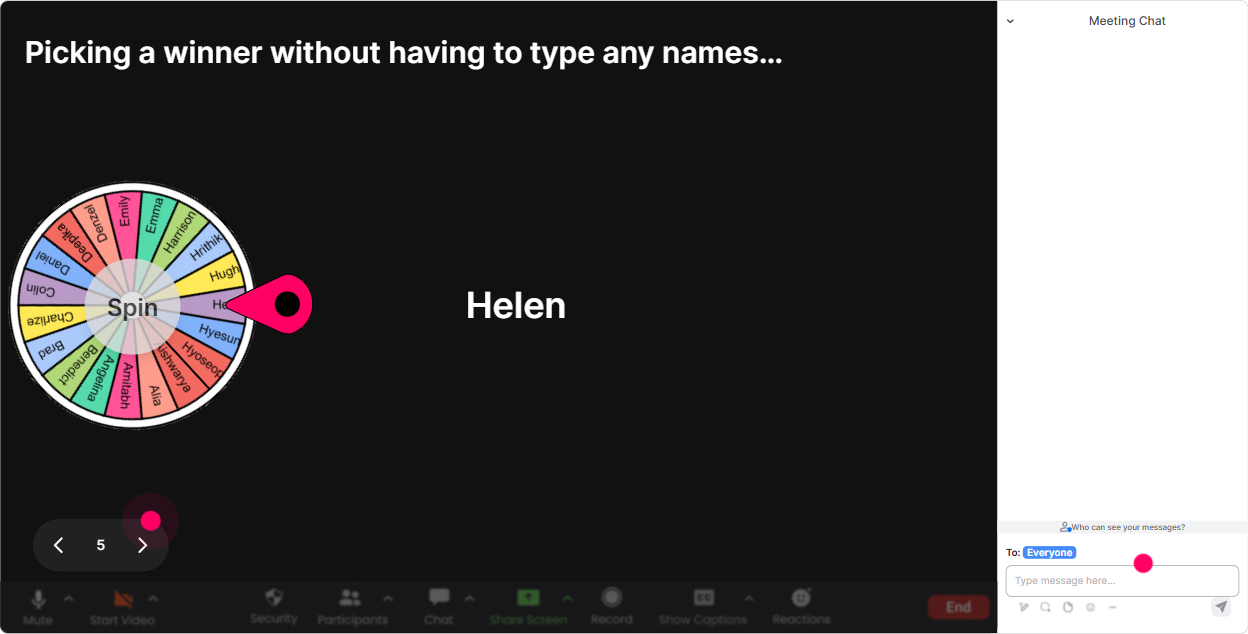
6) Winner Wheel (Spinner Wheel): Get participation without awkward calling-out
You know that moment when you need someone to share, but nobody wants to unmute? The Spinner Wheel makes it playful and fair. **How to use it in this training:** - **Volunteer-but-not-really:** Drop ME in the chat if youre okay being picked to share your personalization challenge. Then spin. - **Scenario share:** Type one client industry you serve (healthcare, fintech, retail). Ill spin and well build a hyper-personalized idea for that industry live. - **Mini-coaching:** Everyone post one personalization goal for your next program. Ill spin and workshop one in 2 minutes. **Engagement hack:** announce a tiny prize (template, shoutout, resource link) and suddenly the chat wakes up.
7) Quiz: Make knowledge checks feel like a game (not an exam)
Hyper-Personalized Learning has a lot of buzzwords floating around. A quick quiz keeps attention high and clears up misconceptions fast. **How to use it in this training (examples):** - **Concept check:** Which is the best example of hyper-personalization? A) Same content for everyone, different due dates B) Same module, optional bonus reading C) Different learning paths based on role + performance + goals D) A longer course with more resources - **Data literacy check:** Which input is *most useful* for personalization? A) Favorite color B) Job role C) Zoom background D) Random ID number - **Design check:** Whats the first step to building a personalized pathway? A) Pick a tool B) Define learner segments C) Add more videos D) Make a longer quiz **Trainer tip:** reveal the correct answer and ask one follow-up: If you picked A or B, what made you choose it? That sparks discussion without putting anyone on the spot.

2) Rating Polls: Get an instant baseline (and stop guessing what they already know)
Hyper-Personalized Learning can mean anything from smart quizzes to AI-driven pathways. Before you teach, find out where theyre starting. **How to use it in this training:** - **Confidence check:** On a scale of 110, how confident are you designing hyper-personalized learning today? - **Reality check:** Rate your current training personalization level: 1 = one-size-fits-all, 10 = fully adaptive. - **Readiness check (mid-session):** How clear is the difference between *personalized* vs *hyper-personalized* right now? (110) **What this does for engagement:** people love seeing where they stand vs the group-and you get permission to slow down, speed up, or go deeper.
8) Q&A: Let StreamAlive catch questions from chat (so you dont miss the good ones)
When trainers talk about personalization, questions pop up fast-and chat can get messy. StreamAlives Q&A automatically pulls questions out so you can actually manage them. **How to use it in this training:** - **Parking lot, but better:** As we go, drop your questions in chat. StreamAlive will collect them-no special format needed. - **Module-based Q&A:** After each section, open the Q&A view and say: Lets hit the top 3 questions before we move on. - **Client-facing concerns:** Encourage real questions like: - How do we personalize without violating privacy? - What if our LMS cant do adaptive paths? - How do we price personalization as an agency? **Why it boosts engagement:** people ask more when they trust their question wont get lost.

9) Analytics: Prove what engaged them (and improve the next cohort fast)
After the session, dont just guess what worked-use StreamAlive analytics to see it. **How to use it in Hyper-Personalized Learning training:** - **Minute-by-minute engagement:** Spot where chat spiked (maybe during the persona activity) and where it dipped (maybe during a long explanation). Thats your redesign roadmap. - **Replay your interactions:** Review which poll questions got the most responses and reuse/refine them for the next client cohort. - **Identify top fans (your champions):** Find the most engaged participants-these are often your internal promoters, future case study partners, or the ones wholl actually apply the framework. - **Share results:** Email reports to your team or stakeholders so your agency can standardize what works across facilitators. **Bottom line:** analytics help you run your next session more personalized than the last-because youre learning from your learners.

Use StreamAlive in all your training sessions
StreamAlive isn’t just for
Hyper-Personalized Learning
training,
it can also be used for any instructor-led training session directly inside your PowerPoint presentation.
Explore similar traingin ideas: unlocking the potential of StreamAlive
See how StreamAlive transforms live training with engaging events and interactive sessions across industries, directly inside your PowerPoint presentation.

Interactions in action
(it's free)

.svg.png)


