Install StreamAlive for your PowerPoint slides
Learn more

L&D Marketing Training for L&D Leaders
StreamAlive helps 9x the audience engagement in your Virtual Instructor-led Trainings (VILT) directly inside your powerpoint presentation.
Make your instructor-led L&D Marketing training more fun with polls, word clouds, spinner wheels and more
Works inside your existing PowerPoint presentation
Install the StreamAlive app for PowerPoint and see your slides come to life as people participate in your interactions
AI generates audience interactions for you
Let our AI scan your presentation and automatically come up with relevant questions based on the content. Or spend two hours coming up with your own questions, your choice!
Built to work with MS Teams and Zoom
Native apps for Teams and Zoom so you never have to leave your existing workflows
No QR Codes
Chat-powered interactions means your audience doesn’t need to scan QR codes or look at another screen to participate. They just type in the chat!

Quickly approved by your IT team
StreamAlive’s apps for Teams and Zoom means that they have been through rigorous quality assurance and client safety reviews. You’ll find everything an IT team needs to approve the app within the organization within your StreamAlive account.

Youve been asked to run an instructor-led session on L&D Marketing for L&D Leaders-and you want it to feel alive, not like another slide marathon. The easiest win? Get them doing stuff in the chat from minute one. Here are simple, trainer-friendly ways to make that happen using StreamAlive (and keep engagement rolling-up to 9x).
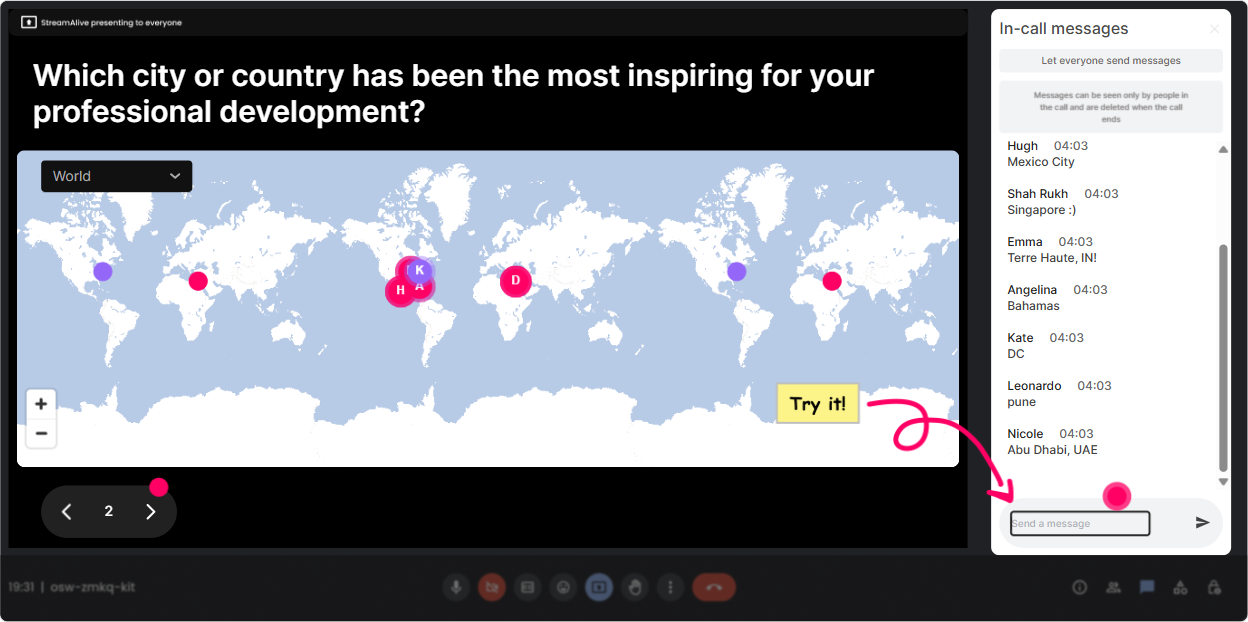
1) Magic Maps: Put your L&D Leaders on the map (literally)
This is the easiest everyone participates opener-because its low effort and instantly visual. How to use it in your L&D Marketing ILT: - Kick-off question: Where are you joining from today? (classic, but it works every time) - Make it relevant: Which market/region are you responsible for right now? (they can drop a city or country) - Fun + strategic: If you could run an L&D campaign anywhere in the world, where would you test it first? Why it boosts engagement: - People immediately see theyre part of a group (especially helpful with cross-region leadership cohorts) - It sets you up for easy segues like: Cool-since weve got APAC + NA in the room, lets talk localization and internal comms channels Trainer tip: If you expect one location per person, set the interaction to accept one entry so the map stays clean.
2) Rating Polls: Take the rooms pulse in 10 seconds
Rating Polls are your best friend when you want quick truth without awkward silence. People just type a number in chat, and you get instant clarity. How to use it in L&D Marketing training: - Confidence check: Rate your current L&D Marketing maturity (1 = we dont market at all, 10 = we run campaigns like pros). - Stakeholder buy-in: How supported do you feel by leadership to promote learning internally? (110) - Campaign readiness: How confident are you that employees actually notice your learning programs? (110) Why it boosts engagement: - You immediately know how basic/advanced to go - It gives you a clean moment to say, Okay, Im seeing a lot of 46 perfect, well focus on quick wins and repeatable campaign templates.

3) Wonder Words (Word Cloud): Get real feelings and real language fast
Word Clouds are gold for L&D Marketing because you get the exact words leaders use-aka the messaging youll want to reflect back later. How to use it: - Emotion opener: When you hear L&D Marketing, whats the first word that comes to mind? - Pain-point finder: Whats the biggest blocker to getting learners to show up? (12 words) - Message testing: One word that describes your current learning brand internally? Why it boosts engagement: - Quiet people will still drop a word - You instantly get a shared reality on screen (and it feels like, Oh wow-everyones dealing with the same stuff.) Trainer tip: Use Combine Similar Answers so promotion and promoting dont split into separate bubbles.

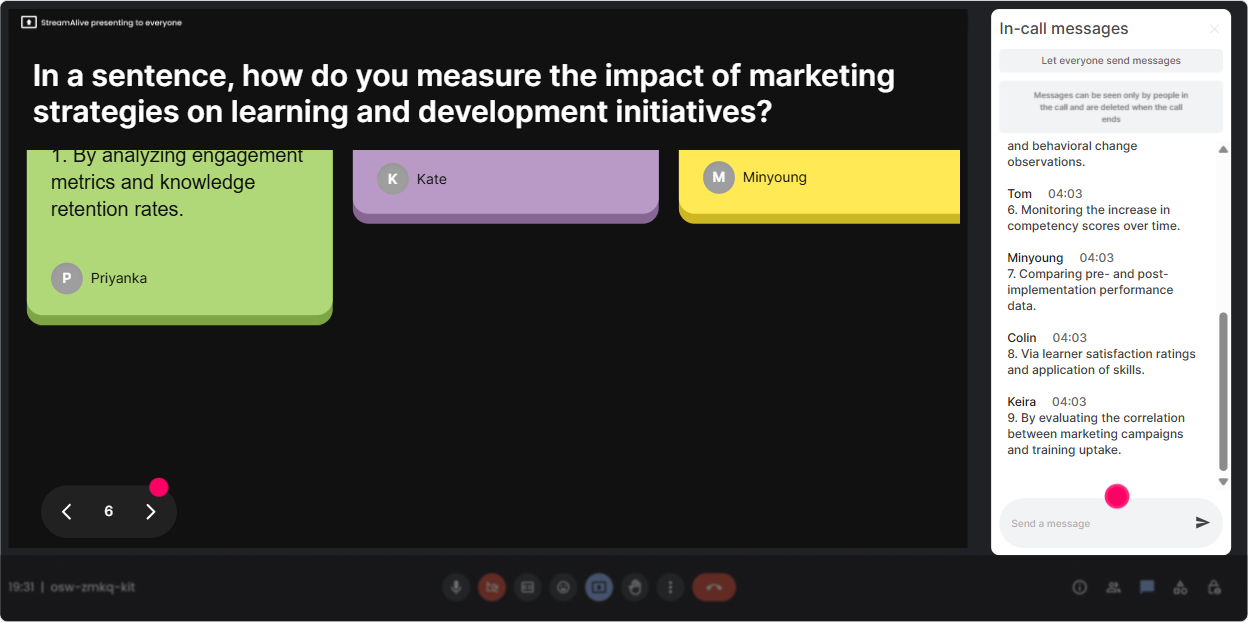
4) Talking Tiles: Turn their ideas into the content (without begging people to speak)
Talking Tiles are perfect when you want responses that are more than one word-but you still want it to feel fun and fast. How to use it in L&D Marketing ILT: - Impact question: In one sentence: how does L&D Marketing impact your role as an L&D Leader? - Case-style prompt: Whats one learning program you wish had gotten way more attention? What happened? - Internal audience thinking: Who do you *actually* need to influence to make learning participation move? Why it boosts engagement: - Everyones responses become part of the show (literally on-screen) - You get instant discussion material: pick 23 tiles and say, Lets unpack this one. Trainer tip: Use this right before you teach a framework-so you can connect your model to what they just shared.
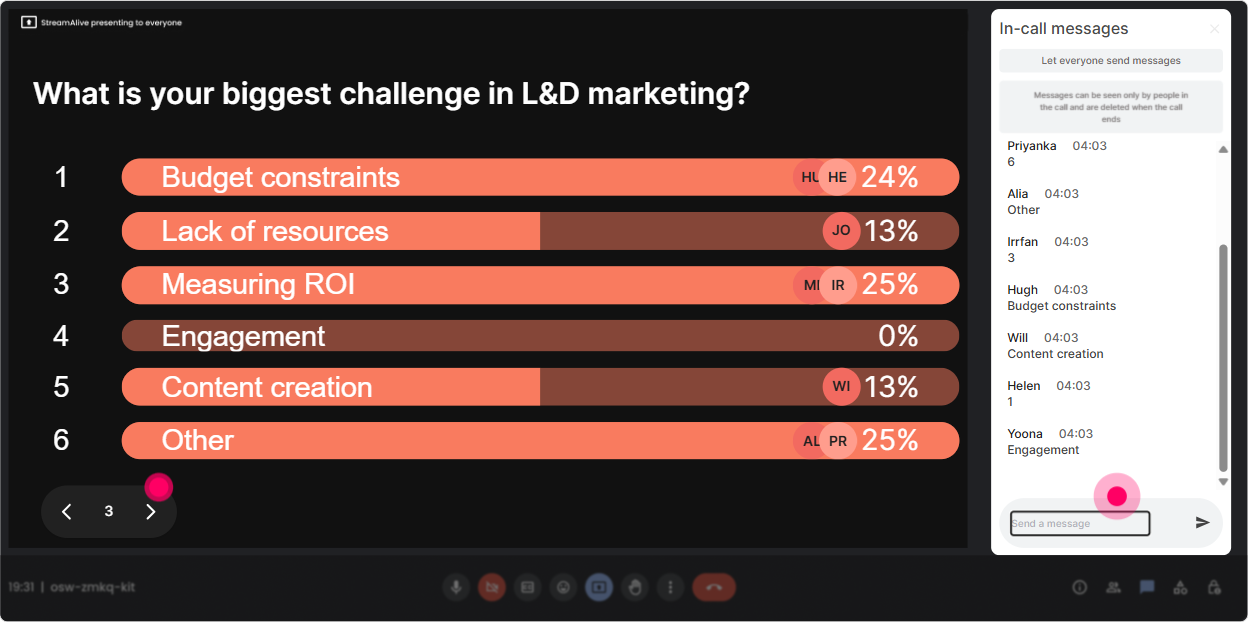
5) Power Polls: Let the group decide what you teach next
This is where your session stops feeling like a lecture and starts feeling like a collaboration. How to use it for L&D Marketing: - Topic choice: What do you want most today? 1) Getting leaders to sponsor learning 2) Email/Teams campaign templates 3) Building a learning brand 4) Measuring marketing impact - Channel reality check: Where do your learners actually pay attention? 1) Teams/Slack 2) Email 3) Intranet 4) Manager cascades 5) Town halls Why it boosts engagement: - People feel ownership (we chose this) - You avoid guessing what matters to them Trainer tip: Run a poll mid-session too: Which of these should we workshop together right now?-and then do that.
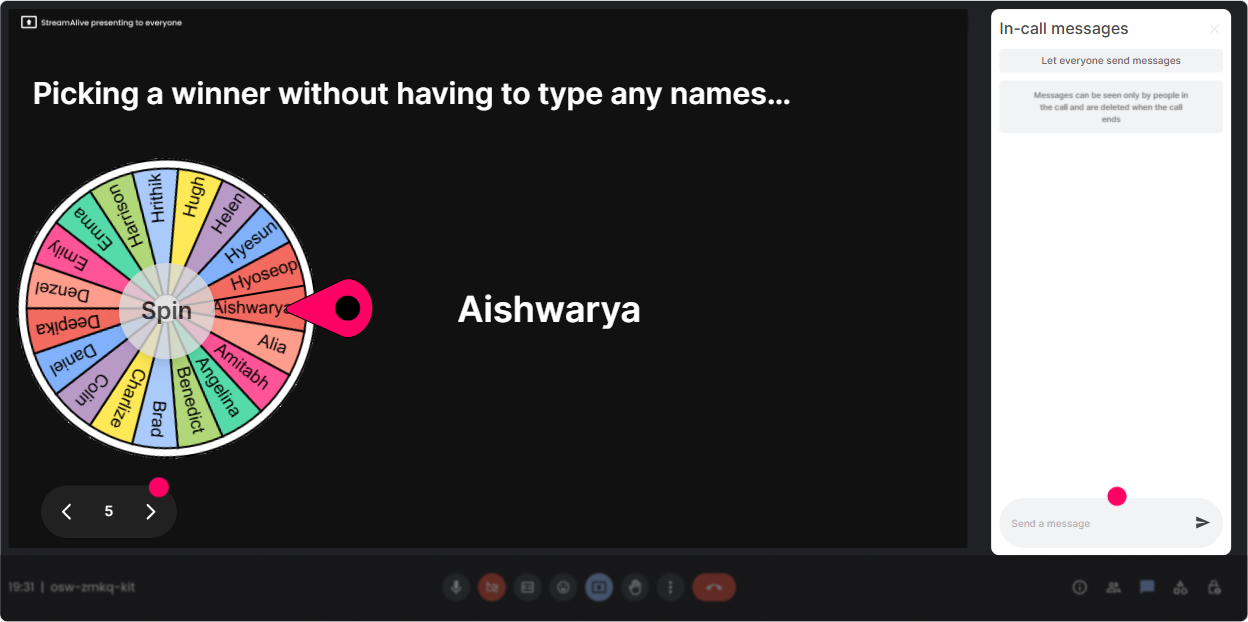
6) Winner Wheel: Make participation feel rewarding (and fair)
Sometimes you want someone to unmute, share an example, or answer a question-but calling on people can feel awkward. The Winner Wheel makes it playful and unbiased. How to use it in L&D Marketing training: - Volunteer prompt: Drop ME in chat if youre okay sharing one internal campaign win or fail. spin the wheel - Story time: Whos willing to share a screenshot of a recent learning promo message? spin to pick - Mini prizes (optional): One person who participated in the poll gets my 1-page campaign checklist. spin Why it boosts engagement: - It nudges chat activity throughout the session (I might get picked!) - It keeps energy up without you acting like a game show host Trainer tip: Set the criteria to pick from people who commented during a specific interaction, so it feels connected to effort.
7) Quiz: Quick knowledge checks that dont feel like school
Use Quiz when you want one correct answer and a little competitive spark-especially useful for myths, metrics, and best practices in L&D Marketing. Quiz ideas for L&D Leaders: - Which metric best shows *marketing* effectiveness for a learning program? A) Completions B) Click-through rate (CTR) C) Facilitator rating D) Time spent in LMS (Correct answer depends on your lesson-but CTR/engagement is usually the marketing lens) - Whats the strongest distribution partner for learning in most orgs? A) LMS B) Intranet banner C) People managers D) CEO email only - Which message is most likely to drive action? (show 4 lines of copy-pick the best) Why it boosts engagement: - You get instant proof of understanding - You can reveal the correct answer and teach the why right away Trainer tip: Use Quiz right after a concept (like segmentation or campaign funnels) so it sticks.

2) Rating Polls: Take the rooms pulse in 10 seconds
Rating Polls are your best friend when you want quick truth without awkward silence. People just type a number in chat, and you get instant clarity. How to use it in L&D Marketing training: - Confidence check: Rate your current L&D Marketing maturity (1 = we dont market at all, 10 = we run campaigns like pros). - Stakeholder buy-in: How supported do you feel by leadership to promote learning internally? (110) - Campaign readiness: How confident are you that employees actually notice your learning programs? (110) Why it boosts engagement: - You immediately know how basic/advanced to go - It gives you a clean moment to say, Okay, Im seeing a lot of 46 perfect, well focus on quick wins and repeatable campaign templates.
8) Q&A (Quick Questions): Stop missing great questions in fast-moving chat
If youve ever tried to teach and track chat at the same time you know how easy it is to miss important questions. Quick Questions pulls audience questions into a clean view so you can handle them without losing your flow. How to use it in your L&D Marketing ILT: - Park-and-answer: As questions pop up, drop them in chat-Ill hit them at the end of each section. - Live coaching moment: Post your toughest stakeholder objection to L&D Marketing, and Ill respond to a few. - Campaign troubleshooting: Ask anything about promoting ILT, webinars, academies, or certifications-nothings too specific. Why it boosts engagement: - People ask more when they feel confident theyll be seen - You can turn Q&A into a structured part of your run-of-show instead of chaos

9) Analytics: Prove engagement, improve the session, and spot your champions
This is the part L&D Leaders quietly love-because it gives you evidence. How to use StreamAlive Analytics after your L&D Marketing session: - See engagement minute-by-minute: Find the exact moments the room lit up (or dipped) so you can tweak your timing next run. - Replay interactions: Review what people voted for, what words came up, and which questions got asked. - Identify top engaged participants (Fantastic Fans): These are often your future champions-people wholl help you spread the learning message internally. - Share results: Send interaction reports by email or share insights with your team on Teams-super useful if youre reporting back to stakeholders. Why it boosts engagement long-term: - You stop guessing what worked - Your next ILT gets smarter, tighter, and more audience-driven

Use StreamAlive in all your training sessions
StreamAlive isn’t just for
L&D Marketing
training,
it can also be used for any instructor-led training session directly inside your PowerPoint presentation.
Explore similar traingin ideas: unlocking the potential of StreamAlive
See how StreamAlive transforms live training with engaging events and interactive sessions across industries, directly inside your PowerPoint presentation.

Interactions in action
(it's free)

.svg.png)


