Install StreamAlive for your PowerPoint slides
Learn more

Learning Organizations Training for Corporate Trainers
StreamAlive helps 9x the audience engagement in your Virtual Instructor-led Trainings (VILT) directly inside your powerpoint presentation.
Make your instructor-led Learning Organizations training more fun with polls, word clouds, spinner wheels and more
Works inside your existing PowerPoint presentation
Install the StreamAlive app for PowerPoint and see your slides come to life as people participate in your interactions
AI generates audience interactions for you
Let our AI scan your presentation and automatically come up with relevant questions based on the content. Or spend two hours coming up with your own questions, your choice!
Built to work with MS Teams and Zoom
Native apps for Teams and Zoom so you never have to leave your existing workflows
No QR Codes
Chat-powered interactions means your audience doesn’t need to scan QR codes or look at another screen to participate. They just type in the chat!

Quickly approved by your IT team
StreamAlive’s apps for Teams and Zoom means that they have been through rigorous quality assurance and client safety reviews. You’ll find everything an IT team needs to approve the app within the organization within your StreamAlive account.

Youve been asked to run an instructor-led session on Learning Organizations for corporate trainers-and you want it to feel alive, not like a slide marathon. The fastest win? Get people talking early and often, without awkward cold-calling. Here are practical ways to do that using StreamAlive so your room stays switched on the whole time.
1) Magic Maps: Put your trainers on the map (and instantly warm up the room)
If you start with Where are you joining from? you already know it works-StreamAlive just makes it way more fun by plotting everyone on a live map in real time. Its a simple icebreaker that gets people typing immediately (and typing = engaging). Try it specifically for a Learning Organizations session with prompts like: - Where are you joining from today? (City + country) - If your organization could learn from any place on earth, where would you send it to study best practices? - Name a city where youve seen the best training culture. Trainer tip: If your cohort is global, call out the clusters (Wow, weve got a big group from Singapore!). People LOVE hearing their location mentioned-it nudges them to participate again later.

2) Rating Polls: Get a quick pulse check on Learning Organizations knowledge (without the cringe)
Before you teach anything, find out where people actually are. Rating Polls let everyone drop a number right in chat, and you instantly see the spread and average. Use it like a trainers temperature check: - On a scale of 110, how confident are you explaining what a Learning Organization is? - Rate your current org: how strong is the learning culture today? (1 = weak, 10 = strong) - How ready is your leadership to support learning behaviors? (110) What this unlocks: You can adapt on the fly. If the average confidence is a 3, you slow down and define terms. If its an 8, you move faster and go deeper into application.

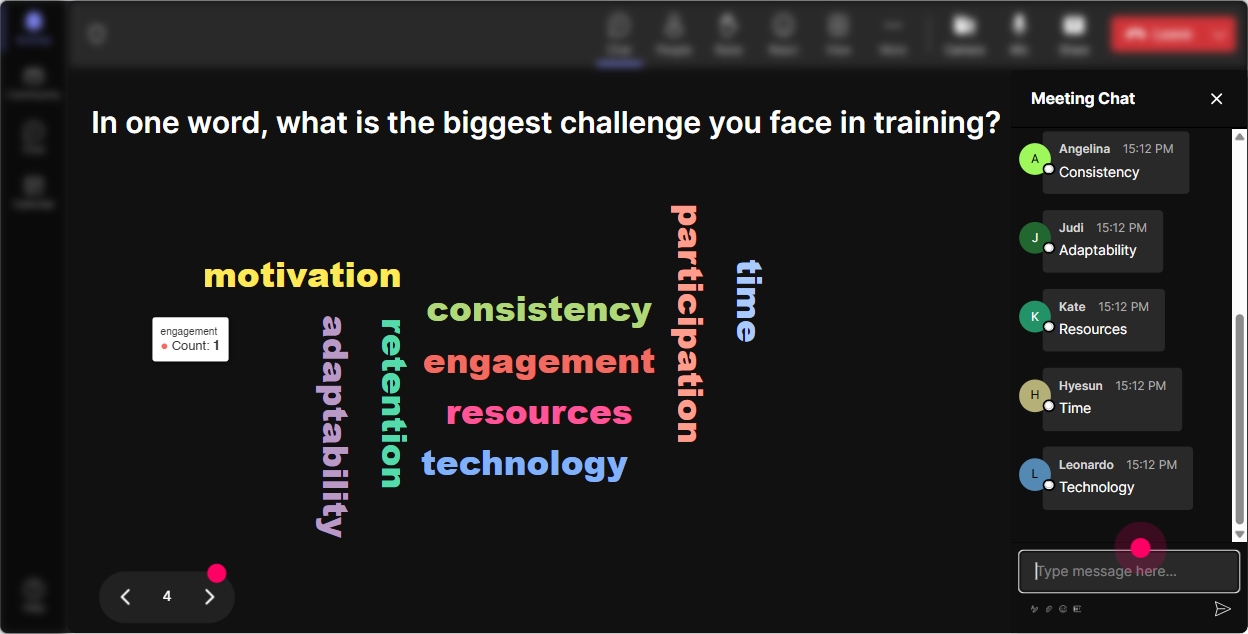
3) Wonder Words (Word Cloud): Turn feelings into something you can actually work with
Learning Organizations can trigger all kinds of reactions-some trainers get excited, others are like Cool concept but my company wont do it. A word cloud surfaces the real vibe in the room in seconds. Ask for 12 word answers like: - When you hear Learning Organization, whats the first word that pops up? - Whats the biggest barrier in your org? (One word) - What do you want more of in your learning culture? (One or two words) Then do the trainer magic: call out the biggest words. If time and buy-in dominate, boom-youve just found your sessions real storyline. People feel seen, and engagement spikes because youre talking about THEIR reality.
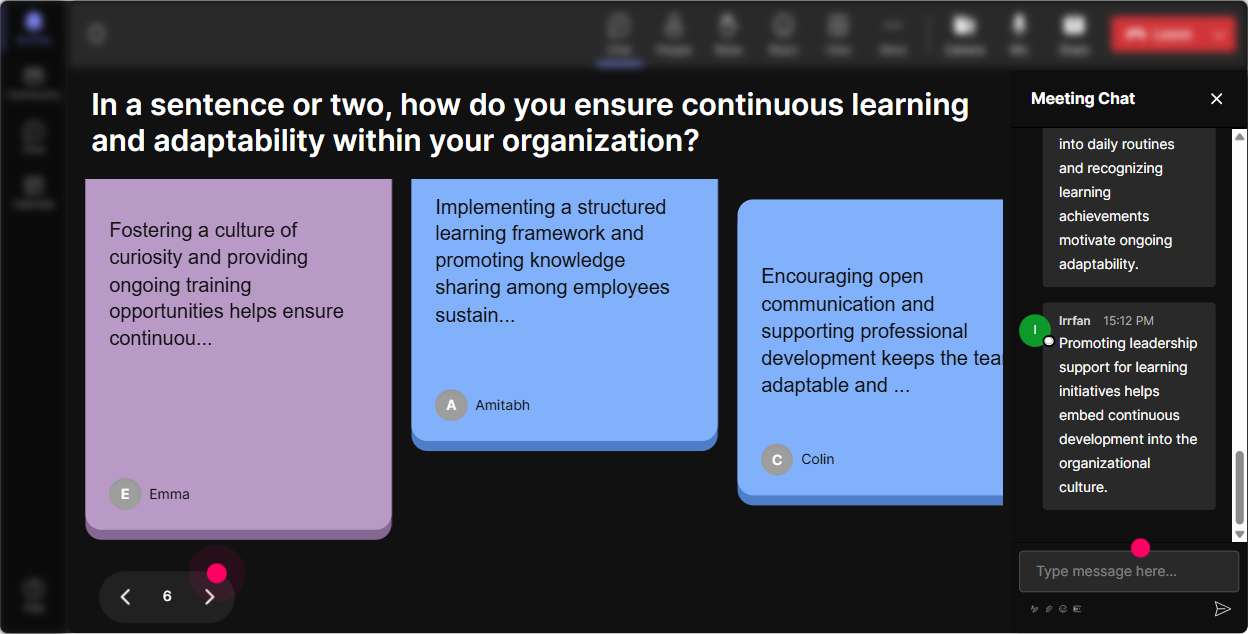
4) Talking Tiles: Capture real stories and make sharing feel effortless
When you want more than one-word answers-but you dont want a painful round-robin-Talking Tiles is perfect. People type a fuller thought, and their responses show up on screen like dynamic tiles. It feels lively, like the room is building something together. Great prompts for Learning Organizations training: - Where does learning break down in your organization-on the job, with managers, with systems, or with motivation? - Describe one moment you realized your org was (or wasnt) a learning organization. - Whats one small behavior you want managers to model to make learning normal? Facilitation tip: Read a few tiles out loud and group them (These 3 are all about manager behavior). Youre basically doing live theme-coding like a pro-without anyone needing to unmute.
5) Power Polls: Let the group choose what to focus on (so nobody checks out)
Trainers love structure, but learners love choice. Power Polls help you co-create the agenda in real time-people feel ownership, and suddenly theyre paying attention because they helped steer the session. Poll ideas that fit this topic: - Which part of a Learning Organization do you want most today? 1) Systems & process 2) Mindsets & behaviors 3) Leadership & culture 4) Measurement & reinforcement - Whats the biggest blocker right now? 1) No time 2) No manager support 3) No clear strategy 4) Training doesnt transfer to the job Use the results to say: Alright, looks like manager support is the big one-lets spend extra time there. Instant relevance.

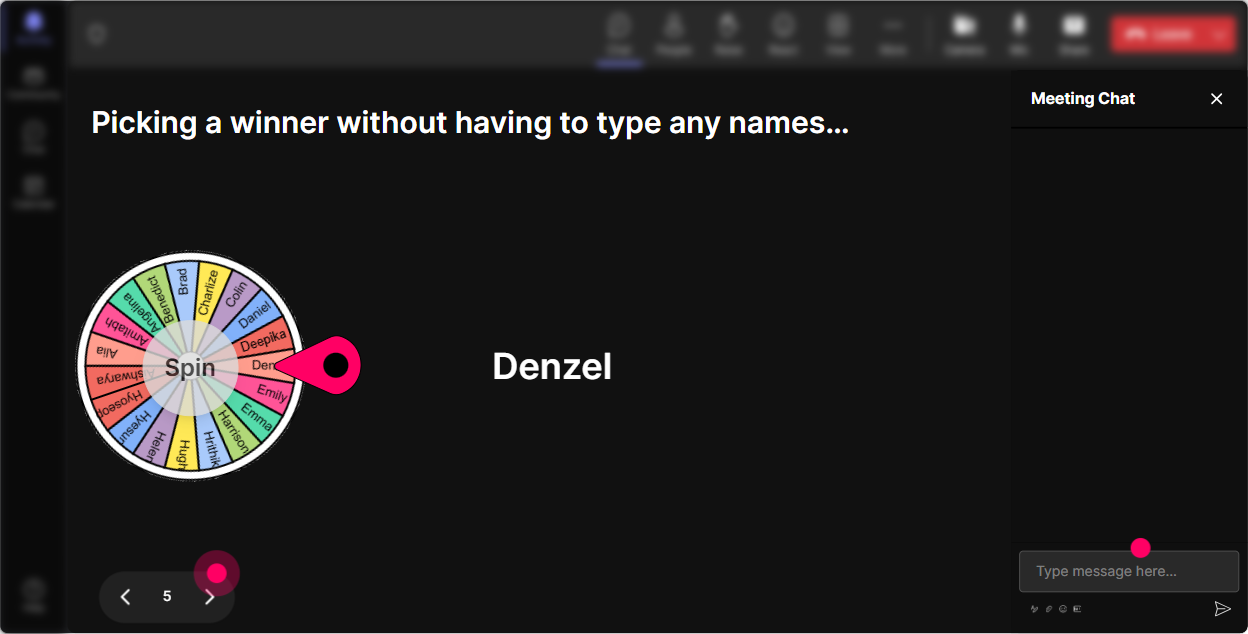
6) Winner Wheel (Spinner Wheel): Get voices in the room-without awkward volunteering
You know the moment: you ask, Anyone want to share? and the chat goes silent. Winner Wheel fixes that by making participation fun and random (and it rewards people for engaging in chat). How to use it in a Learning Organizations session: - Type ONE practice youve used to encourage learning on the job. Ill spin the wheel and ask someone to expand for 30 seconds. - Drop a quick example of a learning loop (feedback, reflection, experimentation). Ill spin and well workshop one live. - Share one barrier youre facing-wheel decides which one we solve together. Pro move: Frame it playfully-No pressure, just give us the headline. People are way more willing when its light and fair.
7) Quiz: Run quick knowledge checks that feel like a game, not a test
If youre teaching models (Senge, double-loop learning, continuous improvement, etc.), a quick quiz wakes everyone up and tells you what actually landed. StreamAlive Quiz makes it simple: people vote in chat, you reveal the correct answer when youre ready. Sample quiz questions for Learning Organizations: - Which is NOT one of Senges five disciplines? A) Systems thinking B) Personal mastery C) Market dominance D) Team learning - Double-loop learning is best described as: A) Repeating a task until its faster B) Fixing errors without changing assumptions C) Questioning and changing underlying assumptions D) Learning only from leaders - Which action best supports a learning culture? A) Punish mistakes B) Reward experimentation + reflection C) Hide failures D) Train once a year Use the answers to teach: If half the room gets it wrong, you dont move on-you clarify and give an example. Thats how you keep trust and engagement high.

2) Rating Polls: Get a quick pulse check on Learning Organizations knowledge (without the cringe)
Before you teach anything, find out where people actually are. Rating Polls let everyone drop a number right in chat, and you instantly see the spread and average. Use it like a trainers temperature check: - On a scale of 110, how confident are you explaining what a Learning Organization is? - Rate your current org: how strong is the learning culture today? (1 = weak, 10 = strong) - How ready is your leadership to support learning behaviors? (110) What this unlocks: You can adapt on the fly. If the average confidence is a 3, you slow down and define terms. If its an 8, you move faster and go deeper into application.
8) Q&A (Quick Questions): Catch every question without losing your flow
In trainer-led sessions, questions come fast-and chat can get messy. StreamAlive automatically detects questions and displays them neatly, so youre not scrolling and missing important stuff. Ways to make Q&A work smoothly: - Tell them: Drop questions anytime-StreamAlive will collect them and Ill do a Q&A pit stop every 15 minutes. - Use it for scenario-based learning: As we go, post your toughest this would never work in my org question. I want the real ones. - End with: Upvote with +1 in chat if someone asked what you were thinking. (Youll see what needs priority.) This keeps your pace tight while still making people feel heard.

9) Analytics: Improve your next delivery using real engagement data (not vibes)
After the session, you shouldnt have to guess what worked. StreamAlive Analytics shows you minute-by-minute engagement, interaction performance, and who your most engaged participants were. How corporate trainers can use this for Learning Organizations training: - Spot the exact moment engagement spiked (maybe during the word cloud or a case study) and build more of that into next time. - Identify which interaction got the most participation (so your future sessions start strong). - Find your Fantastic Fans (your most engaged people) and invite them to help champion learning culture internally. - Share interaction results with your team or stakeholders via email reports-super useful when someone asks, Did people actually participate? Bottom line: youre not just delivering training-youre continuously improving it, like a real learning organization would.

Use StreamAlive in all your training sessions
StreamAlive isn’t just for
Learning Organizations
training,
it can also be used for any instructor-led training session directly inside your PowerPoint presentation.
Explore similar traingin ideas: unlocking the potential of StreamAlive
See how StreamAlive transforms live training with engaging events and interactive sessions across industries, directly inside your PowerPoint presentation.

Interactions in action
(it's free)

.svg.png)


