Install StreamAlive for your PowerPoint slides
Learn more

Multigenerational Workplaces Training for Corporate Trainers
StreamAlive helps 9x the audience engagement in your Virtual Instructor-led Trainings (VILT) directly inside your powerpoint presentation.
Make your instructor-led Multigenerational Workplaces training more fun with polls, word clouds, spinner wheels and more
Works inside your existing PowerPoint presentation
Install the StreamAlive app for PowerPoint and see your slides come to life as people participate in your interactions
AI generates audience interactions for you
Let our AI scan your presentation and automatically come up with relevant questions based on the content. Or spend two hours coming up with your own questions, your choice!
Built to work with MS Teams and Zoom
Native apps for Teams and Zoom so you never have to leave your existing workflows
No QR Codes
Chat-powered interactions means your audience doesn’t need to scan QR codes or look at another screen to participate. They just type in the chat!

Quickly approved by your IT team
StreamAlive’s apps for Teams and Zoom means that they have been through rigorous quality assurance and client safety reviews. You’ll find everything an IT team needs to approve the app within the organization within your StreamAlive account.

Youve been asked to run a session on Multigenerational Workplaces-and you already know the tricky part: keeping every age group interested at the same time. The good news is, you can make it genuinely fun, interactive, and super practical without turning it into a lecture. Here are simple, trainer-friendly ideas (powered by StreamAlive) to keep participation high and engagement up to 9x.
1) Magic Maps: Put your multigenerational room on the map (literally)
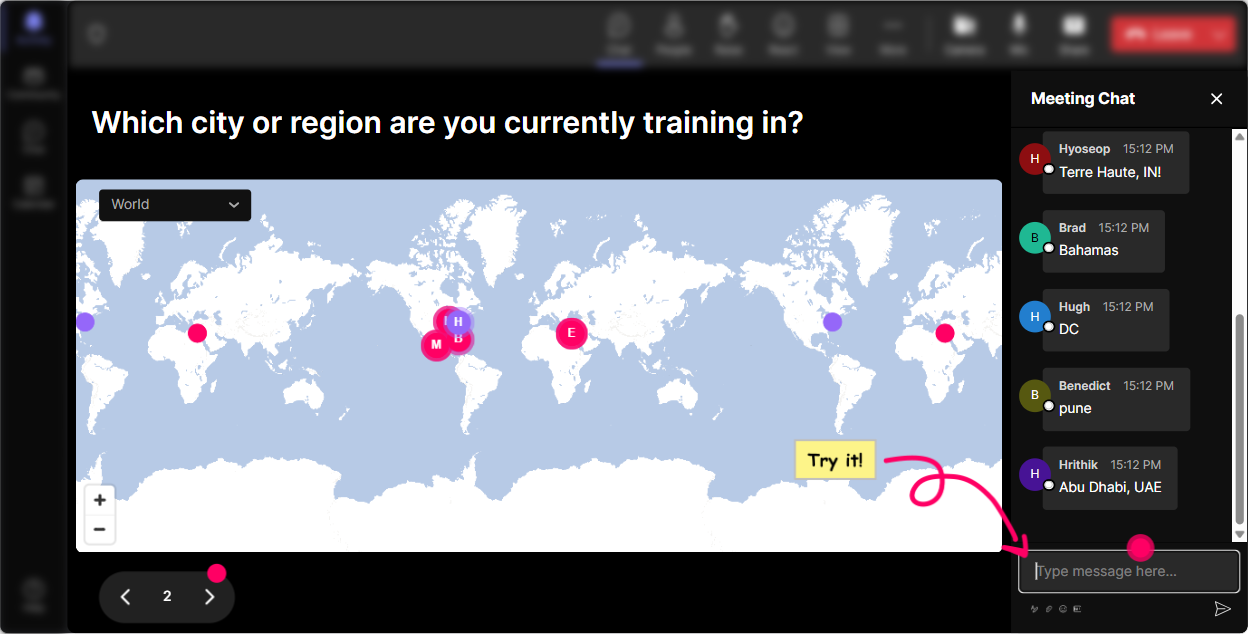
One of the easiest wins in any instructor-led session is a warm, low-pressure opener-and Where are you joining from? still works because its human. With StreamAlives Magic Maps, your participants type a location in chat and you instantly see everyone plotted on a live world map. Its a quick way to build connection across geographies, time zones, and work cultures-before you even touch the generational topic. Try prompts that connect to the theme: - Where are you joining from-and whats one workplace norm in your region that might surprise others? - Pin a city where you learned your work style (first job, first manager, first big career lesson). - If you could teleport anywhere for a cross-generational team retreat, where would you go? Trainer move: If youre training global teams, use the clusters on the map as a talking point: Looks like weve got a big cluster in Toronto-anyone there want to share how different generations collaborate in your office?
2) Rating Polls: Quick pulse check on comfort + confidence
Multigenerational training can get awkward fast-people worry theyll say the wrong thing. A Rating Poll lets you get an honest temperature check in seconds, without putting anyone on the spot. Participants rate right in chat, and you instantly see the distribution. Use it at key moments: - Start of session: On a scale of 110, how confident are you at collaborating across generations? - After a scenario: Rate how fair this managers response was (1 = unfair, 10 = totally fair). - Midway reset: How useful is this so far for your day-to-day work? (110) Trainer move: Call out the spread, not individuals: Interesting-lots of 6s and 7s. Lets turn those into 8s by practicing a couple of phrases you can use in real conversations.

3) Wonder Words (Word Cloud): Make the invisible feelings visible
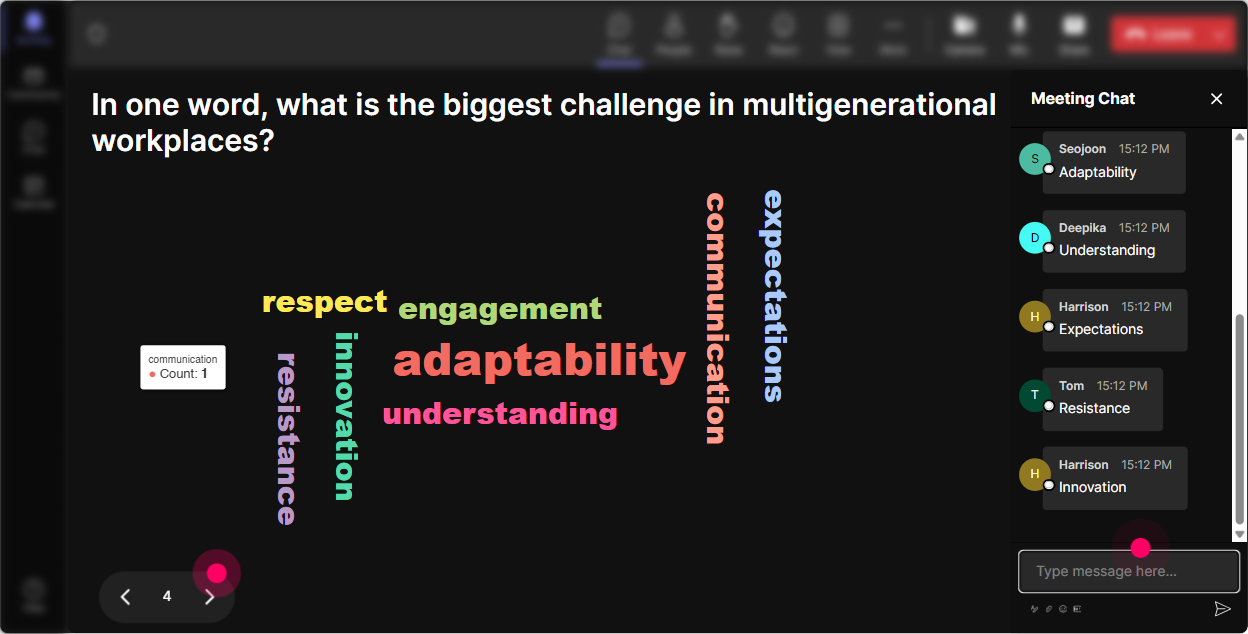
Generational topics come with baggage-assumptions, stereotypes, frustrations, and sometimes genuine curiosity. A Word Cloud is perfect because its fast, its visual, and it lets people express what theyre thinking in 12 words. As answers roll in, the common themes grow bigger, so you get instant insight into the room. Word cloud prompts that work really well in this training: - In 12 words: whats the hardest part of multigenerational teamwork? (e.g., communication, respect, tech, feedback, tone) - In 12 words: what do you wish other generations understood about your work style? - One word: what do you want more of on your team? (e.g., clarity, trust, patience, flexibility) Trainer move: Use the biggest word as your agenda. If communication dominates, youve just earned permission to spend extra time there-and participants feel seen right away.
4) Talking Tiles: Turn stories into a shared learning wall
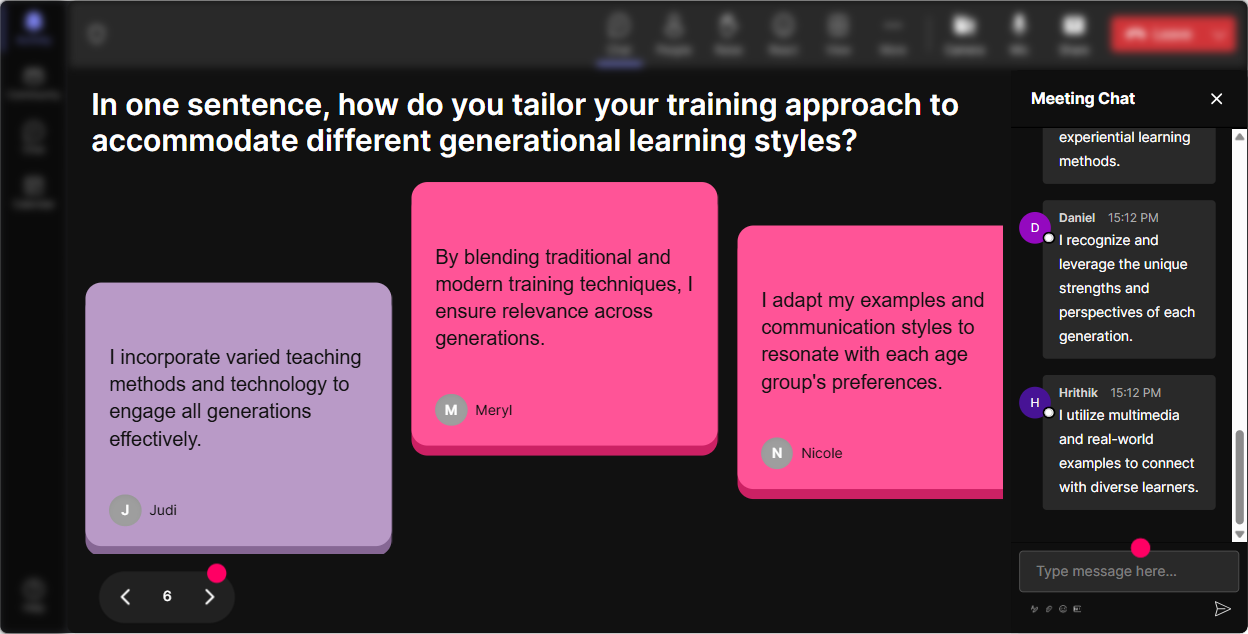
Multigenerational training gets powerful when people share real situations-not just definitions of Boomers/Gen X/Millennials/Gen Z. Talking Tiles lets longer chat responses show up as dynamic tiles on screen, so it feels like a living brainstorming board (without forcing people to unmute). Great Talking Tiles prompts: - Share a moment when a generational difference improved the outcome at work. What happened? - Whats one misunderstanding youve seen between generations-and what wouldve fixed it? - Finish this sentence: I feel respected at work when Trainer move: After 6090 seconds of responses, read 35 tiles out loud and group them: These are really about feedback style. These are about speed vs accuracy. And these are about tools/technology. Lets tackle each bucket.
5) Power Polls: Let the group choose the direction (and buy in)
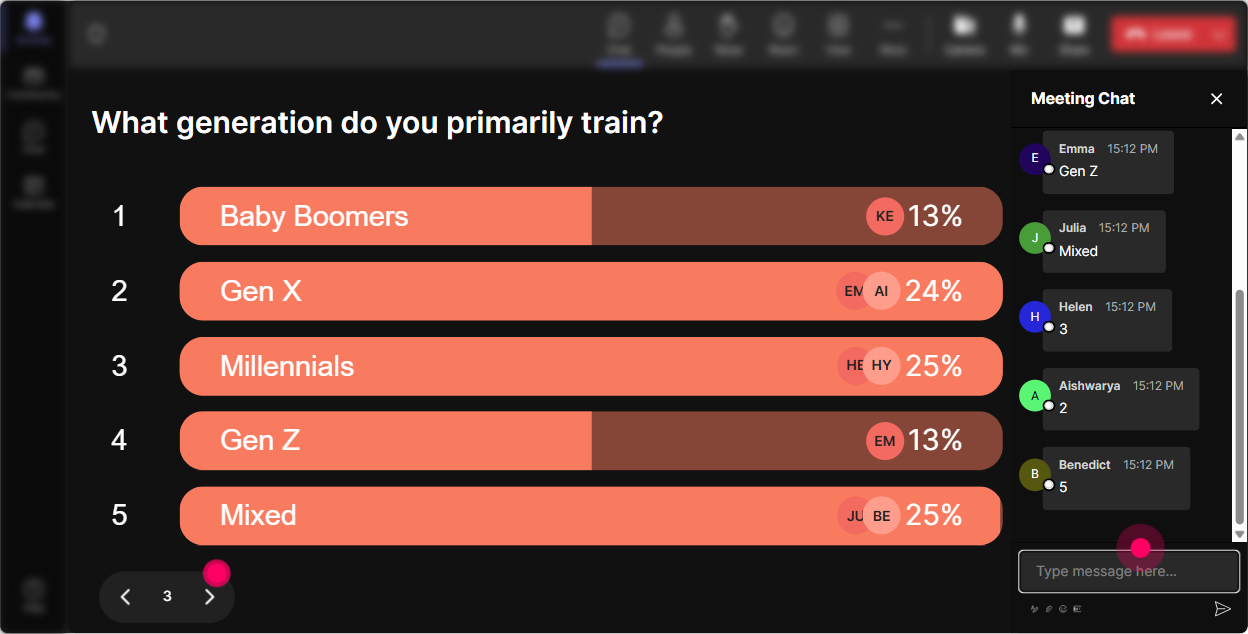
You can guess what people need or you can just ask and let them vote. Power Polls are great when you want clean options and a clear winner-especially for corporate trainers who need to show relevance quickly. Poll ideas for this topic: - Whats your biggest multigenerational challenge right now? 1) Feedback across ages 2) Communication tone (email/Slack/in-person) 3) Work pace + urgency 4) Meetings and collaboration styles 5) Tech adoption + tools - Which scenario should we role-play first? 1) OK Boomer style comment 2) Theyre too sensitive complaint 3) They never speak up in meetings problem 4) They wont use the new tool conflict Trainer move: Promise to cover the top 2 winners. People engage more when they feel the session is being built with them, not delivered at them.
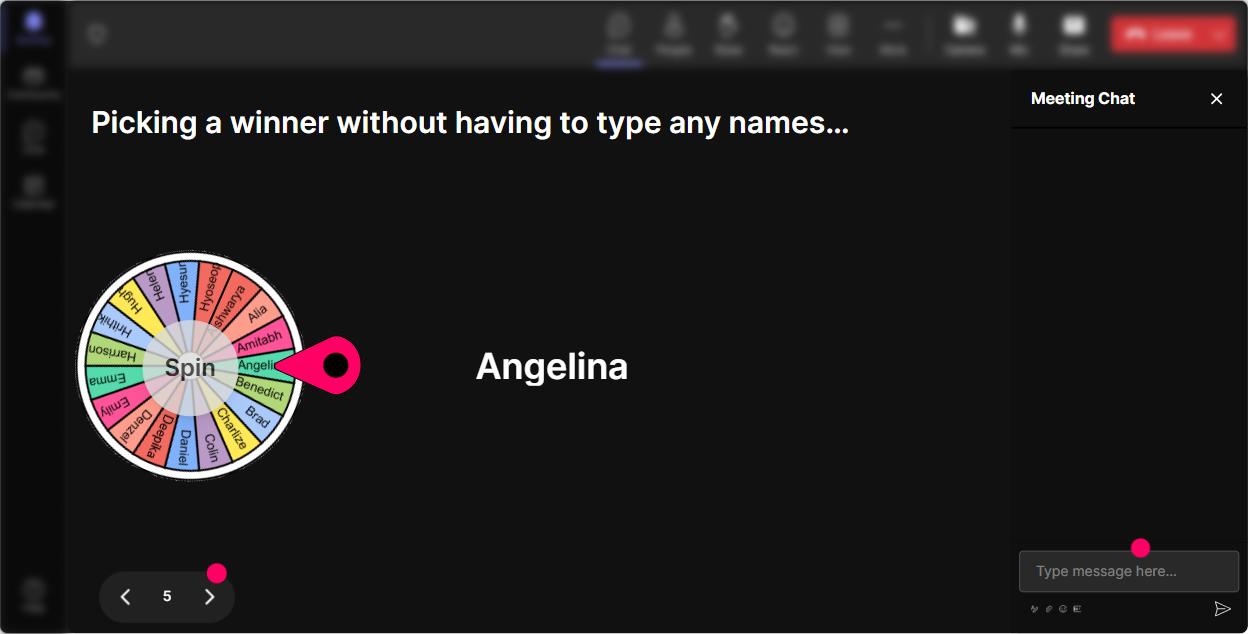
6) Winner Wheel (Spinner Wheel): Get volunteers without the awkward silence
You know that moment: you ask, Who wants to share? and suddenly everyone becomes very interested in their mute button. The Winner Wheel fixes that in a fun, low-pressure way by randomly choosing from people who participated (commented) during an interaction. Ways to use it in multigenerational training: - After a poll: Lets spin the wheel-winner gets to explain why they chose option #2. - For scenario practice: Well spin for a volunteer to play the manager in this conversation. - For reflection: Spin to pick someone to share one takeaway theyre trying this week. Trainer move: Set expectations kindly: You can always pass-no pressure. But Im going to invite a couple voices so we hear different perspectives. This keeps it safe while still increasing participation.
7) Quiz: Bust myths and lock in shared language
A Quiz interaction is perfect for quick knowledge checks and myth-busting-because multigenerational training is full of assumptions. You ask a multiple-choice question, participants answer in chat, and you can reveal the correct answer when youre ready. Quiz questions you can run: - Which statement is most accurate? A) Generational differences matter more than team culture B) Generational labels predict behavior reliably C) Individual experience + context matters more than labels (Correct) D) The youngest generation always prefers texting - Whats the best first step when you sense a generational misunderstanding? A) Correct them publicly B) Assume intent C) Ask a curious question about preferences (Correct) D) Escalate to HR Trainer move: Use quizzes to introduce practical frameworks, not trivia. The goal isnt to prove people wrong-its to create a shared way to talk about differences without stereotyping.

2) Rating Polls: Quick pulse check on comfort + confidence
Multigenerational training can get awkward fast-people worry theyll say the wrong thing. A Rating Poll lets you get an honest temperature check in seconds, without putting anyone on the spot. Participants rate right in chat, and you instantly see the distribution. Use it at key moments: - Start of session: On a scale of 110, how confident are you at collaborating across generations? - After a scenario: Rate how fair this managers response was (1 = unfair, 10 = totally fair). - Midway reset: How useful is this so far for your day-to-day work? (110) Trainer move: Call out the spread, not individuals: Interesting-lots of 6s and 7s. Lets turn those into 8s by practicing a couple of phrases you can use in real conversations.
8) Q&A (Quick Questions): Capture the real questions people are afraid to ask
In multigenerational sessions, the most important questions often get buried in chat-or never asked because people dont want to sound biased. StreamAlives Q&A automatically detects and collects questions from chat into a clean list so you dont miss them. How to use it smoothly: - Set a norm: Drop questions anytime-StreamAlive will catch them. - Run anonymous-friendly prompts: Whats one question youve wanted to ask about cross-generational work, but held back? - Save a dedicated segment: Well do a no-shame Q&A at the end-ask it plainly. Trainer move: When a spicy question shows up, reframe it professionally: Im hearing a concern about reliability and responsiveness. Lets talk behaviors and agreements, not labels.

9) Analytics: Prove engagement, improve the session, and keep getting better
After the training, StreamAlives Analytics helps you see what actually worked-not just what you felt worked. You get minute-by-minute engagement, interaction performance, chat activity, and even who your most engaged participants were. How corporate trainers can use this for multigenerational sessions: - Spot the moments that lit up the room (maybe it was the feedback scenario, not the generational overview) and adjust your next delivery. - Identify your Fantastic Fans (high-engagers) and invite them to be table leads, role-play volunteers, or champions in future cohorts. - Share interaction results with stakeholders: Heres what the group voted as the #1 challenge-feedback tone-and heres the before/after confidence rating. Trainer move: Use analytics to iterate fast. If engagement dips during theory slides, shift that content into a quiz + scenario next time. Thats how you build a session people actually remember-and use.

Use StreamAlive in all your training sessions
StreamAlive isn’t just for
Multigenerational Workplaces
training,
it can also be used for any instructor-led training session directly inside your PowerPoint presentation.
Explore similar traingin ideas: unlocking the potential of StreamAlive
See how StreamAlive transforms live training with engaging events and interactive sessions across industries, directly inside your PowerPoint presentation.

Interactions in action
(it's free)

.svg.png)


