Install StreamAlive for your PowerPoint slides
Learn more

Localization Training for L&D Leaders
StreamAlive helps 9x the audience engagement in your Virtual Instructor-led Trainings (VILT) directly inside your powerpoint presentation.
Make your instructor-led Localization training more fun with polls, word clouds, spinner wheels and more
Works inside your existing PowerPoint presentation
Install the StreamAlive app for PowerPoint and see your slides come to life as people participate in your interactions
AI generates audience interactions for you
Let our AI scan your presentation and automatically come up with relevant questions based on the content. Or spend two hours coming up with your own questions, your choice!
Built to work with MS Teams and Zoom
Native apps for Teams and Zoom so you never have to leave your existing workflows
No QR Codes
Chat-powered interactions means your audience doesn’t need to scan QR codes or look at another screen to participate. They just type in the chat!

Quickly approved by your IT team
StreamAlive’s apps for Teams and Zoom means that they have been through rigorous quality assurance and client safety reviews. You’ll find everything an IT team needs to approve the app within the organization within your StreamAlive account.

Youve been asked to run a Localization instructor-led training for L&D Leaders-and you want it to be practical, lively, and not another slide-and-sigh session. The trick is to get people talking early, often, and with purpose. Here are easy ways to do that using StreamAlive interactions.
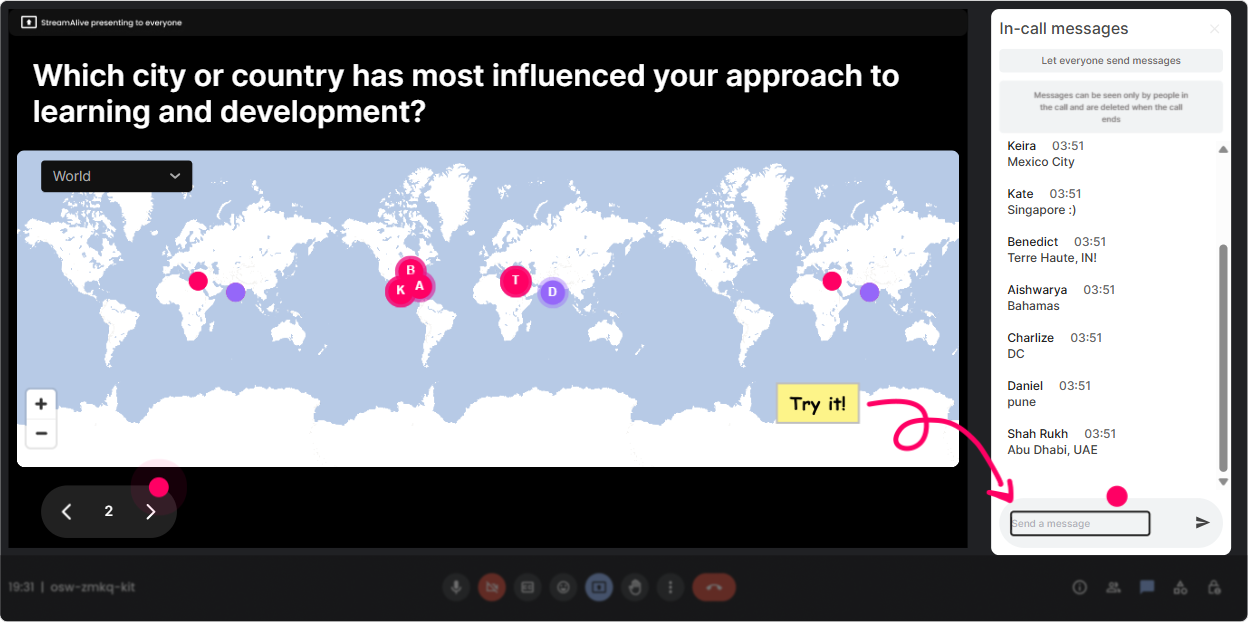
1) Magic Maps: Kick off with Localization starts with people-where are we all joining from?
Localization is literally about place, culture, and context-so start there. How to use it in your session: - Icebreaker that actually fits the topic: Where in the world are you joining from today? StreamAlive plots responses live on a world map, so instantly your group feels real (not just a list of muted squares). - Tie it to business impact: Pick a region you support (or want to support) for training localization-type the city/country. Now you can point to clusters and say, Okay, weve got a lot of APAC and Europe in the room-lets make sure our examples arent US-only. - Use it to set up discussion: If you could localize one training program for one market next quarter, where would it be? Great way to preview priorities. Trainer tip: If you want clean data, set it to one location per person. And if one region dominates, change cluster colors to spotlight it and build your examples around that group.
2) Rating Polls: Get a quick pulse on localization confidence (and adjust on the fly)
Before you go deep into process, find out where people *think* they are. How to use it in your session: - Confidence check: On a scale of 110, how confident are you in leading localization for training? Youll instantly see if you should slow down, speed up, or split the room into beginner/advanced paths. - Maturity check: Rate your orgs current localization approach (1 = copy/paste and hope, 10 = fully localized with governance). This sets up a super honest conversation without putting anyone on the spot. - Post-module pulse: After a segment like translation vs localization vs transcreation, ask: How clear is the difference now? (110) If the average is low, you revisit-no guessing. This is one of the fastest ways to keep your session relevant instead of delivering the same content no matter who shows up.

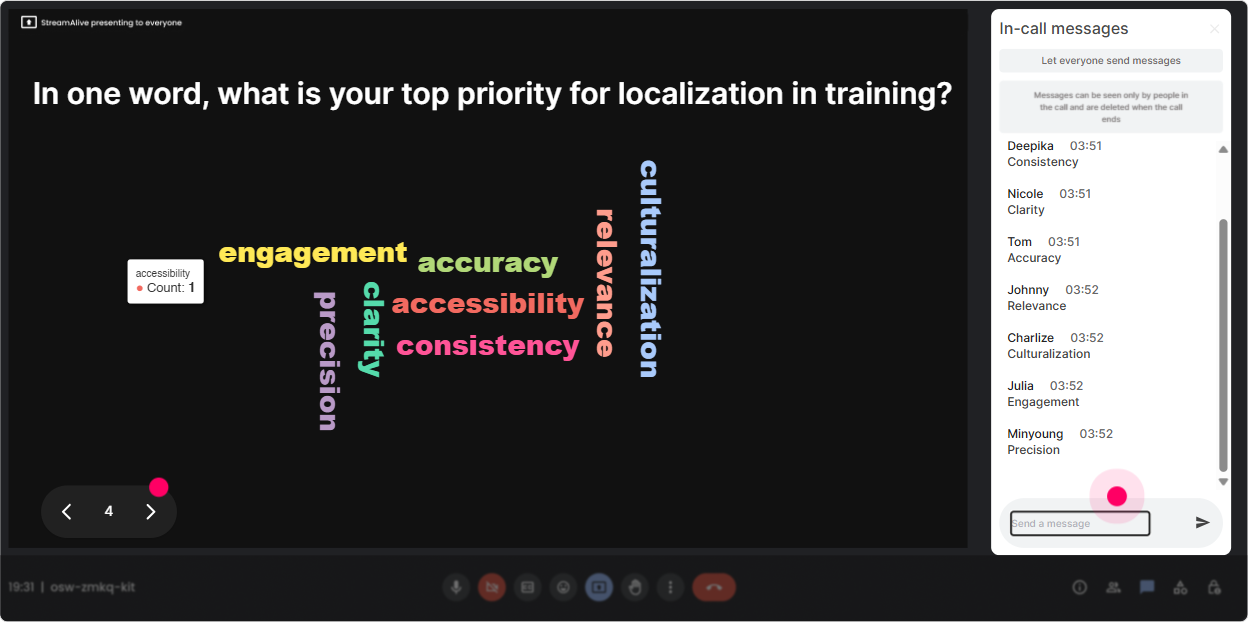
3) Wonder Words (Word Cloud): Make the rooms feelings visible in 10 seconds
Word clouds are perfect when you want quick, emotional, human input-without forcing people to write paragraphs. How to use it in your session: - Emotional temperature check: When you hear localization project, whats the first word that pops up? Youll get words like complex, expensive, necessary, late, urgent, confusing-and now you know what youre really dealing with. - Reality check on challenges: One word: whats the biggest blocker to localization in your org? Expect budget, SMEs, time, tools, buy-in, vendors. Then you can say, Cool-lets tackle the top 3 showing up on screen. - Goal-setting: One word: what does good localization mean to you? This helps align definitions across L&D leaders. Trainer tip: Use Combine Similar Answers so SME and SMEs dont split the vote. Keeps the cloud clean and more meaningful.
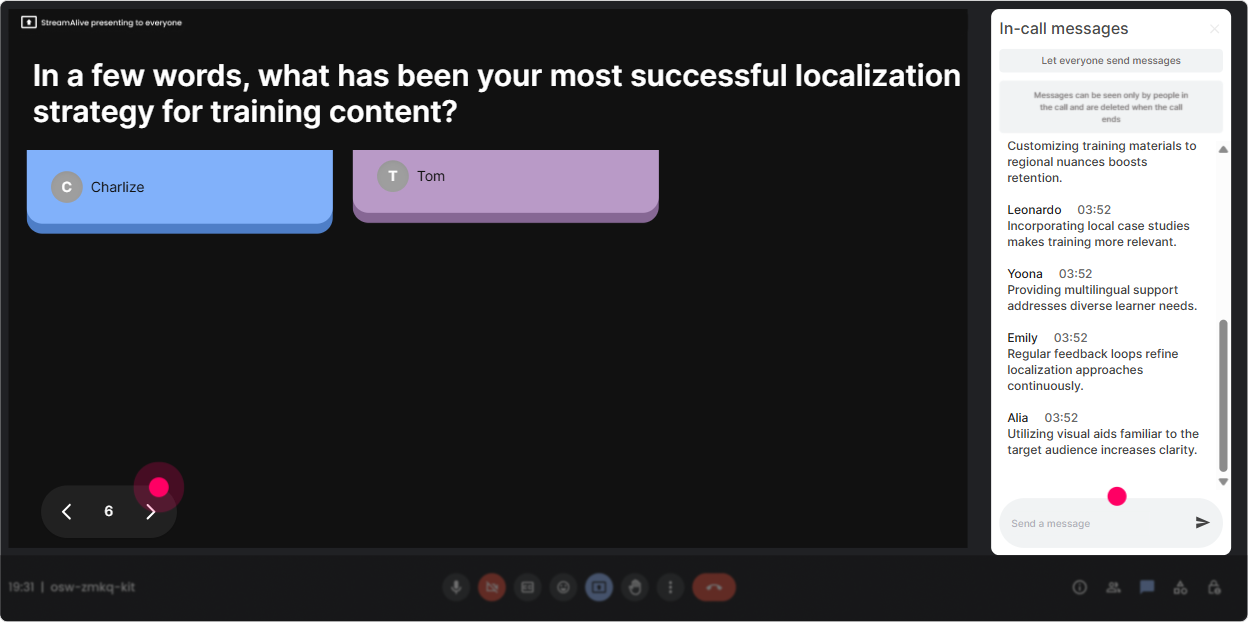
4) Talking Tiles: Turn real experiences into instant case studies (without awkward silence)
Localization is messy in real life. Talking Tiles is where you let people share the messy parts-and it becomes a visual, energetic moment instead of a dead chat scroll. How to use it in your session: - Role impact question: In 12 sentences: how does localization show up in your job right now? As replies fall onto the screen like tiles, you can react live: Yep-vendor management. Oh, compliance approvals. Oh wow, 12-country rollout timelines - Story swap: Tell us about a localization win or fail (what happened?) Youll get gold you can teach from-real examples beat theoretical slides every time. - Stakeholder mapping: Who do you need buy-in from to localize training successfully? Youll see patterns like Legal, Compliance, Regional HR, Product, Country managers-and that sets up your governance segment perfectly. Trainer tip: This works best mid-session when people already feel safe. Use it right after a quick poll so the chat is already warmed up.
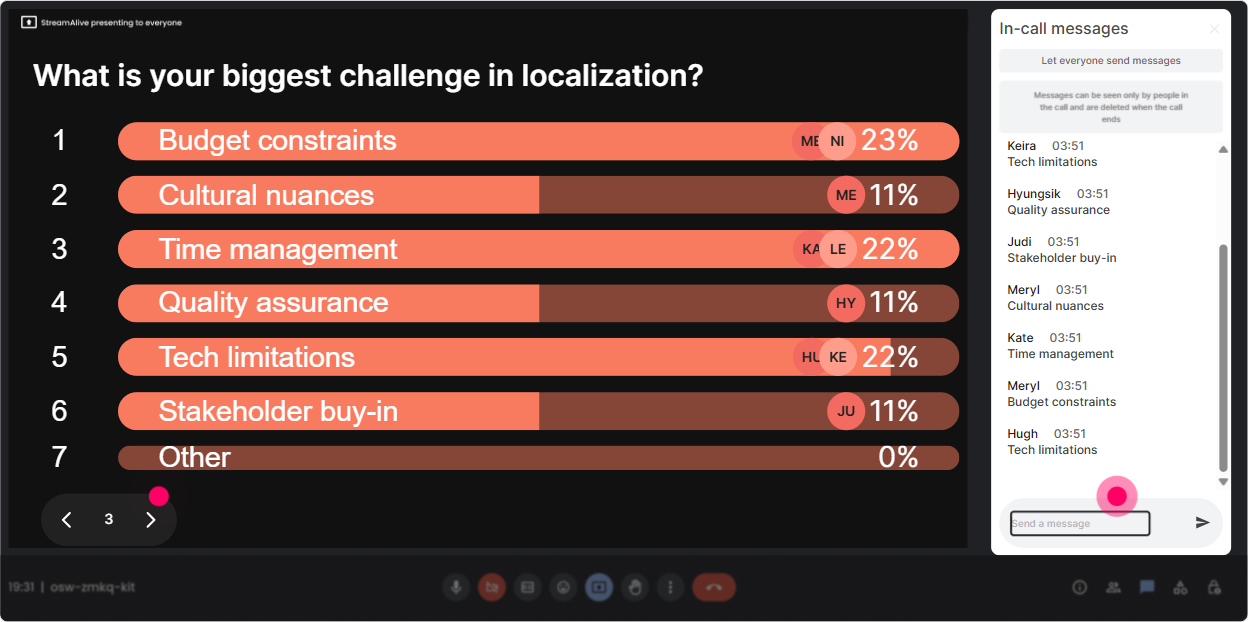
5) Power Polls: Let the audience choose what to focus on (and theyll pay attention)
Localization has a lot of angles-process, tools, vendors, QA, cultural nuance, governance. If you pick the agenda alone, you risk missing what they actually need. How to use it in your session (with options): - Which localization topic would help you most right now? 1) Building a localization strategy & governance 2) Vendor selection + managing translation workflows 3) Reviewing/QA for cultural fit and accuracy 4) Budgeting + business case for leadership 5) Measuring effectiveness across regions Then go where the votes are. People love when the session adapts to them. You can also run quick decision polls during activities: - For compliance training, whats your default approach? 1) Translate everything 2) Localize examples and scenarios 3) Keep core global, localize only critical sections 4) Not sure / depends Trainer tip: Show results live and say, Okay, the room has spoken. It creates instant buy-in.
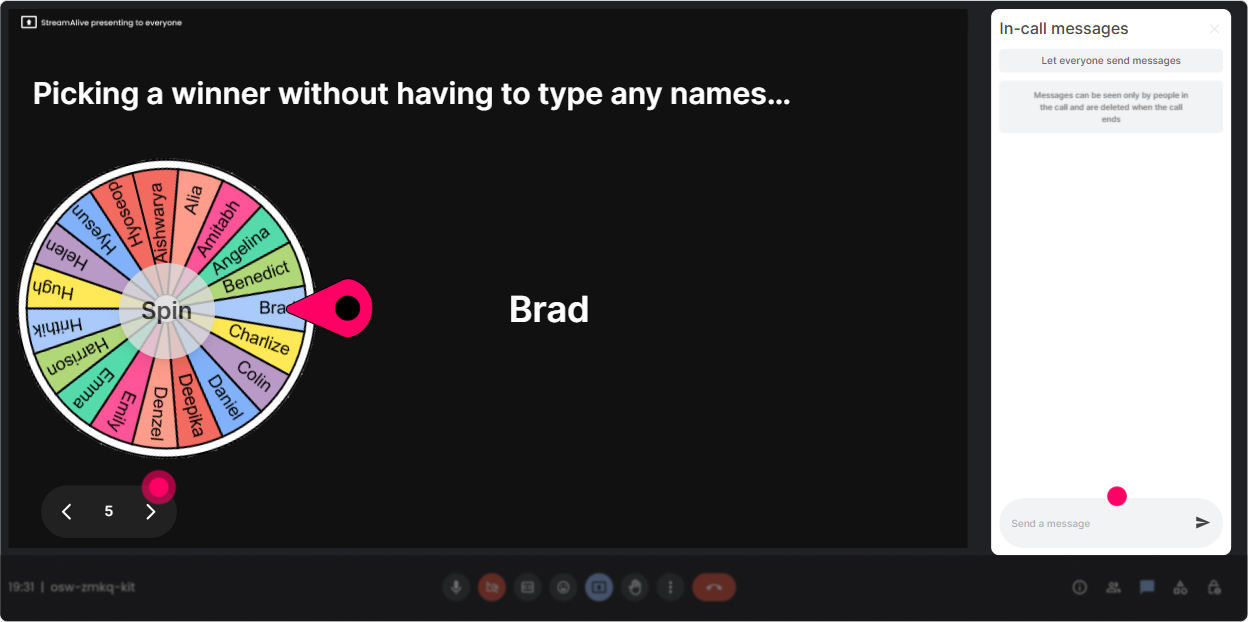
6) Winner Wheel: Pick speakers fairly (and make participation feel fun, not forced)
You know the moment: you ask a question and get crickets. Winner Wheel fixes that without you calling on someone randomly and making it awkward. How to use it in your session: - Volunteer prompt: Drop ME in the chat if youre open to sharing a quick example. Then use Winner Wheel to pick who speaks. It feels fair and playful, and people are more willing to type. - Scenario practice: After you teach a concept like cultural adaptation, ask: Who wants to answer this: What would you change when localizing a US-centric scenario for Japan? Spin the wheel among those who commented during that activity. - Reward engagement: At the end, spin among most active chat contributors and give a small prize (even just bragging rights). People participate more when its recognized. Trainer tip: Use it to select a *team* too: This table gets the next case. It keeps energy up during breakouts.
7) Quiz: Do quick knowledge checks that feel like a game (not an exam)
Localization training sticks better when people get to test themselves in bite-sized moments. How to use it in your session: - Quick definition check (single correct answer): Question: Whats the best definition of localization in L&D? Options: 1) Translating text word-for-word 2) Adapting training to language, culture, context, and learner expectations 3) Converting currency and dates only 4) Changing the logo and colors Then reveal the correct answer and explain *why* the wrong ones are tempting. - Practical decision quiz: Question: A scenario uses baseball metaphors. Youre rolling out to EMEA. Whats the best move? Options can include keep it, translate it, replace with locally relevant metaphor, etc. Trainer tip: Use quizzes right after you teach a concept and again 20 minutes later. That second check is where retention actually shows up.

2) Rating Polls: Get a quick pulse on localization confidence (and adjust on the fly)
Before you go deep into process, find out where people *think* they are. How to use it in your session: - Confidence check: On a scale of 110, how confident are you in leading localization for training? Youll instantly see if you should slow down, speed up, or split the room into beginner/advanced paths. - Maturity check: Rate your orgs current localization approach (1 = copy/paste and hope, 10 = fully localized with governance). This sets up a super honest conversation without putting anyone on the spot. - Post-module pulse: After a segment like translation vs localization vs transcreation, ask: How clear is the difference now? (110) If the average is low, you revisit-no guessing. This is one of the fastest ways to keep your session relevant instead of delivering the same content no matter who shows up.
8) Q&A: Capture questions without losing them in the chat chaos
Localization sessions trigger lots of Wait, but what about? questions-vendors, approvals, legal constraints, dialect choices, SME reviews. If you rely on scrolling chat, youll miss the best ones. How to use it in your session: - Tell people: Drop your questions anytime in chat-StreamAlive will collect them for me. - Midway pause: Lets do a 3-minute Q&A sweep. Pull up the captured questions and answer the most common themes. - End-of-session: Im going to stay until we clear the list. This feels satisfying and professional. Trainer tip: It also helps quieter participants-because they dont have to interrupt verbally to be heard.

9) Analytics: Prove engagement, improve your next session, and show L&D impact
After your localization ILT, youll want more than I think it went well. StreamAlive analytics show what actually happened. How to use it in your session workflow: - Identify engagement peaks: See minute-by-minute when chat spiked-maybe during the vendor debate, maybe during the cultural fails. That tells you what to expand next time. - Replay interactions: Revisit poll results and word clouds so you can summarize insights for stakeholders: Top blockers were budget and SME time. - Spot your champions: Find your Fantastic Fans (most engaged people). These are your potential pilot-group leaders for future localization initiatives. - Share results easily: Send interaction reports to email or share with your team on Teams-super helpful if you need to justify training changes or build a business case for localization investment. Trainer tip: Use analytics to refine your run-of-show: keep what worked, cut what dragged, and youll genuinely see engagement climb over time.

Use StreamAlive in all your training sessions
StreamAlive isn’t just for
Localization
training,
it can also be used for any instructor-led training session directly inside your PowerPoint presentation.
Explore similar traingin ideas: unlocking the potential of StreamAlive
See how StreamAlive transforms live training with engaging events and interactive sessions across industries, directly inside your PowerPoint presentation.

Interactions in action
(it's free)

.svg.png)


