Install StreamAlive for your PowerPoint slides
Learn more

Digital Twins Training for L&D Leaders
StreamAlive helps 9x the audience engagement in your Virtual Instructor-led Trainings (VILT) directly inside your powerpoint presentation.
Make your instructor-led Digital Twins training more fun with polls, word clouds, spinner wheels and more
Works inside your existing PowerPoint presentation
Install the StreamAlive app for PowerPoint and see your slides come to life as people participate in your interactions
AI generates audience interactions for you
Let our AI scan your presentation and automatically come up with relevant questions based on the content. Or spend two hours coming up with your own questions, your choice!
Built to work with MS Teams and Zoom
Native apps for Teams and Zoom so you never have to leave your existing workflows
No QR Codes
Chat-powered interactions means your audience doesn’t need to scan QR codes or look at another screen to participate. They just type in the chat!

Quickly approved by your IT team
StreamAlive’s apps for Teams and Zoom means that they have been through rigorous quality assurance and client safety reviews. You’ll find everything an IT team needs to approve the app within the organization within your StreamAlive account.

Youve been asked to run a Digital Twins instructor-led training for L&D Leadersand you already know the risk: it can get techy fast. The good news? With the right activities (and the right on-screen interactions), you can keep people talking, thinking, and participating the whole way through. Here are practical ideas you can run live using StreamAlive to boost engagement-without making it feel gimmicky.
1) Magic Maps: Put your L&D Leaders on the map (and instantly make it feel like a real room)
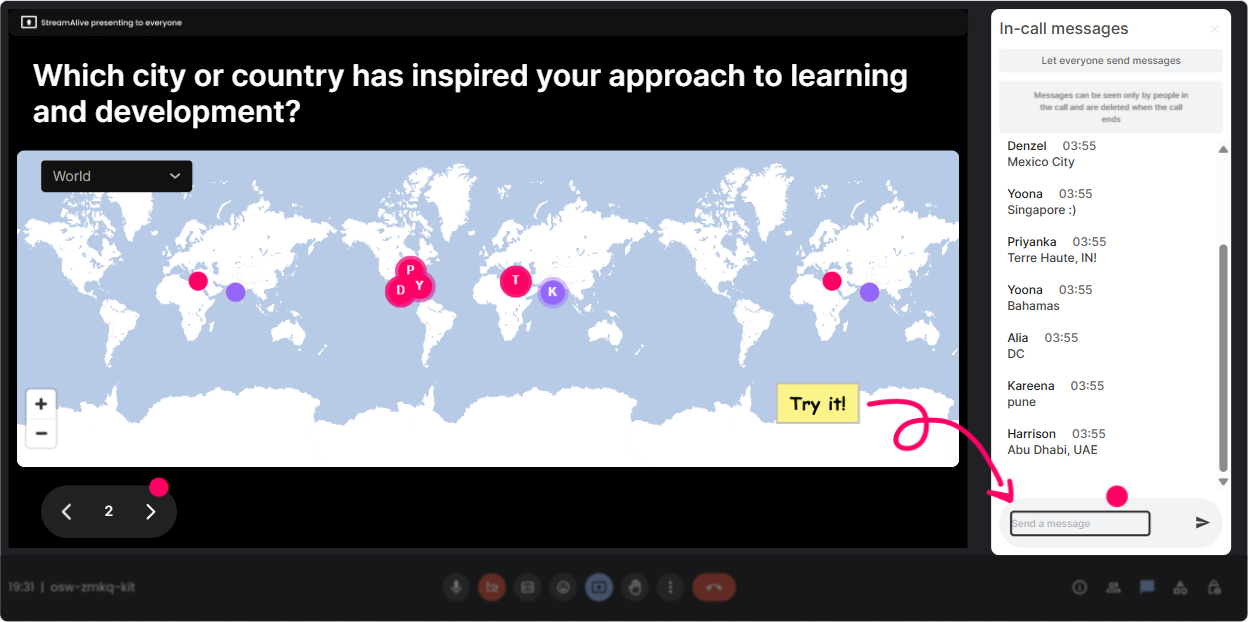
Magic Maps is the easiest hello everyone moment that actually gets people to type in chat. Ask a location question, and StreamAlive plots everyones answers live on a world map-so your group instantly feels connected. How to use it in a Digital Twins ILT (ideas you can copy/paste): - Warm-up: Where are you joining from today? (classic, but it works every time) - Digital Twins tie-in: Pick a city where you think Digital Twins will have the biggest impact in the next 3 years (and drop it in the chat). - Industry lens: Name a city that screams smart infrastructure to you. - Fun check-in: If you could teleport anywhere right now, where would you go? (gets everyone chatting before the technical stuff starts) Trainer tip: If youre doing breakout groups later, you can even cluster people by region/time zone to make grouping feel intentional.
2) Rating Polls: Get a quick pulse check on confidence and readiness (no awkward cold-calling)
Rating Polls let people answer with a simple number scale, and you see the live distribution immediately. Its perfect for Digital Twins because people come in with wildly different levels of familiarity. How to use it in a Digital Twins ILT: - Knowledge baseline: On a scale of 110, how confident are you explaining what a Digital Twin is? - Practical readiness: How ready is your organization to pilot a Digital Twin use case? (1 = not ready, 10 = already doing it) - Learning design angle (for L&D Leaders): How confident are you that your current training can support Digital Twin adoption? (110) Trainer tip: If you see lots of 24 scores, slow down and add a simple story/example before you go deeper. If you see 810, challenge them with a scenario or a mini case study.

3) Wonder Words (Word Cloud): Turn feelings and assumptions into something you can coach in real time
Digital Twins can trigger big reactions-excitement, confusion, skepticism, even this is not for us. Wonder Words turns those reactions into a live word cloud, so you can address what the room is actually thinking. How to use it in a Digital Twins ILT (keep answers 12 words): - Mindset check: Digital Twins feels ______ to me. - Myth-busting opener: When you hear Digital Twin, whats the first word that pops in your head? - L&D relevance: The biggest learning challenge with Digital Twins is ______. - Impact lens: Digital Twins will change ______ the most. (examples they might type: safety, maintenance, onboarding, compliance) Trainer tip: Use the biggest word as your next talking point. Its like the audience writes your agenda for the next 5 minutes.

4) Talking Tiles: Get real answers (not just yes/no)-and make them fun to read on screen
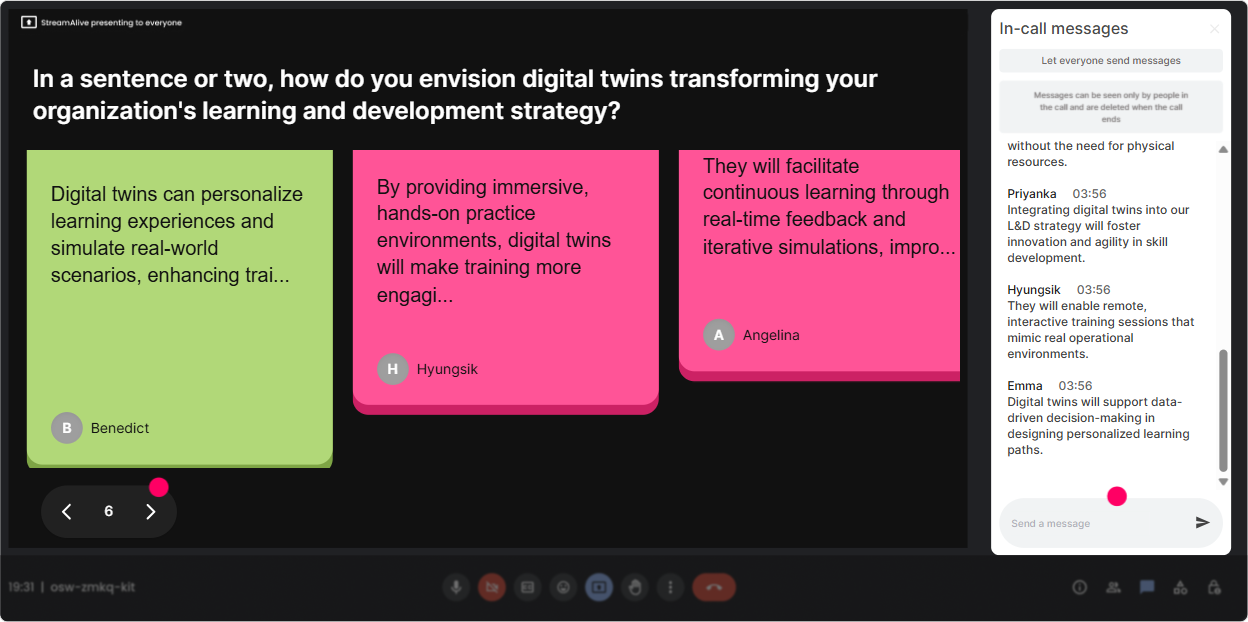
Talking Tiles is great when you want longer responses-ideas, mini-stories, concerns, or use cases. Responses appear as dynamic tiles on screen, so people feel seen (and it keeps others typing because its entertaining). How to use it in a Digital Twins ILT: - Job impact: In your role, where could a Digital Twin reduce risk, cost, or downtime? - Adoption challenge: Whats the biggest barrier you expect-data, budget, skills, leadership buy-in, or something else? - L&D planning prompt: If you had to design a learning path for Digital Twin adoption, what would be Module 1? - Reality check: Describe a process in your org thats invisible today but should be measurable. Trainer tip: When you see repeated themes (like data quality or change management), call it out: Okay, this is telling me we need 10 minutes on this before we move on. Instant relevance.
5) Power Polls: Let the room choose the direction (and stop guessing what they care about)
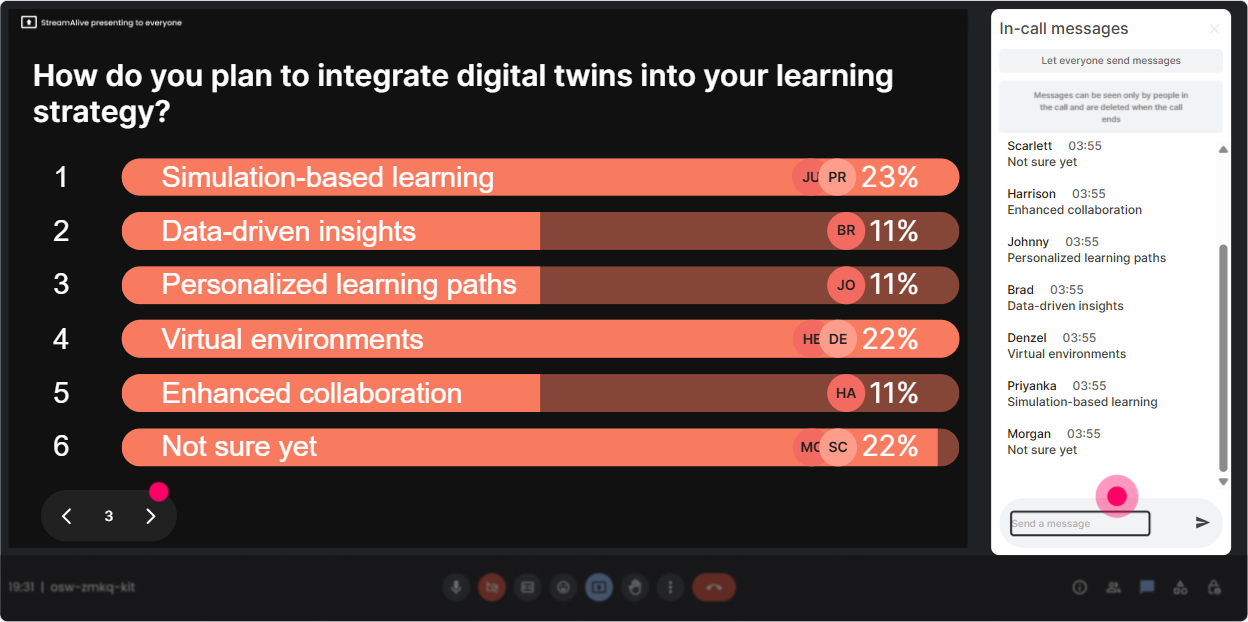
Power Polls are perfect for steering the session based on what L&D Leaders actually want to focus on. You can pre-load options, and participants just type the option number in chat-fast and easy. How to use it in a Digital Twins ILT: - Choose the focus: What do you want most from today? 1) Digital Twins basics (plain English) 2) Real-world use cases 3) Skills & roles needed 4) L&D strategy + training roadmap 5) Measuring impact/ROI - Use-case vote: Which Digital Twin use case should we unpack? 1) Predictive maintenance 2) Factory/plant optimization 3) Smart buildings 4) Supply chain simulation 5) Safety & compliance - L&D design vote: Whats your biggest design question? 1) Audience segmentation 2) Learning modalities (ILT vs blended) 3) Practice environments/sandboxes 4) Assessments & certification Trainer tip: After the poll, literally say: Cool-this is what the room wants, so well prioritize that. People lean in because they helped decide.
6) Winner Wheel (Spinner Wheel): Make participation feel safe-and get voices in the room
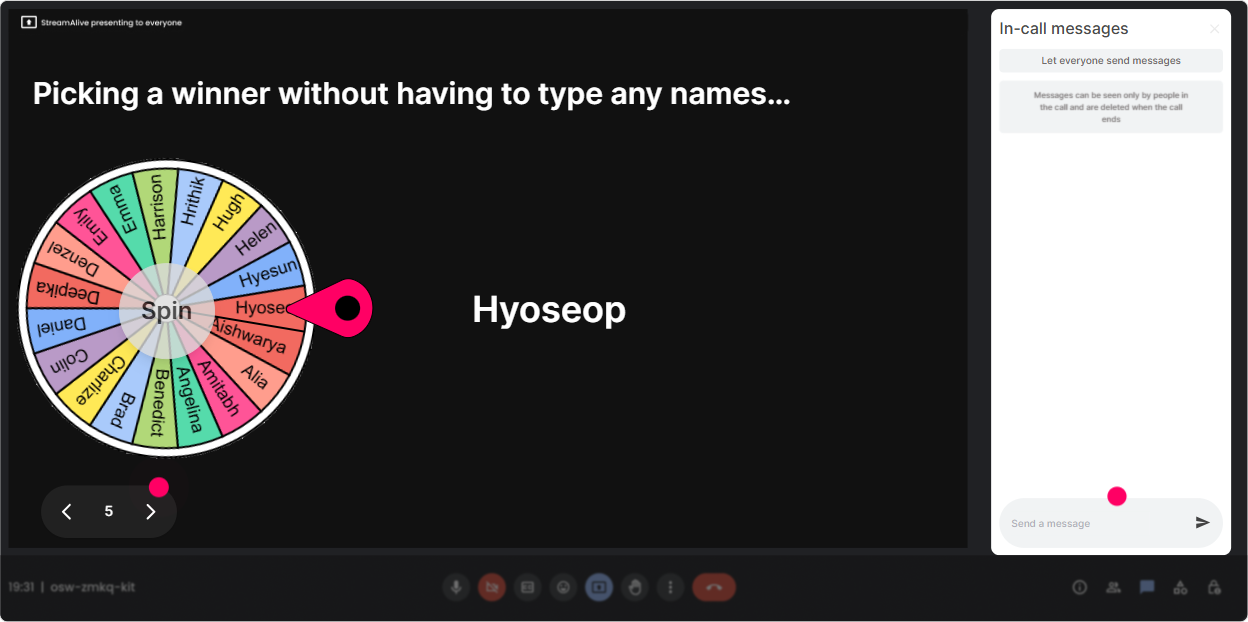
Getting people to unmute can be painful-especially with senior L&D Leaders who are multitasking. Winner Wheel fixes that because it turns speaking into a light, fair game. You can spin from people who commented (so participation is rewarded). How to use it in a Digital Twins ILT: - Drop ONE Digital Twin use case youre curious about in the chat. Im going to spin the wheel and ask someone to share why they picked it. - Type ready if youre open to sharing a quick example from your org. Lets let the wheel pick our brave volunteer. - Who wants to challenge the group with a tough question? Put challenge in chat-wheel decides. Trainer tip: Always give an out: If youre driving / in a noisy place / prefer not to speak, just type pass-totally fine. That keeps it fun, not stressful.
7) Quiz: Quick knowledge checks that feel like a game (and actually stick)
Quiz is your best friend for Digital Twins because people often *think* they understand ituntil you test the definition or the components. A quick multiple-choice quiz resets confusion fast, and you can reveal the correct answer when youre ready. Quiz questions you can use: - Which is the best definition of a Digital Twin? 1) A 3D model of an asset 2) A real-time virtual representation connected to data from the physical asset (Correct) 3) A dashboard with KPIs 4) Any simulation software - Whats usually required for a Digital Twin to be useful long-term? 1) A one-time scan 2) Continuous data updates + feedback loop (Correct) 3) A CAD file only 4) A chatbot - Which L&D outcome best supports Digital Twin adoption? 1) Tool navigation only 2) Decision-making with simulated scenarios (Correct) 3) Memorizing definitions 4) Watching vendor demos Trainer tip: After revealing the answer, ask: If you picked a different option, what made it tempting? Thats where the real learning happens.

2) Rating Polls: Get a quick pulse check on confidence and readiness (no awkward cold-calling)
Rating Polls let people answer with a simple number scale, and you see the live distribution immediately. Its perfect for Digital Twins because people come in with wildly different levels of familiarity. How to use it in a Digital Twins ILT: - Knowledge baseline: On a scale of 110, how confident are you explaining what a Digital Twin is? - Practical readiness: How ready is your organization to pilot a Digital Twin use case? (1 = not ready, 10 = already doing it) - Learning design angle (for L&D Leaders): How confident are you that your current training can support Digital Twin adoption? (110) Trainer tip: If you see lots of 24 scores, slow down and add a simple story/example before you go deeper. If you see 810, challenge them with a scenario or a mini case study.
8) Q&A (Quick Questions): Catch every question without losing your flow
In Digital Twins sessions, questions come fast-and theyre often buried in chat. StreamAlives Q&A automatically detects and organizes audience questions so you dont miss them or scroll endlessly. How to use it in a Digital Twins ILT: - Set the expectation: If you have a question at any point, just type it in chat like normal-StreamAlive will capture it for me. - Park and return: Im going to save the data governance questions for our implementation section-keep them coming. - Theme-based Q&A: Lets do 5 minutes on the top 3 questions coming in right now. Trainer tip: This is gold for L&D Leaders because they tend to ask strategic questions (budget, capability building, measurement). Capturing them cleanly makes your session feel more professional and responsive.

9) Analytics: Prove engagement, spot drop-off moments, and improve your next run
After your session, StreamAlive Analytics helps you see what actually happened-not just what you *felt* happened. You get minute-by-minute engagement, chat replay, and interaction performance. How L&D Leaders (and trainers) can use this for Digital Twins ILT: - Find your engagement spikes: Did the group light up during use cases? Skills discussion? ROI talk? Do more of that next time. - Identify drop-off moments: If engagement dips during a heavy technical segment, thats your cue to add a poll, a story, or a quick activity there. - Discover your Fantastic Fans: See who participated the most-these are great people to invite into follow-up sessions, champions programs, or pilot cohorts. - Share outcomes: Send the analytics report to your team or stakeholders to show participation and what topics landed best (super useful when youre proving training value). Trainer tip: If youre building a Digital Twins learning program, analytics helps you justify changes: Were adjusting the flow because the data shows where attention dropped and where discussion exploded. Thats the kind of evidence L&D Leaders love.

Use StreamAlive in all your training sessions
StreamAlive isn’t just for
Digital Twins
training,
it can also be used for any instructor-led training session directly inside your PowerPoint presentation.
Explore similar traingin ideas: unlocking the potential of StreamAlive
See how StreamAlive transforms live training with engaging events and interactive sessions across industries, directly inside your PowerPoint presentation.

Interactions in action
(it's free)

.svg.png)


