Install StreamAlive for your PowerPoint slides
Learn more

Behavioral Science Practices Training for Training Agencies
StreamAlive helps 9x the audience engagement in your Virtual Instructor-led Trainings (VILT) directly inside your powerpoint presentation.
Make your instructor-led Behavioral Science Practices training more fun with polls, word clouds, spinner wheels and more
Works inside your existing PowerPoint presentation
Install the StreamAlive app for PowerPoint and see your slides come to life as people participate in your interactions
AI generates audience interactions for you
Let our AI scan your presentation and automatically come up with relevant questions based on the content. Or spend two hours coming up with your own questions, your choice!
Built to work with MS Teams and Zoom
Native apps for Teams and Zoom so you never have to leave your existing workflows
No QR Codes
Chat-powered interactions means your audience doesn’t need to scan QR codes or look at another screen to participate. They just type in the chat!

Quickly approved by your IT team
StreamAlive’s apps for Teams and Zoom means that they have been through rigorous quality assurance and client safety reviews. You’ll find everything an IT team needs to approve the app within the organization within your StreamAlive account.

Youve been asked to run a Behavioral Science Practices instructor-led training for a Training Agency-and you want it to feel alive, not like another slide marathon. Good news: you can make behavioral science *the way you teach*, not just what you teach. Here are practical engagement ideas using StreamAlive to keep people responding (and present) all session long.
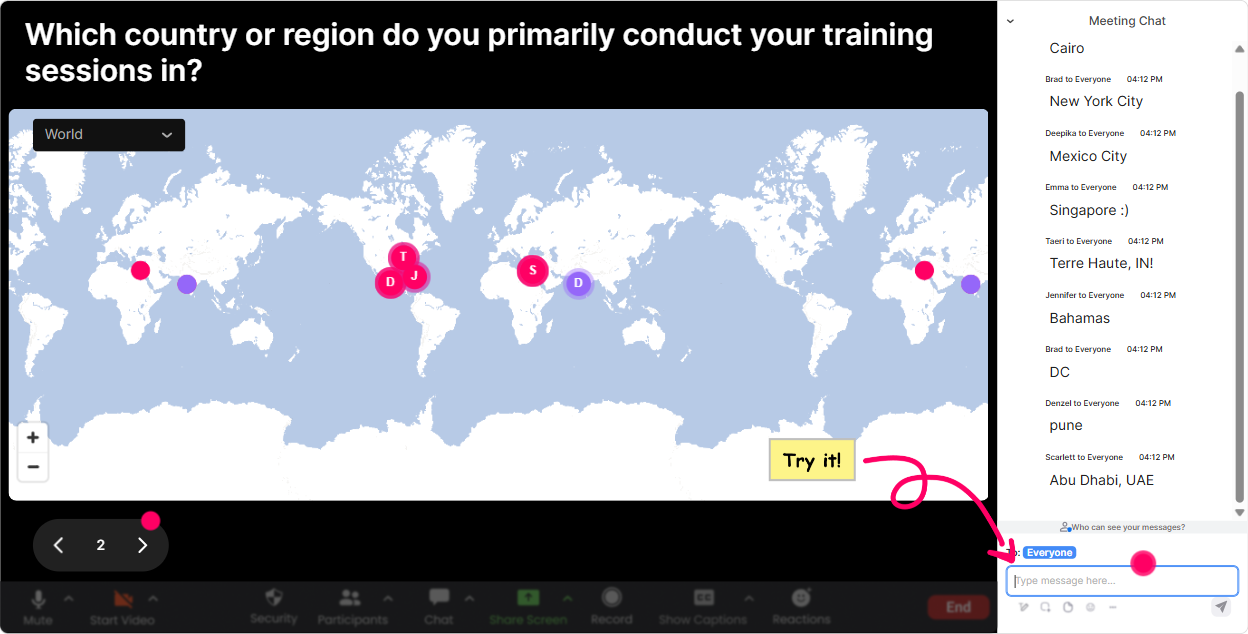
Magic Maps: Put your cohort on the map (and instantly break the ice)
Behavioral science starts with context-so begin by learning the context in the room. Magic Maps is the easiest everyone participates moment in the first 60 seconds. How to use it in this training: - Kickoff question: Where are you joining from today? (classic, works every time) - Make it relevant to training agencies: Which city do you deliver training in most often? - Tie it to behavior: Where on earth do you think workplace habits are toughest to change? - Fun + fast: If you could run a training session anywhere in the world next month, where would it be? Trainer tip (behavioral science angle): When people publicly show up (even with a simple location), youve already increased commitment and participation for the next activities. Its a tiny action that primes bigger actions later.
Rating Polls: Get a quick confidence check without putting anyone on the spot
Rating Polls are perfect when you want honest sentiment fast-especially in a mixed-experience group (which training agencies almost always have). Ways to use it during Behavioral Science Practices training: - Right at the start: On a scale of 110, how confident are you in applying behavioral science to training design? - After introducing key concepts (like biases, nudges, habits): How usable does this feel for your client work? 110 - After an activity: How likely are you to test this with learners next week? 110 - Mid-session pulse check: Energy check-where are you right now? 110 Trainer tip: If the rating comes in low, dont panic-celebrate it. Say, Perfect. That means were working on the right stuff, then adjust with a quick example or mini practice.

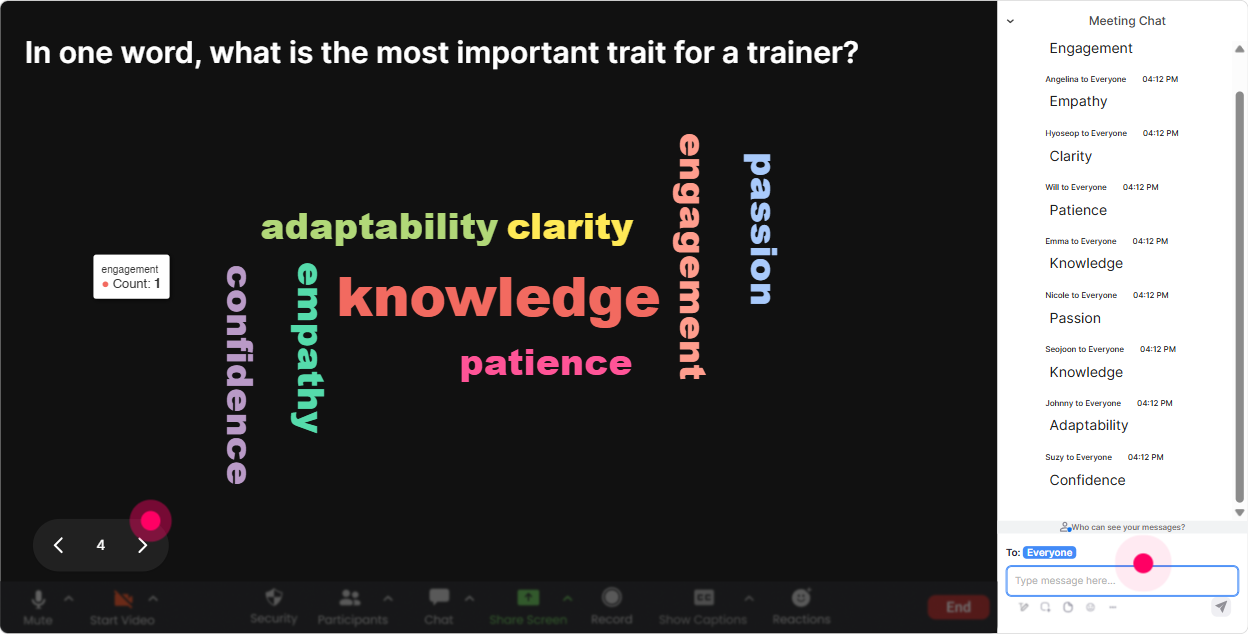
Wonder Words (Word Cloud): Make the rooms mindset visible in 10 seconds
Word Clouds are gold for behavioral science because youre literally surfacing beliefs, emotions, and assumptions-live, from the group. Use it like this: - Opening vibe check: When you hear behavioral science, whats the first word that comes to mind? - Before a module on barriers: Whats the #1 reason learners dont apply training on the job? - For motivation: One word: what would make training stick better in your clients organizations? - After teaching a framework: One word: what part of today feels most useful so far? Trainer tip: Read out a few words neutrally (even the skeptical ones). When people feel seen, they participate more-plus you get real-time data to shape the session.
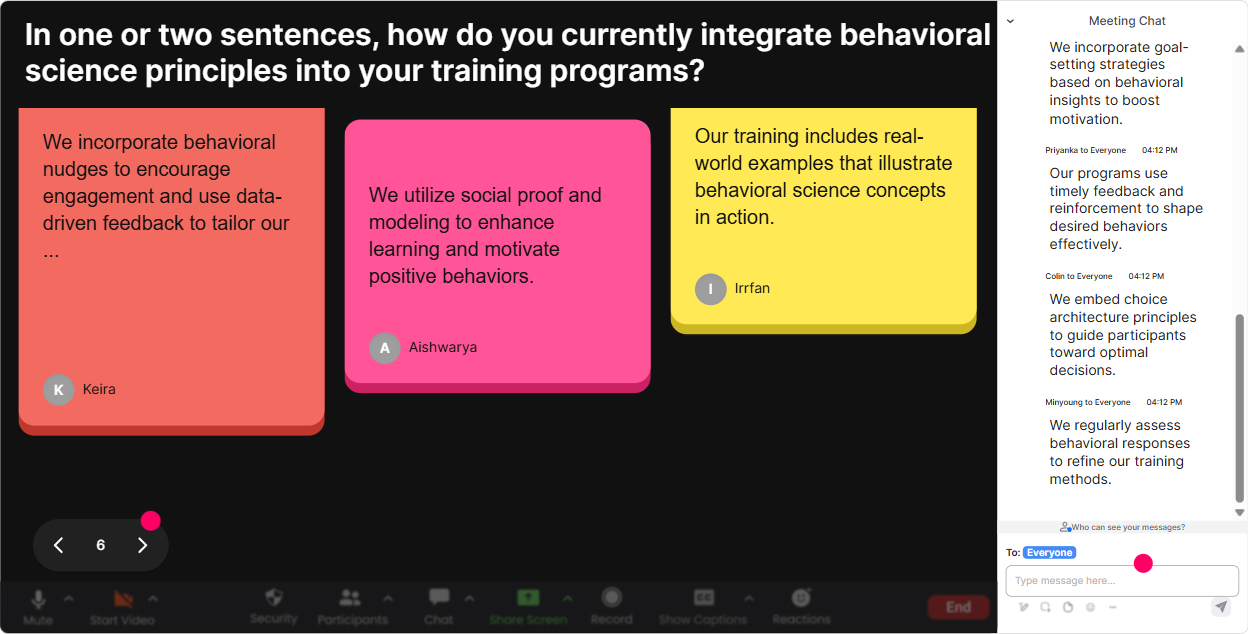
Talking Tiles: Turn real responses into a shared learning moment (without awkward silence)
Sometimes you want more than one-word answers, but you dont want to cold-call people. Talking Tiles gives you the best of both worlds: thoughtful responses *and* a fun visual that keeps eyes on the session. Great prompts for Behavioral Science Practices training: - Role impact: In your role, where do you see behavior change breaking down most often-before, during, or after training? Why? - Real-world application: Describe one habit you wish learners would build after a program you run. - Client reality check: Whats one invisible barrier in workplaces that stops people from applying training? - Practice prompt: Write a 12 sentence nudge you could add to a training follow-up email. Trainer tip: Use 23 responses as case studies on the spot. It feels personalized, and it models how to apply behavioral science to real training scenarios.
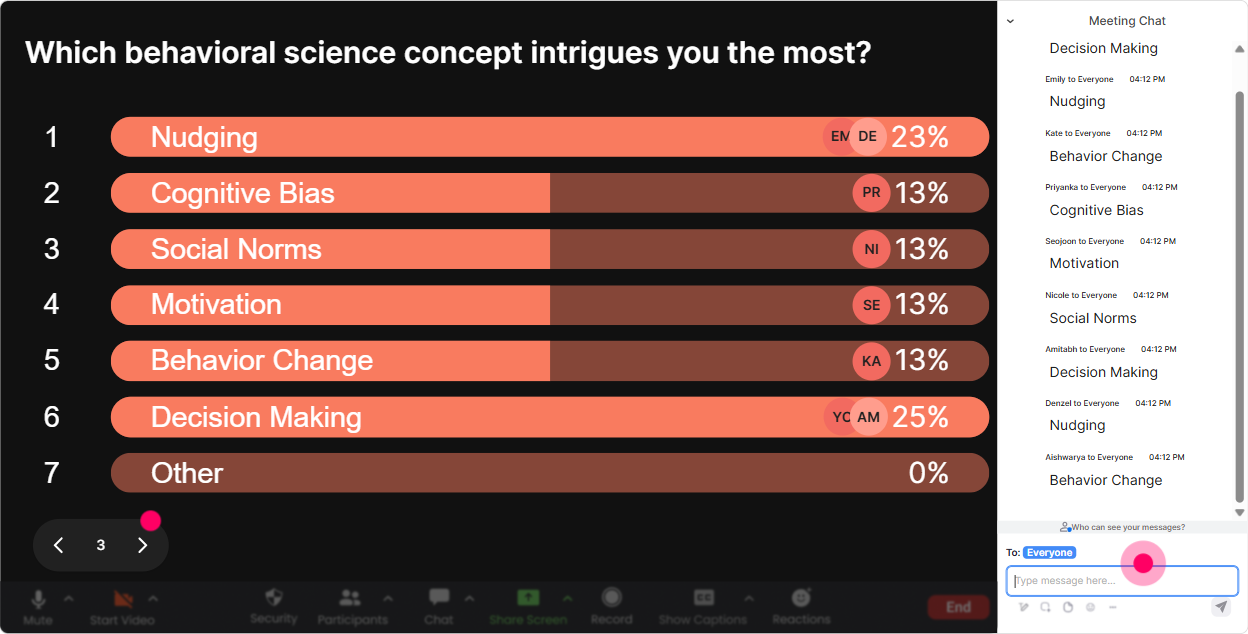
Power Polls: Let the audience choose the direction (and feel ownership)
Power Polls are how you stop guessing what your training agency audience wants and let them tell you-live. Its also a subtle behavioral science move: giving people choice increases buy-in. Poll ideas that fit this topic: - What do you want more of today? 1) Habit formation 2) Behavior design/nudges 3) Biases & decision traps 4) Measurement & follow-through - Where do your clients struggle most? 1) Manager reinforcement 2) Learner motivation 3) Time/attention 4) Culture + incentives - Which phase needs the biggest behavioral upgrade? 1) Pre-training 2) In-session 3) Post-training Trainer tip: When you show the results in real time, youre basically saying: Im not here to talk at you-Im here to build this with you. Thats engagement fuel.
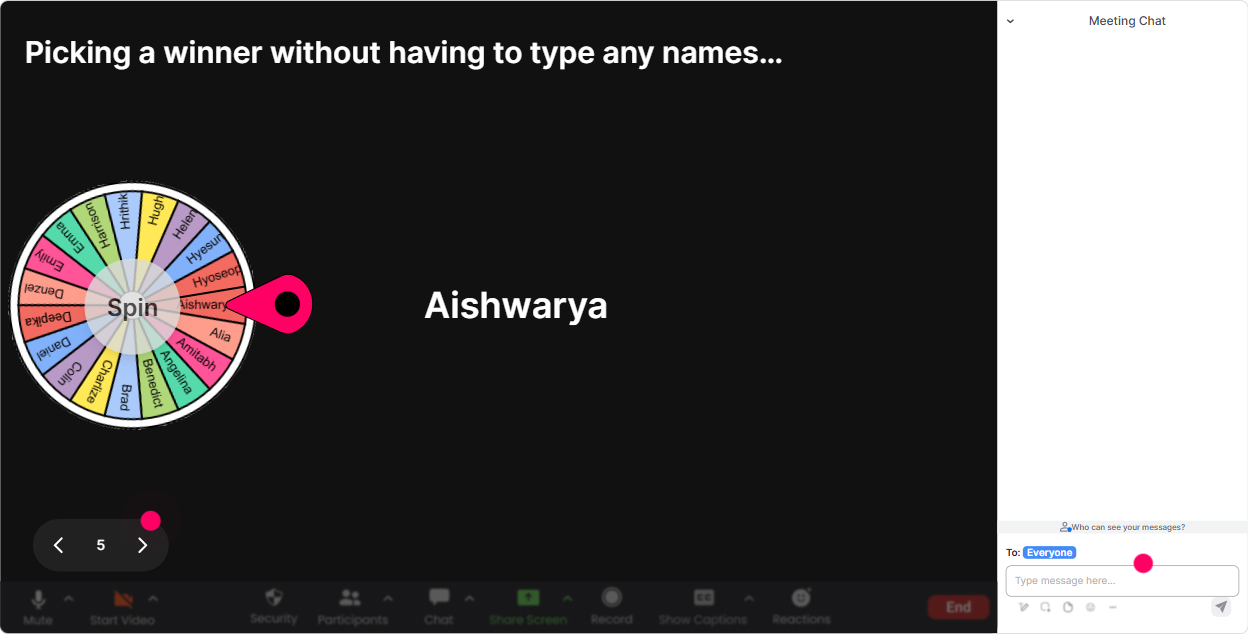
Winner Wheel: Get participation without begging for volunteers
You know that moment when you ask, Who wants to share? and the room suddenly becomes very interested in their mute button? Winner Wheel fixes that. How to use it in this training (and keep it light, not scary): - Tell them up front: Type your answer in chat-someone will be randomly picked to expand on it (super casual, 30 seconds). - Use it after a Talking Tiles or Word Cloud moment: Alright, Wheel time-lets hear one real example. - Run mini challenges: Drop a behavioral science nudge youd test with learners. Wheel picks one and well improve it together. - Make it rewarding: pick winners for small perks (template, checklist, shout-out, a follow-up resource) Trainer tip: Frame it as fun + fairness (Im not picking favorites-fate is). Participation jumps because it feels safe and playful.
Quiz: Do quick knowledge checks that feel like a game (not an exam)
Behavioral science is full of concepts that sound obvious until you apply them. A quick quiz helps you lock in understanding and spot misconceptions early. Quiz ideas for this session: - Which is the best example of a nudge? A) A policy change with penalties B) A reminder with a default option (Correct) C) A long training video D) A motivational speech - Which moment matters most for habit formation? A) The workshop itself B) The first 48 hours after (Correct) C) The certificate D) The kickoff email - Whats the main problem with information-first training? A) Its too short B) It assumes knowledge = behavior (Correct) C) Its too interactive D) Its too practical Trainer tip: After revealing the correct answer, ask one follow-up in chat: What made you choose your option? That one question turns a quiz into a discussion.

Rating Polls: Get a quick confidence check without putting anyone on the spot
Rating Polls are perfect when you want honest sentiment fast-especially in a mixed-experience group (which training agencies almost always have). Ways to use it during Behavioral Science Practices training: - Right at the start: On a scale of 110, how confident are you in applying behavioral science to training design? - After introducing key concepts (like biases, nudges, habits): How usable does this feel for your client work? 110 - After an activity: How likely are you to test this with learners next week? 110 - Mid-session pulse check: Energy check-where are you right now? 110 Trainer tip: If the rating comes in low, dont panic-celebrate it. Say, Perfect. That means were working on the right stuff, then adjust with a quick example or mini practice.
Q&A (Quick Questions): Capture every question without losing the chat
In live trainings, great questions get buried-especially when chat is active. StreamAlives Q&A pulls questions out automatically so youre not scrolling like a detective mid-session. How it helps in Behavioral Science Practices training: - Park questions during a framework: Drop questions anytime-Ill grab them in the Q&A list and well do a quick pit stop. - Create themed Q&A breaks: Were doing a 5-minute application Q&A on using this with corporate learners. - Encourage real questions: Ask the messy client questions too-those are the best ones. Trainer tip: When learners see their question displayed, they feel acknowledged. That simple visibility boosts participation from others who were hesitant to ask.

Analytics: See what actually engaged people (so your next session is even better)
If you deliver training for training agencies, you probably run the same session (or versions of it) multiple times. Analytics is where you get smarter each round instead of guessing. What to look for after your Behavioral Science Practices session: - Minute-by-minute engagement: pinpoint where attention spiked (keep that) and where it dipped (tighten that) - Chat replay + interaction performance: see which prompts produced real thinking vs. quick throwaway replies - Fantastic Fans (most engaged participants): great people to invite into advanced cohorts, pilot programs, or follow-up sessions - Interaction reports you can share: send results to your team via email or review internally on Teams to improve your run-of-show Trainer tip: Treat analytics like your own behavioral science experiment: keep what works, tweak one thing at a time, and watch engagement climb each session.

Use StreamAlive in all your training sessions
StreamAlive isn’t just for
Behavioral Science Practices
training,
it can also be used for any instructor-led training session directly inside your PowerPoint presentation.
Explore similar traingin ideas: unlocking the potential of StreamAlive
See how StreamAlive transforms live training with engaging events and interactive sessions across industries, directly inside your PowerPoint presentation.

Interactions in action
(it's free)

.svg.png)


