Install StreamAlive for your PowerPoint slides
Learn more

Metaverse Training for Corporate Trainers
StreamAlive helps 9x the audience engagement in your Virtual Instructor-led Trainings (VILT) directly inside your powerpoint presentation.
Make your instructor-led Metaverse training more fun with polls, word clouds, spinner wheels and more
Works inside your existing PowerPoint presentation
Install the StreamAlive app for PowerPoint and see your slides come to life as people participate in your interactions
AI generates audience interactions for you
Let our AI scan your presentation and automatically come up with relevant questions based on the content. Or spend two hours coming up with your own questions, your choice!
Built to work with MS Teams and Zoom
Native apps for Teams and Zoom so you never have to leave your existing workflows
No QR Codes
Chat-powered interactions means your audience doesn’t need to scan QR codes or look at another screen to participate. They just type in the chat!

Quickly approved by your IT team
StreamAlive’s apps for Teams and Zoom means that they have been through rigorous quality assurance and client safety reviews. You’ll find everything an IT team needs to approve the app within the organization within your StreamAlive account.

Youve been asked to run instructor-led Metaverse training for corporate trainers-and you want it to be more than slides + silence. The good news: you can make it feel interactive, social, and alive without overcomplicating your delivery. Here are a bunch of Metaverse-friendly training ideas powered by StreamAlive so engagement stays high the whole way through.
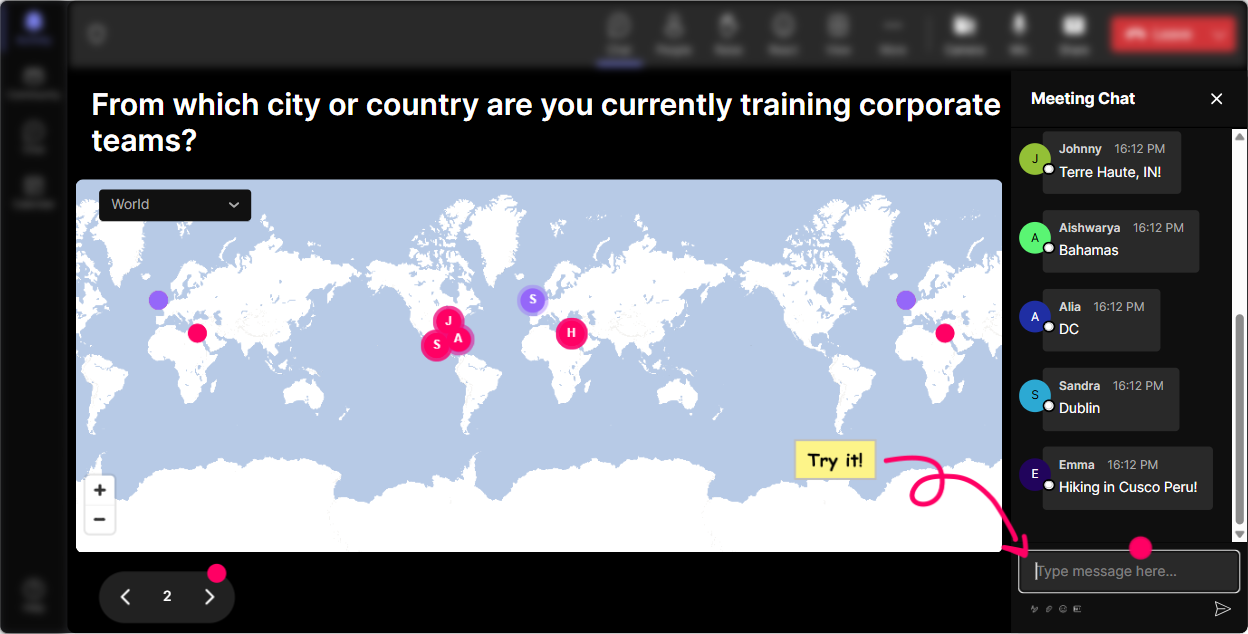
Magic Maps: Put your trainers in the world right away
Metaverse training is all about presence-so start by creating it. Instead of the usual Where are you joining from? question that dies in the chat, Magic Maps turns it into an instant visual moment. Try prompts like: - Where in the world are you joining from today? (type your city) - If you could teleport anywhere on Earth right now, where would you go? (great segue into teleporting and virtual presence) - Name a city that represents the future of work to you. Trainer move: after the map fills up, call out clusters (Wow, weve got a whole mini-hub in Singapore!) and use that as a bridge into how Metaverse learning creates shared spaces even when people are distributed. Its a simple opener, but it instantly makes the room feel like a room.
Rating Polls: Quick pulse-check on Metaverse comfort (without putting anyone on the spot)
Before you go deep, find out where people actually are-because Metaverse experience levels are all over the place. Rating Polls make it super easy for people to answer honestly, fast. Use it like: - On a scale of 110, how confident are you explaining the Metaverse to a client or leader? - Rate your comfort level with running training in immersive/virtual environments. - How likely is your organization to adopt Metaverse learning in the next 12 months? Trainer move: show the live bars and react in real time. If the average is low, you know to slow down and demystify. If its high, you can skip the basics and jump into use cases. Either way, youre tailoring live-and thats a big reason engagement can jump dramatically.

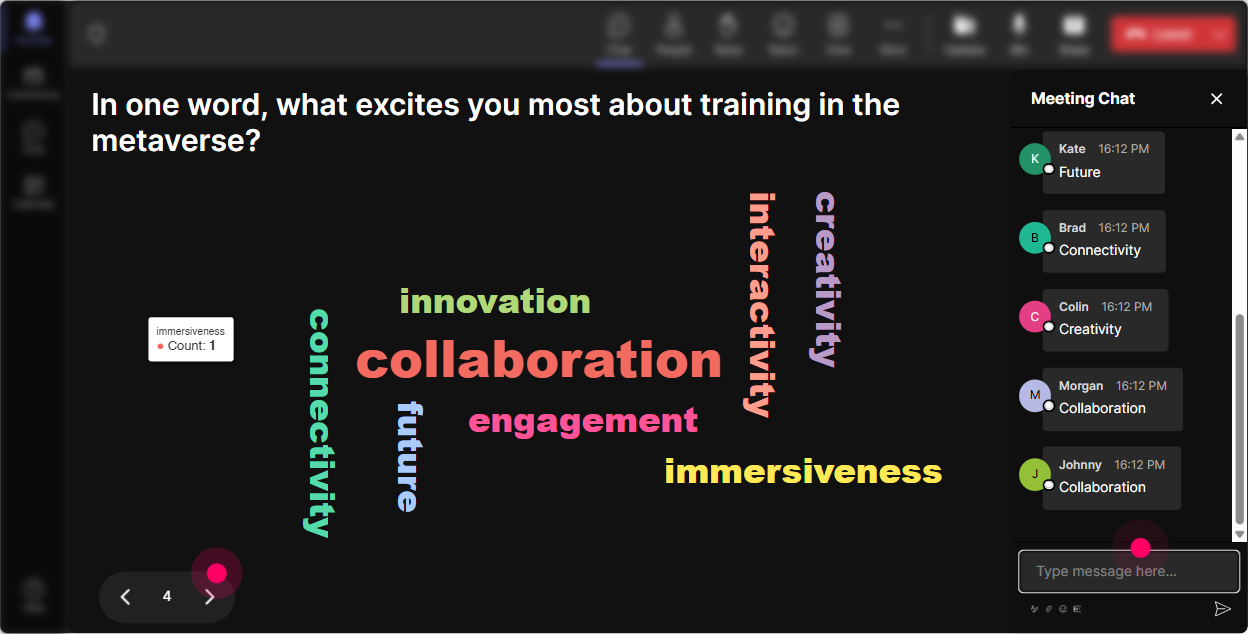
Wonder Words: Capture the vibe (and the resistance) in one screen
Metaverse training can trigger all kinds of feelings-excitement, skepticism, confusion, even ugh, not another trend. Wonder Words lets people express that in 12 words, and the group gets to see theyre not alone. Prompts that work really well: - Metaverse training in one word: what comes to mind? - Whats your biggest concern about running training in the Metaverse? (keep answers short) - Whats one word you want learners to feel in your sessions? Trainer move: when you see big words appear (like overwhelming or exciting), pause and address them. That moment-where you respond to what they said, not what your slide says-is where trust goes up and chat participation usually takes off.
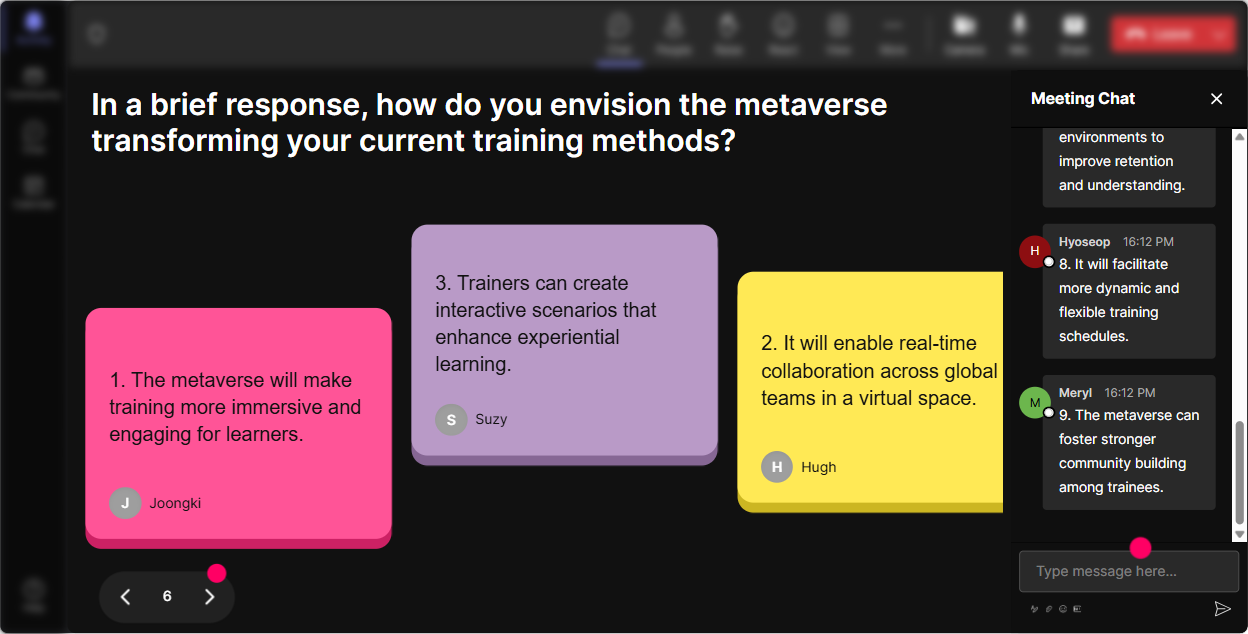
Talking Tiles: Turn trainer stories into the session content
Once people warm up, you want longer, real answers-because thats where the best learning examples come from. Talking Tiles makes those responses fun to watch and easy to reference. Use prompts like: - Where could Metaverse training actually help in your role? Give a real example. - Whats one training you currently run that could be more interactive in a virtual world? - Describe a learner moment you wish you could simulate (instead of just explaining). Trainer move: pick 23 tiles on-screen and build mini case studies live: Okay, onboarding leadership coaching safety training-lets talk about what immersive scenarios could look like for each. The group sees their own ideas driving the agenda, which keeps them engaged way longer.
Power Polls: Let the group choose the direction (and feel ownership)
A Metaverse ILT session can go in a lot of directions-avatars, spatial audio, virtual classrooms, simulations, facilitation skills, tech stack, etc. Power Polls lets the audience steer what you cover next. Poll ideas: - What do you want to explore first? 1) Metaverse basics 2) Use cases 3) Instructional design 4) Facilitation skills 5) Tools & rollout - Which Metaverse learning format interests you most? 1) Roleplay simulations 2) Virtual classrooms 3) Digital twins 4) Social learning spaces - Biggest barrier in your org? 1) Budget 2) IT/security 3) Leadership buy-in 4) Skills 5) Not sure its worth it Trainer move: when you run the poll, comment on the results like youre reading the room: Alright, instructional design is winning by a mile-perfect, because thats where most Metaverse trainings either shine or flop. Now it feels like youre co-creating the session, not broadcasting.

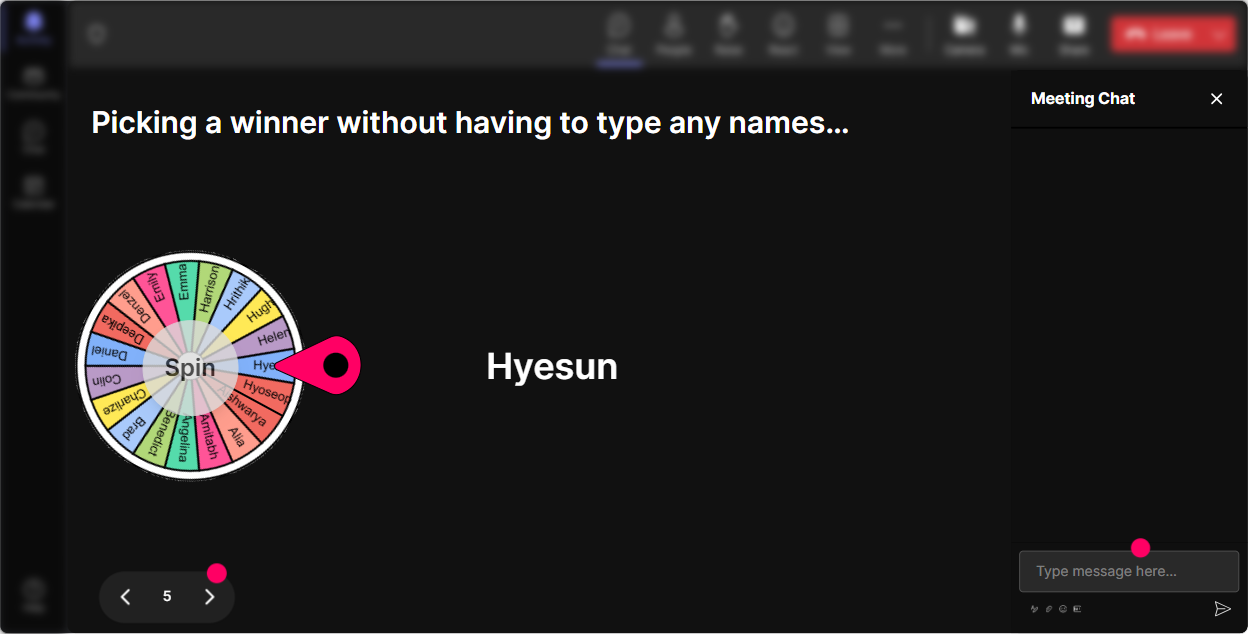
Winner Wheel: Get volunteers without the awkward silence
You know that moment when you ask, Anyone want to share? and everyone suddenly becomes a professional mute button user? Winner Wheel fixes that-because it makes participation playful and fair. Ways to use it in Metaverse trainer training: - Drop one Metaverse use case youd love to try. Im spinning the wheel to pick someone to explain why. - Type avatar if youve ever used one in training. Wheel pick: tell us what worked (or didnt). - Share one learner challenge you face. Wheel pick: well brainstorm a Metaverse-style solution together. Trainer move: keep it light-tell people youll never trap them. If someone gets picked and theyre shy, let them pass or answer in chat. The wheel still boosts comments like crazy because everyone wants to be in the mix.
Quiz: Quick knowledge checks that feel like a game, not a test
If youre teaching Metaverse concepts, youll want to check understanding-but you dont want to kill the energy with a formal assessment vibe. Quiz lets you do fast multiple-choice checks right in chat, and you can reveal the correct answer when youre ready. Example questions: - Which is the best example of immersive learning? 1) Watching a video 2) Reading a PDF 3) Practicing a scenario in a simulated environment 4) Taking a survey - What does presence mean in a virtual training context? 1) Being logged in 2) Feeling like youre there 3) Having a webcam on 4) Using VR goggles only - Which is NOT a benefit of simulations? 1) Safe practice 2) Faster feedback 3) Zero facilitation needed 4) Repeatable scenarios Trainer move: after you show the correct answer, ask one follow-up in chat: If you picked a different option, what made it tempting? Thats where the real learning conversation happens.

Rating Polls: Quick pulse-check on Metaverse comfort (without putting anyone on the spot)
Before you go deep, find out where people actually are-because Metaverse experience levels are all over the place. Rating Polls make it super easy for people to answer honestly, fast. Use it like: - On a scale of 110, how confident are you explaining the Metaverse to a client or leader? - Rate your comfort level with running training in immersive/virtual environments. - How likely is your organization to adopt Metaverse learning in the next 12 months? Trainer move: show the live bars and react in real time. If the average is low, you know to slow down and demystify. If its high, you can skip the basics and jump into use cases. Either way, youre tailoring live-and thats a big reason engagement can jump dramatically.
Q&A: Let questions flow naturally (and never miss one)
In Metaverse sessions, people get curious at random moments-privacy, hardware, motion sickness, accessibility, adoption, you name it. StreamAlives Q&A pulls questions straight from the chat and organizes them so you dont have to play scroll detective. How to use it smoothly: - Tell them: Ask questions anytime-just drop them in chat. - Pause every 1015 minutes and say: Lets grab 2 questions from the Q&A list. - For hands-on segments: Questions during the demo go in chat-Ill catch them in the Q&A feed. Trainer move: this is a big credibility booster. When people see their questions captured and answered (not ignored because chat is moving), they stay engaged and they keep contributing.

Analytics: Prove what worked, improve what didnt, and spot your champions
After your Metaverse ILT session, you want more than I think it went well. StreamAlive Analytics shows you what people actually did-minute-by-minute engagement, chat activity, interaction results, and who your most engaged participants were. How trainers use this in real life: - Find the exact moment engagement spiked (maybe your simulation example) and use that to redesign future sessions. - See which interactions got the most responses (word clouds vs polls vs tiles) so you can build a stronger run-of-show next time. - Identify your top fans-the highly engaged trainers who could become champions, pilot leads, or co-facilitators in future Metaverse rollouts. - Email/share the interaction results with stakeholders on Teams or via email so you can show participation and sentiment, not just attendance. Trainer move: if youre trying to get buy-in for Metaverse learning internally, analytics becomes your evidence. Its hard for leaders to argue with real engagement data-and thats how you keep getting asked to run the next session (with a bigger budget).

Use StreamAlive in all your training sessions
StreamAlive isn’t just for
Metaverse
training,
it can also be used for any instructor-led training session directly inside your PowerPoint presentation.
Explore similar traingin ideas: unlocking the potential of StreamAlive
See how StreamAlive transforms live training with engaging events and interactive sessions across industries, directly inside your PowerPoint presentation.

Interactions in action
(it's free)

.svg.png)


