Install StreamAlive for your PowerPoint slides
Learn more

Mental Health & Wellbeing Focus Training for Corporate Trainers
StreamAlive helps 9x the audience engagement in your Virtual Instructor-led Trainings (VILT) directly inside your powerpoint presentation.
Make your instructor-led Mental Health & Wellbeing Focus training more fun with polls, word clouds, spinner wheels and more
Works inside your existing PowerPoint presentation
Install the StreamAlive app for PowerPoint and see your slides come to life as people participate in your interactions
AI generates audience interactions for you
Let our AI scan your presentation and automatically come up with relevant questions based on the content. Or spend two hours coming up with your own questions, your choice!
Built to work with MS Teams and Zoom
Native apps for Teams and Zoom so you never have to leave your existing workflows
No QR Codes
Chat-powered interactions means your audience doesn’t need to scan QR codes or look at another screen to participate. They just type in the chat!

Quickly approved by your IT team
StreamAlive’s apps for Teams and Zoom means that they have been through rigorous quality assurance and client safety reviews. You’ll find everything an IT team needs to approve the app within the organization within your StreamAlive account.

Youve been asked to run a Mental Health & Wellbeing Focus instructor-led session for corporate trainers-and you want it to feel human, safe, and genuinely engaging (not like another box-ticking webinar). The good news: with a few simple activities-and StreamAlive interactions-you can get everyone participating without putting anyone on the spot.
1) Magic Maps: Start with connection (without starting with pressure)
One of the easiest ways to set a warm tone is to get people chatting early-without asking anything too personal. Magic Maps does that perfectly. How to use it in this training: - Kick-off question: Where are you joining from today? (classic, low effort, high participation) - Wellbeing twist: If you could take a 2-hour reset anywhere on earth this week, where would you go? - Trainer-focused: Which city has taught you the most about people-through training or life? Why it works: everyone gets to contribute instantly, you see the group come alive on the map, and it sets the tone that participation is normal here. Also, when you see clusters (say 10 people from Toronto), you can call it out and build micro-connection: Alright Toronto crew, I see you!

2) Rating Polls: Take a quick wellbeing pulse check (no long survey needed)
Mental health sessions land best when you meet the room where it actually is. Rating Polls let you do that in 10 seconds-and because its a quick number in chat, people are far more likely to respond. Ways to use Rating Polls in your session: - Opener pulse check: On a scale of 110, how mentally full does your week feel right now? - Confidence check (trainer angle): Rate your confidence (110) in handling a participant whos visibly distressed in class. - Practical readiness: How doable does taking micro-breaks feel in your real workday? (110) Trainer tip: show the results live and narrate them neutrally: Looks like were clustered around a 67. Thats really common. Lets talk about what bumps that number up-or down. It validates people without forcing anyone to explain themselves.

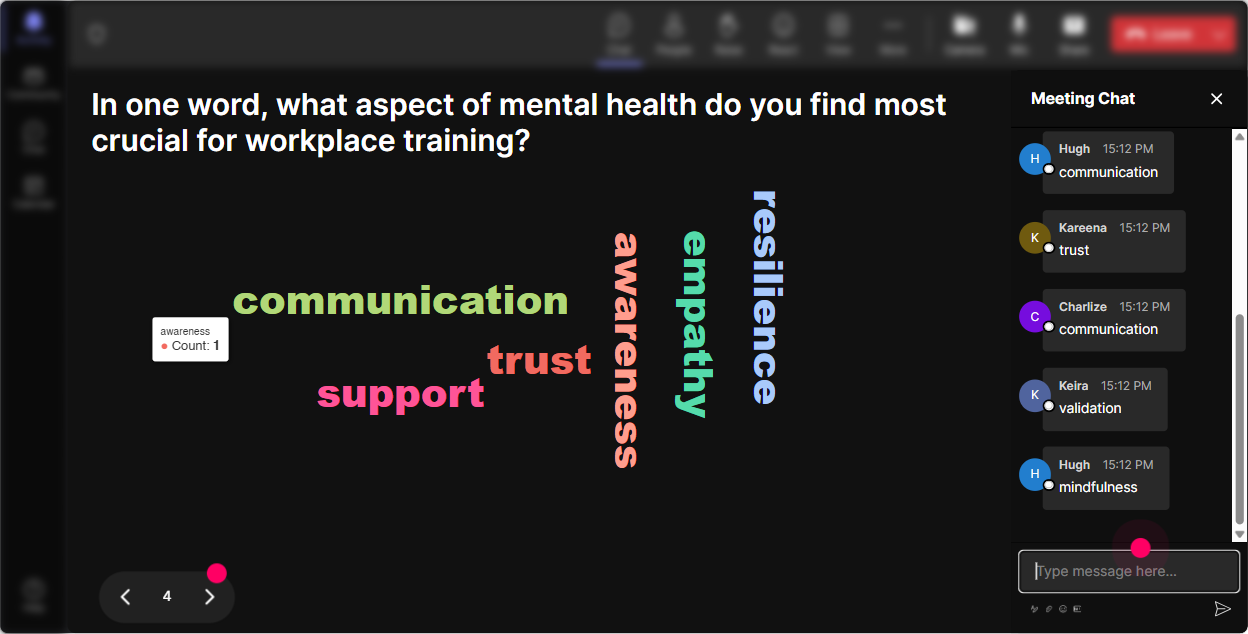
3) Wonder Words (Word Cloud): Make the rooms feelings visible-fast
Mental health and wellbeing can feel like a big topic. A word cloud makes it lighter and more approachable because everyone can answer with just 12 words. Great prompts for this training: - When you hear wellbeing at work, whats the first word that pops up? - Whats one word that describes how you want participants to feel in your training room? - Whats the biggest blocker to wellbeing at work-one word only. Why it works: you immediately see the emotional temperature of the group-words like overwhelmed, curious, skeptical, hopeful. Then you can respond in real time: Im seeing burnout getting big-lets spend a few minutes on early warning signs and what trainers can do in-session.
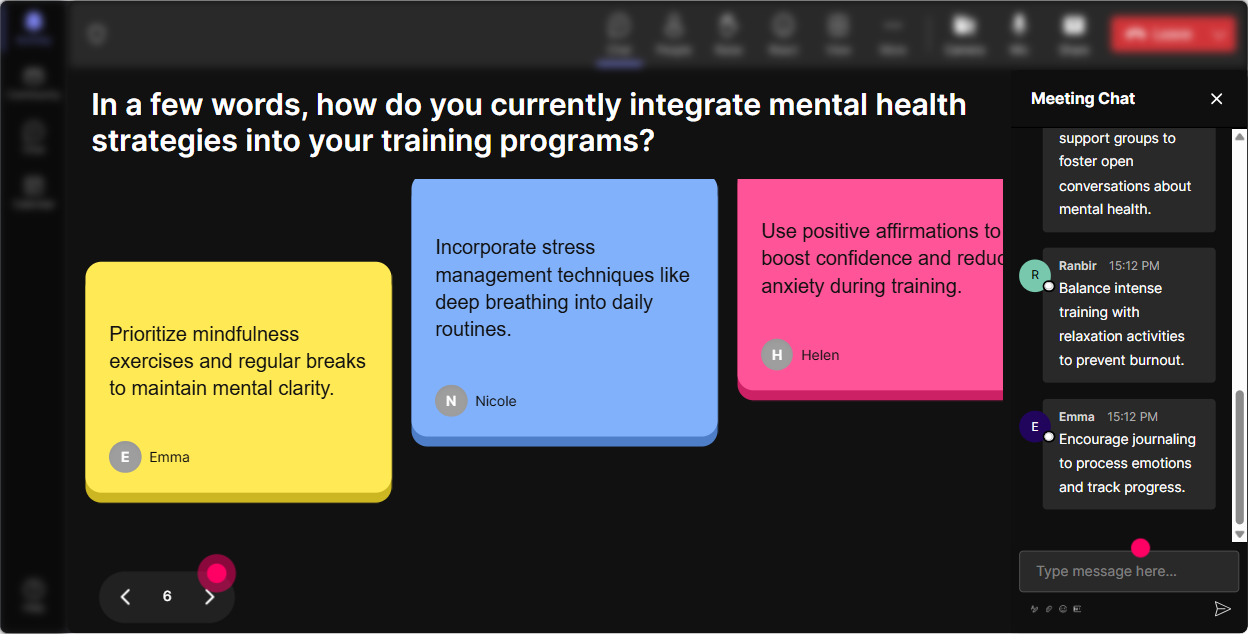
4) Talking Tiles: Get real stories and real scenarios (without awkward silence)
This is where you go deeper. Talking Tiles is perfect when you want longer responses-mini-stories, examples, and practical ideas-without the pressure of asking people to unmute. Use it for prompts like: - Whats a moment in a training session that made you realize someone was struggling? - Whats one small change youve made that improved your wellbeing during delivery days? - As a trainer, whats the hardest boundary to hold (time, emotional labor, after-hours messages, etc.)? What youll notice: once the tiles start falling, the room feels active. You can pull patterns from the responses and say: Im seeing a lot of back-to-back sessions and no breaks. Lets build a realistic recovery routine between modules. It turns personal experience into shared learning-without making anyone a spotlight case study.
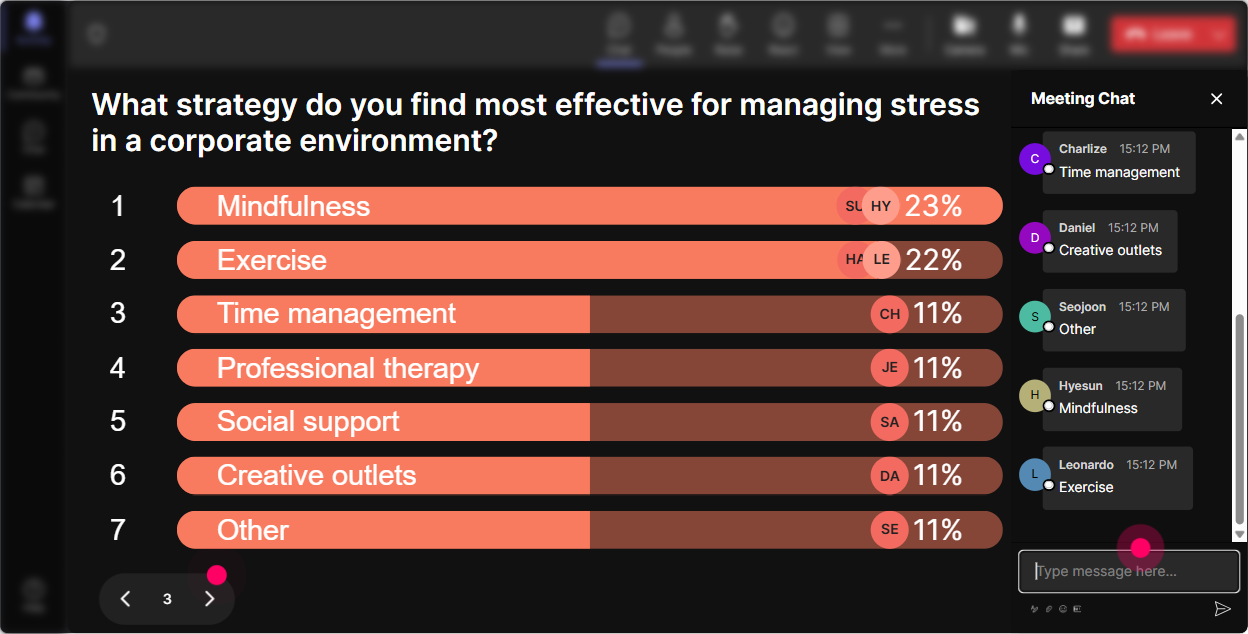
5) Power Polls: Let the audience steer what you cover next
In wellbeing training, people care most about whats relevant to them right now. Power Polls make it easy to ask, What do you want help with? and then actually teach to that. Poll ideas for this session: - Which area should we focus on first today? 1) Stress & burnout basics 2) Psychological safety in training rooms 3) Handling difficult/emotional moments 4) Trainer boundaries & energy management - Whats your biggest wellbeing challenge during delivery weeks? 1) Sleep 2) Screen fatigue 3) Emotional load 4) Time pressure Pro move: run a poll mid-session too, not just at the start. Example: Which tool should we practice next-grounding technique, boundary script, or de-escalation language? When participants see you adapt live, engagement naturally jumps.
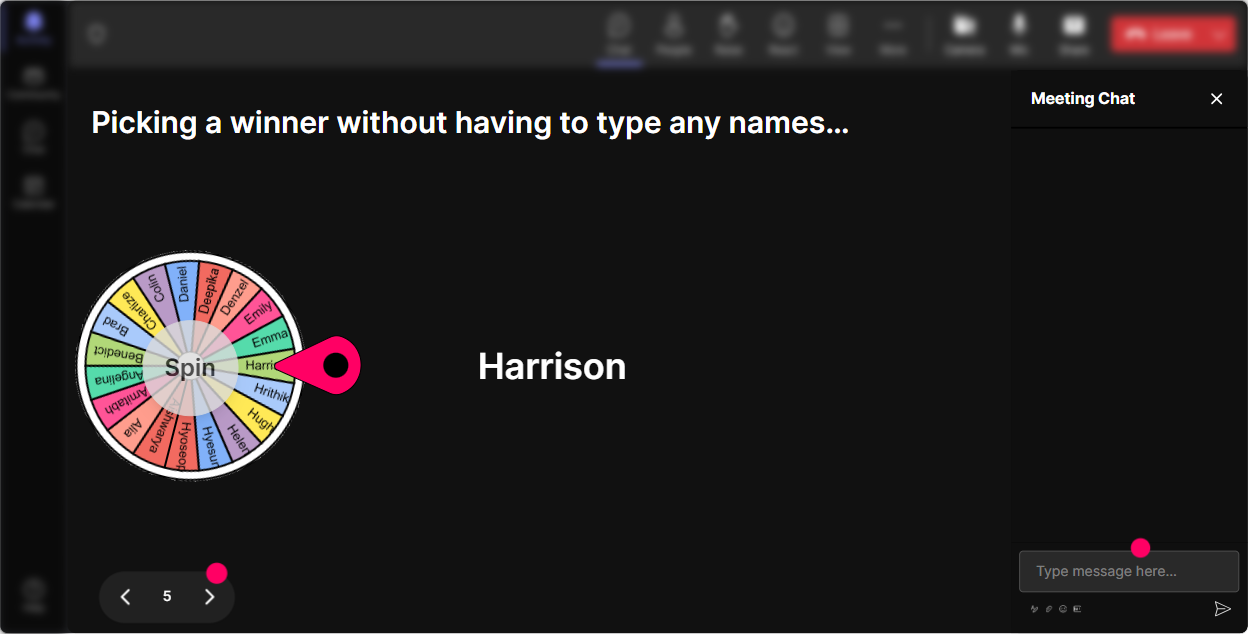
6) Winner Wheel (Spinner Wheel): Make volunteering feel fun (and fair)
Getting people to speak up can be tricky-especially in a topic like mental health where folks dont want to say the wrong thing. The Winner Wheel helps because its playful, random, and removes that awkward any volunteers? silence. How trainers can use it here: - Lets hear one idea for a 2-minute reset between sessions-wheel will pick who shares. - Who wants to read one of the chat responses out loud so I can stay focused on facilitating? Lets spin. - Were practicing supportive language. Ill share a scenario and the wheel picks someone to suggest a first sentence. Keep it psychologically safe: always offer an opt-out (If youd rather pass, totally fine-just say pass and well spin again.). The goal is energy and participation, not pressure.
7) Quiz: Quick myth-busting and confidence-building knowledge checks
A quiz is perfect for mental health training because it helps you correct myths gently-and it gives people a low-stakes way to learn. Plus, it breaks up heavy content. Quiz questions you can use (multiple choice, one correct answer): - Which is the best first step when a participant shares something emotionally heavy? A) Give advice immediately B) Thank them, acknowledge, and check what support they want C) Move on quickly to protect timing D) Ask for details so you understand fully - Which is most likely to reduce stress in a training day? A) Skipping breaks to finish early B) Adding a micro-break every 6090 minutes C) Multitasking during activities D) Keeping cameras on at all times Why it works: you can reveal the correct answer and teach the why in a way that feels engaging instead of preachy. It also shows you where the room is confused-so you know what to reinforce.

2) Rating Polls: Take a quick wellbeing pulse check (no long survey needed)
Mental health sessions land best when you meet the room where it actually is. Rating Polls let you do that in 10 seconds-and because its a quick number in chat, people are far more likely to respond. Ways to use Rating Polls in your session: - Opener pulse check: On a scale of 110, how mentally full does your week feel right now? - Confidence check (trainer angle): Rate your confidence (110) in handling a participant whos visibly distressed in class. - Practical readiness: How doable does taking micro-breaks feel in your real workday? (110) Trainer tip: show the results live and narrate them neutrally: Looks like were clustered around a 67. Thats really common. Lets talk about what bumps that number up-or down. It validates people without forcing anyone to explain themselves.
8) Q&A: Capture the real questions (the ones trainers hesitate to ask out loud)
In wellbeing sessions, the best questions often show up in chat-not on mic. StreamAlives Q&A pulls questions straight from the chat and organizes them, so youre not hunting through messages. How to use it in this topic: - Park-it-later approach: Drop your questions anytime-StreamAlive will catch them and well do a dedicated Q&A at the end. - Anonymous-feel prompts (still human, but safer): Whats something youre unsure about when it comes to mental health at work? - Practical trainer questions: Where do you draw the line between being supportive and becoming someones counselor? Facilitation tip: read the question without naming the person unless they ask you to. It helps people feel safer asking what they really need.

9) Analytics: Improve every future session (based on what actually engaged people)
After your session, StreamAlive Analytics helps you see what worked-not just what you think worked. Ways corporate trainers can use the analytics for wellbeing sessions: - Spot engagement peaks: maybe the word cloud lit up the chat, but a long lecture section dipped. Now you know where to tighten. - See which interactions performed best: did Rating Polls get 80% participation while Q&A got 30%? That tells you what your audience prefers. - Identify your most engaged participants (Fantastic Fans): helpful for follow-up, champions, or even peer-led sharing in future cohorts. - Share interaction results with stakeholders: export insights via email and show that this training wasnt just attended, it was participated in. Bottom line: you can iterate like a pro-so your Mental Health & Wellbeing Focus training gets more engaging (and more effective) every time you run it.

Use StreamAlive in all your training sessions
StreamAlive isn’t just for
Mental Health & Wellbeing Focus
training,
it can also be used for any instructor-led training session directly inside your PowerPoint presentation.
Explore similar traingin ideas: unlocking the potential of StreamAlive
See how StreamAlive transforms live training with engaging events and interactive sessions across industries, directly inside your PowerPoint presentation.

Interactions in action
(it's free)

.svg.png)


