Install StreamAlive for your PowerPoint slides
Learn more

Neural Interface Learning Training for L&D Leaders
StreamAlive helps 9x the audience engagement in your Virtual Instructor-led Trainings (VILT) directly inside your powerpoint presentation.
Make your instructor-led Neural Interface Learning training more fun with polls, word clouds, spinner wheels and more
Works inside your existing PowerPoint presentation
Install the StreamAlive app for PowerPoint and see your slides come to life as people participate in your interactions
AI generates audience interactions for you
Let our AI scan your presentation and automatically come up with relevant questions based on the content. Or spend two hours coming up with your own questions, your choice!
Built to work with MS Teams and Zoom
Native apps for Teams and Zoom so you never have to leave your existing workflows
No QR Codes
Chat-powered interactions means your audience doesn’t need to scan QR codes or look at another screen to participate. They just type in the chat!

Quickly approved by your IT team
StreamAlive’s apps for Teams and Zoom means that they have been through rigorous quality assurance and client safety reviews. You’ll find everything an IT team needs to approve the app within the organization within your StreamAlive account.

Youve been asked to run an instructor-led session on Neural Interface Learning for L&D Leaders-and you want it to feel energizing, not like a futuristic lecture. The trick is simple: make people *do* something every few minutes, not just listen. Here are easy, trainer-friendly ways to use StreamAlive to keep participation high (and yes, it can feel like 9x more engagement when done right).
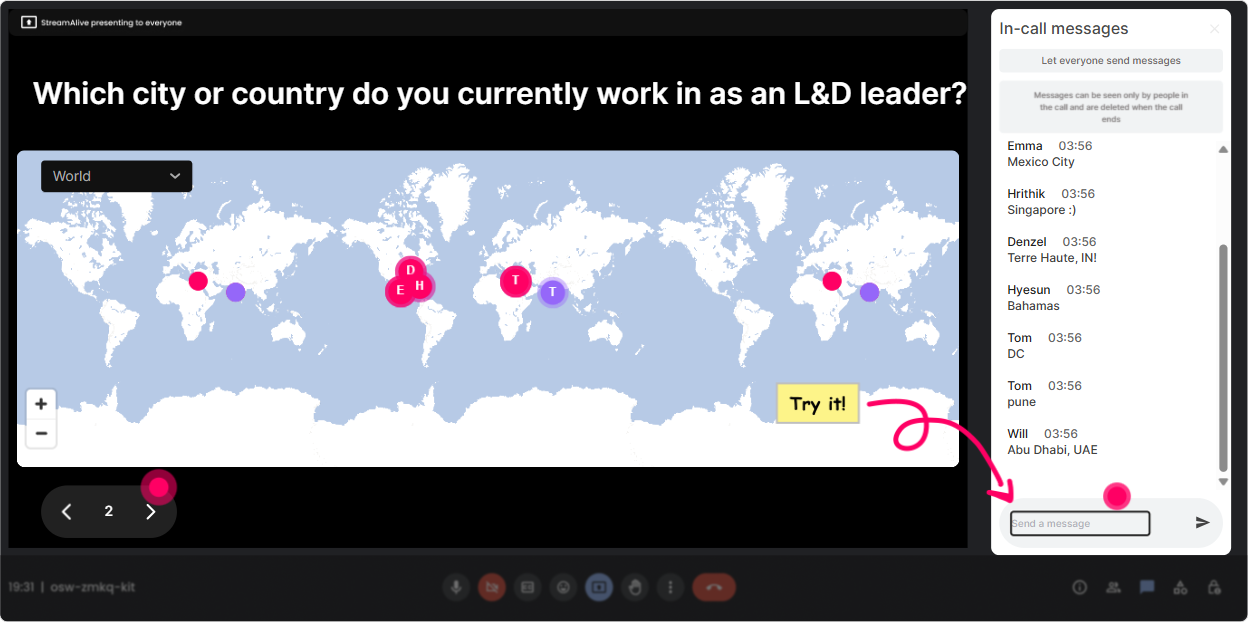
1) Magic Maps: Put your L&D leaders on the map (literally)
This is your best hello everyone moment-because it instantly turns a cold start into a shared room. How to use it in Neural Interface Learning training: - Kickoff question: Where are you joining from today? (classic, always works) - Theme it to the topic: If you could download a new skill instantly and teleport to learn it anywhere on earth, where would you go? - Make it role-relevant: Which city best represents your L&D culture right now-fast-growing, traditional, experimental? Drop a location that matches that vibe. Trainer tip: If your group is global, call out clusters like, Wow, weve got a strong London cluster-UK folks, whats your biggest learning challenge right now? It creates instant micro-communities.
2) Rating Polls: Get a fast reality check on awareness + readiness
Rating Polls are your pulse check without the awkward silence. Youll know in 10 seconds whether youre teaching beginners, skeptics, or people whove already been exploring brain-computer interface ideas. Practical prompts to use: - On a scale of 110, how familiar are you with Neural Interface Learning? - How realistic do you think neural interfaces in workplace learning are in the next 5 years? (1 = not happening, 10 = definitely) - How confident are you that your organization could handle the ethics/privacy side of this? (110) Trainer tip: If the average is low, youve got permission to slow down and simplify. If its high, you can say, Alright, youre not here for basics-lets go into real use cases and risks.

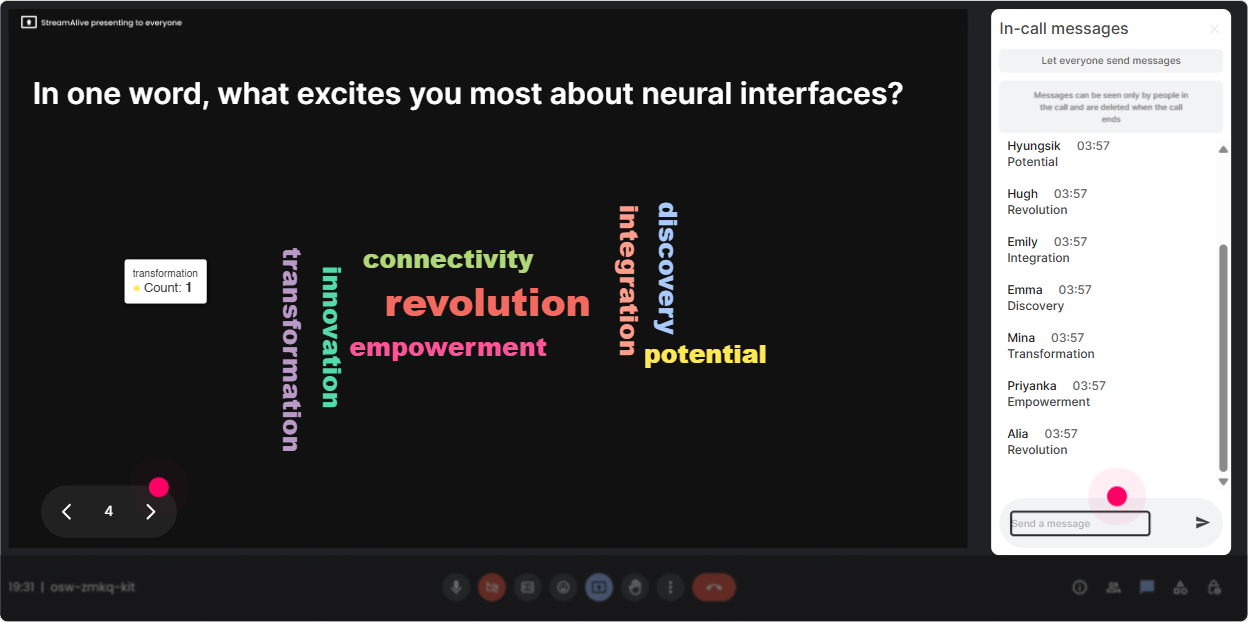
3) Wonder Words (Word Cloud): Capture the mood in the room
Neural Interface Learning can bring up big feelings-excitement, curiosity, fear, skepticism. A word cloud lets people say what they think without writing an essay. Great word-cloud questions for this topic: - One word: how do you feel about neural interfaces entering corporate learning? - Whats the first word that comes to mind when you hear brain-computer interface? - Whats the biggest risk? One or two words only. (examples youll see: privacy, bias, surveillance, consent) - Whats the biggest upside? One or two words. (speed, personalization, inclusion, performance) Trainer tip: When one word gets big (like privacy), dont rush past it. Pause and say, Okay, privacy is clearly the elephant in the room-lets address it head-on.
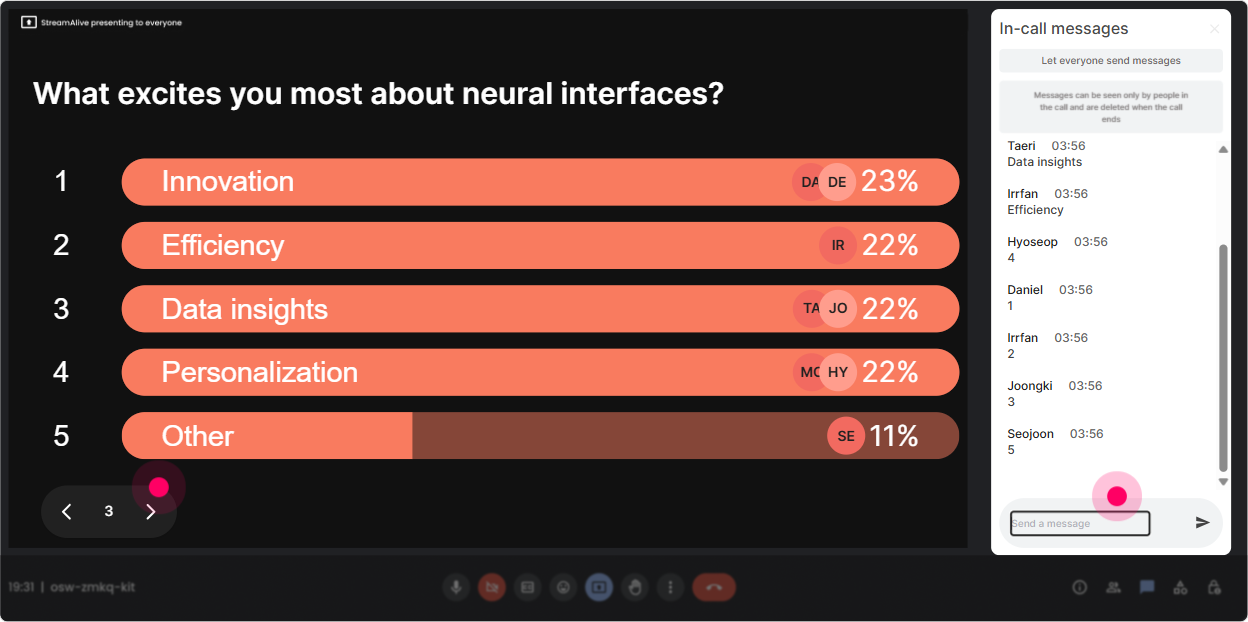
4) Talking Tiles: Turn big opinions into a visual brainstorm
When you want richer answers (not just one word), Talking Tiles makes the chat feel alive and keeps people watching-because their response becomes part of the session visuals. Use it for prompts like: - In your role as an L&D leader, where could Neural Interface Learning realistically help first-onboarding, safety, leadership, sales, or accessibility? Tell us why. - Whats one policy youd want in place before using neural data in training? - Imagine your CEO asks for a pilot. Whats your first question back to them? Trainer tip: After 1015 tiles, group them out loud: Im seeing themes: ethics, feasibility, cost, and learner trust. Lets tackle these one by one. It makes participants feel heard.
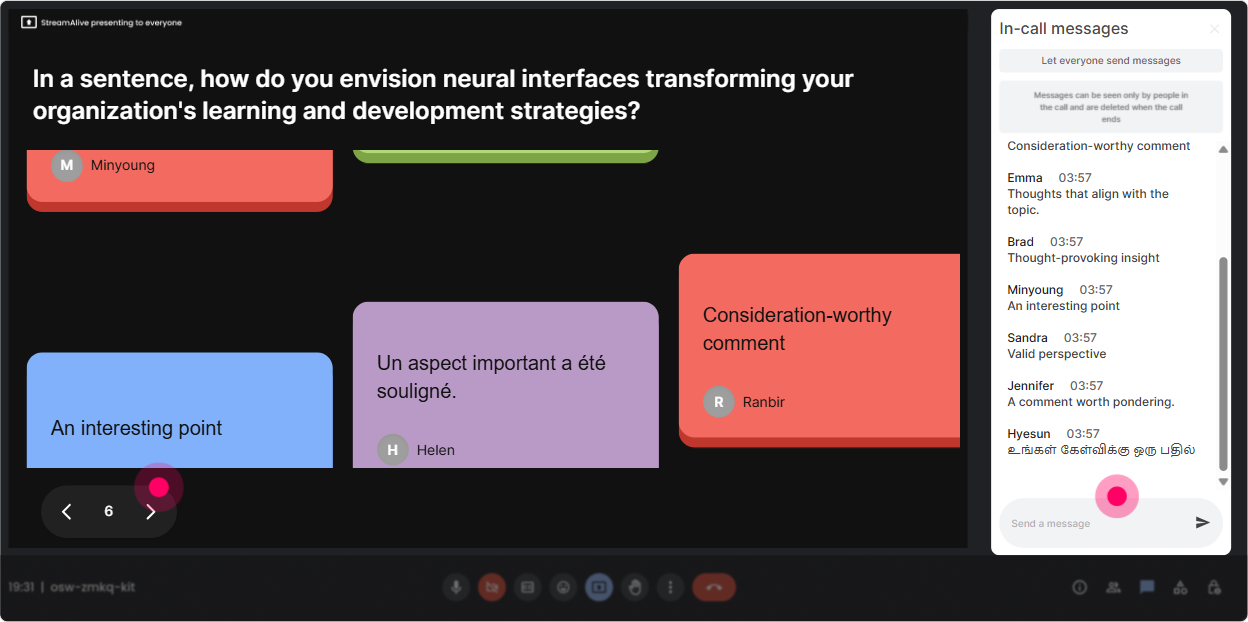
5) Power Polls: Let the audience choose the direction of the session
This is how you stop guessing what they want and start co-creating the session with them. Youll also get instant buy-in because the group literally votes for the next topic. Poll ideas that work really well for L&D Leaders: - What do you want most from today? 1) Practical use cases 2) Ethical + privacy risks 3) Implementation roadmap 4) Vendor landscape + hype vs reality - Which learning area would your org actually fund first if this became viable? 1) Compliance/safety 2) Performance support 3) Leadership coaching 4) Neurodiversity support - Biggest barrier to adoption? 1) Legal/privacy 2) Cost 3) Learner trust 4) Lack of evidence Trainer tip: Run a poll at the 15-minute mark and again mid-way. The second one shows youre adapting, not just delivering slides.
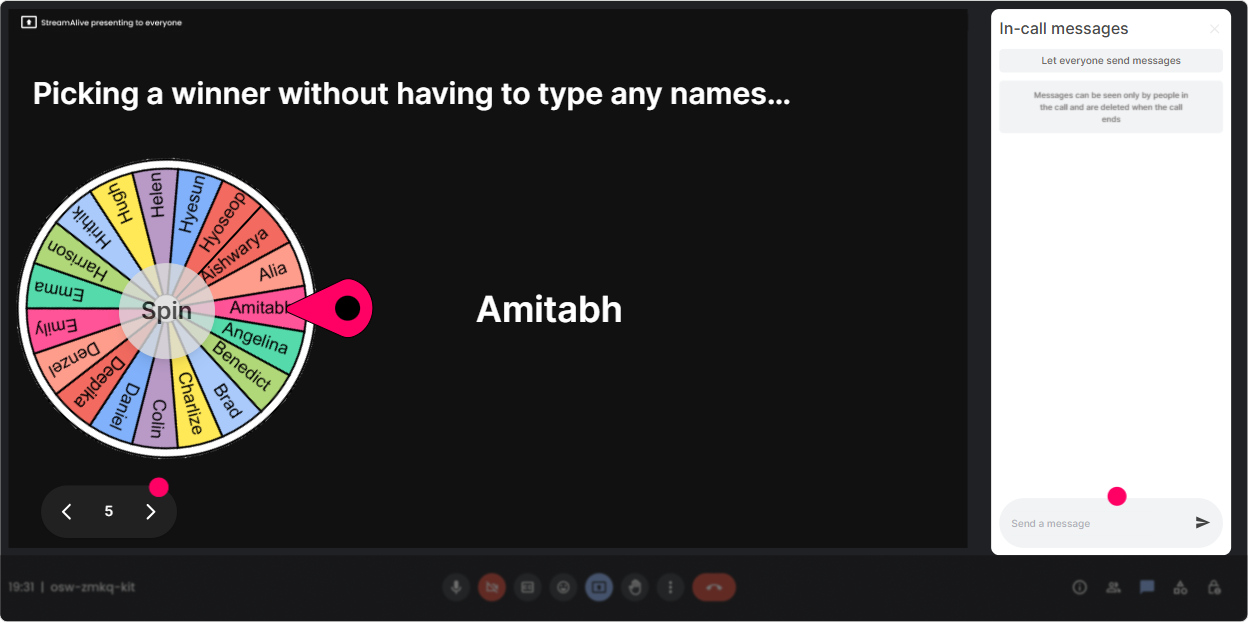
6) Winner Wheel (Spinner Wheel): Get volunteers without the awkward volunteer hunt
You know that moment when you ask, Who wants to share? and everyone suddenly becomes very interested in their mute button? Winner Wheel fixes that by making it playful and fair. Ways to use it in this session: - Drop one use case in chat. Im going to spin the wheel and ask someone to explain theirs in 20 seconds. - Type ethics or innovation-Ill spin and youll argue that side for one minute. (fun mini-debate) - Share your biggest concern in chat. Wheel pick = you help me write the risk checklist live. Trainer tip: Keep it light: Youre not being tested-just giving the group your perspective. The wheel works best when the ask is small and safe.
7) Quiz: Do quick knowledge checks (and bust hype politely)
A Quiz interaction is perfect for separating sci-fi assumptions from whats actually plausible. It also gives you a clean way to reinforce key concepts without sounding preachy. Quiz questions you can use (multiple choice, one correct): - Which is the biggest ethical requirement before collecting neural data for training? A) Faster processors B) Informed consent (Correct) C) More training content D) Better Wi-Fi - Neural Interface Learning would most likely improve which first? A) All learning instantly B) Some signal-based adaptive support for specific tasks (Correct) C) Replacing trainers entirely D) Eliminating practice - Whats a realistic first step for L&D leaders today? A) Roll out neural headsets to everyone B) Build an ethics framework + evaluation criteria (Correct) C) Remove LMS D) Stop using assessments Trainer tip: After revealing the correct answer, ask: If your org got this wrong, what would happen? Thats where the real learning shows up.

2) Rating Polls: Get a fast reality check on awareness + readiness
Rating Polls are your pulse check without the awkward silence. Youll know in 10 seconds whether youre teaching beginners, skeptics, or people whove already been exploring brain-computer interface ideas. Practical prompts to use: - On a scale of 110, how familiar are you with Neural Interface Learning? - How realistic do you think neural interfaces in workplace learning are in the next 5 years? (1 = not happening, 10 = definitely) - How confident are you that your organization could handle the ethics/privacy side of this? (110) Trainer tip: If the average is low, youve got permission to slow down and simplify. If its high, you can say, Alright, youre not here for basics-lets go into real use cases and risks.
8) Q&A (Quick Questions): Catch every question without losing the chat
Neural Interface Learning triggers lots of Wait but what about questions. Quick Questions pulls them out of the chat and organizes them so youre not scrolling like a maniac while trying to teach. How to use it smoothly: - Tell them: If you have a question, just type it normally-StreamAlive will grab it. - Seed the Q&A: Whats your biggest question about neural interfaces in workplace learning? - Run a structured Q&A: Lets do 5 minutes: feasibility questions first, then ethics, then implementation. Trainer tip: If you see repeats (like privacy), say, Im seeing three versions of the same question-awesome, that means it matters. Lets address it properly.

9) Analytics: Prove engagement and improve the next session
After the session, analytics is where you get the what worked truth-so you can improve fast and also show stakeholders that this session wasnt just interesting, it was engaging. What to look at for this training: - Minute-by-minute engagement: Find where attention spiked (maybe during the ethics debate) and where it dipped (maybe during heavy theory). Thats your edit plan. - Chat replay + interaction results: See which prompts got real responses vs polite silence. - Fantastic Fans / Top engaged participants: These are your champions-great people to invite into pilots, roundtables, or internal working groups. - Email/share reports: Send a quick recap to your L&D leadership team on Teams or email: Heres what the group voted as top priorities + top concerns. Trainer tip: Use analytics to redesign your run-of-show: keep the high-engagement segments, tighten the low-engagement ones, and youll feel that engagement jump session after session.

Use StreamAlive in all your training sessions
StreamAlive isn’t just for
Neural Interface Learning
training,
it can also be used for any instructor-led training session directly inside your PowerPoint presentation.
Explore similar traingin ideas: unlocking the potential of StreamAlive
See how StreamAlive transforms live training with engaging events and interactive sessions across industries, directly inside your PowerPoint presentation.

Interactions in action
(it's free)

.svg.png)


