Install StreamAlive for your PowerPoint slides
Learn more

Enablement Training for L&D Leaders
StreamAlive helps 9x the audience engagement in your Virtual Instructor-led Trainings (VILT) directly inside your powerpoint presentation.
Make your instructor-led Enablement training more fun with polls, word clouds, spinner wheels and more
Works inside your existing PowerPoint presentation
Install the StreamAlive app for PowerPoint and see your slides come to life as people participate in your interactions
AI generates audience interactions for you
Let our AI scan your presentation and automatically come up with relevant questions based on the content. Or spend two hours coming up with your own questions, your choice!
Built to work with MS Teams and Zoom
Native apps for Teams and Zoom so you never have to leave your existing workflows
No QR Codes
Chat-powered interactions means your audience doesn’t need to scan QR codes or look at another screen to participate. They just type in the chat!

Quickly approved by your IT team
StreamAlive’s apps for Teams and Zoom means that they have been through rigorous quality assurance and client safety reviews. You’ll find everything an IT team needs to approve the app within the organization within your StreamAlive account.

Youve been asked to run an Enablement instructor-led training for L&D Leaders-and you want it to feel energizing, not like another slide marathon. The fastest win? Get everyone participating early and often. Here are practical ways to do that using StreamAlive interactions (the kind that can seriously lift engagement during a live session).
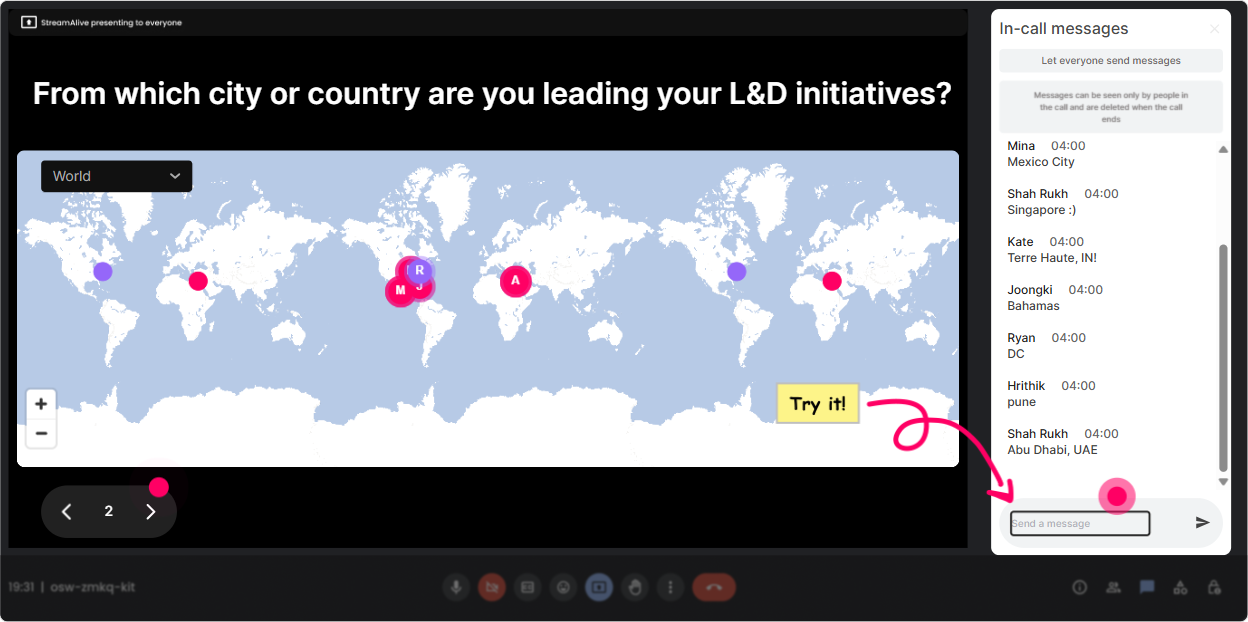
1) Magic Maps: Kick off your Enablement ILT by putting everyone on the map
This is your easiest everyone talks in the first 2 minutes move. Instead of asking Where are you joining from? and getting a dead chat, use Magic Maps so locations instantly show up on a live world map. How to use it in Enablement training for L&D Leaders: - Icebreaker that actually matters: Where are you joining from-and what industry are you enabling? (They can answer location first, then add industry in a second prompt.) - Context check: Which city/team do you support most-Sales, CS, Partner, Internal L&D? - Future-focused opener: If you could teleport your enablement program anywhere in the org, where would it land first (Sales, CS, Product, Leadership)? (You can ask them to enter a *location* where their HQ/team sits.) Trainer tip: If youre training a global group, call out clusters-Whoa, weve got a Toronto cluster whats happening in enablement over there? That tiny moment makes people feel seen immediately.
2) Rating Polls: Get a quick pulse on enablement maturity (and tailor your session live)
Rating Polls are perfect for those moments when you need a fast temperature check without making it awkward. People just drop a number in chat, and you instantly see the groups confidence/experience. Ways to use it in Enablement ILT: - Opening baseline: On a scale of 110, how confident are you in building an enablement plan that actually gets adopted? - Reality check before a framework: Rate your current enablement measurement maturity (1 = vibes, 10 = fully measurable + tied to business outcomes). - Mid-session pulse: How clear is this enablement charter idea so far? 110. Trainer tip: When you see a mixed spread (like a bunch of 3s and 9s), say it out loud: Cool, weve got beginners and power users-so Ill give examples for both. It instantly builds trust.

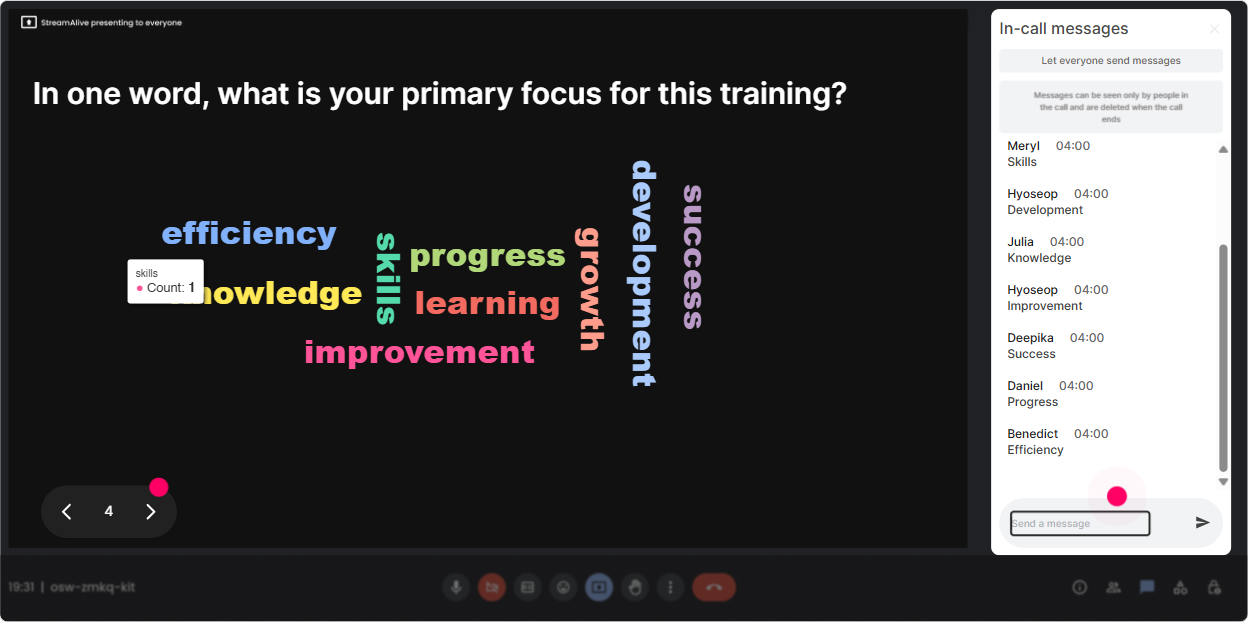
3) Wonder Words (Word Cloud): Make their beliefs about enablement visible
Word clouds are gold for enablement because L&D Leaders often come in with strong opinions (or past scars). Ask a 12 word question, and let the groups vibe show up on screen. Enablement-friendly prompts: - Emotional tone: Enablement, in one word: how does it feel at your org? (Common stuff: chaotic, exciting, underfunded, urgent.) - Outcomes focus: One word: what should enablement improve first? (Example: adoption, performance, consistency, speed.) - Myth-busting setup: One word: what do people *think* enablement is? (Youll see training, onboarding, content-and now youve got the perfect segue.) Trainer tip: Use Combine Similar Answers so onboarding and on-boarding dont fight each other. Then react like a human: Yep Im seeing training BIG here. Lets talk about why enablement is bigger than that.
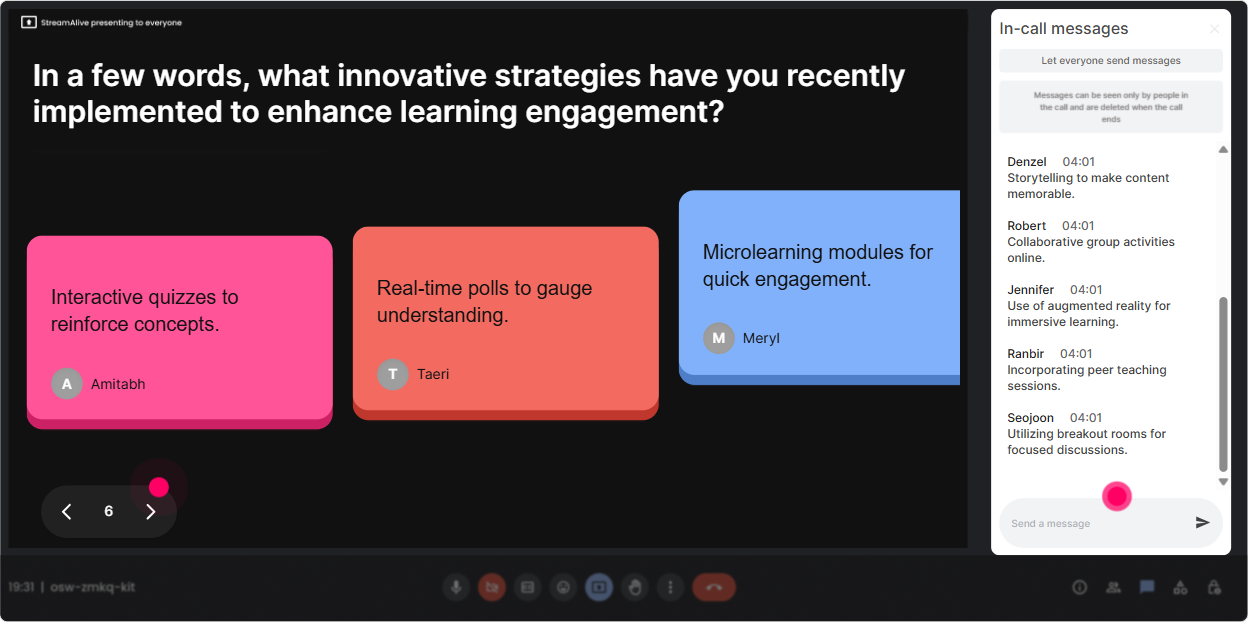
4) Talking Tiles: Turn real challenges into a live wall of truth
Talking Tiles are for longer, meatier responses-without the awkward silence of calling on people one by one. Everyone types, and their answers show up as dynamic tiles on screen. Great prompts for an Enablement ILT: - Role impact: In 12 sentences, how does enablement (or lack of it) affect your job week-to-week? - Pain point mining: Whats the biggest barrier to enablement adoption in your org right now? - Stakeholder reality: Finish this: My hardest enablement stakeholder to influence is ____ because ____. Trainer tip: When tiles start dropping in, read a few out loud and group them: Im seeing a theme-measurement, time, and stakeholder buy-in. Perfect. Were going to tackle those today. This makes your content feel customized, not canned.
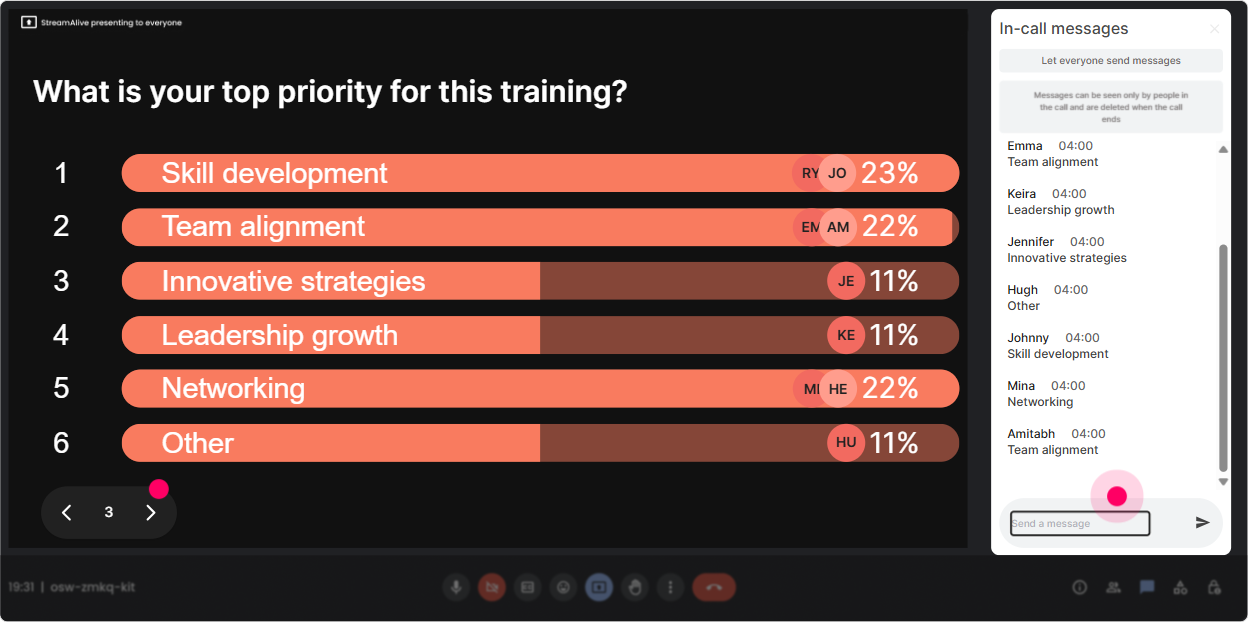
5) Power Polls: Let the audience choose the agenda (and boost buy-in instantly)
Power Polls are your lets co-create the session tool. Give options, let people vote in chat, then deliver the session in the order they chose. Instant ownership. Poll ideas for Enablement ILT: - What do you want most from today? 1) Enablement strategy & charter 2) Stakeholder alignment 3) Program design (onboarding, playbooks, reinforcement) 4) Measurement & impact - Where does enablement currently sit in your org? 1) L&D 2) Sales/Revenue 3) Product 4) Other - Which audience are you enabling the most? 1) Sales 2) Customer Success 3) Partners 4) Internal teams Trainer tip: Run a poll right before a case study: Which scenario should we solve? Then solve the winning scenario live. People pay attention when they picked the problem.
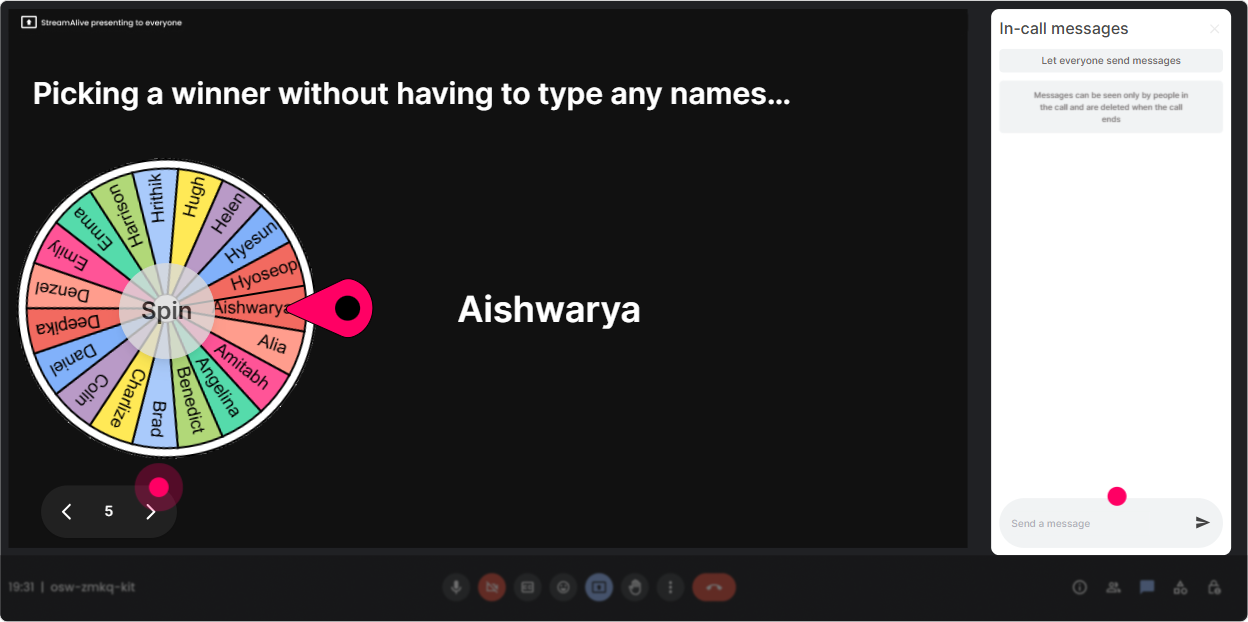
6) Winner Wheel: Call on people without making it feel personal (or scary)
Getting volunteers is tough-especially with senior L&D Leaders who are multitasking. Winner Wheel makes participation feel fair and fun because the wheel chose you, not you putting someone on the spot. How to use it in Enablement ILT: - Drop ONE word in chat: whats your enablement priority in 2026? Then spin the wheel from commenters and ask the winner: Tell me whats behind that word. - After a brainstorm: Whos willing to share an example of an enablement win (or fail)? If crickets No worries, well let the wheel pick a brave soul. - Reinforcement moment: Type done when youve drafted your enablement outcome statement. Spin to pick someone to read theirs. Trainer tip: Keep it light: give people the option to pass. If youre driving or juggling chaos, just say pass-no shame. Participation goes up when safety goes up.
7) Quiz: Do quick knowledge checks that feel like a game, not a test
Quizzes are perfect for enablement because there are lots of misconceptions. A quick multiple-choice check wakes people up and gives you a clean teaching moment. Quiz questions you can use: - Which is the BEST definition of enablement? A) Training delivery B) Content creation C) A system that improves performance through skills, assets, and reinforcement (Correct) D) Onboarding only - Which metric is most directly tied to enablement impact? A) Attendance B) Content downloads C) Behavior change / performance outcomes (Correct) D) Number of courses built - Whats the most common reason enablement doesnt get adopted? A) Too many resources B) Not tied to workflow + no reinforcement (Correct) C) Too many SMEs D) Too much measurement Trainer tip: After revealing the correct answer, ask: If you picked a different option, what made it tempting? Thats where the real learning is.

2) Rating Polls: Get a quick pulse on enablement maturity (and tailor your session live)
Rating Polls are perfect for those moments when you need a fast temperature check without making it awkward. People just drop a number in chat, and you instantly see the groups confidence/experience. Ways to use it in Enablement ILT: - Opening baseline: On a scale of 110, how confident are you in building an enablement plan that actually gets adopted? - Reality check before a framework: Rate your current enablement measurement maturity (1 = vibes, 10 = fully measurable + tied to business outcomes). - Mid-session pulse: How clear is this enablement charter idea so far? 110. Trainer tip: When you see a mixed spread (like a bunch of 3s and 9s), say it out loud: Cool, weve got beginners and power users-so Ill give examples for both. It instantly builds trust.
8) Q&A: Capture every question without playing scroll-and-miss-it in chat
During enablement training, questions come fast-and theyre usually important (measurement, stakeholder politics, adoption drama). StreamAlive Q&A pulls questions from chat and organizes them so you dont miss them. How to use it smoothly: - Tell them the rule: If its a question, start with Q: so it gets captured. - Do a dedicated Q&A block at 23 points (not just the end): - After definitions + scope - After the framework - After measurement - Use it for parking lot management: Im capturing that and well hit it in the measurement section. Trainer tip: This is huge for trust. When people see their question visibly captured, they stop spamming the chat and actually listen again.

9) Analytics: Use the data to improve your next session (and prove engagement)
After the session, StreamAlive analytics help you see what actually landed-minute by minute-so you can improve your run-of-show and show stakeholders that this wasnt just a nice webinar. What to look at for Enablement ILT: - Minute-by-minute engagement: Spot where attention dipped (was it a long explanation? a dense slide?) and where it spiked (polls, stories, examples). - Chat replay + interaction reports: See which questions, prompts, and activities got the most responses-then reuse those next time. - Fantastic Fans (most engaged participants): These are often your future champions. Follow up with them for pilot programs, testimonials, or internal advocacy. - Shareable reports: Email results to yourself or your team, or recap in Teams-Heres what the cohort voted as top enablement priorities. Trainer tip: Use analytics like a trainer-coach: keep what works, cut what drags, and double down on the moments where the audience clearly leaned in.

Use StreamAlive in all your training sessions
StreamAlive isn’t just for
Enablement
training,
it can also be used for any instructor-led training session directly inside your PowerPoint presentation.
Explore similar traingin ideas: unlocking the potential of StreamAlive
See how StreamAlive transforms live training with engaging events and interactive sessions across industries, directly inside your PowerPoint presentation.

Interactions in action
(it's free)

.svg.png)


