Install StreamAlive for your PowerPoint slides
Learn more

Siloed Experimentation Training for Corporate Trainers
StreamAlive helps 9x the audience engagement in your Virtual Instructor-led Trainings (VILT) directly inside your powerpoint presentation.
Make your instructor-led Siloed Experimentation training more fun with polls, word clouds, spinner wheels and more
Works inside your existing PowerPoint presentation
Install the StreamAlive app for PowerPoint and see your slides come to life as people participate in your interactions
AI generates audience interactions for you
Let our AI scan your presentation and automatically come up with relevant questions based on the content. Or spend two hours coming up with your own questions, your choice!
Built to work with MS Teams and Zoom
Native apps for Teams and Zoom so you never have to leave your existing workflows
No QR Codes
Chat-powered interactions means your audience doesn’t need to scan QR codes or look at another screen to participate. They just type in the chat!

Quickly approved by your IT team
StreamAlive’s apps for Teams and Zoom means that they have been through rigorous quality assurance and client safety reviews. You’ll find everything an IT team needs to approve the app within the organization within your StreamAlive account.

Youve been asked to run an instructor-led session on Siloed Experimentation for corporate trainers-and you want it to feel alive, not like another slide parade. The good news: this topic is perfect for hands-on moments and quick audience involvement. Here are practical ways to make it engaging (and yes, StreamAlive can help you get there fast).
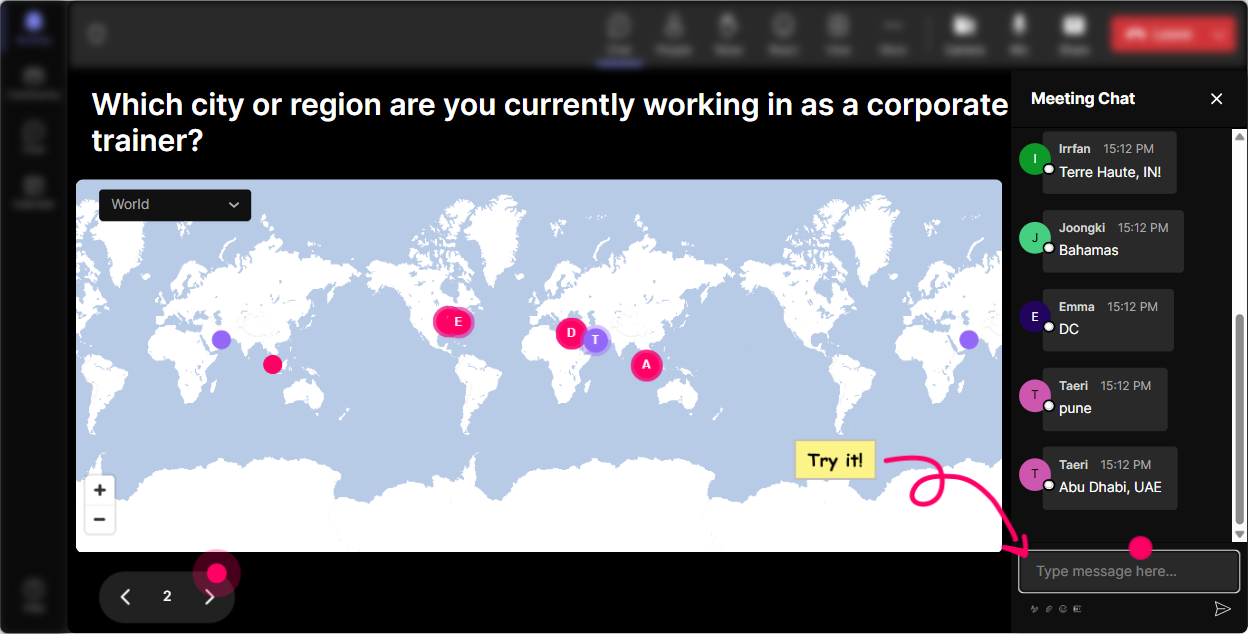
Magic Maps: Kick off Siloed Experimentation by showing where experimentation culture lives
Start with something easy and human-get people chatting in the first 60 seconds. With **Magic Maps**, you ask a location-based question and StreamAlive plots everyones responses live on a world map. **How to use it in Siloed Experimentation training:** - **Warm-up (classic):** Where are you joining from today? (easy win, instant participation) - **Theme it to your topic:** Where is your team based (city/country)? then ask: Do you experiment mostly locally in that region or globally? - **Make it fun + relevant:** If you could teleport to any city to study an innovative companys testing culture, where would you go? **Trainer tip:** When you see clusters (like 10 people from the same region), call it out: Looks like we have a mini community from Singapore-how do experiments usually get approved in your org? Thats how you turn a map into discussion.
Rating Polls: Get a quick read on how siloed experimentation shows up in their world
Before you teach anything, figure out what room youre in. **Rating Polls** let people respond with a number right in chat-and you see the overall sentiment instantly. **Ideas you can run early (and again later as a comparison):** - On a scale of 110, how siloed is experimentation in your organization right now? - Rate your confidence: 110-could you explain Siloed Experimentation to a stakeholder in one minute? - How much friction do you feel when sharing experiment learnings across teams? 110 **Trainer tip:** Use this as your setup line: Cool-looks like were at an average of 7 on siloed. That means today were not fixing a theory problem-were fixing a real workflow problem.

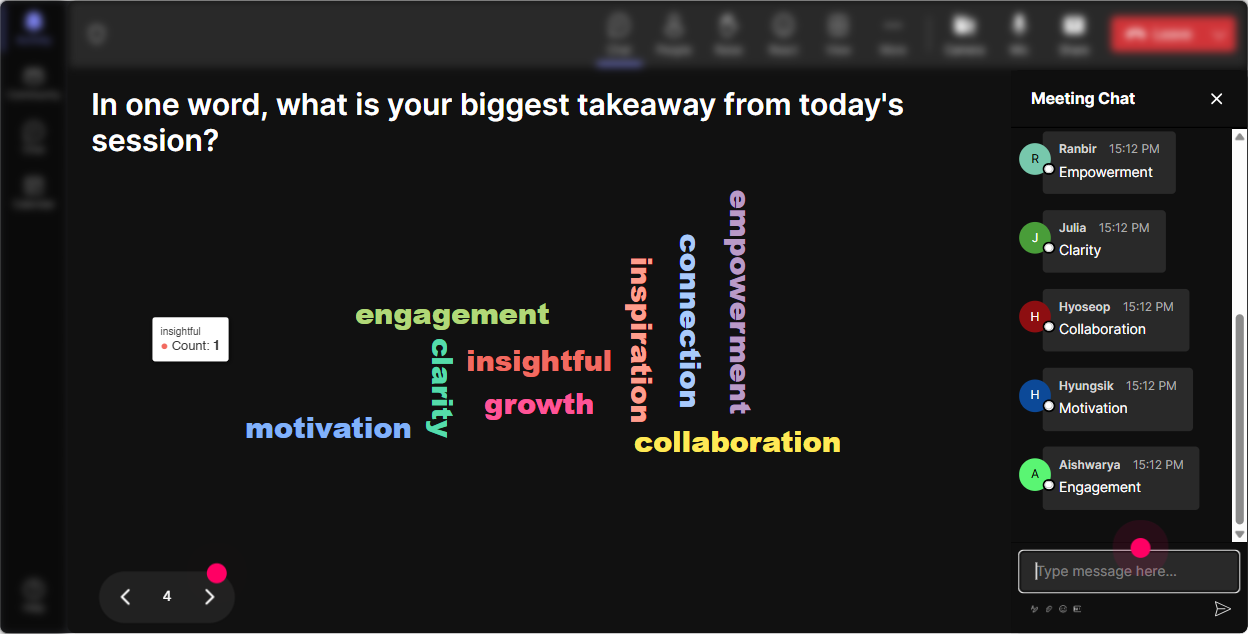
Wonder Words (Word Cloud): Make peoples feelings about Siloed Experimentation visible
Siloed Experimentation can trigger a lot of reactions-some people love autonomy, others hate duplication. **Wonder Words** is perfect here because you can get emotional temperature + patterns in seconds with 12 word answers. **Word Cloud prompts that work really well:** - When you hear siloed experimentation, whats the first word that comes to mind? - One word for how experiments are shared in your org today? - Whats the biggest thing siloed experiments cause? (Answers like: duplication, confusion, waste, speed, ownership) **Trainer tip:** When a big word pops up (like duplication), pause your slides and go: Lets talk about that-whos felt duplication pain recently? Youve just created a discussion that feels like it came from them (because it did).
Talking Tiles: Turn real stories into the session content (without putting people on the spot)
When you want more than one-word answers, **Talking Tiles** is your best friend. People type in chat, and StreamAlive drops their responses onto the screen like dynamic tiles-so it feels energetic and interactive. **Use it to pull out real workplace examples:** - Describe a time two teams ran similar experiments without knowing. - Whats one thing that makes cross-team experimentation hard here? - If you could fix ONE step in your experimentation workflow, what would it be? **Trainer tip:** Instead of asking for volunteers (awkward silence risk), let the tiles do the work. You can read a few out loud and say, Okay, Im seeing a pattern-approval bottlenecks + no shared repository. Lets solve those today.

Power Polls: Let the audience choose what you focus on (and increase buy-in instantly)
A great way to keep trainers engaged is letting them steer the session a bit. With **Power Polls**, you can give options and let them vote right in chat-then show results live. **Poll ideas for Siloed Experimentation ILT:** - Where does siloing happen most in your org? - 1) Separate tools/platforms - 2) Teams dont share results - 3) Different success metrics - 4) Approval/process differences - What do you want most from todays session? - 1) Practical ways to share learnings - 2) A lightweight governance model - 3) Experiment documentation templates - 4) How to prevent duplicate tests **Trainer tip:** Promise youll spend extra time on the top-voted item-and actually do it. People stay engaged when they feel the session is being shaped live.

Winner Wheel: Get participation without the awkward anyone want to share? moment
You know the moment: you ask for someone to unmute and nothing. **Winner Wheel** fixes that in a fun way. You tell people: Drop your answer in chat to be on the wheel, then spin to choose who shares. **Ways to use it in Siloed Experimentation training:** - Type one experiment tool you use (Optimizely, LaunchDarkly, GA4, etc.). Im going to spin and ask someone to share how results get documented. - Share one barrier to cross-team learning. Well spin and workshop one barrier live. - Drop a win-a time an experiment helped your team. Spin to pick a story to highlight. **Trainer tip:** The wheel isnt about catching people off-guard. Frame it as playful: If you dont want to be picked, just type pass-still counts as participation.

Quiz: Run fast knowledge checks that feel like a game, not a test
When you teach concepts like Siloed vs Centralized vs Federated experimentation, people *think* they get it-until you check. StreamAlive **Quiz** makes it quick, visual, and low-pressure. **Quiz questions you can use:** - Which is the biggest risk of siloed experimentation? - 1) Faster decision-making - 2) Duplicate tests + conflicting learnings - 3) Better cross-team alignment - 4) Clear shared metrics - In a federated experimentation model, whats typically shared across teams? - 1) Nothing-everyone works alone - 2) Shared standards + shared learnings - 3) Only final results, no methods - 4) Only design templates **Trainer tip:** Use quizzes as transitions. Example: after teaching experiment repository, quiz them, then reveal the correct answer and immediately show a simple repository structure.

Rating Polls: Get a quick read on how siloed experimentation shows up in their world
Before you teach anything, figure out what room youre in. **Rating Polls** let people respond with a number right in chat-and you see the overall sentiment instantly. **Ideas you can run early (and again later as a comparison):** - On a scale of 110, how siloed is experimentation in your organization right now? - Rate your confidence: 110-could you explain Siloed Experimentation to a stakeholder in one minute? - How much friction do you feel when sharing experiment learnings across teams? 110 **Trainer tip:** Use this as your setup line: Cool-looks like were at an average of 7 on siloed. That means today were not fixing a theory problem-were fixing a real workflow problem.
Q&A (Quick Questions): Capture questions cleanly without losing the chat
In a live training, the chat moves fast-and good questions get buried. StreamAlive **Q&A / Quick Questions** pulls questions from chat and displays them neatly so you can actually manage them. **How to run Q&A in this topic:** - Tell them: Drop questions anytime-StreamAlive will capture them. Ill pause every 15 minutes. - Do a dedicated segment: Ask me anything about fixing siloed experimentation-tools, process, politics, all of it. - Use it during activities: While youre drafting your experiment sharing workflow, post questions as they come up. **Trainer tip:** When you answer a question, tie it back to the group: If youre wondering this, I bet 10 others are too. Then show the question on screen-people feel seen.

Analytics: After the session, know exactly what landed (and what didnt)
This is the part most trainers *wish* they had after every session: real engagement proof. StreamAlive **Analytics** shows minute-by-minute engagement, interaction performance, chat replay, and who your most engaged participants were. **How trainers use Analytics after Siloed Experimentation ILT:** - Spot the moments engagement spiked (example: during the duplicate experiments Talking Tiles)-then keep that activity next time. - See which poll options won so you know what the audience cares about (example: shared metrics beat shared tools). - Identify your **Fantastic Fans** (highly engaged participants) and follow up-great for champions who can help drive experimentation changes internally. - Email reports to yourself or your team to improve the next run, or to show stakeholders: Heres what participants struggled with and what were changing. **Trainer tip:** If your goal is to increase engagement up to 9x, analytics is how you prove it-and how you get even better each delivery.

Use StreamAlive in all your training sessions
StreamAlive isn’t just for
Siloed Experimentation
training,
it can also be used for any instructor-led training session directly inside your PowerPoint presentation.
Explore similar traingin ideas: unlocking the potential of StreamAlive
See how StreamAlive transforms live training with engaging events and interactive sessions across industries, directly inside your PowerPoint presentation.

Interactions in action
(it's free)

.svg.png)


