Install StreamAlive for your PowerPoint slides
Learn more

Higher-Ed Skepticism Training for Corporate Trainers
StreamAlive helps 9x the audience engagement in your Virtual Instructor-led Trainings (VILT) directly inside your powerpoint presentation.
Make your instructor-led Higher-Ed Skepticism training more fun with polls, word clouds, spinner wheels and more
Works inside your existing PowerPoint presentation
Install the StreamAlive app for PowerPoint and see your slides come to life as people participate in your interactions
AI generates audience interactions for you
Let our AI scan your presentation and automatically come up with relevant questions based on the content. Or spend two hours coming up with your own questions, your choice!
Built to work with MS Teams and Zoom
Native apps for Teams and Zoom so you never have to leave your existing workflows
No QR Codes
Chat-powered interactions means your audience doesn’t need to scan QR codes or look at another screen to participate. They just type in the chat!

Quickly approved by your IT team
StreamAlive’s apps for Teams and Zoom means that they have been through rigorous quality assurance and client safety reviews. You’ll find everything an IT team needs to approve the app within the organization within your StreamAlive account.

Youve been asked to run a Higher-Ed Skepticism instructor-led training for corporate trainers-and you already know the room might be skeptical. The good news: you can turn that skepticism into energy. Here are simple ways to use StreamAlive to keep people participating (not just listening) from minute one.
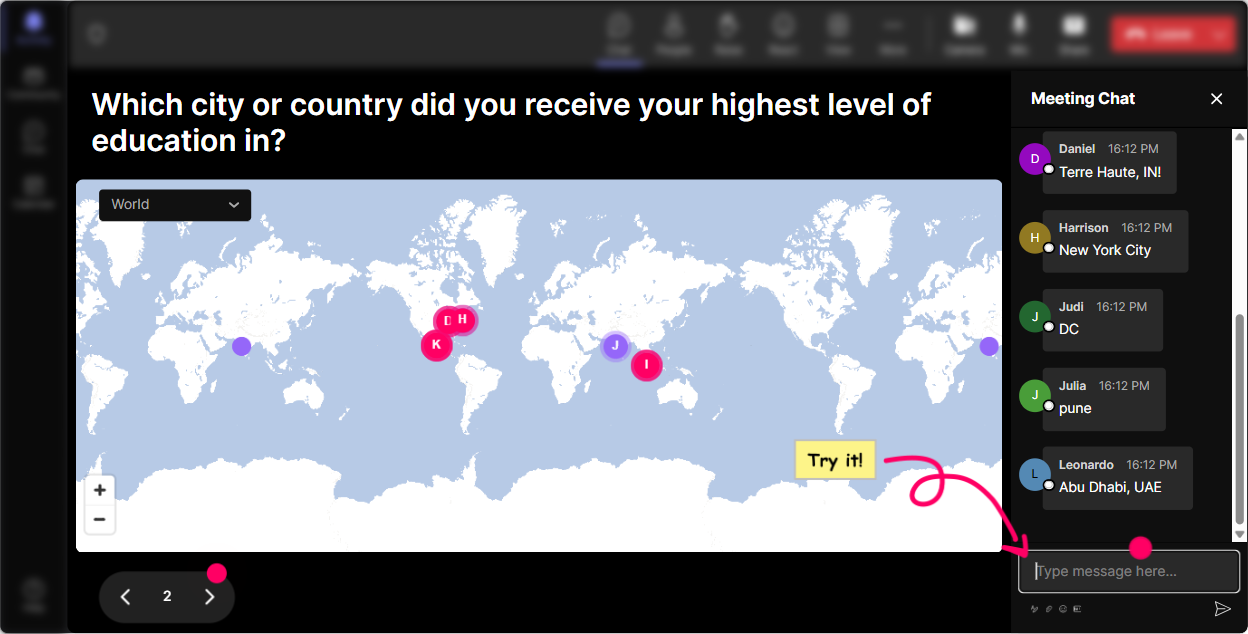
Magic Maps: Start with a low-stakes win (and instantly humanize the room)
Higher-Ed Skepticism can feel like a hot topic, so your first job is to make people feel safe and seen. Magic Maps is a fun, zero-pressure way to get everyone typing right away. How to use it: - Kick off with: Where are you joining from today? Then watch StreamAlive plot everyone on the map in real time. - Make it relevant to the topic: Name a city where youve seen the biggest shift in how people view college/degrees. - Or keep it playful: If you could teleport to any campus in the world for a day-where are you going? Trainer tip: If youre training global teams, the map becomes an instant talking point: Wow-three continents in here. Lets expect different views and use that as fuel, not friction.
Rating Polls: Get the real temperature in the room (fast)
With skepticism-based topics, people often wont say what they think out loud right away. Rating Polls let you get honest signals without putting anyone on the spot. How to use it (and when): - Opener pulse-check: On a scale of 110, how skeptical are your learners about traditional higher-ed value right now? - Confidence check: Rate your confidence (110) in handling pushback when someone says, College is a scam. - Mid-session progress: How useful has this been so far (110)? Trainer tip: When the average shows up live, narrate it like a host: Okay Im seeing a lot of 68s. Perfect-this means were not starting from zero, but weve got work to do.

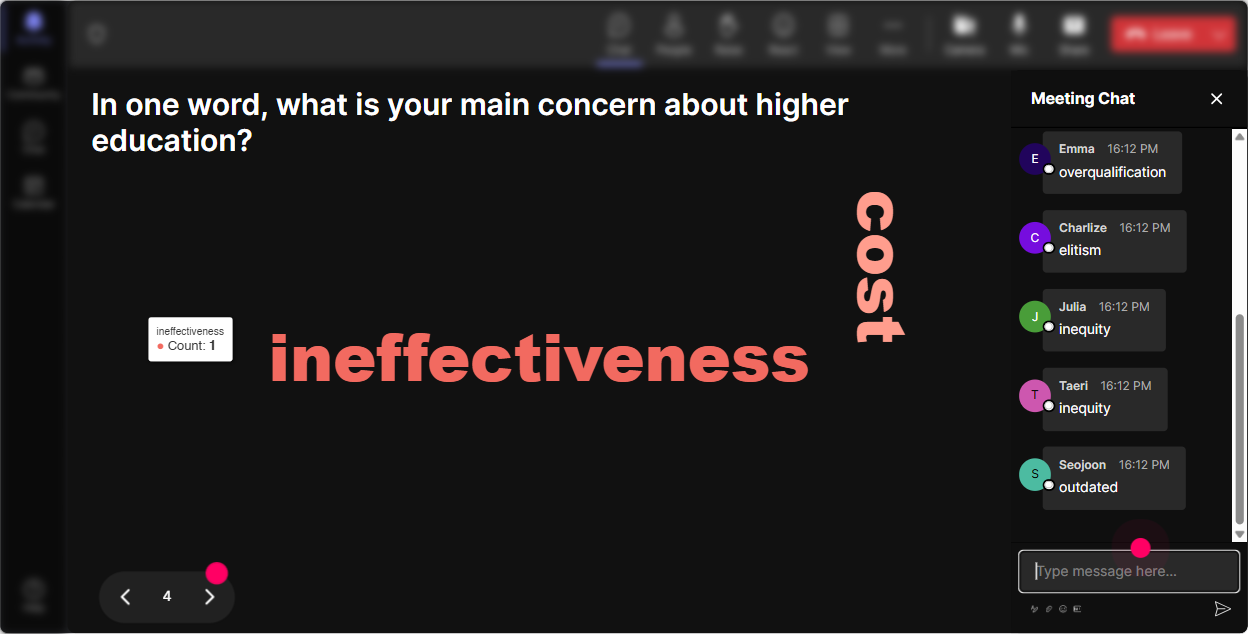
Wonder Words: Let them say what theyre thinking-without writing a paragraph
Higher-Ed Skepticism is emotional. People have opinions, baggage, and personal experiences. A word cloud lets them drop that truth quickly, and it gives you a visual you can respond to. Prompts that work great: - When you hear higher-ed skepticism, whats the first word that comes to mind? - Whats the #1 reason your learners doubt degrees? One or two words. - What do you want instead of a degree? (Example: skills, portfolio, apprenticeship, certs) Trainer tip: Use Combine Similar Answers so you dont end up with credential credentials cert certification split across the cloud. Then react to the biggest words: Alright, cost is HUGE. Lets tackle that head-on.
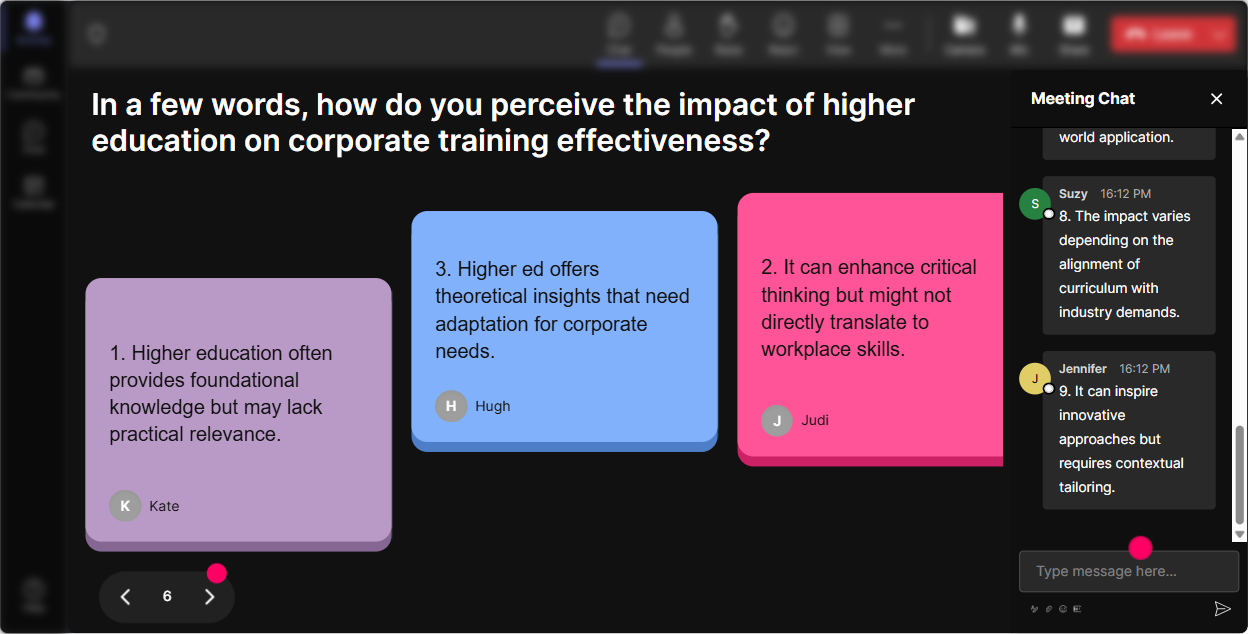
Talking Tiles: Turn skepticism into stories (and make it fun to read)
If you want real engagement, get people talking about what theyve actually seen-not what they should think. Talking Tiles is perfect because it encourages fuller responses, and the falling tiles give the room something dynamic to watch. Try prompts like: - Describe one moment you heard a learner question the value of higher ed. What did they say? - In your org, whats driving skepticism most-cost, speed, relevance, or something else? Explain in 12 sentences. - Whats one training topic where you *wish* higher ed prepared people better? Trainer tip: As tiles drop, read a few out loud and group them: Im noticing a pattern-relevance and ROI are coming up again and again. Lets build our response toolkit around those two.
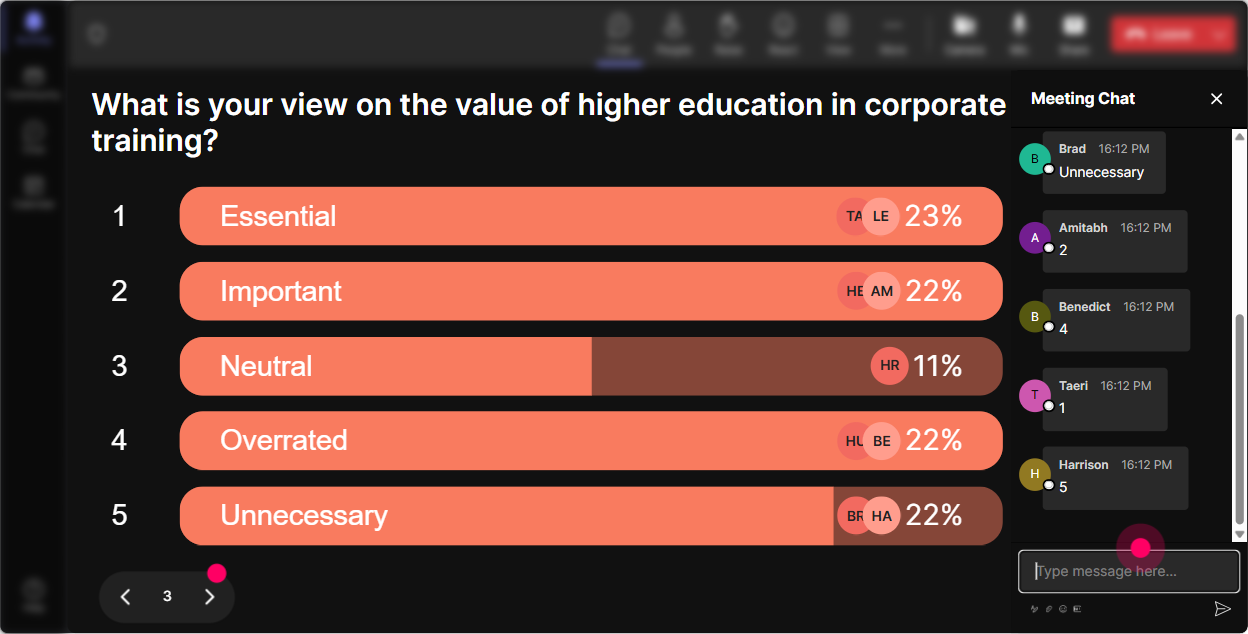
Power Polls: Quickly steer the session toward what they care about most
Power Polls help you stop guessing what the audience wants. In Higher-Ed Skepticism training, different trainers face different pushbacks-so let them choose the path. Poll ideas you can run in seconds: - Where do you see higher-ed skepticism show up most? 1) New hire training 2) Leadership development 3) Career pathways 4) Tuition support programs - Which audience do you train thats most skeptical? 1) Early-career 2) Career-changers 3) Frontline 4) Managers - What do you want most from today? 1) Handling objections 2) Designing skills-first programs 3) Messaging/positioning 4) Measurement + ROI proof Trainer tip: Promise to follow the poll: Whichever wins, Ill spend extra time there-and Ill still cover the basics for everyone. That line alone boosts participation.
Winner Wheel: Get quiet folks into the mix (without awkwardness)
Lets be real: in any live session, a few people carry the chat and everyone else watches. Winner Wheel makes participation feel like a game, not a chore-and it removes the pressure of you calling someone out. Ways to use it: - After a Talking Tiles prompt: Alright, Im going to spin the wheel and ask one person to unmute and share a 20-second version. - For mini-prizes: Everyone who answered the poll is on the wheel-winner gets my objection-handling script PDF. - For accountability: If you comment at least twice in the next 10 minutes, youre eligible for the spin. Trainer tip: Frame it kindly: You can always pass-no stress. This is just to keep it lively. People are way more willing when they have an exit ramp.

Quiz: Do quick myth-busting checks (and make learning feel like a game)
Higher-Ed Skepticism is full of assumptions. A short quiz is perfect for busting myths and getting people to think-especially when you reveal the correct answer live. Quiz questions you can use: - Which message works best with a skeptical learner? A) Degrees prove intelligence B) This program builds job-ready skills you can show (Correct) C) College is still the only path D) Just trust the process - Whats the strongest proof-point for skeptical audiences? A) Rankings B) Seat time C) Portfolio outcomes (Correct) D) Fancy course names - When someone says college is overpriced, whats the best first move? A) Debate them B) Ignore it C) Ask what ROI would look like for them (Correct) D) End the discussion Trainer tip: Dont rush the reveal. Ask: Why did you pick that? first-then show the correct answer and teach the nuance.

Rating Polls: Get the real temperature in the room (fast)
With skepticism-based topics, people often wont say what they think out loud right away. Rating Polls let you get honest signals without putting anyone on the spot. How to use it (and when): - Opener pulse-check: On a scale of 110, how skeptical are your learners about traditional higher-ed value right now? - Confidence check: Rate your confidence (110) in handling pushback when someone says, College is a scam. - Mid-session progress: How useful has this been so far (110)? Trainer tip: When the average shows up live, narrate it like a host: Okay Im seeing a lot of 68s. Perfect-this means were not starting from zero, but weve got work to do.
Q&A (Quick Questions): Capture the hard questions without losing your place
Skepticism sessions generate spicy questions-and if you try to track them manually in chat, youll miss half of them. StreamAlives Q&A pulls questions out of chat and organizes them on-screen so you can stay present. How to use it: - Tell them: Drop your toughest questions anytime-StreamAlive will capture them and Ill hit a Q&A break every 15 minutes. - Seed it with permission: Yes, you can ask the uncomfortable stuff-cost, layoffs, degree requirements, all of it. - Use it to park debates: Great question-I'm flagging it and well answer it in the Q&A block so we dont derail this section. Trainer tip: At the end, pick 35 questions and answer them crisply. People remember you handled the hard stuff confidently.

Analytics: Know exactly what worked (so your next session gets even better)
After a Higher-Ed Skepticism training, you want more than I think it went well. StreamAlive Analytics shows you what actually happened-minute by minute. What to look for: - Engagement spikes: Did chat jump during the myth-busting quiz? During the objection scripts? Now you know what to keep. - Dead zones: If engagement drops during a lecture-heavy segment, youve got a clear place to add a poll or a quick activity next time. - Top fans / most engaged people: These are your champions-follow up with them, ask for examples, or invite them to co-share wins later. - Interaction reports you can share: Great for proving to stakeholders that this wasnt a passive webinar-it was active learning. Trainer tip: Use the data to tweak your run-of-show: Every 710 minutes, I need an interaction. That rhythm is how you get that everyones involved feeling-and where the 9x engagement boost really shows up.

Use StreamAlive in all your training sessions
StreamAlive isn’t just for
Higher-Ed Skepticism
training,
it can also be used for any instructor-led training session directly inside your PowerPoint presentation.
Explore similar traingin ideas: unlocking the potential of StreamAlive
See how StreamAlive transforms live training with engaging events and interactive sessions across industries, directly inside your PowerPoint presentation.

Interactions in action
(it's free)

.svg.png)


