Install StreamAlive for your PowerPoint slides
Learn more

Enablement Training for Corporate Trainers
StreamAlive helps 9x the audience engagement in your Virtual Instructor-led Trainings (VILT) directly inside your powerpoint presentation.
Make your instructor-led Enablement training more fun with polls, word clouds, spinner wheels and more
Works inside your existing PowerPoint presentation
Install the StreamAlive app for PowerPoint and see your slides come to life as people participate in your interactions
AI generates audience interactions for you
Let our AI scan your presentation and automatically come up with relevant questions based on the content. Or spend two hours coming up with your own questions, your choice!
Built to work with MS Teams and Zoom
Native apps for Teams and Zoom so you never have to leave your existing workflows
No QR Codes
Chat-powered interactions means your audience doesn’t need to scan QR codes or look at another screen to participate. They just type in the chat!

Quickly approved by your IT team
StreamAlive’s apps for Teams and Zoom means that they have been through rigorous quality assurance and client safety reviews. You’ll find everything an IT team needs to approve the app within the organization within your StreamAlive account.

Youve been asked to run Enablement instructor-led training for corporate trainers, and you want it to feel less like a lecture and more like a session people actually want to be in. The trick? Get them talking early, keep them involved often, and make participation feel effortless. Here are simple, high-engagement ways to do that with StreamAlive.
1) Magic Maps: Put your trainers on the map (and break the ice fast)
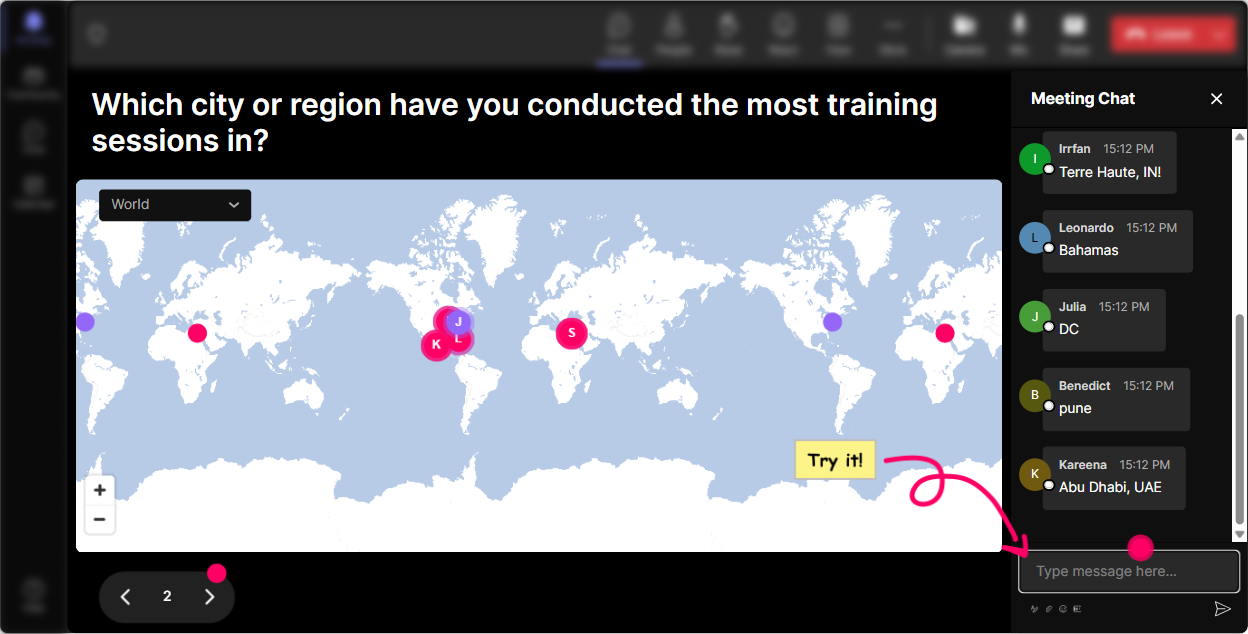
You know that classic opener: Where are you joining from? Magic Maps turns that question into an instant visual moment-everyone drops a location in chat and StreamAlive plots it live on a world map. Its a quick win: people type, they see themselves show up, and suddenly the room feels alive. Enablement-friendly ways to use it: - Kickoff icebreaker: Where are you joining from today? (Simple, familiar, works every time.) - Enablement lens: Where do you deliver training most often (city/country)? Then you can naturally ask, Whats different about learners in those regions? - Business tie-in: If you could teleport your learners to one place for an ideal training offsite, where would it be? - Memory hook: Which city has your best training win story? Pro tip: If youve got a global group, call out the clusters on the map (Wow-big group from Toronto!). That tiny bit of recognition pulls more people into the chat.
2) Rating Polls: Get a quick pulse check (without awkward silence)
Rating Polls are perfect when you want honest feedback fast-without making people overthink. Everyone replies with a number in chat, and StreamAlive turns it into a clean live visual (average + distribution). Its like a mood ring for the room. Enablement session ideas: - Confidence check at the start: On a scale of 110, how confident are you in designing enablement-style ILT? - Readiness check before an activity: How comfortable are you facilitating role-plays in a corporate setting? (110) - After a key concept: How clear is the difference between training and enablement right now? (110) - End-of-module feedback: Rate this section: building manager-ready reinforcement (110). The real value: you instantly know if you should slow down, give an example, or move on-based on what the room is telling you live.

3) Wonder Words (Word Cloud): Get the rooms feelings in one glance
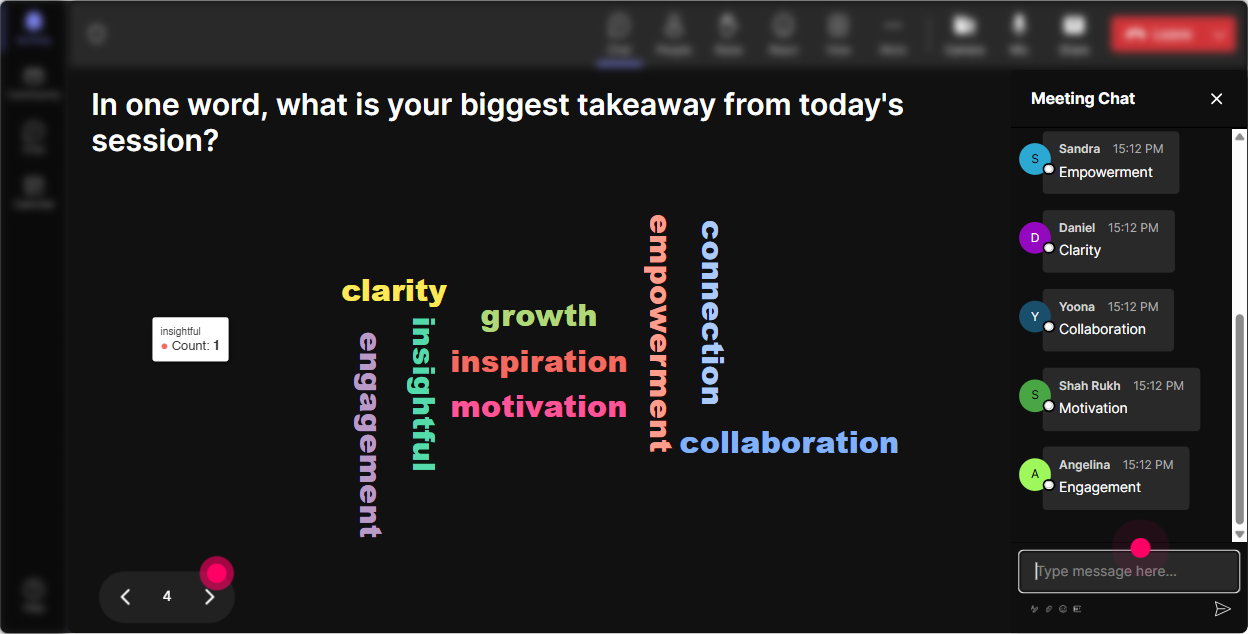
Word clouds are magic for enablement training because they surface what people are really thinking-fast. Ask a one-to-two-word question, everyone answers in chat, and the most common words grow bigger. Its visual, its honest, and it gives you an easy segue into discussion. Ideas that work great with trainers: - Enablement feels like (12 words) (Youll get: confusing, exciting, overdue, strategic, etc.) - Whats the biggest barrier to learner behavior change? (Expect: time, managers, follow-up, tools.) - What makes a live training session engaging? (Great way to co-create a rules of engagement list.) - One word you want learners to feel after your session. Trainer move: pick the top 23 biggest words and ask, Whos willing to share what you meant by that? Its a super natural discussion starter.
4) Talking Tiles: Turn longer answers into a fun, visual brainstorm
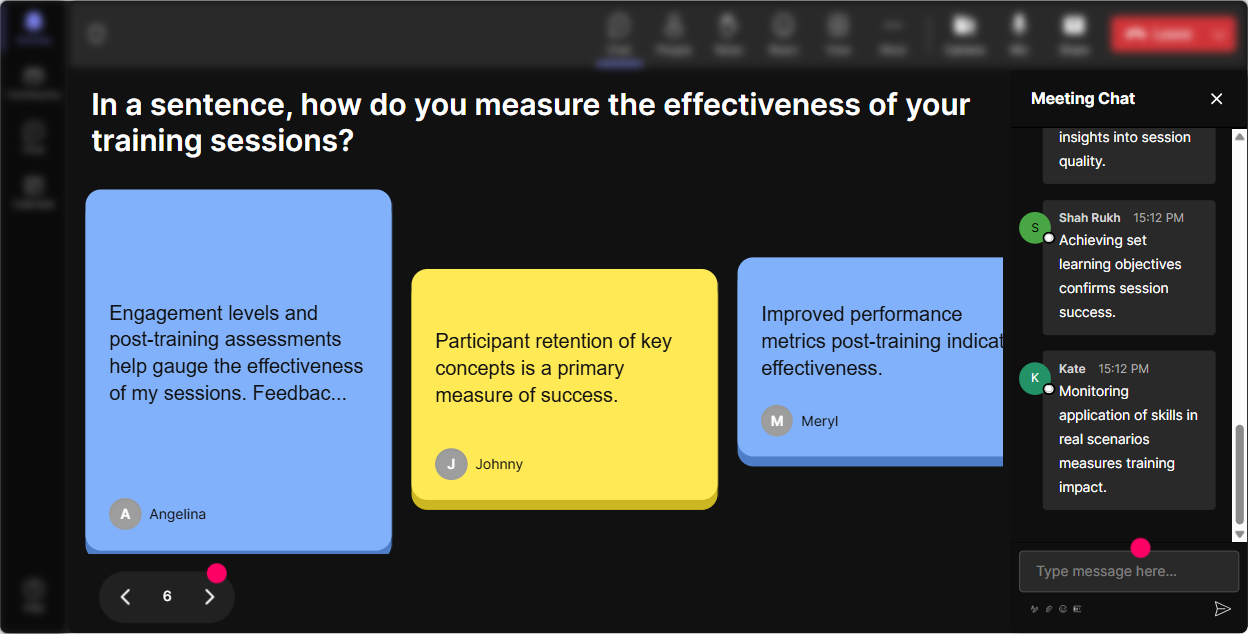
Sometimes you want more than one-word answers-but long chat responses can get messy fast. Talking Tiles fixes that by turning everyones messages into dynamic tiles on screen (its playful and keeps attention up). Its awesome for brainstorming, reflection, and story-based prompts. Enablement-friendly prompts: - In one or two sentences: what impact does enablement have on your role as a trainer? - Share a moment when training didnt stick-what do you think was missing? - What do you wish stakeholders understood about learner adoption? - Describe your current enablement challenge in one sentence. How to facilitate it smoothly: - Let tiles build for 2040 seconds. - Read a few out loud (people love hearing theirs). - Group the responses live: Im seeing a theme around manager support and another around practice time Thats enablement thinking in real time.
5) Power Polls: Let the audience steer the enablement agenda
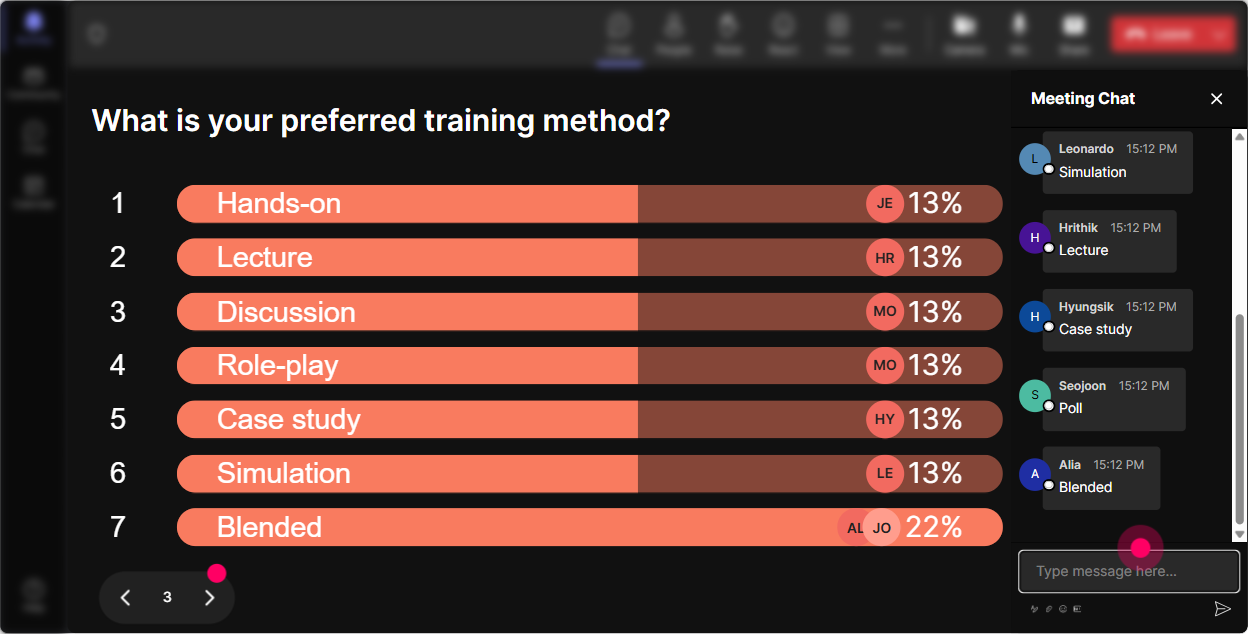
Power Polls are your best friend when you want to stop guessing what people need. Give them options, let them vote in chat, and show the results live. Its simple, its democratic, and it makes your session feel customized. Enablement ILT poll ideas: - What do you want more of today? 1) Practice activities 2) Measurement + ROI 3) Stakeholder buy-in 4) Follow-through + reinforcement - Which enablement asset do you struggle to build? 1) Manager guides 2) Role-play scenarios 3) Job aids 4) Assessment / certification - Where does your program usually break? 1) Before training (no alignment) 2) During training (low engagement) 3) After training (no reinforcement) 4) Measurement (no proof) What this unlocks: you can literally say, Okay, the room voted-lets spend the next 10 minutes on reinforcement. People pay more attention to what they helped choose.
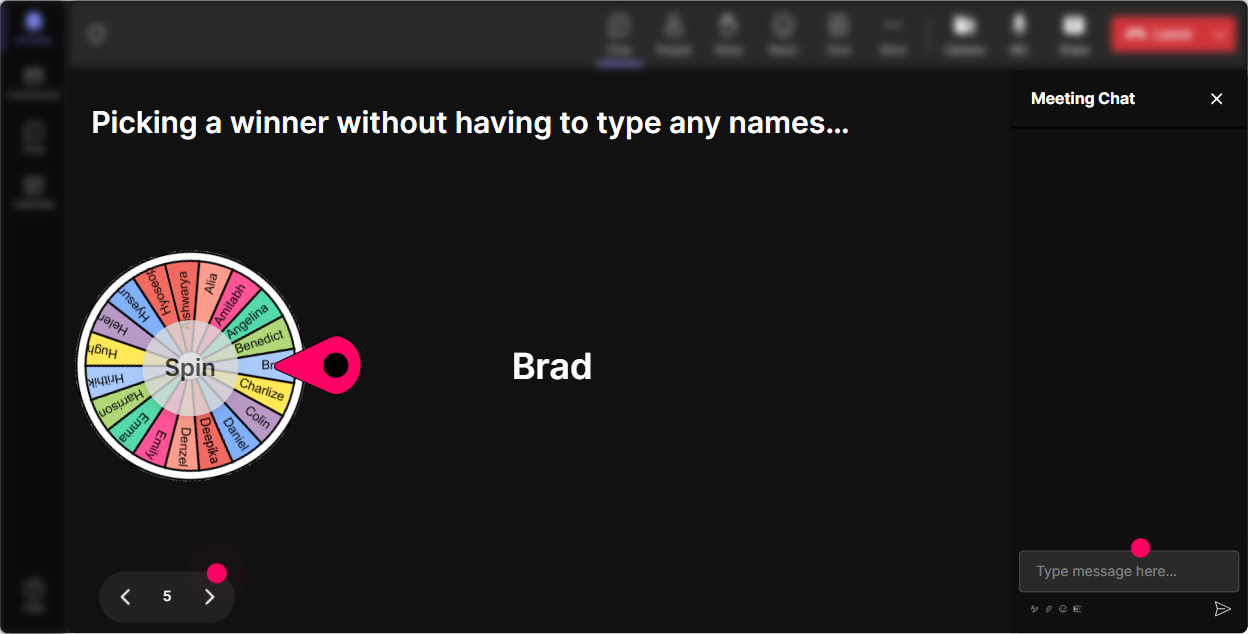
6) Winner Wheel (Spinner Wheel): Get participation without putting people on the spot (too hard)
Getting volunteers can feel like pulling teeth-especially with trainers who are tired, multitasking, or just not in the mood. Winner Wheel solves that with playful randomness. You set the criteria (like people who commented), then spin and let fate pick. Ways to use it in enablement ILT: - Lets do a quick share: whats one reinforcement tactic youve used? Im going to spin the wheel and choose a person from everyone who typed in chat. - Pop quiz discussion: Ill spin for someone to unmute and defend their choice. - Role-play pick: Whos going to be the skeptical stakeholder? Wheel decides. - Mini prize moment: Ill pick a winner from everyone who answered the last activity. Why it works: people are more likely to type in chat when they know it counts-and it keeps your energy up without sounding pushy.
7) Quiz: Do knowledge checks that dont feel like school
Quizzes are perfect for enablement training because you can confirm understanding on the spot-and clear up confusion before it spreads. You add multiple-choice options, participants reply in chat, and StreamAlive shows live results. Then you reveal the correct answer when youre ready. Enablement quiz questions you can steal: - Which is the BEST example of enablement (not just training)? A) Delivering a 60-minute product webinar B) Sending a slide deck after training C) Training + job aid + manager coaching guide + follow-up practice D) Hosting office hours once (Correct: C) - Whats the most important ingredient for behavior change after training? A) More content B) Reinforcement + practice C) Longer sessions D) Better slides (Correct: B) - When should measurement be planned? A) After the session B) Once learners complain C) Before delivery (during design) D) Only if leadership asks (Correct: C) Trainer tip: use quizzes mid-session (not just at the end). It wakes people up and gives you a natural pivot into stories and examples.

2) Rating Polls: Get a quick pulse check (without awkward silence)
Rating Polls are perfect when you want honest feedback fast-without making people overthink. Everyone replies with a number in chat, and StreamAlive turns it into a clean live visual (average + distribution). Its like a mood ring for the room. Enablement session ideas: - Confidence check at the start: On a scale of 110, how confident are you in designing enablement-style ILT? - Readiness check before an activity: How comfortable are you facilitating role-plays in a corporate setting? (110) - After a key concept: How clear is the difference between training and enablement right now? (110) - End-of-module feedback: Rate this section: building manager-ready reinforcement (110). The real value: you instantly know if you should slow down, give an example, or move on-based on what the room is telling you live.
8) Q&A (Quick Questions): Catch every question without losing your place
In live enablement training, questions come in fast-and chat can scroll like crazy. StreamAlives Q&A (Quick Questions) detects and collects audience questions directly from chat and displays them neatly, so youre not hunting through messages. How trainers can use it: - Set expectations: Drop questions anytime-StreamAlive will capture them and Ill pause every 10 minutes to answer. - Make it safe to ask: No need for a separate Q&A box-just type it naturally in chat. - Run clean Q&A breaks: Okay, lets hit the top 3 questions that came in during that module. This keeps your facilitation smooth: you stay focused on teaching, and participants feel heard because their questions dont get lost.

9) Analytics: See what actually engaged your trainers (so your next session is even better)
After your enablement ILT, StreamAlive analytics help you see what worked-based on real engagement, not just vibes. You get minute-by-minute engagement, interaction performance, chat replay insights, and even your most engaged participants. How to use it as a corporate trainer: - Improve your design: Spot the exact moments engagement dipped-maybe that section needs a story, an activity, or a shorter explanation next time. - Prove impact: Share interaction results (poll outcomes, participation levels) with stakeholders on Teams or via email reports. - Identify champions: Find your Fantastic Fans (most engaged people). These are great candidates to pilot your next program, co-facilitate, or give testimonials. - Replay and refine: Review which questions or activities sparked the most chat-then build more of that into your run of show. Bottom line: analytics turns your session into something you can continuously improve-like enablement should be.

Use StreamAlive in all your training sessions
StreamAlive isn’t just for
Enablement
training,
it can also be used for any instructor-led training session directly inside your PowerPoint presentation.
Explore similar traingin ideas: unlocking the potential of StreamAlive
See how StreamAlive transforms live training with engaging events and interactive sessions across industries, directly inside your PowerPoint presentation.

Interactions in action
(it's free)

.svg.png)


