Install StreamAlive for your PowerPoint slides
Learn more

Power Skills Focus Training for Corporate Trainers
StreamAlive helps 9x the audience engagement in your Virtual Instructor-led Trainings (VILT) directly inside your powerpoint presentation.
Make your instructor-led Power Skills Focus training more fun with polls, word clouds, spinner wheels and more
Works inside your existing PowerPoint presentation
Install the StreamAlive app for PowerPoint and see your slides come to life as people participate in your interactions
AI generates audience interactions for you
Let our AI scan your presentation and automatically come up with relevant questions based on the content. Or spend two hours coming up with your own questions, your choice!
Built to work with MS Teams and Zoom
Native apps for Teams and Zoom so you never have to leave your existing workflows
No QR Codes
Chat-powered interactions means your audience doesn’t need to scan QR codes or look at another screen to participate. They just type in the chat!

Quickly approved by your IT team
StreamAlive’s apps for Teams and Zoom means that they have been through rigorous quality assurance and client safety reviews. You’ll find everything an IT team needs to approve the app within the organization within your StreamAlive account.

Youve been asked to run a Power Skills Focus instructor-led training for corporate trainers-and you want it to feel alive, not like another slide parade. The good news: you can make it super interactive without adding a bunch of extra work. Here are practical ideas (using StreamAlive) to keep people participating all the way through.
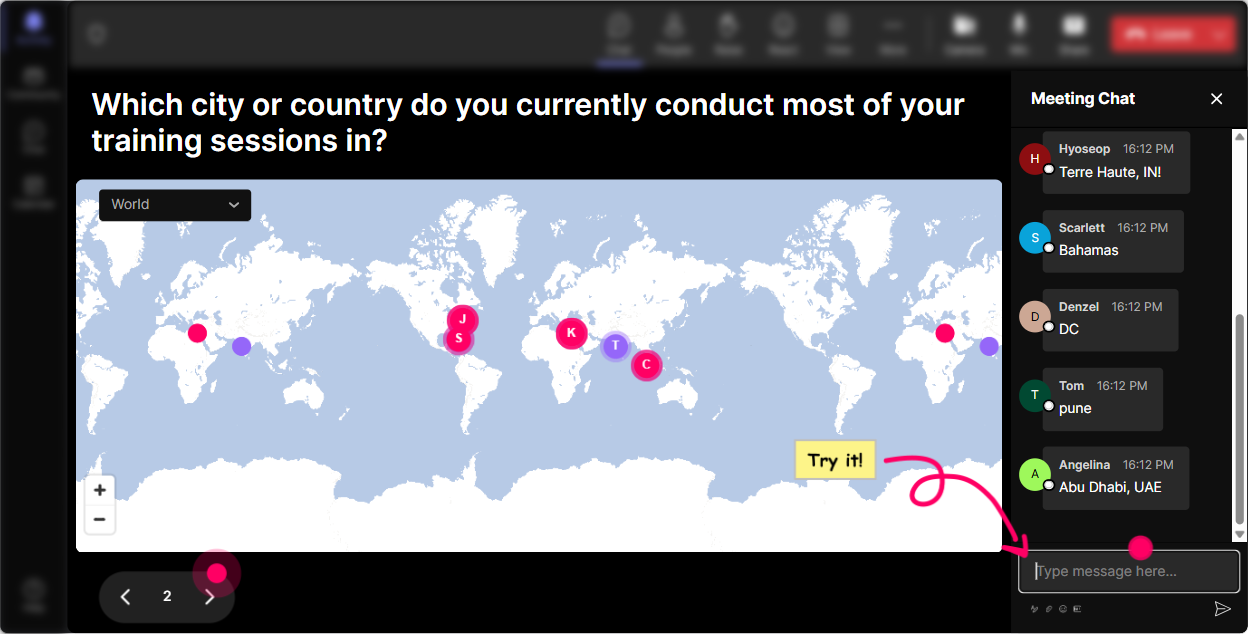
1) Magic Maps: Put your trainers on the map (and get them talking fast)
The fastest way to break the silence at the start of a session is still the classic: Where are you joining from? But Magic Maps makes it way more fun because the answers dont just sit in chat-they show up live on a real-time world map. How to use it in a Power Skills Focus session: - Warm-up opener: Where in the world are you delivering training from today? - Make it topic-relevant: Where did you learn your best facilitation skill-what city or place? - Future-focused: If you could attend a dream Train-the-Trainer program anywhere on earth, where would it be? Trainer tip: If your group is large, set it to one location per person so the map stays clean. Then call out clusters: Looks like weve got a Toronto crew-love it. What are you training this quarter? Instant rapport, instant energy.
2) Rating Polls: Quick confidence check (without awkward cold-calling)
Rating Polls are your best pulse check tool. In Power Skills training, confidence levels can be all over the place-some trainers feel like pros, others feel like theyre winging it. A rating poll lets you see the room in seconds and adjust your pacing. Ways to use it during your session: - Opening baseline: On a scale of 110, how confident are you in facilitating difficult conversations in a live class? - Mid-session pulse check: Rate this tool so far-how useful is it for your next session? (110) - Before practice: How ready do you feel to run a role-play activity with a tough participant? (110) Trainer tip: When you see the average, say what youll do about it. Example: Were at a 5.8-cool, that tells me we need one more example before we practice. People feel seen, and they stay with you.

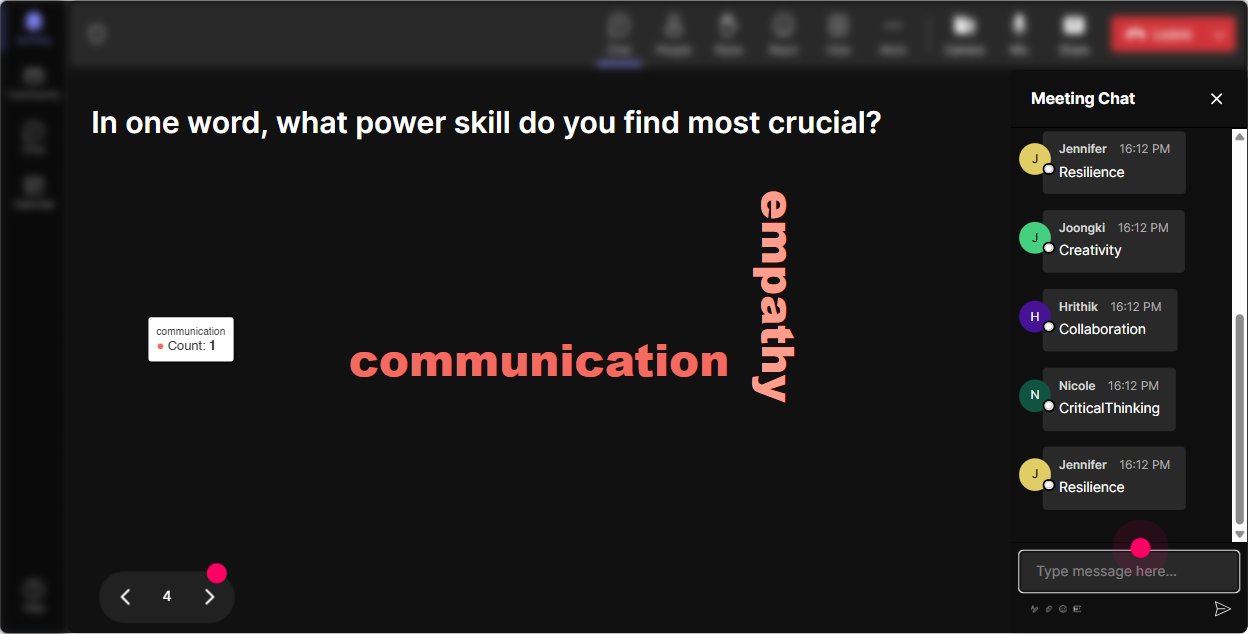
3) Wonder Words (Word Cloud): Capture how people really feel-in one question
Power skills can bring up real emotions-especially around feedback, conflict, executive presence, or facilitation confidence. Wonder Words lets you surface the vibe instantly, and because its just 12 words, even quiet folks jump in. Word cloud prompts that work great: - When you hear Power Skills Focus training, whats the first word that comes to mind? - Whats the toughest power skill to teach: feedback, listening, coaching, or conflict? Answer with one word. - How do you want your learners to feel when you facilitate? One word. Trainer tip: Use the big words as your agenda. If conflict or confidence shows up huge, say: Alright, the room has spoken-lets spend extra time there. Thats instant personalization.
4) Talking Tiles: Turn trainer stories into a visual experience
Talking Tiles is perfect when you want more than one-word answers-like short reflections, examples, or mini-stories. Instead of responses getting buried in chat, they show up as dynamic tiles on screen, which makes people actually read each others ideas. Use it for deeper Power Skills Focus moments: - Impact question: Whats one way stronger facilitation skills would change your day-to-day work? - Real-world challenge: Describe a tricky participant behavior youve dealt with (one sentence). - Application prompt: Whats one power skill you want to model more consistently as a trainer? Trainer tip: After 1015 tiles, pause and coach the room. Call out patterns: Im seeing a lot of handling pushback and getting quieter voices involved. Great-those are exactly the moments power skills matter.

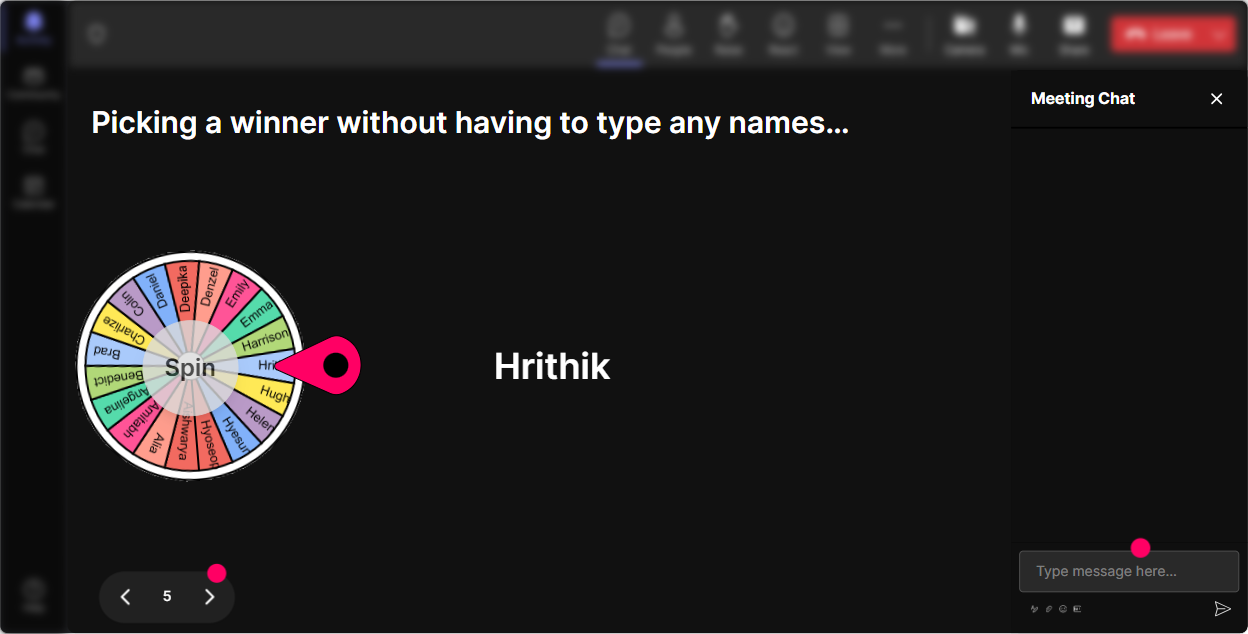
5) Power Polls: Let the group choose the direction (and boost buy-in)
Power Polls are awesome when you want the group to make a choice-what to prioritize, what to practice, or what to dig into next. When participants feel like they helped steer the session, engagement jumps. High-impact polls for this topic: - What do you want to level up today? 1) Facilitation 2) Coaching 3) Feedback 4) Executive presence 5) Difficult conversations - Which scenario should we role-play first? 1) Defensive learner 2) Side chatter 3) Silent room 4) Know-it-all participant - Whats your biggest training challenge right now? (choose one option) Trainer tip: Run the poll, show results live, and then say: Were going with what you picked. It sounds simple, but it creates instant commitment.
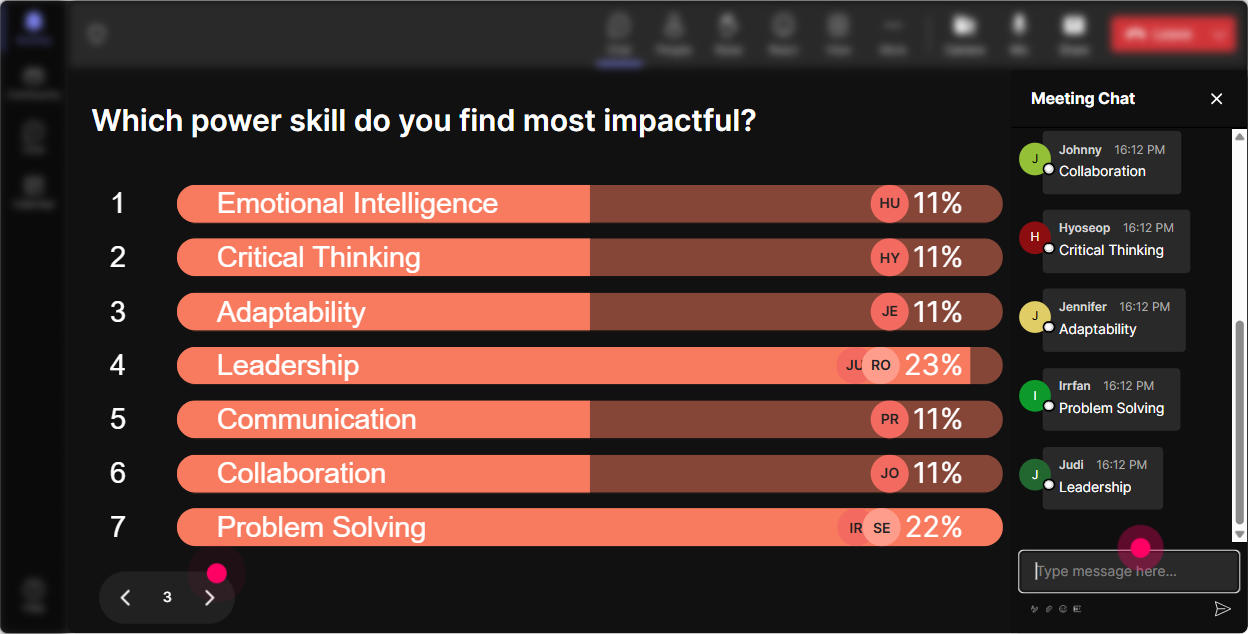
6) Winner Wheel (Spinner Wheel): Get volunteers without the cringe
Weve all done the Any volunteers? thing and then waited through the awkward silence. The Winner Wheel fixes that by letting fate choose, but in a fun way. You can spin from people who participated (commented in chat, responded to an interaction, etc.), which also rewards engagement. Fun, trainer-friendly ways to use it: - Pick a role-play volunteer: I need one brave trainer to be the participant-lets spin. - Quick share-outs: Spinner chooses: Whos sharing their best engagement trick? - Reward interaction: Everyone who answered the last poll is eligible-lets pick a winner for a coffee card. Trainer tip: Frame it as playful, not punishment. Say: Youre not in trouble-youre just famous for 60 seconds. People relax and participate more.
7) Quiz: Make knowledge checks feel like a game (not a test)
Quizzes are perfect for quick knowledge checks in Power Skills Focus-especially when youre teaching frameworks (like listening levels, feedback models, coaching questions, or facilitation moves). StreamAlive turns it into a live, visual moment where everyone votes in chat. Quiz ideas you can plug in right away: - Which is the BEST example of an open-ended coaching question? 1) Did you try harder? 2) What options do you see? 3) You agree, right? 4) Can you do it by Friday? - In facilitation, whats the best first move when someone dominates the discussion? 1) Call them out 2) Ignore it 3) Redirect and invite others 4) End early - Which feedback statement is most behavior-based? 1) Youre unprofessional 2) You always do this 3) When you interrupted twice, it cut off discussion 4) You should know better Trainer tip: After you reveal the correct answer, ask: If you picked a different option, what made it tempting? Thats where the real learning happens.

2) Rating Polls: Quick confidence check (without awkward cold-calling)
Rating Polls are your best pulse check tool. In Power Skills training, confidence levels can be all over the place-some trainers feel like pros, others feel like theyre winging it. A rating poll lets you see the room in seconds and adjust your pacing. Ways to use it during your session: - Opening baseline: On a scale of 110, how confident are you in facilitating difficult conversations in a live class? - Mid-session pulse check: Rate this tool so far-how useful is it for your next session? (110) - Before practice: How ready do you feel to run a role-play activity with a tough participant? (110) Trainer tip: When you see the average, say what youll do about it. Example: Were at a 5.8-cool, that tells me we need one more example before we practice. People feel seen, and they stay with you.
8) Q&A: Catch every question (without losing your flow)
When youre teaching power skills, questions pop up constantly-and they can get lost in a fast chat. StreamAlives Q&A (Quick Questions) pulls questions out of the chat and organizes them for you, so you dont miss the good stuff. Ways to use it smoothly: - Set expectations: Drop questions anytime-StreamAlive will capture them and Ill hit them in our Q&A breaks. - Park-and-answer: Im going to park that in Q&A and well tackle it after this example. - End-of-module: Lets clear the Q&A list before we move to practice. Trainer tip: This is gold for corporate trainers because it keeps the session feeling responsive without letting chat derail your timing.

9) Analytics: Find what actually worked (and replicate it next time)
After your session, StreamAlive analytics helps you stop guessing and start improving with real evidence. You can see engagement minute-by-minute, replay chat moments, and spot which interactions got the best participation. How corporate trainers can use this right away: - Fix pacing: If engagement drops during a lecture chunk, youll see it-and youll know where to insert an interaction next time. - Prove value: Pull interaction results and participation data for internal stakeholders (Heres how involved the group was). - Identify champions: Find your most engaged participants (your Fantastic Fans)-these are the people you can invite to share examples, become peer mentors, or support future cohorts. Trainer tip: After the session, email yourself the report, scan for peaks and dips, and then tweak your Run of Show. Do that consistently and your sessions will feel tighter, more human, and way more engaging every time.

Use StreamAlive in all your training sessions
StreamAlive isn’t just for
Power Skills Focus
training,
it can also be used for any instructor-led training session directly inside your PowerPoint presentation.
Explore similar traingin ideas: unlocking the potential of StreamAlive
See how StreamAlive transforms live training with engaging events and interactive sessions across industries, directly inside your PowerPoint presentation.

Interactions in action
(it's free)

.svg.png)


