Install StreamAlive for your PowerPoint slides
Learn more

Neuroscience Training for L&D Leaders
StreamAlive helps 9x the audience engagement in your Virtual Instructor-led Trainings (VILT) directly inside your powerpoint presentation.
Make your instructor-led Neuroscience training more fun with polls, word clouds, spinner wheels and more
Works inside your existing PowerPoint presentation
Install the StreamAlive app for PowerPoint and see your slides come to life as people participate in your interactions
AI generates audience interactions for you
Let our AI scan your presentation and automatically come up with relevant questions based on the content. Or spend two hours coming up with your own questions, your choice!
Built to work with MS Teams and Zoom
Native apps for Teams and Zoom so you never have to leave your existing workflows
No QR Codes
Chat-powered interactions means your audience doesn’t need to scan QR codes or look at another screen to participate. They just type in the chat!

Quickly approved by your IT team
StreamAlive’s apps for Teams and Zoom means that they have been through rigorous quality assurance and client safety reviews. You’ll find everything an IT team needs to approve the app within the organization within your StreamAlive account.

Youve been asked to run a Neuroscience instructor-led training for L&D Leaders-and you want it to feel lively, practical, and not like a textbook on brains. The easiest way to do that is to get people interacting every few minutes. Here are simple, trainer-friendly ways to use StreamAlive to keep engagement humming (think: up to 9x more chat, reactions, and participation).
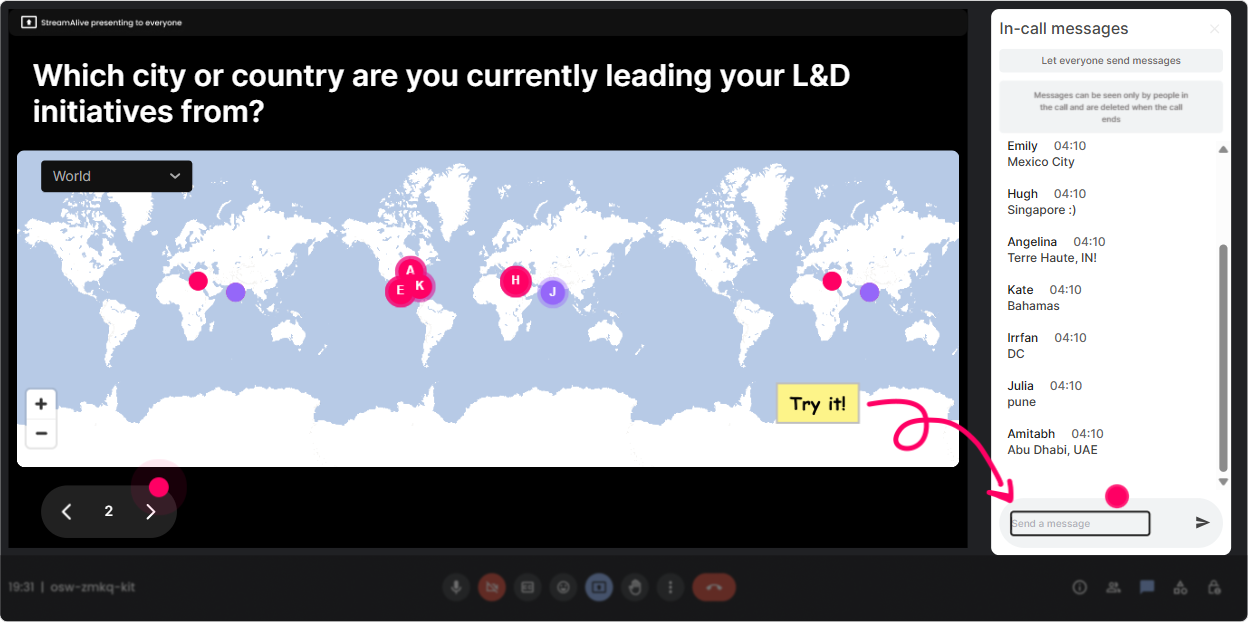
Magic Maps: Warm up the room (and instantly make it feel human)
You know that moment at the start where you ask, Where are you joining from? and half the room stays silent? Magic Maps fixes that by turning those chat responses into a live, real-time world map. Its an easy win for attention in the first 2 minutes-and it sets the tone that this is going to be interactive, not passive. Try it in a Neuroscience session for L&D Leaders like this: - Where are you joining us from today? (classic, always works) - If you could teleport anywhere on earth right now to reset your nervous system, where would you go? (ties to stress + regulation) - Which city do you associate with your best learning experience? (bridges into memory + learning) - Where do your learners struggle most-HQ, field, remote? (geography becomes a learning ops conversation) Trainer tip: If youre expecting one clean response per person, set it to one location per attendee. And when you notice clusters (say, a bunch from London or Singapore), call it out-people love hearing their group recognized.
Rating Polls: Get a fast where are we at? baseline-without awkwardness
Before you dive into dopamine, cortisol, attention, and memory, youll want a quick pulse check. Rating Polls let everyone answer in seconds (right in chat), and you instantly see the groups confidence or sentiment as a visual. Use it like a trainer would: - On a scale of 110, how confident are you explaining cognitive load to a stakeholder? - Rate this: Our current training programs are designed with the brain in mind. (1 = not at all, 10 = absolutely) - How burned out do you think your learners are right now? (110) - Mid-session check-in: Right now, hows your attention level? (110) (and then use the result as your cue to do a quick reset activity) Why it boosts engagement: people dont have to overthink-so more people respond. And once they respond once, theyre way more likely to keep chatting later.

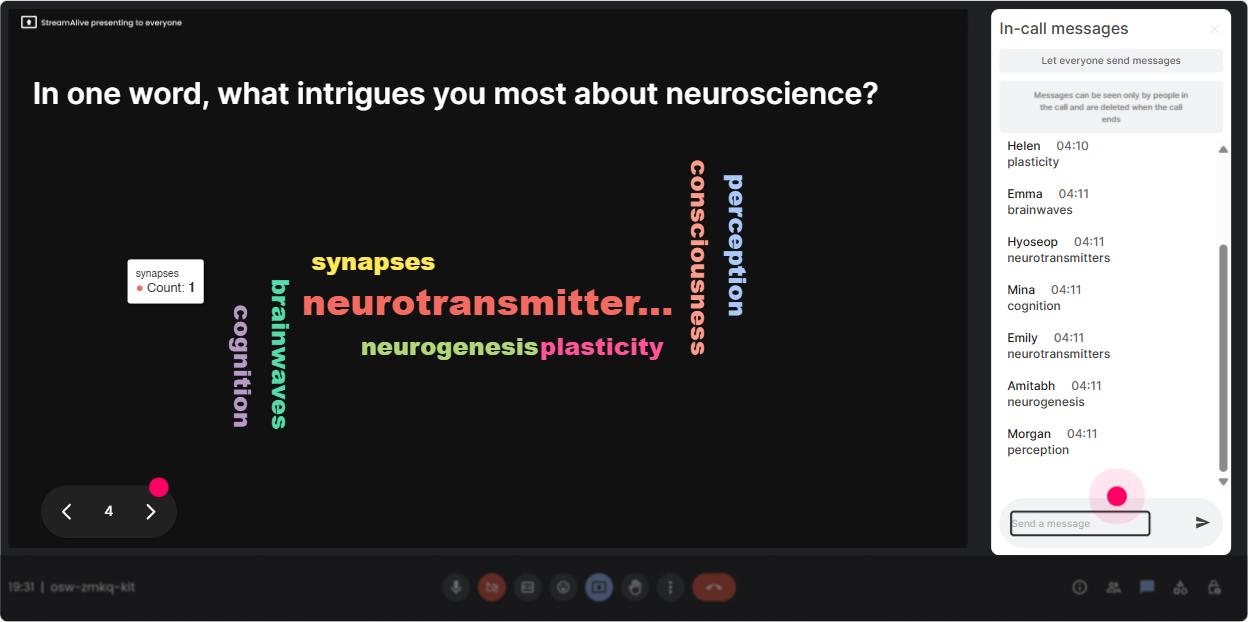
Wonder Words (Word Cloud): Make feelings and beliefs visible-instantly
Neuroscience can feel intimidating to some folks (especially if theyve been burned by brain-based learning hype before). A Word Cloud is perfect because it lets people share quick gut reactions-then you can coach to what you see on screen. Great prompts for L&D Leaders: - In one word: how do you feel about neuroscience in L&D? (excited, skeptical, curious, overwhelmed youll get it all) - One word: what blocks learning most in your org? (time, stress, overload, distractions) - One word: what do your learners need more of? (focus, practice, relevance, safety) - One word: what do you want to take back to your team? (tools, clarity, evidence, buy-in) Trainer tip: Use Combine Similar Answers so stress and stressed dont split the vote. Then point to the biggest word and say, Okay, lets design for THAT. Boom-instant relevance.
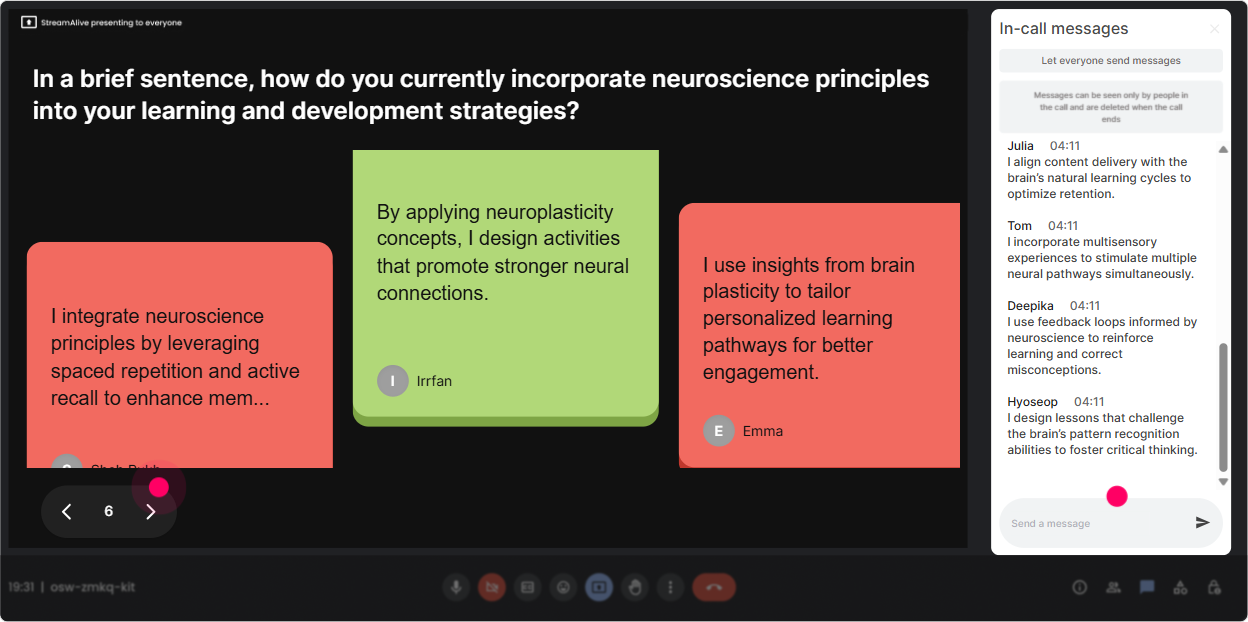
Talking Tiles: Turn real challenges into the content (so it doesnt feel theoretical)
Talking Tiles is where you go when you want more than a one-word answer. People type a fuller thought, and their messages show up as falling tiles on-screen-so the conversation becomes the visual. This is gold for Neuroscience + L&D because you can surface real workplace situations and connect them to brain principles. Prompts that work really well: - Where does neuroscience show up in your job-without you calling it neuroscience? - Describe a moment where learners checked out in your session. What was happening? - Whats one habit in your training design that might be working against attention or memory? - If you could fix ONE thing about your learners environment to help learning stick, what would it be? How to use the results: Pick 23 tiles live and link them to your next concept (attention, threat response, retrieval practice, spacing). People feel seen-and suddenly the science feels practical.
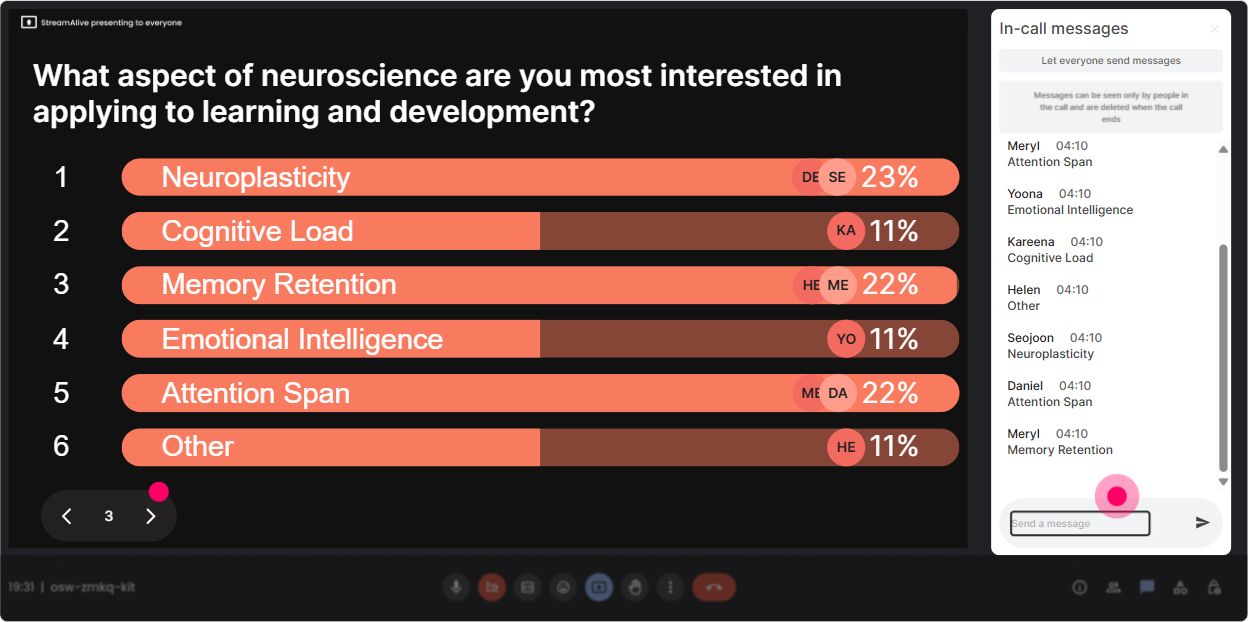
Power Polls: Let them choose the direction (and you teach what they actually want)
Instead of guessing what your L&D Leaders care about most, just ask-and show the results live. Power Polls are perfect for decision points: what topic to go deeper on, which scenario to analyze, what challenge is most urgent. Poll ideas for a Neuroscience ILT: - Which topic should we spend more time on today? 1) Attention & distraction 2) Memory & retention 3) Motivation & reward 4) Stress & psychological safety 5) Habit formation & behavior change - Whats the biggest barrier to learning transfer in your org? 1) No time to practice 2) Manager support is weak 3) Content overload 4) Learners are stressed 5) Training isnt relevant - When do your learners engage best? 1) Live workshops 2) Short virtual sessions 3) Self-paced 4) On-the-job practice 5) Coaching / peer learning Trainer tip: Run a poll early, then tell the group, Cool-this is the agenda YOU just chose. Participation jumps because theyve got ownership now.
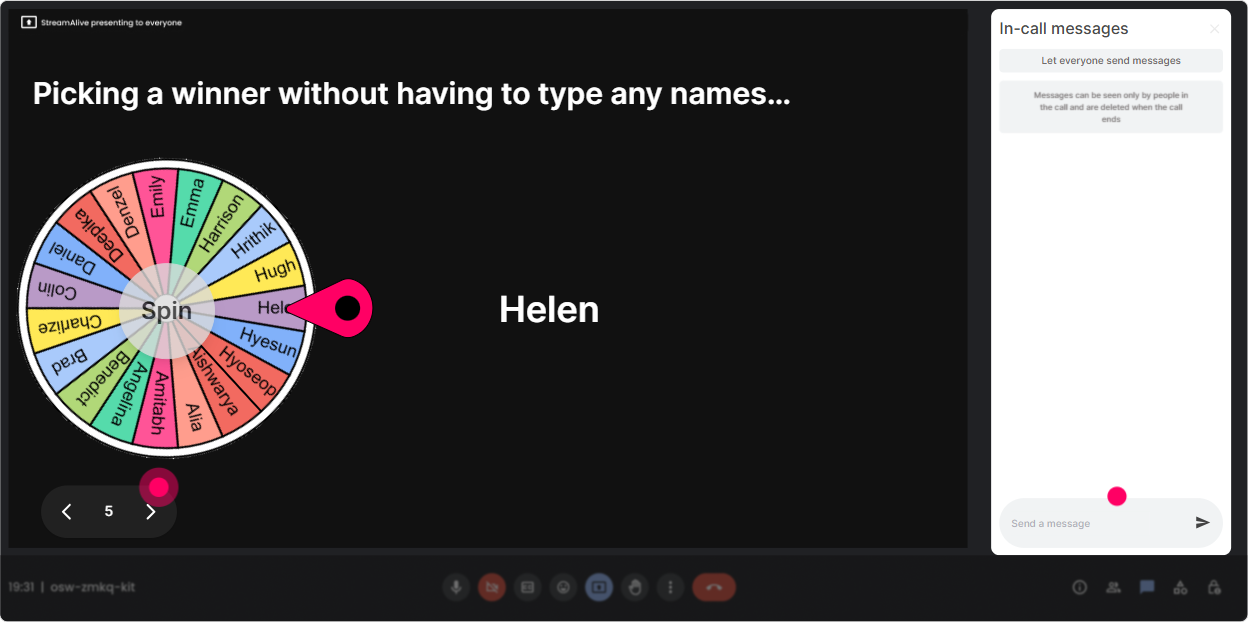
Winner Wheel (Spinner Wheel): Get voices in the room-without putting people on the spot
Lets be real: asking Who wants to unmute? often gets you silence. The Spinner Wheel makes it playful and fair. Youre not picking favorites, and people pay attention because they know they might be called in. Fun, low-pressure ways to use it in neuroscience training: - Lets hear one example. Im going to spin the wheel from everyone who answered the last question. - Whos going to be our brain myth buster for this next one? (spin to pick) - We need a volunteer to share a learner attention challenge-wheel decides! - End-of-module recap: Spin to pick someone to give us a 15-second summary of the key point. Pro tip: Tell them upfront: If you get picked and dont want to speak, just type pass-no shame. That psychological safety move matters (and its very on-theme for neuroscience).
Quiz: Quick knowledge checks that actually feel fun (not exam-y)
Neuroscience concepts are perfect for mini quizzes because there are lots of common myths and misunderstandings. With StreamAlive Quiz, you can ask a multiple-choice question, let people vote in chat, and then reveal the correct answer when youre ready. Quiz questions L&D Leaders love: - Which is most effective for long-term retention? A) Re-reading notes B) Highlighting C) Retrieval practice D) Cramming (Correct: C) - Multitasking is A) A skill you can train B) A myth-your brain is task-switching C) More effective for simple tasks only D) The best way to learn faster (Correct: B) - Stress does what to learning most often? A) Always improves it B) Always blocks it C) Depends on intensity and perceived control D) Has no impact (Correct: C) Trainer tip: After revealing the correct answer, ask: Whats one design change youd make based on this? Thats where behavior change starts-and chat usually explodes.

Rating Polls: Get a fast where are we at? baseline-without awkwardness
Before you dive into dopamine, cortisol, attention, and memory, youll want a quick pulse check. Rating Polls let everyone answer in seconds (right in chat), and you instantly see the groups confidence or sentiment as a visual. Use it like a trainer would: - On a scale of 110, how confident are you explaining cognitive load to a stakeholder? - Rate this: Our current training programs are designed with the brain in mind. (1 = not at all, 10 = absolutely) - How burned out do you think your learners are right now? (110) - Mid-session check-in: Right now, hows your attention level? (110) (and then use the result as your cue to do a quick reset activity) Why it boosts engagement: people dont have to overthink-so more people respond. And once they respond once, theyre way more likely to keep chatting later.
Q&A (Quick Questions): Catch every question-without losing the room
In a busy live session, questions fly by in chat and you miss the good ones. StreamAlives Q&A automatically detects and collects questions so you can handle them cleanly-without scanning the chat like a hawk. How to use it in this session: - Tell them: Drop questions anytime-StreamAlive will capture them for our Q&A stops. - Do planned Q&A breaks: after Attention, after Memory, after Motivation - Use it for myth-busting: Ask me your most controversial neuroscience question. Why it boosts engagement: people ask more questions when they trust they wont be ignored. And it keeps your delivery smooth because youre not constantly derailed.

Analytics: Prove engagement, improve your next session, and spot your champions
After the session, StreamAlive Analytics shows you what actually worked-minute by minute. Youll see when chat spiked, which interactions got the most responses, and who your most engaged participants were. How L&D Leaders and trainers can use this: - Identify your high-energy moments and replicate them in future neuroscience sessions - See which topics triggered the most conversation (attention? stress? motivation?) - Pull interaction results into a quick follow-up email: Heres what the group voted for / said - Spot your Fantastic Fans (most engaged people) and invite them to pilot a brain-based learning experiment with you Trainer tip: Use the data as your debrief: When we shifted to retrieval practice, engagement jumped. Thats not just a good story-its evidence you can share with stakeholders.

Use StreamAlive in all your training sessions
StreamAlive isn’t just for
Neuroscience
training,
it can also be used for any instructor-led training session directly inside your PowerPoint presentation.
Explore similar traingin ideas: unlocking the potential of StreamAlive
See how StreamAlive transforms live training with engaging events and interactive sessions across industries, directly inside your PowerPoint presentation.

Interactions in action
(it's free)

.svg.png)


