Install StreamAlive for your PowerPoint slides
Learn more

Ethical AI Use Training for Corporate Trainers
StreamAlive helps 9x the audience engagement in your Virtual Instructor-led Trainings (VILT) directly inside your powerpoint presentation.
Make your instructor-led Ethical AI Use training more fun with polls, word clouds, spinner wheels and more
Works inside your existing PowerPoint presentation
Install the StreamAlive app for PowerPoint and see your slides come to life as people participate in your interactions
AI generates audience interactions for you
Let our AI scan your presentation and automatically come up with relevant questions based on the content. Or spend two hours coming up with your own questions, your choice!
Built to work with MS Teams and Zoom
Native apps for Teams and Zoom so you never have to leave your existing workflows
No QR Codes
Chat-powered interactions means your audience doesn’t need to scan QR codes or look at another screen to participate. They just type in the chat!

Quickly approved by your IT team
StreamAlive’s apps for Teams and Zoom means that they have been through rigorous quality assurance and client safety reviews. You’ll find everything an IT team needs to approve the app within the organization within your StreamAlive account.

Youve been asked to run an instructor-led session on Ethical AI Use for corporate trainers-and you want it to be lively, not lecture-y. The good news: this topic is perfect for discussion, quick scenarios, and real-time opinions. Heres how to use StreamAlive to keep everyone participating (not just listening).
Magic Maps: Start with where are you joining from? but make it Ethical AI themed
This is your easiest everyone types once icebreaker-and it instantly makes the room feel alive. How to use it in Ethical AI Use training: - Kickoff question (classic): Where in the world are you joining from today? - Ethical AI twist: If AI could instantly translate your training into any language/dialect for your learners, which city/country are you designing for most often? - Another fun one: Name a place where your learners are based (or where your training content gets used). Why it works: it gets people chatting in the first 60 seconds, and you can naturally segue into: Ethical AI is global-laws, norms, and learner expectations vary by region.

Rating Polls: Get a quick pulse on AI confidence (and anxiety)
Rating Polls are perfect when you need a fast temperature check without putting anyone on the spot. Use them like checkpoints during the session: - Opener: On a scale of 110, how confident are you that you could explain Ethical AI Use to a class today? - After a policy slide: 110: How clear is your organizations AI guidance right now? - After a case study: 110: How risky was that AI use example in your opinion? Trainer tip: call out the spread. If you see a bunch of 35s, you know you should slow down and add examples. If you see 810s, move into more advanced scenarios faster.

Wonder Words (Word Cloud): Capture the rooms gut reaction to Ethical AI
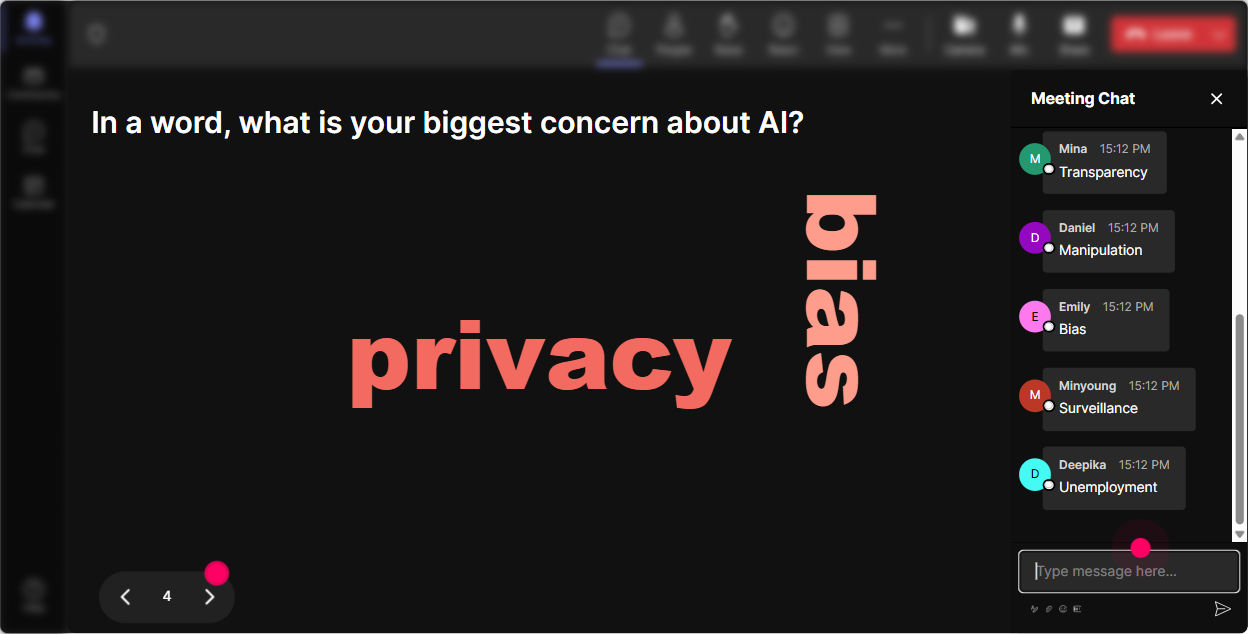
Word clouds are gold for Ethical AI because people come in with opinions-excitement, fear, skepticism, all of it. And this lets you surface that instantly. Prompts that work great (keep answers to 12 words): - When you hear Ethical AI, whats the first word that pops into your head? - Whats the biggest risk of using AI in training content? - Whats one benefit of AI for trainers? Then you can literally teach off the cloud: Interesting-bias is huge here. Lets talk about what bias looks like in training examples, assessments, and coaching prompts.
Talking Tiles: Turn real concerns into a visible, engaging conversation
Talking Tiles are awesome when you want longer, more real answers-without the awkward silence of calling on people one by one. Use it for story-based questions like: - Where could AI accidentally create an ethical issue in your training workflow? (Content, assessments, coaching, learner data tell us where.) - Share one rule you personally follow when using AI to create training materials. - Whats a gray area youre unsure about when it comes to AI at work? Why it works: people see their ideas land on-screen in real time, so it feels like a true group discussion-not you vs. 50 muted microphones.

Power Polls: Let the audience choose the agenda (and boost buy-in fast)
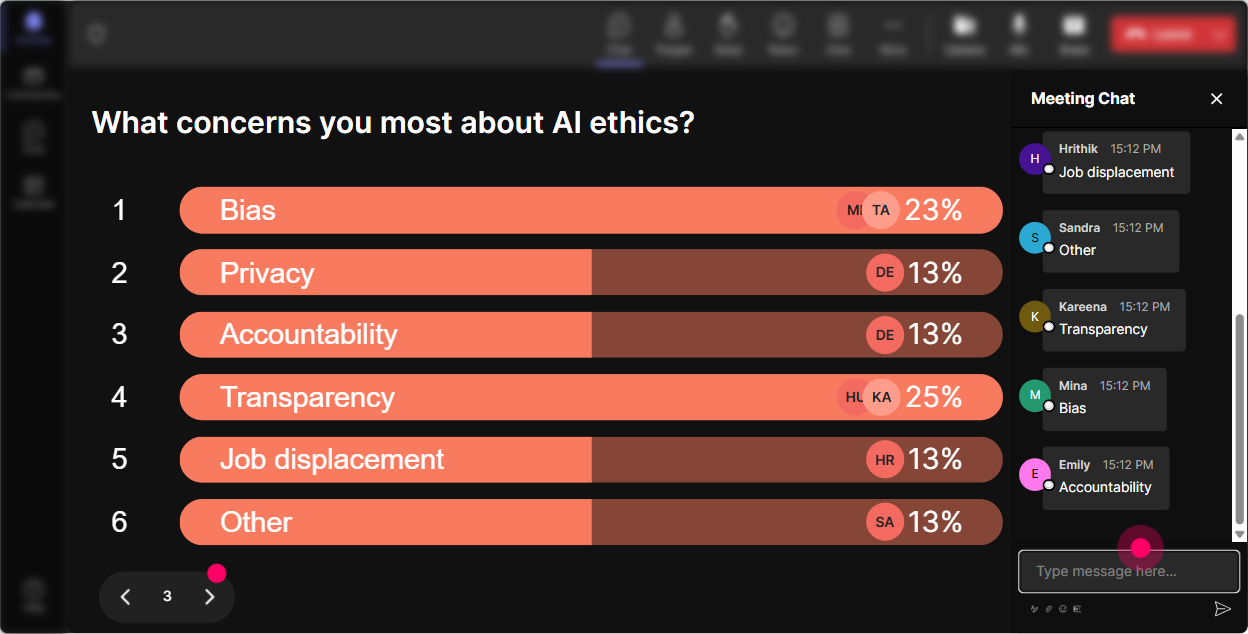
If you want engagement to spike, ask people what they actually want to focus on-then show them you listened. Poll ideas for Ethical AI Use (multiple choice): - Which area do you want more help with today? 1) Writing prompts responsibly 2) Avoiding bias in training content 3) Copyright & attribution 4) Privacy / confidential data 5) Learner transparency (Was AI used?) - Whats your biggest worry about using AI in training? 1) Getting facts wrong 2) Leaking sensitive info 3) Hidden bias 4) Looking lazy or unoriginal Trainer tip: run one poll early, and another later. If priorities shift, youll see it happen live.
Winner Wheel: Call on people without the awkward volunteer anyone? moment
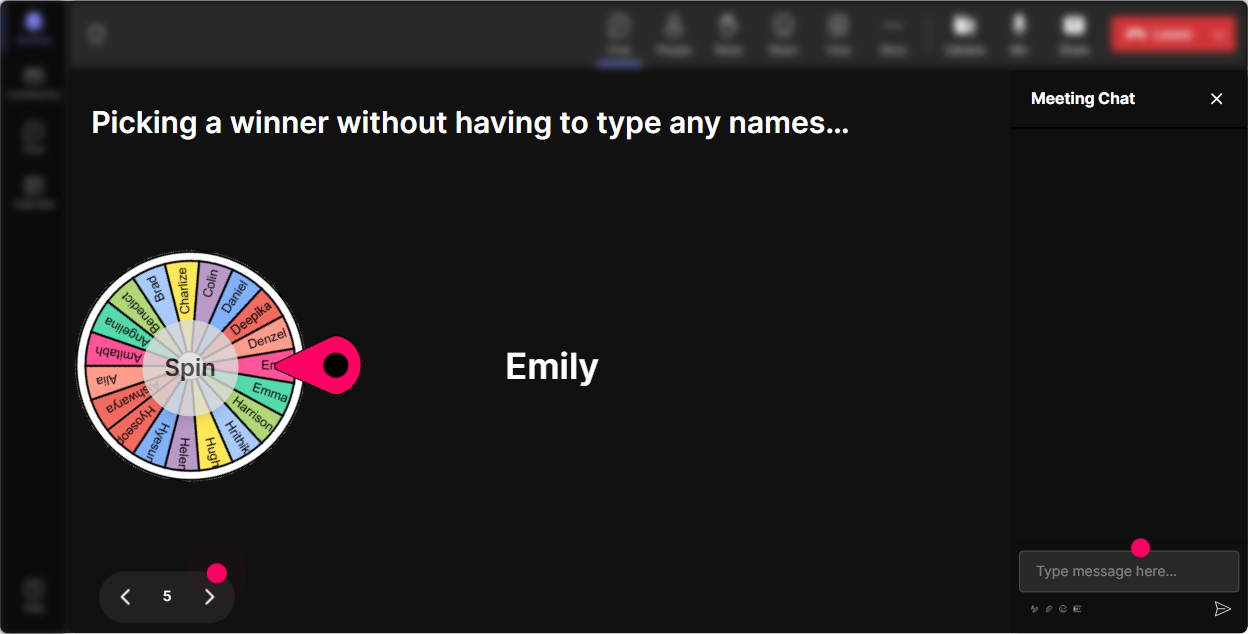
Sometimes you need someone to unmute and talk through a scenario-but you dont want to pressure the quiet folks or keep hearing from the same 3 voices. Winner Wheel makes it playful and fair. Ways to use it in Ethical AI sessions: - Drop YES in chat if youre willing to weigh in on a scenario. Ill spin the wheel. - Type 1, 2, or 3 for which option youd pick in this situation-then Ill spin and ask someone to explain their choice. - Everyone who shared a real example goes into the wheel-winner gets bragging rights (or a tiny prize). This boosts participation because people learn quickly: commenting = being part of the action.
Quiz: Quick knowledge checks that dont feel like an exam
Ethical AI has a lot of sounds rightbut isnt moments. A quick quiz keeps attention high and helps you correct myths immediately. Multiple-choice question examples: - Which is the BEST practice when using AI to draft training content? A) Paste in internal docs so the AI understands context B) Ask AI to cite sources and verify key claims yourself C) Use AI output as-is to save time D) Never use AI for training work (Correct: B) - If you use AI-generated images in a course, what should you do? A) Nothing-AI content is always free to use B) Attribute when required and follow your orgs licensing/policy C) Claim it as original work D) Hide it to avoid questions (Correct: B) Use the Show Correct Answer moment to teach, not shame-keep it light, like: If you picked A, youre not alone-this is where a lot of teams get into trouble.

Rating Polls: Get a quick pulse on AI confidence (and anxiety)
Rating Polls are perfect when you need a fast temperature check without putting anyone on the spot. Use them like checkpoints during the session: - Opener: On a scale of 110, how confident are you that you could explain Ethical AI Use to a class today? - After a policy slide: 110: How clear is your organizations AI guidance right now? - After a case study: 110: How risky was that AI use example in your opinion? Trainer tip: call out the spread. If you see a bunch of 35s, you know you should slow down and add examples. If you see 810s, move into more advanced scenarios faster.
Q&A: Catch every question without losing your place (or missing the good ones)
Ethical AI sessions create lots of Wait what about questions. StreamAlives Q&A pulls those questions from chat and displays them neatly, so youre not scrolling and missing things. How to make it work smoothly: - Tell them: If you have a question, just type it in chat-StreamAlive will grab it. - Use a parking lot style: Ill pause every 10 minutes and clear the top questions. - Prompt questions intentionally: - Whats one AI use-case at work youre unsure is allowed? - Whats the difference between confidential and public info in your role? This helps quieter people participate too-typing a question is often easier than speaking up.

Analytics: Prove engagement (and improve the next session)
After the session, StreamAlive Analytics helps you see what actually worked-minute by minute. What to look for after your Ethical AI training: - Engagement spikes: Did the bias case study get more chat than the policy slides? Thats your clue to teach with more scenarios next time. - Chat replay: Review the exact moments people reacted strongly-great for improving your examples. - Top engaged participants (Fantastic Fans): These folks can become your champions for ethical AI inside the company. - Interaction reports: See which polls or activities landed best, then reuse them in future cohorts. If youre ever asked, Was the training engaging? youll have receipts-participation data, interaction results, and a clear story of what your audience leaned into.

Use StreamAlive in all your training sessions
StreamAlive isn’t just for
Ethical AI Use
training,
it can also be used for any instructor-led training session directly inside your PowerPoint presentation.
Explore similar traingin ideas: unlocking the potential of StreamAlive
See how StreamAlive transforms live training with engaging events and interactive sessions across industries, directly inside your PowerPoint presentation.

Interactions in action
(it's free)

.svg.png)


