Install StreamAlive for your PowerPoint slides
Learn more

Career Fluidity Training for L&D Leaders
StreamAlive helps 9x the audience engagement in your Virtual Instructor-led Trainings (VILT) directly inside your powerpoint presentation.
Make your instructor-led Career Fluidity training more fun with polls, word clouds, spinner wheels and more
Works inside your existing PowerPoint presentation
Install the StreamAlive app for PowerPoint and see your slides come to life as people participate in your interactions
AI generates audience interactions for you
Let our AI scan your presentation and automatically come up with relevant questions based on the content. Or spend two hours coming up with your own questions, your choice!
Built to work with MS Teams and Zoom
Native apps for Teams and Zoom so you never have to leave your existing workflows
No QR Codes
Chat-powered interactions means your audience doesn’t need to scan QR codes or look at another screen to participate. They just type in the chat!

Quickly approved by your IT team
StreamAlive’s apps for Teams and Zoom means that they have been through rigorous quality assurance and client safety reviews. You’ll find everything an IT team needs to approve the app within the organization within your StreamAlive account.

Youve been asked to run an instructor-led session on Career Fluidity for L&D Leaders-and you want it to feel alive, not like another slide marathon. The good news: a few simple, chat-driven interactions can pull everyone in fast. Here are practical ideas using StreamAlive to keep participation high from minute one.
1) Magic Maps: Put your L&D leaders on the map (and get people chatting instantly)
If you want an easy everyone can answer opener, Magic Maps is the one. Ask a location-based question, and StreamAlive plots answers live on a world map-so the room feels real, fast. How to use it in Career Fluidity training: - Classic icebreaker: Where are you joining from today? (low effort, high participation) - Tie it to mobility: Where is your organization hiring or moving talent right now? (city/country) - Make it aspirational: If you could do a 6-month stretch role anywhere on earth, where would you go? - Make it reflective: Which city shaped your career the most? Trainer tip: If youve got a global audience, call out clusters (Looks like weve got a Toronto crew!). That tiny moment of recognition gets more people comfortable typing in chat for the rest of the session.

2) Rating Polls: Get a quick pulse on how ready they are for Career Fluidity
Rating Polls are perfect when you want instant sentiment without putting anyone on the spot. People just drop a number in chat, and you get a live read of confidence/clarity/buy-in. Great rating prompts for this topic: - On a scale of 110, how clearly does your org define Career Fluidity today? - Rate your confidence (110): I can explain Career Fluidity vs. traditional career ladders. - How ready is your culture for internal movement? (110) - After a framework slide: How usable was that model for your org? (110) Trainer tip: If the average score is low, youve just been handed permission to slow down and teach. If its high, you can move faster and go deeper. Either way, youre no longer guessing.

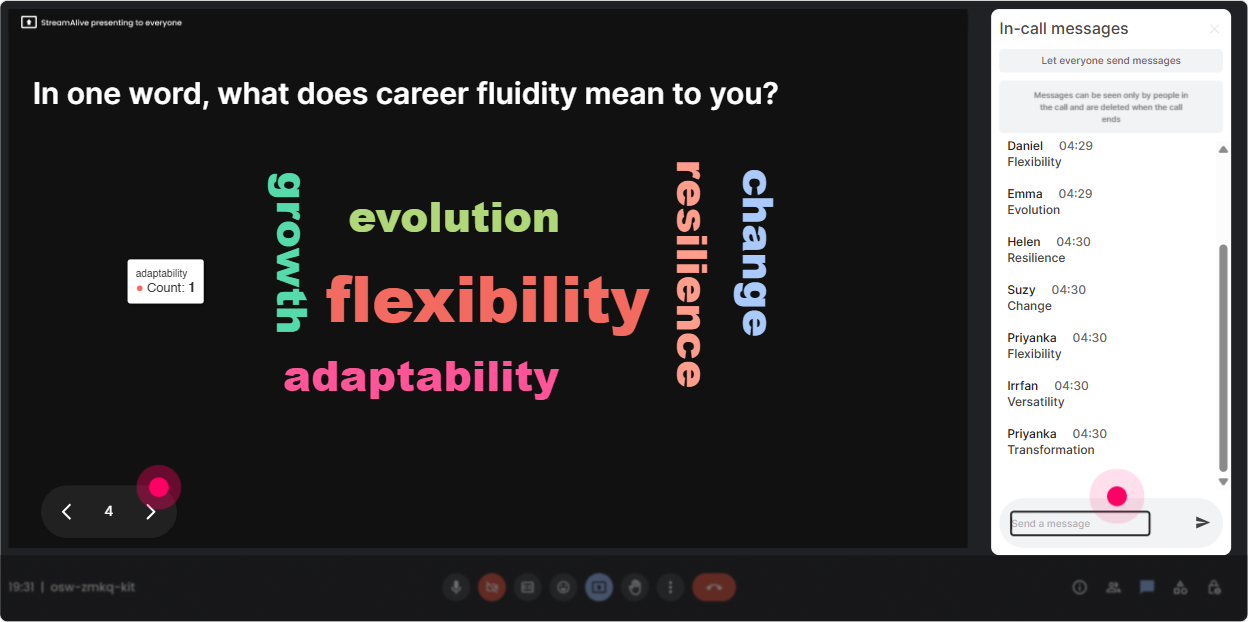
3) Wonder Words (Word Cloud): Turn feelings and assumptions into something you can actually work with
Career Fluidity can trigger all kinds of reactions-excitement, fear, skepticism, curiosity. A Word Cloud lets you surface those vibes in a super visual way, in seconds. Use prompts that get 12 word answers: - Career Fluidity in one word-what comes up for you? - Whats the biggest blocker to fluid careers in your org? (12 words) - What do employees want most right now: growth, stability, purpose? (pick 12 words) - Whats the first thing leaders worry about with internal mobility? (12 words) Trainer tip: When a word shows up big (like manager resistance or time), pause and say, Cool-lets tackle that one head-on. The group feels seen, and you look like youre facilitating, not broadcasting.
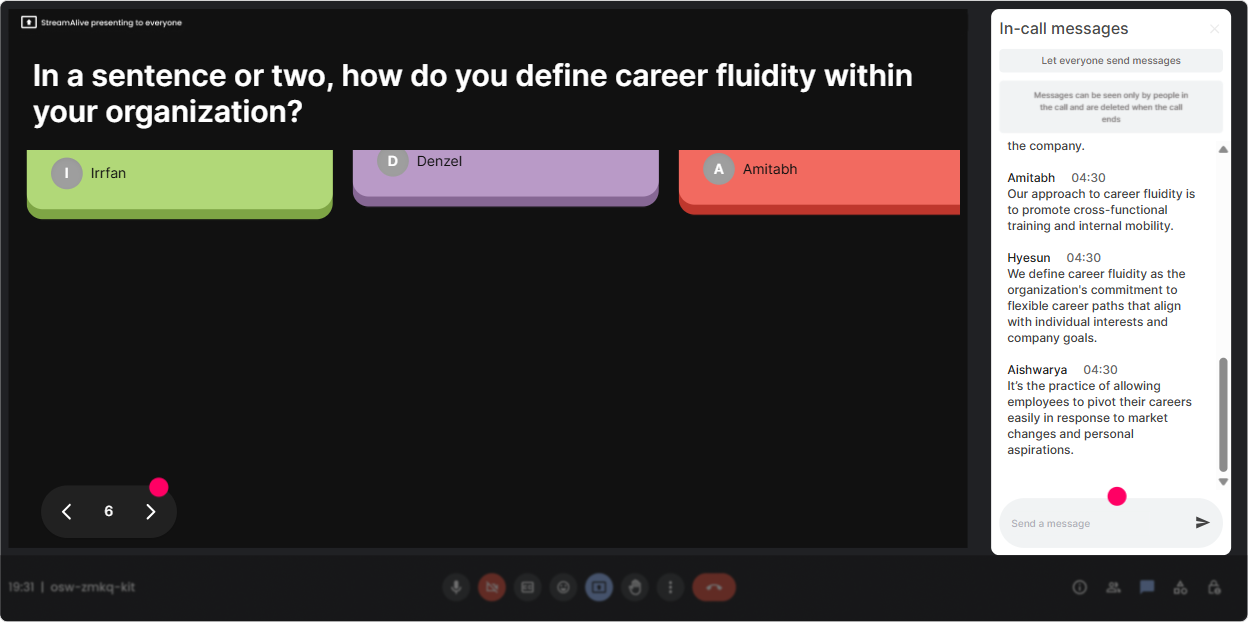
4) Talking Tiles: Get real stories and real use-cases (without awkward silence)
Talking Tiles is where you go when you want more than one-word answers. People type fuller thoughts, and StreamAlive turns them into on-screen tiles-so you can read the room in real time. Try these prompts: - Where have you seen Career Fluidity work well (or fail) in your org? What happened? - Whats one role in your company that could be a great feeder into other roles? - Whats the biggest risk you hear from managers about internal moves-and what do you say back? - If you could change ONE policy to enable more movement, what would it be? Trainer tip: Use Talking Tiles right before a breakout. Youll instantly spot themes and can assign groups based on what people actually care about (not what your slide deck guessed).
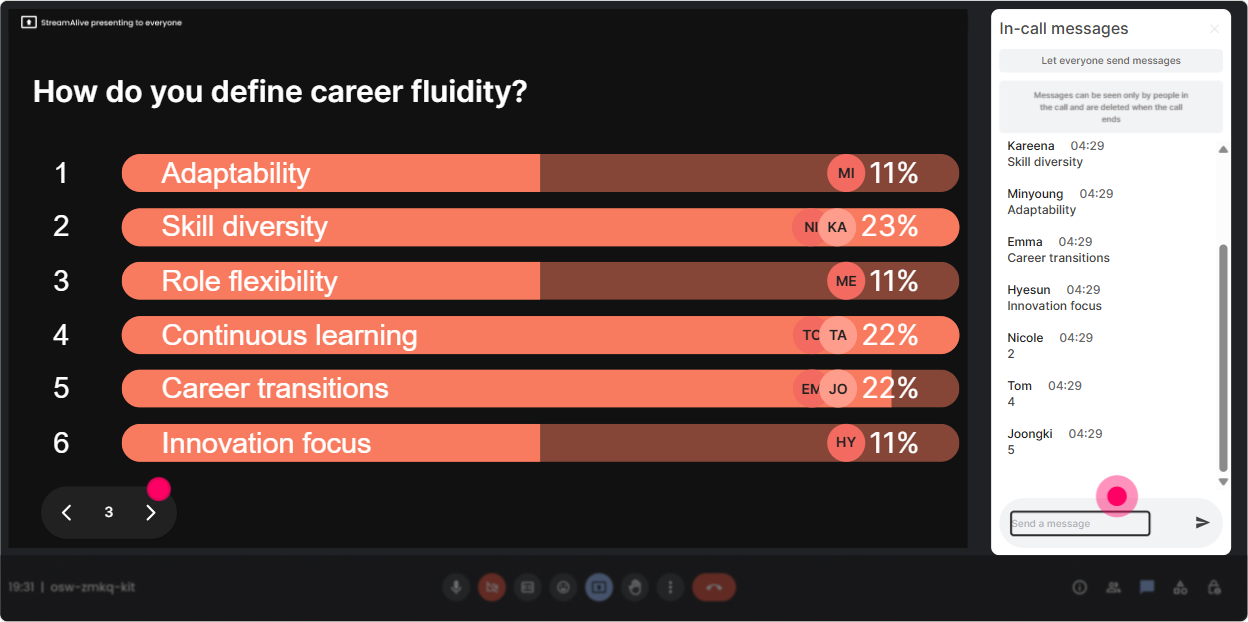
5) Power Polls: Let the audience choose the direction of the session
Power Polls are your best friend when you want to stop guessing what people need. Give options, have them vote in chat, and show the results live. It creates buy-in because the session feels co-created. Poll ideas for Career Fluidity ILT: - What do you want to focus on today? 1) Building a skills-based talent marketplace 2) Manager enablement + incentives 3) Career pathways + transparency 4) Governance, policy, and fairness - Whats your biggest friction point right now? 1) Not enough roles posted internally 2) Managers hoarding talent 3) Employees dont know options 4) Skills data is messy - Which audience are you designing for? 1) Early career 2) Mid-career 3) People managers 4) Critical roles/high potentials Trainer tip: Run one poll early (set the agenda) and one mid-way (choose the next activity). That mid-session poll is a sneaky energy reset.
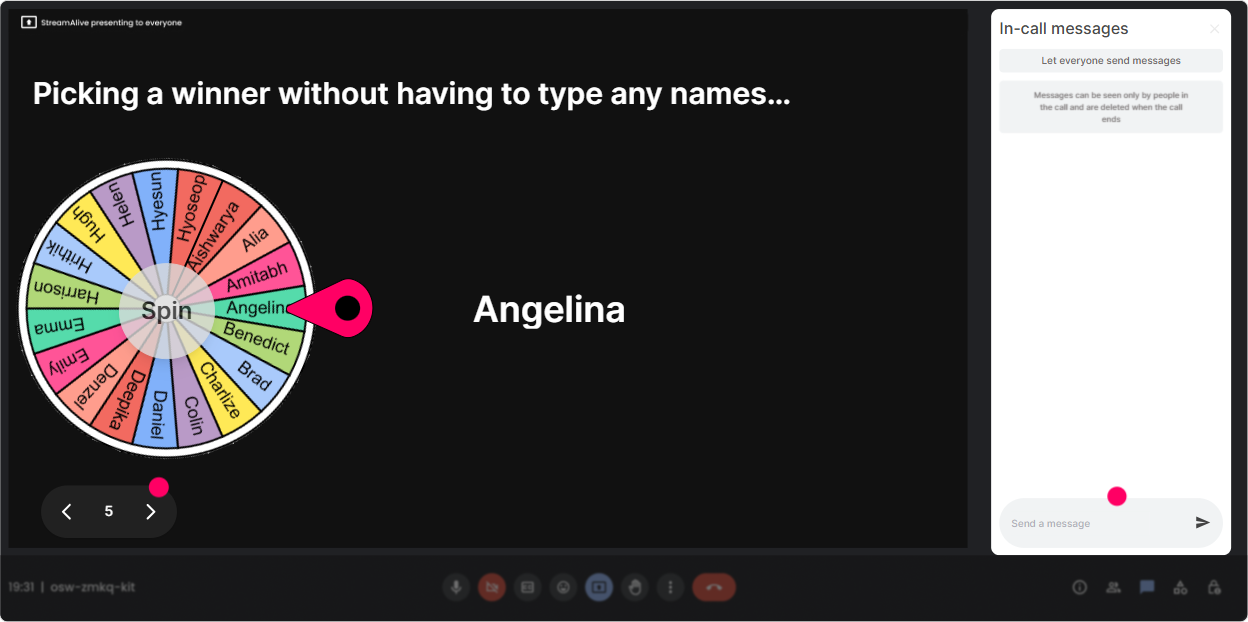
6) Winner Wheel (Spinner Wheel): Pick a volunteer without the awkward anyone want to share?
You know that moment: you ask a question, and everyone suddenly becomes very interested in their mute button. Winner Wheel fixes that by randomly selecting from people who participated-so it feels fair, playful, and way less uncomfortable. How to use it in this session: - Alright, Im going to spin the wheel to pick someone to share one Career Fluidity win (or challenge). - Lets spin for a manager-perspective and then an employee-perspective. - Wheel pick: give us your best one-liner definition of Career Fluidity for your execs. Trainer tip: Tell people up front: If you type in chat, you might get selected to share-but you can always pass. Participation stays high, and people still feel safe.
7) Quiz: Do quick knowledge checks that dont feel like school
Quizzes are perfect for correcting myths and locking in key concepts. You ask a multiple-choice question, people vote via chat, and you reveal the correct answer when youre ready. Quiz questions that work great for Career Fluidity: - Which is the best example of Career Fluidity? A) Promotion every 2 years B) Lateral move to build skills for a future role (Correct) C) Staying in one role to become a specialist D) Switching companies for a pay bump - Whats the #1 thing Career Fluidity needs to work? A) Fancy org charts B) Skills visibility + opportunity access (Correct) C) Annual performance reviews D) A bigger L&D budget - Whats a common downside of internal mobility programs? A) They reduce retention B) They can increase manager resistance if incentives arent aligned (Correct) C) They eliminate the need for onboarding D) They stop external hiring completely Trainer tip: Use the quiz right after you teach a concept, not at the end. You want the aha moment while the content is still warm.

2) Rating Polls: Get a quick pulse on how ready they are for Career Fluidity
Rating Polls are perfect when you want instant sentiment without putting anyone on the spot. People just drop a number in chat, and you get a live read of confidence/clarity/buy-in. Great rating prompts for this topic: - On a scale of 110, how clearly does your org define Career Fluidity today? - Rate your confidence (110): I can explain Career Fluidity vs. traditional career ladders. - How ready is your culture for internal movement? (110) - After a framework slide: How usable was that model for your org? (110) Trainer tip: If the average score is low, youve just been handed permission to slow down and teach. If its high, you can move faster and go deeper. Either way, youre no longer guessing.
8) Q&A (Quick Questions): Catch every question without losing your flow
In Career Fluidity sessions, questions come fast-and theyre usually layered (Okay but what about fairness what about managers what about pay?). StreamAlives Q&A pulls questions straight from chat and organizes them so you dont miss the good ones. How to run it smoothly: - Tell them: Drop your questions anytime-StreamAlive will collect them and Ill hit a Q&A block every 15 minutes. - Use it for a myth-busting segment: Ask your toughest question about internal mobility or talent marketplaces. - Use it to steer your last 10 minutes: Upvote with chat activity-what do you want answered before we wrap? Trainer tip: When someone asks something spicy (like pay equity or favoritism), thank them and park it visibly. People trust the session more when tough questions arent ignored.

9) Analytics: Prove engagement, improve the next session, and spot your champions
After the session, StreamAlive Analytics helps you see what actually worked-minute by minute. Its super useful for L&D Leaders because you can back up this landed with real interaction data. Ways to use Analytics for Career Fluidity ILT: - Spot your engagement peaks: When we discussed manager incentives, chat spiked-keep that segment, expand it. - Identify drop-off moments: The policy slide deck section dipped-next time, turn it into a poll + discussion. - Find your Fantastic Fans: Those highly engaged participants are perfect to invite into a pilot internal mobility cohort or a follow-up working group. - Share interaction results: Send the report to yourself (or your team) and reuse the word cloud/poll results as voice-of-the-room evidence. Trainer tip: If youre running this training as part of a broader Career Fluidity rollout, Analytics becomes your proof point that people didnt just attend-they participated.

Use StreamAlive in all your training sessions
StreamAlive isn’t just for
Career Fluidity
training,
it can also be used for any instructor-led training session directly inside your PowerPoint presentation.
Explore similar traingin ideas: unlocking the potential of StreamAlive
See how StreamAlive transforms live training with engaging events and interactive sessions across industries, directly inside your PowerPoint presentation.

Interactions in action
(it's free)

.svg.png)


