Install StreamAlive for your PowerPoint slides
Learn more

Experience Design Training for Training Agencies
StreamAlive helps 9x the audience engagement in your Virtual Instructor-led Trainings (VILT) directly inside your powerpoint presentation.
Make your instructor-led Experience Design training more fun with polls, word clouds, spinner wheels and more
Works inside your existing PowerPoint presentation
Install the StreamAlive app for PowerPoint and see your slides come to life as people participate in your interactions
AI generates audience interactions for you
Let our AI scan your presentation and automatically come up with relevant questions based on the content. Or spend two hours coming up with your own questions, your choice!
Built to work with MS Teams and Zoom
Native apps for Teams and Zoom so you never have to leave your existing workflows
No QR Codes
Chat-powered interactions means your audience doesn’t need to scan QR codes or look at another screen to participate. They just type in the chat!

Quickly approved by your IT team
StreamAlive’s apps for Teams and Zoom means that they have been through rigorous quality assurance and client safety reviews. You’ll find everything an IT team needs to approve the app within the organization within your StreamAlive account.

Youve been asked to run an Experience Design instructor-led training for a Training Agencyand you want it to feel alive, not like another slides + silence session. The good news: a few smart interactions can make people participate without you having to beg for it. Here are practical ways to use StreamAlive to keep everyone engaged (and actually enjoying it).
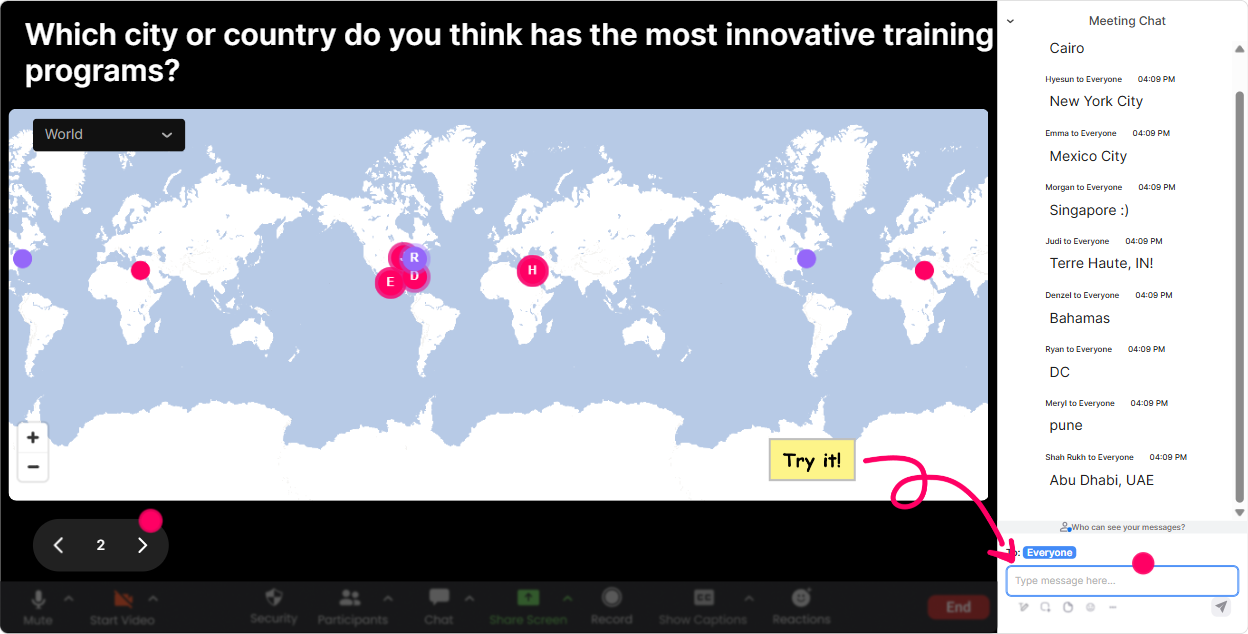
1) Magic Maps: Start with youre on the map energy
This is the easiest way to break the ice without doing awkward intros. Ask one location-based question, and StreamAlive plots everyones answers on a live world map-instantly making the room feel real. How to use it in Experience Design training (Training Agencies edition): - Kickoff question: Where are you joining from today? (classic, always works) - Make it relevant: Which city has the best example of a wow customer/training experience youve personally had? - Dream-state prompt (great for Experience Design): If you could redesign one learner experience anywhere on earth, where would it be? Trainer tip: If youre going to use the map as a theme, do a second Magic Map later like: Where do your learners usually attend from (HQ, sites, remote cities)? Its a sneaky way to transition into designing for different contexts.
2) Rating Polls: Take a quick confidence pulse (without calling anyone out)
Rating Polls are perfect for those moments when you need the rooms temperature fast. People just type a number, and you get an instant visual of where everyones at. How to use it in Experience Design training: - Opener baseline: On a scale of 110, how confident are you in designing an engaging learning experience? - Mid-session check: How clear is the difference between content design and experience design right now? (110) - After an activity: Rate the experience we just did-how engaging was it? (110) Trainer tip: When you see a wide spread (like 3 to 9), say it out loud: Love it-this means we can help the 3s without boring the 9s. People feel seen immediately.

3) Wonder Words (Word Cloud): Make learner emotions visible in real time
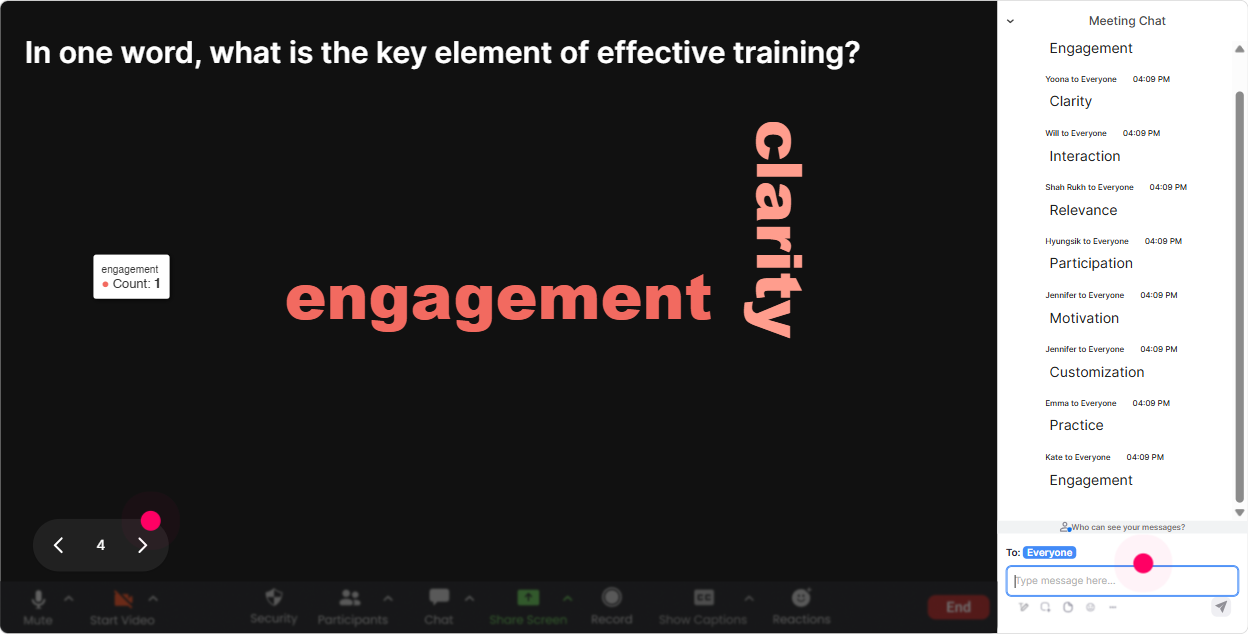
Experience Design is all about how people feel during the learning journey-so a Word Cloud is basically made for this topic. Ask a 12 word question, and StreamAlive turns the chat into a live visual of the groups mindset. Great prompts for Experience Design ILT: - When you hear Experience Design whats the first word that comes to mind? - How do you want learners to feel in your trainings? (12 words) - What usually kills engagement in training? (12 words) Trainer tip: Use the word cloud as a bridge. Example: if you see overwhelmed or confused, you can say, Cool-then part of our job as experience designers is reducing that feeling by design, not by luck.
4) Talking Tiles: Turn stories and examples into a live wall of ideas
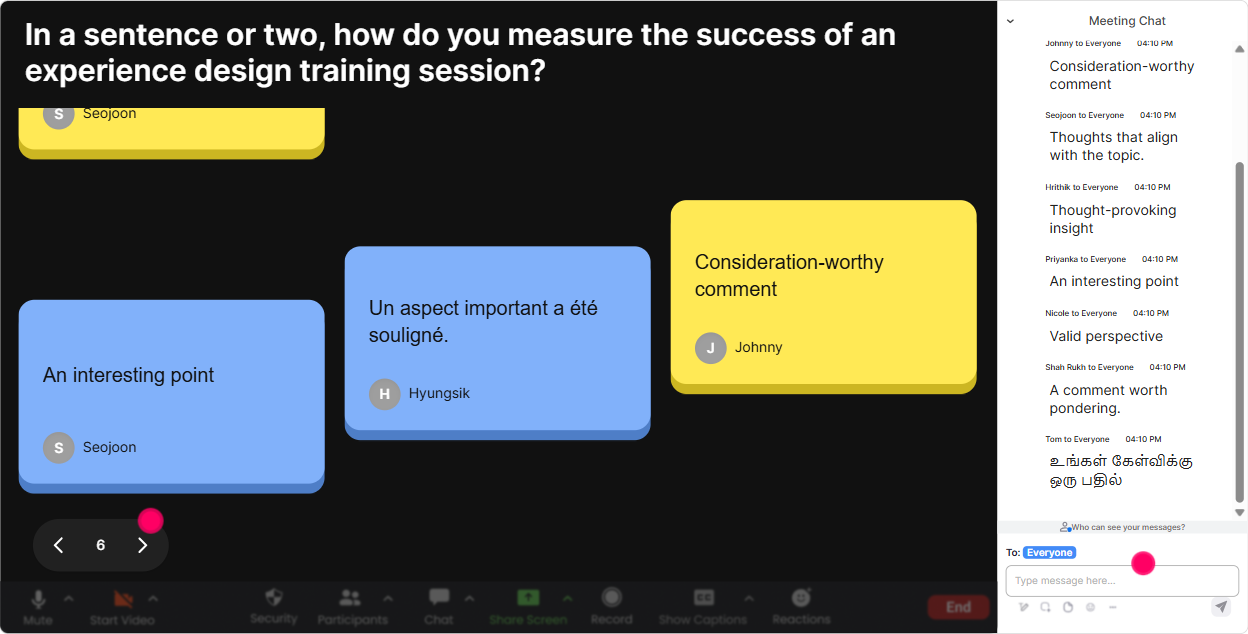
Talking Tiles is when you want more than one-word answers. People type in chat and their responses show up as falling tiles on screen-so it feels like the group is building something together. Use it during Experience Design training like this: - Describe a training moment youve seen that was truly designed (not accidental). What made it work? - What impact would better Experience Design have on your role or your agencys programs? - Whats one learner complaint you hear often (bored, too fast, irrelevant, etc.)? Trainer tip: After 2030 tiles, pause and do a quick pattern callout: Im seeing a theme: relevance, pace, and interaction. Now your next section feels customized-even if your deck was built weeks ago.
5) Power Polls: Let the audience choose the direction (and feel ownership)
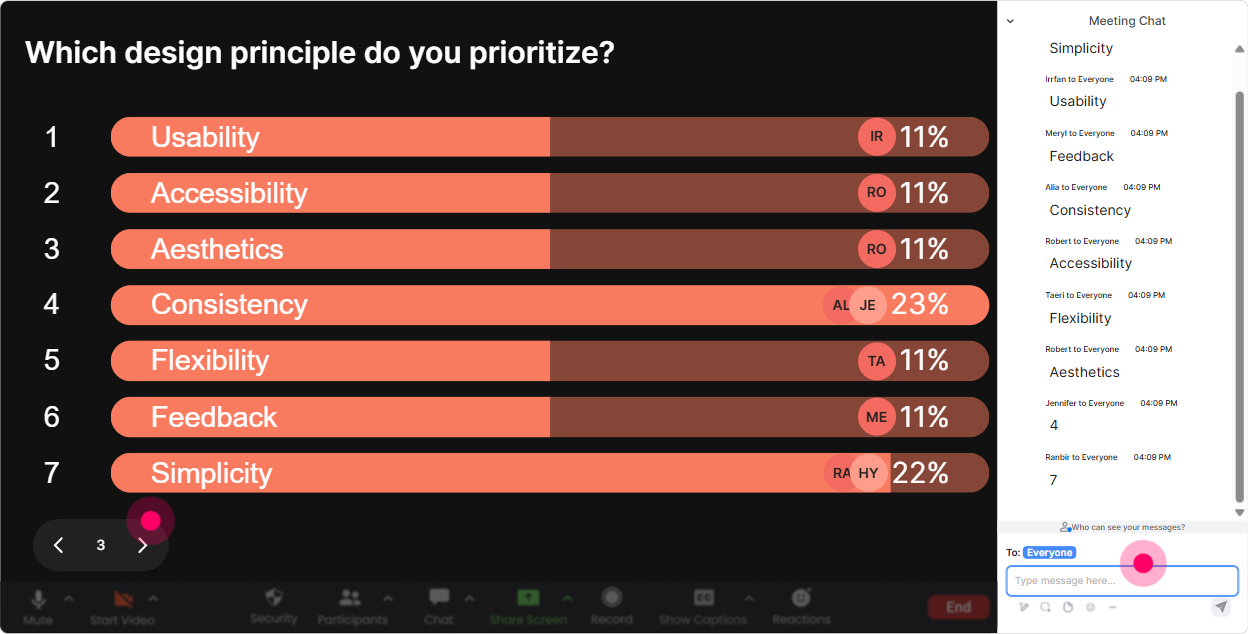
Power Polls are your pick a path tool. Instead of guessing what Training Agency trainers want most, just ask them-then show the results live and adapt. Poll ideas for Experience Design training: - What do you want more of today? 1) Journey mapping a session 2) Designing interactions that arent cringe 3) Making virtual training feel human 4) Measuring engagement + results - Whats your biggest constraint when designing experiences? 1) Time 2) Stakeholders want more content 3) Learners are distracted 4) Delivery platform limits Trainer tip: Run this poll right before you dive into your framework. Then say, Alright-since most of you picked distracted learners, Ill show examples through that lens. Instant credibility.
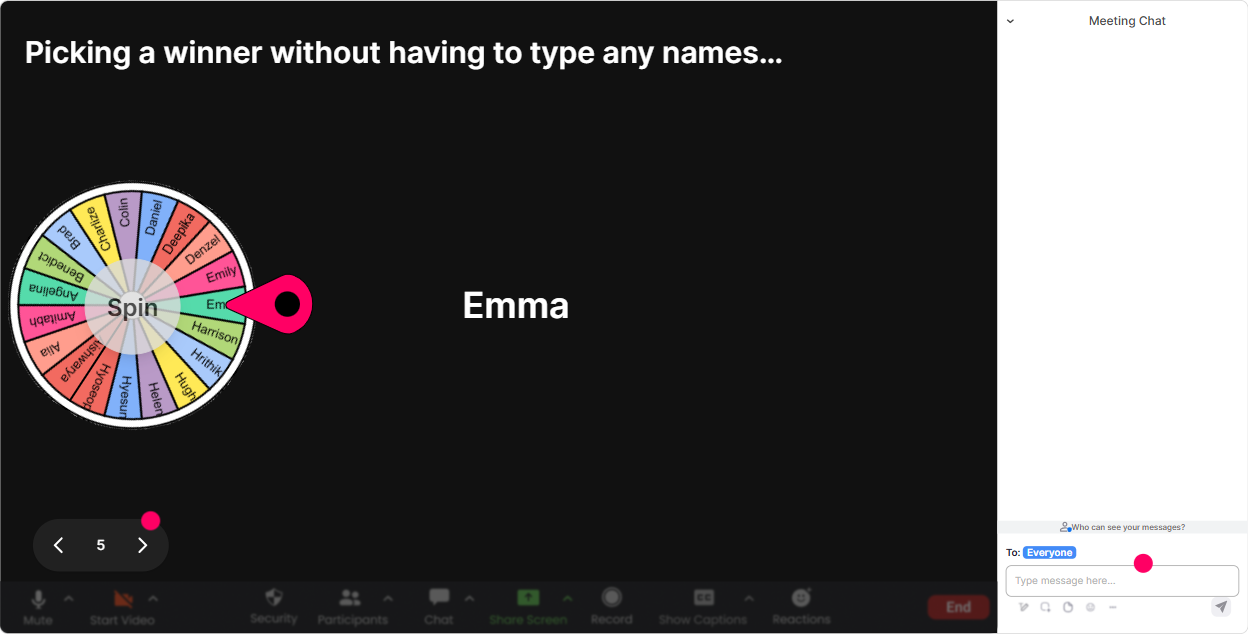
6) Winner Wheel (Spinner Wheel): Get participation without putting people on the spot
This solves the classic problem: same 23 people talk, everyone else hides. The Winner Wheel lets you randomly pick someone from people who commented (so its fair-and theyve already engaged once). How to use it in Experience Design training: - Drop one idea for a peak moment in a training session. (collect chat) - Spin the wheel: Alright, the wheel chooses who explains their idea in 20 seconds. Other fun uses: - Pick a scenario owner to choose which case study you do next - Pick a winner for a small prize (coffee card, shoutout, agency swag) Trainer tip: Keep it playful and safe: You can pass! The option to pass reduces anxiety and actually increases willingness to speak.
7) Quiz: Quick knowledge checks that feel like a game (not an exam)
Quizzes are great when you want to lock in a concept-especially in Experience Design where people may think they understand it until you test the edges. Quiz questions you can use in Experience Design ILT: - Which is the best example of Experience Design? A) Adding 20 more slides of content B) Planning emotional peaks + interaction moments across the session (correct) C) Using a prettier slide template D) Sending a longer pre-read - Whats a peak moment? A) The longest activity B) The moment learners feel the strongest emotion (correct) C) The last slide D) The hardest quiz question Trainer tip: After you reveal the correct answer, ask: If you picked a different one, what made it tempting? That little discussion is where the learning sticks.

2) Rating Polls: Take a quick confidence pulse (without calling anyone out)
Rating Polls are perfect for those moments when you need the rooms temperature fast. People just type a number, and you get an instant visual of where everyones at. How to use it in Experience Design training: - Opener baseline: On a scale of 110, how confident are you in designing an engaging learning experience? - Mid-session check: How clear is the difference between content design and experience design right now? (110) - After an activity: Rate the experience we just did-how engaging was it? (110) Trainer tip: When you see a wide spread (like 3 to 9), say it out loud: Love it-this means we can help the 3s without boring the 9s. People feel seen immediately.
8) Q&A: Stop losing great questions in the chat scroll
When youre training live, the chat moves fast and questions get buried. StreamAlive automatically pulls audience questions from chat and displays them cleanly-so you can actually handle Q&A like a pro. How to use it in Experience Design training: - Tell them early: Drop questions anytime-StreamAlive will capture them for me. - Do planned Q&A breaks: Lets clear 3 questions before we move to the next stage of the learner journey. - Use questions as design input: These questions tell me where the friction is-this is literally Experience Design data. Trainer tip: If youre tight on time, say: Im going to answer the top 5 live and follow up on the rest after. People feel respected instead of ignored.

9) Analytics: Improve your next delivery like a designer (with real engagement data)
This is the part most trainers skip-and its a big missed opportunity. StreamAlive analytics show you minute-by-minute engagement, chat activity, and which interactions actually got people involved. How Training Agencies can use Analytics after Experience Design training: - See where attention dipped (and redesign that segment next time) - Identify what sparked conversation (and build more of that into the run of show) - Find your most engaged participants (your future champions, referrals, or internal advocates) - Share interaction results with your team via email reports (super useful for debriefs) Trainer tip: Treat your own session like a prototype. Run it, check the analytics, tweak one or two moments, and youll feel the engagement jump fast-without rewriting your whole course.

Use StreamAlive in all your training sessions
StreamAlive isn’t just for
Experience Design
training,
it can also be used for any instructor-led training session directly inside your PowerPoint presentation.
Explore similar traingin ideas: unlocking the potential of StreamAlive
See how StreamAlive transforms live training with engaging events and interactive sessions across industries, directly inside your PowerPoint presentation.

Interactions in action
(it's free)

.svg.png)


