Install StreamAlive for your PowerPoint slides
Learn more

AI Anxiety Training for Corporate Trainers
StreamAlive helps 9x the audience engagement in your Virtual Instructor-led Trainings (VILT) directly inside your powerpoint presentation.
Make your instructor-led AI Anxiety training more fun with polls, word clouds, spinner wheels and more
Works inside your existing PowerPoint presentation
Install the StreamAlive app for PowerPoint and see your slides come to life as people participate in your interactions
AI generates audience interactions for you
Let our AI scan your presentation and automatically come up with relevant questions based on the content. Or spend two hours coming up with your own questions, your choice!
Built to work with MS Teams and Zoom
Native apps for Teams and Zoom so you never have to leave your existing workflows
No QR Codes
Chat-powered interactions means your audience doesn’t need to scan QR codes or look at another screen to participate. They just type in the chat!

Quickly approved by your IT team
StreamAlive’s apps for Teams and Zoom means that they have been through rigorous quality assurance and client safety reviews. You’ll find everything an IT team needs to approve the app within the organization within your StreamAlive account.

Youve been asked to run an AI Anxiety instructor-led training for corporate trainers-and you want it to feel supportive, real, and not like a doom-and-gloom lecture. The easiest way to do that? Get people talking early and often. Here are practical engagement ideas using StreamAlive so your session feels alive (not awkward-silent).
1) Magic Maps: Start with connection (and prove theyre not alone)
AI anxiety feels personal, but its happening everywhere-so show that visually right away. How to use it in your AI Anxiety session: - Kick-off question: Where are you joining from today? (classic, but it works) - Make it theme-relevant: If you could teleport anywhere to reset your brain after a heavy AI week, where would you go? - Or: What city/place best represents how AI feels to you right now? (some will type Silicon Valley, others will type a quiet beach-both are interesting) Why its great for this topic: - It breaks the ice without putting anyone on the spot. - You can literally say: Look at this-AI anxiety isnt just in one company or one region. Were all navigating it. Trainer tip: If you want clean data, set it to one location per person. Then reset the map later and reuse it for a second question near the end: Where do you WANT to be with AI confidence 90 days from now?

2) Rating Polls: Quick pulse-check on confidence, fear, and readiness
This is your fastest room read tool-especially for a sensitive topic like fear of being replaced, feeling behind, or not knowing what to teach anymore. Use it at key moments: - At the start: On a scale of 110, how anxious does AI make you feel about your work? - After a myth-busting segment: Now rate your confidence using AI responsibly in training design (110). - Before practice time: How ready are you to try one AI tool this week? (110) Why it works: - People can be honest without oversharing. - Youll instantly see if you need to slow down, reassure, or ramp up. Trainer tip: If the average is low, youve got a perfect segue: Cool-then today is about small wins, not becoming an AI expert overnight.

3) Wonder Words (Word Cloud): Put the emotion on the screen
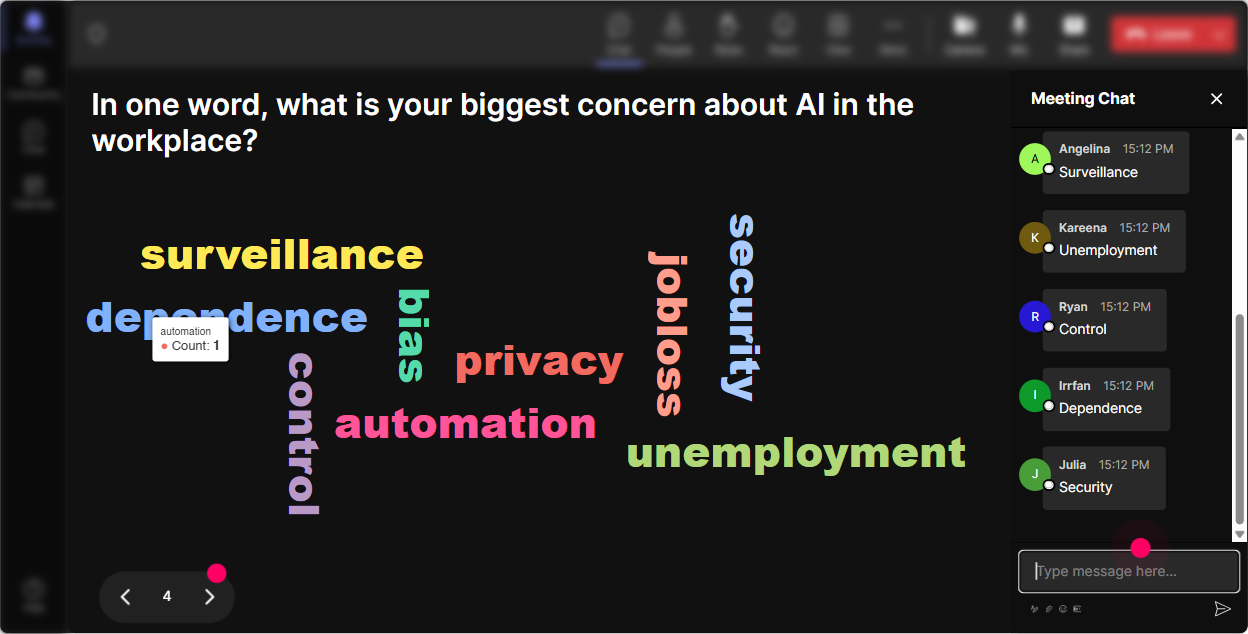
AI anxiety is emotional-so let people name it. A word cloud makes it feel normal, shared, and discussable. Great prompts (keep answers 12 words): - When you hear AI in training, whats the first word that pops up? - Whats the biggest emotion AI brings up for you at work? - Complete this: AI feels like ____. How to use the results: - Call out the big words: Im seeing overwhelmed, curious, threatened, excited that mix is totally normal. - Then bridge into content: Lets separate whats fear from whats fact, and whats hype from whats helpful. Trainer tip: Use Combine Similar Answers so scared and fearful dont split the vote. And reset the cloud at the end with: Now what word describes where youre leaving today?
4) Talking Tiles: Let them tell the real story (without a long awkward share-out)
Talking Tiles is perfect when you want more than a one-word answer, but you dont want to call on people one by one. It makes the chat feel like a living brainstorm. Prompts that work really well for AI Anxiety training: - Whats one way AI is already affecting your training role? - Whats a moment recently where you felt behind (or pressured) because of AI? - Whats one training task you secretly hope AI can help you with? - Whats one boundary you want to set with AI at work? What youll see: - Youll get practical stuff (designing decks faster, writing outlines, assessments, role plays) AND emotional stuff (fear of relevance, imposter syndrome, leadership pressure). Trainer tip: Read 35 tiles out loud and group them: These are time pressure comments these are job security comments and these are ethics/trust comments. That structure instantly makes people feel understood.

5) Power Polls: Let the audience choose the agenda (and youll get buy-in fast)
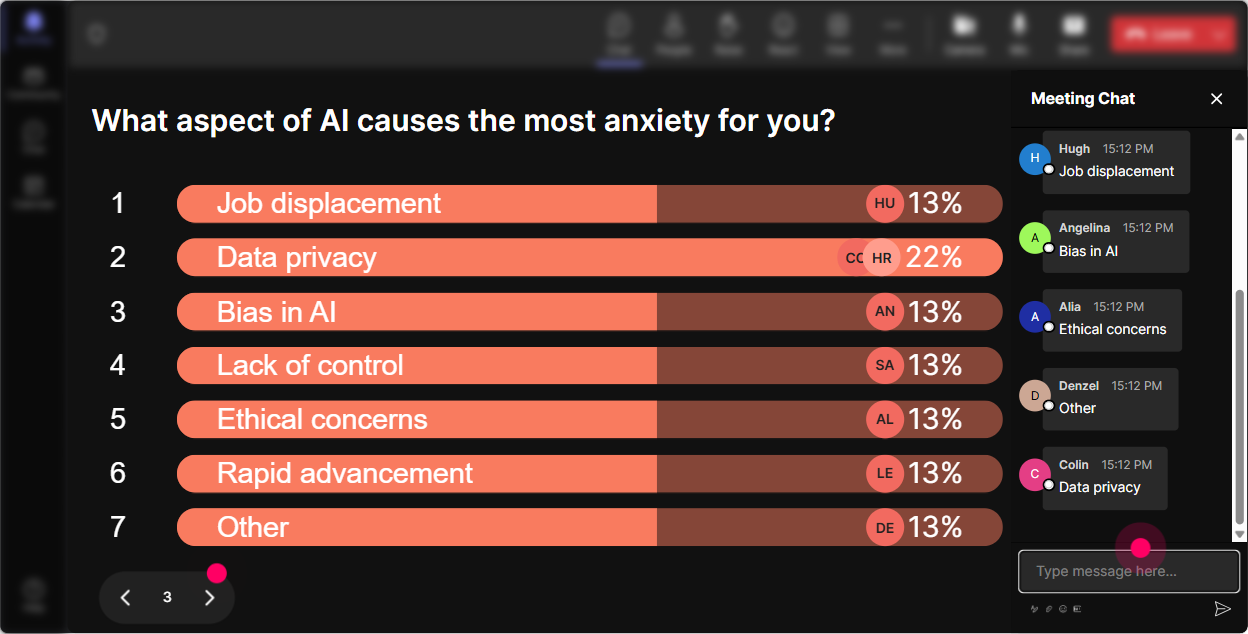
If you want instant engagement, dont guess what they need-ask them and show the results live. Poll ideas for AI Anxiety training: - Whats driving your AI anxiety the most right now? 1) Fear of being replaced 2) Feeling behind others 3) Unclear rules/ethics 4) Pressure from leadership 5) Too many tools, not sure where to start - What do you want most from today? 1) A simple framework to talk about AI with learners 2) Practical AI use cases for trainers 3) Guardrails and responsible use 4) Confidence + mindset shift - Which area should we spend extra time on? (run this mid-session to steer the second half) Trainer tip: Run one poll early, then refer back to it: You voted unclear rules/ethics as #1-so Im going to give you a clean checklist you can reuse with your stakeholders.
6) Winner Wheel: Get volunteers without the anyone want to share? silence
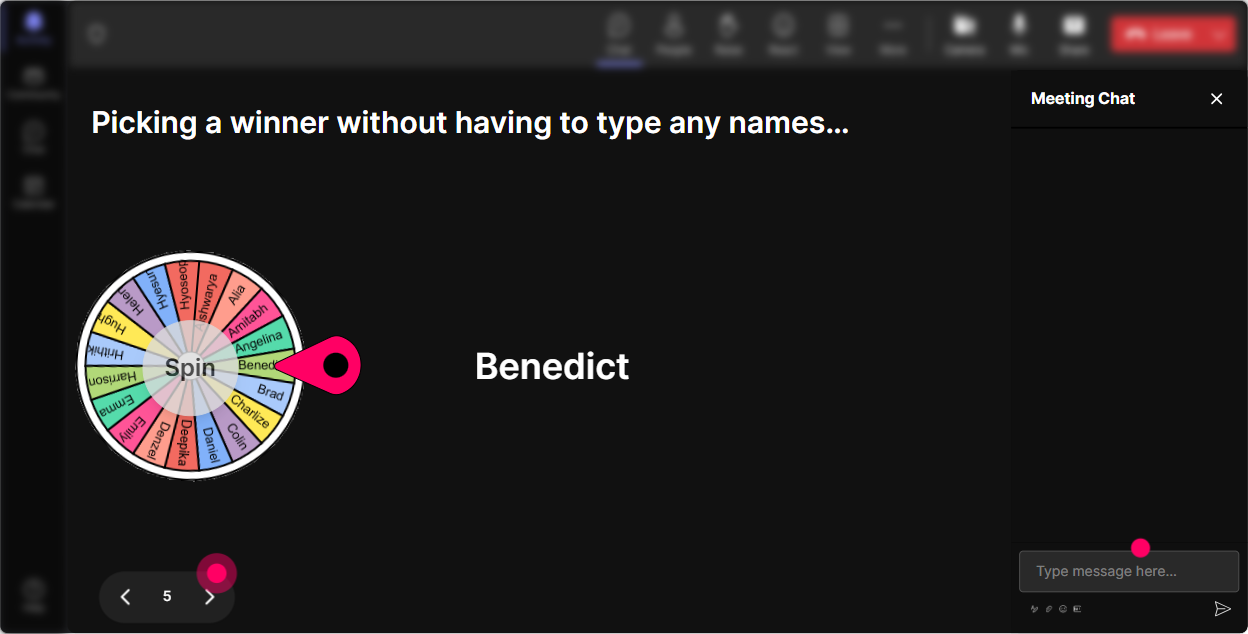
You know that moment: you ask a question, and everyone suddenly becomes a statue. Winner Wheel fixes that because participation feels playful and fair. Ways to use it in AI Anxiety training: - After a chat prompt: Drop ONE sentence in the chat: My biggest AI worry is spin the wheel invite the selected person to unmute for 30 seconds. - For practice: Type me if youre willing to role-play a learner whos anxious about AI. spin quick role-play. - For rewards: Everyone who contributed an idea goes on the wheel-winner gets a template / prompt pack / shoutout. Trainer tip: Set the criteria to people who commented during this interaction so it rewards participation and nudges the quiet folks to type something next time.
7) Quiz: Myth-bust AI anxiety with quick knowledge checks
A lot of anxiety comes from misinformation. A short quiz turns myth-busting into something light and interactive-without making anyone feel tested. Quiz questions you can use (with one correct answer): - Which is the BEST first step before using AI with internal company info? A) Paste it in and see what happens B) Remove sensitive data and follow your orgs policy (Correct) C) Ask AI if its confidential D) Assume its fine if you trust the tool - Whats the most realistic impact of AI on trainer roles in the near term? A) Trainers disappear B) Only tech trainers survive C) Trainers who adapt will shift toward facilitation, coaching, and performance support (Correct) D) AI replaces SMEs entirely - Which prompt is MOST likely to produce a useful training outline? (show options, then reveal the correct one) Trainer tip: After you reveal the correct answer, ask: If you picked something else, what made it feel right? That discussion is where the learning sticks.

2) Rating Polls: Quick pulse-check on confidence, fear, and readiness
This is your fastest room read tool-especially for a sensitive topic like fear of being replaced, feeling behind, or not knowing what to teach anymore. Use it at key moments: - At the start: On a scale of 110, how anxious does AI make you feel about your work? - After a myth-busting segment: Now rate your confidence using AI responsibly in training design (110). - Before practice time: How ready are you to try one AI tool this week? (110) Why it works: - People can be honest without oversharing. - Youll instantly see if you need to slow down, reassure, or ramp up. Trainer tip: If the average is low, youve got a perfect segue: Cool-then today is about small wins, not becoming an AI expert overnight.
8) Q&A: Make questions feel safe-and dont lose them in chat
AI Anxiety sessions trigger lots of Wait are we allowed to? questions. StreamAlives Q&A (Quick Questions) pulls questions from chat and organizes them so you dont miss the important ones. How to run it smoothly: - Tell them upfront: Drop questions anytime-StreamAlive will capture them and Ill hit them at our Q&A breaks. - Do two dedicated pauses: - Midway: policies, ethics, job-impact fears - End: practical next steps + tool questions Great question prompts to encourage participation: - Whats one thing about AI at work that feels unclear or risky? - What question do you wish leadership would answer about AI? - Whats a learner question youre dreading getting in a class? Trainer tip: If a question is spicy (and it will be), thank them and generalize it: A few of you are basically asking, How do I stay relevant? Lets tackle that directly.

9) Analytics: Improve every delivery (and prove your session actually engaged people)
After an AI Anxiety session, you dont just want That was nice. You want to know what landed, what spiked engagement, and where people drifted. How trainers can use StreamAlive Analytics: - Minute-by-minute engagement: See exactly when chat lit up. Example: if engagement spikes during your myth-busting quiz but dips during your history of AI slide you know what to trim next time. - Interaction reports: Review poll results and word clouds to understand your audiences real concerns (great for tailoring the next cohort). - Top fans / most engaged people: These are your champions-invite them to pilot a follow-up session, share success stories, or help build internal guidelines. - Email reports: Share outcomes with stakeholders: Heres what trainers are most anxious about, and heres what they want next. Trainer tip: Use analytics to build a simple follow-up email: Top 3 worries from the group + 3 practical next steps. Thats how your training keeps working after the live session ends.

Use StreamAlive in all your training sessions
StreamAlive isn’t just for
AI Anxiety
training,
it can also be used for any instructor-led training session directly inside your PowerPoint presentation.
Explore similar traingin ideas: unlocking the potential of StreamAlive
See how StreamAlive transforms live training with engaging events and interactive sessions across industries, directly inside your PowerPoint presentation.

Interactions in action
(it's free)

.svg.png)


