Install StreamAlive for your PowerPoint slides
Learn more

Skill Instability Training for Training Agencies
StreamAlive helps 9x the audience engagement in your Virtual Instructor-led Trainings (VILT) directly inside your powerpoint presentation.
Make your instructor-led Skill Instability training more fun with polls, word clouds, spinner wheels and more
Works inside your existing PowerPoint presentation
Install the StreamAlive app for PowerPoint and see your slides come to life as people participate in your interactions
AI generates audience interactions for you
Let our AI scan your presentation and automatically come up with relevant questions based on the content. Or spend two hours coming up with your own questions, your choice!
Built to work with MS Teams and Zoom
Native apps for Teams and Zoom so you never have to leave your existing workflows
No QR Codes
Chat-powered interactions means your audience doesn’t need to scan QR codes or look at another screen to participate. They just type in the chat!

Quickly approved by your IT team
StreamAlive’s apps for Teams and Zoom means that they have been through rigorous quality assurance and client safety reviews. You’ll find everything an IT team needs to approve the app within the organization within your StreamAlive account.

Youve been asked to run a Skill Instability instructor-led session for a Training Agency-and you already know the challenge: people nod along, but you cant tell whos with you. Lets make it interactive, practical, and genuinely fun to attend using StreamAlive. Here are engagement ideas you can drop straight into your run-of-show.
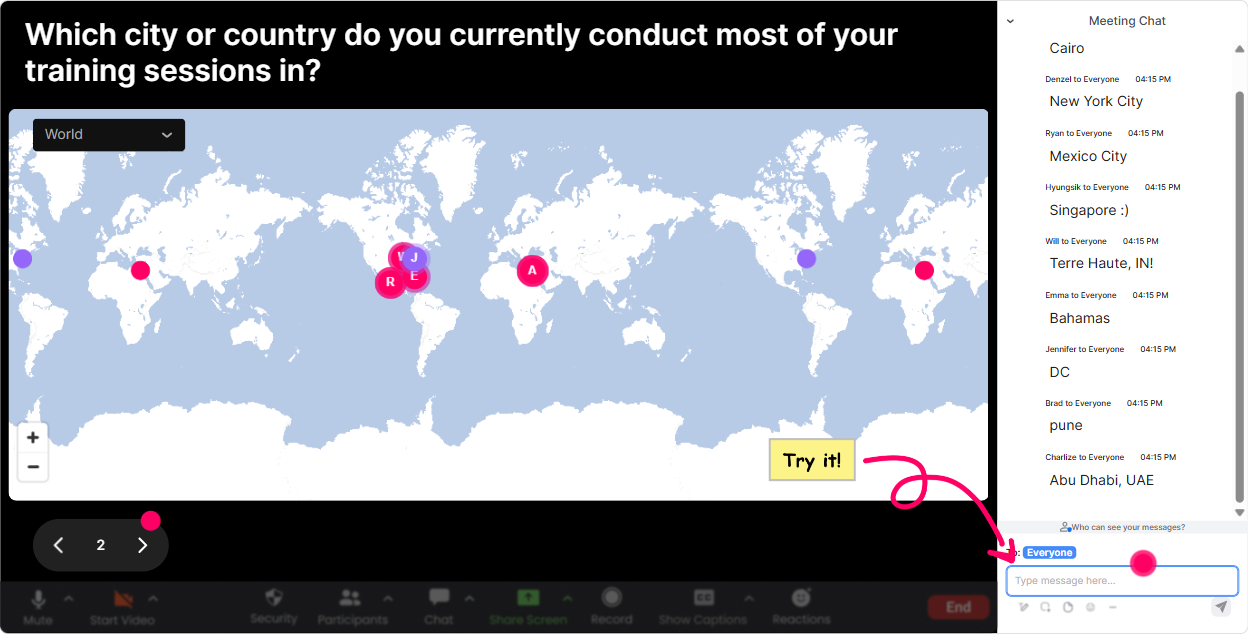
Magic Maps: Put your Skill Instability room on the map (literally)
Start with the easiest win: get everyone typing in chat in the first 60 seconds. Launch **Magic Maps** and ask a location-based question that also tees up your topic. Try prompts like: - Where are you joining from today? (classic, works every time) - Which city do you think is changing fastest in terms of jobs and skills? - If you could teleport anywhere to learn a new skill for a week, where would you go? As locations pop onto the map in real time, youve instantly got energy, movement on screen, and a natural segue: Notice how distributed we are-Skill Instability is global, and its hitting industries differently depending on where you are. If you want to keep it clean, set it to **one location per person** and reset the map before the next activity.
Rating Polls: Quick confidence check before you teach anything
Before you go deep into frameworks, run a **Rating Poll** to find out where people really are. Its faster than asking everyone good? and getting silence. Use prompts like: - On a scale of 110, how confident are you explaining Skill Instability to a client? - Rate how much Skill Instability is impacting your current training projects (1 = not at all, 10 = heavily). - How prepared do you think your agency is to respond to new skill shifts (110)? Now you can tailor your delivery live. If the average is low, you slow down and give more examples. If its high, you go straight into advanced application. Either way, the group feels seen-and youre not guessing.

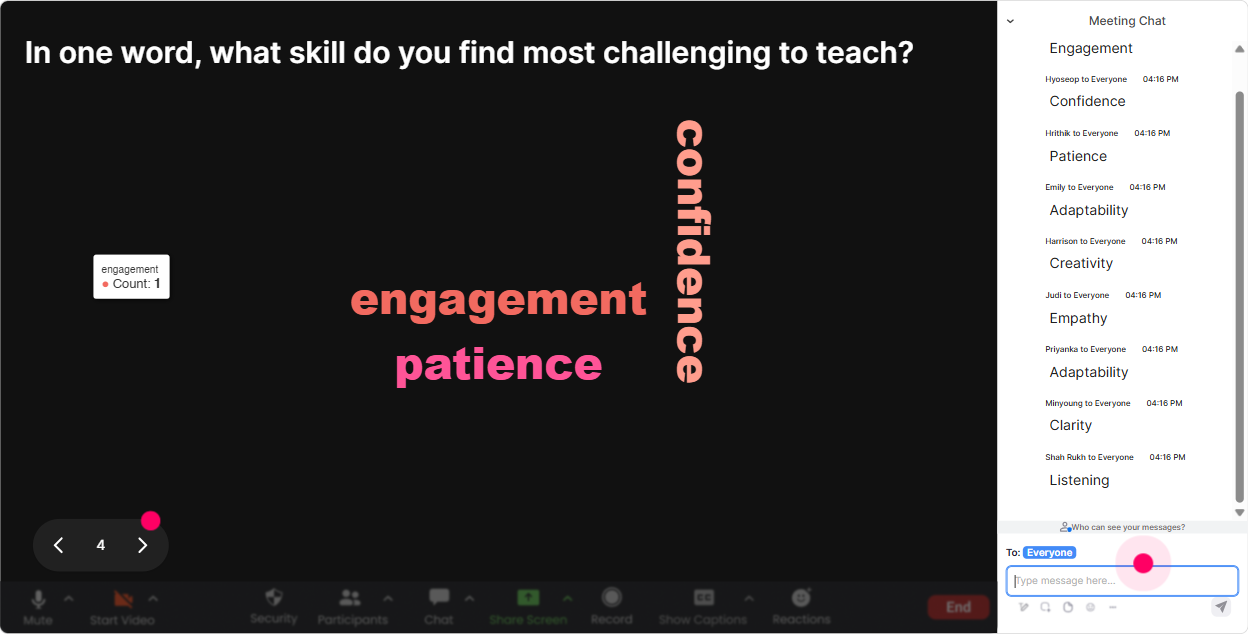
Wonder Words: Turn how are you feeling about this topic? into something visual
Skill Instability can feel exciting or exhausting. Use **Wonder Words** to get a one-to-two word pulse check, then react to what you see on screen. Great word cloud prompts: - Skill Instability in one word: how does it feel in your work right now? - Whats the biggest force driving Skill Instability for you? (AI, clients, tools, hiring, budgets, etc.) - One skill you think trainers will need more of in the next 12 months? As words grow bigger, youll instantly see themes like AI, overwhelming, upskilling, pressure, opportunity. And thats your perfect discussion bridge: Lets talk about why *pressure* is showing up so big-and what to do about it.
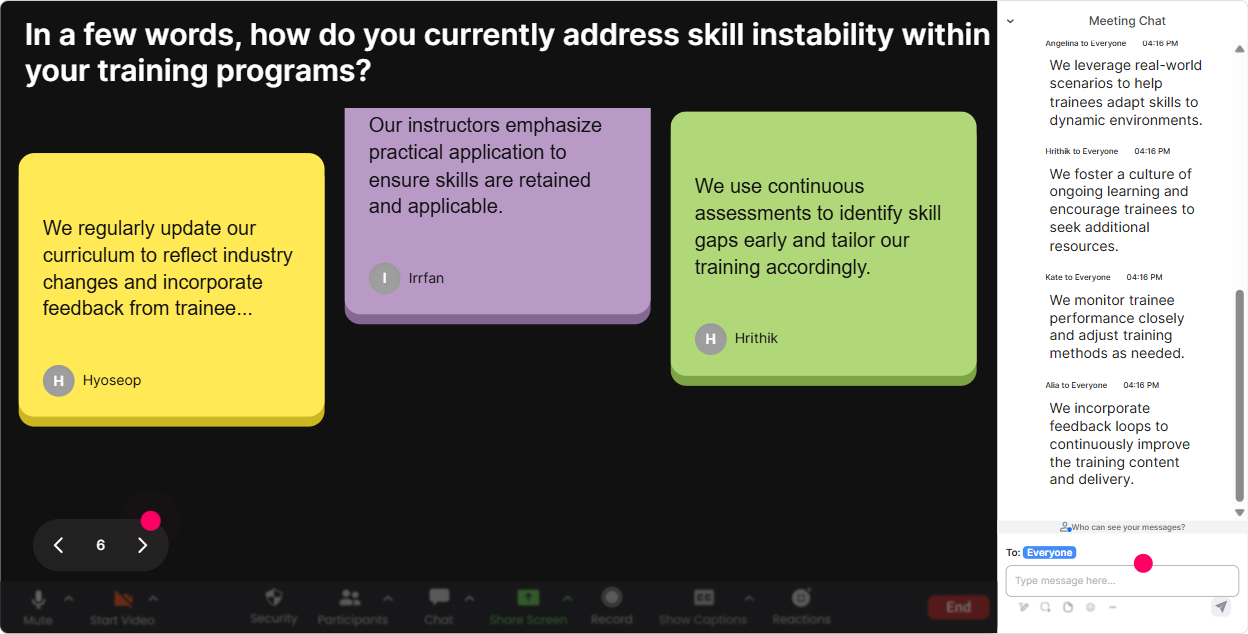
Talking Tiles: Let them tell stories-without you losing control of the room
When you want more than a one-word answer, **Talking Tiles** is your best friend. It turns chat responses into a visual wall of thoughts (and it feels playful, which keeps attention up). Use it for prompts like: - Where have you seen Skill Instability show up in a real client request lately? - Whats one skill that was hot last year but is fading fast now? - Finish this sentence: Our learners struggle most when ___ changes. Then do a quick facilitation move: pick 23 tiles to read out loud and respond to. Youll get real examples from the field, and your content stops being theoretical.
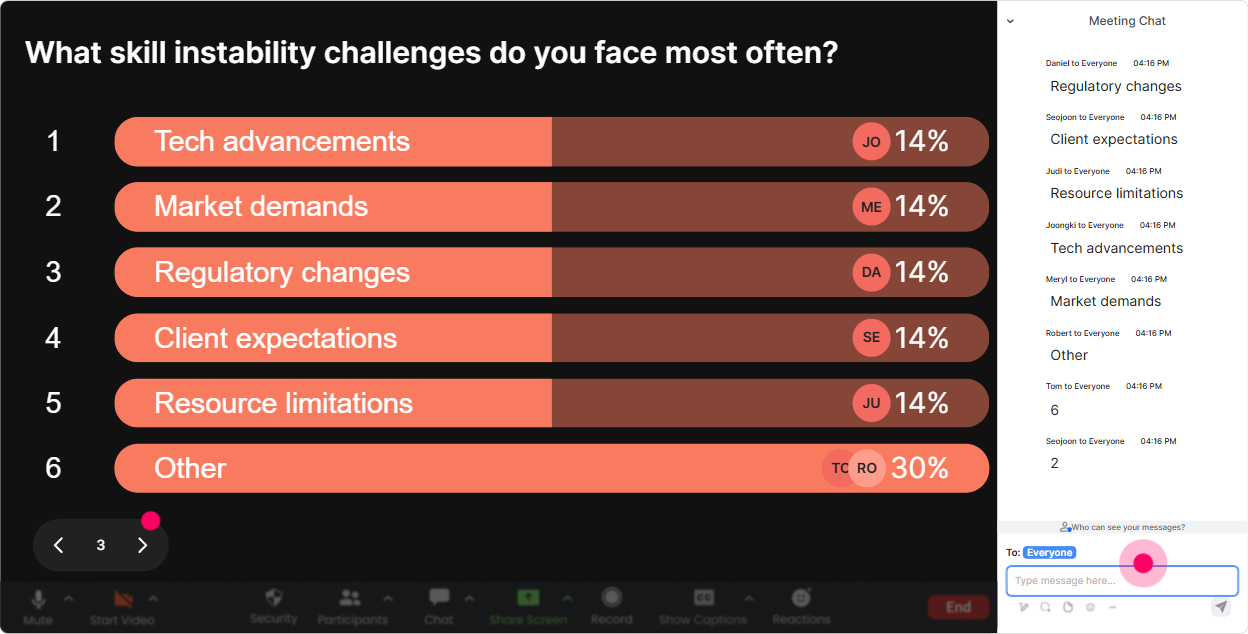
Power Polls: Let the audience choose the agenda (and youll get way more buy-in)
When youre training agencies, different people care about different angles-sales enablement, L&D delivery, curriculum design, trainer capability, etc. Run a **Power Poll** and let them vote on what they want next. Poll ideas: - What do you want to focus on today? 1) Spotting skill shifts early 2) Updating training programs faster 3) Selling Skill Instability solutions to clients 4) Measuring whether new skills stick - Where does Skill Instability hurt most right now? 1) Curriculum gets outdated 2) Trainers need constant upskilling 3) Client needs change mid-project 4) Learners dont know what to focus on You can also use an **Open-Ended Poll** when you dont want to box them in: - Which skill is your #1 priority to build across your trainer team this year? Then you teach to the results live-and people stay engaged because it feels customized.
Winner Wheel: Make participation feel safe (and a little exciting)
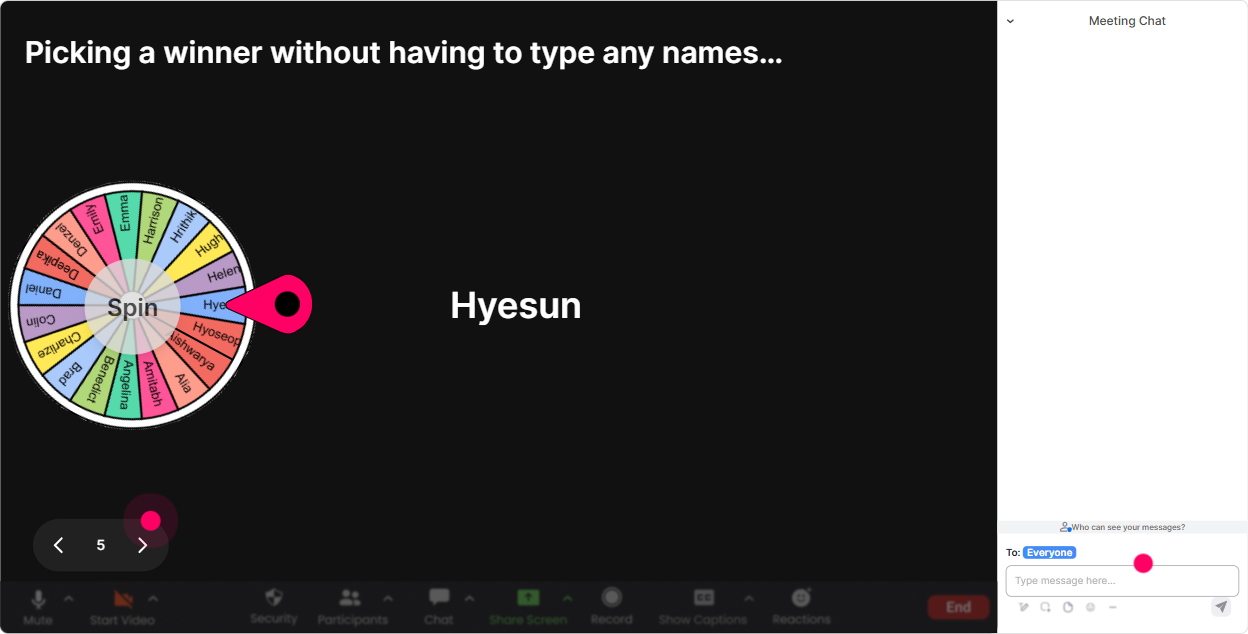
Some folks will never volunteer. Thats normal. **Winner Wheel** fixes that because its not you calling someone out-its the wheel. Ways to use it in Skill Instability ILT: - Drop in chat one example of a skill shift youve seen. Im going to spin the wheel and ask the winner to unmute for 30 seconds to explain. - Type READY if youre willing to share how youd redesign a course that keeps changing. Ill spin for a brave volunteer. - Use it as a reward: Everyone who answered the last activity is eligible-winner gets a template / resource / shout-out. It nudges quieter participants to type something (because theres a chance theyll be picked), and your chat activity jumps quickly.
Quiz: Do quick knowledge checks that dont feel like school
Use **Quiz** to run fast multiple-choice checks during your session. It keeps people listening because they know a question is coming-and it helps you catch confusion early. Skill Instability quiz examples: - Which is the best example of Skill Instability? A) A skill staying valuable for 10 years B) A skill losing value quickly due to new tools/processes (Correct) C) Employees refusing to learn D) A company hiring more people - Whats the biggest risk of ignoring Skill Instability in training programs? A) More attendance B) Outdated content and wasted training time (Correct) C) Faster onboarding D) More consistent job roles Run the quiz, let votes come in through chat, then hit **Show Correct Answer** and discuss why. Super simple, super effective.

Rating Polls: Quick confidence check before you teach anything
Before you go deep into frameworks, run a **Rating Poll** to find out where people really are. Its faster than asking everyone good? and getting silence. Use prompts like: - On a scale of 110, how confident are you explaining Skill Instability to a client? - Rate how much Skill Instability is impacting your current training projects (1 = not at all, 10 = heavily). - How prepared do you think your agency is to respond to new skill shifts (110)? Now you can tailor your delivery live. If the average is low, you slow down and give more examples. If its high, you go straight into advanced application. Either way, the group feels seen-and youre not guessing.
Q&A (Quick Questions): Capture every question without losing the thread
In Skill Instability sessions, questions come in waves-usually when you start talking AI, job changes, or redesigning learning pathways. With **Quick Questions**, StreamAlive grabs questions straight from chat and organizes them so you dont have to scroll like a maniac. How to use it smoothly: - Tell them: Drop your questions anytime-StreamAlive will catch them. - Do Q&A pit stops every 1520 minutes so the session doesnt derail. - Use it for sensitive questions too, like: What if our trainers dont have the new skills yet? It keeps the flow clean, and learners feel heard because their question doesnt vanish in the chat flood.

Analytics: Prove engagement, improve the next delivery, and spot your future champions
After the session, **Analytics** is where you get the receipts. If youre running training for agencies (or delivering to agency clients), being able to show engagement and participation is gold. What to look at: - **Minute-by-minute engagement:** Spot where attention dipped (maybe that section needs a story, a demo, or a poll next time). - **Chat replay + interaction results:** See exactly what people responded to when you discussed Skill Instability examples, risks, or strategies. - **Top Fans / most engaged participants:** These are your champions-great people to invite into follow-up workshops, pilot groups, or internal trainer communities. - **Email reports:** Send results to your team or client stakeholders so they see participation, sentiment, and what the audience cared about. This is how you move from I think it went well to Heres what landed, heres what to adjust, and heres who was most engaged.

Use StreamAlive in all your training sessions
StreamAlive isn’t just for
Skill Instability
training,
it can also be used for any instructor-led training session directly inside your PowerPoint presentation.
Explore similar traingin ideas: unlocking the potential of StreamAlive
See how StreamAlive transforms live training with engaging events and interactive sessions across industries, directly inside your PowerPoint presentation.

Interactions in action
(it's free)

.svg.png)


